7 Best Microsoft Project Alternatives for Professional Services Teams (2026)
•
•
Summarize blog with






The Gantt chart looks perfect. Every task has a date, an owner, and a dependency. The client asks how the project is going and the project manager (PM) opens a different deck entirely.
That gap, between the plan and the reality, is where the search for a Microsoft Project alternative begins for professional services teams.
MS Project gives you a detailed, dependency-modeled plan. What it does not give you is any native visibility into whether that plan reflects reality, what it is costing you, or what your client is actually experiencing.
Professional services (PS) and delivery put different demands on a platform. It is client-facing, revenue-connected, and dependent on continuous collaboration with stakeholders who are not interested in navigating a Gantt chart to find out whether their deliverable is on track.
The underlying issue is architectural. Microsoft Project was designed for internal program management — capital projects, IT implementations, infrastructure rollouts, where the primary stakeholder is internal and success is measured against a baseline plan.
PS delivery is client-revenue-connected, continuously negotiated, and dependent on real-time visibility that a scheduling tool with bolt-on integrations cannot structurally provide.
What has shifted is the expectation level on all sides. Clients now expect real-time visibility into their project. Finance expects project-level profitability data before month close.
Delivery leaders need portfolio-wide resource views that do not require pulling from four systems and reconciling the results.
Even as Microsoft has expanded the ecosystem around Project through Power Platform and Project Operations, PS teams at this point are choosing between a planning-first tool extended with workarounds, and a delivery-first platform where scheduling, resource management, client collaboration, and financial visibility operate as a single system.
What is Microsoft Projects?
Microsoft Project is a project scheduling and portfolio management tool built primarily for task management, Gantt charts, dependency mapping, and critical path planning.
While Microsoft’s ecosystem supports collaboration and reporting, professional services and consulting teams evaluating Microsoft Project alternatives often need deeper capabilities across client collaboration, resource capacity management, and real-time financial visibility tied to active engagements.
The operational stakes are significant. PMI research shows organizations using proven project management practices waste 28 times less money than organizations with poor project performance.
Purpose-built PSA platforms help address these operational gaps by unifying delivery execution, resource planning, utilization tracking, and customer collaboration in a single system.
For professional services and consulting teams evaluating Microsoft Project alternatives, Rocketlane is one of the leading modern PSA platforms in 2026, particularly for B2B SaaS onboarding and implementation teams.
This guide evaluates 7 MS Project alternatives across 15+ dimensions, including client collaboration, resource management, financial tracking, CRM integration, automation, and AI capabilities, with decision guidance by team size and use case.
Quick recommendation: For PS and consulting teams managing customer onboarding and implementation delivery, Rocketlane is one of the strongest modern PSA platforms in 2026, combining project delivery, resource management, financial visibility, automation, and a native client portal in a unified platform.
Who this guide is for: Professional services leaders, implementation directors, PMO leaders, and consulting operations teams at B2B SaaS and services firms with roughly 5–50 delivery staff that have outgrown traditional project scheduling tools and need a more collaborative, client-facing operating system for delivery.
Quick glance: Best Microsoft Project alternatives for PS and Consulting teams (2026)
*Pricing and packaging frequently change by region, contract size, and annual billing structure.
✅ = native/full
⚠️ = partial/limited
❌ = not core/native capability
Note: Updated May 2026. G2 ratings referenced from publicly available listings as of Q2 2026. Tools were evaluated using product documentation, third-party reviews, and assessment across professional services use cases, including client collaboration, resource management, financial tracking, CRM integration, workflow automation, and AI-assisted operations.
What is Microsoft Project — and why are PS and consulting teams moving on?
Microsoft Project was originally built for project scheduling, dependency management, Gantt charts, and critical path planning in structured, internally managed project environments.
Professional services, implementation, and consulting teams are increasingly moving to modern PSA platforms because they need client collaboration, portfolio-level resource visibility, and operational workflows that connect delivery, finance, and customer systems in real time.
Microsoft Project was designed for an earlier era of project management: internal infrastructure programs, construction projects, IT rollouts, and waterfall delivery models with fixed timelines and centralized teams. In that environment, it became the standard for scheduling complex projects, mapping dependencies, and managing timelines across large internal initiatives.
Today’s implementation and consulting teams work in highly collaborative, customer-facing environments where delivery performance is tied not just to task completion, but to onboarding speed, utilization, margins, customer experience, and cross-functional coordination.
That creates several operational gaps:
- Limited client visibility: Microsoft Project was not built as a customer-facing platform. Most organizations still rely on exported reports, screenshots, or manual status updates to communicate implementation progress externally.
- Limited portfolio-level resource planning: While Microsoft Project supports resource assignments, it is not designed as a full resource capacity and utilization management system across multiple active engagements.
- Disconnected operational workflows: CRM, billing, forecasting, and project execution often remain fragmented across systems, requiring manual project creation, status syncing, and financial reconciliation.
- Legacy desktop-first workflows: Although Microsoft now offers cloud-connected experiences through Project for the web and broader Microsoft integrations, many operational workflows still depend on traditional project file structures and PMO-centric planning models.
- Minimal native PSA functionality: Time tracking, margin analysis, revenue forecasting, and financial governance typically require additional tools or integrations.
- Limited AI-assisted delivery operations: Compared to modern PSA platforms investing heavily in workflow automation and AI-assisted delivery coordination, Microsoft Project’s AI capabilities remain relatively narrow and scheduling-focused.
5 switching triggers: why PS and consulting teams are finally leaving Microsoft Project
Trigger 1: Customers keep asking for project updates
Problem: Microsoft Project was never designed as a client-facing delivery platform. Many PS teams still rely on exported reports, screenshots, spreadsheets, or manually written status emails to communicate implementation progress.
Across multiple concurrent engagements, that creates a surprising amount of operational drag. PMs spend time assembling updates instead of managing delivery risk, customer onboarding, or stakeholder coordination.
What modern teams are adopting instead: Platforms with shared customer workspaces, live milestone visibility, automated reporting, and client collaboration workflows.
Why it matters: Customers increasingly expect real-time visibility into onboarding and implementation progress instead of static weekly updates.
Trigger 2: Resource conflicts surface too late
Problem: Microsoft Project handles task assignments well, but most consulting organizations struggle once staffing decisions need to be managed across dozens of active and pipeline projects simultaneously.
Double-booking, hidden utilization risk, and staffing bottlenecks often become visible only after delivery timelines are already affected.
What modern teams are adopting instead: PSA platforms with portfolio-level capacity planning, utilization forecasting, heatmaps, and soft allocations tied to future pipeline demand.
Why it matters: Resource management is increasingly a revenue and margin function, not just a staffing exercise.
Trigger 3: Fixed-fee projects lose margin without early warning
Problem: Microsoft Project is fundamentally a scheduling tool, not a financial operating system for services delivery.
Many firms still track budgets, burn, utilization, and profitability separately in spreadsheets or finance tools. By the time margin issues surface, the project is often already unrecoverable.
What modern teams are adopting instead: Unified delivery systems that connect project execution, time tracking, staffing, and financial visibility in real time.
Why it matters: Modern PS organizations are increasingly measured on margin predictability, not just project completion.
Trigger 4: Sales-to-delivery handoffs lose critical context
Problem: In many organizations, implementation kickoff still begins with manual project setup after a CRM opportunity closes.
Scope notes, onboarding requirements, stakeholder context, and SOW details frequently get fragmented across email threads, spreadsheets, and disconnected systems.
What modern teams are adopting instead: Integrated workflows that connect CRM, onboarding, delivery templates, documentation, and project creation automatically.
Why it matters: The handoff phase heavily influences onboarding speed, customer confidence, and long-term retention outcomes.
Trigger 5: Scaling delivery increases operational overhead linearly
Problem: As implementation volume grows, many PS teams discover they are scaling coordination work almost as quickly as they are scaling revenue.
More projects create more reporting, more meetings, more spreadsheet management, more stakeholder coordination, and more administrative overhead.
What modern teams are adopting instead: Standardized delivery operations with automation, reusable workflows, AI-assisted coordination, and centralized delivery visibility.
Why it matters: The most scalable PS organizations increasingly operate like systems businesses, not collections of manually managed projects.
Why choosing the right Microsoft Project alternative matters for PS teams in 2026

The right Microsoft Project alternative can reduce operational overhead, improve delivery visibility, and help PS teams scale implementations more efficiently.
Modern PSA platforms unify project delivery, resource planning, customer collaboration, and financial operations in one system instead of spreading workflows across disconnected tools.
Modern PS teams often manage dozens of concurrent customer engagements simultaneously, each tied to revenue, onboarding timelines, staffing constraints, and customer experience metrics.
That is changing how delivery organizations evaluate software.
Today, consulting and implementation leaders are increasingly measured on:
- Time-to-value (TTV)
- Utilization
- Margin performance
- Forecast accuracy
- Customer experience
Customer expectations have also shifted. Clients increasingly expect real-time implementation visibility instead of weekly emailed status updates assembled manually by project managers.
The 10 best Microsoft Projects alternatives in 2026
1. Rocketlane
Rocketlane is an agentic AI-powered professional services automation (PSA) platform built for customer-facing delivery teams across onboarding, implementation, consulting, and managed services. Unlike traditional project management tools, Rocketlane connects project execution, resource planning, financial visibility, and customer collaboration inside a single operational system.
For teams moving from Microsoft Projects.com, the difference is architectural. Microsoft Project primarily manages schedules and dependencies.
Rocketlane manages the operational layer surrounding delivery itself: staffing, governance, customer coordination, margin visibility, reporting, documentation, and execution workflows.
At the center of the platform is Nitro, Rocketlane’s embedded agentic AI layer. Rather than acting as a standalone assistant, Nitro operates directly inside delivery workflows, helping teams reduce coordination overhead, surface risk earlier, and automate operational work that typically scales with project volume.
Key Rocketlane features
- Connected CRM-to-delivery workflows: Salesforce and HubSpot integrations keep sales, onboarding, delivery, and reporting aligned in one operational flow.
- Real-time financial visibility: Budget burn, utilization, and margin tracking stay connected directly to live project execution.
- Portfolio-level operational reporting: Leadership dashboards provide continuous visibility into delivery health, utilization, and portfolio performance.
- Advanced resource management: Capacity planning, skills-based staffing, and workload forecasting improve allocation decisions across projects.
- White-labeled client portal: Customers get real-time project visibility, collaboration, approvals, and task tracking in a branded workspace.
- Nitro agentic AI: Embedded AI agents automate reporting, governance, documentation, forecasting, and delivery intelligence workflows.
- Conditional delivery templates: Standardized onboarding and implementation workflows adapt dynamically by customer, product, or deal type.
- Governance and compliance controls: Role-based permissions, audit logs, SSO/SAML, and policy enforcement support enterprise delivery operations.
- Multi-system operational integration: Native integrations connect delivery workflows with CRM, ERP, collaboration, and engineering systems.
- AI-assisted migration workflows: Migration agents support Microsoft Project imports, field mapping, validation, and operational transition workflows.
Rocketlane + Nitro: agentic AI embedded into the delivery layer
Most project management platforms still treat AI as a lightweight productivity assistant that helps summarize meetings, generate tasks, or improve search. Nitro operates at a much deeper operational level.
Nitro is embedded directly inside Rocketlane’s delivery operating system, where project execution, staffing, financial tracking, governance, reporting, and customer collaboration already remain connected. Instead of analyzing exported reports or disconnected dashboards, Nitro works continuously on live operational state across the delivery portfolio.
For professional services organizations, this matters because the largest operational burden is rarely project scheduling itself.
The real complexity lives in the coordination layer surrounding delivery: maintaining portfolio visibility, reconciling staffing changes, enforcing governance standards, monitoring customer risk, producing documentation, and keeping delivery operations aligned across dozens of active engagements.
Nitro Analyst: operational visibility without spreadsheet reconstruction
Most PS organizations still rely heavily on retrospective reporting cycles. Before leadership reviews, PMs and operations teams often spend hours consolidating updates across spreadsheets, CRM systems, utilization reports, delivery dashboards, and project exports.
Nitro Analyst changes that workflow fundamentally:
- Leadership teams can query live operational data directly inside the delivery environment instead of relying on manually assembled reporting layers.
- Utilization, margin trends, staffing pressure, project health, and forecasting visibility remain continuously updated as delivery activity changes.
- Operational analysis becomes reusable and repeatable instead of requiring manual preparation before every review cycle.
- Root-cause visibility stays connected to underlying delivery activity rather than appearing as isolated metrics inside static dashboards.
The practical effect is that operational reporting shifts from retrospective reconstruction toward continuous portfolio visibility.
Nitro Signals: continuous customer and delivery intelligence
In many consulting organizations, escalation risk surfaces only after customers express frustration directly or projects begin missing visible milestones.
By the time those signals appear inside reporting cycles, recovery options are already narrower.
Nitro Signals continuously monitors delivery and customer engagement patterns across active accounts:
- Changes in customer participation, stakeholder responsiveness, onboarding momentum, and delivery activity are surfaced automatically as operational signals.
- Delivery blockers, churn risk indicators, and expansion opportunities are identified earlier while teams still have room to intervene operationally.
- Customer communication patterns remain connected to live delivery workflows instead of being fragmented across meetings, inboxes, and reporting layers.
- Delivery intelligence updates continuously across the portfolio rather than depending entirely on weekly PM status reviews.
This allows PS organizations to move from reactive escalation management toward earlier operational intervention.
Governance agents: operational consistency embedded into execution
As PS organizations scale, governance becomes increasingly difficult to maintain consistently across teams, PMs, and delivery regions.
In many environments, operational standards depend heavily on individual discipline rather than system-level enforcement.
Nitro Governance Agents embed governance directly into workflow execution:
- Milestone sequencing, approvals, dependency controls, and completion criteria are enforced continuously across active projects.
- Workflow consistency remains standardized regardless of which PM or implementation team is running the engagement.
- Operational policies apply automatically during execution instead of during retrospective audit or review cycles.
- Governance drift becomes significantly harder as delivery volume increases because standards remain system-enforced rather than process-dependent.
The result is more scalable operational consistency without proportional increases in administrative oversight.
Documentation Agents: reducing administrative coordination overhead
A large amount of implementation overhead comes from maintaining operational documentation manually.
PMs and consultants often spend substantial time preparing meeting summaries, updating BRDs, managing handoff notes, reconstructing customer context, and maintaining project documentation across disconnected systems.
Nitro Documentation agents reduce that burden structurally:
- Documentation is generated directly from meetings, project activity, delivery workflows, and customer interactions.
- BRDs, SOW updates, implementation notes, and operational summaries evolve continuously alongside project execution.
- Delivery knowledge remains centralized and queryable instead of becoming fragmented across files, meetings, and email threads.
- Teams spend less time reconstructing operational context during onboarding, escalation reviews, and project transitions.
The operational gain is not simply faster documentation creation. It is lower coordination overhead and significantly reduced knowledge fragmentation across delivery teams.
Workforce and Migration agents: scaling delivery without linear operational overhead
Scaling implementation volume traditionally increases administrative complexity almost linearly. More projects create more onboarding work, more staffing coordination, more migration mapping, more governance management, and more operational setup effort.
Nitro Workforce and Migration agents reduce that operational drag directly inside the delivery workflow:
- Statements of Work can be converted into structured delivery plans and onboarding workflows automatically.
- Microsoft Project migration workflows support mapping, transformation, validation, and operational transition activities.
- Staffing coordination remains connected to live capacity, utilization, and delivery demand rather than spreadsheet reconciliation.
- Standardized delivery workflows can scale across teams and regions without recreating operational setup work repeatedly.
This allows PS organizations to increase delivery capacity without scaling coordination overhead at the same rate.
Pros and cons
Best for
- B2B SaaS onboarding and implementation teams managing high volumes of customer deployments
- Consulting and professional services organizations needing connected delivery, staffing, and financial visibility
- PS leaders replacing spreadsheet-heavy reporting and operational coordination workflows
- Mid-market and enterprise delivery teams scaling onboarding and implementation operations
- Organizations needing strong Salesforce, HubSpot, Jira, and ERP workflow alignment
- Teams outgrowing Microsoft Project’s scheduling-focused workflow model
Key takeaways
What customers say (G2 reviews)
See why leading PS teams are making the switch to intelligent, system-driven PS delivery with Rocketlane → Book a 30-min demo
2. Smartsheet
Smartsheet is a spreadsheet-style work management platform designed around structured planning, operational coordination, and large-scale project visibility.
Its interface feels familiar to Microsoft Project and Excel users, making it one of the most common migration paths for organizations deeply embedded in Microsoft-centric workflows.
For teams moving from Microsoft Projects.com, Smartsheet provides a more modern, cloud-native collaboration layer while preserving many of the planning concepts traditional PMOs already understand. Gantt views, dependencies, baselines, portfolio reporting, and sheet-based project structures make the transition relatively low-friction for scheduling-heavy environments.
However, Smartsheet is still fundamentally a work management platform rather than a true PSA system. Capabilities like live margin visibility, advanced utilization planning, revenue operations, and customer-facing delivery workflows typically require additional tooling or integrations for PS organizations.
Key features
- Spreadsheet-style project model: Projects are managed through flexible sheet-based structures familiar to Excel and Microsoft Project users.
- Strong Gantt and dependency management: Supports timelines, baselines, dependencies, critical path tracking, and structured project scheduling.
- Portfolio and dashboard visibility: Executive dashboards and portfolio rollups provide visibility across projects, programs, and operational metrics.
- Workflow automation: Rule-based automations support approvals, alerts, task routing, and recurring operational workflows.
- Enterprise collaboration capabilities: Cloud-native sharing, commenting, forms, proofs, and approval workflows improve coordination compared to desktop-based project systems.
- Resource management add-ons: Smartsheet offers resource management capabilities through separate modules, though they are less PSA-oriented than dedicated delivery platforms.
Pros and cons
Best for
- PMOs and operations teams managing structured project portfolios
- Organizations standardized on Microsoft 365 and spreadsheet-centric workflows
- Teams prioritizing scheduling depth, reporting, and operational visibility
- Enterprises modernizing from legacy Microsoft Project environments without fully changing planning methodology
Key takeaways
What customers say (G2 reviews)
3. Monday.com
Monday is a highly visual work management platform built around flexibility, customization, and fast team adoption. Its board-based structure, automation engine, and configurable workflows make it popular with cross-functional teams that want lightweight project coordination without the operational rigidity of traditional PM tools.
For teams moving from Microsoft Projects.com, Monday.com feels significantly more modern and collaborative. It removes much of the friction associated with desktop-centric scheduling tools and makes project tracking easier to adopt across non-technical teams. Dashboards, automations, timeline views, forms, and workload tracking provide more operational visibility than Microsoft Projects.com without requiring formal PMO discipline.
However, Monday.com remains primarily a general-purpose work management platform rather than a true PSA system.
Resource planning, utilization optimization, financial governance, and customer delivery operations are relatively lightweight compared to platforms purpose-built for consulting and professional services workflows.
Key features
- Flexible board-based architecture: Projects, workflows, and operational processes can be customized extensively using boards, views, and automations.
- Visual project tracking: Timeline, Kanban, workload, calendar, and dashboard views provide flexible ways to manage execution across teams.
- Strong automation layer: Rule-based automations simplify task routing, notifications, approvals, and recurring operational workflows.
- Cross-functional collaboration: Well-suited for coordinating marketing, operations, product, and delivery teams inside a shared workspace.
- Dashboards and reporting: Custom dashboards aggregate project, workload, and operational data across boards and teams.
- Monday AI features: AI supports summarization, content generation, and workflow assistance, though it remains assistive rather than operationally embedded.
Pros and cons
Best for
- Cross-functional teams prioritizing usability and collaboration
- Organizations replacing spreadsheet-heavy operational workflows
- Mid-market teams needing lightweight project coordination
- Agencies and internal operations teams with flexible workflow requirements
Key takeaways
What customers say (G2 reviews)
4. Asana
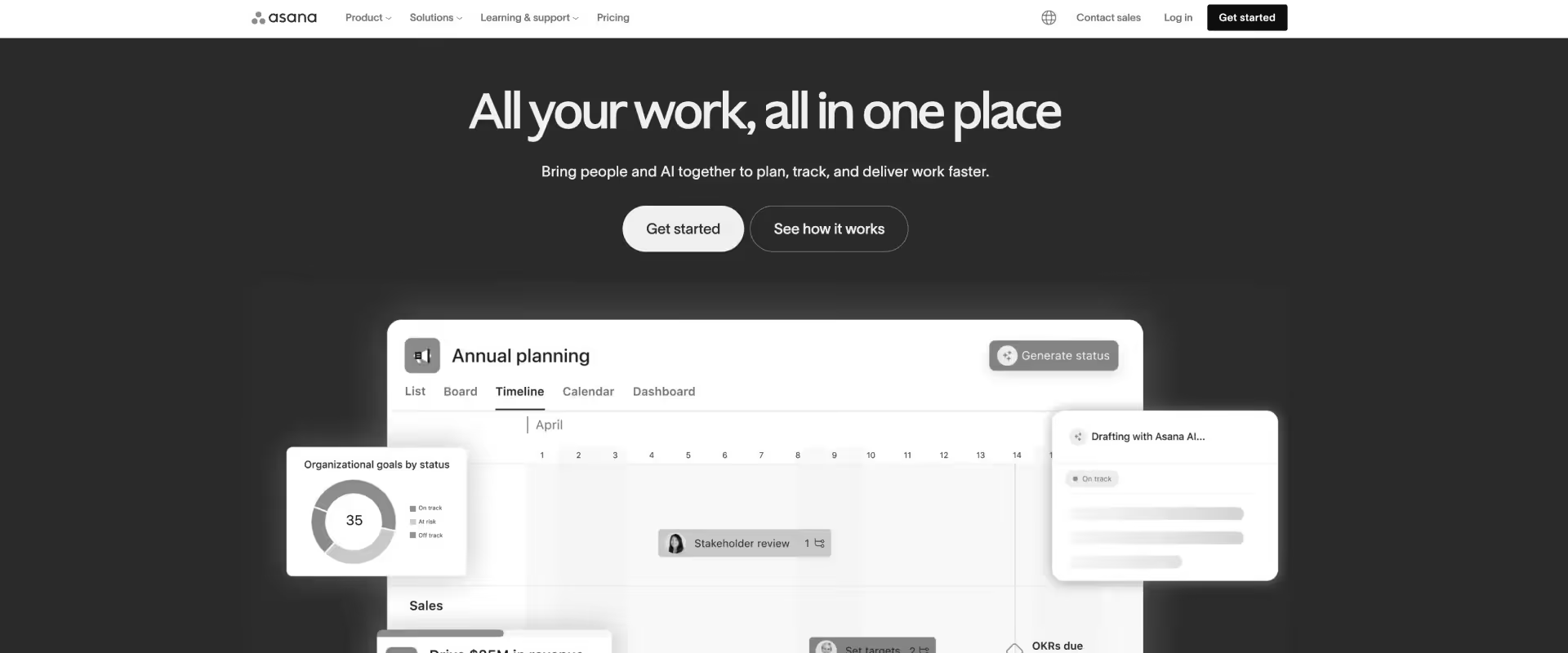
Asana is a structured work management platform designed around clarity, accountability, and coordinated execution across teams. With strong dependency management, portfolio tracking, goals, and workflow automation, it appeals to organizations that want more operational discipline than highly flexible board-based tools typically provide.
For teams moving from Microsoft Projects.com, Asana offers a cleaner and more collaborative way to manage projects without the complexity of traditional desktop PM software. Timeline views, dependencies, approvals, forms, and portfolio reporting make it easier to standardize execution across teams while improving visibility into work progress.
However, Asana is still fundamentally a work management platform rather than a full PSA system. Financial operations, advanced resource planning, utilization optimization, and customer-facing delivery workflows generally require additional tools or integrations for professional services organizations.
Key features
- Dependency-driven execution model: Task relationships and sequencing create more structured execution workflows than loosely configured board systems.
- Portfolio and workload visibility: Portfolio tracking and workload views provide operational visibility across multiple projects and teams.
- Workflow automation: Rule-based automation supports approvals, notifications, recurring tasks, and process standardization.
- Goals and alignment layer: Built-in goals and OKR functionality connect project execution to broader organizational objectives.
- Dashboards and reporting:Project and portfolio dashboards improve visibility into execution status and team coordination.
- Asana AI capabilities: AI supports summarization, task generation, workflow suggestions, and assistive productivity workflows.
Pros and cons
Best for
- Teams needing structured execution and operational consistency
- PMOs managing dependency-heavy workflows
- Organizations standardizing cross-functional project coordination
- Teams aligning execution with goals and operational planning
Key takeaways
What customers say (G2 reviews)
5. Wrike
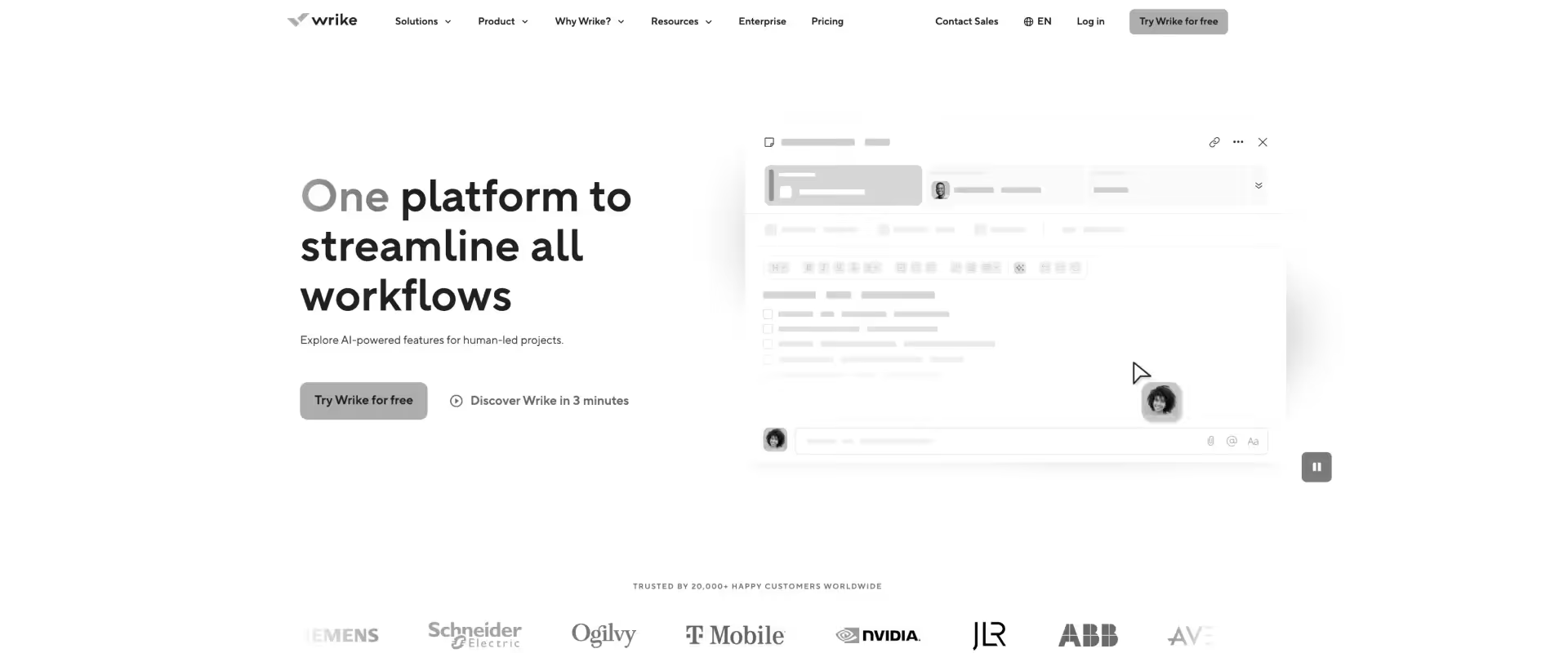
Wrike is an enterprise-oriented work management platform built around workflow customization, operational visibility, and large-scale cross-functional coordination. With advanced dashboards, workload management, automation, approvals, and configurable workflows, it appeals to organizations managing complex operational environments across multiple teams.
For teams moving from Microsoft Projects.com, Wrike offers a more collaborative and cloud-native operating model while preserving many of the structured planning capabilities traditional PMOs expect. Gantt charts, dependencies, workload views, proofing workflows, and portfolio reporting make it significantly more operationally flexible than Microsoft Projects.com for modern delivery environments.
However, Wrike still sits between general work management and full PSA platforms. While it includes stronger resource management and time tracking than many competitors, consulting and professional services organizations often still require additional operational layers for advanced utilization optimization, margin governance, customer delivery workflows, and revenue operations.
Key features
- Advanced workflow customization: Custom workflows, request forms, approvals, and automation rules support highly structured operational processes.
- Strong portfolio and reporting capabilities: Dashboards, analytics, workload views, and portfolio reporting improve visibility across large project environments.
- Enterprise collaboration features: Proofing, approvals, real-time collaboration, and cross-functional coordination workflows support distributed teams.
- Gantt and workload management: Timeline planning, dependencies, workload balancing, and resource visibility provide stronger operational control than lighter PM tools.
- Built-in time tracking: Native time tracking and workload visibility support delivery monitoring more directly than many general work management platforms.
- Wrike AI capabilities:AI supports risk prediction, task generation, summarization, and workflow assistance across projects.
Pros and cons
Best for
- Enterprise PMOs and operations teams managing complex workflows
- Organizations needing structured governance and operational reporting
- Teams balancing multiple cross-functional project portfolios
- Mid-market and enterprise environments requiring deeper workflow customization
Key takeaways
What customers say (G2 reviews)
6. ClickUp
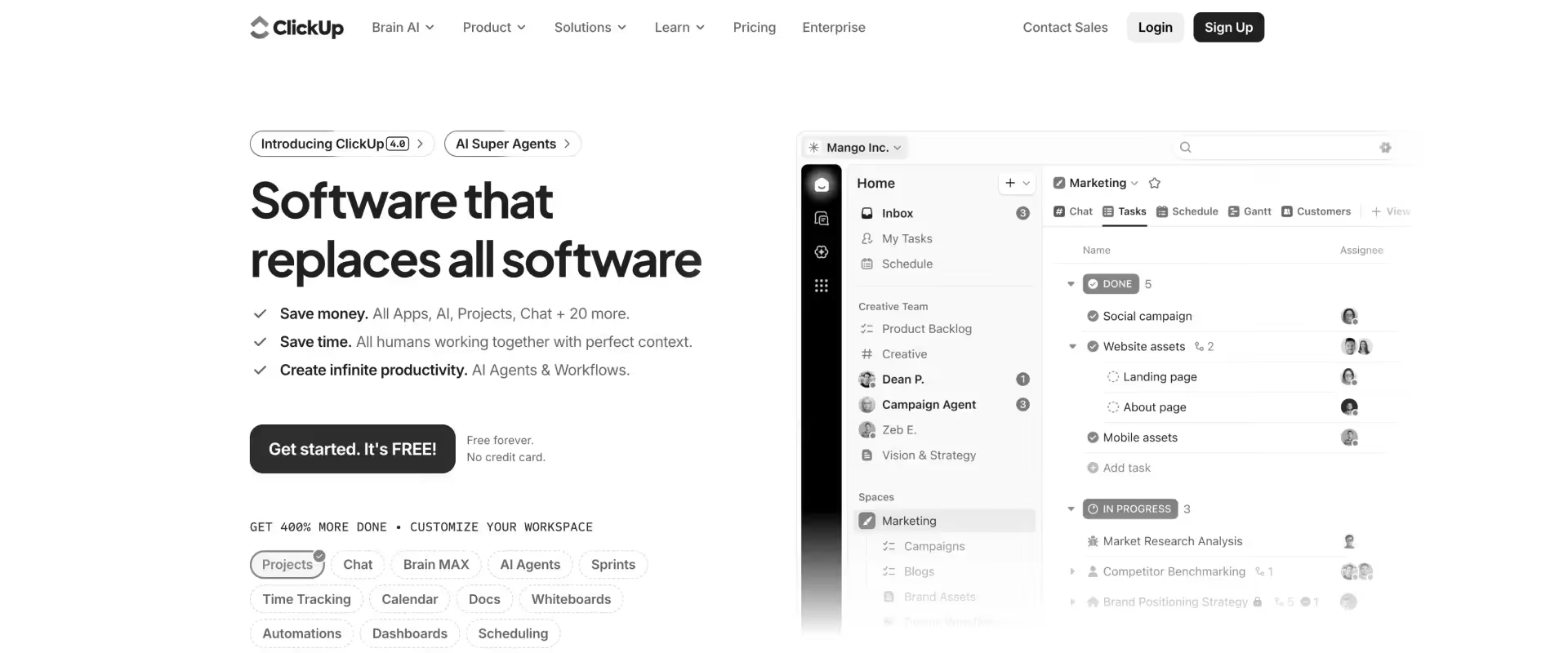
ClickUp is an all-in-one work management platform built around flexibility, customization, and operational consolidation. Combining tasks, docs, dashboards, chat, goals, automations, time tracking, and AI features inside a single workspace, it appeals to teams that want to replace multiple operational tools with one highly configurable system.
For teams moving from Microsoft Projects.com, ClickUp feels dramatically more modern, collaborative, and adaptable. It supports Gantt views, timelines, dashboards, dependencies, workload management, and automation while removing much of the friction associated with traditional desktop PM software.
However, that flexibility also creates tradeoffs. ClickUp is highly customizable, but less opinionated operationally than structured PSA platforms. Consulting and professional services organizations often still need additional operational processes or integrations for advanced utilization management, margin governance, forecasting, and customer-facing delivery workflows.
Key features
- Highly customizable workspace architecture: Projects, workflows, dashboards, automations, docs, and operational structures can be configured extensively across teams and use cases.
- Multiple project management views: Supports list, board, timeline, Gantt, calendar, workload, and dashboard views inside a shared workspace.
- Broad operational consolidation: Combines task management, documentation, goals, chat, whiteboards, reporting, and time tracking in one platform.
- Strong automation capabilities: Automations support recurring workflows, task routing, notifications, approvals, and operational coordination.
- Native time tracking and workload visibility: Includes built-in time tracking, workload management, and reporting capabilities without requiring separate tooling.
- ClickUp Brain AI: AI supports summarization, documentation, workflow assistance, search, and operational productivity workflows across the platform.
Pros and cons
Best for
- Teams wanting an all-in-one operational workspace
- Organizations replacing fragmented task and collaboration tools
- Startups and mid-market teams prioritizing flexibility
- Operations-heavy teams willing to invest in workflow customization
Key takeaways
What customers say (G2 reviews)
7. Teamwork
.avif)
Teamwork is a project management platform built specifically for client service businesses, agencies, and professional services teams. Unlike many general-purpose work management tools, Teamwork places stronger emphasis on client collaboration, time tracking, profitability visibility, and delivery coordination tied directly to billable work.
For teams moving from Microsoft Projects.com, Teamwork offers a more modern and customer-oriented delivery environment while preserving structured project planning capabilities such as Gantt charts, dependencies, milestones, workload management, and portfolio visibility.
Its strength lies in bridging traditional project management and lightweight PSA functionality. Compared to Microsoft Projects.com, Teamwork provides significantly better support for customer-facing delivery workflows, operational collaboration, and service-oriented project execution.
However, Teamwork still sits below enterprise PSA platforms in operational depth. Larger consulting and implementation organizations managing complex resource forecasting, advanced financial governance, or large-scale delivery portfolios may eventually require deeper PSA capabilities.
Key features
- Client-oriented project management: Projects, milestones, approvals, files, and communication workflows are structured around external client delivery.
- Built-in time tracking and budgeting: Native time tracking, billable hour visibility, budgeting, and profitability reporting support service-oriented workflows.
- Client collaboration capabilities: Client users can participate directly in projects through controlled access and shared collaboration workflows.
- Workload and resource visibility: Workload planning and team capacity views improve staffing coordination across active projects.
- Portfolio and operational reporting: Dashboards and reporting provide visibility into project health, profitability, workload, and delivery progress.
- Automation and AI features: Automation supports recurring workflows, while AI assists with summarization and operational productivity tasks.
Pros and cons
Best for
- Agencies and client service organizations
- Mid-market consulting and implementation teams
- Teams needing client collaboration without full enterprise PSA complexity
- Service organizations managing billable project delivery
Key takeaways
What customers say (G2 reviews)
Microsoft Project alternatives compared — head-to-head feature comparison
✅ = native/full
⚠️ = partial, limited, or integration-dependent
❌ = not core functionality
For B2B SaaS onboarding, implementation, and consulting operations, Rocketlane stands out because it combines client collaboration, PSA-grade resource management, financial visibility, implementation governance, and AI-assisted operational workflows in a single platform.
Instead of stitching together project management, spreadsheets, portals, and reporting tools, teams can run delivery operations end-to-end inside one system.
Monday.com and ClickUp are strong choices for lightweight project coordination and fast adoption. They work well for internal task management, but teams often outgrow them once utilization planning, implementation governance, financial tracking, and customer collaboration become operational priorities.
Smartsheet remains strong for spreadsheet-oriented planning and Microsoft-centric environments, particularly for PMOs migrating from traditional Gantt workflows.
Wrike and Teamwork offer stronger services-oriented workflows than general-purpose work management tools, especially for agencies and cross-functional delivery teams.
How to evaluate a Microsoft Project alternative for your PS or consulting team
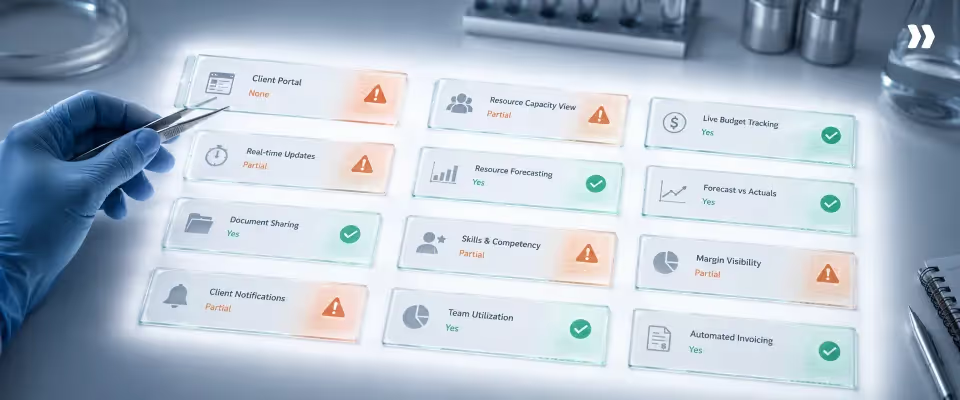
Evaluating a Microsoft Project alternative for a PS or consulting team requires different criteria than general project management software.
The three gaps that drive most teams off MS Project — client visibility, resource capacity management, and financial tracking connected to live project execution — should anchor your evaluation.
6 evaluation criteria that separate PS tools from project management tools
Most evaluation frameworks for project management software ask the wrong questions for a delivery team.
Feature checklists miss the operational reality: a Director of Implementation doesn't just need tasks tracked — they need to know, at any point in time, whether their team is overallocated, whether a client engagement is trending toward margin erosion, and whether their customers have visibility without requiring a PM to produce a status update manually.
These six criteria separate tools built for that reality from tools that approximate it.
- Client collaboration: Does the tool have a native client portal — not a guest view, not a shared link, not an exported PDF? Can clients access live project status, complete assigned tasks, and approve milestones without purchasing a license? The answer tells you whether client accountability is built into the delivery model or bolted on as an afterthought.
- Resource management depth: Does it show real-time capacity’ across every active project simultaneously — not just who's assigned to what, but who's overallocated, who has runway, and what happens to utilization if a project slips three weeks? Skills-based allocation and pipeline forecasting separate tools built for delivery teams from tools built for task management.
- Financial integration: Budget vs. actual shouldn't require an export. If a PM can't pull up live margin on an active engagement without involving finance, the tool isn't built for delivery accountability — it's built for reporting after the fact. Revenue recognition and ERP sync matter here too, particularly on fixed-fee work where margin is determined by delivery efficiency, not billing rate.
- CRM integration: The handoff from sales to delivery is where implementation failures are born. A tool that natively connects to Salesforce or HubSpot and auto-creates projects on deal close — pulling in scope, contract value, and client context — eliminates the lag and data loss that turns a clean sale into a chaotic kickoff.
- AI and automation: Ignore vendors that lead with AI as a feature. The right question is whether AI reduces the operational drag that consumes PM hours — automated status reporting, project creation from templates, timesheet governance, risk flagging. If the AI demo shows you content generation but can't show you how it changes a PM's Monday morning, it's not operationally meaningful.
- Scalability without overhead: A tool that requires a dedicated administrator to function at 50+ concurrent projects isn't scalable — it's shifted the complexity from delivery to operations. The test is whether a senior PM can configure, maintain, and extract insight from the tool without IT involvement.
What to ask during any vendor demo
Most demos are designed to show you what a tool can do. These questions expose what it can't.
- "Show me how a client accesses their project status." Watch what happens. If it requires a licensed seat, a manually maintained view, or an exported document, that's several PM hours a week at scale — and a client experience that signals your team isn't in control.
- "How does resource capacity update when a project slips by two weeks?" If the answer involves a PM manually adjusting allocations across affected projects, the tool doesn't have resource management — it has resource visibility. There's a significant operational difference between the two.
- "Show me budget vs. actual on an active engagement." If this requires leaving the project view, running a report, or waiting for a finance sync, it isn't real-time financial tracking. For Directors managing fixed-fee engagements, the inability to see margin live — not retrospectively — is where delivery profitability erodes.
Best Microsoft Project alternative by team type, size, and use case
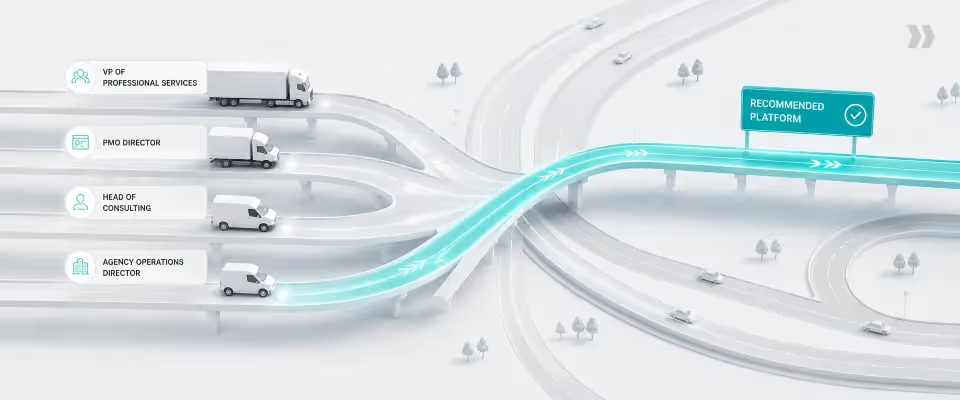
Tools in this category sort into two fundamentally different product categories, and most evaluation processes miss the distinction until it's too late.
Generic project management tools — Asana, ClickUp, Monday.com, Smartsheet — are built around task execution and internal team coordination.
They're excellent at what they do. PSA platforms — Rocketlane, Teamwork, Certinia — are built around client delivery: billable time, external accountability, margin visibility, and the operational complexity of running multiple concurrent engagements against contractual commitments.
Choosing a generic project management tool for a client-facing delivery team isn't a budget decision — it's a structural one, with operational consequences that compound as the team scales.
Decision routing table
The routing inflection point is client exposure. Asana, ClickUp, and Smartsheet are genuinely strong tools for internal project execution.
The limitation isn't quality, it's scope. None of them are built to manage the operational reality of external client delivery: billable utilization targets, client-facing accountability, fixed-fee margin tracking, and portfolio-level resource forecasting across concurrent engagements.
Teamwork covers the mid-market agency use case well — client portals, time tracking, basic billing — but stops short of the financial depth and resource management sophistication that implementation-heavy PS teams require as they scale.
Rocketlane is the tool that routes correctly when the following conditions are true: projects involve external clients with contractual deliverables, delivery teams are running 20 or more concurrent engagements, margin visibility on fixed-fee work is a board-level concern, and resource utilization is measured and managed.
Best Microsoft Project alternative for global PS and consulting teams
North America: B2B SaaS onboarding and implementation teams are increasingly moving away from fragmented project management and PSA stacks toward more unified delivery platforms. Smartsheet remains common in Microsoft-centric environments, while Monday.com and ClickUp are widely adopted for lighter operational coordination.
Europe: European consulting and PS organizations often prioritize GDPR compliance, regional data residency, auditability, and multi-currency support when evaluating delivery platforms, especially in regulated industries.
United Kingdom: UK consulting firms managing contractor-heavy delivery teams often require detailed time tracking and audit-ready operational records to support IR35-related workflows and contractor governance.
APAC: APAC markets, particularly India and ANZ, continue to see rapid growth in SaaS implementation and global delivery operations. Faster deployment cycles, resource visibility, and operational scalability are major buying priorities for implementation teams managing high project volumes.
MENA: Consulting organizations in the GCC region frequently prioritize multi-currency support, VAT-aware operational workflows, and flexible scheduling configurations aligned with regional working patterns and compliance requirements.
Why is Rocketlane the best Microsoft Projects alternative for professional services and consulting teams?

Most Microsoft Project alternatives improve usability, collaboration, or interface design. The bigger distinction for professional services organizations is whether the platform can operate as a connected delivery system rather than just a project tracking tool.
That difference becomes visible once delivery teams start managing dozens of concurrent customer implementations with utilization targets, margin accountability, staffing dependencies, onboarding workflows, and executive reporting requirements.
Client collaboration becomes part of delivery itself
Microsoft Project was built around internal project coordination. Customer collaboration typically happens outside the system through status emails, spreadsheets, exported reports, shared drives, or meetings.
That separation creates operational overhead:
- PMs spend time compiling updates instead of managing delivery risk
- Customer tasks are difficult to track consistently
- Accountability becomes fragmented across email threads and meetings
- Status visibility depends heavily on manual communication cadence
Modern PSA platforms increasingly treat the customer as part of the operational workflow itself.
In Rocketlane, clients can access project status, milestones, documents, approvals, tasks, and onboarding workflows directly through a structured portal experience.
Customer actions remain connected to project execution instead of sitting outside the delivery system.
Delivery, resources, financials, and reporting stay connected
A common operational pattern in Microsoft Project environments looks something like this:
- Microsoft Project for scheduling
- Separate PSA or ERP system for financials
- Spreadsheets for utilization planning
- External time tracking tools
- Email and slides for customer communication
- Manual reporting consolidation before leadership reviews
The challenge is not that each tool is weak individually. The challenge is that the delivery state becomes fragmented across systems.
Timeline changes do not automatically update staffing forecasts. Time entries do not immediately reflect budget burn. Delivery risk often surfaces during reporting cycles instead of during execution itself.
Rocketlane differentiates itself by keeping execution, resourcing, financial tracking, customer collaboration, and operational reporting inside a shared operational layer.
That changes how delivery organizations operate:
- Budget visibility stays close to execution
- Utilization reflects live project state
- Resource allocation updates dynamically as timelines shift
- Reporting reflects current delivery conditions rather than last week’s exports
- Leadership reviews require less manual consolidation work
AI is embedded into operational workflows through an agentic execution layer
Many project management tools now include AI features. The more important question is where the AI operates and what operational problems it actually solves.
Rocketlane’s Nitro AI system is designed around operational workflows already happening inside the platform.
That includes:
- Automated documentation generation from meetings and project activity
- AI-assisted resource allocation and capacity monitoring
- Real-time delivery risk detection
- Automated status reporting
- Natural-language portfolio reporting and analysis
- Workflow automation tied directly to project execution
The practical shift is that operational visibility becomes continuous instead of periodic. Instead of assembling leadership dashboards manually before review meetings, teams work from live delivery data that is already connected across projects, resources, budgets, and customer interactions.
Operational consistency improves as delivery scales
One of the biggest challenges for growing PS organizations is maintaining consistency across delivery teams as project volume increases.
Without standardized workflows:
- Project setup varies by PM
- Reporting quality becomes inconsistent
- Governance depends heavily on individual discipline
- Customer experience varies across engagements
- Scaling delivery requires scaling coordination overhead
Rocketlane emphasizes repeatable delivery operations through templates, workflow automation, reusable onboarding structures, policy-driven governance, and standardized customer collaboration models.
That allows organizations to scale implementation volume while reducing operational fragmentation.
The broader pattern is that Rocketlane behaves less like a standalone project management tool and more like an operational system for customer delivery.
That distinction matters most for organizations managing complex onboarding, implementation, or consulting portfolios at scale.
Enterprise-grade operational depth for scaling PS organizations
As consulting and professional services organizations scale across regions, customers, and delivery teams, the challenge shifts from managing projects to managing operational complexity.
This is where PSA-oriented platforms like Rocketlane separate themselves from general-purpose project management tools.
Rocketlane combines enterprise-grade operational controls with connected delivery workflows, including:
- SSO/SAML support via Okta, Azure AD, and Google Workspace
- Role-based permissions across projects, portfolios, and client portals
- Audit logs for governance and operational traceability
- Bi-directional Salesforce and HubSpot integrations
- ERP integrations with NetSuite, Sage, and QuickBooks
- Multi-currency and GDPR-oriented deployment support
- Jira and Slack integrations for technical delivery teams
The difference is not simply more integrations. It is that customer collaboration, staffing, reporting, financial visibility, and delivery execution remain operationally connected as implementation complexity grows.
In traditional Microsoft Project environments, scheduling, reporting, financial tracking, and customer communication often exist across disconnected systems.
Rocketlane keeps those workflows unified inside a single delivery operating layer, which becomes increasingly valuable as PS organizations scale.
How Nitro, Rocketlane’s agentic AI transforms Microsoft Project
The gap between traditional project scheduling tools and modern PSA platforms becomes most visible in operational intelligence.
Microsoft Project can produce timelines, dependencies, and schedules. What it does not natively provide is continuous visibility into delivery risk, margin health, resource conflicts, customer signals, or portfolio performance across active engagements.
Most PS organizations compensate by building a parallel operational stack around it: spreadsheets for utilization, BI tools for reporting, separate systems for time tracking, and manual coordination for customer communication.
Rocketlane’s Nitro AI system approaches the problem differently. Instead of adding isolated AI features on top of project management, Nitro embeds AI agents directly into the operational workflows already running inside the delivery platform.
That changes where operational visibility comes from.
Operations AI: replacing manual reporting and reconciliation
In many Microsoft Project environments, leadership reporting requires assembling data manually across multiple systems before every review cycle.
Nitro’s operational AI layer focuses on reducing that reconstruction work:
- The Nitro Analyst surfaces utilization, margin, delivery risk, and forecast insights directly from live operational data
- Resource Management Agents monitor allocation conflicts and staffing pressure continuously across active and pipeline work
- Timesheet governance workflows automate compliance monitoring and reduce administrative follow-up effort
The practical effect is that delivery reporting becomes more continuous and less dependent on spreadsheet consolidation or weekly reconciliation exercises.
Delivery AI: surfacing risk before it becomes visible externally
Traditional governance workflows are often retrospective. Budget overruns, milestone slippage, staffing gaps, or customer escalation risk become visible during status reviews or after delivery issues have already propagated.
Nitro’s delivery AI layer is designed around earlier operational detection:
- Project Governance Agents monitor delivery health continuously across engagements
- Risk signals surface while projects are still recoverable operationally
- Account-level signals from meetings, emails, and project activity help identify escalation risk, scope drift, or onboarding friction earlier in the lifecycle
Instead of relying entirely on manually assembled status reviews, delivery teams work from continuously updated operational signals.
Work execution AI: reducing non-billable coordination overhead
A large amount of implementation overhead in consulting organizations is operational rather than strategic:
- Writing meeting summaries
- Building onboarding documentation
- Creating project structures manually
- Preparing migration workflows
- Maintaining delivery artifacts across systems
Nitro’s execution-focused AI capabilities automate parts of this operational layer:
- Documentation Agents generate meeting notes, summaries, and action items from delivery conversations
- Migration workflows assist with importing Microsoft Project plans and operational structures
- SOW parsing capabilities help convert implementation scope into structured project workflows
The goal is not to replace delivery judgment. The goal is to reduce repetitive operational production work that consumes consultant and PM capacity.
Rocketlane in numbers
750+ customers, 94% G2 recommendation rate, $60M Series C from Insight Partners (March 2026), revenue more than doubled year-over-year.
ROI of replacing Microsoft Project with a PSA platform
The business case for replacing Microsoft Project in a PS organization is primarily a fragmentation problem, not a scheduling problem.
MS Project typically operates alongside spreadsheets for resource tracking, a separate time tracker, manual status reporting, and finance tools that only sync at month-end.
The cost of maintaining that stack is distributed across every project in the portfolio as lag, errors, and invisible overhead.
Billable utilization dropped to 66.4% in 2025, setting a new historic low for the industry and falling below the previous record low recorded just a year earlier.
For most mid-market PS teams, that gap is operational, because Fragmented tooling produces invisible capacity, reactive staffing, and delivery overhead that consumes hours that should be billable.
Where PSA migration ROI comes from
- Reporting and coordination overhead reduction: SPI Research consistently identifies operational fragmentation, manual coordination, and limited real-time visibility as major drivers of reduced utilization and delivery inefficiency in professional services organizations. A PSA platform with automated reporting, live client portals, and integrated resource visibility shifts that capacity toward billable delivery work. This value only materializes if delivery workflows are redesigned alongside the tooling change.
- Billable utilization improvement Moving from 60% to 75% utilization on a 10-person team at $150/hr represents roughly $450K in additional annual billable capacity, but only if demand exists to absorb it. The more grounded case is about eliminating the utilization losses fragmented tooling creates: overallocation that goes undetected, underallocation that leaves capacity idle, and last-minute staffing decisions made without portfolio-level visibility. Better resource management makes utilization deliberate rather than reactive.
- Margin visibility on fixed-fee engagements Fixed-fee engagements lose margin in small increments that compound before anyone sees them. Scope absorbed without a change order, hours running over plan by week four that surfaced in a finance report six weeks later. Real-time budget vs. actual tracking compresses the detection window from weeks to days. On a $3M services portfolio with meaningful fixed-fee exposure, catching a 10% margin variance two weeks earlier across several concurrent engagements is a material financial difference. MS Project is structurally incapable of providing this visibility.
- Delivery throughput gains Teams constrained by manual project setup, repetitive configuration, and slow client onboarding see meaningful throughput gains from PSA automation. Teams constrained by headcount or demand see less. Worth assessing honestly before including in a business case.
Illustrative ROI model: 10-person PS team
Conservative estimates based on typical operational patterns. Teams with higher implementation volume, greater tooling fragmentation, or larger fixed-fee revenue share will land at the higher end.
Typical migration timeline
A 6 to 8 week timeline is realistic for mid-market PS teams with standardized delivery workflows and limited legacy data. It extends with ERP integration complexity, large active project counts at cutover, or significant workflow customization.
The constraining variable is typically team adoption speed, not technical setup. Modern PSA platforms configure quickly. The 6 to 8 week estimate assumes a dedicated internal owner.
What to consider before you switch
Most PS teams arrive at the same four questions before committing to a Microsoft Project alternative. The short answer in each case: the risk is smaller than it appears, and the cost of staying is larger than it looks on the MS Project invoice.
Migration concerns: what PS teams actually find
Concern #1: "We'll lose our project history."
Modern PSA platforms support importing project structures, timelines, tasks, and historical data from MS Project. The real exposure is unstructured data living alongside MS Project in spreadsheets and email threads, data that was never structured and will not migrate cleanly. Teams that use migration as an opportunity to audit and standardize that data come out ahead operationally.
Concern #2:"The team won't adopt a new platform."
Adoption resistance is proportional to how much a new tool adds without removing. When a PSA platform consolidates delivery workflows, client collaboration, time tracking, and resource planning into one place, PMs maintain fewer systems to do the same job. Where adoption fails, it is typically because the platform was deployed without workflow redesign, asking the team to use new tooling while keeping old processes. A single visible early win on a real project does more for adoption than any training program.
Concern #3:"AI features are mostly marketing."
Often true. The test is operational specificity. Does the AI automate status reporting, enforce timesheet policies, create projects from CRM data, and flag delivery health risks? Those are the workflows where AI either removes work from delivery operations or does not. AI that cannot show concrete changes to delivery workflows is not operationally relevant, regardless of the capability of the underlying model.
Conclusion: Best Microsoft Project alternative for PS and consulting teams in 2026
Professional services and consulting teams in 2026 are operating in the "outcome era", where delivery excellence, client transparency, and financial performance are inseparable. Microsoft Project was built for a different era: internal, desktop-bound, disconnected from the client.
For consulting firms, B2B SaaS PS teams, and enterprise services organizations managing 20+ concurrent client projects, Rocketlane is the recommended Microsoft Project alternative in 2026.
It is the only platform that combines agentic AI execution, native client collaboration, unified resource management, and full financial intelligence in a single system that implementation teams actually adopt.
If your primary need is cloud-based Gantt planning within the Microsoft 365 ecosystem, Smartsheet is the right stepping stone. For agencies and boutique consulting firms that need client portals without full PSA investment, Teamwork is worth evaluating.
For teams that only need task management without client-facing or financial capabilities, Asana or ClickUp serve that need well.
For customer-facing PS teams that need to improve utilization, reduce time-to-value, and grow profitability, Rocketlane is the answer.
Sign up for a Rocketlane demo to see the difference in action.

Authored by

Kailash Ganesh
Kailash Ganesh is a professional services researcher at Rocketlane with more than seven years of experience in content, research, and market analysis. He studies how enterprise PS teams are adopting agentic AI to transform delivery operations, has evaluated every major PSA platform in the category, and writes from the perspective of a practitioner who watches enterprise PS teams make these exact decisions daily.
Table of Contents

Regsiter for the live webinar


Great consultants didn't join your team to spend Fridays writing documentation.
Table of contents
18 of Forbes Cloud 100 chose Rocketlane. The best PS teams aren't waiting around.
FAQs
What is the best Microsoft Project alternative for consulting firms?
Rocketlane is one of the strongest Microsoft Project alternatives for consulting and professional services teams because it combines project delivery, resource planning, customer collaboration, and financial visibility in one PSA platform. Teams prioritizing lightweight internal coordination often evaluate Asana, Monday.com, or ClickUp instead.
What is the best free Microsoft Project alternative?
ClickUp and Asana are among the strongest free Microsoft Project alternatives for internal project and task management. Teams managing customer implementations, utilization, or billable delivery workflows typically outgrow free tools and move toward platforms like Rocketlane or Teamwork.
How does Rocketlane compare to Microsoft Project?
Microsoft Project focuses primarily on scheduling and dependency management. Rocketlane adds customer collaboration, resource management, financial tracking, CRM integration, and AI-assisted delivery operations in a unified PSA workflow.
Which Microsoft Project alternative works best with Salesforce?
Rocketlane, Monday.com, and Wrike all offer strong Salesforce integrations. Rocketlane stands out for consulting and implementation teams because CRM workflows connect directly to onboarding, delivery operations, and customer project visibility.
Is Smartsheet a good Microsoft Project alternative?
Yes. Smartsheet is one of the closest replacements for Microsoft Project in terms of Gantt planning, dependencies, and spreadsheet-style workflows. It is especially popular with Microsoft 365-centric organizations migrating away from desktop project management.













Copyright © 2026 Rocketlane Corp. All rights reserved.





















.webp)