8 Best Deltek Alternatives for Professional Services Teams in 2026

•
•
Summarize blog with






You are three weeks into a client engagement.
The project is drifting: scope is stretching, one key resource is overallocated across two accounts, and the margin is quietly eroding.
You open Deltek Vantagepoint to get a clear picture. The financial data is there, so is the project record, but pulling those signals together into something you can act on — or share with the client — takes longer than it should.
That is the friction point most professional services (PS) teams describe. Vantagepoint is built for project-based businesses with deep financial controls and a full project lifecycle view. For architecture and engineering firms managing long, complex projects with serious compliance requirements, it is a good fit as a professional services automation (PSA) tool.
For consulting, SaaS implementation, and managed services teams, the fit is more conditional. The platform's strengths are in financial accuracy and project accounting.
The day-to-day needs of a PS delivery team, such as quick resource reallocation, a client-facing status view, a live read on whether this engagement will close profitably, sit at the edges of what Vantagepoint was designed to prioritize.
This guide compares the eight strongest Deltek alternatives for PS teams in 2026, evaluated on resource management, financial visibility, client collaboration, delivery governance, and the ability to scale without requiring a dedicated admin to keep the system functional.
Best Deltek alternatives for PS teams (2026)
Deltek Vantagepoint is a project-based ERP built primarily for architecture, engineering, and consulting firms that need deep financial controls and project accounting.
For many professional services teams at 50–300 headcount, however, the platform's complexity, long implementation cycles, and lack of native client collaboration create operational friction that compounds as delivery scales.
Teams frequently end up managing execution across Deltek, Smartsheet, spreadsheets, and email simultaneously — paying a reconciliation tax on every engagement.
Rocketlane is the strongest overall Deltek alternative for modern PS teams, trusted by 750+ customers with a 94% G2 recommendation rate.
This guide compares the eight best Deltek alternatives in 2026 across resource management, financial visibility, client collaboration, AI automation, and implementation speed — so PS leaders can identify the right fit for their team size and delivery model.
Deltek alternatives: side-by-side comparison
A few important nuances behind these comparisons:
- Rocketlane is strongest for implementation-heavy enterprise PS teams that need delivery orchestration, customer collaboration, and AI-driven execution together in one workflow layer.
- Certinia and Kantata generally fit larger or operationally mature PS organizations willing to handle longer implementations and deeper admin overhead.
- Scoro, Teamwork.com, and Productive.io lean more agency-oriented than implementation-oriented. NetSuite OpenAir is a good fit if your financial operations already run on NetSuite ERP.
What is Deltek Vantagepoint and who is it built for?
Deltek Vantagepoint is a project-based ERP and professional services platform built primarily for consulting, architecture, engineering, and professional services organizations.
It combines project accounting, resource management, financial planning, CRM, time plus expense tracking, and operational reporting into a single operational system.
Deltek tracks project phases, project performance, and project progress, but visibility and usability can be limited. It combines project accounting, resource management, financial planning, CRM, time and expense tracking, and operational reporting into a single operational system.
What Deltek Vantagepoint is not, however, is a modern delivery-first platform.
The system is fundamentally designed around operational control and project accounting.
Customer-facing collaboration, onboarding execution, implementation orchestration, and AI-assisted delivery workflows are not where the product is strongest.
Firms often find Deltek's complexity and steep learning curve hinder user adoption, with many users requiring extensive training before they can effectively use the system.
Additionally, Deltek's rigid structure can create daily friction, especially for those with hybrid delivery models or custom phase structures, which can hinder financial management processes.
As delivery complexity grows, many PS teams find themselves layering additional tools around Deltek to handle the actual flow of implementation work.
That’s usually the point where firms begin exploring Deltek alternatives.
Why are professional services teams looking for Deltek alternatives in 2026?

The shift usually does not happen because Deltek lacks capability. It happens because the center of gravity in modern professional services has changed.
Implementation-heavy teams increasingly operate in environments where:
- customers expect visibility into delivery
- onboarding speed directly affects retention and expansion
- teams manage dozens of parallel implementations
- execution moves faster than traditional operational systems were designed for
Over time, a few recurring friction points start surfacing.
Deltek is operationally strong, but delivery can feel heavy
Deltek Vantagepoint is great at centralizing operational and financial management.
That includes:
- Utilization tracking
- Project accounting
- Forecasting
- Revenue visibility
- Enterprise reporting
But implementation-centric PS teams often need something slightly different:
- Customer-facing delivery workflows
- Collaborative onboarding environments
- Real-time implementation coordination
- Structured execution across internal and external stakeholders
- Consultant coordination for managing external consultants and streamlining collaboration
These workflows are possible inside Deltek, but they are not the native center of the product experience.
As a result, delivery teams frequently end up managing execution somewhere else.
Implementation and customization can become long operational projects
For larger enterprises with dedicated operations teams, long implementation cycles may be acceptable.
Deltek implementations typically run 6–12 months for a full rollout, including data migration, configuration, and team training, which can often lead to implementation fatigue.
Implementation costs and implementation fees can be significant drivers of the total cost of ownership, impacting both the ease of system integration and ongoing support.
For many 50–300 person consulting and PS firms, however, the operational overhead becomes more noticeable over time as:
- customization layers expand
- reporting structures become admin-dependent
- workflows take longer to adapt
- implementation timelines stretch across months
This is one reason newer PSA platforms like Rocketlane increasingly focus on:
- faster deployment
- lighter administration
- quicker operational adoption
- reduced implementation complexity
Customer collaboration often happens outside the system
Modern PS delivery is increasingly customer-facing.
Customers want:
- visibility into onboarding progress
- shared implementation timelines
- centralized communication
- approvals and deliverables in context
Deltek supports external collaboration in certain workflows, but it is not fundamentally designed as a customer collaboration platform.
In practice, teams often recreate this layer through:
- email updates
- shared documents
- Slack channels
- external project management tools
That creates another operational split between:
- project financials
- delivery execution
- customer experience
Many firms are seeking project management tools that provide better visibility and management of client projects, especially during complex system implementations.
AI expectations inside PSA are changing quickly
Historically, PSA systems focused on:
- operational reporting
- resource management
- financial governance
That expectation is changing.
Professional services teams increasingly evaluate platforms based on whether they can:
- automate operational workflows
- generate delivery documentation
- surface implementation risks early
- coordinate execution automatically
- capture knowledge across customer interactions
Additionally, business intelligence features in modern platforms now provide real-time insights and enhance decision-making processes within project delivery and resource planning.
The pattern: operations stay centralized, delivery fragments
Across consulting and implementation teams, the pattern tends to look similar.
Deltek continues functioning as the operational system of record:
- financials
- utilization
- forecasting
- reporting
But the actual movement of delivery starts spreading outward:
- onboarding coordination in PM tools
- customer communication in email or Slack
- project updates in docs and spreadsheets
- implementation workflows across disconnected systems
That fragmentation is manageable for smaller project volumes.
As delivery complexity scales, the coordination overhead becomes harder to absorb. As delivery complexity scales, project teams face increased coordination overhead and risk misalignment.
The best Deltek alternatives help project teams maintain alignment and reduce coordination overhead by providing integrated platforms and better visibility as team size and project complexity grow.
What should PS firms look for in a Deltek Vantagepoint alternative?
Delivery workflows that don’t live outside the PSA
One of the most common patterns in Deltek environments is delivery fragmentation.
Financials stay inside Deltek. Actual implementation work moves somewhere else:
- Smartsheet
- Monday.com
- spreadsheets
- customer Slack channels
- shared docs
Over time, the PSA becomes the reporting layer instead of the operational layer.
That’s why project management depth matters more than it used to.
Look for:
- multi-phase implementation templates
- dependencies and milestone orchestration
- repeatable onboarding playbooks
- customer-facing delivery workflows
- standardized execution across projects
If implementation teams still need separate PM systems to run delivery, the operational split remains unresolved.
Financial visibility that stays live during delivery
Most PS firms do not struggle to generate reports.
They struggle to answer operational questions quickly:
- Is this project still profitable?
- Which accounts are drifting out of scope?
- Where are margins tightening?
- Which teams are over-utilized next month?
The strongest Deltek alternatives surface this continuously instead of through month-end reporting cycles.
Look for:
- real-time budget vs actual tracking
- margin visibility by project and phase
- utilization forecasting
- revenue forecasting
- support for fixed-fee, T&M, and hybrid billing models
If project profitability still requires exporting data into spreadsheets, visibility is arriving too late.
Resource management that supports fast-moving delivery
Resource planning becomes significantly harder once teams manage:
- parallel onboarding projects
- specialized implementation roles
- changing delivery timelines
- fluctuating customer demand
The strongest PSA platforms now combine:
- skills-based allocation
- utilization forecasting
- pipeline-aware staffing
- capacity planning
The real test is simple: Can your team identify the right available resource for a project in minutes instead of hours?
A customer collaboration layer built into delivery
Modern implementations are increasingly collaborative.
Customers expect:
- visibility into onboarding progress
- centralized communication
- shared timelines
- approvals and documentation in context
This is one of the clearest differences between traditional PSA systems and newer delivery-focused platforms.
Look for:
- branded customer portals
- shared project views
- approval workflows
- centralized implementation communication
- customer-facing onboarding experiences
Without this layer, teams usually recreate collaboration manually through email, spreadsheets, and status meetings.
Faster implementation and lower operational overhead
This is becoming a major evaluation criterion for mid-market PS firms.
Traditional PSA deployments often involve:
- lengthy configuration cycles
- implementation partners
- extensive customization
- ongoing admin dependency
Many newer PSA vendors now position around faster deployment, opinionated workflows, lower administration burden, and quicker time-to-value.
AI that participates in delivery, not just reporting
AI inside PSA platforms is evolving quickly.
Early AI features focused mainly on summaries, chat interfaces, and reporting assistance
The newer shift is toward operational AI:
- Meeting intelligence and documentation generation
- Resource recommendations
- Delivery governance
- Implementation execution workflows
- Customer signal detection
This changes the role of the PSA itself. The platform moves from passive reporting into active delivery coordination.
What are the best Deltek alternatives for professional services teams in 2026?
This list includes leading Deltek competitors in the industry, highlighting their features, pricing, and ease of use to help you choose the most cost-effective and user-friendly project management solution.
1. Rocketlane
Rocketlane is an agentic execution platform built for customer-facing teams across onboarding, implementation, consulting, and managed services.
Unlike traditional PSA systems that center primarily around operational control, Rocketlane is designed around the actual movement of delivery work — connecting projects, resources, financials, and customer collaboration inside a single execution layer.
For many teams evaluating alternatives to Deltek Vantagepoint, that distinction becomes important as delivery complexity grows.
Operational visibility may still exist inside Deltek, but implementation coordination, onboarding workflows, customer communication, and execution often spread across separate systems over time.
Rocketlane approaches this differently by keeping delivery execution, financial visibility, customer collaboration, governance, and operational intelligence inside the same workflow environment.
Key Rocketlane features
Native CRM and delivery alignment: Rocketlane keeps sales, onboarding, and delivery operating from the same system of record.
- Native integrations with Salesforce, HubSpot, Jira, and QuickBooks
- Closed-won deals automatically generate implementation projects
- Milestones, time entries, and delivery updates sync back into CRM in real time
- Reduces reconciliation between what was sold and what is being delivered
- Visual project dashboards that offer better visibility into project performance and delivery operations.
- High-level visibility into project performance metrics for improved decision-making
Real-time financial visibility during execution: Financial visibility stays connected to delivery as work progresses.
- Live budget burn tied directly to delivery activity and time entries
- Margin visibility across projects, customers, and portfolios
- Forecasting updates dynamically as scope and timelines shift
Portfolio-level visibility across engagements: Leadership teams get a continuously updated view across delivery operations.
- Real-time visibility into project health, utilization, staffing, and margins
- Portfolio dashboards designed for operational monitoring, not static reporting
- Tracks implementation velocity and delivery risk across multiple engagements
Resource allocation with live capacity context: Staffing decisions happen with real delivery and utilization context.
- Skills-based staffing and allocation workflows
- Soft and hard allocation support for pipeline and committed work
- Live workload visibility across teams and regions
- Capacity forecasting tied to active delivery timelines and demand
Structured client collaboration: Customers participate directly inside the delivery workflow.
- White-labeled portal for onboarding and implementation visibility
- Shared timelines, milestones, approvals, and document collaboration
- Role-based permissions for internal and external stakeholders
Agentic AI embedded into delivery workflows: Agents operate continuously across execution, governance, and reporting.
- Meeting summaries and delivery documentation generated automatically
- Time-entry validation and governance enforced during execution
- Operational questions answered using live delivery data
- Risks, churn signals, and expansion indicators surfaced proactively
- AI workflows embedded directly into delivery operations, not layered on afterward
Bonus: Enterprise-ready operational support for PS teams
Rocketlane is designed for distributed professional services organizations that need delivery, financials, resources, and customer collaboration operating inside the same workflow layer.
Unified delivery operations
Projects, staffing, budgets, and customer-facing delivery stay connected in one system.
- Portfolio visibility across teams and regions
- Reduced reconciliation across PM, PSA, CRM, and reporting tools
- Delivery and operational data remain continuously aligned
Governance built into execution
Operational control and security is enforced inside workflows instead of through external oversight.
- SOC 2, SSO, role-based access, and audit logs built in
- Governance applied during approvals, delivery, and time entry
- Full operational traceability without slowing execution
Real-time CRM and delivery alignment
Sales and delivery operate from the same source of truth.
- Native Salesforce and HubSpot integrations
- Closed-won deals automatically generate implementation workflows
- Delivery milestones and updates sync bi-directionally
Enterprise ecosystem compatibility
Rocketlane fits into existing operational stacks without heavy customization.
- Integrations with Salesforce, NetSuite, Jira, HubSpot, and QuickBooks
- Flexible APIs for extending workflows
- Supports finance, CRM, and ERP alignment across systems
Faster implementation and rollout
Teams can transition from fragmented delivery workflows without long deployment cycles.
- Parallel-run support for active engagements
- Phased rollout across teams and regions
- Mid-market PS teams typically go live within weeks
At the center of the platform is Nitro, Rocketlane’s embedded agentic AI system built specifically for professional services delivery.
Nitro AI: operational agents embedded into delivery workflows
Most PSA platforms treat AI as a reporting or productivity layer. Nitro operates closer to an execution layer woven directly into delivery.
Its agents continuously work across implementation workflows, handling the coordination, governance, documentation, and operational analysis that typically consumes large amounts of delivery bandwidth as organizations scale.
Here is how this plays out.
Documentation usually becomes fragmented long before teams realize it. Decisions live in calls, requirements sit in email threads, and implementation details slowly spread across shared docs and meeting notes.
Nitro’s Documentation Agent turns those scattered interactions into structured delivery knowledge automatically.
It can:
- Generate business requirement documents (BRDs), statements of work (SOWs), implementation summaries, design documents, and handoff notes directly from meetings and project activity
- Maintain traceability back to the original source conversation or requirement
- Update documentation continuously as scope, timelines, or implementation details evolve
- Make delivery knowledge searchable and queryable inside the platform instead of buried across disconnected systems
For implementation-heavy teams, this reduces one of the biggest invisible operational costs: recreating context.
Data migration often becomes one of the most manually intensive parts of onboarding and implementation projects.
Migration Agents structure that process into a repeatable operational workflow by handling:
- source-to-destination field mapping
- transformation logic and validation rules
- detection of incomplete, inconsistent, or incompatible records
- reusable migration playbooks that improve over time across projects
Instead of rebuilding migration logic from scratch for every customer, teams gradually accumulate operational intelligence inside the system itself.
Delivery risks rarely appear all at once. More often, they emerge gradually across conversations and customer behavior.
A delayed response in a stakeholder thread. A concern mentioned casually in a call. A customer hinting at expansion plans weeks before formal discussions begin.
Nitro Signals continuously monitors:
- meetings and call transcripts
- delivery activity
- customer communication patterns
- implementation milestones and changes
to surface:
- churn indicators
- delivery risks
- stakeholder changes
- expansion opportunities
- implementation blockers
Each signal stays connected to the original interaction where it appeared, preserving context instead of flattening it into abstract alerts.
Governance usually expands through manual oversight as delivery organizations scale:
- approval reviews
- milestone validation
- sequencing checks
- compliance monitoring
Nitro embeds these controls directly into execution workflows with agents that enforce:
- dependency sequencing across tasks and phases
- milestone sign-offs before downstream work progresses
- completion requirements tied to financial, operational, and delivery criteria
- standardized workflows across implementations without relying on manual policing
AI Governance
Operational and financial accuracy typically gets validated after work is completed.
Nitro shifts that validation earlier.Its governance layer applies:
- billing policies
- time-entry rules
- utilization constraints
- regional compliance requirements
- approval logic
at the point where work is submitted.
That means:
- incorrect time entries get flagged immediately
- incomplete billing data is surfaced before invoicing cycles
- policy enforcement happens continuously instead of during reconciliation
For growing PS teams, this reduces downstream cleanup work that usually compounds quietly over time.
Nitro Analyst
Nitro Analyst changes how teams interact with operational data.
Instead of building reports manually or relying on specialized operations teams, delivery leaders can ask questions directly in plain language:
- Which projects are trending toward margin risk?
- Where is utilization pressure building next quarter?
- Which accounts show early expansion signals?
The system responds with:
- live operational analysis
- root-cause visibility behind the numbers
- portfolio-level patterns across delivery
Teams can also save recurring analyses as reusable operational workflows, gradually building a library of delivery intelligence inside the platform.
Workforce Agents
Workforce Agents handle the repeatable operational work that accumulates across implementations.
This includes workflows like:
- converting SOWs into structured project plans
- onboarding environment setup
- implementation configuration execution
- standardized delivery orchestration tasks
As implementation volume grows, this becomes less about automation in isolation and more about preserving operational consistency without increasing coordination overhead.
Pros and cons
Best for
- Professional Services leaders who want delivery execution, financial visibility, and resource planning operating inside the same system
- PMO and delivery operations teams managing large onboarding and implementation portfolios across customers and regions
- Implementation organizations struggling with fragmented workflows between CRM, PSA, project management, and customer collaboration tools
- PS firms outgrowing operationally heavy PSA environments and looking for a more delivery-centric system
Key takeaways
What customers say (G2 reviews)
See how professional services teams can move from fragmented Deltek-centered operations toward more connected, agentic delivery workflows with Rocketlane. Book a 30-min demo
2. Certinia
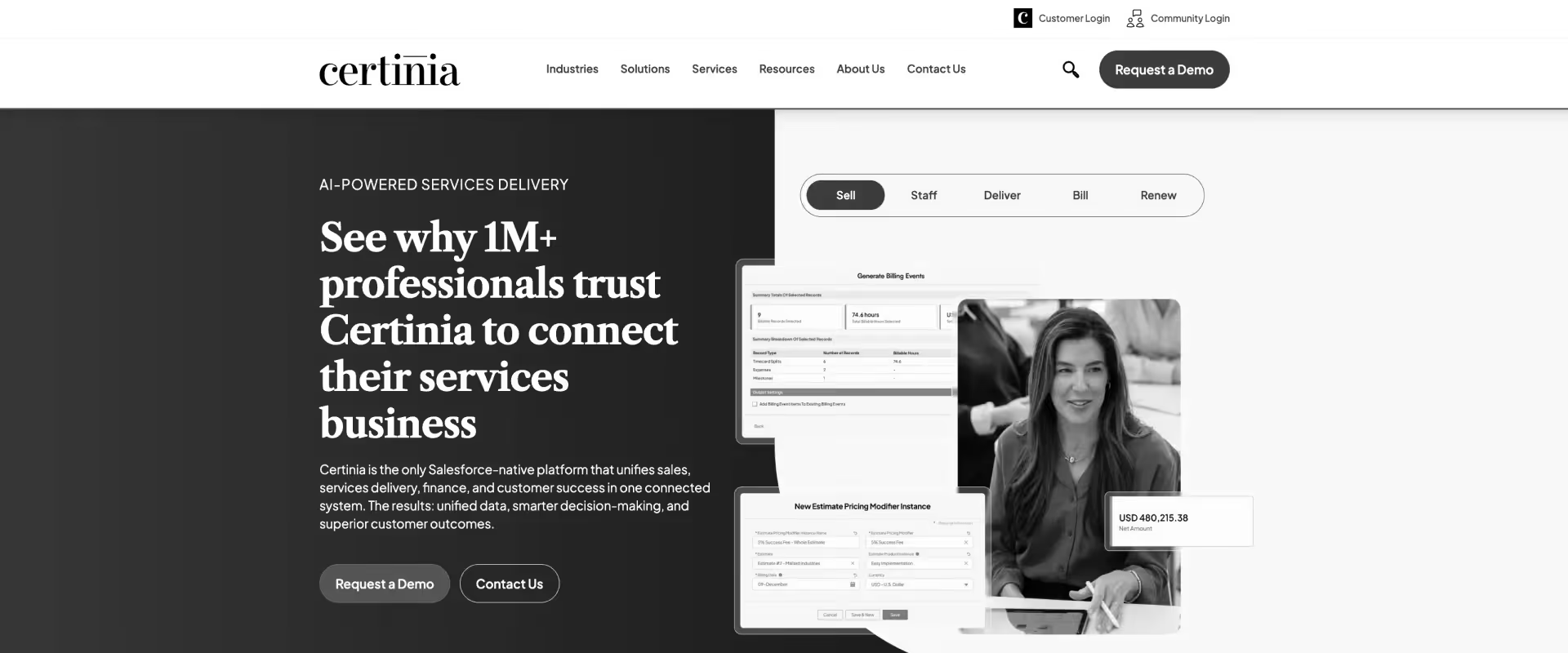
Certinia (formerly FinancialForce) is a Salesforce-native platform that combines PSA, financial management, customer success, and revenue operations within the Salesforce ecosystem, making it especially attractive for organizations already standardized on Salesforce.
Its strength is operational continuity between sales, delivery, and finance. Opportunity data, project execution, billing, resource management, and forecasting all operate on the same underlying Salesforce data model.
The platform is more enterprise-heavy than execution-oriented, especially for day-to-day collaboration and client-facing delivery workflows.
Key features
Native Salesforce architecture: Certinia operates directly inside the Salesforce ecosystem instead of integrating around it.
- CRM, PSA, ERP, and financial workflows share the same Salesforce data model
- Sales, services, and finance teams operate from a unified customer record
- Reporting and analytics stay native to Salesforce dashboards and workflows
Enterprise-grade resource management: Resource planning is one of Certinia’s strongest operational areas.
- Skills-based staffing and resource matching
- Capacity forecasting and utilization tracking
- Soft and hard allocation support across projects
- Automated staffing recommendations based on availability, role, geography, and certifications
- Work planners and allocation views for enterprise-scale resourcing
Automation across services operations: Certinia automates operational workflows across the services lifecycle.
- Automated staffing and scheduling workflows
- Resource request automation based on skills and availability
- Estimate grouping and milestone forecasting
- Workflow automation across billing, forecasting, and project management
- AI-generated project summaries and delivery insights in newer releases
Customer and partner collaboration: Certinia includes external collaboration capabilities through Salesforce-native communities and portals.
- Shared customer and partner collaboration environments
- Secure access to project plans, reports, and delivery information
- Centralized communication across internal and external stakeholders
- Collaboration workflows embedded into the Salesforce ecosystem
Forecasting and operational analytics: The platform is designed for organizations managing large services portfolios with complex forecasting needs.
- Forecasting across revenue, utilization, pipeline, and staffing demand
- Real-time dashboards for operational and financial visibility
- Services analytics tied directly to CRM and ERP workflows
- Capacity planning connected to project pipelines and delivery demand
- Portfolio-level operational reporting across business units and teams
Pros and cons
Best for
- Salesforce-native organizations where PS operations, CRM, and ERP data must live in a single platform without integration overhead
- CFOs and Finance Directors in professional services firms who need real-time revenue recognition, billing, and margin visibility tied directly to project delivery
- Enterprise PS teams managing complex, milestone-based contracts where revenue scheduling and compliance reporting are non-negotiable
- Operations leaders who have outgrown standalone PSA tools and need a system that scales with Salesforce-centric enterprise infrastructure
Key takeaways
What customers say (G2 reviews)
3. Kantata
.avif)
Kantata is a professional services cloud focused on resource management, forecasting, utilization optimization, and operational visibility.
The platform emerged from the merger of Mavenlink and Kimble, combining PSA capabilities with enterprise-grade resource planning functionality.
Kantata is strong for organizations where resource optimization is central to operational performance. The platform connects project planning, staffing, forecasting, utilization, financial management, and reporting within a single operational layer.
Key features
Enterprise-grade resource management: Kantata is strongest in organizations where resource planning sits at the center of delivery operations.
- Skills-based staffing and resource matching across projects
- Capacity forecasting tied to pipeline and active delivery demand
- Soft and hard allocation support for tentative and committed work
- Utilization tracking across teams, regions, and business units
- Resource heatmaps and forecasting views for long-range planning
Portfolio visibility across complex PS environments: Kantata is designed for organizations managing large project portfolios simultaneously.
- Real-time portfolio visibility across projects, margins, utilization, and staffing
- Delivery health monitoring across multiple engagements
- Executive dashboards for operational and financial oversight
- Cross-project dependency and workload visibility
- Portfolio reporting designed for enterprise PMO environments
Project and delivery management: The platform combines PSA workflows with structured project execution capabilities.
- Multi-phase project planning and scheduling
- Task dependencies, milestone tracking, and timeline management
- Configurable project templates and standardized delivery workflows
- Change request and approval workflows across engagements
- Collaboration layers for cross-functional delivery teams
Cross-functional collaboration: Kantata supports coordination across distributed delivery organizations.
- Shared project workspaces for delivery teams
- Centralized communication and document collaboration
- Visibility across delivery, operations, and leadership teams
- Role-based access and operational permissions
- Collaboration layers across internal stakeholders and external contributors
Enterprise scalability and governance: Kantata is built primarily for operationally mature PS organizations managing delivery at scale.
- Multi-region operational support
- Enterprise-grade security and governance controls
- Role-based permissions and audit visibility
- Scales across distributed teams and large delivery portfolios
- Extensive configuration support for complex operational structures
Pros and cons
Best for
- Resource management leaders and staffing directors at mid-to-large PS firms who need deep visibility into utilization, capacity forecasting, and skills-based assignments
- CFOs and PS finance teams running project-based businesses that require tight control over budgets, time tracking, and profitability at the engagement level
- Professional services organizations with 50–500 billable staff where matching the right people to the right projects at the right time is a daily operational challenge
- PS leaders consolidating multiple point solutions—resource scheduling, time and expense, project accounting—into a single purpose-built platform
Key takeaways
What customers say (G2 reviews)
4. NetSuite OpenAir (SuiteProjects Pro)
NetSuite OpenAir (now SuiteProjects Pro) is a long-standing PSA platforms in the enterprise services market. It combines project management, resource management, time tracking, billing, forecasting, and project accounting within a highly configurable PSA environment.
For modern delivery teams, the challenges usually center around usability, implementation complexity, and user experience. Organizations looking for highly collaborative, client-facing, or modern workflow experiences may also find the interface and delivery layer more operational than execution-oriented.
Key features
ERP-native financial operations: SuiteProjects Pro is strongest in organizations where PSA and financial operations need to stay tightly connected.
- Project accounting, billing, revenue recognition, and forecasting inside the same operational system
- Supports T&M, fixed-fee, milestone, retainer, and hybrid billing models
- Revenue and profitability visibility tied directly to delivery activity
- Strong fit for organizations already operating on NetSuite ERP
Advanced resource and utilization management: OpenAir is built around operational visibility into staffing and capacity planning.
- Skills-based resource allocation and staffing workflows
- Utilization forecasting across teams and delivery portfolios
- Resource search by skills, certifications, geography, and availability
- Soft and hard allocation support across pipeline and active projects
- Workload balancing and long-range capacity planning
Project accounting and delivery visibility: The platform connects project execution closely with financial performance.
- Real-time project profitability and budget tracking
- Budget vs actual visibility across projects and portfolios
- Delivery timelines connected to revenue and margin forecasting
- Time, expense, billing, and financial reporting centralized in one system
NetSuite ecosystem integration: OpenAir operates especially well inside broader NetSuite environments.
- Native alignment with NetSuite ERP and financial systems
- CRM-to-delivery operational workflows connected across systems
- Data sync across invoicing, payments, expenses, and revenue recognition
- SuiteCloud extensibility for custom workflows and integrations
- API support for broader enterprise operational stacks
Enterprise scalability and global delivery support: OpenAir is built for large and distributed professional services organizations.
- Multi-entity and multi-currency operational support
- Global delivery visibility across regions and business units
- Enterprise-grade security, permissions, and governance controls
Pros and cons
Best for
- PS and consulting firms already running NetSuite ERP that need a tightly integrated PSA layer for project billing, time tracking, and resource management without a separate financial system
- Finance and operations leaders at project-based businesses who need auditable, multi-currency billing and revenue recognition connected directly to their GL
- Larger professional services organizations with complex invoicing workflows—T&M, fixed-fee, retainer—that require a mature, configurable billing engine
- PS teams that have outgrown lightweight project tools and need enterprise-grade compliance, reporting, and ERP connectivity without switching accounting platforms
Key takeaways
What customers say (G2 reviews)
5. BigTime
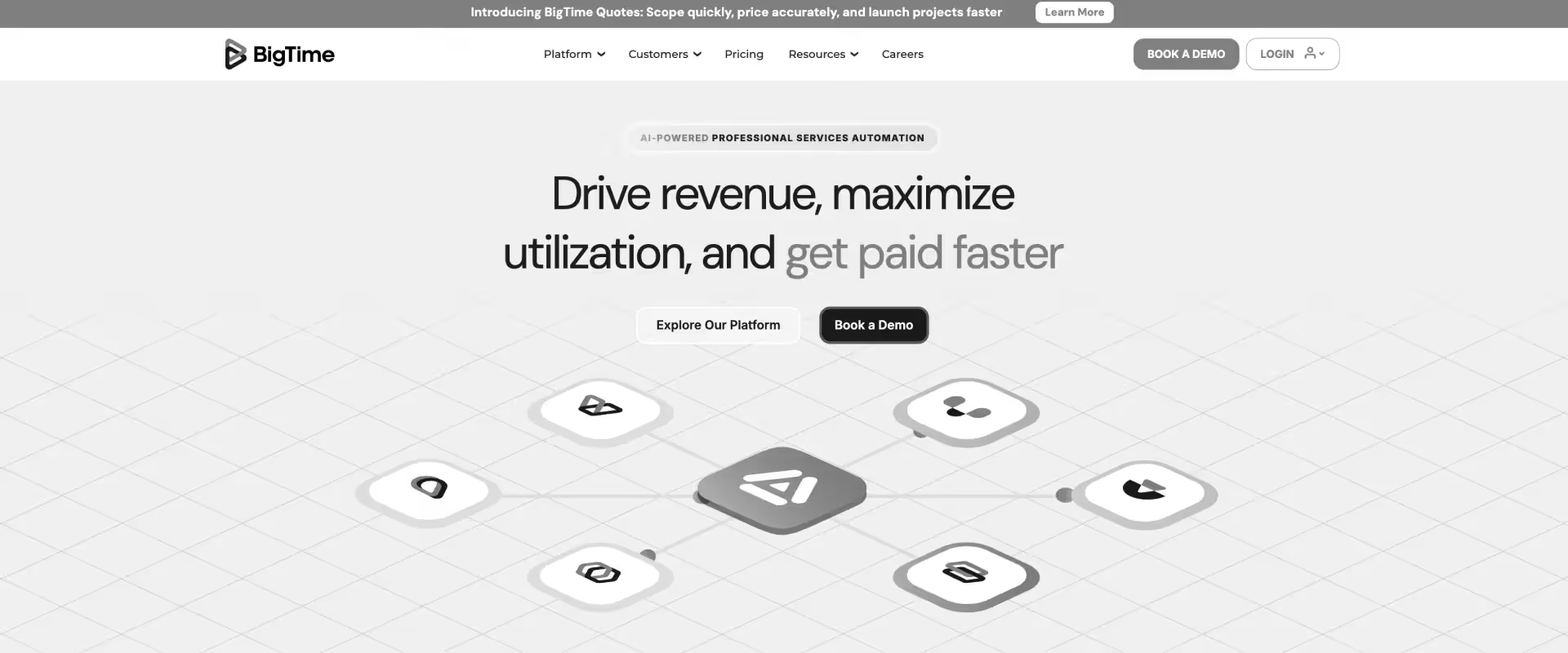
BigTime is a PSA and financial operations platform designed primarily for consulting firms, accounting firms, IT services companies, and architecture or engineering organizations. The platform focuses heavily on time tracking, billing, resource management, project financials, and operational reporting.
BigTime is often adopted by mid-market professional services organizations looking for stronger operational visibility without moving into highly complex enterprise PSA environments. The platform performs particularly well for firms prioritizing utilization tracking, invoicing workflows, budget management, and project profitability reporting.
Key features
Time tracking and billing workflows: BigTime is strongest in organizations where time capture, invoicing, and project profitability sit at the center of operations.
- Time and expense tracking built directly into delivery workflows
- Automated invoice generation from approved billable work
- Support for T&M, fixed-fee, retainer, and blended billing models
- Approval routing for timesheets and expenses
Project profitability and financial visibility: The platform connects delivery activity closely with financial outcomes.
- Real-time budget vs actual tracking across projects
- Margin and profitability visibility tied to time and expense data
- Forecasting across utilization, billing, and revenue
- Budget monitoring at company, project, and task levels
- Financial reporting designed around billable services operations
Resource management and staffing: BigTime includes operational planning tools for growing PS teams.
- Skills-based staffing and resource allocation workflows
- Capacity and utilization forecasting across teams
- AI-assisted staffing recommendations in newer releases
- Workload visibility across projects and billable demand
- Resource planning connected directly to project timelines
Project and delivery management: The platform combines PSA workflows with structured project tracking capabilities.
- Project planning, budgeting, and milestone tracking
- Task and delivery management tied to financial workflows
- Project health visibility connected to billing and utilization
- Centralized operational reporting across delivery teams
- Workflow automation across recurring project operations
Operational reporting and analytics: BigTime emphasizes real-time operational visibility for services organizations.
- Dashboards across utilization, profitability, and project health
- Reporting tied directly to delivery and billing activity
- Forecasting visibility across staffing and revenue
- Operational analytics for finance and services leaders
- BI integrations with tools like Power BI and Tableau
Pros and cons
Best for
- Principals and Managing Directors at small-to-mid-size professional services firms—consulting, accounting, IT services—who need straightforward time tracking, invoicing, and project budgeting without enterprise-level complexity
- Billing managers and finance leads who need to automate invoice generation tied directly to approved timesheets and reduce manual reconciliation with QuickBooks or Sage
- Growing services firms with 10–150 staff that need a purpose-built PSA without a lengthy implementation or dedicated admin to maintain it
- Teams moving off spreadsheets and generic tools who need core PSA capability—time, expenses, billing, and basic resource allocation—up and running quickly
Key takeaways
What customers say (G2 reviews)
6. Scoro
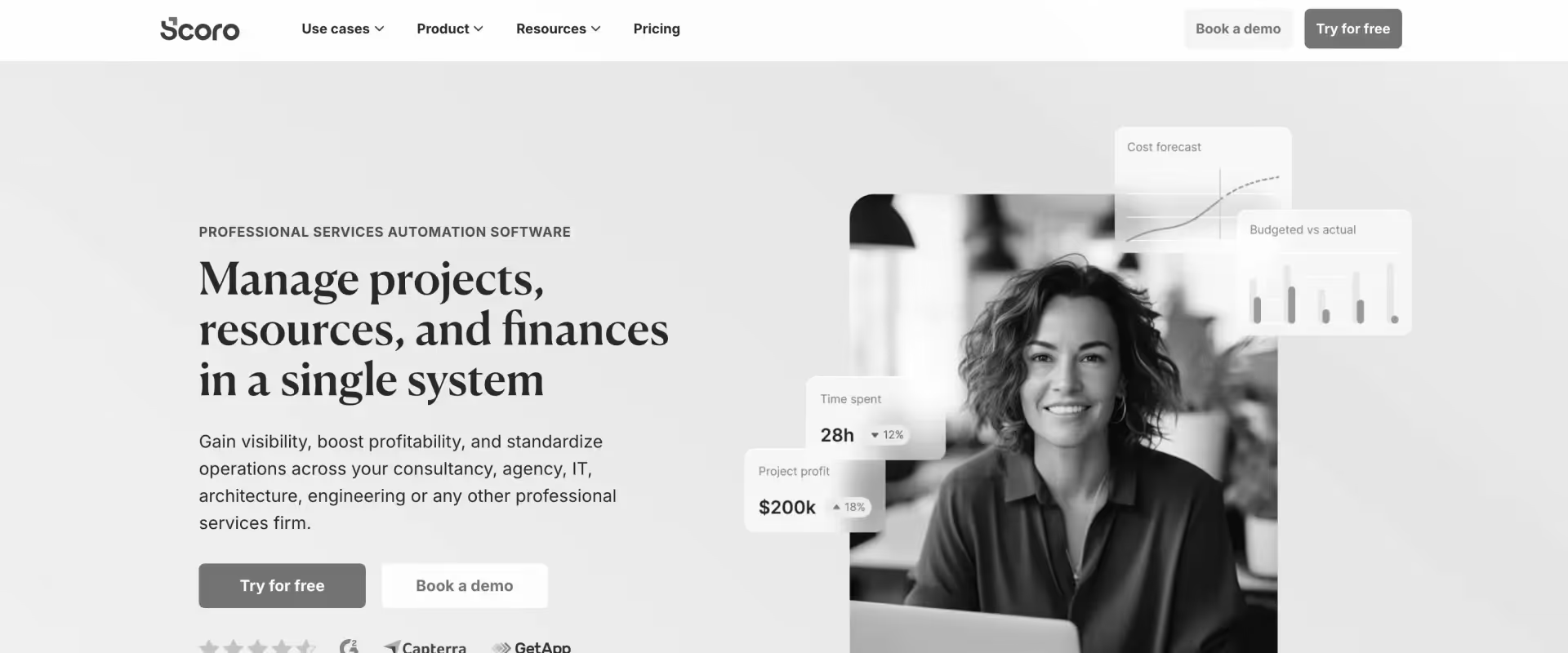
Scoro combines PSA, work management, CRM, billing, and business operations into a unified platform targeted at agencies, consultancies, and service businesses. The platform positions itself as an all-in-one work management system for services organizations looking to centralize operations.
Scoro’s strength lies in operational visibility across projects, budgets, utilization, sales pipelines, and financial reporting.
Many agencies and creative services firms adopt the platform because it combines project operations with broader business management workflows in a relatively unified interface. The platform is often well-suited for organizations wanting operational control without managing multiple disconnected systems.
Key features
All-in-one operational workspace: Scoro is designed around the idea that agencies and professional services firms should not need separate systems for CRM, project management, billing, resourcing, and reporting.
- CRM, project delivery, quoting, billing, and reporting inside one platform
- Strong fit for agencies, consultancies, and service businesses managing multiple client engagements
- Designed to reduce operational fragmentation across disconnected tools
- Quote-to-cash workflows connected across sales, delivery, and finance
Project management tied to financial outcomes: Scoro connects project execution directly with budgets, profitability, and billing workflows.
- Multi-phase project planning with timelines, dependencies, and milestones
- Real-time quoted vs actual budget visibility during delivery
- Time tracking tied directly to project profitability and invoicing
- Scope, cost, and utilization visibility embedded into project workflows
- Strong operational visibility for agencies and consulting teams managing fixed-fee work
Integrated CRM and sales workflows: Customer and revenue workflows remain connected to project execution.
- Built-in CRM for managing accounts, pipelines, and opportunities
- Quotes convert directly into projects, budgets, and invoices
- Revenue forecasting tied to pipeline and delivery operations
Workflow automation and AI-powered insights: Recent platform updates increasingly focus on automation and AI-assisted operations.
- Automated project creation and workflow triggers
- Quote-to-project and quote-to-invoice automation
- AI-powered operational insights and workflow assistance
- Alerts around project budgets, utilization, and delivery risk
- Automation across recurring operational workflows and approvals
Integrations and ecosystem support: Scoro is designed to operate alongside broader business systems when needed.
- Integrations with Salesforce, HubSpot, Jira, QuickBooks, Xero, and Sage Intacct
- Calendar, storage, and communication integrations across operational workflows
- API support for extending custom workflows
Pros and cons
Best for
- Agency owners and operations directors at creative, marketing, or consultancy agencies who want a single platform covering quoting, project delivery, time tracking, and invoicing without stitching together separate tools
- Business leaders who are frustrated by context-switching between a CRM, project tool, and accounting system and need work management tied to financial performance in one view
- Retainer-heavy service businesses that need recurring billing, utilization tracking, and client profitability reporting without building custom integrations
- Growing agencies (10–200 people) that need deeper financial control alongside project and team management
Key takeaways
What customers say (G2 reviews)
7. Teamwork
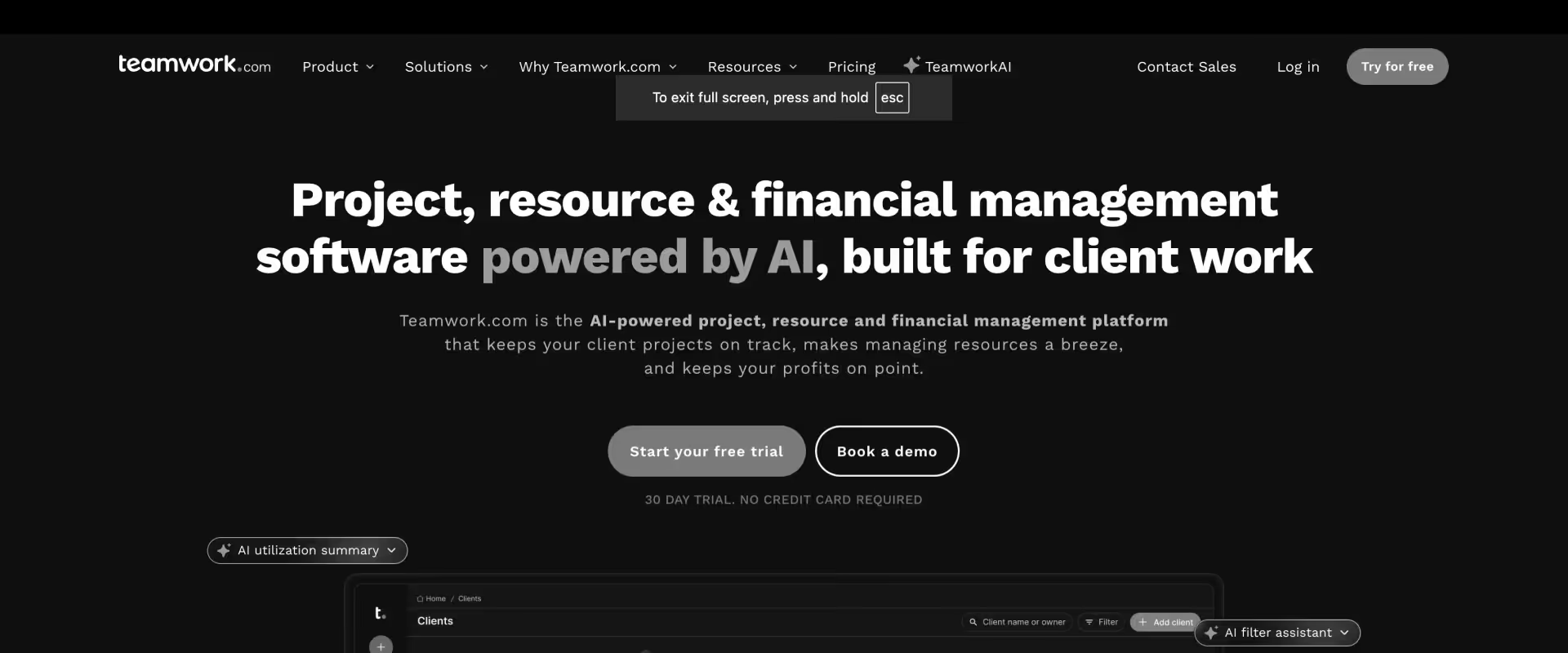
Teamwork is a project management platform designed specifically for client services teams, agencies, consultancies, and collaborative delivery environments. Unlike broader work management tools, Teamwork positions itself more directly around client work, billable projects, and service delivery coordination.
The platform is known for ease of use, collaborative project management, time tracking, workload management, and client-facing coordination features. Many small-to-mid-sized agencies and services firms adopt Teamwork because it balances usability with operational visibility better than generic task management platforms. It is particularly strong for collaborative execution and delivery coordination across distributed teams.
Key features
Client-focused project management: Teamwork is built primarily for agencies and client-services teams managing external delivery work.
- Multi-view project management with list, kanban, Gantt, calendar, and workload views
- Milestones, task dependencies, subtasks, and delivery templates built into workflows
- Strong fit for agencies, consulting firms, and client-facing delivery teams
Client collaboration and visibility: The platform places heavier emphasis on client-facing collaboration than many general PM tools.
- Native client access and permission-based collaboration
- Shared project visibility for external stakeholders
- Proofing, approvals, and client feedback workflows
- Branded client-facing project environments
Operational reporting and portfolio visibility: Teamwork provides centralized visibility across delivery operations and client work.
- Dashboards across project health, budgets, resource utilization, and delivery progress
- Reporting tied directly to time tracking and project activity
- Portfolio visibility across multiple concurrent engagements
- Executive-level visibility without heavy spreadsheet consolidation
- Operational reporting designed for client-services environments
Workflow automation and AI assistance: Recent Teamwork updates increasingly focus on AI-assisted delivery coordination.
- AI-powered project setup and scheduling assistance
- Smart workload and resource suggestions
- Automated workflows across time tracking, invoicing, and operational tasks
- AI-assisted planning and delivery coordination
- Workflow automation designed to reduce coordination overhead for distributed teams
Pros and cons
Best for
- Client-facing agency teams and project managers who need robust task and project management with built-in time tracking, client access controls, and billing workflows—without the overhead of an enterprise PSA
- Digital, marketing, and creative agencies with 10–150 staff that bill clients by the hour and need a tool that bridges delivery execution and invoicing in one place
- Account managers and delivery leads who need to give clients real-time visibility into project status without exposing internal team operations
- Agencies who need stronger client collaboration, time tracking, and basic financial reporting baked in rather than bolted on
Key takeaways
What customers say (G2 reviews)
8. Productive.io
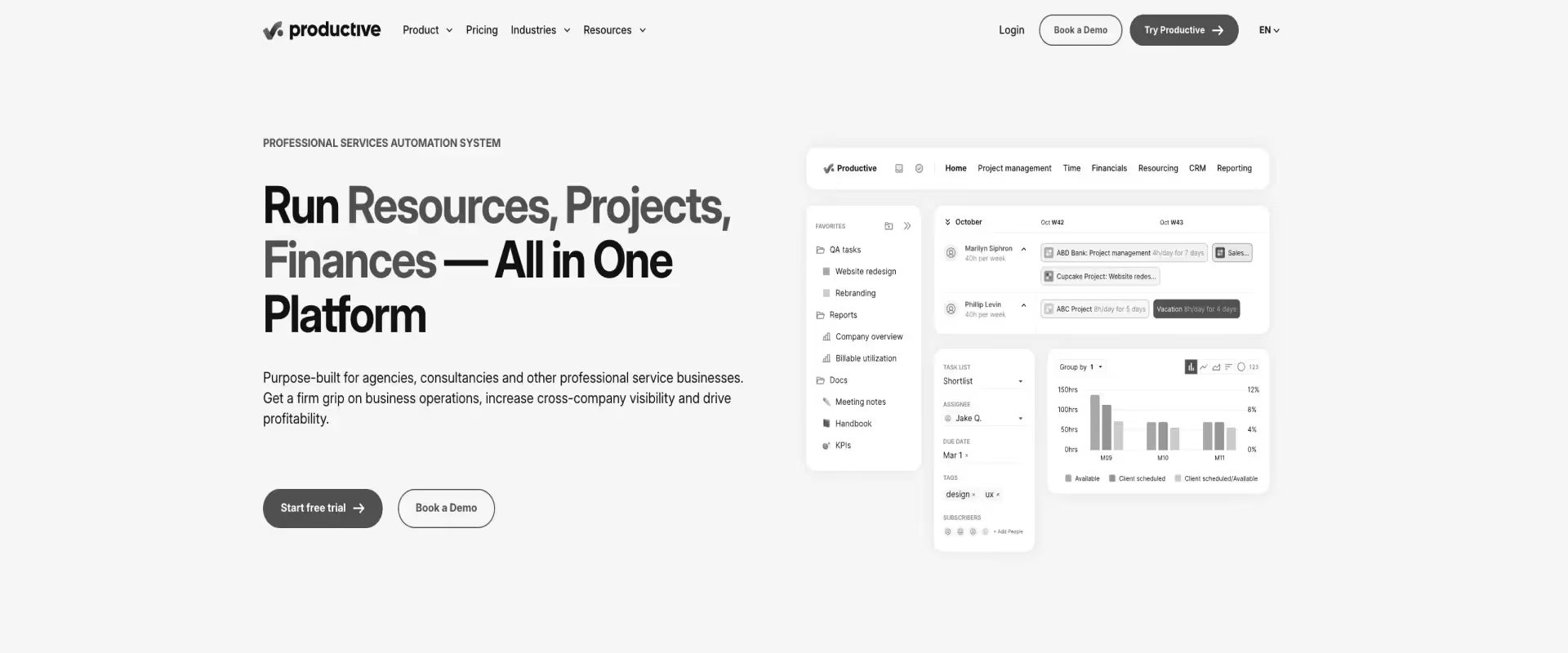
Productive.io is a modern PSA platform built primarily for agencies and professional services firms that want project management, resource planning, budgeting, sales, and financial tracking inside a single operational environment.
For larger enterprise PS organizations, some limitations emerge around ecosystem maturity, deep enterprise configurability, highly complex financial operations, and large-scale governance requirements. Teams operating highly structured global delivery environments may also require deeper workflow extensibility, broader ERP integrations, or more advanced portfolio management capabilities as operational complexity increases.
Key features
Real-time profitability and budget visibility: Financial visibility stays connected directly to delivery activity as projects evolve.
- Real-time profitability tracking across projects and clients
- Budget burn updates dynamically as time and expenses are logged
- Forecasted profit visibility across individual projects and the broader portfolio
- Automated alerts for budget overruns and profitability risks
- Overhead allocation and cost tracking built into financial reporting workflows
Resource planning and utilization forecasting: Productive.io places strong emphasis on capacity planning and operational forecasting.
- Resource scheduling tied directly to project timelines and financial forecasts
- Capacity and utilization visibility across teams and departments
- Skills-, team-, and seniority-based resource grouping
- Tentative bookings and placeholder planning for pipeline demand
- Real-time forecasting for revenue, profitability, and workload impact as schedules change
Project management built for service teams: The platform combines operational visibility with structured delivery management.
- Multiple project views including Gantt, workload, kanban, calendar, and list views
- Task dependencies, recurring tasks, workflows, and project templates
- Time tracking embedded directly into project execution workflows
- Delivery operations connected closely with budgets and profitability
Integrated sales CRM and pipeline forecasting: Sales and delivery workflows stay connected inside the same operational environment.
- Built-in CRM for accounts, contacts, pipelines, and deal tracking
- Revenue forecasting tied directly to active pipeline data
- Won deals convert directly into projects and budgets
- Sales performance and funnel analytics built into reporting
Operational reporting and forecasting: Productive.io emphasizes live operational visibility instead of spreadsheet-driven reporting cycles.
- 50+ prebuilt operational and financial reports
- Real-time dashboards across utilization, profitability, revenue, and delivery health
- Forecasting tied directly to staffing, scheduling, and budget data
- Scenario modeling for operational and financial planning
- Automated report delivery through email and Slack workflows
Pros and cons
Best for
- Agency founders and operations leads who want a clean, modern alternative to legacy PSA tools—combining project management, resource planning, budgeting, and profitability reporting in a single interface
- CFOs and finance leads at service agencies who need real-time budget burn, margin per project, and overservice alerts without relying on end-of-month reporting
- Agencies scaling from 15–200 people that need sales pipeline, project delivery, and financial performance connected so nothing falls through the gap between new business and execution
Key takeaways
What customers say (G2 reviews)
Quick comparison: 8 Deltek Vantagepoint alternatives for consulting and PS firms
How do you choose the right Deltek alternative for your PS team?

Step 1: Define what your delivery system is actually expected to hold together
Before evaluating tools, be explicit about what a complete engagement looks like in your environment. In professional services, a single engagement carries dependencies across scope, timeline, people, and commercial context simultaneously.
Capture this explicitly:
- What constitutes a complete engagement from sales handoff to invoice
- What inputs are required to start it and what determines completion
- What signals indicate progress and who needs to see them
- How scope, time, cost, and client communication connect in a single flow
This clarifies what the system needs to hold together. Deltek holds the financial layer. The question is what happens to the rest.
Step 2: Trace where information breaks down in your current stack
Take a live project and follow how information actually moves today:
- A requirement becomes a task in one tool
- The task consumes time tracked in another
- Time contributes to cost reconciled in a spreadsheet
- Cost is compared to budget in Deltek, a week later
- Progress is communicated to the client via email
At each handoff, note where information lives and how it transitions. In most Deltek environments, these transitions require manual aggregation. The structure of those transitions is the clearest indicator of how much reconciliation tax your team is paying every month.
Step 3: Map your pain to the right platform depth
Step 4: Match to your team size and growth trajectory
- 10 to 30 people: Teamwork, Productive.io, Scoro
- 30 to 75 people: Rocketlane, Scoro, BigTime
- 75 to 200 people: Rocketlane, Kantata
- 200 to 500 people: Rocketlane, Kantata, Certinia
- 500+ people: Certinia, Kantata; Rocketlane for teams that prioritize delivery speed and modern UX at enterprise scale
Step 5: Examine how state is maintained across projects at scale
Delivery is not static. As the number of active projects grows, coordination shifts from within a single project to across the whole portfolio. Shared resources introduce contention, timelines overlap, and priorities need continuous rebalancing.
Assess how that coordination is currently handled:
- How often does alignment require a meeting or a follow-up that should not be necessary
- How much context has to be reconstructed before a resource decision can be made
- How visible are cross-project impacts at any given moment
The answer reveals whether coordination is embedded in the system or happening around it. In most Deltek environments, it is happening around it.
Step 6: Evaluate how insight is produced today
Look at how your team currently answers common operational questions:
- Which projects are consuming more effort than planned
- Where is capacity constrained going into next quarter
- Which engagements are at risk of missing margin targets
Then observe what producing those answers actually requires. Are they directly accessible, or do they require combining exports from multiple systems? How frequently do they need to be rebuilt from scratch?
The effort required to answer these questions is the most reliable indicator of whether a new system will actually change how decisions get made, or just move the reconciliation work to a different tool.
Step 7: Seven questions to ask every vendor in demos
- Who runs the implementation: your team or a third-party partner, and what is their financial stake in extending the timeline?
- What is the realistic worst-case implementation timeline for a team our size?
- Can you show me real-time project profitability right now, without exporting anything?
- How does a resource manager find available capacity for a new project in under a minute?
- What does my client see in the portal, and does it cost extra per external user?
- What happens when I need to change a workflow or billing rule: do I need a developer or a consultant?
- What does your AI actually do, and can you show me the output rather than a slide?
Best Deltek alternative by company type and use case: Decision routing table
Why is Rocketlane the best Deltek alternative for professional services teams in 2026?

What makes Rocketlane a strong Deltek alternative is its operating model where execution, resources, financials, and client interaction stay connected as work progresses.
Deltek was built to track that work after the fact. Rocketlane is built to run it in real time, with AI agents embedded directly in the delivery workflow. This represents a fundamental shift from merely tracking work to actively executing it
The fragmented stack problem: when delivery lives across disconnected systems
The most common Deltek customer setup is not just "Deltek." It's:
- Deltek for project accounting
- Smartsheet or another PM tool for delivery tracking
- A standalone time tracker
- Resource spreadsheets owned by one person in operations
- Excel exports that get reconciled before every leadership review
Each layer carries its own license, its own admin overhead, and its own data model. When something changes in delivery, a scope expansion, a phase overrun, a resource reallocation, that change has to be manually propagated across every layer before anyone gets an accurate picture.
In Rocketlane, financial state moves with execution:
- Time logged against overrun phases is visible immediately
- Budget vs. actuals stay aligned at the task and phase level
- Margin is available across project, client, and portfolio views, continuously and not periodically
The adoption gap: systems optimized for administration instead of delivery teams
Deltek feels like it was built for accountants and engineers, not for the average employee or manager who needs clear, fast, accessible tools.
Even after significant time spent training and configuring, the software remains cumbersome and rigid. The person who configured it is rarely the person logging time between client calls.
The AI agent built into Vantagepoint has not been useful for most users. Between its limitations, the inconsistency of its responses, and the time it takes to reply, it is often faster to bypass the AI altogether and go through the traditional process.
Rocketlane is designed around the people doing the work, not the system administrator:
- Time entry reduces to a few minutes per week through calendar integration
- Resource decisions that used to require a dedicated planning session happen through AI-assisted allocation
- Timesheet compliance enforces itself through the Policy Agent, with no manager chasing required
Staffing decisions that used to live in spreadsheets now run automatically. Missing timesheets and budget overruns surface before they become margin surprises. Governance enforces itself. Leaders spend their time approving decisions instead of assembling them.
The implementation model: long deployment cycles that outlast business change
The long timelines for legacy PSA implementations are not purely a technical constraint. They reflect a business model.
Deltek implementations run through consulting partners whose engagements are sized by complexity and duration. The more customization a customer requests, the longer and more expensive the engagement.
Rocketlane has helped customers shrink implementation time from 6+ months to as little as 30 days. The platform runs implementations directly rather than through third-party partners, and uses a prescriptive methodology that avoids the customization cycles that extend legacy timelines.
Nitro deploys AI agents that identify risks early, rebalance resources in real time, and execute repeatable tasks such as migrations, configurations, documentation, and testing.
Rocketlane’s internal data shows that Nitro has the potential to reduce delivery effort by up to 50% in early deployments.
The result is a go-live that happens before the business has changed shape, on a platform that reflects current delivery requirements.
The flexibility ceiling: customization eventually becomes operational debt
Deltek's customization model is also its constraint. Every workflow modification creates a configuration dependency that complicates the next upgrade. Teams that have shaped the platform to their processes find themselves unable to adapt without re-engaging implementation resources.
In 2026, the question has shifted from "what can your AI do?" to "can you show me the business impact?" PS teams are being asked to implement AI across entire organizations at a pace and complexity unlike anything they have managed before.
The teams most at risk are not the ones that lack ambition. They are the ones who did not have time to completely rewire how they work before the bar moved.
Rocketlane is structured for that environment:
- Config changes happen in days, without consultants and without disrupting active work
- Nitro's agentic layer handles the repeatable, high-stakes work that consumes expert time on every engagement, including configurations, migrations, testing, and documentation
- Workflow updates apply across active projects without project-by-project manual changes
What this means in practice
When project execution, resource allocation, financial tracking, and client interaction are all part of the same operating model:
- Reporting does not require assembling data across tools
- Portfolio visibility extends directly from project activity
- Insight reflects the current state of delivery
Rocketlane by the numbers: 750+ customers, 94% G2 recommendation rate, $60M Series C from Insight Partners (March 2026), revenue more than doubled year-over-year.
Which is better: Deltek or Rocketlane?
Deltek Vantagepoint is the better fit for architecture, engineering, and government contracting firms where project accounting depth, compliance workflows, and ERP integration are non-negotiable. For those environments, Deltek's financial controls and audit capabilities are genuinely difficult to match.
Rocketlane is the better fit for consulting, SaaS implementation, and managed services teams where delivery speed, client visibility, and operational agility matter more than financial governance depth.
When the primary friction is fragmented execution across Deltek, Smartsheet, and spreadsheets — rather than a gap in project accounting — Rocketlane addresses the problem at the source.
The practical distinction is this: Deltek tracks delivery after the fact.
Rocketlane executes it in real time.
For PS teams that have outgrown legacy PSA tooling, that difference shows up daily in how quickly margin questions get answered, how much time goes into client reporting, and how reliably resource decisions reflect live portfolio data.
For most PS firms evaluating both, the question is not which platform is technically more capable in the abstract. It is whether the operational gaps in Deltek are now load-bearing — consuming delivery capacity that should be going into client work.
Why teams switch from Deltek to Rocketlane
The decision rarely happens because Deltek failed. It accumulates through operational friction that becomes harder to absorb as delivery complexity grows. The five triggers that most commonly drive the move:
1. Delivery lives across four tools simultaneously. The most common Deltek environment is not just Deltek. It is Deltek for project accounting, Smartsheet or Monday for execution tracking, a standalone time tracker, and resource spreadsheets owned by one person in operations. Every scope change or reallocation has to be manually propagated across every layer before anyone gets an accurate picture.
2. Financial visibility arrives too late to act on. Deltek's financial data is accurate but retrospective. By the time margin pressure surfaces in a report, the project is already past the point where corrective action is practical. PS leaders need margin visibility during execution — while there is still time to adjust scope, resources, or billing.
3. There is no native client portal. Client collaboration in Deltek happens through email, shared documents, and status meetings. That production overhead compounds across every active account. Teams running ten or twenty simultaneous implementations quickly find that manual client reporting consumes significant delivery bandwidth.
4. Implementation took months and the system still feels foreign. Deltek implementations run through consulting partners sized by complexity. The longer and more customized the engagement, the more the system reflects what an implementation consultant built, not how the delivery team actually works. Adoption suffers as a result.
5. Leadership questions still require spreadsheet assembly. Answering "which projects are trending over budget?" or "where is utilization pressure building next quarter?" typically means pulling exports, building pivot tables, and waiting for someone in operations to assemble the view. That cycle repeats every week.
Rocketlane’s impact on real PS teams
What automation does Rocketlane Nitro provide that Deltek cannot?
Deltek tracks what happened. Nitro handles what needs to happen next because it executes delivery through AI agents embedded directly within project workflows, identifying risks early, rebalancing resources in real time, and completing repeatable tasks such as migrations, configurations, documentation, and testing.
The agents run inside the same system that manages projects, resources, and financials, which means every action they take is grounded in live delivery data, not an export or a reconstructed report.
Here is how each agent maps to the manual work Deltek leaves on the table:
The agents operate across four areas of delivery, each addressing a different layer of the overhead that Deltek-era tooling created.
- Operational visibility. The Nitro Analyst answers questions about utilization, margin variance, and project health in plain language from live data. The most consistent complaint among Deltek users is the inability to see project profitability in real time without running exports. The Analyst closes that gap directly, with answers available in the moment the question is asked, not after a reporting cycle. Nitro's business intelligence capabilities provide better visibility into project performance, allowing for more informed decision-making and proactive management. There is no batch processing — real-time data flows from time entries through to margin visibility and revenue forecasting continuously.
- Delivery governance. Financial control agents identify missing timesheets, un-invoiced hours, and budget overruns early. Governance agents ensure plans are current and run in the background, highlighting issues without requiring manual intervention. Rules apply consistently regardless of who manages the project.
- Frontline execution. Migration agents handle mapping, transformation, testing, and validation. Configuration agents check customer inputs, configs, and documents to identify issues early. Documentation agents interpret requirements, prepare configurations, and generate documentation, freeing up consultant time for delivery work rather than production work.
- Account intelligence. The Signals Agent monitors client conversations continuously across the portfolio. Changes in engagement, sentiment, or scope surface while there is still time to act, tied to the specific interaction that triggered them. This replaces the weekly manual review cycle that most Deltek users run on a spreadsheet or inside a CRM they have to update themselves.
5 ways PS delivery changes when Nitro replaces the Deltek-era manual layer
1. Portfolio questions get answered in the moment they are asked
In most Deltek environments, answering "which projects are trending over budget this quarter?" means pulling exports, building pivot tables, and waiting for someone in ops or BI to assemble the view.
The Nitro Analyst answers the same question in plain language, instantly, from live data. Margin movement, utilization shifts, and project risk come back with the underlying drivers visible.
Follow-up questions can be explored immediately, without reconstructing context. Recurring analyses run automatically, so reviews begin with a current baseline rather than a preparation task.
2. Resourcing stops being a spreadsheet job
Resourcing agents automate skill matching, reallocations, extensions, and backfills. In a typical Deltek environment, capacity planning lives in a spreadsheet that one person maintains and that is out of date the moment something changes. In Rocketlane, allocation is visible within the delivery system itself, updated as projects move, and handled by agents that monitor every timeline, every role, and every allocation automatically.
3. Timesheet and billing compliance enforces itself
Financial control agents identify missing timesheets, un-invoiced hours, and budget overruns early, before they turn into margin surprises. Submission rules are enforced at the point of entry, not chased after the fact. The result is that timesheet compliance becomes a system property rather than a management task, and billing data stays clean without a PM having to follow up every week.
4. Migration and configuration work stops consuming expert time
Data migration is one of the most consistent sources of go-live delay in PS delivery. Migration agents handle mapping, transformation, testing, and validation. Configuration agents check customer inputs, configs, and documents to identify issues early.
Documentation agents interpret requirements, prepare configurations, and generate documentation, freeing up consultant time for delivery work rather than production work. Consultants and implementation managers spend time on review and judgment calls, not on the repeated manual setup that currently eats billable capacity on every engagement.
5. Account risk surfaces before it becomes an escalation
The Signals Agent monitors client calls, emails, and delivery activity continuously across the portfolio. Changes in engagement, sentiment, or scope surface while there is still time to act, each tied to the specific interaction that triggered it.
Critical context does not disappear when a consultant rolls off an engagement. The delivery system stays current on its own. This replaces the manual weekly account health review that most Deltek users run across a combination of CRM notes, email threads, and gut instinct.
What does migrating from Deltek to a modern PSA actually look like?

Successful Deltek migrations are usually approached as an opportunity to redesign how delivery operations are structured and managed.
The transition works best when organizations use it to refine project execution models, standardize workflows, improve resource visibility, and create a more connected delivery environment across teams.
Start with operational visibility
The first phase is understanding how delivery operates today.
Project structures, approval paths, resource allocation models, financial workflows, reporting dependencies, and integrations all need to be mapped before migration begins. Deltek environments often contain years of evolving workflows, department-specific processes, and layered configurations shaped by changing operational needs.
Most organizations identify a core set of workflows and structures they want to carry forward into the new system.
The migration becomes an opportunity to simplify delivery operations, standardize execution patterns, and create a cleaner operational foundation for future growth.
Choosing the right migration approach
The migration path usually depends on the complexity and maturity of the current Deltek environment.
In most cases, organizations introduce the new PSA gradually. New projects begin in the new platform while existing projects continue in Deltek until completion. This creates a smoother adoption curve and gives teams time to validate workflows in production environments.
Where workflows vary significantly across teams or business units, organizations often rebuild delivery templates first and selectively migrate active or strategically important projects.
Full historical migrations are generally prioritized when organizations have long-running engagements, compliance requirements, or reporting dependencies tied to legacy project data.
Rebuilding delivery workflows inside the new system
This phase shapes how delivery will operate going forward.
Delivery leaders typically work through live projects alongside the implementation team to redesign project structures end-to-end. Phases, milestones, ownership models, dependencies, approvals, financial checkpoints, and client collaboration workflows are rebuilt around the organization’s preferred operating model.
Templates emerge from these working sessions. Reporting structures become more consistent across teams. Resource visibility improves because projects follow shared execution patterns and standardized workflows.
The system gradually becomes aligned with how teams want delivery to function at scale.
A realistic Deltek migration timeline
For most 50–200 person professional services organizations, migrating from Deltek to a modern PSA takes roughly 8–12 weeks when implementation, migration, integrations, and onboarding are managed together.
What organizations typically migrate from Deltek
The migration scope commonly includes:
- Historical project and time-tracking data
- Resource allocations and skills profiles
- Budgets, actuals, invoicing, and financial records
- Client and contact data
- User roles and permissions
- Integrations with systems like Salesforce, NetSuite, and QuickBooks
Organizations often use the migration process to improve data consistency and streamline operational records before the new system goes live.
Common Deltek migration considerations and how Rocketlane address them
- “Our Deltek setup is heavily customized.”
Many Deltek environments contain workflows tailored to specific operational requirements developed over time.
During migration, teams evaluate which workflows should be preserved, standardized, or redesigned based on current delivery goals.
Modern PS platforms typically support structured automation, configurable delivery templates, integrated collaboration, and centralized resource management through native capabilities.
The implementation process focuses on aligning workflows with long-term operational scalability and usability.
- “We have years of historical data.”
Historical migrations often become a useful opportunity to improve data quality and consistency.
Migration projects frequently help teams standardize project structures, update financial mappings, clean duplicate records, and improve reporting foundations before moving into the new platform.
- “Can both systems run in parallel?”
Many organizations choose a phased rollout approach.
Running Deltek alongside the new PSA during implementation allows teams to validate workflows, onboard users gradually, and transition projects in stages while maintaining operational continuity.
The biggest shift is usually operational alignment.
Projects begin from standardized templates, resource planning becomes easier to manage across teams, and client communication, execution workflows, and financial tracking operate within a more connected delivery environment.
Teams gain clearer visibility into delivery operations because more project context, reporting, and collaboration activity lives within the same system.
Conclusion: Which Deltek alternative is right for your PS team?
Choosing a Deltek alternative comes down to how professional services operations are expected to run as the organization scales.
For many firms, Deltek provides strong foundations across financial management, ERP workflows, and operational governance. Over time, however, delivery expectations evolve.
Teams begin looking for faster execution cycles, more connected client collaboration, easier workflow adaptability, real-time delivery visibility, and systems that feel closer to how modern PS organizations operate day to day.
The decision is rarely about replacing a single capability. It is about determining how tightly project execution, resource planning, financial operations, client interaction, and delivery intelligence should exist within the same operational layer.
That alignment shapes how quickly teams can move from visibility to action, and how consistently delivery can scale across regions, teams, and accounts.
Modern PSA platforms like Rocketlane are designed around that connected operating model, where delivery, resource management, financial visibility, and client collaboration operate within a unified execution environment.
The impact becomes visible in daily operations. Delivery teams spend less time moving between systems, consolidating updates, or coordinating status visibility across tools. More operational context exists directly within the workflow where decisions are made.
If you’re evaluating Deltek alternatives, the fastest way to understand the difference is to see how execution, resources, financials, and client collaboration come together inside Rocketlane.
Table of Contents

Regsiter for the live webinar


Great consultants didn't join your team to spend Fridays writing documentation.
Table of contents
18 of Forbes Cloud 100 chose Rocketlane. The best PS teams aren't waiting around.
FAQs
What is the best Deltek alternative for professional services teams?
Rocketlane is one of the strongest Deltek alternatives for modern professional services teams. It combines project delivery, client collaboration, resource management, time tracking, financial visibility, and agentic AI workflows within a unified PSA platform designed specifically for service organizations.
Why do companies evaluate alternatives to Deltek?
Organizations typically evaluate alternatives when they want more connected delivery workflows, faster operational adaptability, improved client collaboration, easier cross-functional visibility, and a more modern user experience across project delivery and resource operations. Many users also report frustration with Deltek's user interface and complexity, which often leads them to seek alternatives that are more integrated and user-friendly.
How does Deltek compare to modern PSA platforms?
Deltek offers strong ERP, financial, and operational management capabilities. Modern PSA platforms often place greater emphasis on delivery orchestration, real-time collaboration, workflow adaptability, resource visibility, and integrated client experiences within the execution layer itself.
How long does it take to migrate from Deltek to Rocketlane?
Most organizations complete migration and onboarding within roughly 8–12 weeks, depending on workflow complexity, integrations, historical data requirements, and rollout strategy. Many teams adopt a phased rollout approach to transition projects gradually while maintaining operational continuity.
What Deltek alternatives work well for global professional services organizations?
When considering a Deltek alternative, keep in mind that the best choice depends on your firm's priorities, team size, workflows, and specific project management needs. Several modern PSA platforms like Rocketlane support global delivery operations through multi-currency billing, regional resource planning, distributed collaboration workflows, compliance support, and enterprise integrations.













Copyright © 2026 Rocketlane Corp. All rights reserved.





















.webp)