Top 10 resource capacity planning software for professional services teams

•
•
Summarize blog with






A Director of Professional Services at a 120-person IT services firm is trying to answer one question before the Monday morning leadership meeting: do we have the capacity to take on the enterprise deal that just closed Friday?
The answer exists — buried across a Salesforce pipeline report, three Smartsheet project plans, a capacity spreadsheet last updated Thursday, and four email threads with project managers. Thirty minutes later, she has a number. It might be right. It might not be. And by the time she presents it, one of those projects has already shifted.
This is not a resource management failure. It is a tooling failure.
And it is costing PS teams across IT services, SaaS implementation, and consulting two things they cannot afford to lose: margin and time.
The firms hitting 80%+ billable utilization consistently in 2026 are not the ones with the most experienced resource managers. They are the ones where the resource manager spends Monday morning making decisions — not finding data.
This guide covers the 10 best resource capacity planning tools for professional services teams in 2026. Evaluated on the criteria that actually matter to PS leaders: real-time visibility into team capacity, demand forecasting, resource allocation, financial management, and AI capabilities. Not on feature count.
Quick glance: top 10 resource capacity planning software at a glance
Short on time? Here's how all ten tools compare across the criteria PS leaders prioritize — before the deep-dives.
What is resource capacity planning software?

Resource capacity planning software gives professional services teams real-time visibility into team capacity, demand from active and pipeline projects, and the gap between the two — so leaders can plan resources, forecast hiring needs, and protect project costs before execution begins.
Unlike basic resource scheduling tools, capacity planning software connects demand forecasting, resource allocation, resource utilization tracking, and financial management in one system.
Most PS teams think they have a resource management process. What they actually have is a resource scheduling process bolted on top of a spreadsheet.
They know who is assigned to what today across their multiple projects. They do not know whether they can take on the deal that closes next month — not accurately, and not without 30 minutes of manual reconciliation that may already be wrong by the time it's done. That is workload management by guesswork.
That gap — between scheduling and actual capacity planning — is where margin leaks, where hiring decisions get made too late, and where the team burns out without anyone seeing it coming.
What resource capacity planning software typically includes
- Real-time capacity vs. demand dashboards — visual heat maps by role, team, and region showing where you're over- and underallocated
- Soft allocations for pipeline projects — model capacity before deals close; convert to hard allocations on win without manual rework
- Hard allocations — confirmed project assignments with task-level resource detail
- Skills matrix and skills-based matching — filter by expertise, certification, availability, and cost rate
- Utilization tracking — billable vs. non-billable by person, team, role, and geography
- Financial management — burn rates, margin tracking, cost vs. bill rates, revenue recognition
- CRM integration — pipeline-driven forecasting from Salesforce and HubSpot opportunities
- Task management and project execution — task-level resource assignments connected to project plans so resource allocation updates flow through the entire delivery layer
- Project Portfolio management — cross-project visibility into resource demand, utilization, and capacity gaps across the entire portfolio simultaneously
- Capacity modeling and scenario analysis — simulate the impact of adding new projects, changing timelines, or adjusting team sizes before committing
- AI-powered resourcing, risk signals, and workflow automation
Capacity planning software vs. resource scheduling tools vs. PSA platforms
Most PS teams evaluating resource capacity planning software are comparing tools across very different categories — without realising it. A scheduling tool, a modern PSA, and a legacy PSA are solving different problems at different levels of depth. Before comparing individual tools, it helps to understand which category actually fits your need.
Why resource capacity planning software matters more in 2026 than ever

PS teams in 2026 face simultaneous pressure from margin compression, talent costs, and growing project management complexity. Capacity planning software addresses this directly — moving teams from reactive staffing and manual spreadsheet reconciliation to proactive, pipeline-connected capacity management where hiring decisions, resource allocation calls, and margin protection happen before projects start.
The result is resource efficiency at scale and successful project delivery without the reactive chaos that defines underpowered tooling.
The pressure is real and it is compounding. Enterprise clients expect faster implementations and more transparent delivery. PE-backed services firms are under explicit margin targets.
SaaS companies building out paid professional services for the first time have no tolerance for the resource chaos that established firms have learned to absorb. And everyone is being asked to do more with the same headcount.
The cost of capacity planning in spreadsheets
A 100-person IT services firm running capacity planning in spreadsheets spends an estimated 15–20 hours per week per resource manager on data gathering, reconciliation, and manual reporting. The data is outdated by the time it reaches a decision.
When a project plan shifts on Tuesday, the capacity spreadsheet doesn't know until Friday's update — if anyone remembers to update it.
The pattern is consistent across teams: "I have to sit down for 15, 20 minutes, several times a week to get that kind of information. That's a lot of time I don't have." That is not a planning problem. It is a system problem.
Benchmark: PS teams on manual tools vs. dedicated capacity planning software
The bench problem and the burnout problem — two sides of the same gap
Without real-time visibility into team capacity, PS teams oscillate between two failure modes.
Team members sit on the bench because no one has visibility to redeploy them. Or team members are overallocated across multiple projects because the scheduling spreadsheet doesn't surface the conflict until someone complains.
The inability to balance workloads and track resource utilization in real time is the root cause of both — and it compounds with every project added to the portfolio.
Both modes cost money. Bench time is unrecovered cost. Burnout drives turnover in exactly the roles that take the longest to replace. "Resource strain is causing employees to work extended hours, which can potentially lead to employee burnout." The teams in this position are not managing poorly — they are managing blind.
The pipeline-to-capacity blindspot — the hiring decision nobody talks about
When a $2M deal is 70% likely to close next quarter, most PS teams have no way to model what that means for team capacity.
Understanding future demand — and specifically resource demand from future projects — requires demand forecasting connected to your CRM pipeline.
Soft allocations exist in the best capacity planning tools for exactly this reason. They are missing from every spreadsheet and most legacy PSAs, which is why capacity forecasting for pipeline work is reactive by default.
The result: teams hire 3 months too late, or staff the deal with the wrong skills because the right people weren't identified before the deal closed. "We want to not hire more resources, rather use the current resources effectively" — but that's impossible without knowing which roles are in deficit before the deals close.
Global PS teams face compounding complexity
For firms operating delivery across US, UK, EU, and APAC: multi-timezone capacity modeling, multi-currency billing rate management, regional holiday calendars, GDPR-compliant time tracking, and IR35-compliant contractor management are not optional features. They are operational requirements that break manual processes faster than anything else.
Top 10 resource capacity planning software for professional services teams in 2026
These 10 tools were evaluated on five criteria in priority order for PS teams: capacity forecasting depth, skills-based allocation, resource utilization tracking, financial management, and AI capabilities.
How we evaluated these tools: The capacity planning features of each platform were assessed against what a real capacity planning process requires — not against a vendor's marketing checklist.
Pure resource scheduling tools are included because they appear in every evaluation, with clear category labeling so PS leaders know which problem each tool actually solves.
1. Rocketlane
.avif)
Rocketlane is the only agentic AI-powered PSA platform where scheduling show who is assigned to what, and legacy PSAs show what the P&L looks like after the fact, Rocketlane shows both — in real time, connected to the project execution layer, with AI that acts on the data rather than just reporting it.
For IT services firms, SaaS implementation teams, and consulting organizations managing 50–500 concurrent projects, it is the platform that replaces the 5-tool stack — Smartsheet, OpenAir, time tracking tools, spreadsheets, and the manual reporting layer — without losing depth in any of them. When your project plan changes on Tuesday, resource allocations update automatically.
When a deal moves from 50% to 90% probability in Salesforce, soft allocations shift with it. When a consultant's hours drift above budget on a fixed-fee project, the margin variance is visible in real time — not discovered at close.
Key features
Capacity forecasting and visual heat maps
Role-level capacity vs. demand views with 3–6 month forward modeling, overutilization and underutilization flags by team and region, and hiring signal identification before roles go into deficit.
Capacity updates automatically as PTO is approved, timelines shift, or scope evolves — so the view reflects reality by the time you open it, not Thursday's snapshot. Aligns pipeline with available capacity before projects are confirmed so you can staff proactively and decide whether to hire, rebalance, or pause intake before committing.
Soft allocations for pipeline planning
Tentative resource assignments against CRM opportunities, probability-weighted capacity modeling, and automatic conversion to hard allocations on deal close without manual rework. The feature that most clearly separates capacity planning from scheduling.
Skills-based resource matching
Centralized skills matrix that filters by skill, certification, availability, and cost rate simultaneously. The Nitro Resource Manager understands project requirements and looks at who is available, who is stretched, and who fits the brief — then puts the ideal team in front of you in seconds. Staffing shifts from days to minutes; skills gap identification and training needs surface at the portfolio level, not in a Friday spreadsheet.
Real-time utilization tracking
Billable vs. non-billable by person, team, role, and geography. Weekly, monthly, quarterly views. Threshold alerts when individuals approach overutilization. Reallocation signals for underutilized resources before bench costs compound.
Financial management
Real-time margin tracking, burn rate monitoring, cost and bill rates at user and role level, fixed-fee/T&M/retainer/milestone billing, revenue recognition automation, multi-currency support. Connected to the resource layer — not a separate module.
Nitro AI — agentic resourcing and delivery intelligence
Nitro is not a reporting layer with AI labels. It is a three-level agentic system that executes work, governs delivery, and automates the highest-effort PS workflows autonomously.
- At the operational level, the Nitro Resource Manager assembles the right team from day one — understanding project requirements, scanning availability, utilization, and fit, and putting the ideal staffing recommendation in front of you in minutes rather than days. It also governs ongoing operations: flagging over-allocation, missing roles, and plan inconsistencies across your entire portfolio before they surface as delivery problems.
- When someone goes on leave or a project runs long, it adjusts allocations automatically rather than waiting for a manual update. The AI Analyst answers plain-language capacity questions— "what are our hiring gaps for Q2?", "which roles are overallocated in Q3?" — with drill-down to the exact projects behind the answer.
- At the governance level, the Project Governance Agent monitors every active project against its plan in real time and flags downstream capacity impact when milestones slip. The Signals Agent detects behavioral and financial patterns — a fixed-fee engagement where burn rate is accelerating faster than milestone completion, a key resource quietly approaching 115% allocation — and surfaces them with enough lead time to intervene.
- At the workforce level, the SOW-to-Plan Agent converts a signed proposal into a live project plan with resource roles pre-populated in minutes, so the capacity impact of a new project is visible in the heat map before the kickoff call is scheduled. The Migration Agent handles data extraction and transformation from legacy systems during onboarding.
CRM integration and project planning
Bi-directional Salesforce and HubSpot sync, automatic project creation on deal close, no Salesforce admin dependency for configuration changes. Pipeline data feeds directly into capacity planning software views so resource management decisions are connected to sales reality in real time.
Team collaboration
Shared project workspaces for internal teams and client portal for customers and stakeholders, with task management and milestone tracking visible to all parties — replacing fragmented team collaboration across email, Slack, and disconnected tools.
Global support
Multi-currency, multi-timezone, regional holiday calendars, GDPR compliance, SOC 2 Type II, data residency options, IR35-aware time tracking.
Bonus: Capabilities for enterprise professional services
Rocketlane supports enterprise-scale delivery without the operational overhead typically associated with legacy PSA systems. This shows up in its:
Unified delivery model: Projects, resource planning, and financial tracking operate in one system. This means:
- No parallel tools or reconciliation layers
- Portfolio visibility across regions and teams
Built-in governance and compliance: Security and control are embedded into everyday workflows.
- SOC 2, SSO, role-based access, and audit logs at the system level
- Traceability maintained without adding process friction
True bi-directional CRM integration: Sales and delivery stay aligned without manual sync.
- Salesforce data flows both ways in real time
- What is sold reflects accurately in delivery, and vice versa
Integrations that fit your stack: Works with existing finance and GTM systems.
- Native integrations with NetSuite, HubSpot, QuickBooks, Salesforce
- APIs for custom workflows without added complexity
- Fast time to value: Designed to replace fragmented workflows quickly with a phased rollout approach with parallel runs for active projects
Pros and cons
Best for
- IT services and SaaS implementation firms (50–500 headcount) replacing Smartsheet and Certinia or OpenAir combinations
- Resource managers targeting 75–85% utilization with no real-time visibility in current tools
- PS leaders who need pipeline-to-capacity forecasting connected to financial margin tracking
- Global delivery teams needing multi-currency, multi-region, GDPR-compliant operations
- Teams scaling beyond 50 concurrent projects where manual capacity reconciliation has become a weekly fire drill
Key takeaways
What customers say
⚖️ Without vs. with Rocketlane
2. Float
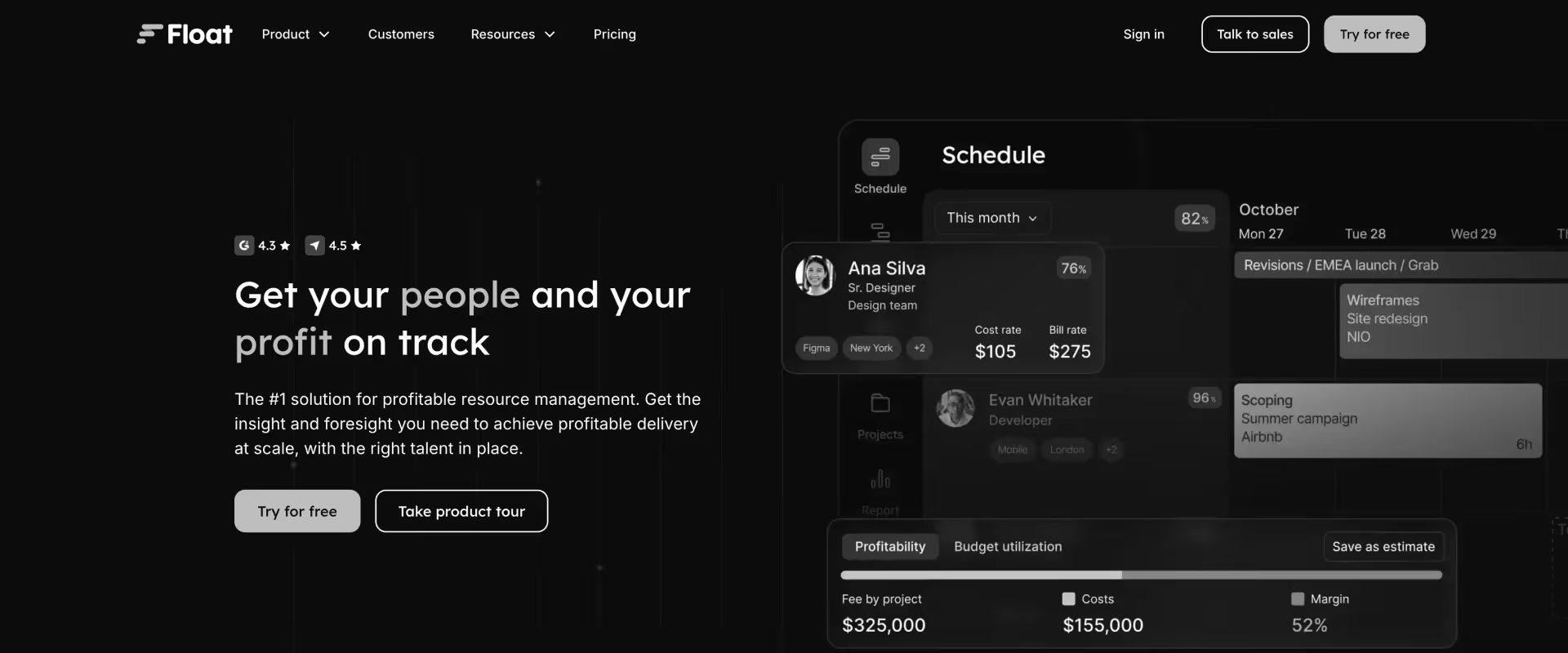
Float is a visual resource scheduling platform used by agencies and small consultancies. Clean UI, fast setup, among teams under 50. It gives you a clear view of who is working on what across your team, with a timeline interface that most teams can learn in an afternoon.
Float is a scheduling tool, not a capacity planning platform. No soft allocations, no pipeline forecasting, no financial tracking, and no project margin visibility. Teams using Float for capacity planning always need a separate PSA alongside it — which recreates the fragmentation problem they were trying to solve.
Key features
Visual timeline scheduling — Drag-and-drop resource assignment on a clean timeline interface; colour-coded by project and person for instant workload clarity at a glance.
Availability tracking and clash detection — Surfaces double-bookings and unavailability automatically; leave and time-off management built in so scheduling reflects actual availability.
Basic utilization reporting — Scheduled hours vs. capacity by person; not billable vs. non-billable tracking or financial utilization — purely scheduling-layer visibility.
Project budget hours tracking — Track planned hours against budget at the project level; note this is hours-based only, not financial margin tracking or burn rate monitoring.
Leave management — Time off, public holidays, and part-time schedules factored into availability views; covers the basic scheduling-layer requirement for leave impact.
Integrations with PM tools — Connects with Asana, Jira, Linear, and other project management platforms to pull project data into the scheduling view.
Pros and cons
Best for
- Creative agencies and small consultancies under 50 people
- Teams that need simple visual scheduling and already have a separate finance tool
- Organizations where scheduling visibility is the primary gap and financial tracking is handled elsewhere
- Boutique firms not yet needing utilization targets or pipeline-connected forecasting
Key takeaways
What customers say
3. Resource Guru
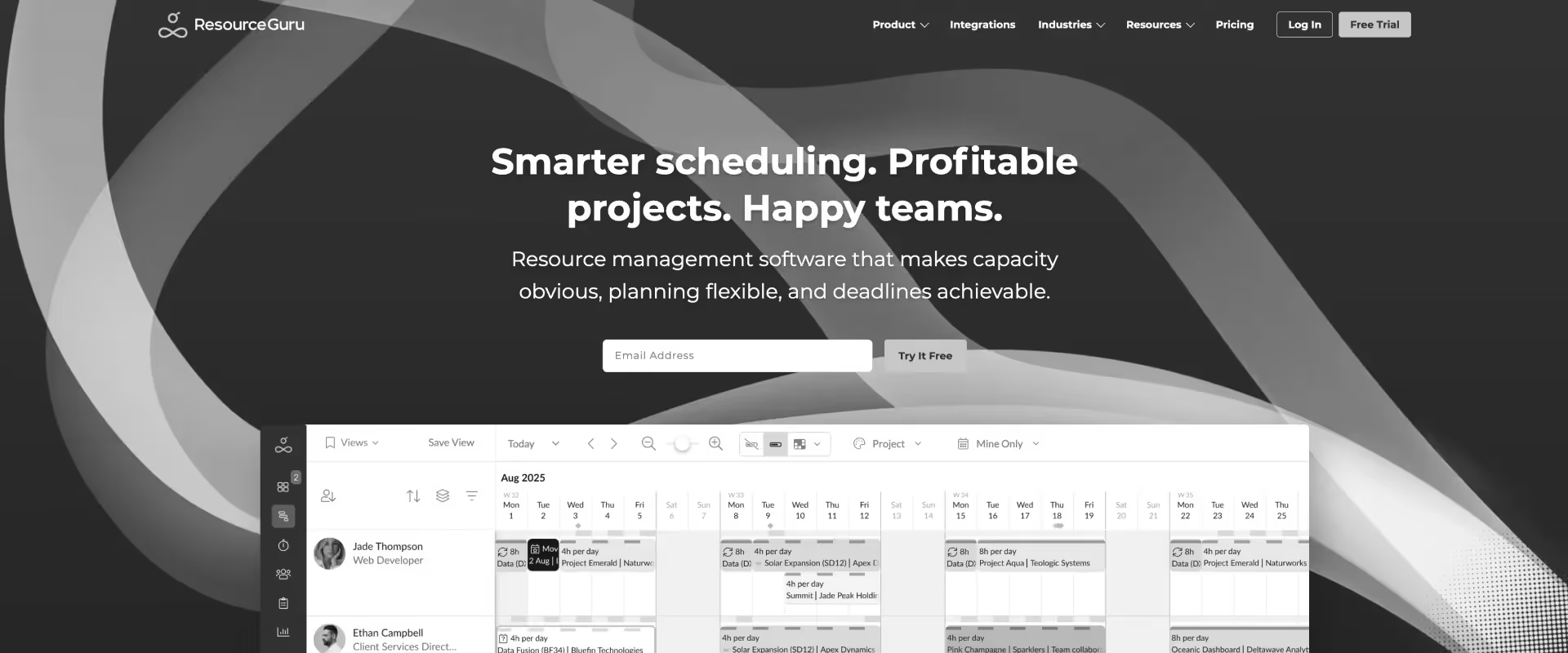
Resource Guru is a simple resource scheduling platform with clash detection, availability tracking, and a clean booking interface. Fast to deploy, low learning curve, and competitive pricing. Like Float, it solves scheduling — not capacity planning.
No utilization forecasting depth, no pipeline-connected soft allocations, no financial layer.
Best for sub-50-person teams that need a visual scheduler and already have a separate PSA for financials. Teams that grow beyond this point consistently report needing additional tools within 6–12 months.
Key features
Resource booking with clash detection — Automatic flagging of double-bookings and overallocation at the point of scheduling; prevents conflicts before they happen rather than after.
Visual availability overview — Team-wide availability at a glance; colour-coded timeline shows booked, available, and leave time across the roster simultaneously.
Leave management and time-off tracking — Public holidays, PTO, and custom leave types factored into availability; feeds directly into the booking view so schedulers see accurate capacity.
Basic utilization reports — Booked vs. available hours by person and team; a scheduling-layer metric, not financial utilization or billable vs. non-billable breakdown.
Wait list feature — Queue bookings against overbooked resources; useful for small teams managing demand spikes without manual priority tracking.
Simple project and client organization — Basic project and client categorization for organizing bookings; not a project management or financial tracking layer.
Pros and cons
Best for
- Small consultancies and agencies under 30–50 people
- Teams with very simple scheduling needs and no financial management requirement within the resource tool
- Organizations that want the lightest-weight scheduler possible at the lowest cost
- Teams in early growth stages before PSA requirements fully emerge
Key takeaways
What customers say
4. Kantata (formerly Mavenlink)
.avif)
Kantata is a PSA platform with resource management, financial reporting, and Salesforce and NetSuite integration depth. Stronger on capacity planning than Float or Resource Guru — it has utilization tracking, role-based forecasting, and financial visibility.
For teams that need PSA-grade capability and are primarily focused on financial reporting, Kantata covers the fundamentals.
Known pain points are consistent across reviews: dated UI that drives low adoption, complex implementation (frequently 6+ months), and project plan changes that don't automatically update resource allocations — meaning your resource view drifts from reality whenever scope shifts.
Teams running Kantata consistently maintain a separate PM tool alongside it for delivery execution, which reintroduces the fragmentation they were trying to eliminate.
Key features
Resource utilization tracking and role-based capacity forecasting — Utilization reporting by person and role with forward-looking capacity views; covers the core PS requirement for utilization visibility though update latency is a noted limitation.
Skills management with resource matching — Skills tracking and filter-based allocation support; functional but less granular than modern PSA skills matrices with certification and cost-rate layering.
Project financial management and margin tracking — Project-level P&L, margin analysis, and financial forecasting; a genuine strength for finance-first PS organizations and the primary reason teams stay on Kantata.
Salesforce and NetSuite native integration — Bi-directional data sync with both platforms; pipeline and financial data flow between systems, though integration changes require admin involvement.
Time tracking and billing management — Timesheet management and billing workflows; connects to project financials but requires configuration to match complex billing structures.
Portfolio-level reporting and dashboards — Cross-project visibility into utilization, profitability, and delivery performance; reporting depth is solid but requires data quality discipline that low adoption undermines.
Pros and cons
Best for
- Mid-to-large IT services firms (100+ headcount) with established Salesforce or NetSuite dependencies
- Organizations where financial reporting depth is the primary PSA requirement
- Teams willing to invest in a 6+ month implementation for ERP-depth financial capabilities
- Firms that already have change management infrastructure to drive adoption through a complex rollout
Key takeaways
What customers say
5. Certinia (formerly FinancialForce)
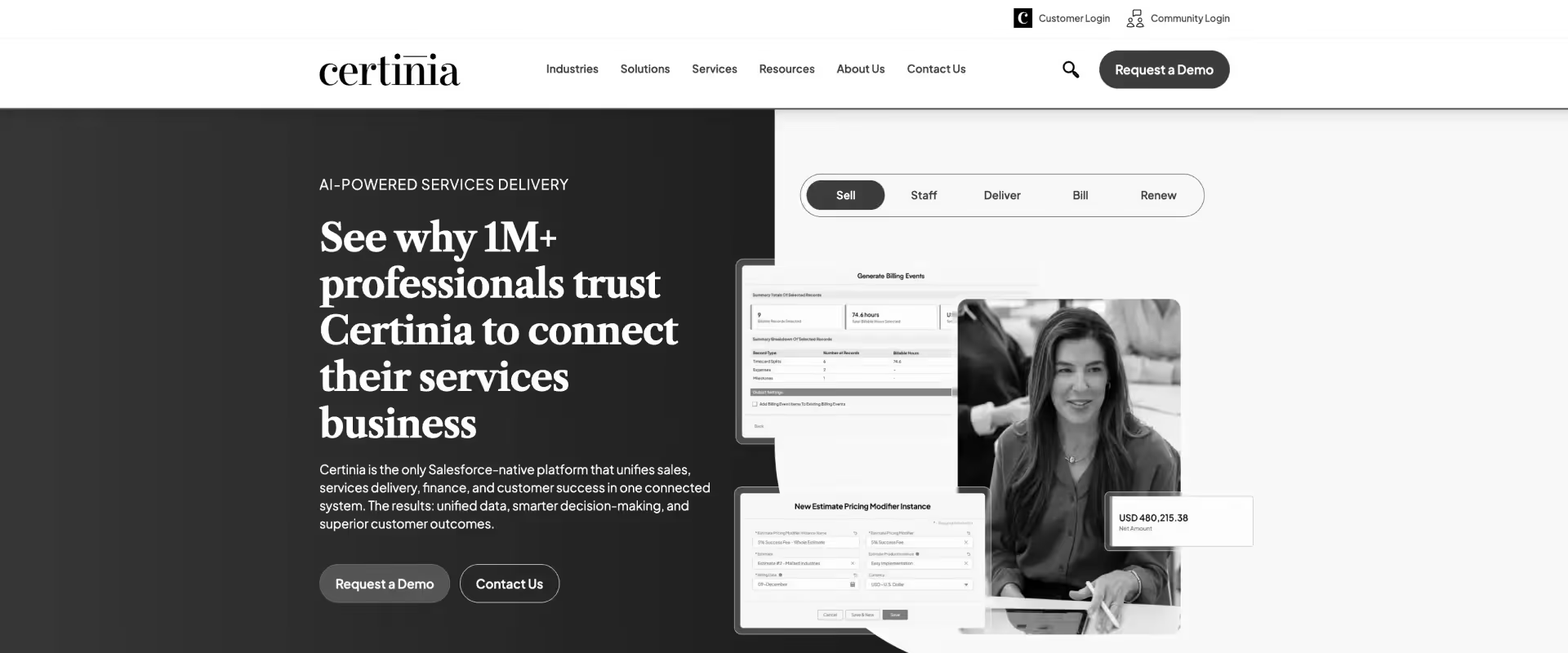
Certinia is the enterprise PSA for organizations already deeply embedded in the Salesforce ecosystem. ERP-level financial management, revenue recognition, and resource management capabilities.
For large enterprises where Salesforce is the system of record for everything, Certinia's native architecture is a genuine advantage.
The trade-offs are well-documented: 6–12 month implementations, Salesforce admin dependency for every configuration change post-go-live, poor project management UI that forces parallel Smartsheet usage, and low end-user adoption as a result.
"The integration with Salesforce works today, but whenever we need to make any changes we always end up reaching out to our Salesforce admin — it's not really easy to make changes." The resource management module covers the basics but sits inside an interface that delivery teams routinely work around.
Key features
ERP-grade financial management and revenue recognition — ASC 606 and IFRS 15 revenue recognition, project accounting, and financial forecasting at enterprise scale; the strongest financial layer in this category.
Resource management with utilization tracking — Role-based capacity forecasting and utilization reporting within the Salesforce data model; functional for finance-led organizations though delivery teams typically seek workarounds.
Native Salesforce architecture — No integration required between CRM and PSA; all project, resource, and financial data lives on the same Salesforce platform with shared object model.
Professional services billing — Fixed-fee, T&M, and milestone billing models within Salesforce; billing accuracy is strong when data input compliance is maintained.
Project accounting and profitability reporting — Project-level P&L, margin analysis, and cost tracking with Salesforce reporting tools; powerful for organizations already invested in Salesforce reporting infrastructure.
Multi-entity and multi-currency support — Enterprise-grade global operations support within the Salesforce environment; critical capability for large PS organizations with cross-border delivery.
Pros and cons
Best for
- Enterprise organizations (500+ employees) where Salesforce is the core ERP
- Firms with complex revenue recognition requirements that need ERP-grade financial controls
- Organizations with a dedicated Salesforce admin team and tolerance for long implementation cycles
- Large PS organizations where back-office financial accuracy is the non-negotiable primary requirement
Key takeaways
What customers say
6. Runn
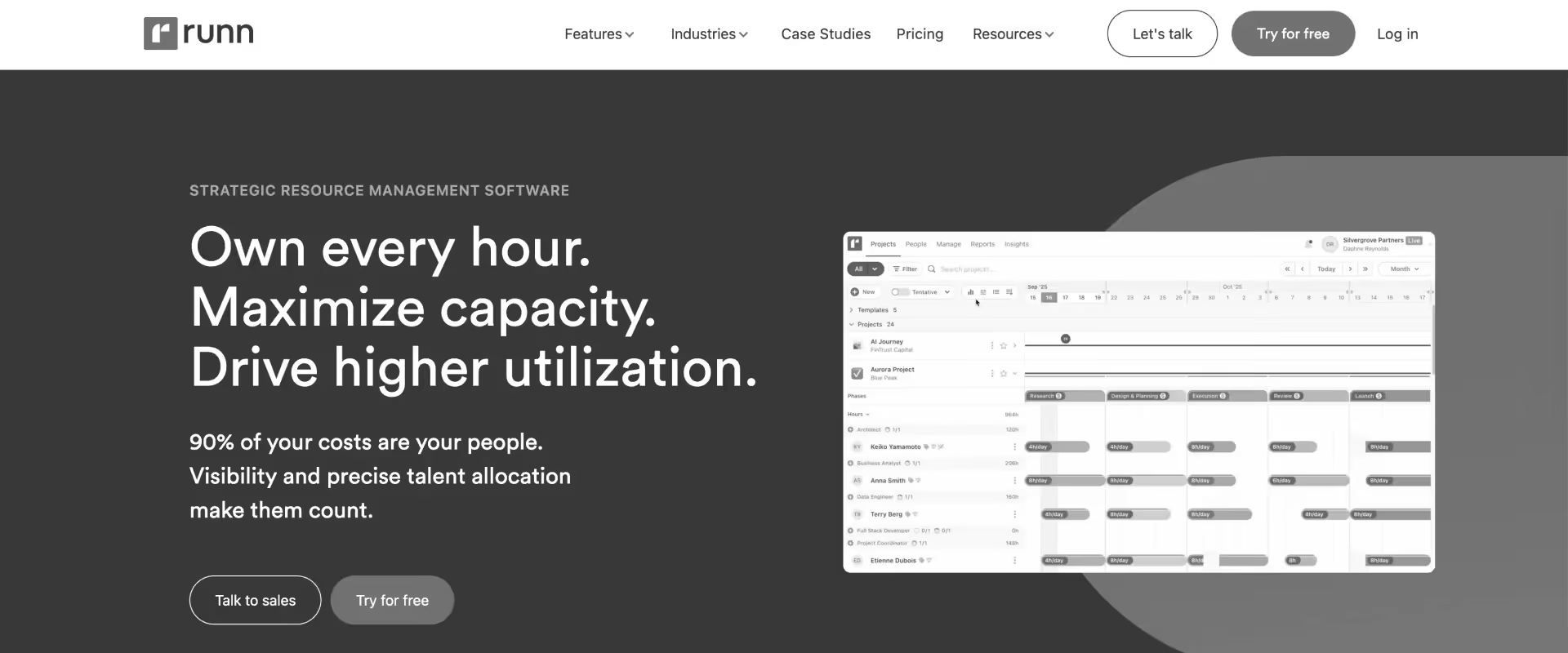
Runn is a purpose-built resource planning platform with real-time utilization charts, capacity forecasting, and project financial tracking. Cleaner and more modern than Kantata at a significantly lower price point. Growing adoption among mid-size consultancies and software implementation teams that have outgrown Float or spreadsheets but don't yet need full PSA depth.
AI features are emerging. Enterprise resource management depth — multi-region operations, complex billing models, portfolio-level governance at scale — is not its current strength. Best positioned as a step up from scheduling tools for teams of 20–100.
Key features
Real-time capacity vs. demand visualization — Role and team capacity against project demand in a live view; heat-map-style overutilization and underutilization flags that update as project plans change.
Utilization forecasting and tracking — Billable vs. non-billable utilization by person and team; forward-looking forecasting at the role level; a meaningful step up from scheduling-only tools.
Basic project financial tracking — Budget vs. planned hours and cost tracking at the project level; more than scheduling tools but short of PSA-grade margin and burn rate management.
Soft booking support — Tentative project planning against pipeline or unconfirmed projects; less mature than PSA-level probability-weighted soft allocations but covers basic use cases.
Time tracking integration — Connects to external time tracking tools; not a native time entry system — requires integration configuration.
API for custom integrations — Open API for connecting to external project management, finance, and CRM tools; useful for teams with specific integration requirements.
Pros and cons
Best for
- Consultancies of 20–100 people that have outgrown Float and need utilization visibility
- Teams that want capacity forecasting without a full PSA implementation investment
- Organizations in the transition between scheduling tools and full PSA platforms
- Teams where financial tracking simplicity is acceptable and utilization visibility is the primary gap
Key takeaways
What customers say
7. Forecast
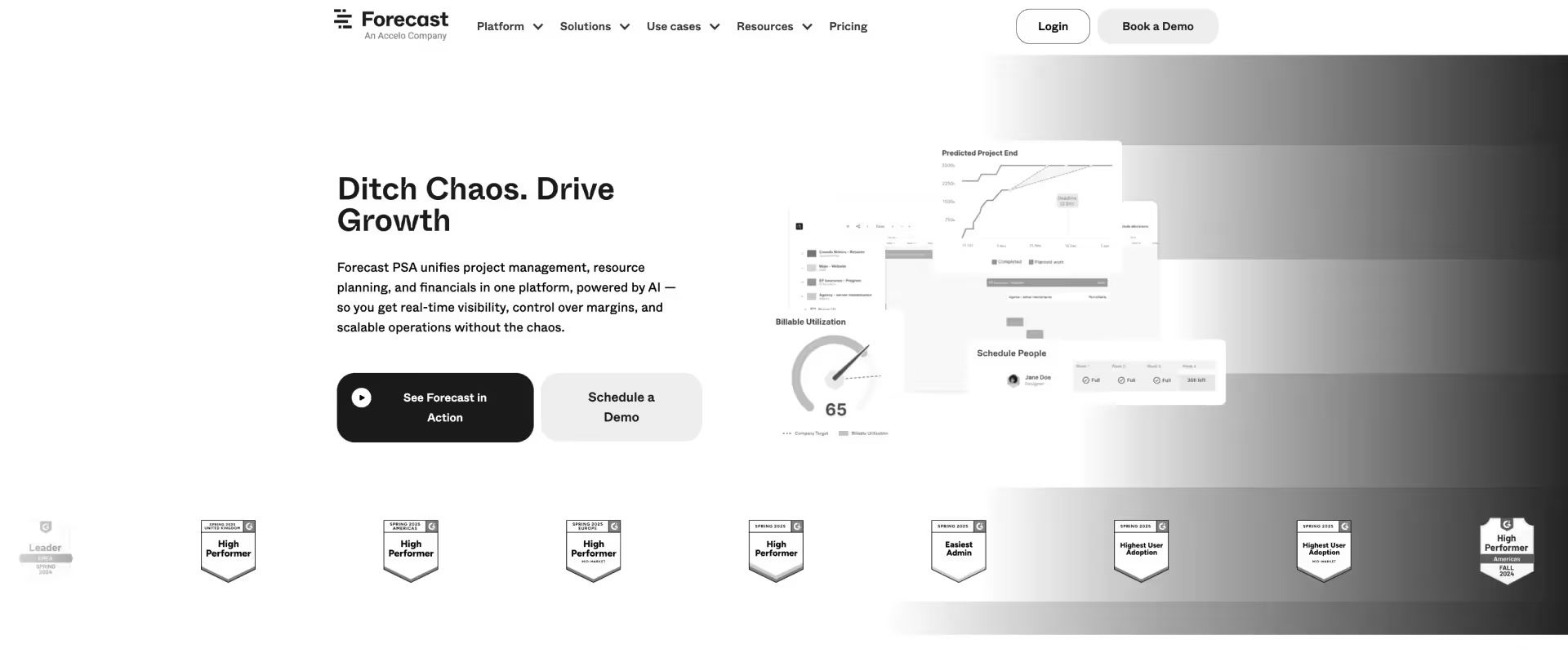
Forecast is an AI-assisted project and resource management platform combining project planning, resource scheduling, time tracking, and basic financial management. The AI capabilities are — auto-scheduling, workload balancing, and predictive project health.
The gaps relative to PSA-grade platforms: financial depth is basic (no multi-currency, limited revenue recognition options), and client collaboration is limited. Teams managing complex fixed-fee or multi-entity billing will find the financial layer insufficient.
Key features
AI-assisted resource scheduling and workload balancing — Automated resource suggestions based on availability and workload; the most genuine AI resourcing capability in this price tier, reducing manual matching effort.
Capacity planning with demand forecasting — Forward-looking capacity views against project demand; more sophisticated than pure scheduling tools, less mature than PSA-grade pipeline-connected forecasting.
Project financial tracking — Budget, time, and cost tracking at the project level; functional for T&M and simple fixed-fee work, insufficient for complex revenue recognition or multi-currency operations.
Predictive project health scoring — AI-generated health signals based on timeline, budget, and resource allocation patterns; a useful early-warning layer for project managers monitoring active portfolios.
Time tracking integrated with resource allocations — Time entries connected to resource plans and project budgets; one of the tighter integrations between time tracking and resource management in this tier.
Integrations with engineering tools — Native connections with Jira, GitLab, and common developer tools; makes Forecast particularly strong for technology services teams.
Pros and cons
Best for
- Technology services and software implementation teams (20–100 people)
- Teams that want AI-assisted resourcing without a full PSA implementation
- Organizations whose primary billing model is T&M and don't need complex revenue recognition
- Dev-adjacent services teams already using Jira or GitLab as their project backbone
Key takeaways
What customers say
8. Productive.io
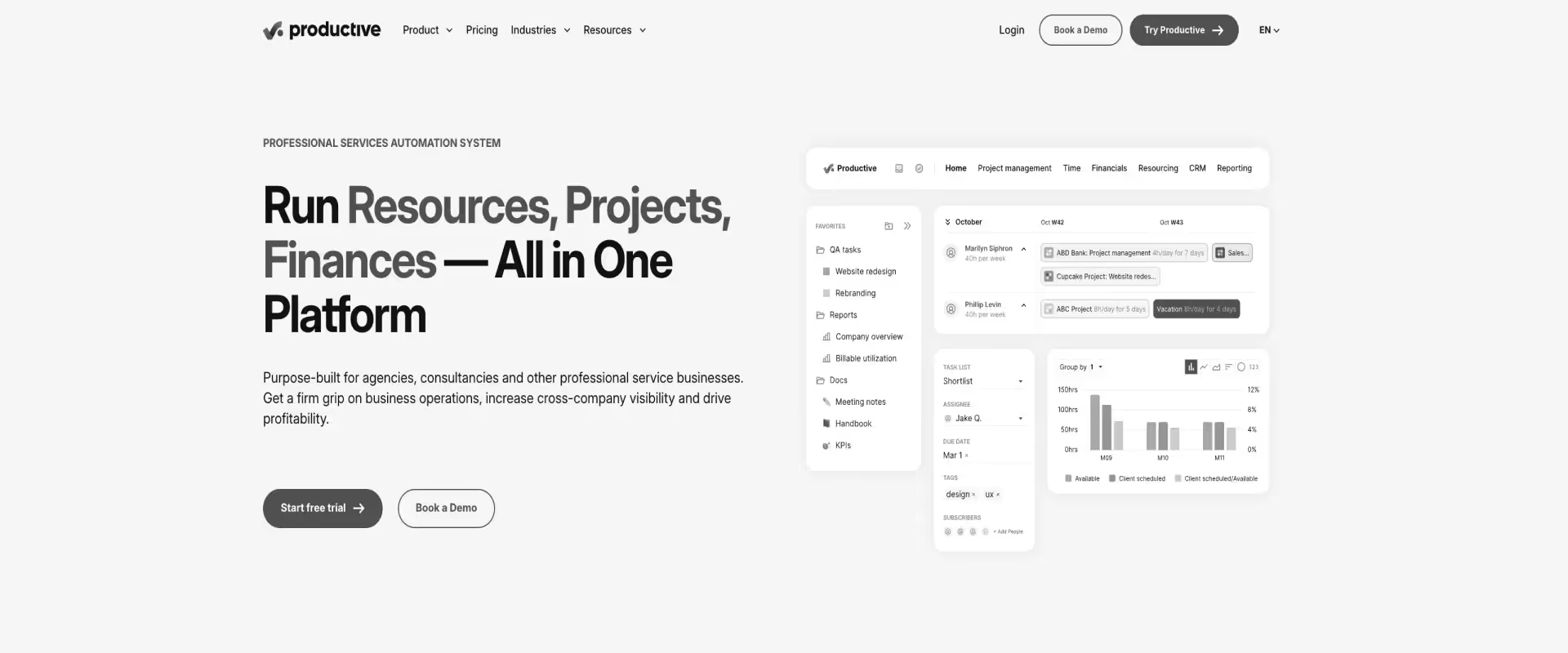
Productive.io combines resource management, project management, budgeting, and invoicing in a clean, modern interface. Agency-native resource planning and profitability per project without the configuration overhead of legacy PSAs.
AI features are emergent. Limited for enterprise PS teams requiring multi-entity billing, complex resource governance, or global team operations. Capacity forecasting depth is functional for small-to-mid teams but not mature enough for portfolio-level management at scale.
Key features
Agency-native resource planning and capacity management — Utilization tracking, capacity views, and resource scheduling built for agency delivery cadences; more PS-oriented than Float or Resource Guru at a comparable price point.
Project budgets, expense tracking, and profitability per project — Live budget burn against project cost; profitability visible at the project and client level without a finance team dependency — a genuine value differentiator for small PS teams.
Invoicing and billing management — Fixed-fee, T&M, and retainer billing with direct invoicing output; removes the need for a separate invoicing tool for firms at this scale.
Time tracking with approval workflows — Native time entry with manager approval; billable vs. non-billable categorization feeding directly into project financial tracking and invoicing.
Utilization tracking by person and team — Billable vs. non-billable utilization at individual and team level; sufficient for teams under 100 managing utilization targets without enterprise-level governance requirements.
Built-in docs for collaborative project documentation — Project documentation within the same platform as resource and financial management; reduces the dependency on external documentation tools.
Pros and cons
Best for
- Creative and digital agencies (10–100 people) wanting resource and financial management in one tool
- Boutique consultancies that find legacy PSA overhead disproportionate to their size
- Teams that need profitability tracking per project without PSA-grade complexity
- Firms coming off Harvest + Asana or similar lightweight stacks looking for a proper PSA
Key takeaways
What customers say
9. BigTime
BigTime is a PSA platform with strong time tracking, billing accuracy, and budget management capabilities. Popular with accounting firms, engineering consultancies, and IT services organizations where billing compliance is the primary pain point.
The resource management module covers utilization tracking and basic allocation — functional for teams where billing accuracy is the first problem to solve.
Capacity forecasting and pipeline-connected planning are limited. Teams that start with BigTime for billing accuracy frequently find they need additional tooling for capacity management as they scale. Best positioned as the right first PSA for billing-focused organizations, not the right PSA for PS teams where capacity planning is the primary operational challenge.
Key features
Time tracking with robust approval workflows — Detailed time entry with multi-level approval; billing compliance is BigTime's core strength, and the time tracking layer reflects that depth.
Budget management and project-level financial tracking — Project budgets, cost tracking, and budget performance reporting; solid for straightforward T&M and fixed-fee projects where billing accuracy is the primary concern.
Basic resource utilization and allocation — Scheduling and utilization tracking at the resource level; functional for basic staffing visibility, not a differentiator for PS teams with complex capacity planning needs.
Invoicing and billing management — Direct invoicing output from time entries; billing-to-invoice workflow is tight and a genuine reason accounting-adjacent firms prefer BigTime.
Project profitability and budget reporting — Reporting on project performance against budget; useful for post-project analysis though less suited to real-time margin management during execution.
QuickBooks and accounting system integration — Native connection with QuickBooks and other accounting systems; the integration is a specific advantage for accounting firms and engineering consultancies already in that ecosystem.
Pros and cons
Best for
- Accounting firms and engineering consultancies where billing accuracy and compliance are the primary PSA requirement
- IT services organizations that need strong time-to-invoice workflows
- Teams that want to solve billing first and address capacity planning as a secondary need
- Organizations already using QuickBooks as their accounting backbone
Key takeaways
What customers say
10. Scoro
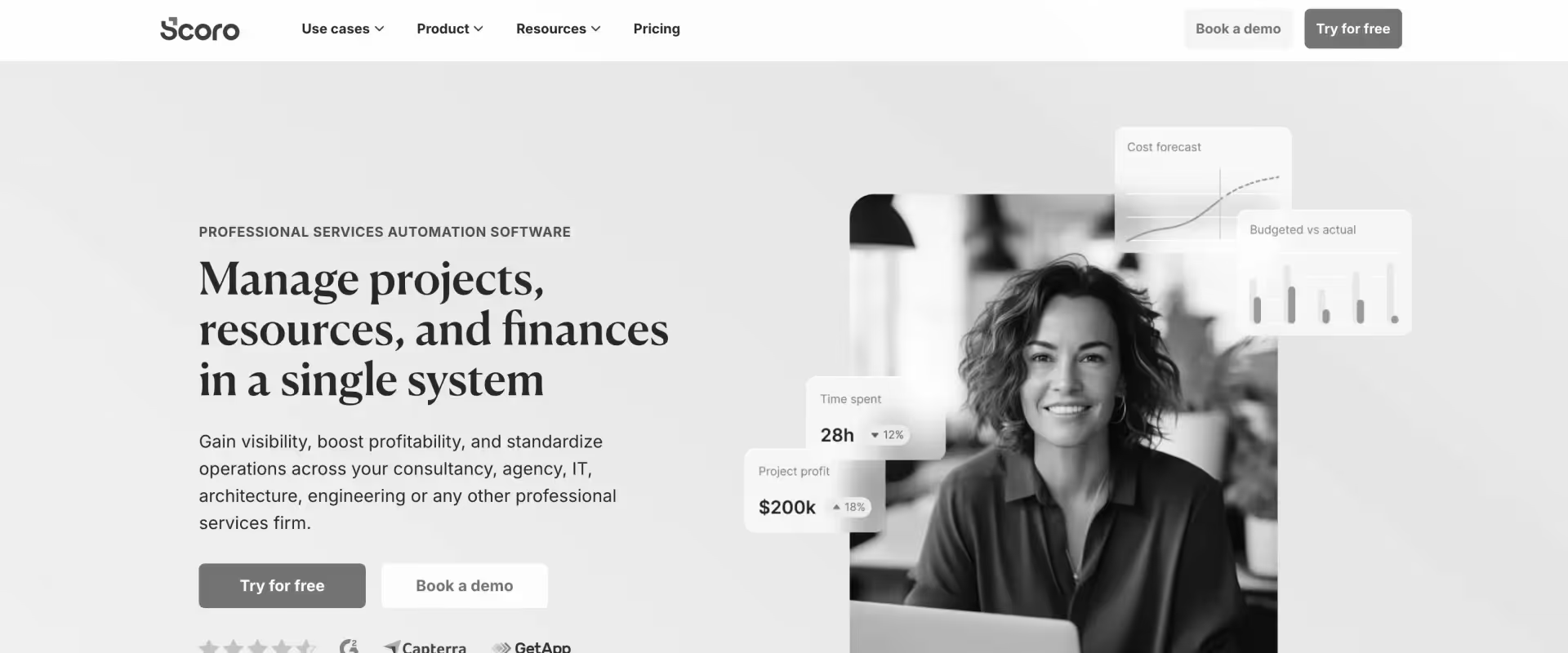
Scoro is an all-in-one business management platform combining project management, resource planning, CRM, quoting, and financial reporting. The reporting depth is a standout — more comprehensive than most tools in this tier. For small-to-mid consultancies that want business management consolidation — one platform covering projects, sales, and finance — Scoro is worth evaluating.
Capacity planning is functional but not a core differentiator. Resource planning sits behind a pricing tier upgrade. Teams whose primary pain is utilization visibility and pipeline-connected forecasting may find Scoro's resource planning module insufficient for the scale of that problem.
Key features
Project management with task and milestone tracking — Project organization with Gantt views, task lists, and milestone tracking; more PM depth than pure scheduling tools, less than dedicated PSA project management.
Resource planning and utilization tracking — Capacity views and utilization reporting; available on higher tiers; functional for mid-size teams but not mature enough for enterprise-scale PS capacity governance.
CRM and quoting — pipeline management within the platform — Scoro's CRM + quoting integration is a genuine differentiator; organizations managing the full quote-to-delivery workflow in one system find real consolidation value here.
Financial reporting — quote-to-cash workflow coverage — Budget tracking, profitability per project, and revenue forecasting; financial reporting depth is Scoro's strongest capability and a real differentiator at this price point.
Time tracking integrated with billing — Time entry connected to billing workflows; billable and non-billable time tracked against project budgets and invoiced directly.
Comprehensive reporting across projects, resources, and finances — 50+ report templates covering utilization, profitability, delivery performance, and financial metrics; one of the stronger reporting layers available to SMB PS teams.
Pros and cons
Best for
- Small-to-mid consultancies and agencies (10–80 people) where CRM + project + finance consolidation is the primary goal
- Teams that currently manage quoting, projects, and billing in entirely separate tools
- Organizations where financial reporting depth matters more than capacity planning depth
- Firms that want CRM and quoting built into the same system as project delivery
Key takeaways
What customers say
Comparison of the best resource capacity planning software in 2026
Use this table to shortlist before requesting demos. Pay close attention to the Soft Allocations and Financial Tracking columns — these are the two capabilities that most clearly separate purpose-built capacity planning platforms from scheduling tools. Any tool with in both columns will require additional systems alongside it within 6 months.
Benefits of resource capacity planning software for professional services teams
The right capacity planning software delivers measurable impact across three areas that PS leaders care about most.
Resource utilization improves immediately — effective capacity management is the practice of matching your team's available hours and skills to incoming work, ensuring no one is overloaded or sitting idle, which directly optimizes billable hours.
Teams gain real-time visibility into team capacity that prevents bottlenecks, avoids over or under-staffing, and keeps project timelines on schedule.
Capacity planning tools that include integrated time tracking automatically factor in vacations, sick leave, and holidays so resource allocation decisions reflect actual availability, not planned availability.
Demand forecasting becomes proactive rather than reactive — capacity planning software tracks team capacity, resource allocation, and availability in real time to forecast whether there are enough resources to complete incoming projects.
Future capacity modeling lets project managers simulate the impact of adding future projects, changing project timelines, or adjusting team sizes — so capacity planning efforts shift from firefighting to forward planning. Resource forecasting using historical data and project forecasts provides realistic project planning timelines and accurate staffing predictions.
Business growth accelerates when capacity management eliminates the operational drag of manual reconciliation. Teams scale delivery without proportional overhead increase.
Capacity planning features like drag and drop scheduling, visual capacity dashboards, and performance metrics reporting give project managers the tools to run complex projects across multiple projects simultaneously — with team collaboration and business intelligence built into the same system, not distributed across three separate tools.
Resource capacity planning software: Key features to look for

When evaluating resource capacity planning software for a professional services team, prioritize six capabilities in order: real-time capacity vs. demand visualization, pipeline-connected soft allocations, skills-based matching with a centralized skills matrix, billable utilization tracking by person and team, financial management with project-level margin visibility, and CRM integration without IT dependency.
Tools missing more than two of these require additional systems alongside them — recreating the fragmentation problem.
Capacity forecasting and visual heat maps
Role-level resource capacity vs. demand views are the baseline. Visual capacity heat maps flagging overutilization and underutilization by week, month, and quarter — heatmaps that visually highlight overallocated individuals or teams so project managers can spot bottlenecks before they delay a project. The ability to forecast capacity 3–6 months forward based on confirmed projects plus pipeline probability weighting.
Data-driven capacity planning efforts use historical data and project planning forecasts to provide realistic timelines and accurate resource planning. Any tool that only shows current bookings without forward modeling is a resource scheduling tool, not a capacity planning solution.
Soft allocations and pipeline planning
Tentative resource assignments against CRM opportunities before they close. Model the capacity impact of a deal at 50%, 70%, or 90% probability. When the deal closes, soft allocations convert to hard allocations without manual rework.
This is the single feature that most clearly separates capacity planning platforms from scheduling tools — and it is missing from the majority of tools in this category.
Skills-based resource matching
A centralized skills matrix tracking expertise levels, certifications, and experience — maintaining a database of employee skills, certifications, and experience that makes task management and resource allocation data-driven rather than tribal.
The ability to filter by skill, seniority, availability, cost rate, and current utilization simultaneously. Resource gaps identified before they become staffing crises. Without this, staffing decisions are still driven by "who do you know who has bandwidth?" — which breaks as soon as you're managing resource data for more people than one person can hold in their head.
Utilization tracking and optimization
Resource utilization tracking — billable vs. non-billable by person, team, role, and geography — is where capacity management tools earn their cost back fastest.
Weekly, monthly, quarterly views. Capacity tracking against target thresholds with automated alerts when team members breach overutilization thresholds. Identification of underutilized resources for reallocation before bench costs compound.
Profitable resource management requires having a real-time view of who is booked, on leave, or free — the firms consistently hitting 80%+ utilization have systems that surface resource data fast enough to act on it.
Financial management — the feature most scheduling tools skip
Project profitability tracking in real time. Budget management and burn rate monitoring against project costs. Cost rates and bill rates at user, role, and project levels. Support for fixed-fee, T&M, retainer, and milestone billing. Revenue recognition automation.
Financial insights at the project and portfolio level. Multi-currency support. This is what separates capacity planning software from resource scheduling tools — and why teams that buy Float or Resource Guru end up adding a PSA six months later. Successful project delivery requires both resource management and financial visibility in the same system.
CRM integration and automation
Bi-directional Salesforce and HubSpot sync. Automatic project creation when deals close. Pipeline opportunity data feeding capacity forecast models. User-configurable field mapping without Salesforce admin dependency. If every field mapping change requires a Salesforce admin ticket, your capacity forecasting data will drift from reality every time the sales team changes a pipeline stage.
How to evaluate resource capacity planning software in 2026
When evaluating a capacity planning solution for your professional services team, prioritize four non-negotiables:
- Does it show real-time visibility into team capacity by role (not just current bookings)?
- Does it support soft allocations for demand forecasting?
- Does it connect resource management decisions to project management financial tracking?
- Can it integrate with your CRM without IT involvement?
Tools that fail any of these four require workarounds that reintroduce the manual overhead you were trying to eliminate.
For teams needing strategic portfolio management across 50+ concurrent projects, the bar is higher — resource efficiency at that scale requires purpose-built infrastructure, not configured workarounds.
Must-have vs. nice-to-have capabilities
Must-have:
- Real-time capacity vs. demand visualization (heat map or equivalent)
- Soft allocations for pipeline-connected forecasting
- Billable utilization tracking by person and team
- CRM integration without Salesforce admin dependency
- Project-level financial tracking (burn rate, margin, budget vs. actuals)
- Multi-currency support for global teams
Nice-to-have:
- AI-powered resource recommendations
- Skills gap analysis and training need tracking
- Automated capacity alerts at threshold
- Portfolio-level margin dashboards
Red flags — walk away if you see these:
- No soft allocation capability
- Financial tracking requires a separate system
- CRM integration requires admin involvement for every change
- Implementation timeline over 3 months for a mid-market team
- Project plan changes don't automatically update resource allocations
Typical implementation timelines
Lightweight schedulers (Float, Resource Guru): 1–2 days. Mid-tier platforms (Runn, Productive.io): 1–3 weeks.
Modern PSA (Rocketlane): 4–6 weeks basic, 8–12 weeks full enterprise — with Rocketlane's team handling 80% of migration work and parallel running available throughout. Legacy PSA (Certinia, Kantata, OpenAir): 6–12 months, Salesforce admin required throughout.
Security, compliance, and global operations
For PS firms operating across US, UK, EU, and APAC: SOC 2 Type II, GDPR compliance for time and resource data, IR35-compliant contractor time tracking for UK teams, regional holiday calendar support, multi-currency rate cards, and regional data residency options.
Confirm these as non-negotiables for any firm with cross-border delivery operations before shortlisting a vendor.
Resource capacity planning software by firm type and size
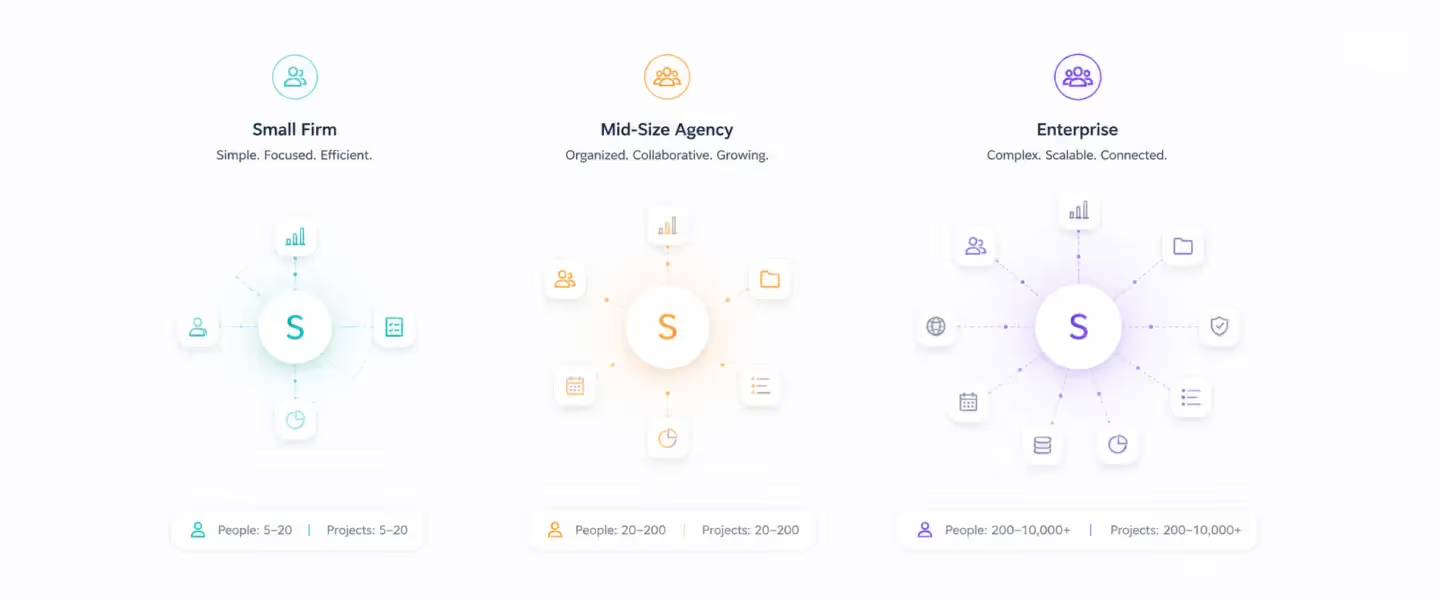
The best resource capacity planning software for a professional services team depends on two primary factors: headcount and the complexity of your delivery model. A 25-person digital agency has fundamentally different requirements than a 200-person Salesforce implementation partner — and the tool that serves one will frustrate the other within 90 days.
Best for small PS teams (under 30 staff)
Float and Resource Guru. Fast deployment, visual scheduling, low overhead. Trade-off: no financial tracking, no pipeline forecasting — you will need additional tools alongside these as you scale past 30 people.
Best for growing PS teams (30–100 staff)
Runn, Productive.io, and Rocketlane. Utilization visibility, financial depth, capacity forecasting. Rocketlane's 4–6 week implementation is specifically designed for this growth segment — fast enough to deploy without disrupting ongoing projects, deep enough to handle the complexity that comes with rapid scaling.
Best for mid-to-large PS firms (100–500 staff)
Rocketlane and Kantata. PSA-grade capacity planning, pipeline-connected forecasting, portfolio-level financial governance, AI-powered resourcing. For teams in this range where the cost of manual reconciliation and missed margin is high, the implementation investment pays back quickly.
Best for enterprise PS organizations (500+ staff)
Rocketlane and Certinia. Multi-entity operations, ERP integration, enterprise governance, compliance at scale. Certinia for Salesforce-native enterprises with ERP requirements; Rocketlane for everyone else.
Best for IT consulting and systems integrators
Rocketlane and Kantata. Salesforce and NetSuite integration depth, skills-based allocation, phase-based project management, client portal for implementation visibility.
Best for global PS teams (APAC, EU, UK)
Rocketlane and Certinia. Multi-currency billing, regional holiday calendars, data residency, GDPR compliance, IR35-aware time tracking.
Best for teams replacing legacy PSA (Certinia, OpenAir, Kantata)
Rocketlane. Modern UX, 8–12 week implementation vs. 6–12 months, no Salesforce admin dependency, native client portal, AI-powered resourcing that legacy tools cannot match.
Common resource capacity planning challenges and how to solve them
The most common resource capacity planning failures — reactive staffing, margin erosion on fixed-fee projects, and chronic utilization below target — are almost always caused by system gaps, not planning gaps.
The right platform surfaces demand before it becomes a crisis and connects staffing decisions to financial outcomes in real time.
Common mistake vs. Right approach
Resource Tetris and reactive staffing — Skills-based AI matching with real-time capacity data replaces the weekly resourcing spreadsheet and the tribal knowledge dependency. The question "who's available with the right skills for this engagement?" should take 30 seconds, not a spreadsheet session and four Slack messages.
Utilization below target with no visibility why — Real-time billable vs. non-billable dashboards by person, team, and role — with threshold alerts that surface underutilization before it becomes bench cost. The firms consistently hitting 80%+ know what's happening in real time. The firms stuck at 65% find out on Friday.
Fixed-fee overruns discovered at close — Live burn rate tracking against budget at the project and phase level. A project tracking 15% over budget at week 3 is recoverable. The same project at week 8 is not. Rocketlane's Signals Agent flags margin drift before it becomes a write-off.
Resource plan breaks when project scope shifts — A unified data model where project plan and resource allocation share the same layer. When a task slips in the project plan, allocations update automatically — no manual reconciliation step that someone forgets to run.
Soft allocation blindspot — staffing reactive instead of proactive — Pipeline-connected capacity forecasting with probability-weighted soft allocations. Before a deal closes, resource managers create tentative assignments. The heat map shows demand from confirmed projects and probable pipeline simultaneously.
Global team coordination across regions and currencies — Multi-timezone capacity modeling, multi-currency rate cards, regional holiday calendars, and GDPR-compliant time tracking all in one platform. Not a configuration workaround on top of a US-centric tool.
Why Rocketlane is the best resource capacity planning software for PS teams in 2026
Most resource capacity planning tools solve one problem. Float shows who is scheduled. Certinia shows what the P&L looks like. Kantata tracks utilization.
Spreadsheets hold everything else together with manual effort. Rocketlane solves all of it in one system — and connects them in a way no other platform does.
It's the only platform where project execution and resource planning share the same data layer
Every other tool in this category treats project management and resource management as separate modules that sync on a schedule.
In Rocketlane, they are the same system. A task delay on Tuesday updates the resource allocation on Tuesday — automatically, without a manual reconciliation step that someone forgets to run.
This matters because the primary source of capacity planning inaccuracy is not bad forecasting. It is lag.
The plan changes and the resource view doesn't catch up until someone manually updates it. The teams who report "our capacity data is always outdated" are not running a bad process. They are running disconnected systems. Rocketlane eliminates that lag entirely.
Pipeline-connected soft allocations — the feature that changes hiring decisions
Rocketlane connects directly to your Salesforce or HubSpot pipeline. Before a deal closes, resource managers create soft allocations — tentative assignments against open opportunities weighted by close probability. The capacity heat map shows demand from confirmed projects and probable pipeline simultaneously.
The result: a 150-person IT services firm can see in January that a role they don't currently have will be in deficit by Q3 — based on deals that haven't closed yet.
That is a hiring decision made 6 months earlier than it would have been without this capability.
Financial management that is actually connected to resources
When you reallocate a senior consultant from one project to another in Rocketlane, the margin impact on both projects updates in real time. Cost rates, bill rates, burn rates, and revenue recognition are not in a separate finance module — they are in the same view as the resource allocation.
For PS leaders managing fixed-fee projects, this is the difference between catching a 15% overrun at week three and discovering it at project close.
Rocketlane customers consistently report recovering 5–10 percentage points of project margin in the first two quarters after implementation — not from doing anything differently, but from seeing what was already happening.
Modern UX that drives actual adoption
Legacy PSAs like Certinia and OpenAir have strong financial capabilities and notoriously poor adoption. Resource managers use workarounds.
Project managers use Smartsheet. Finance uses exports. The system becomes a reporting layer no one trusts because the data is always incomplete.
Rocketlane's interface is designed for the people who use it daily — resource managers, project managers, and delivery leads — not for system administrators. Business users configure workflows, update rate cards, and adjust integrations without IT involvement.
Implementation in weeks, not months — with migration support included
The average Certinia or OpenAir implementation takes 6–12 months and requires a Salesforce admin for every configuration change after go-live. Rocketlane's mid-market implementation runs 4–6 weeks. Enterprise implementations with full integration stacks run 8–12 weeks.
Rocketlane's implementation team handles 80% of the work — including data migration from Smartsheet, Monday, OpenAir, Certinia, and Excel — with parallel running available throughout so ongoing client projects are never disrupted.
How Rocketlane's Nitro transforms resource capacity planning with agentic AI
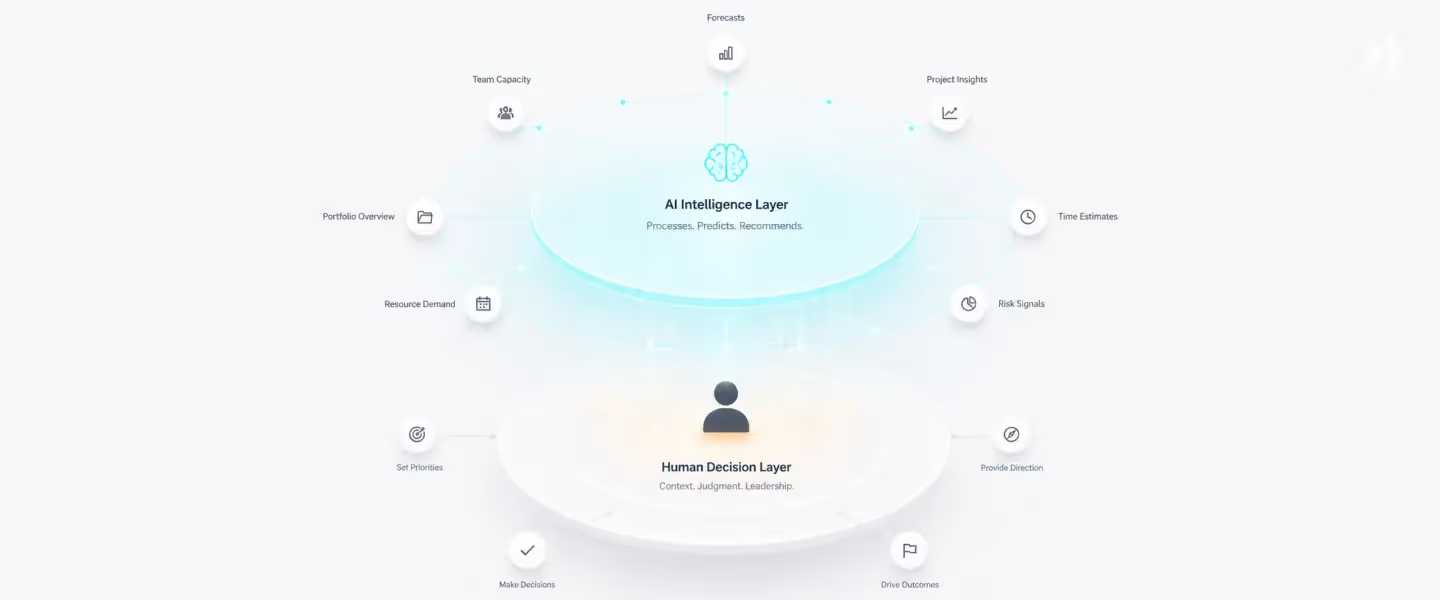
Most AI in resource management tools is passive. It watches your data and tells you what happened. Utilization dropped. This project is trending over budget. That resource is overallocated. You already knew that. The problem is not awareness — it is the 15–20 hours per week it takes to find out, and the additional hours it takes to act.
Nitro is different. It is not a reporting layer with AI labels. It is an agentic system — executing workflows, generating outputs, and enforcing governance autonomously, operating inside your delivery operations as an active participant rather than a passive observer.
At the operational level: eliminate the manual work that consumes capacity managers
Nitro Resource Manager — Plans: assembles the right team from day one — When a new project requires a senior Salesforce consultant with 40% availability and a bill rate under $175/hour, the Nitro
Resource Manager understands the project requirements, looks at who is available, who is stretched, and who fits the brief — then puts the ideal team in front of you. No manual skills matrix lookup. No email chain to five project managers. The recommendation is in the platform before the conversation starts, and staffing shifts from days to minutes.
Nitro Resource Manager — Governs: flags resourcing issues before they become problems — The Nitro Resource Manager scans across every active project for over-allocation, missing roles, or plans that don't add up — and brings issues up while there's still time to fix them. You step in before margin takes a hit or teams burn out, rather than discovering the conflict when a project manager escalates on a Tuesday afternoon.
Nitro Resource Manager — Adjusts: automates routine resource operations at scale — Someone goes on leave. A project runs longer than planned. Allocations need extending. Rather than these changes creating a chain of manual spreadsheet updates, the Nitro Resource Manager keeps the plan updated as changes roll in — without you chasing every adjustment. What was a Friday reconciliation job becomes an automated operation running continuously in the background.
Timesheet Policy Agent — Timesheet compliance is the input quality problem that corrupts every utilization report. When your team doesn't log time accurately, your billable utilization numbers are wrong, your burn rate tracking is wrong, and your capacity forecasts are wrong.
The Timesheet Policy Agent enforces compliance automatically at the point of entry — policies written in plain English, applied in real time. "Flag entries over 8 hours." "Block time on Fridays for the Saudi Arabia team." "Require notes for government project codes." The resource manager's role in timesheet chasing drops to near zero.
Nitro Resource Manager — Analyzes: root cause of any resourcing bottleneck in seconds — The Monday morning capacity question currently takes 30 minutes to answer across spreadsheets and dashboards.
With the Nitro Resource Manager's analysis capability, you ask it in plain language: "Which roles are overallocated in Q3 based on current pipeline?" "What are our hiring gaps for Q2?" "Who has more than 30% available capacity in APAC next month?"
The answer comes back in seconds, with drill-down to the exact projects, phases, and resources behind it — and you can drill down until it makes sense, then see what to adjust to bring things back in balance.
At the governance level: surface capacity risks before they become delivery fires
Project Governance Agent — Monitors every active project against its plan in real time. When a milestone slips, the Governance Agent flags the downstream capacity impact — which resources are now double-booked, which projects inherit the delay, which budget assumptions are no longer valid. This is not a notification that something went wrong. It is an analysis of what goes wrong next if you don't act now.
Signals Agent — Detects behavioral and financial patterns that indicate capacity risk before they surface as formal issues. A project where time tracking has slowed. A fixed-fee engagement where burn rate is accelerating faster than milestone completion.
A key resource whose allocation has quietly crept to 115%. These signals exist in your data right now — across your entire portfolio, at a scale no individual resource manager can scan manually.
At the workforce level: automate the highest-effort capacity planning workflows
SOW-to-Plan Agent — When a new deal closes, the traditional next step is 15–20 hours of manual project setup. The SOW-to-Plan Agent converts a signed proposal into a live project plan in minutes — with resource roles pre-populated, phase timelines mapped, and budget baselines set from the quoted assumptions. The capacity impact of the new project is visible in the heat map before the kickoff call is scheduled.
Migration Agent — For teams switching from Certinia, OpenAir, Kantata, Smartsheet, or spreadsheet-based capacity tracking, the Migration Agent handles data extraction, transformation, and import. Historical project data, active allocations, timesheet records, and rate card history migrate with structural integrity.
Conclusion
The PS leaders who hit 80% billable utilization consistently are not the ones with the best resource managers. They are the ones with the best capacity planning tools.
Real-time visibility into team capacity, pipeline-connected soft allocations, skills-based matching, and financial management in one platform — not across five disconnected tools and a spreadsheet that's always a week behind.
The ability to plan resources proactively, balance workloads across multiple projects, and connect resource management to project management financials in real time is what separates firms achieving business growth with controlled margins from those absorbing the cost of the status quo.
For IT services firms, SaaS implementation teams, and consulting organizations managing 50 or more projects concurrently — where capacity decisions connect directly to delivery outcomes and margin — Rocketlane is the platform purpose-built for exactly that operating model.
The cost of the status quo is not invisible. It is 15–20 hours of manual work per week, utilization stuck below target, and margin discovered after the project closes. The question is how many quarters you want to absorb that cost before fixing the system.
Table of Contents

Regsiter for the live webinar


Great consultants didn't join your team to spend Fridays writing documentation.
Table of contents
18 of Forbes Cloud 100 chose Rocketlane. The best PS teams aren't waiting around.
FAQs
What are the 4 types of capacity planning?
The four types of capacity planning are: workload capacity planning (matching available hours to incoming work), product capacity planning (planning for output volume), workforce capacity planning (ensuring the right skills are available at the right time), and strategic portfolio management planning (aligning resource supply to long-range pipeline demand across the entire organization). For PS teams, workforce and strategic portfolio management capacity planning are the most operationally relevant.
What is resource capacity planning software?
Resource capacity planning software gives professional services teams real-time visibility into team capacity, pipeline resource demand, and the gap between them — connecting resource allocation, resource utilization tracking, and financial management in one system. It's the difference between knowing who is busy today and knowing whether you can take on the deal closing next month without bleeding.
What is the best resource capacity planning software for PS teams in 2026?
Rocketlane is the strongest choice for PS teams managing 50 or more concurrent projects — the only platform that connects project execution, resource allocation, and financial margin tracking in a single data layer so allocations update automatically when project plans change. For small teams under 30 needing visual scheduling only, Float or Resource Guru are faster starting points.
What's the difference between resource scheduling tools and capacity planning software?
Scheduling tools (Float, Resource Guru) show who is assigned to what today. Capacity planning software shows whether you have enough of the right people for what is coming — adding soft allocations for pipeline forecasting, skills-based matching, utilization tracking, and project-level financial management. Teams using scheduling tools for capacity planning are answering "who is busy?" when they need to be answering "can we staff this deal without margin risk?"
How long does it take to implement resource capacity planning software?
Lightweight schedulers (Float, Resource Guru) deploy in 1–2 days; mid-tier platforms (Runn, Productive.io) in 1–3 weeks; Rocketlane in 4–6 weeks for basic setup and 8–12 weeks for full enterprise, with the implementation team handling 80% of migration from Smartsheet, Certinia, OpenAir, and spreadsheets. Legacy PSAs (Certinia, Kantata) typically require 6–12 months with ongoing Salesforce admin involvement.













Copyright © 2026 Rocketlane Corp. All rights reserved.





















.webp)