The 7 Best NetSuite OpenAir Alternatives & Competitors for Professional Services Teams in 2026
•
•
Summarize blog with






Every Monday, your project managers open their laptops and go straight to Excel.
Not to plan something new — to update what OpenAir can’t track. Project timelines. Phase budgets. Burn rate by resource.
The status chart will be pasted into Friday’s client update because OpenAir has no customer portal and no way to give clients visibility without a manual export.
This is not a workflow quirk. It is the standard operating procedure for professional services organizations running NetSuite OpenAir. The PSA handles time entries, invoicing, and project cost management.
Everything in between — the actual execution of delivery — lives in spreadsheets that only work until someone leaves the team. As a result, delivery teams often struggle to meet project deadlines, facing last-minute staffing issues and delays caused by these manual processes.
The resource management situation is worse. OpenAir’s allocation view breaks when a manager tries to load their full organization at once.
Directors view their teams in tranches. Some organizations have built dedicated internal teams whose sole job is to run the reports that project leaders need to make staffing decisions.
Managing team assignments effectively in OpenAir is challenging, often leading to inefficiencies and misaligned resources. That is not a workaround. That is a full-time headcount cost for a problem that a modern PSA solves natively.
The best NetSuite OpenAir alternatives are purpose-built PSA platforms that solve what OpenAir can’t — real-time resource visibility, built-in project execution, and a customer collaboration layer — without replacing the NetSuite ERP your finance team depends on.
Leading alternatives are often positioned as all-in-one solutions that consolidate project management, resource tracking, and financials into a single platform.
In this article, we’ll compare a few features that set these alternatives apart from OpenAir, including project management automation, delivery, resourcing, budgeting, billing, and project financials.
We evaluated 7 platforms across five criteria that PS leaders use to make this decision:
- Resource planning and capacity forecasting — at scale, without breaking
- Delivery workflow depth — project execution without an Excel dependency
- Financial visibility and margin control — live data, not monthly exports
- Client collaboration experience — structured portals, not email threads
- Automation and AI-driven signals — reducing manual work and surfacing risk early
Project managers are left updating Excel files because OpenAir lacks integrated tools for tracking projects and monitoring progress, making it difficult to maintain visibility across multiple initiatives.
This guide is for VPs of Professional Services, Directors of PMO, and PS Operations leaders actively evaluating NetSuite OpenAir alternatives.
We are the makers of Rocketlane. We ranked every tool based on fit for PS delivery, resource management, and execution — not on paid placement.
Here’s production-ready content for all three sections.
Why Rocketlane leads this list:
The best NetSuite OpenAir alternatives are purpose-built PSA platforms that consolidate project management, resource tracking, financials, portfolio management, and reporting into a single solution.
OpenAir’s resource management breaks when your org exceeds 150 users. There is no customer portal. Project plans live in Excel because there is no native project management software worth using.
PMs compensate by spending 10–20 hours per week on spreadsheets.
Rocketlane is the only tool on this list that replaces OpenAir, Smartsheet, Excel, and other tools typically used for project management and reporting — and adds a customer collaboration layer with tools that enable seamless client and team communication — none of which are offered by the others.
Why this list exists: These 7 tools fix what OpenAir can’t. Every one of them handles project execution natively. Only one of them — Rocketlane — also gives your clients a portal, gives your resource managers a real-time view that doesn’t crash, and gives your PMs their Monday mornings back.
7 Best NetSuite OpenAir Alternatives — Compared at a Glance
The table below summarizes the key features and pricing plans for each PSA solution, helping you compare how these platforms address the gaps left by OpenAir. Each tool listed is positioned as a PSA solution for professional services organizations, offering varying capabilities in project management, resource scheduling, resource forecasting, and integration, with pricing plans that vary by features, user count, and customization options.
What Is NetSuite OpenAir?
NetSuite OpenAir is a PSA module built on the NetSuite ERP ecosystem. It was designed for one job: managing the financial back office of a professional services organization — time tracking, invoicing, project cost management, and revenue recognition — tied to NetSuite’s general ledger.
Where it delivers:
- Time entry and timesheet management
- Project budgets, billing schedules, and cost tracking
- Revenue recognition within the NetSuite ERP
- Basic resource allocation at the individual project level
Where it stops: OpenAir covers the financial record of a project. It does not manage the execution of one. Day-to-day project management, real-time resource visibility, and client collaboration all require separate tools —
Why Teams Switch from NetSuite OpenAir

OpenAir works exactly as designed. That is the problem. It was designed to manage the financial records of a project — not its delivery.
As PS teams grow, the gap between what OpenAir tracks and what PS leaders actually need to run their business becomes a gap they fill with spreadsheets, workarounds, and headcount dedicated to compensating for the tool they pay for.
Here is what that looks like in practice.
1. Resource Management Is "Woefully Bankrupt" at Scale
OpenAir’s resource management does not fail gradually. It fails at a threshold — and most growing PS organizations hit it faster than they expect.
When a resource manager tries to view allocations across a full organization, OpenAir struggles to load the data.
Beyond approximately 150 users, the system breaks entirely. Managers work around this by pulling their org in tranches — viewing one subset at a time, exporting each slice to Excel, and manually assembling the full picture in a spreadsheet.
There is no pivot between resource pools and project allocations inside the platform. Every cross-view requires an export. This limitation makes it difficult for resource managers to optimize team assignments, as they cannot easily match the right people to the right projects using real-time data.
The downstream cost is significant. PS organizations running more than 100 concurrent projects need someone to own this data reconciliation full-time. These limitations extend beyond resource planning to overall workforce management, making it difficult to optimize staffing across the organization.
OpenAir’s limitations make it difficult for organizations to accurately assess and respond to their resource needs, leading to challenges in real-time resource planning and effective staffing decisions.
2. The Real PSA Is a Spreadsheet
Ask a PS project manager which tool they actually use to manage their projects. The honest answer is almost never OpenAir.
Project plans, Gantt charts, phase-level budgets, burn rate tracking, and resource forecasting all live in Excel. Not because PMs prefer spreadsheets, but because OpenAir cannot do these things in a way that works at delivery speed.
Without integrated project portfolio management, organizations struggle to gain holistic visibility across all active projects.
organizations struggle to gain holistic visibility across all active projects.
Updating a single milestone in OpenAir requires manually changing every dependent task, for every resource, one by one. OpenAir’s lack of robust task management features forces PMs to rely on spreadsheets to track and update project tasks.
This makes it difficult to track projects and monitor progress efficiently, especially when managing multiple activities or distributed teams.
There are no dependencies. There is no automation. A project with 20 tasks becomes a manual update exercise whenever a date changes.
The time cost compounds fast. PMs across PS organizations report spending between 2 and 20 hours per week in Excel, maintaining data that should live in their PSA.
For many, the pattern is consistent enough to have a name: “Most of my Mondays and Tuesdays are spent in Excel for budgets.” That is not a minor inefficiency.
At a fully burdened rate of $75–$100 per hour, two days of weekly Excel work per PM represents $30,000–$50,000 in annual productivity cost per person.
Bill rate management adds another layer. OpenAir cannot pull bill rates mid-billing period, which means any mid-month reporting on revenue or margin requires yet another manual workaround.
Finance teams build separate spreadsheet models. PM teams maintain their own versions. Reconciliation happens at month-end, when the numbers are already stale.
3. No Customer-Facing Collaboration Layer — at All
This is not a gap in OpenAir’s feature set. It is an absence.
OpenAir has no customer portal or client portal.
There is no structured way to give a client visibility into their project status, share documents for review, collect approvals, assign client-side tasks, or track customer accountability — all without leaving the PS team’s own workflow.
Every client touchpoint happens over email, which means it is unlogged, unstructured, and invisible to anyone not copied on the thread.
The operational cost is real. PS teams spend meaningful hours every week producing manual status decks, chasing client approvals over email, and answering the same question — “where are we on this?” — that a portal would answer automatically.
What clients actually want is clear visibility into where they stand in their implementation journey — what is complete, what needs their input, and what is coming next. A client portal provides the transparency and accountability that clients increasingly demand.
Effective collaboration tools are essential for maintaining transparency and accountability throughout the project lifecycle.
4. Reporting Requires Power BI Just to Be Readable
OpenAir’s reporting layer was not built for the questions PS leaders ask today.
Bill rates cannot be pulled in real-time reports — only historical billing data is accessible, and only within the constraints of the selected report type.
Field availability varies by report category, which means building a comprehensive view of project health often requires running multiple reports and joining them externally.
The absence of integrated project analytics makes it difficult for organizations to derive actionable insights from their project data. Generating accurate utilization reports is particularly challenging due to the fragmented data exports.
The data structures OpenAir exports are difficult to work with in Power BI or Tableau, and most organizations that try end up with dashboards that require significant maintenance overhead to keep accurate.
The result is a reporting process that runs entirely offline. Financial reviews happen monthly, built from manual exports and assembled in Excel by someone who knows which columns to join. Leadership sees last month’s margin data during this week’s review.
Project health is always a lagging indicator. By the time a profitability problem surfaces in a report, the project that caused it is often already closed.
For PS organizations that need to make resourcing and pricing decisions based on current performance — not last month’s — this is not a reporting inconvenience. It is a structural visibility gap that makes proactive management impossible.
5. The Platform's Development Trajectory Is a Risk Signal
Choosing a PSA platform is a multi-year commitment. The tool’s current capabilities matter — but so does the direction it is heading.
In 2024, NetSuite completed a reduction in force specifically targeting the OpenAir team. The signal that was sent through the PS community was clear: OpenAir is not a development priority within the broader NetSuite organization.
PS leaders evaluating alternatives are not just comparing current feature sets. They are asking which platform will be materially better in two years — and which one will look largely the same. For organizations approaching a contract renewal, this trajectory question belongs in the evaluation as much as any capability comparison.
Additionally, adopting a new PSA platform often requires teams to adapt to a new process for project delivery and management, making it important to consider how well each alternative supports onboarding and workflow changes.
The 7 Best NetSuite OpenAir Alternatives in 2026
How We Evaluated These Tools
Every tool on this list was assessed against the five failure points that drive OpenAir users to start searching for alternatives. Each is a project delivery platform designed for professional services teams. We did not score tools solely on total feature count or G2 rating.
Special attention was given to how each platform supports and automates core workflows for professional services teams, ensuring foundational processes are efficient and scalable.
Effective support for delivery teams is critical for project success and operational efficiency, as it enables better resource management, workflow scalability, and client engagement.
We scored them on whether they solve the specific operational gaps that PS leaders cite most — resource management at scale, native project execution, client collaboration, real-time financial visibility, and automation that reduces manual overhead rather than adding to it.
We ranked Rocketlane based on fit for PS delivery, onboarding, and execution governance — not on paid placement.
Every other tool is evaluated against the same criteria.
1. Rocketlane

The only agentic AI-powered PSA built for customer-facing PS teams that consolidates OpenAir, Smartsheet, and Excel into one platform — without replacing the NetSuite ERP your finance team depends on.
Most organizations that switch from OpenAir are not running one tool.
They are running three: OpenAir for time and invoicing, Smartsheet or Microsoft Project for actual project management, and Excel for everything in between — budgets, forecasts, burn rate, status charts, and resource allocation views that their PSA cannot produce.
Rocketlane replaces all three, consolidating project management, project resource management, and financial tracking into one platform.
The NetSuite integration stays intact. The financial data your CFO depends on keeps flowing. What disappears is the operational debt of maintaining a parallel spreadsheet infrastructure to compensate for what your PSA cannot do.
Rocketlane streamlines business processes by consolidating project execution, resource management, and financial tracking into one platform. This enables teams to deliver projects more efficiently and with greater predictability, ensuring on-time, on-budget completion without last-minute staffing issues.
Key Features
1. Resource management that loads your full organization — no tranches, no exports.
OpenAir breaks when resource managers try to view allocations for more than approximately 150 users. Rocketlane's resource management gives you a real-time view of your full organization — every resource, every allocation, every project — with native pivot between resource pools and project views.
No export required. No segment-by-segment loading. No dedicated team is needed to assemble the picture that OpenAir cannot render. For PS organizations managing 100+ concurrent projects, this is the first capability that makes everything else possible.
2. Built-in project execution with Gantt, dependencies, and automation.
Moving a milestone in OpenAir requires manually updating every dependent task, for every resource, one at a time. Rocketlane's project engine handles dependencies natively — shift a milestone and the cascade updates automatically.
Dynamic templates adapt to attributes when a project is created, ensuring the right project structure is in place before kickoff rather than assembled by hand.
Status updates, escalation triggers, and client notifications fire automatically in response to project events. The Monday morning Excel session disappears because the data that used to live in spreadsheets now lives where the work is.
3. White-labeled customer portal — the capability OpenAir cannot add in any configuration.
OpenAir has no customer-facing layer. Rocketlane includes a white-labeled customer portal where clients see real-time project progress, access shared documents, complete their own tasks, submit forms, and communicate directly with the delivery team — all within a branded experience that looks like your product, not a third-party tool.
For PS organizations losing client satisfaction points because customers cannot see where their implementation stands, this is the single highest-impact capability on this list. It is also one that no version of OpenAir can replicate.
4. Live financial dashboards at the project, phase, and portfolio level.
OpenAir's reporting requires Power BI and manual Excel exports to produce dashboards that leadership can actually use. Rocketlane's financial dashboards update in real time as time is tracked — budget burn, margin, EAC, and ETC are visible at the project and phase levels and rolled up across the entire portfolio.
Automated threshold alerts fire when a phase hits 80% budget consumption at disproportionate completion, giving project managers days to act rather than discovering the overrun at close. The monthly financial reconciliation session becomes a real-time management capability.
5. Multi-billing model support — fixed fee, T&M, milestone, and subscription in one project.
Enterprise PS engagements rarely fit a single billing model. Rocketlane supports multiple billing models within the same project, tracked independently and consolidated for the portfolio view. Change orders become separate budget lines rather than being absorbed into the original scope.
Revenue recognition uses the method required by the engagement — milestone-based, percentage of completion, or hours worked — with fixed posting periods for ASC 606 compliance. OpenAir users who have managed mixed billing models in spreadsheets know exactly what this replaces.
6. Automated timesheet compliance via Nitro AI agents — no manual chasing.
Delayed timesheets break revenue recognition timing, distort utilization metrics, and make project margin calculations unreliable. Rocketlane's Nitro Timesheet Policy Agent enforces submission compliance using natural-language rules — set the policy once in plain English, and the agent applies it across every project, every team member, every week.
Submission rates above 95% become the operational baseline. Billing cycles that previously lagged by two to three weeks close within days. The PM time that used to go into chasing approvals goes back to delivery.
7. Salesforce, HubSpot, and NetSuite native integrations.
Rocketlane does not try to replace NetSuite. It integrates with NetSuite for financials, preserving the ERP your finance team depends on while replacing the OpenAir PSA layer that is failing your delivery team. Time entries tracked in Rocketlane flow into NetSuite. Projects created from closed Salesforce opportunities populate automatically.
During the transition, parallel operation is supported — Rocketlane handles execution, while OpenAir continues to serve as a data repository until the migration is complete.
8. Implementation in 6–8 weeks with 2–4 hours per week of your team's time.
Legacy PSA implementations run 6–12 months and require expensive external consultants. Rocketlane implementations run 6–8 weeks with 2–4 hours per week of customer involvement.
A phased approach is standard — most organizations start with project execution and resource management, prove the value with a pilot team, then migrate time tracking and financials in a second phase.
The NetSuite integration setup requires CFO involvement for approximately one session. Everything else is driven by your PMO lead and PS Operations team.
Bonus: Enterprise-Ready PSA Capabilities
For PS organizations moving upmarket or under PE pressure to improve margins, Rocketlane’s enterprise layer goes beyond what most OpenAir replacements offer and is specifically designed to support organizations managing complex project portfolios with advanced resource and financial management needs, requiring robust portfolio management software:
- Skills-based resource allocation with margin optimization: Staffing recommendations flag when expensive senior resources are allocated to tasks that a junior resource could handle — protecting labor margin at the task level, not just the project level.
- Demand forecasting from CRM pipeline: Pull pipeline opportunities from Salesforce or HubSpot to forecast capacity needs 3–6 months out — before gaps become emergency hiring decisions.
- ASC 606-compliant revenue recognition engine: Locked posting periods, multiple recognition methods per project, and manual adjustment capability for finance team control.
- Operations Insights report: Tracks estimate-versus-actual variance across every project template, generating a feedback loop that improves forecast accuracy over time.
- Nitro AI suite: Resourcing Agent, Project Governance Agent, Timesheet Policy Agent, AI Analyst (natural language queries across portfolio financials), and Workforce Agent (SOW-to-project-plan in minutes).
Pros and Cons
Best For
Based on patterns from PS organizations that have switched from OpenAir:
- Organizations running OpenAir + Smartsheet as a two-tool stack — Rocketlane replaces both. The switch eliminates duplicate licensing costs and the manual data transfer between systems.
- PS teams managing 20–300 concurrent projects — for this scale, a project portfolio management software is essential. The resource management layer is built for this volume and does not degrade as the project count scales.
- Leaders who need live financial visibility — not month-end reports — if your CFO or VP of PS is currently waiting for a monthly Excel file to understand project health, Rocketlane closes that gap on day one.
- PS teams are expanding to enterprise clients who need a client portal — organizations are losing deals or post-sale satisfaction points because clients cannot see their implementation status.
- Organizations under PE mandate to improve utilization and margin — Rocketlane’s resource optimization and live margin tracking directly address the metrics PE firms monitor.
- Teams within 3–6 months of their OpenAir contract renewal — the implementation timeline allows a full migration before renewal, eliminating the overlap cost of running both platforms.
- Distributed teams that require seamless collaboration and unified project visibility — Rocketlane is ideal, offering collaborative tools and real-time updates to keep geographically dispersed groups aligned.
Key Takeaways
What a Verified G2 Reviewer Says
Your team is spending 10–20 hours a week in Excel doing what your PSA should handle.
Rocketlane gives that time back. Resource managers get a full org view that doesn't break. Project managers get native Gantt charts with dependency management. Finance gets live margin dashboards without a Power BI build. Clients get a portal instead of a status email.
The NetSuite integration stays intact. The OpenAir layer gets replaced. Implementation takes 6–8 weeks.
See how PS teams make the switch → [Book a 30-minute demo]
Most customers run a parallel pilot with 4–5 projects before full rollout. No disruption to live delivery.
2. Kantata

Kantata (the merger of Mavenlink and Kimble) is purpose-built for large professional services organizations managing complex, multi-team engagements at scale. It delivers deep resource planning, project accounting, portfolio management tools, and financial reporting — and integrates natively with Salesforce, Oracle, and 1,200+ connectors. Kantata can also serve as an alternative to traditional ERP systems for professional services organizations, offering a more focused solution for project-based businesses.
For orgs already in a NetSuite or Oracle ecosystem running 500+ seats, Kantata provides real portfolio visibility. That depth comes at a cost: implementation is heavy, the interface is non-intuitive, and the learning curve is steep.
Teams frequently cite slow performance on large datasets and a mobile app that is nearly unusable in the field — two friction points that surface consistently in 3–4-star reviews.
Key Features:
- Resource planning and capacity forecasting — portfolio-level visibility into utilization, bench risk, and staffing demand across concurrent engagements
- Project accounting and financial reporting — budget burn, earned value, revenue recognition, and margin tracking built into project execution
- Salesforce and Oracle integrations — 1,200+ connectors; native CRM sync for pipeline-to-delivery handoff without data silos
- Real-time project health dashboards — configurable views for utilization, project status, and portfolio performance
- Time and expense tracking — multi-project time logging with approval workflows and expense categorization
- Milestone billing and invoicing — connect delivery milestones to billing triggers and invoicing runs
Pros and Cons:
Best for: Large PS organizations (500+ users) already embedded in Oracle, NetSuite, or Salesforce ecosystems — where resource planning depth and project accounting are the primary requirements.
Key Takeaways:
What a Verified G2 Reviewer Says (⭐⭐⭐⭐)
3. Productive
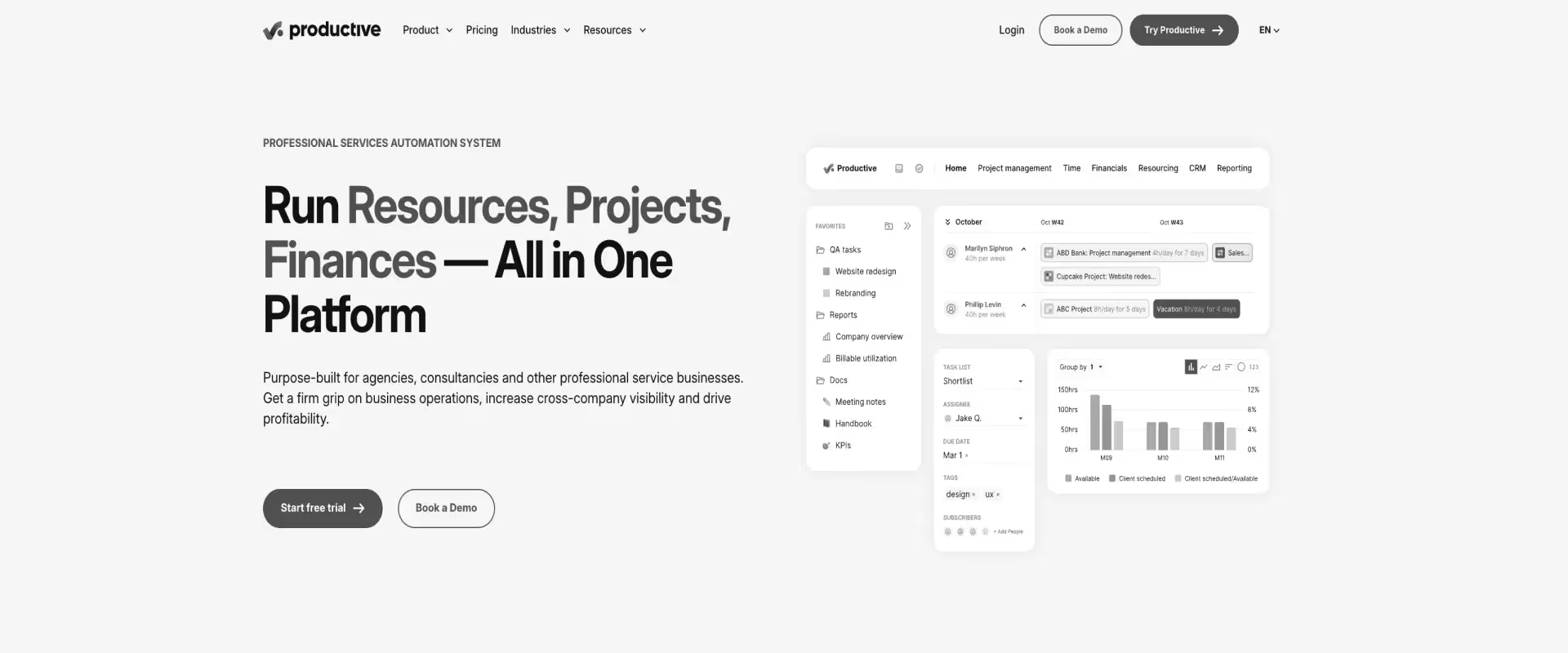
Productive is an all-in-one PSA built for agencies and smaller professional services teams — covering project management, time tracking, budgeting, billing, and profitability reporting in a single platform.
Productive is positioned as a services automation PSA software for agencies and smaller teams, offering comprehensive automation of professional services processes. It earns consistently high ratings for its intuitive interface and responsive support.
With under 100 seats, Productive delivers real visibility into budget and utilization without the complexity of an enterprise PSA.
The limitations show at scale: reviewers report inconsistent numbers across reporting modules, unresolved bugs in timesheets and invoicing, and a European-based support team that creates a response lag for US customers. There is no native client portal — a hard gap for PS teams managing customer-facing implementations.
Key Features:
- Budget and profitability tracking — real-time budget burn, project profitability, project margins, and overhead allocation per engagement
- Time tracking with approvals — team time logs tied directly to project budgets and billing runs
- Resource planning — availability, capacity forecasting, and workload balancing across the team
- Invoicing and billing — automated billing from tracked time; milestone-based and fixed-fee contract support
- Utilization reporting — billable vs. non-billable breakdowns per person, team, and project
- Workflow automation — trigger-based task automation, recurring project templates, and status updates
Pros and Cons:
Best for: Agencies and consultancies under 100 people that need budget visibility, time tracking, and billing — without enterprise PSA complexity or a months-long implementation.
Key Takeaways:
What a Verified Reviewer Says (⭐⭐⭐)
4. Accelo
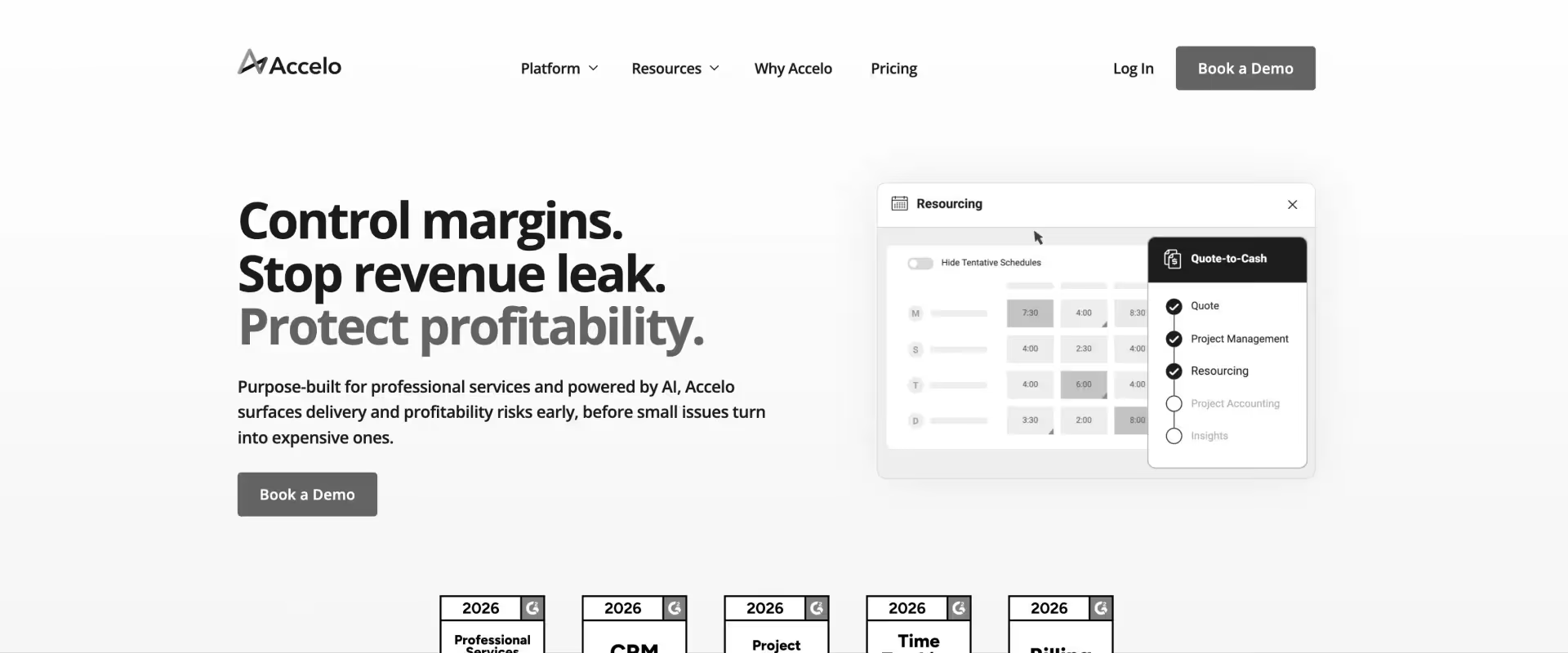
Accelo is a cloud-based PSA for small- to mid-sized professional services teams — unifying client management, project execution, time tracking, retainer billing, invoicing, and expense management on a single platform. Its core strength is centralizing client communication and billing into a shared workspace.
Teams running retainer-based or recurring service models find Accelo functional once onboarded. The trade-offs are real: the QuickBooks Online sync breaks frequently and requires manual workarounds, reporting lacks granularity at the project and team levels, and the interface has a learning curve that surprises new users.
AI and automation capabilities are limited compared to those of modern PSA platforms built for implementation-heavy teams.
Key Features:
- Client work management — manage projects, tickets, and client communication from a single shared workspace, end-to-end
- Retainer and billing management — recurring billing, project billing, service agreements, and retainer tracking with automated invoicing
- Time tracking and approvals — auto-triggered time tracking, approval workflows, and billable vs. non-billable categorization
- Expense management — capture expenses, enforce approval workflows, and integrate with accounting systems for streamlined expense tracking and policy compliance
- Workflow automation — automate project updates, time logging prompts, and billing triggers across engagements
- Resource scheduling — task allocation, team availability, and workload planning across concurrent projects
- Profitability tracking — basic project-level budget vs. actual tracking with expense categorization
Pros and Cons:
Best for: Small to mid-sized service businesses running retainer or time-based billing models — especially those consolidating from multiple disconnected tools and not yet needing delivery governance or portfolio-level visibility.
Key Takeaways:
What a Verified Reviewer Says (⭐⭐⭐⭐)
5. BigTime
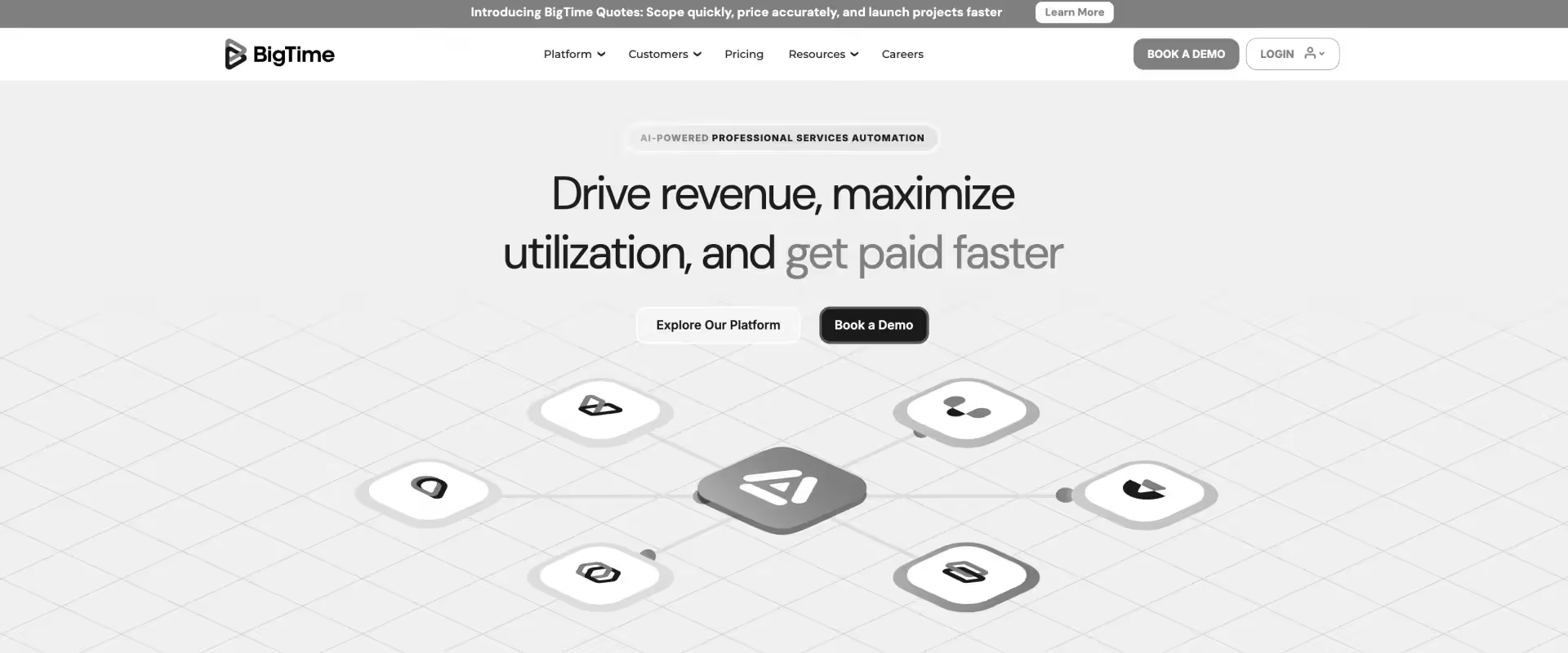
BigTime is a PSA built for professional services firms for which billing accuracy and invoicing control are primary requirements. It leads on G2 customer satisfaction, with strong time tracking, QuickBooks integration, and invoicing workflows that accounting and financial services firms rely on.
Implementation is fast, onboarding support is excellent, and the billing precision earns consistent praise. The limitations show at the edges: no document attachments on jobs, no bulk date management, everything requires manual entry, and reviewers consistently note the gap between what BigTime is sold as and what it delivers out of the box.
It is billing-first, not delivery-first. It does not attempt to be a full accounting solution or a delivery governance platform.
Key Features:
- Time tracking and approvals — multi-project time logging, approval chains, and automated timesheet reminders
- Invoicing and billing — customizable invoices, milestone billing, and LEDES format support for legal and accounting firms
- QuickBooks and Lacerte integrations — bi-directional sync for accounting firms running QuickBooks or tax workflows
- Resource forecasting — team utilization, bench visibility, and capacity planning at the project level; provides visibility into resource utilization to help optimize staffing and project performance
- Budget and expense tracking — project budget monitoring, project cost tracking, expense categorization, and reimbursement workflows
- Customizable reporting — utilization, billing, revenue, and project performance reports with multiple export options
Pros and Cons:
Best for: Accounting, legal, and financial services firms where billing accuracy, LEDES invoicing, and QuickBooks integration are the primary requirements — not delivery governance or client collaboration.
Key Takeaways:
What a Verified Reviewer Says (⭐⭐⭐⭐)
6. Certinia

Certinia (formerly FinancialForce) is a professional services automation (PSA) and ERP platform built for Salesforce-centric organizations that need project accounting, revenue recognition, and resource management tightly connected to CRM data — all inside Salesforce.
For orgs where Salesforce is the system of record, Certinia removes the data gap between sales pipeline and service delivery.
The price of that integration is significant: implementation takes 4–9 months; the system is opinionated about workflow structure and actively resists customization; invoices cannot be edited after posting; and the resource planner degrades under complex multi-project allocations.
Non-Salesforce users consistently find the system non-intuitive and the post-implementation support inconsistent.
Key Features:
- Salesforce-native architecture — all PSA data lives in Salesforce objects; no integration layer or data sync required
- Project accounting and revenue recognition — milestone billing, percentage-of-completion, and ASC 606 / IFRS 15 compliance
- Resource management — utilization forecasting, skills-based assignment, and multi-resource project planning
- Financial reporting and dashboards — budget burn, margin tracking, project P&L, and project portfolio management tools built on Salesforce reporting infrastructure
- Services CPQ — configure, price, and quote services engagements directly inside Salesforce
- Audit-ready financial controls — revenue recognition schedules, approval workflows, and compliance-grade audit trails
Pros and Cons:
Best for: Enterprise organizations running 300+ seats inside Salesforce, where PSA data must live in the CRM, and financial compliance (ASC 606, IFRS 15) is a hard requirement.
Key Takeaways:
What a Verified G2 Reviewer Says (⭐⭐⭐⭐)
7. Smartsheet
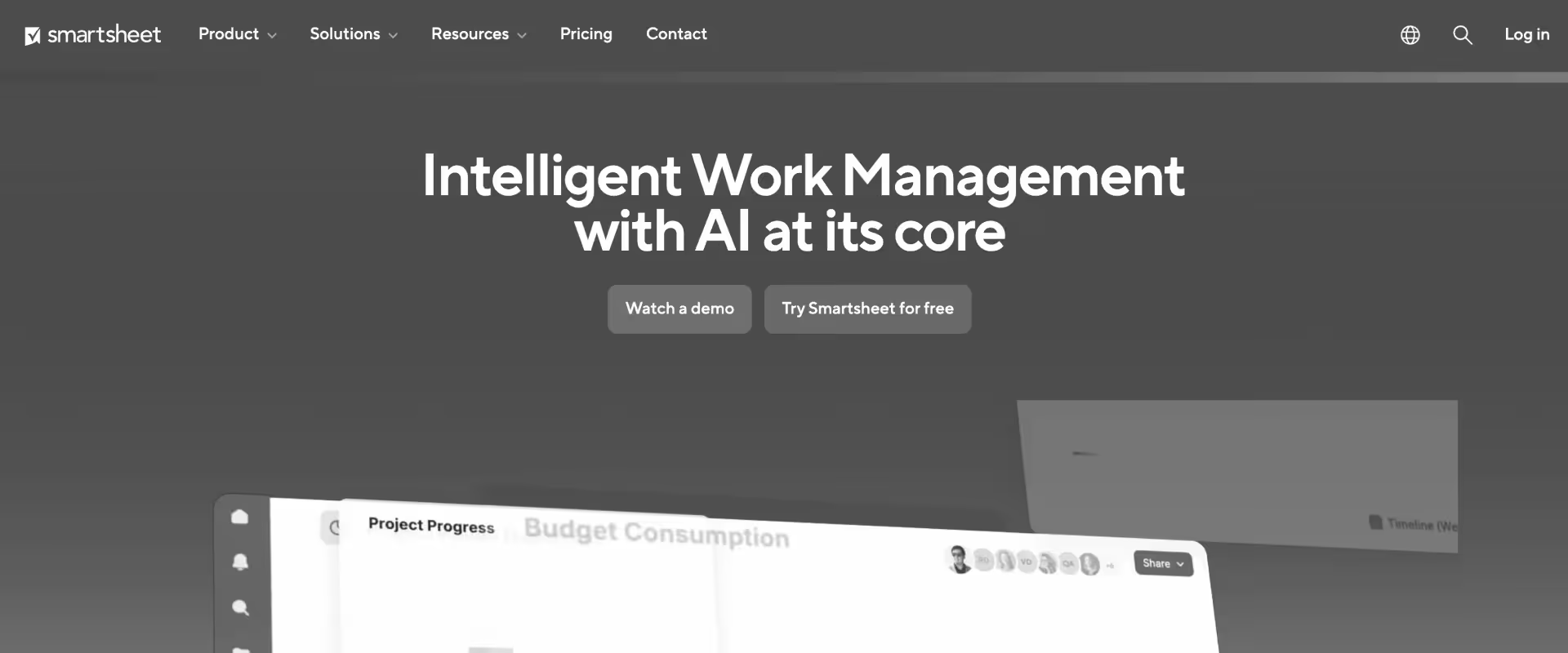
Smartsheet is a work management platform, not a PSA. It gives teams a familiar, spreadsheet-style environment to plan projects, assign tasks, automate workflows, and build dashboards.
For teams that have outgrown Excel but don’t yet need resource management or project financials, Smartsheet is a natural first step. The ceiling is clearly defined: no project billing, no revenue recognition, no time-to-invoice workflow, and resource management requires a separate paid add-on.
The limitation that consistently surfaces in reviews is bulk date management — a single delay requires manually adjusting every downstream task. For PS teams managing concurrent enterprise implementations, this becomes untenable fast.
Key Features:
- Spreadsheet-style project management and project tracking software — familiar grid, Gantt, card, and calendar views for project planning and task assignment
- Workflow automation — trigger-based automations, approval workflows, and recurring task scheduling across projects
- Dashboards and reporting — real-time portfolio dashboards with cross-sheet reporting and custom metrics
- Broad integration ecosystem — Microsoft 365, Google Workspace, Slack, Jira, Salesforce, and 100+ connectors. Smartsheet integrates with a wide range of tools, making it easy to fit into your existing tech stack.
- Resource Management add-on — capacity planning, availability tracking, and workload visualization (separate license required)
- Forms and intake — client-facing intake forms and data collection built into project workflows
Pros and Cons:
Best for: Teams that need to fix project execution visibility only — and do not yet require resource management, time tracking, billing, or financial management.
Key Takeaways:
What a Verified G2 Reviewer Says (⭐⭐⭐⭐)
How to Choose the Right NetSuite OpenAir Alternative
Most OpenAir replacement evaluations start in the wrong place.
Teams pull together a feature comparison spreadsheet, score tools on a 1–5 scale across 40 criteria, and ultimately choose the product that wins the most cells.
Three months into implementation, they realize the winning tool solves for what OpenAir did — not for what their team actually needs next.
The right question is not “which tool has more features than OpenAir?”
It is “what is the actual breakdown in our current delivery model, and which project delivery software platform is built to fix that specific problem?”
From conversations with PS leaders who have made this switch, three patterns show up consistently.
Teams running OpenAir are almost always dealing with one of three realities: a tool that handles back-office financials but leaves the front-office delivery layer entirely unmanaged, a system that works at the configuration it was set up for but breaks every time the business scales, or a platform that requires so much manual effort to extract insight that the insight arrives too late to act on.
Those are different problems. They need different solutions.
Here is how to match the right one to your situation.
Step 1 — Match your use case
Start with the primary reason your team is evaluating alternatives.
Not every pain point is the primary one. The tool that solves your most critical gap will almost always surface naturally.
A pattern that surfaces frequently in PS leader conversations: the team’s stated need is “better financial visibility,” but the real problem is that financial data and delivery data live in separate systems and never reconcile in time to act.
That is not a reporting problem. That is an architecture problem. A tool that improves reporting inside a fragmented stack will not fix it. A unified platform will.
If your team is pulling data from OpenAir into Excel to build margin reports, that is the signal. The gap is not a missing dashboard. It is the absence of a single system where delivery and financials update together in real time.
Step 2 — Filter by team size
Team size shapes which platforms are practical, not just affordable. Smaller teams need fast time-to-value and low admin overhead.
Larger teams need configurable governance, multi-project visibility, and the ability to run complex resourcing decisions without a dedicated ops role to hold the system together.
Under 50 people: Productive, BigTime, Accelo, Rocketlane
At this scale, implementation speed and ease of adoption matter more than depth. You need a tool your team will actually use from week one — not a platform that requires three months of configuration before it delivers value. Rocketlane, Productive, and BigTime all fit here. Accelo works well if retainer billing is central to your model.
50–300 people: Rocketlane, Kantata, Productive
This is where the OpenAir replacement conversation gets most serious. Teams in this range are typically managing 20–100 concurrent projects, running mixed contract types, and hitting the ceiling of what a tool with no front-office delivery layer can support.
Rocketlane is built for this band — specifically for teams that need delivery governance, client collaboration, financial visibility, and resourcing in one system. Kantata fits here, too, particularly for teams where resource-planning complexity is the primary driver. Productive remains viable at the lower end of this range before it hits its ceiling.
300+ people: Rocketlane, Kantata, Certinia
At this scale, the platform needs to support multi-geo delivery, complex contract structures, and financial management that can withstand finance and audit scrutiny. For teams of this size, a portfolio management platform is often required to manage the scale and complexity of projects and resources. Certinia earns its place here for orgs already deeply integrated with Salesforce.
Kantata is suitable for large PS organizations where resource planning at the portfolio scale is the core requirement. Rocketlane is well-suited for large enterprises, SaaS organizations, and tech PS teams running high-volume implementation programs where delivery speed, client experience, and financial accuracy must move in tandem.
Step 3 — Filter by budget
Budget filtering should come third — after use case and team size — because buying the cheapest tool that does not solve your primary problem is more expensive than buying the right one.
Under $20/user/month: BigTime, Productive starter tiers
Both tools deliver genuine value at this price point, specifically for time tracking, basic project management, and billing. The ceiling is real: complex revrec, multi-currency reporting, and enterprise resource management are not available at this tier from any vendor.
$20–$60/user/month: Accelo, Productive, Rocketlane entry
This is the mid-market sweet spot where the platform-versus-point tool decision becomes financially viable. Rocketlane’s entry pricing falls within this range and delivers a unified delivery and financial management system — a meaningful step up from tools that solve only one side of the problem.
Enterprise and custom pricing: Kantata, Certinia, Rocketlane Enterprise
At this tier, the conversation shifts from per-seat pricing to total cost of ownership. Here, solutions are typically categorized as project portfolio management software, reflecting their broader capabilities for large organizations. Implementation timelines, integration complexity, admin overhead, and the cost of the tools OpenAir forces you to buy alongside it (Smartsheet, Excel templates, separate resource planning tools) all factor in. Certinia and Kantata both have 4–9-month implementation timelines — factor that into the true first-year cost.
How to choose
If your team is running OpenAir + Smartsheet + Excel as a three-tool stack, and your PMs are spending more than five hours a week in Excel to get answers the system should already know, you do not need a better PSA. You need a unified platform. In many cases, project portfolio management tools are designed to eliminate the need for multiple disconnected systems, providing a single solution that covers all your project and resource management needs.
That is a fundamentally different decision from comparing feature lists. Feature comparisons tell you which tool does more of the same thing.
The question worth asking is which platform removes the stack entirely — and whether your team can get there without a 12-month implementation that delays value by the same amount of time the old system was costing you.
Most teams that have made this switch describe the turning point the same way: they stopped trying to fix OpenAir and started asking what it would take to never need the workaround stack again.
Score your current stack against five dimensions — financial visibility, delivery governance, client collaboration, AI readiness, and implementation speed — and arrive at your next vendor conversation with a defensible framework, not a gut call.
Migration and Implementation Considerations

Migrating from NetSuite OpenAir is not a rip-and-replace decision. It is a sequenced transition — and the teams that get it right treat it that way from day one.
The most common mistake is attempting a full cutover: migrating all data, retraining every user, and going live on a single date.
What follows is a timeline that triples, adoption that stalls, and Excel that quietly comes back. The right approach is a phased migration that proves value in the first four weeks and uses that proof to pull the rest of the organization across.
This includes transitioning not only core data and processes but also project portfolio management capabilities to ensure continuity and improve the management of multiple projects.
Here is what that actually looks like in practice.
Data migration scope
A NetSuite OpenAir migration covers more ground than most teams’ initial scope. The full data migration includes:
- Historical time entries — bulk migration via internal API, handled at the database level. Millions of entries migrate without manual re-entry or data loss
- Project data, portfolio management data, and templates — active projects, project structures, phase definitions, delivery templates, and high-level portfolio management information
- Resource allocations and staffing — current and historical resource assignments across all active engagements
- Budgets, invoices, and financial records — project-level budgets, approved invoices, and contract data
Critically, active projects do not need to pause during migration.
The most effective transition model runs OpenAir and Rocketlane in parallel: OpenAir serves as the financial data repository, while Rocketlane serves as the execution system. Teams continue delivering without disruption. The financial integration is validated in the background.
This parallel run approach is the single biggest risk reducer in any OpenAir migration. It removes the hard cutover date that simultaneously puts the entire organization under pressure.
NetSuite dependencies — and what actually gets replaced
One of the most frequent questions from PS leaders evaluating this switch: Is OpenAir an ERP?
No. OpenAir is a PSA that sits on top of NetSuite. It handles project management, time tracking, and resource management — but NetSuite remains the financial ERP. Replacing OpenAir does not mean replacing NetSuite.
Rocketlane integrates directly with NetSuite for financial management. Time entries tracked in Rocketlane flow automatically into NetSuite, creating the same billing line items that OpenAir generated.
During the transition period, a reverse integration is available: track time in Rocketlane and produce OpenAir line items simultaneously. The ERP workflow does not break during the migration.
What gets replaced is the project execution layer, the resourcing layer, the client collaboration layer, the manual Excel workflows that grew up around OpenAir’s limitations, and the project portfolio management platform component. NetSuite stays exactly where it is.
Implementation sequencing
The teams that migrate fastest follow a three-phase sequencing model that targets OpenAir’s biggest failures first and builds confidence in financial integration before the full cutover, resulting in a robust portfolio management solution.
Phase 1 — Project management and client portal (Weeks 1–6). Replace the Smartsheet and Excel layer first. This is the fastest win and the strongest driver of adoption. PMs eliminate the Monday and Tuesday Excel ritual immediately. The client portal replaces email-based project communication. Stakeholders see live project status without a weekly status call. This phase alone generates the proof that carries the change management conversation forward.
Phase 2 — Resource management and utilization (Weeks 6–10): Tackle the core OpenAir failure. Real-time utilization dashboards replace the manual resource tracking that consumed PS Ops hours every week. Resourcing decisions shift from gut-feel allocation gymnastics to skills-based, margin-optimized staffing. Leadership gets portfolio-level visibility into capacity without a custom report request.
Phase 3 —Time tracking, invoicing, and full financial migration (Weeks 10–16) This is where the financial integration validates and the parallel run ends. Time entry flows from Rocketlane to NetSuite. Invoicing runs from the same system as delivery. Revenue recognition automatically aligns with project milestones. OpenAir is retired.
Example of standard implementation timelines by Rocketlane:
6–8 weeks to replace the project execution layer. 12–16 weeks to retire OpenAir entirely and achieve a comprehensive portfolio management solution. That is the realistic window for a team that sequences the migration correctly.
Change management
The change management conversation for an OpenAir migration is easier than most PS leaders expect — because OpenAir’s pain is distributed across the team rather than concentrated in a single persona.
PMs feel it in the Monday and Tuesday Excel ritual. Delivery leads feel it every time they rebuild a QBR from scratch. PS Ops feels it every time a resource change requires four tool updates. Leadership feels it every time the margin report arrives three days after the period closes.
The key stakeholders in a successful OpenAir migration:
- PMO lead — owns the pilot scope and becomes the internal champion
- PS Ops — owns the process mapping and the resourcing workflow transition
- Business process owners — validate that delivery workflows translate correctly to the new system
- CFO involvement — minimal until Phase 3; financial integration sign-off is the primary touchpoint
One pattern that surfaces consistently in teams that have made this switch: starting with 10% of the workforce — one team, four to five projects — builds internal influence before a broader rollout of the project portfolio management system.
The pilot team becomes the proof of the case. Their experience answers the objections that would have delayed broader adoption by months.
Adoption strategy
PMs adopt fast. Rocketlane eliminates the manual Excel ritual immediately. The first week without a Monday morning report build is the moment adoption stops being a conversation.
Leadership adapts fast. Live dashboards in portfolio management software replace the monthly report-pulling session. Portfolio health is visible in real time. The leadership review shifts from reviewing what happened to acting on what is coming.
Finance runs parallel. The financial integration will be validated in Phase 3 before OpenAir is retired. Finance teams do not change their workflow until the integration is confirmed accurate. This is the right sequencing — it removes financial risk from the adoption timeline.
NetSuite OpenAir migration checklist — before you switch
Use this before your next conversation with your vendor. Every item here represents a decision that delays migrations when it surfaces mid-implementation rather than pre-evaluation.
Migration checklist
- [ ] Identify your OpenAir contract renewal date — start evaluation at least six months prior
- [ ] Audit your current tool stack: OpenAir + which PM tool + hours per PM per week in Excel
- [ ] Map which teams are active OpenAir users versus time-entry-only users — this affects licensing scope and pricing
- [ ] Identify NetSuite financial integration requirements — which billing events need to flow, in what format, and on what schedule
- [ ] Define Phase 1 scope: project execution layer only, or full PSA replacement from day one
- [ ] Select your pilot team: PMO lead plus four to five active projects across at least two contract types
- [ ] Assign an internal champion — PMO lead or PS Ops is the right profile; this person owns the proof of case
- [ ] Calculate your Excel time cost: hours per week in Excel × blended hourly rate × number of PMs = annual productivity loss sitting in a spreadsheet
What Changes When You Switch from NetSuite OpenAir?

Switching PSA platforms sounds heavier than it is. Here is what actually happens — and how fast.
- All your project data, including portfolio management data, delivery templates, and resource allocations, migrates seamlessly.
- Time and expense entries, billing information, and user records are transferred.
- Custom fields and workflows are preserved.
What migrates
Everything your team has built in OpenAir comes with you:
- Historical time entries — bulk migrated via internal API, handled at the database level
- Project data, delivery templates, and resource allocations
- Budgets, approved invoices, and contract financial records
- NetSuite integration stays intact throughout — financials continue flowing to the ERP without interruption
Nothing gets rebuilt from scratch. The institutional data your team spent years creating, including project portfolio management information, moves over. What changes is the system sitting on top of it.
What the transition looks like
Weeks 1–2: Kickoff, NetSuite integration setup, and template builds for your pilot project types. Your team’s involvement: two to four hours per week. No dedicated migration resource needed.
Weeks 3–6: Pilot team goes live on project execution and resource management. PMs run real projects in Rocketlane while OpenAir stays live as the financial repository. Delivery and financial data run in parallel — no disruption to billing cycles.
Weeks 6–8: Timesheet migration, financial integration validation, and full rollout to the wider organization. OpenAir is retired once finance confirms the integration is accurate, and your new portfolio management platform is fully adopted.
Total customer time across the full implementation: two to four hours per week. No six-month project. No external implementation consultants.
What improves the week you go live
For PMs: The Monday and Tuesday Excel ritual disappears on day one. Project plans, budgets, task status, and resource assignments live in one place. The weekly report build becomes a five-minute review, all enabled by project portfolio management software.
For resource managers: Full organizational visibility without exporting to a spreadsheet or breaking the system by adding one more project. Staffing decisions shift from memory and gut feel to live capacity data.
For leadership: Financial dashboards update in real time. The monthly reconciliation meeting — where a PS Ops analyst spends two days pulling numbers before leadership can see them — is no longer necessary, thanks to project portfolio management software.
For clients: Portal access replaces email-based status updates. Clients see project progress, open tasks, and milestone status without a weekly call to surface it.
For finance: Time entries flow directly from project execution to billing. Manual reconciliation between the PM tool, OpenAir, and NetSuite collapses into a single verified data path.
Why Choose Rocketlane Over NetSuite OpenAir?

OpenAir is a competent financial back-office tool. It tracks time, manages projects, and integrates with NetSuite. For the PS teams it was designed for — structured, stable, and running a predictable delivery model — it does its job.
The problem is that the job has changed.
PS teams today are managing more concurrent projects, more complex contracts, and more demanding customers than OpenAir was built for.
The delivery layer, the client collaboration layer, and the intelligence layer that modern PS operations require simply do not exist inside OpenAir. Teams build workarounds: Smartsheet for project execution, Excel for margin analysis, email for client communication, and Power BI for the reporting that the PSA cannot produce.
By the time a PS leader adds up the tool cost, the integration overhead, and the hours their best people spend managing the workaround stack, OpenAir is not a cost-effective platform. It is an expensive foundation for a house that was never finished.
Here is what changes when you move to Rocketlane, including enhanced project portfolio management to help you oversee multiple projects efficiently.
1. Resource management that does not break
OpenAir’s resource management works at a certain scale. Add enough projects, enough people, or enough concurrent engagements — and it breaks. Not catastrophically. Quietly. In the form of exports, tranches, and workarounds that become permanent fixtures in the PS Ops calendar.
PS leaders describe it the same way across conversations: “We can see our resources in OpenAir, but only in pieces. To get the full picture, someone has to pull it into Excel and stitch it together.”
Rocketlane gives resource managers full organizational visibility and enhances real-time portfolio management. Every active project, every allocation, every capacity gap — visible in one view without exporting a single row.
When someone takes unplanned leave across 10 active projects, the system identifies all affected engagements, surfaces qualified replacements based on skills and availability, and executes reassignment upon approval.
No tranches. No dedicated reporting person. No Monday morning Excel session before the week can start.
2. Built-in project execution that eliminates the Excel dependency
OpenAir handles the financial layer of project management. It does not handle the delivery layer.
That gap is where the Excel dependency lives. PMs build project plans in Smartsheet, track phase progress in spreadsheets, report status in slide decks assembled from three different sources, and spend Tuesday afternoons reconciling what the system says against what actually happened last week.
Rocketlane, as project portfolio management software, brings project plans, Gantt charts, phase budgets, burn rate tracking, milestone management, and status reporting into a single system alongside time tracking and financial management. There is no reconciliation step because there is no gap between the delivery data and the financial data. They are the same data.
PS teams that have made this switch report getting back 10 to 20 hours per PM per week. Not from a single change. From the cumulative elimination of every manual step that existed because two systems never talked to each other.
3. A client collaboration layer, OpenAir does not have
This is not a configuration gap. There is no version of OpenAir that provides clients with real-time project visibility, document access, task submission, or direct communication within the delivery system.
That capability does not exist in OpenAir. It never has.
Rocketlane’s white-labeled client portal, powered by client portal software, gives customers a live view of their project: current phase, open tasks, milestones, documents, and communication — all in one place.
Clients stop emailing PMs for status updates. PMs stop writing status reports that are already out of date by the time they are sent.
The client experience improves visibly from week one. And for PS teams competing for renewals and expansions, the delivery experience is no longer invisible work that customers take for granted. It becomes a differentiator.
4. Real-time financial visibility without Power BI
PS teams running OpenAir have one of two approaches to financial reporting: they either live with the reporting OpenAir provides — which is limited, slow, and requires significant manual configuration — or they build a reporting layer on top of it using Power BI, Tableau, or a dedicated Excel model that someone rebuilds every month.
Neither approach gives leadership what they actually need: real-time visibility into phase-level budget consumption, margin by project and resource, EAC, and ETC — without a report request, an export, or a 48-hour wait.
Rocketlane delivers this natively. Financial and portfolio dashboards update as time is tracked within the reporting suite. Phase-level budget burn is visible before it becomes an overrun. Margin by project, by resource, and by contract type is available in-platform without a query, a pivot table, or a Power BI license.
For PS leaders who currently find out about budget overruns at project close, this is the change that pays for the platform.
5. Six to eight week implementation versus consultant-heavy legacy installs
OpenAir implementations are measured in months. The configuration is complex, the ERP dependencies require dedicated technical resources, and the organizational change management alone adds weeks to a timeline that was already long before it started.
Rocketlane implementations run six to eight weeks with two to four hours of customer involvement per week. The phased approach means pilot teams go live in two weeks. No external implementation consultants. No dedicated project team. No six-month delay between the decision to switch and the first week of real value.
Most customers recover the implementation investment in their project portfolio management platform — in PM time recaptured from Excel alone — within the first quarter after go-live.
6. Agentic AI that OpenAir does not have and cannot add
OpenAir has no AI layer. Not a roadmap item. Not a beta feature. No AI layer.
Rocketlane Nitro operates at three levels. It automates the operational back-office work that consumes PS Ops hours — timesheet compliance, resource reallocation, capacity alerts.
It governs delivery quality in real time — flagging budget deviations, scope drift, and milestone risk before they surface in an escalation call. And it executes repeatable delivery tasks through AI agents — converting SOW documents into project plans, running configuration workflows, and preparing data migrations without requiring a specialist to manage every step.
The gap between a PSA with no AI and a PSA with three levels of agentic intelligence is not a feature difference. It is an operational model difference. One requires your team to manage the work. The other executes the work, enabled by portfolio management software that leverages AI-driven operations.
Why Rocketlane wins for PS teams
OpenAir wins on: Financial back-office depth, NetSuite integration, invoice history, and ERP-native data architecture.
Rocketlane wins on: Everything that happens between deal close and invoice — resource allocation, project execution, project portfolio management, client collaboration, real-time margin visibility, and AI-driven operations that OpenAir cannot replicate.
If your team’s primary complaint is that OpenAir does not connect reliably to NetSuite, stay with OpenAir.
If your team’s primary complaint is that you cannot see margin, manage resources, collaborate with clients, or run delivery without a parallel stack of tools — Rocketlane was built for exactly that.
How Rocketlane Nitro Automates Project Financial Management
OpenAir forces PS teams to manage financial operations manually.
Timesheet chasing, budget monitoring, margin analysis, resource cost optimization — all of it lands on people who should be spending their time delivering for customers, not running the administrative machinery of a PSA that cannot run itself.
Nitro changes the operating model. It is not a reporting layer or a dashboard upgrade. It is a set of specialized agents embedded in Rocketlane’s PSA that execute the financial operations your team currently handles manually.
Here is what each agent does — and what it directly replaces.
Protect revenue recognition with the Timesheet Policy Agent
Every week, timesheets go unsubmitted, and delivered work is not yet billable. For PS teams running T&M or hybrid contracts, the gap between work delivered and work invoiced is a direct revenue recognition problem.
OpenAir has no mechanism to automatically enforce timesheet submission. Managers chase. Finance waits. Billing delays by two to three weeks on average across teams that rely on manual compliance.
The Timesheet Policy Agent, like other project portfolio management tools, enforces compliance through natural language rules — no engineering effort, no IT ticket, no configuration specialist. You define the policy: submit by Friday, categorize billable time only against active phases, and flag backdated entries for review. The agent enforces it at the point of entry, not at the end of the approval cycle.
Timesheets are approved. Billing triggers automatically. The recognition gap between work delivered and work invoiced closes from weeks to days.
Timesheet submission rates above 95% become the operational baseline, not a quarterly aspiration. For a 50-person PS team at a $150 blended rate, a two-week reduction in billing lag recovers over $100,000 in cash flow annually.
Catch budget overruns before they become losses with the Project Governance Agent
The most expensive moment in project financial management is discovering a budget overrun after the phase is closed.
By that point, the margin is already gone. The only decision left is whether to absorb the loss, have a difficult conversation with the customer, or write off hours that were legitimately worked. None of those options recovers the margin. They only determine who carries it.
OpenAir surfaces budget information. It does not monitor it continuously or fire alerts when the trajectory changes. That monitoring falls to PMs, who are managing twelve other projects simultaneously, and catch overruns when the numbers stop looking right.
The Project Governance Agent serves as a project portfolio management solution by monitoring phase-level budget consumption, milestone completion rates, and scope deviation signals across all active projects — continuously, not on a calendar. When a phase reaches 80% budget consumption at less than 60% milestone completion, the agent fires a threshold alert to the right stakeholder. Not after the phase closes. While corrective options still exist.
EAC and ETC recalculate in real time as time is tracked. Leadership sees the updated financial position as it develops — not at the monthly review meeting scheduled before the problem arose.
Replace Power BI and Excel reporting with the AI Analyst
Most PS leaders running OpenAir have a version of the same story. Someone on the team — a PS Ops analyst, a PMO lead, sometimes a dedicated reporting resource — spends two days before every leadership review pulling data, stitching it in Excel, and building the slides that leadership will look at for twenty minutes before asking a follow-up question that requires another export.
The question that triggers the two-day effort is almost always simple. Which projects are over budget this quarter? What is our blended utilization across active engagements? Which project types have the worst margin variance?
Nitro Analyst, as part of Rocketlane's portfolio management platform, answers these questions in plain language, instantly, by connecting revenue, margin, delivery, time, and resource data across every active project in Rocketlane.
No report configuration. No export. No Power BI license. No waiting until Thursday for the answer to a question that needs to inform Tuesday’s decision.
The analysis saves as a reusable template. The next time the same question comes up — at the next QBR, the next board review, the next pipeline conversation — the answer is available in seconds, not days. The analytical logic that your best operational thinker built becomes a reusable asset that the entire leadership team can run without needing to ask for it.
Protect labor margin with the Resource Management Agent
Labor is sixty to seventy percent of the project cost in professional services. Every allocation decision is a margin decision. And in most PS organizations running OpenAir, allocation decisions are made by a resource manager working from memory, gut feel, and a spreadsheet that is already three days out of date.
The margin drain this creates is invisible on a project-by-project basis. A senior consultant assigned to a task that a mid-level resource could handle at thirty to forty percent lower cost does not look like a problem on the project plan. It looks like a staffing decision. Across thirty active projects, it is a material margin leak.
The Resource Management Agent, as part of a project portfolio management software solution, flags cost-rate mismatches before allocation is confirmed. When a senior resource is proposed for a task that sits below their cost threshold, the agent surfaces the mismatch and suggests a qualified alternative. The resource manager makes the final call — but they make it with full cost visibility, not after the fact.
The agent also surfaces bench time three to four weeks in advance — giving delivery leaders enough runway to reallocate proactively before unrecovered capacity appears on the utilization report as a number that cannot be fixed retroactively. Billable utilization moves toward the seventy to eighty-five percent target range without a manual capacity planning session every Friday.
Run delivery work that directly impacts billing with the Workforce Agent
Non-billable setup hours are the most consistently underestimated cost in PS financial management. Every hour a senior consultant spends building a project plan from an SOW, configuring a customer environment, or preparing a data migration is an hour that is not billable — and not recoverable.
The Workforce Agent, acting as a portfolio management solution, converts Statement of Work documents into structured Rocketlane project plans in minutes. Phases, tasks, milestones, and budget allocations populate automatically from the document. The implementation manager reviews, confirms, and moves. The engagement starts faster. The first billable milestone arrives sooner.
For configuration and migration work, the agent executes the repeatable steps — field mapping, data transformation, environment setup — that currently consume the hours of your highest-cost consultants. Senior resources shift from setting up to reviewing and approving it. The same team delivers more projects in parallel without adding headcount.
That is the margin improvement that scales: not a cost reduction, but a reallocation of your best people’s time from work that should not require them to work that only they can do.
Without a modern PS platform vs. With Rocketlane + Nitro
Conclusion
NetSuite OpenAir is not a broken product. For what it was built to do — financial back-office management inside a NetSuite ecosystem — it does its job.
The problem is that the job description for PS teams has changed completely.
In 2026, PS leaders are expected to run real-time resource visibility across 50 concurrent projects, collaborate with customers inside the delivery system, recognize revenue across five contract types simultaneously, and prove margin performance to leadership without a two-day reporting cycle.
OpenAir was not built for any of that. And no amount of Smartsheet licenses, Excel templates, or Power BI dashboards added on top of it will make it so.
The OpenAir + Smartsheet + Excel three-tool stack is not a strategy. It is a workaround that compounds with every new customer you win.
Every hour a PM spends in Excel on a Monday morning is an hour that should have been billable, client-facing, or spent on the delivery work that actually drives renewal.
Rocketlane was built to solve the problem that OpenAir leaves unsolved. One system for project execution, resource management, client collaboration, financial visibility, and billing — with delivery data and financial data updating together in real time. No reconciliation step. No export required. No parallel stack.
Nitro changes the game further. Every other platform on this list automates reporting. Nitro automates operations.
It enforces timesheet compliance before billing falls behind, flags budget overruns while corrective action is still possible, answers margin questions in plain language, and executes delivery work that currently sits on your highest-cost consultants’ plates. No other PSA on the market operates at this level today.
If you are three to six months from your OpenAir renewal and your PMs are spending more than five hours a week in Excel, the business case for switching pays for itself within the first quarter, in PM hours recovered alone.
The teams that will win in the Outcome Era are not the ones with the most headcount. They are the ones running the most intelligent delivery system, with project portfolio management as a key benefit of Rocketlane.

Authored by

Kailash Ganesh
Kailash Ganesh is a professional services researcher at Rocketlane with more than seven years of experience in content, research, and market analysis. He studies how enterprise PS teams are adopting agentic AI to transform delivery operations, has evaluated every major PSA platform in the category, and writes from the perspective of a practitioner who watches enterprise PS teams make these exact decisions daily.
Table of Contents

Regsiter for the live webinar


Great consultants didn't join your team to spend Fridays writing documentation.
Table of contents
18 of Forbes Cloud 100 chose Rocketlane. The best PS teams aren't waiting around.
FAQs
What is the best NetSuite OpenAir alternative for professional services teams?
Rocketlane is the strongest OpenAir alternative for PS teams. It replaces OpenAir, Smartsheet, and Excel on a single platform — covering project execution, resource management, client collaboration, and financial visibility — without replacing NetSuite ERP. Implementation takes 6–8 weeks, not 6–12 months.
Is NetSuite OpenAir an ERP?
No. OpenAir is a PSA that sits on top of NetSuite. NetSuite is the ERP. Replacing OpenAir does not mean replacing NetSuite — modern PSA platforms like Rocketlane integrate directly with NetSuite, preserving your financial infrastructure while replacing the failing PSA layer that is holding back your delivery team.
How long does it take to migrate from NetSuite OpenAir to Rocketlane?
Most teams complete the migration in 6–16 weeks, depending on the scope. Phase 1 — project execution and resource management — goes live in 6–8 weeks. Full financial migration, including NetSuite integration validation, takes 12–16 weeks to complete. Active projects run in parallel during the transition with zero delivery disruption.
What are the biggest limitations of NetSuite OpenAir?
OpenAir has no client portal, no native project execution layer, and resource management that breaks beyond 150 users. Teams compensate by running Smartsheet for delivery, Excel for margin reporting, and Power BI for dashboards — a three-tool workaround stack that compounds cost and manual overhead with every new project.
Can Rocketlane integrate with NetSuite while replacing OpenAir?
Yes. Rocketlane integrates natively with NetSuite for financial management. Time entries tracked in Rocketlane flow automatically into NetSuite, replicating the billing line items OpenAir generated. During migration, both systems run in parallel — Rocketlane handles execution while OpenAir remains the financial repository until the integration is fully validated.













Copyright © 2026 Rocketlane Corp. All rights reserved.





















.webp)