10 Best Zoho Projects Alternatives for Professional Services Teams (2026)
•
•
Summarize blog with






Your CEO walks in on a Monday morning and asks what utilization looks like this month. You open Zoho Projects, and it does not have the answer.
So you open the resource spreadsheet your team has been maintaining manually alongside Zoho for the past two years, then pull the time-tracking export, then cross-reference the invoice tracker in your finance system.
Forty-five minutes later you have a number you are not fully confident in, and you still have three client emails waiting for status updates that would require a manually built deck to answer.
This is the moment most professional services (PS) teams start looking for Zoho Projects alternatives. The workarounds quietly became the job.
Zoho Projects was built for task coordination.
At $4 to $14 per user per month across its Premium, Enterprise, and Ultimate tiers — with a free plan for up to five users — the price point makes it easy to adopt and hard to justify leaving.
However, over time, teams end up stitching together Zoho Projects, a separate time tracker, a billing tool, and a reporting layer, and still spending hours each week on manual reconciliation that a purpose-built professional services automation (PSA) would handle automatically.
There is no proper client portal, no financial operations layer, and no utilization tracking built for how PS teams actually work.
Most teams believe they are evaluating project management tools when they search for alternatives.
What the decision actually comes down to is whether a platform tracks work or whether it is built to run service delivery end to end.
This guide compares each alternative across features, capabilities, pros and cons, delivery market fit, pricing, and G2 ratings so PS leaders can make a confident switch rather than another short-term workaround.
How we evaluated these Zoho Projects alternatives
This guide evaluates ten Zoho Projects alternatives against the criteria that matter for professional services teams running delivery at scale, not teams looking for a cheaper task tracker.
The tools included were selected based on G2 ratings, PS-specific capability depth, and the patterns that emerge when mid-market services teams outgrow a coordination tool and start shopping for something that can run their operations end to end.
Each tool is assessed against five criteria. These reflect where Zoho Projects leaves gaps for PS teams and whether an alternative closes them without creating new ones.
Zoho projects alternatives for PS teams: side-by-side comparison
What is Zoho Projects?
Zoho Projects is a project management application within the Zoho one suite.
It provides task tracking, milestone management, time logging, and basic reporting, and it sits alongside Zoho CRM, Zoho Books, and the rest of the Zoho ecosystem as part of a broader business operating stack.
For organizations already running on Zoho, Projects is the natural home for delivery work.
The integrations between Zoho CRM and Zoho Projects mean that deals can flow into delivery without manual handoff, and connections to Zoho Books allow time and project data to feed into invoicing without leaving the ecosystem.
That coherence within the Zoho stack is its primary value proposition, and for teams that have committed to Zoho broadly, it is a genuine advantage.
The challenge is that Zoho Projects was built as part of a general-purpose business suite, not as a tool designed around how professional services teams deliver work.
Its time tracking does not connect to project-level profitability. Resource utilization charts exist, but only on the Enterprise tier.
Teams on the Premium plan have no visibility into utilization without upgrading.
Its client portal offers more than basic task views, including milestone tracking and client feedback, but stops well short of a purpose-built delivery collaboration layer with controlled access, status narratives, and structured sign-off workflows.
Zoho has also added Zia, its proprietary AI model, to paid plans, covering content generation, workflow automation, and translation.
This remains a generative layer rather than the operational AI PS teams need for forecasting, capacity planning, and margin tracking.
Why professional services teams are moving beyond Zoho Projects

The client portal gap
Zoho Projects has a client portal, but it requires clients to create a Zoho account to gain access. While Enterprise plan customers can map a custom domain for a more branded experience, the portal still has no dedicated space for status narratives, document sign-off, or structured client action items.
In practice, client communication reverts to email. Status updates get built in PowerPoint. Progress calls get scheduled because the portal does not deliver enough context on its own. For PS teams managing enterprise clients, this falls short of what purpose-built delivery platforms now offer natively.
Low adoption
Zoho Projects is feature-rich, and that depth creates friction. Navigation is dense, the mobile experience lags the desktop version, and new team members report a steep onboarding curve before reaching day-to-day productivity.
The result: timesheets get logged inconsistently, tasks get updated in bursts before client calls, and PMs maintain a parallel spreadsheet because they trust it more than the Zoho data. Low adoption is self-reinforcing. When data quality drops, leadership trusts the system less, and investment in fixing adoption follows.
Fragmented tool stack
Zoho Projects handles tasks well. Resource capacity, utilization reporting, CRM handoff data, and invoicing all live somewhere else. The result is a stack of tools connected by manual effort and weekly reconciliation. PMs spend significant time each week moving data between systems rather than delivering work, and each handoff is a point where data falls out of sync.
Financial visibility
Zoho Projects offers budget tracking, planned versus actual hours, and threshold alerts. Integrated with Zoho Books, it can generate invoices and track billing. Where it falls short for PS teams is the layer above basic budget monitoring.
There is no native project-level margin view, no revenue recognition, and no portfolio-level profitability forecasting without deep ecosystem integration or manual work outside the platform. PS leaders often find out a project was unprofitable in the post-mortem, not mid-delivery where they could have intervened.
The 10 best Zoho Projects alternatives in 2026
1. Rocketlane
.avif)
Rocketlane is an agentic AI-powered PSA platform built for customer-facing professional services teams across implementation, onboarding, consulting, and managed services.
It brings projects, resources, financials, and client collaboration into a single delivery system where execution, visibility, and control remain tightly aligned.
Utilization tracking, margin visibility, structured client portals, and delivery governance are part of Rocketlane’s core architecture. They are not layered through integrations.
Every data point, from what was sold to how time is tracked to how clients engage, exists in one system and updates continuously.
Where tools like Zoho Projects require teams to assemble an operational layer around project tracking, Rocketlane functions as that operational layer.
Delivery, financials, and coordination live together, so teams are not managing work across disconnected systems.
Key Rocketlane features
Native bi-directional CRM and delivery integration: Sales and delivery data remain aligned without manual syncing.
- Salesforce and Jira integrations operate without middleware
- Automatic project creation from closed-won deals
- Delivery data, time entries, and milestones sync back to CRM
White-labeled client portal with controlled visibility: Client experience is embedded into delivery workflows.
- Magic link access enables frictionless entry without logins or additional seats
- Role-based permissions define exactly what each stakeholder can access
- Real-time project visibility, task ownership, and document collaboration in one place
- Branded experience aligned with client-facing delivery standards
Conditional templates with inheritance: Delivery processes adapt while maintaining consistency.
- Conditional logic adapts templates based on deal structure, product, or customer segment
- Centralized updates propagate across active projects
- Standardized workflows maintained without template duplication
Real-time margin and budget tracking: Financial visibility stays connected to execution.
- Budget burn connected directly to time entries at the task level
- Margin visibility available per project, client, and portfolio
- Continuous updates as work progresses across delivery
Resource allocation with real-time skills and capacity context: Planning reflects both availability and capability.
- Live resource heat map shows current and future allocation across projects
- Skills matrix aligns work with capability, not just availability
- Soft and hard allocations support both planning and committed work
- Workload and capacity visibility across teams and regions
Portfolio dashboards with real-time visibility: Leadership operates with continuous insight into delivery.
- Portfolio view includes project health, utilization, and margin
- Real-time refresh across multiple concurrent projects
- Dashboards designed for leadership reviews and ongoing monitoring
Agentic AI embedded across delivery workflows: AI operates within delivery to manage coordination and decision support.
- AI operates across planning, execution, and governance workflows
- Documentation generated from project activity and conversations
- Policy enforcement applied at the point of time entry and workflow execution
- Resource and staffing inputs supported through context-aware queries
- Operational and financial questions answered in natural language
- Delivery signals surfaced from client interactions and engagement patterns
Nitro AI: Agentic execution inside the delivery system
Most AI in delivery tools stays at the edges. It summarizes activity or surfaces risks after they appear.
Rocketlane Nitro is an agentic execution layer made up of coordinated AI agents that actively run key parts of delivery. These agents read context across conversations, documents, and workflows, and take action in areas where teams typically spend time coordinating, updating, or reconciling.
This includes the work that sits between systems and roles. Reporting, documentation, staffing decisions, governance, and data operations are handled as part of the system rather than as separate, manual workflows. Nitro distributes this work across agents that operate continuously within the delivery environment.
How this shows up in practice
Each agent owns a category of operational work and executes it as part of the flow of delivery.
Nitro Analyst
Handles reporting and visibility as an always-on system capability.
- Answers questions on utilization, margin, and project health in natural language
- Pulls from live data across projects, resources, and financials
- Removes the need for dashboards, exports, and periodic reporting cycles
Visibility becomes immediate and query-driven
Documentation Agent
Handles documentation and knowledge capture as delivery progresses.
- Generates BRDs, SOWs, design documents, and handoffs from calls, emails, and task activity
- Maintains traceability to source interactions
- Keeps documentation aligned as projects evolve
Documentation stays current and embedded within delivery
Nitro Signals
Handles risk detection and account intelligence continuously.
- Monitors emails, meetings, and client activity patterns
- Detects early indicators of churn risk, disengagement, and delivery slippage
- Surfaces signals with context while intervention is still possible
Migration Agents
Handle data transformation as part of system operation.
- Map and transform data across systems without spreadsheet-heavy workflows
- Adapt to edge cases using context-aware logic
- Build reusable migration patterns over time
Data operations become structured and repeatable
Execution and Governance Agents
Operate directly within delivery workflows to maintain alignment and control.
- Workforce Agent converts SOWs into execution-ready plans
- Project Governance Agent tracks budgets, timelines, and milestones continuously
- Timesheet Policy Agent enforces billing and time-entry rules at the point of entry
Plans, rules, and execution stay aligned as work progresses
The Nitro agents
Bonus: Enterprise capabilities for scaling professional services delivery
Rocketlane enables enterprise teams to scale delivery operations without introducing the complexity of traditional PSA systems. It brings execution, resource planning, and financial management into a single, connected system.
Unified delivery model: A single system governs how delivery runs across the organization.
- Projects, resources, and financials operate together
- Portfolio visibility across teams, regions, and accounts
- No need for separate tools or reconciliation layers
Governance and compliance built in: Security and control are part of everyday workflows.
- SOC 2, SSO, role-based access, and audit logs included
- Traceability maintained without additional process overhead
Bi-directional CRM integration: Sales and delivery stay synchronized in real time.
- Salesforce integration ensures continuous data flow
- Delivery execution reflects sales commitments accurately
Integrations aligned with enterprise stacks: Works alongside existing systems without friction.
- Native integrations with NetSuite, HubSpot, QuickBooks, Salesforce
- API support for extending workflows
Quick path to value: Deployment is designed for speed and continuity.
- Phased rollout with parallel execution for active projects
- Teams typically operational within weeks rather than long implementation cycles
Pros and cons
Best for
- Directors and VPs of Professional Services managing delivery across projects, resources, and financial systems
- PMO leaders seeking a single system of record instead of coordinating across Zoho Projects, CRM, and time-tracking tools
- Implementation leaders running fixed-fee or T&M engagements at scale with a need for financial visibility
- PS organizations replacing a fragmented Zoho stack with a unified delivery platform
Key takeaways
What customers say (G2 reviews)
Rocketlane vs Zoho Projects in one line: Rocketlane extends project management beyond tasks to operate as a full delivery system for professional services teams.
See how PS teams are moving beyond Zoho Projects to streamline delivery, improve visibility, and eliminate manual overhead with Rocketlane. Book a 30-min demo
2. Monday.com
Monday.com is a flexible work operating system focused on visual project tracking and ease of use.
Its board-driven interface, automation capabilities, and dashboards make it accessible for teams that want to manage work without heavy configuration.
For teams comparing Zoho Projects alternatives, Monday offers a more intuitive and visually oriented experience, with faster onboarding and less dependency on a broader ecosystem.
Features like dashboards, integrations, and WorkForms allow teams to manage workflows and track progress efficiently.
Monday also includes CRM functionality, enabling basic alignment between client relationships and delivery, though it does not match the depth of integrated CRM-PSA systems.
Its strength lies in simplifying coordination and improving visibility across teams within a single workspace.
However, compared to more integrated systems, limitations appear at scale. Monday does not natively handle utilization tracking, capacity planning, or margin visibility. Financial reporting is absent, and client collaboration features remain limited.
For professional services teams, Monday offers a simpler alternative to modular stacks, but does not provide a unified system of record for delivery, financials, and operations.
Key features
- Board and timeline views: Highly visual project boards with timeline, Gantt, calendar, and map views configurable without engineering support.
- Native dashboards: Rollup dashboards aggregate data across boards, giving portfolio-level visibility into status, workload, and timelines (not financials)
- Automations and integrations: No-code automation builder with 200+ integrations. Covers common trigger-action combinations for status updates, notifications, and task routing.
- Monday CRM: A lightweight CRM layer enables client relationship tracking alongside delivery work, though it lacks the depth of dedicated CRM or PSA platforms.
- Workdocs: Embedded documents linked to boards reduce context switching for teams managing documentation alongside project execution.
- Monday AI: Generative assistant for task creation, meeting summaries, and status updates.
Pros and cons
Best for
- Teams seeking a simpler, more intuitive alternative to Zoho’s modular ecosystem
- Organizations prioritizing fast setup and usability over deep system integration
- PS teams managing delivery coordination while keeping financials outside the system
- Companies consolidating basic project and CRM visibility into a single workspace
Key takeaways
What customers say (G2 reviews)
3. Asana
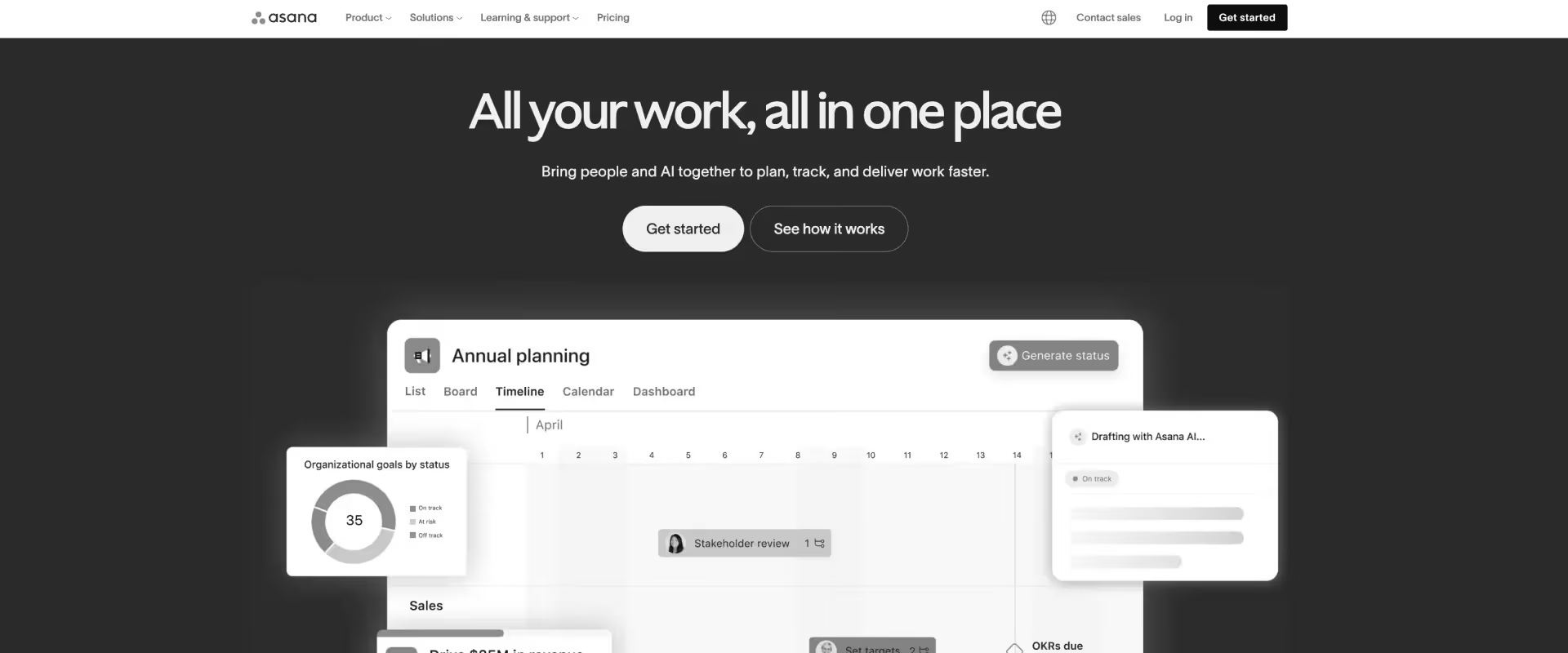
Asana is a cloud-based work management platform designed to help teams organize, track, and manage work in a centralized system. It combines task management, project tracking, workflows, and reporting into a unified workspace where teams can see who is doing what, by when, and how it connects to broader goals.
At its core, Asana is built around a task-first execution model. Projects are collections of tasks, tasks have owners and deadlines, and workflows are defined through statuses, dependencies, and automation.
Multiple views such as lists, boards, timelines, and calendars sit on top of this model, allowing teams to interpret the same work in different ways.
Automation in Asana is rule-based but integrated into workflows. Teams can define triggers for task updates, routing, and approvals, reducing manual coordination.
AI capabilities extend this further. Asana AI supports task generation, summarization, workflow recommendations, and emerging “AI teammates” that assist with execution. These features are more embedded than typical assistive AI, but still operate within defined workflows rather than replacing them.
Key features
- Task and dependency management: Structured tasks and dependencies simplify execution compared to modular systems.
- Planning and workload views: Timeline and calendar views support planning, with workload based on task assignments.
- Automation engine: Event-based automation handles task updates and assignments without deeper system orchestration.
- Goals and reporting: OKR tracking and dashboards provide execution visibility without financial or billing data.
- Collaboration layer: Task-level communication supports internal coordination without external client access.
- Asana AI (assistive layer): AI generates tasks and summaries but does not operate across workflows or systems.
Pros and cons
Best for
- Teams seeking a simpler alternative to Zoho’s modular and fragmented setup
- Organizations prioritizing ease of adoption over ecosystem depth
- Delivery teams focused on execution clarity rather than system integration
- SMB to mid-market teams consolidating workflows into a single execution layer
Key takeaways
What customers say (G2 reviews)
4. ClickUp
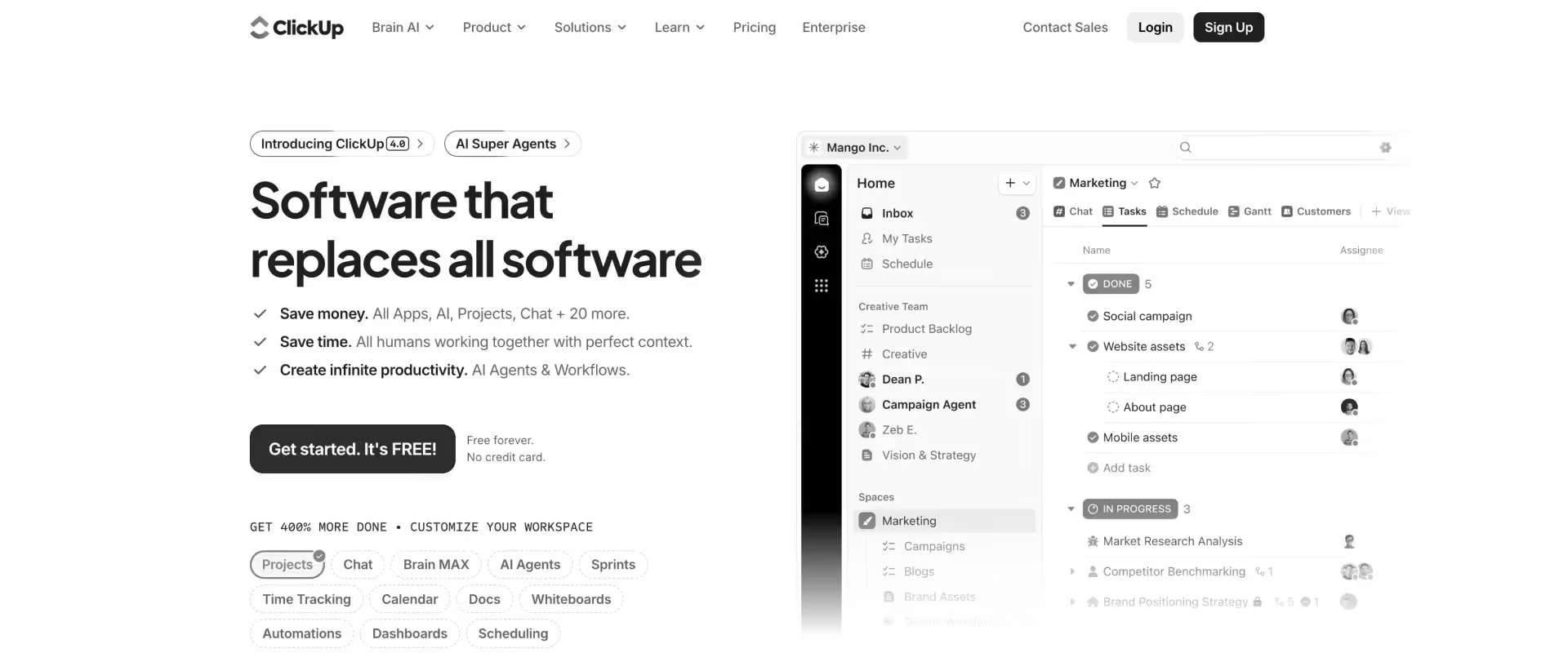
ClickUp is an all-in-one work management platform designed to consolidate tasks, documents, communication, and workflows into a single, highly configurable system.
It combines project management, knowledge management, and collaboration into one workspace, allowing teams to design their own operating model rather than follow a predefined one.
Compared to Zoho Projects, which provides a structured project management system with predefined modules, ClickUp operates as a build-your-own system.
ClickUp’s strength lies in its ability to unify multiple layers of work. Tasks, docs, chat, dashboards, and automation all exist within the same system.
This reduces reliance on external tools and enables teams to centralize operations.
Zoho Projects, while structured, often relies on its broader ecosystem (CRM, Books, etc.) to achieve similar coverage.
Automation in ClickUp is more flexible than Zoho’s rule-based workflows, supporting multi-condition logic and deeper workflow orchestration.
AI capabilities, through ClickUp Brain, extend into task generation, summarization, knowledge retrieval, and emerging agent-like workflows that can act across the system.
Zoho Projects includes AI features across its ecosystem, but they are currently largely assistive and modular.
For professional services teams, ClickUp offers a highly extensible platform that can be shaped to fit delivery workflows, resource tracking, and reporting.
However, it does not enforce alignment between execution, financials, and utilization. Teams must design and maintain that alignment themselves, whereas Zoho provides more structure but less flexibility.
Key features
- Configurable workspace hierarchy: Spaces, folders, lists, and tasks allow teams to define how work is structured across projects and departments.
- Multi-view project management: Supports list, board, Gantt, calendar, timeline, and workload views on the same dataset.
- Custom fields and relationships: Enables modeling of complex workflows, dependencies, and cross-project data structures.
- Integrated docs, whiteboards, and chat: Combines documentation, collaboration, and execution within a single platform.
- Advanced automation engine: Supports multi-condition triggers and workflow orchestration beyond simple rule-based automation.
- Goal tracking and OKRs: Links tasks and projects to measurable outcomes and performance metrics.
- ClickUp Brain (AI layer): Supports task generation, summaries, knowledge retrieval, and emerging agent-like workflows.
Pros and cons
Best for
- Teams that need more flexibility than Zoho Projects’ predefined structure allows, especially for complex or evolving workflows
- Organizations looking to consolidate multiple tools into a single platform, including docs, tasks, and collaboration
- Professional services teams willing to design and govern their own delivery system, rather than rely on built-in structures
- Environments where custom workflows, automation, and extensibility are more important than consistency out of the box
Key takeaways
What customers say (G2 reviews)
5. Jira
Jira is a highly configurable issue-tracking system designed for software development and technical project management.
Compared to Zoho Projects, which is positioned as a broader business project tool within an ecosystem, Jira offers deeper control over workflows but less coverage across business functions.
Its ticket-based model, combined with agile boards and custom workflows, allows teams to manage complex development processes with precision. However, this depth comes with higher setup complexity and a steeper learning curve.
Jira includes automation and AI features via Atlassian Intelligence for summarization, search, and ticket generation, but these remain assistive rather than operational.
It does not provide financial tracking, CRM alignment, or utilization visibility required for professional services delivery.
Key features
- Issue-centric work model: Tracks work as issues with detailed states, history, and auditability.
- Agile delivery support: Native Scrum and Kanban frameworks for iterative delivery.
- Custom workflows: Highly configurable workflows tailored to development processes.
- Reporting and analytics: Engineering-focused insights such as velocity, burndown, and sprint performance.
- Integration ecosystem: Deep integration with Atlassian tools and developer stack.
- Automation engine: Rule-based automation tied to issue states and transitions.
Pros and cons
Best for
- Engineering teams needing more depth than Zoho Projects
- Organizations running agile product or development delivery
- Teams already using Atlassian ecosystem
- Workflows requiring detailed issue tracking and auditability
Key takeaways
What customers say (G2 reviews)
6. Wrike
Wrike is a work management platform designed to help teams plan, execute, and track projects in a centralized environment. It combines task management, collaboration, and reporting into a single system, making it popular with marketing, operations, and cross-functional teams.
At its core, Wrike structures work into projects, folders, and tasks, with features like timelines (Gantt charts), customizable workflows, dashboards, and real-time collaboration.
Teams use it to coordinate work across stakeholders, manage deadlines, and maintain visibility into project progress.
For professional services teams, Wrike can support project planning and execution, but it often requires additional tools or customization for functions like time tracking, resource forecasting, and revenue visibility, which are critical for services delivery.
Wrike's AI, Wrike Copilot, predicts risk, summarizes threads, and suggests automations. Zoho Projects has limited AI capability by comparison.
Key features
- Hierarchical work model: Spaces, folders, projects, and tasks create a structured system that enforces consistent organization across teams and workflows.
- Custom workflows and governance: Teams can define task statuses, approvals, and transitions, enabling controlled progression of work across projects.
- Multi-view execution system: List, board, Gantt, and calendar views operate on the same data model, supporting planning and tracking.
- Resource and workload management: Dedicated workload views provide visibility into allocation and capacity across projects, based on task assignments and effort estimates.
- Request forms and intake workflows: Structured intake ensures consistent capture and routing of incoming work.
- Integration ecosystem: Connects with CRM, finance, and collaboration tools, though not as tightly coupled as Zoho’s native ecosystem.
- Wrike AI (assistive layer): Supports text generation, summarization, and recommendations without executing workflows.
Pros and cons
Best for
- Organizations that want stronger internal control over workflows and reporting than Zoho Projects provides through its modular setup
- PMOs managing multi-project delivery environments where consistency, governance, and visibility are critical
- Teams that prefer a single structured execution system over relying on multiple interconnected tools within an ecosystem
- Professional services teams that prioritize workflow standardization and reporting clarity, and are willing to invest in system configuration
Key takeaways
What customers say (G2 reviews)
7. Microsoft Project
Microsoft Project is a long-standing enterprise project and portfolio management system designed for structured planning, scheduling, and resource control. It is built around traditional project management methodologies, with deep capabilities for dependency mapping, critical path analysis, and resource allocation.
Unlike Zoho Projects, which is a cloud-native, collaborative project tool, Microsoft Project is designed as a planning-heavy system that prioritizes control, precision, and portfolio-level visibility.
It can be deployed as a desktop application, cloud service, or integrated with Microsoft 365, and is often used in environments where projects require strict governance and forecasting.
As complexity increases, Microsoft Project scales through depth of planning and resource modeling. It allows organizations to manage large portfolios, optimize resource allocation, and simulate project timelines with precision. Zoho Projects scales through usability and ecosystem integration, making it easier to manage execution across teams.
Collaboration is another point of divergence. Zoho Projects integrates communication, updates, and collaboration directly into the platform. Microsoft Project relies more heavily on the broader Microsoft ecosystem, such as Teams or Outlook, for communication, creating a more fragmented experience.
AI capabilities in Microsoft Project are evolving within the Microsoft ecosystem, particularly through integrations with Copilot and Planner. These features assist with planning, forecasting, and insights, but remain assistive and ecosystem-dependent.
For professional services teams, Microsoft Project provides strong planning and control capabilities, but it does not function as a unified delivery system. Execution, collaboration, financial tracking, and client visibility are distributed across tools rather than integrated into a single operational layer.
Key features
- Advanced project planning and scheduling: Supports detailed task dependencies, critical path analysis, and timeline forecasting for complex projects.
- Resource management and allocation: Enables assignment and optimization of resources across projects with capacity planning and workload balancing.
- Portfolio and program management: Provides visibility across multiple projects, enabling centralized tracking and prioritization.
- Gantt charts and timeline visualization: Industry-standard visualization for planning and monitoring project schedules.
- Budgeting and cost tracking: Tracks project costs, budgets, and financial performance at a structured planning level.
- Integration with Microsoft ecosystem: Works with Teams, Excel, SharePoint, and other Microsoft tools for collaboration and data management.
- Limited native collaboration layer: Collaboration typically handled through external Microsoft tools rather than within the core system.
- AI capabilities (ecosystem-driven): Supports planning insights and automation through Microsoft Copilot and related tools, not embedded execution workflows.
Pros and cons
Best for
- Large enterprises managing complex, long-term projects with strict planning and governance requirements
- PMOs that require detailed resource allocation, forecasting, and portfolio-level visibility
- Organizations already deeply integrated into the Microsoft ecosystem
- Professional services environments where planning precision and control outweigh flexibility and collaboration needs
Key takeaways
What customers say (G2 reviews)
8. Trello
Trello is a lightweight alternative to tools like Zoho Projects, which operate within broader ecosystems that include CRM, finance, and reporting modules.
Trello strips project management down to its simplest form, focusing on visual task tracking without system integration or operational depth.
This simplicity reduces setup and onboarding effort but removes the ability to manage delivery beyond task coordination. Zoho Projects can extend into other systems, while Trello relies heavily on integrations and manual processes for anything beyond task tracking.
AI and automation exist but remain limited to assistive functions, not system-level coordination. For professional services teams, Trello cannot function as a system of record or operational layer.
Key features
- Kanban-based task tracking: Visual boards for managing work progression.
- Card-level task management: Tasks include checklists, attachments, and comments.
- Butler automation: Rule-based automation within boards.
- Power-Ups ecosystem: Integrations with external tools for extended functionality.
- Basic collaboration: Communication tied to tasks.
- Limited reporting: Minimal insights without external tools.
- Trello AI (limited scope): Assists with summaries and task content generation.
Pros and cons
Best for
- Teams prioritizing simplicity over system depth
- Organizations not needing integrated CRM, finance, or reporting
- Small teams managing task-level coordination
- Use cases where speed of adoption outweighs long-term scalability
Key takeaways
What customers say (G2 reviews)
9. Basecamp
Basecamp is a project management and collaboration platform built around communication and coordination, not structured execution. It organizes work through message boards, to-do lists, schedules, and shared files, all within a simple, unified interface.
The design philosophy is deliberate: reduce complexity, avoid over-structuring, and keep teams aligned through visibility and communication.
Compared to Zoho Projects, which is a feature-rich, structured project management system, Basecamp operates as a lightweight coordination layer. Zoho provides tasks, dependencies, time tracking, automation, and reporting as core components. Basecamp strips most of that away, focusing instead on clarity of communication and ease of use.
In Basecamp, execution is inferred through conversations and task completion. There is no built-in concept of dependencies, resource allocation, or financial tracking.
Basecamp uses a flat or simplified pricing model that can benefit larger teams, while Zoho Projects offers tiered pricing starting much lower, making it more accessible for smaller teams and startups.
For professional services teams, the distinction is clear. Basecamp helps coordinate work and communication, while Zoho Projects helps manage execution and delivery. Basecamp can support delivery workflows at a basic level, but it does not provide the structure, tracking, or control needed for complex, multi-project environments.
Key features
- Centralized communication layer: Message boards, group chat, and comments keep discussions organized within projects.
- To-do lists and task tracking: Simple task lists with assignments and due dates, without dependencies or advanced workflow logic.
- Project schedules and calendars: Shared schedules for deadlines and milestones without detailed timeline modeling.
- File sharing and document management: Centralized storage for project files and documents.
- Client collaboration support: External users can participate in projects through messaging and task updates.
- Uniform project structure: Every project follows the same layout, reducing setup complexity and onboarding time.
- Minimal automation capabilities: Limited workflow automation compared to structured tools like Zoho Projects.
- No native AI execution layer: AI features are minimal and not embedded into workflows or execution systems.
Pros and cons
Best for
- Small teams that prioritize communication, simplicity, and ease of use over structured project management
- Organizations managing low-complexity projects where coordination matters more than execution tracking
- Teams that want a single place for discussions, tasks, and files without heavy configuration
- Professional services teams using Basecamp as a client communication layer, not as a full delivery system
Key takeaways
What customers say (G2 reviews)
10. Smartsheet
Smartsheet is a work management and collaboration platform built around a spreadsheet-style interface. It allows teams to plan projects, track tasks, manage workflows, and report on progress using grids, forms, dashboards, and automation rules.
At its core, Smartsheet extends familiar spreadsheet logic with project management capabilities like dependencies, timelines (Gantt charts), resource views, and workflow automation. This makes it especially popular with teams that are already comfortable working in spreadsheets but need more structure and coordination.
Smartsheet and Zoho Projects solve similar problems from fundamentally different starting points. Zoho Projects is a structured project management system with predefined modules for tasks, timelines, time tracking, and collaboration. Smartsheet is not a project system in that sense. It is a data platform disguised as a project tool.
Zoho Projects includes native features like time tracking, task dependencies, and integrations with its ecosystem. Smartsheet can replicate many of these, but usually through configuration rather than native alignment. Even where features exist, such as resource tracking or budgeting, they are field-level constructs, not system-level controls.
AI in Smartsheet operates at the data layer. It helps generate formulas, summarize updates, and surface insights. It does not participate in execution, enforce workflows, or coordinate delivery.
For professional services teams, Smartsheet can support planning and tracking, but execution often remains fragmented. Teams typically rely on multiple sheets, manual updates, and external tools for time tracking, resource management, and financial visibility, which can make it harder to maintain a real-time, unified view of delivery.
Key features
- Spreadsheet-based project and data model: Work is represented as structured rows and columns, allowing detailed tracking across tasks, timelines, and custom data fields rather than fixed modules.
- Cross-sheet system architecture: Multiple sheets can be linked to create layered systems for project plans, resource tracking, financials, and portfolio reporting.
- Automation and workflow rules: Rule-based automation triggers updates, approvals, and notifications based on data changes at the cell level.
- Dashboards and portfolio reporting: Aggregates data across sheets into dashboards for leadership visibility into project status, KPIs, and timelines.
- Resource and cost tracking (non-native model): Supports allocation, budgets, and time tracking as fields, but lacks real-time utilization modeling or enforced financial workflows.
- WorkApps and role-based interfaces: Allows creation of simplified, role-specific interfaces layered on top of complex sheet systems.
- AI capabilities (analytical support): Assists with formula creation, summarization, and data insights without managing workflows or execution.
Pros and cons
Best for
- PMOs and operations teams that need high control over reporting, structure, and data relationships, beyond what Zoho’s predefined modules allow
- Organizations willing to design and maintain their own operational systems, rather than relying on built-in workflows
- Teams managing large, multi-project portfolios where aggregation, dashboards, and cross-project visibility are critical
- Environments where work needs to be tracked across multiple dimensions (projects, metrics, clients, financials) rather than executed within a single system.
Key takeaways
What customers say (G2 reviews)
Zoho Projects vs. commonly compared alternatives
When teams evaluate Zoho Projects alternatives, these comparisons come up most often. Each reflects a different intent: gaining more visual flexibility, moving beyond the Zoho ecosystem, accessing deeper delivery functionality, or finding a platform purpose-built for professional services.
Zoho Projects vs. Monday.com
Zoho Projects is built for structured project management with time tracking, Gantt charts, and Zoho ecosystem integration. Monday.com is a visual work management platform built around flexible boards and cross-team automation.
Teams moving from Zoho Projects to Monday.com typically want a more intuitive interface, faster adoption, and better cross-departmental workflow management. Monday.com does not match Zoho Projects on time tracking depth or Zoho ecosystem integration, but it is significantly easier to roll out across mixed teams.
Key takeaway for professional services: Monday.com is worth evaluating when adoption speed and visual flexibility are the priority. Zoho Projects is stronger when structured project methodology and ecosystem integration matter more.
Zoho Projects vs. Asana
Asana and Zoho Projects overlap significantly on task management, dependencies, and project structure. Asana is more polished and easier to adopt for non-technical teams, with stronger portfolio and goal tracking. Zoho Projects offers deeper time tracking, native resource utilization charts, and tighter financial integration through the Zoho ecosystem.
Key takeaway for professional services: Asana is the stronger choice for teams that prioritize adoption ease and portfolio visibility. Zoho Projects wins when time tracking, resource utilization, and Zoho ecosystem integration are requirements.
Zoho Projects vs. ClickUp
Zoho Projects' strength is structured project methodology and ecosystem integration. ClickUp has native time tracking, automation, and multiple project views, but requires significant setup to deliver its full value. Zoho Projects is more opinionated in its structure, which speeds up initial setup but limits flexibility for teams with non-standard workflows.
Key takeaway for professional services: ClickUp suits teams that want maximum configurability and are willing to invest in setup. Zoho Projects suits teams that want structured project management with minimal configuration and Zoho ecosystem benefits.
Zoho Projects vs. Jira
Jira is purpose-built for software development teams running agile workflows. Zoho Projects supports Agile methodology through Kanban boards, sprints, and backlog management, but also covers broader project management needs including time tracking, resource utilization, and financial integration.
Teams comparing the two are usually in technical environments where they want agile tooling alongside project management depth. Jira is the stronger choice for pure engineering workflows. Zoho Projects covers more ground for mixed technical and non-technical teams.
Key takeaway for professional services: Jira is the right tool when the primary need is agile development and engineering workflow management. Zoho Projects is more applicable for teams that need agile support alongside broader project and time management.
Zoho Projects vs. Microsoft Project
Microsoft Project is an enterprise-grade scheduling and portfolio management tool with deep resource management, critical path analysis, and strong integration with the Microsoft 365 ecosystem.
Zoho Projects is more accessible, easier to adopt, and significantly more affordable. Teams comparing the two are typically in Microsoft-heavy environments evaluating whether the complexity and cost of Microsoft Project is justified, or organizations that need enterprise PMO capabilities that Zoho Projects does not fully cover.
Key takeaway for professional services: Microsoft Project is the right choice for enterprise PMOs managing complex, multi-project portfolios in a Microsoft ecosystem. Zoho Projects is a stronger value proposition for mid-sized teams that need structured project management without the enterprise overhead.
Zoho Projects vs. Smartsheet
Smartsheet is a spreadsheet-style work management platform with strong reporting, portfolio management, and data-heavy workflows.
Zoho Projects is a more traditional project management tool with time tracking, resource utilization, and Zoho ecosystem integration.
Teams comparing the two are typically in data-heavy operations or PMO environments weighing Smartsheet's reporting depth against Zoho Projects' time tracking and ecosystem integration.
Key takeaway for professional services: Smartsheet is the stronger choice for operations and PMO teams with complex reporting and data governance requirements. Zoho Projects is stronger for project-based teams that need time tracking and resource management at an affordable price point.
Zoho Projects vs. Rocketlane
This is the comparison with the clearest functional gap. Zoho Projects is a capable project management platform with time tracking, resource utilization, and a basic client portal, particularly strong for teams already in the Zoho ecosystem.
Rocketlane is a PSA built specifically for customer-facing professional services delivery. Where Zoho Projects covers project and task management well, Rocketlane goes further: native white-labeled client collaboration, real-time utilization tracking, project-level margin visibility, and agentic AI across the full delivery lifecycle.
Teams making this switch are typically outgrowing Zoho Projects' PS functionality as delivery complexity and headcount grow.
Key takeaway for professional services: Zoho Projects is a solid tool for structured project management within the Zoho ecosystem. Rocketlane is built for teams where billable delivery, client visibility, and financial operations need to run from a single platform.
How to choose the right Zoho Projects alternative

Most evaluations start with a feature comparison and end with a tool that solves the wrong problem. A more useful starting point is understanding how delivery actually runs today, where Zoho Projects is being extended, and which gaps are generating the most effort.
Step 1: Identify the root cause of the pain
The tools that belong on your shortlist depend on what is actually breaking.
If the primary pain is interface friction and low team adoption, Monday.com, Asana, and ClickUp are worth evaluating. If the team needs better engineering and developer workflow support, Jira fits that use case well. If the problem is PS delivery at scale, financial visibility, client experience, and resource management, those are PSA requirements, and a project management tool upgrade will not close them.
Most PS teams go through one cycle of PM tool upgrades before realizing the problem is category, not features. The sooner that distinction is clear, the shorter the evaluation.
Step 2: Audit the tools running alongside Zoho Projects
List every tool currently supplementing Zoho Projects: time tracker, resource spreadsheet, Excel models, client email threads, invoicing system. Then count the weekly hours spent reconciling them.
That reconciliation cost is part of your delivery system, whether it appears in any budget line or not. For most PS teams running Zoho alongside other tools, the combined effort in manual reporting, status updates, and data consolidation is significant, and it grows as delivery scales.
Step 3: Ask the three PS-defining questions
These three questions separate PSA platforms from project management tools.
Can I see project-level profitability in real time, without an Excel export? Can my client see their project status without sending me an email? Can I answer what team utilization looks like this quarter in under 60 seconds?
If the answer to any of these is no, the team needs a PSA, not a better project management tool.
Step 4: Evaluate for where the team is going, not where it is today
Where will delivery be in 18 months? At higher project volumes, the friction in Zoho Projects shows up in accumulated customizations, slower performance, and adoption that drops further as complexity increases. The platform that works at 20 people managing 10 projects often creates real problems at 60 people managing 50.
Choose a platform built for the scale the team is moving toward. The cost of switching again in 18 months is higher than the cost of choosing more carefully now.
Step 5: Model total cost of ownership, not just license cost
A typical Zoho Projects stack for a mid-market PS team includes Zoho Projects, a separate time tracker, Excel or Smartsheet for resource planning, a billing tool, and manual Salesforce sync. Each tool has a license cost, an integration cost, and a maintenance cost in admin hours.
When the full stack is costed, purpose-built PSA pricing often looks different than it does in a side-by-side license comparison. The evaluation is worth building that way before a decision is made.
Why Rocketlane is the best Zoho Projects alternative for PS teams

Zoho Projects covers the coordination layer of delivery reasonably well. The gap PS teams run into is everything above it: the financial visibility, the client experience, the portfolio-level resource intelligence, and the governance that has to run inside delivery rather than being assembled manually around it.
Rocketlane was built for that layer. Projects, resources, time, financials, and the client portal share a single data model. Utilization updates when time is logged. Margin updates when scope changes. The client sees project progress in real time. The work that typically sits between systems and roles — reporting, reconciliation, status communication, governance — is handled by the platform itself.
Here is what that means in practice for PS teams making this switch.
Delivery and financial visibility in one system
Project-level margin, budget burn, and revenue forecasting update as work progresses. PS leaders can see which engagements are at risk, where scope is drifting, and what the portfolio looks like financially without pulling from multiple systems first. The question your CEO asks on Monday morning gets answered in under 60 seconds, from live data.
A client portal built for PS delivery standards
Rocketlane's branded client portal gives customers real-time visibility into milestones, tasks, documents, and open action items. Clients log in under their own access, see what is relevant to their role, and act on what needs their input directly inside the platform.
Clients do not need a Rocketlane account, the portal reflects your brand, and access is controlled by project phase and stakeholder role. Status calls get shorter. Status emails stop.
PS-grade utilization and resource management
Rocketlane tracks billable utilization by person, role, and project, connected to cost rates and revenue data. Capacity forecasting is tied to the pipeline, so staffing decisions connect to financial outcomes before a project is confirmed, not after it closes. Resource allocation, availability, and bench visibility are accessible across the full portfolio in real time.
Governance and templates that scale
Conditional templates adapt to project type, client tier, and scope at the point of creation. Phase gates, milestone sign-offs, and documentation requirements are enforced inside the workflow. Governance does not depend on PMs following a checklist. It runs as part of how delivery operates.
Agentic AI built for PS delivery
Every other tool in this comparison offers either no AI or generative AI for summaries and content. Nitro is different.
It is a set of purpose-built agents that actively run parts of delivery: generating documentation from live project activity, enforcing time-entry policy at the point of submission, monitoring client signals across emails and calls, carrying migration logic forward from prior engagements, and answering operational questions from live data in plain language.
The work Nitro handles was previously done by the team manually, or not done at all.
Implementation in weeks
Most Rocketlane implementations go live in four to twelve weeks using proven templates and phased rollout. There is no dedicated admin dependency, no external configuration partner required, and a seamless switch guarantee that backs the timeline.
Nitro AI: Rocketlane's Agentic AI System for Professional Services
Nitro is a set of purpose-built agents that actively run parts of delivery: generating documentation from live project activity, enforcing time-entry policy at the point of submission, monitoring client signals across emails and calls, carrying migration logic forward from prior engagements, and answering operational questions from live data in plain language.
The work Nitro handles was previously done by the team manually, or not done at all.
The time PS teams lose is rarely in the work that requires their expertise.
It is in the coordination and preparation surrounding each stage of delivery. Status updates, timesheet chasing, documentation, reconciliation, risk reviews that happen after the risk has already materialized. Nitro is built to carry that operational layer.
Nitro is not a copilot. It does not suggest next steps or summarize what happened last week.
It is a set of purpose-built AI agents, each owning a category of operational work, embedded inside the delivery system and running continuously as projects move forward.
Before the engagement begins
- What the agents do: Migration Agents read prior migrations on the same data path and carry field mappings, transformation logic, validation rules, and edge case handling forward into the new engagement automatically. Documentation Agents join the first discovery call, read emails, task activity, and meeting output, and begin generating structured project artifacts without waiting for a PM to open a blank document.
- What this means for delivery: Every new engagement inherits what prior engagements learned. Scoping documents and BRDs are built from real interactions, traceable to source, ready before kickoff. Implementation teams start ahead of schedule rather than rebuilding context from the first email.
While delivery is running
- What the agents do: The AI Governance Agent monitors time entries at the point of submission and applies billing rules and time-entry policies before violations reach approval or billing cycles. The Project Governance Agent reads phase completion criteria and enforces sequencing, documentation requirements, and milestone sign-offs as work moves through stages. Phases cannot advance before prerequisites are met. Projects cannot close with outstanding invoices or open tasks.
- Nitro Signals monitors emails, meeting transcripts, and project activity patterns continuously across every active account. It identifies delivery drift, disengagement, churn risk, and expansion potential, and surfaces each signal with the specific interaction where the pattern appeared.
- What this means for delivery: Time-entry violations are caught before they affect billing. Delivery phases are enforced against real completion criteria, not self-reported status. Risk signals surface with source and context while there is still time to act, not in the post-mortem.
At every review point
- What the agent does: The Nitro Analyst connects to live data across projects, resources, and financials and answers questions in plain language. Ask about utilization, margin, delivery risk, or revenue trend and the answer comes back with the root cause visible alongside the number. Follow-up questions are answered in the room. Recurring analyses are saved once and run automatically each cycle.
- What this means for delivery: Leadership enters every review already knowing, rather than waiting for a deck that took two hours to compile. Reporting becomes a conversation rather than a preparation cycle.
After the project ends
- What the agents do: Documentation Agents generate handoff documents from the full project record: calls, emails, task updates, and key decisions, all traceable to source and current through the final stages of delivery.
- What this means for delivery: Incoming teams can query the handoff document directly. Institutional knowledge stays in the system. Delivery quality stops depending on who was on the account, and what was learned on the project does not leave with the consultant.
One key takeaway
Zoho Projects works as a coordination layer within an ecosystem.
Professional services delivery requires a system where projects, resources, financials, and client experience operate together. The gap is not features. It is whether delivery runs inside the system or around it.
How to migrate from Zoho Projects to a purpose-built alternative like Rocketlane

Migrating from Zoho Projects is more complex than migrating from a lightweight coordination tool because Zoho holds more structured data: tasks, subtasks, milestones, timesheets, budget records, and workflow automations. The migration scope is broader, and the risk of carrying old data quality problems into the new system is higher. A structured approach matters.
Step 1: Audit the full Zoho stack before planning the migration
Most teams using Zoho Projects are not just migrating one tool. They are running Zoho Projects alongside Zoho Books, a separate time tracker, Excel resource models, and manual Salesforce sync. Before scoping the migration, map every tool in the current stack, what data lives where, and how it connects.
This audit almost always reveals that data is less clean and less consistent than it appears. Timesheets have gaps. Budget records are incomplete. Resource allocation data lives in a spreadsheet that one person maintains. Migrating that data as-is replicates the problems in a new system. The audit creates the opportunity to clean before migrating.
Step 2: Export and clean your data
Zoho Projects allows export of projects, tasks, milestones, timesheets, and custom fields via CSV. Export everything and review it before mapping it to the new data model.
Focus on three things: data completeness (are timesheets logged consistently, are budgets fully entered, are tasks assigned to the right people), data accuracy (do planned hours reflect actual scope, do budget figures match what was agreed with clients), and data relevance (which projects are active and worth migrating versus which are completed and better left as a Zoho archive).
Active projects, open tasks, and financial records for current engagements are migration priorities. Completed project history is better kept in Zoho as a read-only reference rather than cluttering the new system.
Step 3: Rebuild your delivery model before migrating data
Zoho Projects customizations accumulate over time: custom statuses, workflow automations, field configurations, and blueprint logic that the team has built to approximate PSA functionality. Most of that customization does not map cleanly to a purpose-built PSA data model, and attempting to replicate it exactly misses the point of the migration.
Before any data moves, design the delivery model in Rocketlane from the ground up. Build project templates that reflect how engagements actually run, define phase structures that match your delivery stages, configure resource roles with the billing rates and cost rates that connect time to financial outcomes, and set up the client portal access structure for each engagement type.
This step takes time and should involve senior PMs and delivery leads. The output is a template library and a delivery model that the team will actually use, rather than a digital replica of the Zoho workflows that were causing problems.
Step 4: Map integrations and establish the financial data flow
Zoho Projects often sits inside a broader Zoho ecosystem: Zoho Books for invoicing, Zoho CRM for pipeline data, Zoho Analytics for reporting. Each of those connections needs to be remapped to Rocketlane's integrations before the first live project.
Rocketlane connects natively to Salesforce, HubSpot, NetSuite, QuickBooks, Slack, and Jira. Map the CRM handoff, the financial system connection, and any communication tool integrations before go-live. Pay particular attention to how budget and billing data flows between Rocketlane and your finance system. This is where reconciliation problems typically begin if the integration is not configured correctly from the start.
Step 5: Run a structured pilot with a representative project
Select one active project that represents a typical engagement in terms of team size, client complexity, and delivery structure. Run it end to end in Rocketlane: project creation from template, resource allocation, time tracking, client portal access, financial reporting, and billing.
The pilot surfaces gaps in the template structure, training needs, and integration issues in a controlled environment with a single project rather than across the full portfolio. It also produces a reference implementation that makes team onboarding significantly faster because there is a real project to walk through rather than a hypothetical.
Step 6: Migrate in phases with clear cutover criteria
Do not attempt a full simultaneous cutover. New projects go live in Rocketlane immediately after the pilot. Active projects in Zoho continue until they reach a natural transition point: a phase gate, a milestone completion, or a billing cycle boundary.
Define the cutover criteria clearly before the rollout begins. A project moves to Rocketlane when it reaches a specific milestone, not when someone judges it to be a good time. Clear criteria reduce ambiguity, protect client relationships during the transition, and prevent the partial-migration problem where data exists in both systems simultaneously.
Step 7: Use Rocketlane's governance layer to lock in adoption
The biggest risk in any migration from a tool with low adoption is that the team reverts to familiar workarounds in the new system. Rocketlane's governance agents address this directly.
The Timesheet Policy Agent enforces time-entry rules at the point of submission, so compliance does not depend on end-of-week reminders. The Project Governance Agent enforces phase completion criteria, so delivery sequencing is maintained regardless of who is managing the project. Adoption is built into how the system operates rather than depending on manager oversight during the transition period.
Define adoption metrics before go-live: timesheet compliance rates, template usage, client portal activation, and financial data completeness. Review them in the first four weeks. The migration is complete when the team is running on Rocketlane consistently, not when the data has been moved.
Conclusion
Choosing a Zoho Projects alternative comes down to one question: has the platform become a coordination tool your team works around, or a delivery system your team runs on?
If the primary problem is interface friction or task visibility, ClickUp, Monday.com, or Asana close that gap. If the problem is utilization, margin, client experience, and delivery governance, general project management tools cannot close that gap.
The distance between a task management tool and a purpose-built PSA is an architectural one. Utilization tracking, margin visibility, branded client portals, conditional templates, and AI-powered governance agents are not add-ons in Rocketlane. They are built into the data model from the ground up because professional services delivery requires them.
Rocketlane customers like Actable have reduced time-to-kickoff by 88% and cut implementation time by 76%. Others like FirstUp boosted delivery efficiency and achieved a 75% utilization rate using Rocketlane. Those outcomes come from an operational infrastructure designed for the way PS actually runs, from what was sold in the CRM to what was delivered in the client portal to what was billed in the financial system, all in one place.
To see what this can mean in your PS context, book a 30-min demo and see the difference in one session.

Authored by

Kailash Ganesh
Kailash Ganesh is a professional services researcher at Rocketlane with more than seven years of experience in content, research, and market analysis. He studies how enterprise PS teams are adopting agentic AI to transform delivery operations, has evaluated every major PSA platform in the category, and writes from the perspective of a practitioner who watches enterprise PS teams make these exact decisions daily.
Table of Contents

Regsiter for the live webinar


Great consultants didn't join your team to spend Fridays writing documentation.
Table of contents
18 of Forbes Cloud 100 chose Rocketlane. The best PS teams aren't waiting around.
FAQs
What is the best Zoho Projects alternative for professional services teams?
Rocketlane is the best Zoho Projects alternative for professional services teams. It replaces Zoho's general project management with a purpose-built PSA that includes a native client portal, resource management, calendar-integrated time tracking, project financial ops, and agentic AI, eliminating the three to five additional tools most Zoho PS teams rely on.
What are the main limitations of Zoho Projects for professional services?
Zoho Projects has no project-level financial management, limited resource capacity forecasting, and no native bi-directional CRM integration with Salesforce or HubSpot. Team adoption risks being low due to clunky UX, and custom workflows compound over time into technical debt that creates daily system errors. Zoho Projects has a limited client portal that requires clients to create a Zoho account, with no dedicated space for status narratives, document sign-off, or structured client action items.
Can I keep my other Zoho products and just replace Zoho Projects with Rocketlane?
Yes. Rocketlane can connect to Zoho CRM via integration platforms . Many PS teams replace Zoho Projects with Rocketlane for delivery management while retaining Zoho CRM, Zoho Books, or other Zoho tools that are working well. The migration is a PSA upgrade, not a full ecosystem replacement.
How long does it take to migrate from Zoho Projects to Rocketlane?
Most PS teams complete the migration in two to ten weeks depending on data volume and complexity. Rocketlane's implementation team supports clients through the work, including data transformation, integration setup, and training. Three migration paths are available: new projects only, active project migration, and phased by team or project type.
What Zoho Projects alternatives work for global PS teams?
Rocketlane is the strongest Zoho Projects alternative for global PS teams, with multi-currency billing, GDPR-compliant data handling, APAC data residency, and regional holiday calendars. It is widely adopted by PS teams in India, Southeast Asia, and EMEA, precisely the regions where Zoho has significant market presence, because it solves the PSA gaps that Zoho Projects leaves open regardless of geography.













Copyright © 2026 Rocketlane Corp. All rights reserved.





















.webp)