10 Best Basecamp Alternatives for Professional Services Teams (2026)

•
•
Summarize blog with






A VP asks to see how your team tracks delivery.
You open Basecamp. There's a message thread from last Tuesday, a to-do list someone forgot to update, and a file buried three screens down.
The meeting goes quiet. You already know what happens next.
And that’s where the search for Basecamp alternatives begins.
Professional services (PS) teams patch the gaps they face with Basecamp with spreadsheets for resource planning, a separate time tracker, a shared drive for client docs, and a weekly ritual of manually assembling status updates.
The platform does not surface utilization, does not track margin risk, and has no native client portal.
Basecamp serves simple project coordination well but professional services delivery at scale requires resource management, financial visibility, client portal functionality, and utilization tracking that Basecamp does not provide natively.
When those gaps start showing up in client relationships, in leadership reporting, and in the manual effort the team quietly absorbs to compensate, most teams begin looking for something built differently.
Most teams think the decision ahead of them is about picking a better project management solution.
It is actually a choice between a coordination tool and a system built to run professional services delivery end to end.
This guide compares each alternative across features, capabilities, pros and cons, delivery market fit, pricing, and G2 ratings to help PS leaders find the right fit for how their teams actually work.
How we evaluated these Basecamp alternatives and project management tools
This guide evaluates ten alternatives to Basecamp against the criteria that matter for professional services teams that have outgrown simple coordination and need a platform built around how service delivery actually operates.
All the tools included were selected based on G2 ratings, PS-specific capability depth, and the signals that appear consistently when services teams start hitting Basecamp's ceiling: manual reporting, tool sprawl, and client visibility gaps that show up at the worst moments.
Each tool is assessed against five criteria. These reflect the operational layer that Basecamp does not cover and whether an alternative can carry it without requiring a parallel stack to fill the gaps.
How to interpret capability coverage
- Limited or not natively supported: No native or viable support
- Limited: Exists but lacks depth for professional services use
- Add-on dependent: Requires integrations or higher-tier modules
- PSA-grade: Fully integrated into delivery, resource, and financial workflows
When it comes to pricing, many project management solutions considered in this list offer free plans or trials, allowing users to test the software before committing to a paid subscription.
Basecamp alternatives: side-by-side comparison
What is Basecamp?
Basecamp is a project management and team collaboration tool built around a simple idea: keep all project communication and tasks in one place.
Instead of complex workflows or layered configurations, it organizes work into message boards, to-do lists, schedules, docs, and a shared chat space.
The focus is on clarity and reducing coordination overhead rather than enabling deeply customizable systems.
For teams, this translates into fast onboarding and low operational friction.
You don’t spend time designing workflows or maintaining structure; you work within a predefined model that prioritizes communication and visibility.
However, that simplicity comes with trade-offs. Many users find that as their projects grow in complexity, Basecamp's limitations become apparent, particularly in managing dependencies and providing visibility into project progress.
Basecamp does not offer capabilities like resource planning, utilization tracking, or financial visibility, which makes it less suitable for professional services teams that need to connect execution with capacity, billing, and delivery performance.
Why PS teams are looking for Basecamp alternatives

What works early starts to stretch as delivery becomes client-facing, multi-project, and tied to revenue. The gaps are rarely obvious on day one. They show up gradually, in how work connects to time, how time connects to billing, and how decisions get made when visibility lags behind execution.
No time tracking means billable work slips through
Basecamp does not include native time tracking. There’s no built-in way to log hours, tag billable vs non-billable work, or tie effort to budgets.
Teams usually add a separate tool. That introduces a second system of record for the same work. Time gets logged, but it is no longer anchored to how delivery is progressing.
By the time hours are reviewed, they’ve already drifted from the context they came from. The misses are small and frequent, which is exactly why they’re hard to catch and easy to underestimate.
No financial layer keeps profitability out of reach
Basecamp does not model budgets, margins, burn, or revenue recognition at the project level.
So financial awareness sits outside delivery. Teams export data, combine it with time logs, and reconstruct project performance after the fact. By then, the project has already moved on. There’s no clean way to trace where variance started or how it evolved, only that it exists. Decisions tend to follow reporting cycles rather than the actual state of work.
No resource management turns staffing into coordination work
There is no native view of capacity, utilization, or skills in Basecamp.
Staffing becomes a coordination exercise across calendars, conversations, and memory. This holds when the team is small and projects are few. As concurrency increases, the effort to answer simple questions grows with it.
Availability is not something you can see, it’s something you have to piece together. That slows down planning and introduces uneven allocation across the team.
Limited client experience fragments delivery
Basecamp supports client access, but the experience is generic. Clients interact through message boards, to-dos, and files.
What’s missing is a structured layer that reflects delivery as it evolves. Progress, approvals, and communication do not sit in a single flow.
Teams compensate with status decks, emails, and shared documents. The work continues in one place, while the client experience is maintained somewhere else. Over time, the gap between the two becomes harder to manage.
Limited integrations make managing complex projects harder over time
Basecamp offers integrations, but not deep, native connections to systems like CRM and finance.
Teams end up moving information between tools, either manually or through connectors. Each system maintains its own version of events. Reporting becomes an act of alignment, pulling data together just to understand what is already happening.
The more systems involved, the more effort it takes to keep them consistent, and the less current the final picture becomes.
The 10 best Basecamp alternatives in 2026
1. Rocketlane
.avif)
Rocketlane is a PSA built for customer-facing professional services delivery. It connects projects, resources, financials, and client collaboration in one system — and adds an agentic AI layer that runs parts of delivery for you.
Utilization tracking, margin visibility, structured and branded client portals, and delivery governance are built into the platform. The system continuously reflects what was sold, how work is progressing, how time is being logged, and how clients are engaging.
Nitro AI: Agentic execution inside the delivery system
Most AI in project and delivery tools operates at the edges. It summarizes what happened or flags risks after they have already landed.
Rocketlane’s agentic AI layer, Nitro is different. It is a coordinated set of purpose-built agents embedded inside the delivery system, each owning a category of operational work and executing it continuously as projects move forward.
The agents don't wait for prompts. They enforce phase gates before a project can advance.
They flag time-entry violations at submission. They generate handoff docs from calls and emails. They surface churn risk from client engagement patterns — with the exact email where the signal appeared.
Together, these agents handle the coordination, governance, documentation, and intelligence work that surrounds every stage of delivery.
Reporting becomes a conversation. Documentation captures itself. Risk surfaces before it escalates. Governance runs without manager follow-up.
For the full breakdown of how each agent operates across the delivery lifecycle, check out how Nitro is designed for each stage of the entire PS delivery cycle.
Key Rocketlane features
White-labeled client portal with controlled visibility: Client collaboration is structured within delivery instead of spread across tools.
- Magic link access enables frictionless entry without logins or additional seats
- Role-based permissions define exactly what each stakeholder can access
- Real-time visibility into project progress, task ownership, and document collaboration in one place
- Branded experience aligned with client-facing delivery standards
Portfolio dashboards with real-time visibility: Teams and leaders operate with a shared, real-time view of delivery.
- Real-time refresh across multiple concurrent projects
- Dashboards designed for leadership reviews and ongoing monitoring
Real-time margin and budget tracking: Financial control is built into execution.
- Budget burn connected directly to time entries at the task level
- Margin visibility available per project, client, and portfolio
- Continuous updates as work progresses across delivery
Resource allocation with real-time skills and capacity context: Staffing and workload management operate with full visibility.
- Live resource heat map shows current and future allocation across projects
- Skills matrix aligns work with capability, not just availability
- Soft and hard allocations support both planning and committed work
- Workload and capacity visibility across teams and regions
Conditional templates with inheritance: Delivery workflows stay consistent without manual setup.
- Conditional logic adapts templates based on deal structure, product, or customer segment
- Centralized updates propagate across active projects
- Standardized workflows maintained without template duplication
Native bi-directional CRM and delivery integration: Sales and delivery stay connected across systems.
- Salesforce and Jira integrations operate without middleware
- Automatic project creation from closed-won deals
- Delivery data, time entries, and milestones sync back to CRM
Agentic AI embedded across delivery workflows: Coordination and follow-ups are handled within the system with Agentic AI.
- AI operates across planning, execution, and governance workflows
- Documentation generated from project activity and conversations
- Policy enforcement applied at the point of time entry and workflow execution
- Resource and staffing inputs supported through context-aware queries
- Operational and financial questions answered in natural language
- Delivery signals surfaced from client interactions and engagement patterns
Enterprise-grade security and global delivery support: Built for distributed and growing teams.
- Multi-currency financials support global delivery models
- Regional holiday calendars align planning across geographies
- GDPR compliance and data residency options for global operations
- Role-based access control and audit logs across the system
Built for growing teams: enterprise-scale delivery without added complexity (bonus features)
Rocketlane is designed for organizations running delivery across regions, teams, and large portfolios. It consolidates execution, planning, and financial tracking into a single operational layer that scales with the business.
Unified delivery model: Core delivery functions operate together in one system.
- Projects, resources, and financials connected end to end
- Visibility across regions without fragmentation
- No reliance on parallel systems
Embedded governance and compliance: Oversight is part of how work happens.
- SOC 2, SSO, role-based controls, and audit logs built in
- Traceability maintained across all delivery activity
Bi-directional CRM integration: Sales and delivery remain continuously aligned.
- Real-time sync with Salesforce
- Accurate reflection of deals in execution and reporting
Flexible integrations: Designed to work within existing finance and GTM environments.
- Native connections to NetSuite, HubSpot, QuickBooks, Salesforce
- APIs support custom workflows as needed
Fast time to value: Implementation is structured to minimize disruption.
- Phased rollout with support for ongoing projects
- Operational readiness achieved within weeks
Pros and cons
Best for
- Directors and VPs of Professional Services who need structure, visibility, and complete control than collaboration tools provide
- Project management office (PMO) leaders managing multiple client engagements who require portfolio-level oversight and accountability
- Implementation leaders handling complex delivery workflows beyond simple task and communication tracking
- PS teams replacing Basecamp plus email plus spreadsheets with a unified delivery system
Key takeaways
What customers say (G2 reviews)
See how teams outgrowing Basecamp are shifting from simple task tracking to structured, system-driven PS delivery with Rocketlane. Book a 30-min demo
2. Monday.com
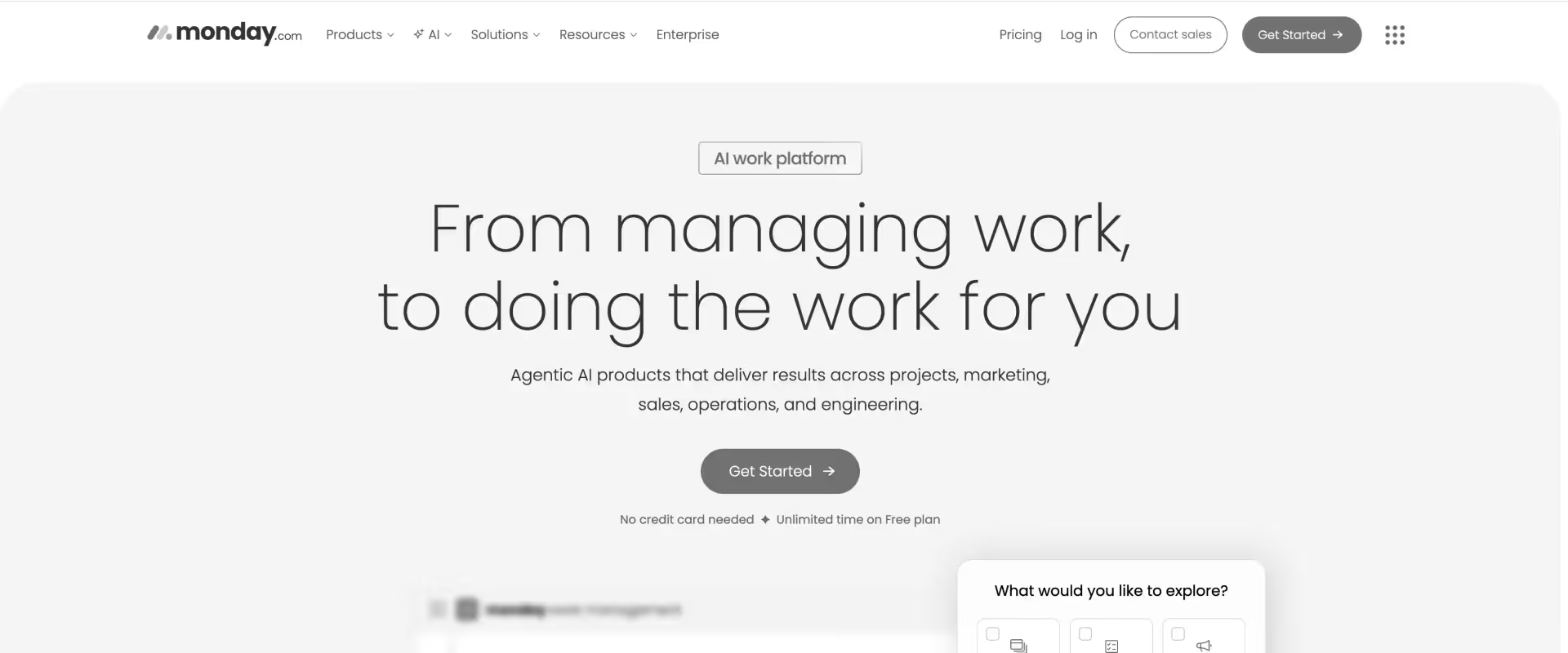
Monday.com is a flexible work management platform that brings structure and visibility to teams moving beyond simple coordination tools. Its board-based system, multiple project views, and no-code automation make it easy to track work, assign ownership, and standardize workflows across teams.
For organizations transitioning from Basecamp, Monday offers a clearer execution layer with dashboards and reporting, though it stops short of providing the resource planning, financial visibility, and delivery governance required for professional services operations.
Monday includes native time tracking through column-based tracking and automations.
However, it remains isolated from financial reporting, utilization, and billing workflows, limiting its usefulness for professional services delivery.
For teams moving from Basecamp, Monday provides a more organized way to manage projects, with clearer ownership, timelines, and status tracking.
WorkForms, integrations, and dashboards allow teams to bring work into a single system and track progress more systematically.
Monday’s CRM and service features add basic client management capabilities, though they remain limited compared to specialized delivery platforms.
The platform works well when teams need to coordinate across functions and move beyond chat and task lists into more structured project tracking.
As delivery grows in complexity, gaps emerge. Monday does not provide native support for resource planning, utilization tracking, or financial visibility. Client access is limited to guest roles, and reporting does not extend into project-level financials.
For professional services teams, Monday improves coordination over Basecamp, but stops short of offering a complete delivery management system.
Key features
- Visual planning views: Projects can be managed through board, timeline, Gantt, calendar, and map views, all configurable without technical setup.
- Built-in dashboards: Aggregated dashboards roll up data across boards, providing portfolio-level visibility into progress, workload, and timelines, without financial tracking.
- Automation and integrations: A no-code automation engine paired with 200+ integrations supports common workflows such as status changes, alerts, and task routing.
- Monday CRM: Includes a basic CRM layer for tracking customer relationships alongside project work, though it does not match the depth of dedicated CRM or PSA systems.
- Workdocs: Integrated documents linked to boards keep project-related content and execution in the same environment, reducing context switching.
- Monday AI: AI assistant that supports task creation, meeting summaries, and progress updates within workflows.
Pros and cons
Best for
- Teams outgrowing Basecamp’s chat-and-task model and needing structured project tracking
- Teams that prioritize an intuitive interface and fast onboarding over operational depth.
- Delivery teams that want clear ownership, timelines, and workflow visibility
- Organizations coordinating across multiple functions within a single workspace
- Teams that prioritize ease of use and fast onboarding over operational depth
Key takeaways
What customers say (G2 reviews)
Where it works well: Strong for cross-functional teams that need visual workflows and fast onboarding.
3. ClickUp
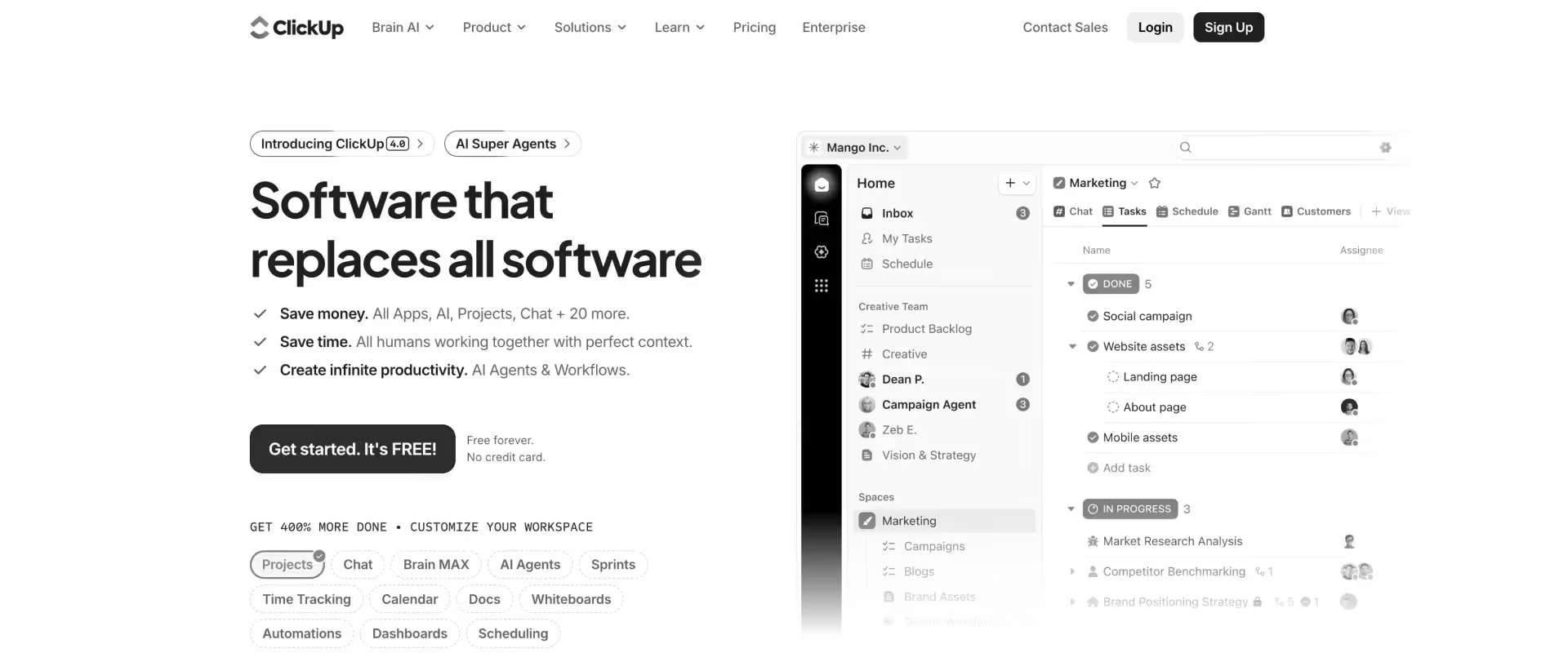
ClickUp is a highly configurable work management platform designed to consolidate tasks, documents, communication, and workflows into a single system.
It combines project management, knowledge management, and collaboration into one workspace, allowing teams to build custom operating models around their work.
Compared to Basecamp, which is built for lightweight coordination, ClickUp introduces a structured and extensible execution system.
ClickUp also integrates documentation, whiteboards, and communication directly into the platform, reducing the need for external tools. This creates a more unified workspace compared to Basecamp’s separation of conversations and tasks.
Automation in ClickUp is more advanced than Basecamp’s minimal capabilities, supporting multi-condition triggers and workflow orchestration.
AI capabilities, through ClickUp Brain, extend further by generating tasks, summarizing updates, and even enabling agent-like workflows that can act across the workspace. These features move beyond simple assistance, but still depend on how the system is configured.
ClickUp supports time tracking, custom cost fields, and dashboards, which can be configured to approximate financial tracking.
However, it does not provide a native financial model for margins, revenue, or utilization, requiring teams to design and maintain these workflows manually.
Key features
- Customizable workspace hierarchy: Spaces, folders, lists, and tasks allow teams to define how work is structured across projects and teams.
- Multi-view project management: Supports list, board, Gantt, calendar, timeline, and workload views on the same data.
- Time tracking and reporting: Native time tracking with estimates, timesheets, and reporting.
- Dashboards and analytics: Custom dashboards provide visibility across projects, teams, and post-sale metrics.
- Goal tracking and OKRs: Links execution to measurable outcomes and objectives.
- Extensive integrations ecosystem: Connects with external tools for development, communication, and data workflows.
- ClickUp Brain (AI layer): Supports task generation, summaries, knowledge retrieval, and agent-like workflows within the system.
Pros and cons
Best for
- Teams outgrowing Basecamp that need structured execution with dependencies, timelines, and workflows
- Organizations managing multiple projects where coordination alone is no longer sufficient
- Professional services teams willing to design and maintain their own delivery system
- Environments where consolidating tools into a single configurable platform is a priority
Key takeaways
What customers say (G2 reviews)
Where it works well: Highly flexible for teams willing to design and manage their own systems.
4. Asana
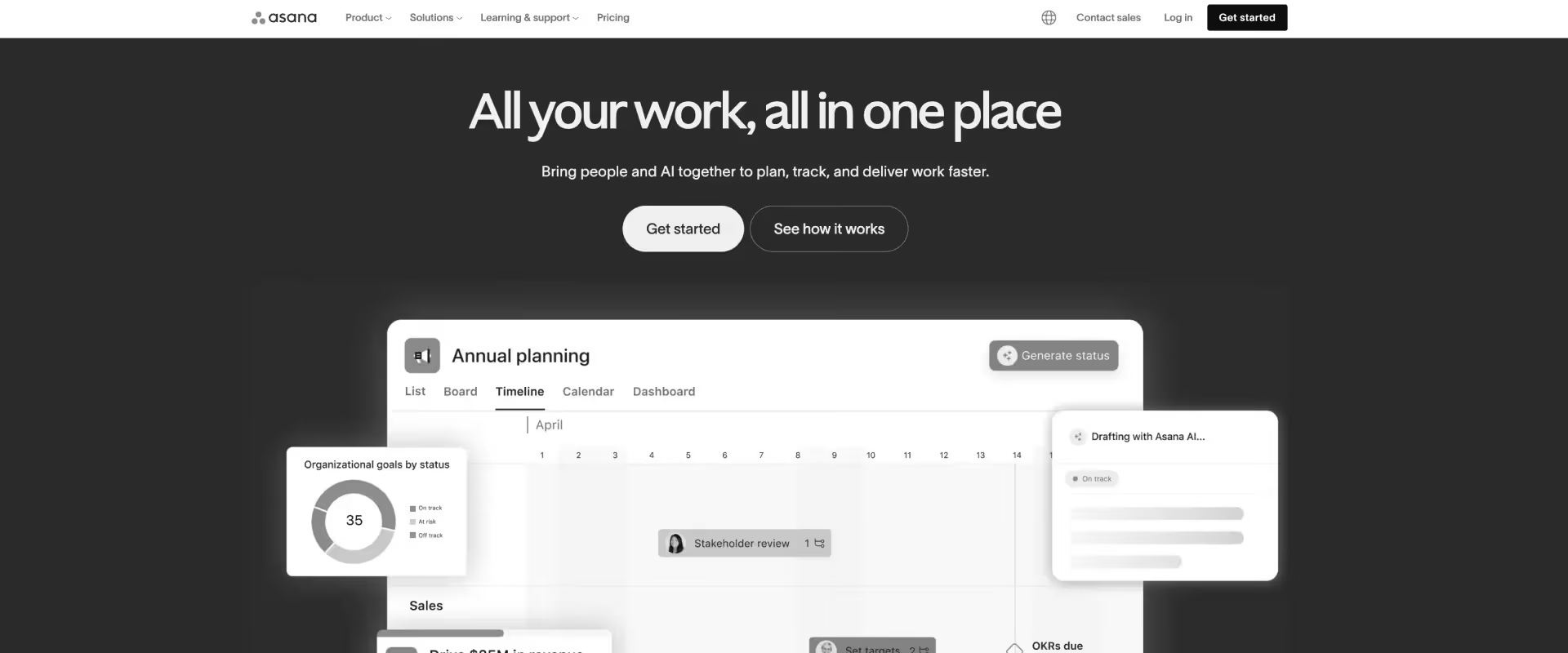
Asana is a structured work management platform centered on clear task ownership, defined workflows, and cross-team coordination.
With timeline views, portfolio tracking, goal alignment, and a mature rules engine, it suits professional services teams that need more operational rigor than basic task tools, without the complexity of building a fully custom system.
For teams transitioning from Basecamp, Asana provides stronger workflow structure and more cohesive reporting.
Features like Portfolio and Workload introduce multi-project visibility that is harder to achieve in a grid-based model. Built-in forms, approvals, and task dependencies support end-to-end delivery for engagements with moderately complex project structures.
Its strength lies in structured execution and alignment across teams. However, it does not include a native PSA layer.
Billing, margin tracking, and client-facing portals are absent. Teams responsible for utilization, revenue management, and external client governance will need additional systems to cover those areas.
Key features
- Structured task hierarchy and dependencies: Tasks, subtasks, and dependencies replace unstructured coordination with defined execution workflows.
- Planning and scheduling tools: Timeline and calendar views provide structured planning beyond Basecamp’s message-based coordination.
- Advanced workflow automation: Rule-based automation reduces manual coordination across tasks, updates, and similar repetitive work.
- Reporting and visibility: Dashboards centralize project and portfolio progress tracking without financial insight.
- Embedded collaboration layer: Communication is tied to tasks and execution rather than separate threads.
- Asana AI (assistive layer): AI supports content generation and summaries but does not act on delivery workflows.
Pros and cons
Best for
- Teams outgrowing Basecamp’s unstructured coordination model
- Organizations needing defined ownership, timelines, and accountability
- PMOs managing multiple concurrent projects with increasing complexity
- Teams transitioning from communication-led workflows to execution-led systems
Key takeaways
What customers say (G2 reviews)
Where it works well: Strong for structured task management and cross-team alignment without heavy configuration.
5. Notion
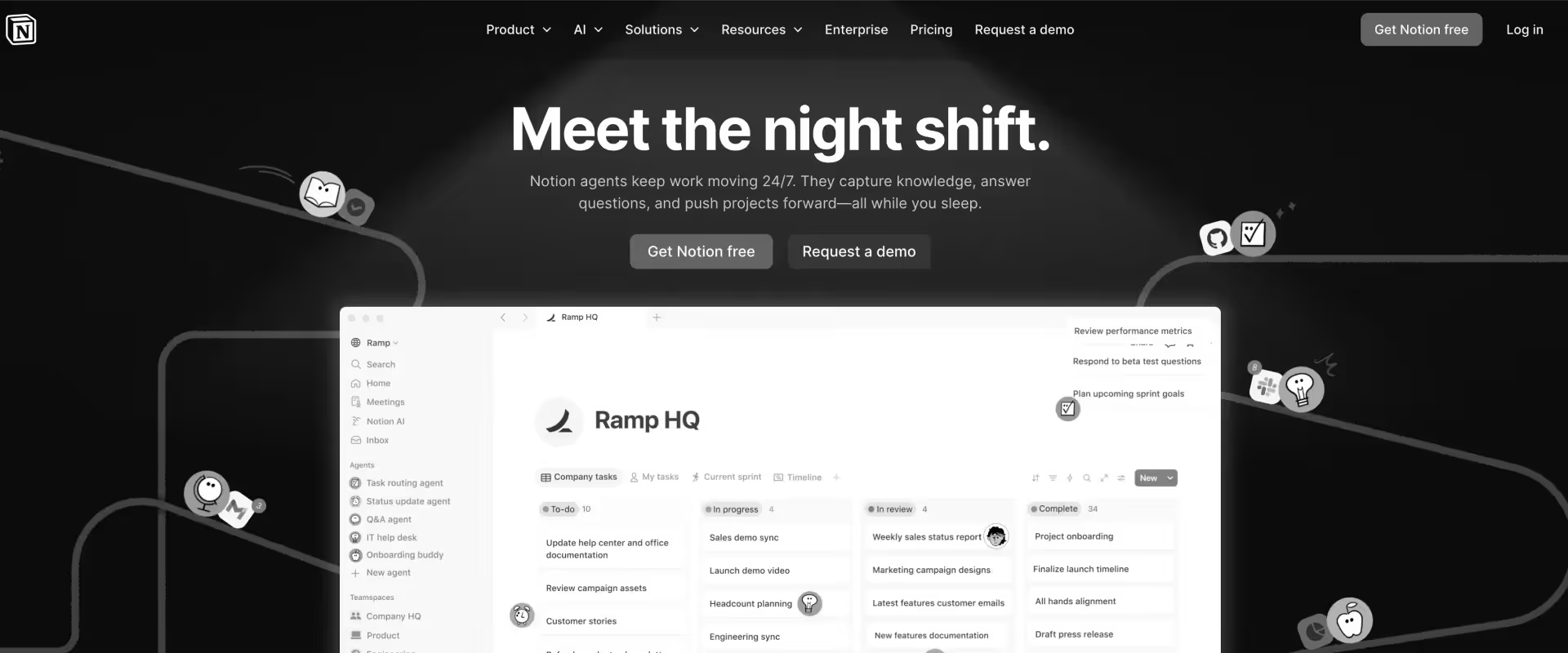
Notion is a modular workspace built around pages and relational databases, where documents, tasks, and projects exist within the same system. Work is modeled as structured information and document management rather than predefined tasks or workflows.
Compared to Basecamp, which organizes work through communication and to-do lists, Notion is ideal for teams that manage projects through a data-driven layer where tasks, projects, and knowledge can be connected. Instead of tracking work through conversations, teams define systems using databases, properties, and relationships.
Notion can create interconnected systems across projects and teams, but only if built intentionally. Without discipline, workflows fragment and reporting becomes inconsistent.
Automation in Notion is limited compared to dedicated tools. AI, through Notion AI, supports writing, summarization, and knowledge retrieval across the workspace.
For professional services teams, Notion works as a knowledge and coordination system. It can support delivery, but does not manage execution, resource planning, or financial alignment.
Key features
- Page and database-based system: Work is structured through pages and relational databases, enabling flexible modeling of projects, tasks, and knowledge.
- Custom workflows through database design: Teams define statuses, workflows, and structures manually using properties and views.
- Linked data and relationships: Projects, tasks, clients, and documentation can be connected within a unified system.
- Multiple views: Table, board, timeline, and calendar views allow different perspectives on the same data.
- Embedded documentation and knowledge base: Docs and wikis are native, enabling integration of knowledge with execution.
- Collaboration within pages: Comments, mentions, and inline editing support contextual collaboration.
- Templates and repeatability: Custom templates standardize project and workflow structures.
- Integrations ecosystem: Connects with external tools, though depth is limited.
- Limited automation capabilities: Native automation is minimal; advanced workflows require integrations.
- Notion AI (assistive layer): Supports writing, summarization, and knowledge retrieval within the workspace.
Pros and cons
Best for
- Teams moving beyond Basecamp that need more structure and visibility, but still value flexibility or manage creative projects
- Organizations prioritizing documentation, knowledge management, and contextual work tracking
- Early-stage teams where processes are evolving and not yet standardized
- Professional services teams using Notion as a supporting layer for knowledge and coordination, not execution
Key takeaways
What customers say (G2 reviews)
Where it works well: Excellent for documentation, knowledge management, and connected workspaces.
6. Trello
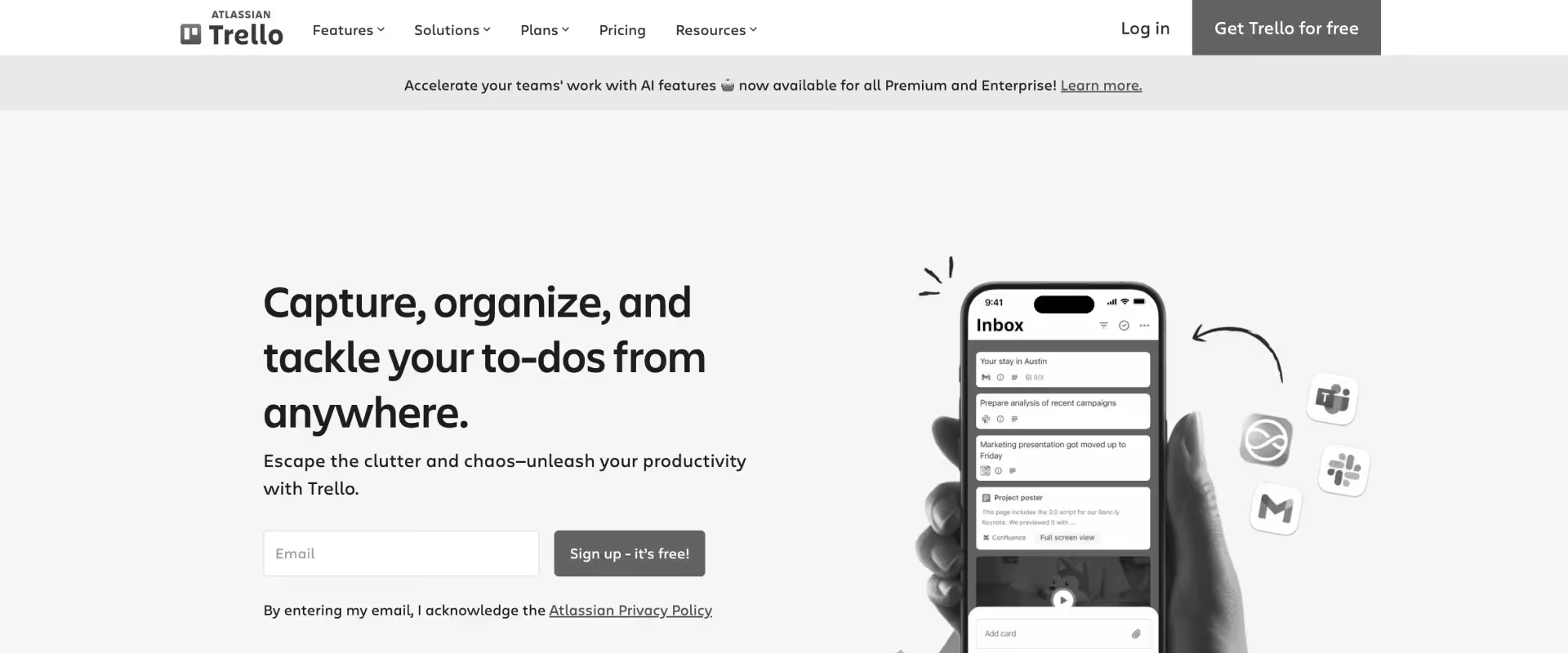
Trello is a lightweight project management software built around a Kanban-style board system, where work is organized into cards that move across lists representing stages of progress. It is designed for simplicity and visibility, allowing teams to track tasks without imposing heavy structure or process requirements.
At its core, Trello treats work as individual tasks moving through a workflow, rather than as part of a deeply structured system.
Cards can include checklists, attachments, due dates, and comments, making it easy to coordinate work at a task level.
The interface is intentionally minimal, which lowers adoption friction but also limits how much operational complexity the system can handle.
Trello extends its capabilities through “Power-Ups,” which add features like calendars, automations, and integrations. This allows teams to layer functionality as needed, though it often results in a fragmented setup compared to platforms with native capabilities.
Automation in Trello is handled through Butler, a rule-based system that supports trigger-action workflows such as moving cards, assigning members, or sending notifications. AI features are emerging through Atlassian’s ecosystem, but remain assistive and limited within Trello itself.
For professional services teams, Trello functions as a task tracking and coordination tool, not a delivery system.
It works well for simple workflows and small teams, but does not support structured execution, resource management, or financial tracking required for scaled delivery.
Key features
- Kanban board system: Work is organized into boards, lists, and cards, enabling visual tracking of tasks across workflow stages.
- Customizable lists and workflows: Teams define their own workflow stages by creating and organizing lists within boards.
- Butler automation: Rule-based automation engine that supports triggers, conditions, and actions for task updates and workflow movement.
- Collaboration and communication: Comments, mentions, and activity logs keep communication tied to specific tasks.
- Templates and repeatable boards: Pre-built templates enable teams to standardize common workflows.
- AI (ecosystem-driven): Limited native AI; capabilities are emerging through Atlassian integrations rather than embedded execution features.
Pros and cons
Best for
- Teams wanting slightly more structure than Basecamp without added complexity
- Small teams managing straightforward workflows
- Environments where visual tracking is sufficient
- Teams not requiring reporting, financial tracking, or resource management
Key takeaways
What customers say (G2 reviews)
Where it works well: Ideal for simple workflows and teams prioritizing ease of use.
7. Jira
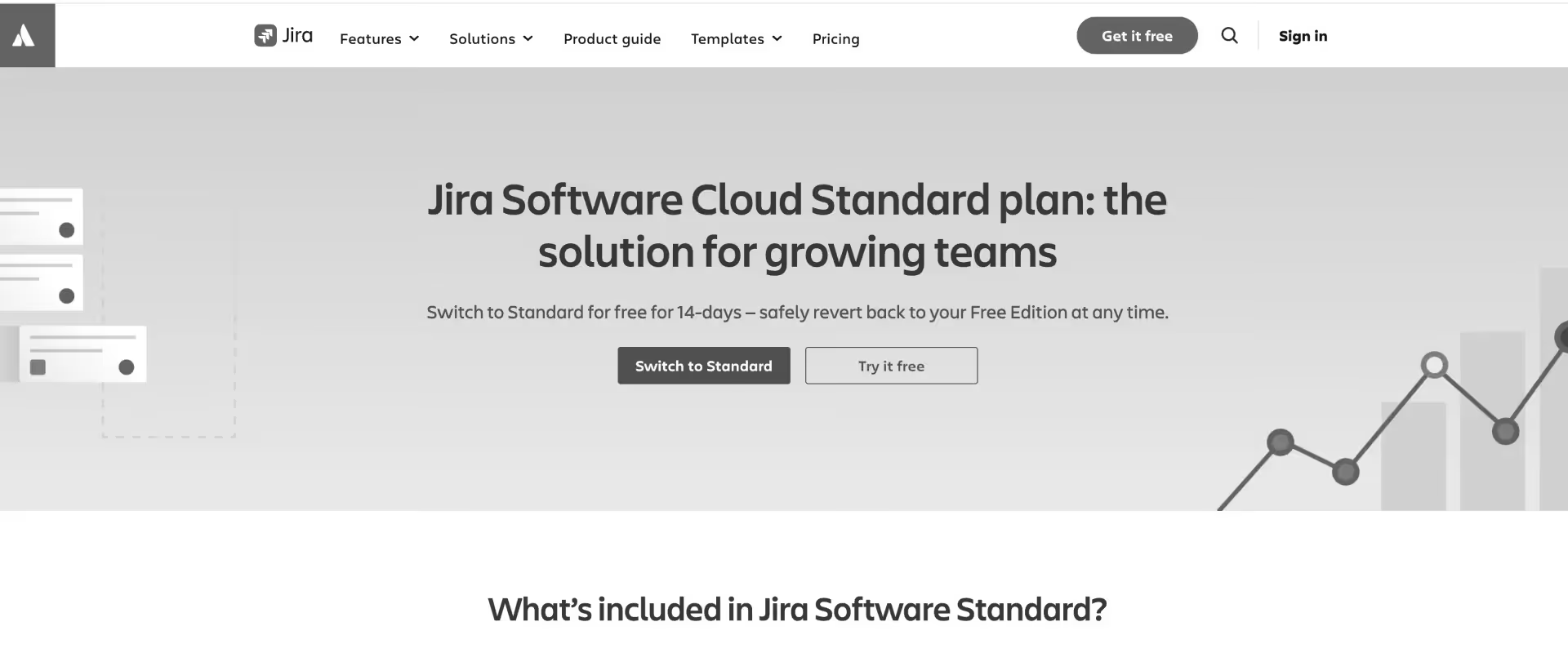
Jira is a work management platform developed by Atlassian, originally designed for software development and issue tracking, and now extended into broader project management use cases.
At its core, Jira is built around ticket-based workflows, where every unit of work is tracked as an issue that moves through a defined lifecycle.
The system is structured and opinionated. Workflows are configured through statuses, transitions, and rules, allowing teams to enforce how work progresses rather than simply track it.
This makes Jira particularly effective in environments that require process control, traceability, and auditability, such as engineering, product development, and regulated operations.
Jira supports both Agile and traditional project management methodologies. Scrum and Kanban boards are native, with features like backlogs, sprint-based project planning, story points, and velocity tracking. This makes it well-suited for iterative development cycles, where work needs to be continuously prioritized and delivered.
As complexity increases, Jira scales through workflow standardization and system configuration. Teams can define custom issue types, automate transitions, and build layered reporting through dashboards and integrations.
However, this flexibility comes with overhead. Configuration requires deliberate setup, and maintaining consistency across teams can be challenging without governance.
AI capabilities are emerging through Atlassian Intelligence, which supports summarization, issue generation, and insights. These features enhance productivity but remain assistive rather than execution-driven.
For professional services teams, Jira can support structured execution and tracking, particularly in technical or implementation-heavy environments.
However, it is not designed as a delivery system. It lacks native capabilities for resource planning, financial tracking, client collaboration, and revenue alignment, and typically requires additional tools to operate as part of a broader delivery stack.
Key features
- Issue tracking system: Replaces simple task lists with structured issue tracking for bugs, features, and tasks.
- Agile boards and workflows: Supports Scrum and Kanban with backlog management and sprint execution.
- Custom workflow engine: Enables detailed process control with configurable states and transitions.
- Reporting and analytics: Provides engineering metrics such as sprint progress and team velocity.
- Integration ecosystem: Connects with development tools and Atlassian products for end-to-end workflows.
- Automation rules: Automates issue transitions and updates based on triggers.
Pros and cons
Best for
- Teams moving from Basecamp to structured engineering workflows
- Organizations managing complex product or development delivery
- PMOs requiring detailed tracking of tasks, bugs, and workflows
- Technical teams needing more than communication and coordination
Key takeaways
What customers say (G2 reviews)
Where it works well: Best suited for engineering teams running structured agile workflows.
8. Teamwork
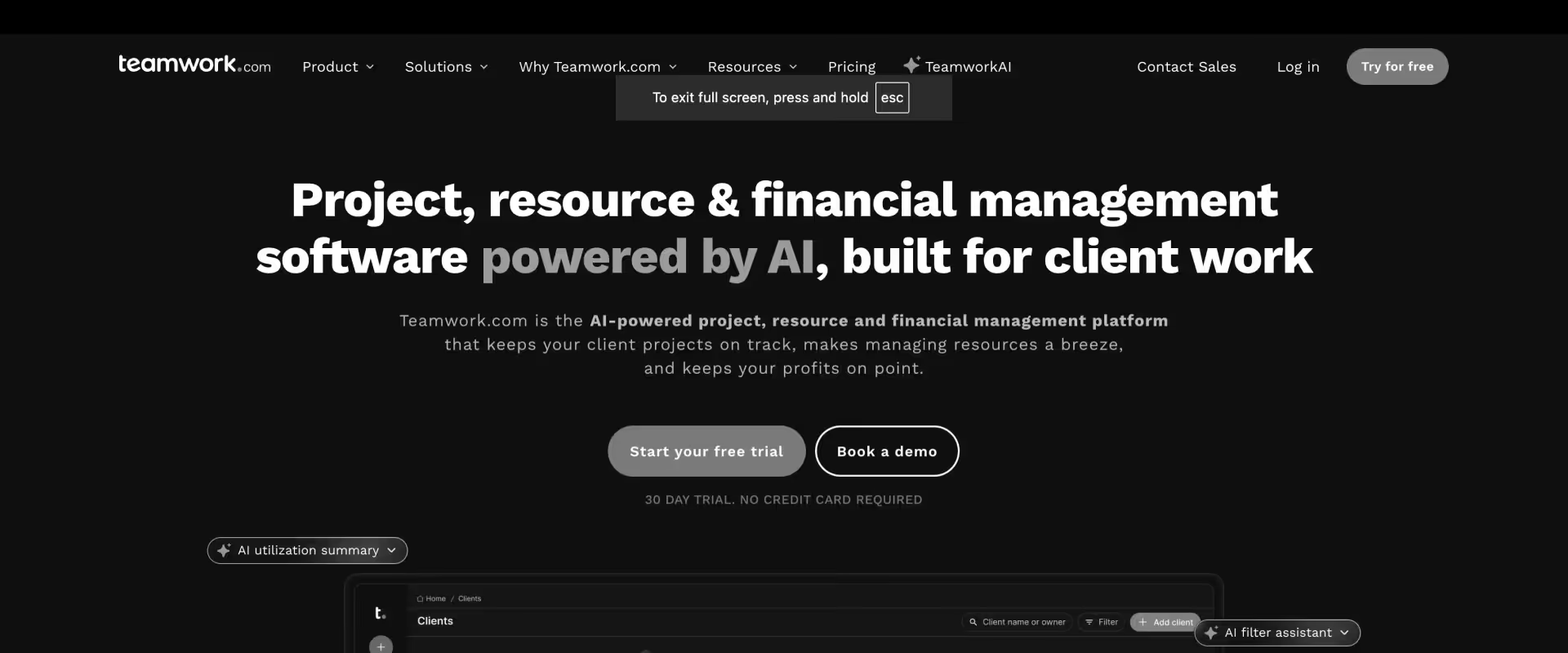
Teamwork is a project management software built specifically for client-facing delivery teams, including agencies, consultants, and implementation groups. It combines project planning, time tracking, billing, and resource management into a single system, with the assumption that work is tied to clients, timelines, and revenue outcomes.
Unlike general-purpose tools, Teamwork embeds these relationships directly into its model. Projects are linked to clients. Tasks roll up into milestones. Time logged against work feeds into budgets and billing. This creates a system where execution is continuously tied to cost and delivery or team performance.
Teamwork replaces this with a delivery-aware system. Work is explicitly defined, sequenced, and measured. A task is not just something to complete; it carries time estimates, cross-project dependencies, and financial implications. A project is not just a shared space; it reflects progress against timelines, effort, and budget.
Teamwork has workload views tied to time estimates and tracked effort, allowing teams to understand how work translates into capacity and availability.
Automation in Teamwork is rule-based and tied to workflows rather than communication. AI capabilities, through TeamworkAI, assist with summaries, task suggestions, and forecasting inputs. These features support execution but do not operate as an execution layer.
For professional services teams, Teamwork represents a move from coordination to operational delivery. It connects execution with time, budgets, and client context. However, it still does not fully unify utilization optimization, margin control, and delivery governance into a single system.
Key features
- Client-centric project structure: Projects are explicitly tied to clients, aligning work with delivery outcomes rather than internal coordination.
- Integrated time tracking and billing: Time logged against tasks feeds directly into budgets, invoicing, and cost tracking.
- Task and dependency management: Tasks support sequencing, milestones, priorities, and structured execution rather than simple to-do tracking.
- Resource and workload management: Capacity and workload views reflect team allocation based on planned and actual effort.
- Budgeting and profitability tracking: Tracks billable vs non-billable time and project-level profitability within the same system.
- Project templates and repeatability: Standardizes delivery across clients through reusable project structures for recurring tasks
- Teamwork AI (assistive layer): Supports summaries, task suggestions, and forecasting inputs without managing workflows.
Pros and cons
Best for
- Professional services teams that need to move from coordination to measurable delivery, where work must be tracked against time, budgets, and client outcomes
- Agencies and consulting teams managing multiple client-facing projects with billable work and deadlines
- Organizations outgrowing Basecamp where communication is no longer sufficient to manage delivery complexity
- Teams willing to adopt structured processes in exchange for visibility into performance, capacity, and profitability
Key takeaways
What customers say (G2 reviews)
Where it works well: Strong fit for agencies needing integrated time tracking and client billing.
9. Wrike
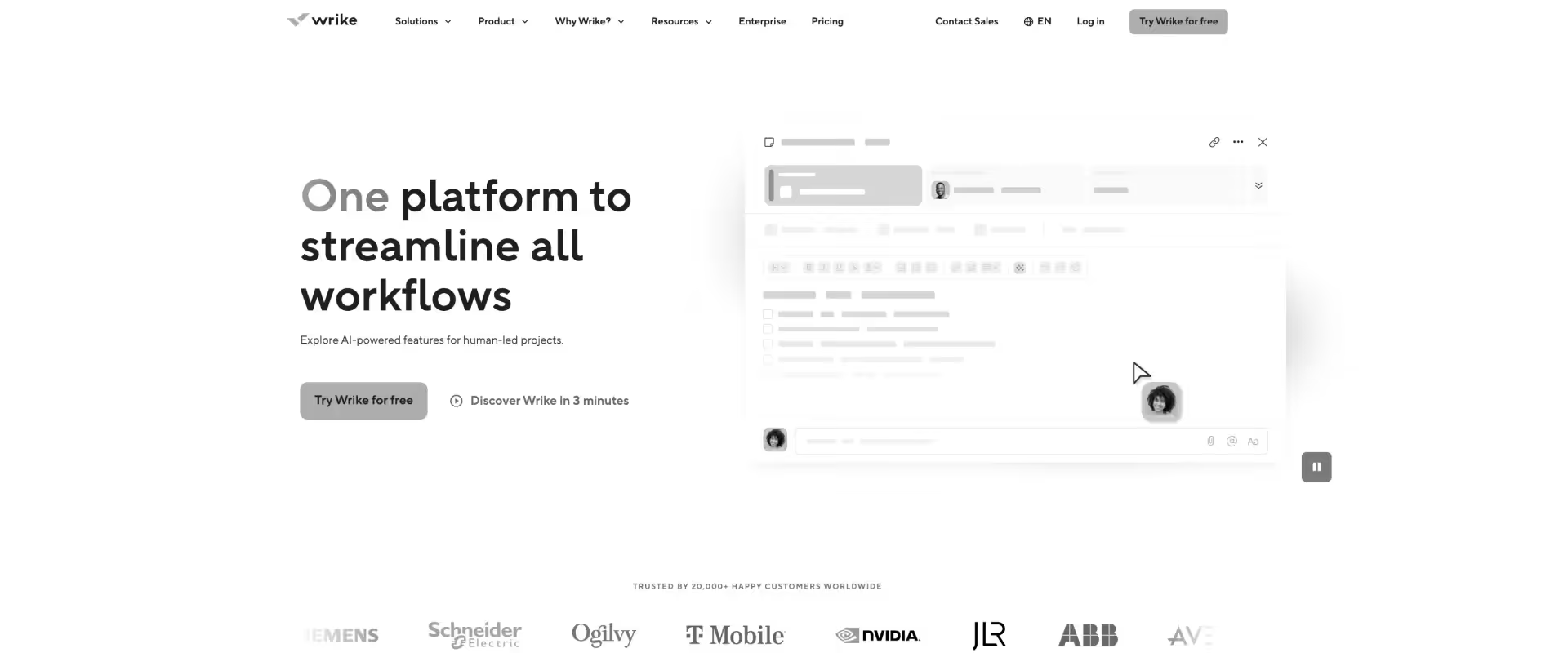
Wrike is a work management platform developed by Wrike, designed to help teams plan, execute, and monitor work across many projects, multiple departments, and diverse portfolios.
It combines task management, workflow configuration, resource visibility, and reporting into a single system, with an emphasis on structured execution and operational control.
At its core, Wrike operates as a governed workflow system. Work is organized through a hierarchy of spaces, folders, projects, and tasks, with configurable workflows defining how tasks move through different stages. This allows teams to standardize execution, enforce approvals, and maintain consistency across projects.
Wrike is particularly suited for environments where process discipline and visibility matter, such as marketing operations, PMOs, and cross-functional delivery teams. It provides advanced reporting and dashboard capabilities, enabling teams to track progress, identify bottlenecks, and manage multiple projects simultaneously.
Wrike includes time tracking, budgeting, and cost tracking, particularly in its higher-tier and professional services offerings. However, these capabilities are not unified into a single PSA layer, and often require configuration or add-ons to support end-to-end delivery operations.
Key features
- Structured work hierarchy: Spaces, folders, projects, and tasks create a consistent organizational model across teams.
- Customizable workflows and approvals: Define task statuses, transitions, and approval stages to enforce process consistency.
- Multi-view planning: List, board, Gantt, and calendar views provide different perspectives on the same work.
- Resource and workload management: Visibility into team capacity and allocation across projects.
- Time tracking and effort logging: Track time spent on tasks for reporting and operational visibility.
- Dashboards and advanced capabilities for reporting: Custom dashboards aggregate data across projects for portfolio-level insights.
- Wrike AI: Supports summaries, recommendations, and content generation within workflows.
Pros and cons
Best for
- PMOs and operations teams managing multiple concurrent projects with a need for governance and reporting
- Mid-market to enterprise organizations requiring standardized workflows across teams
- Teams transitioning from lightweight tools to a more structured execution system
- Professional services teams that need visibility and control over delivery workflows, but can manage financials separately
Key takeaways
What customers say (G2 reviews)
Where it works well: Strong for teams needing structured interconnected workflows, governance, and enterprise reporting.
10. Smartsheet
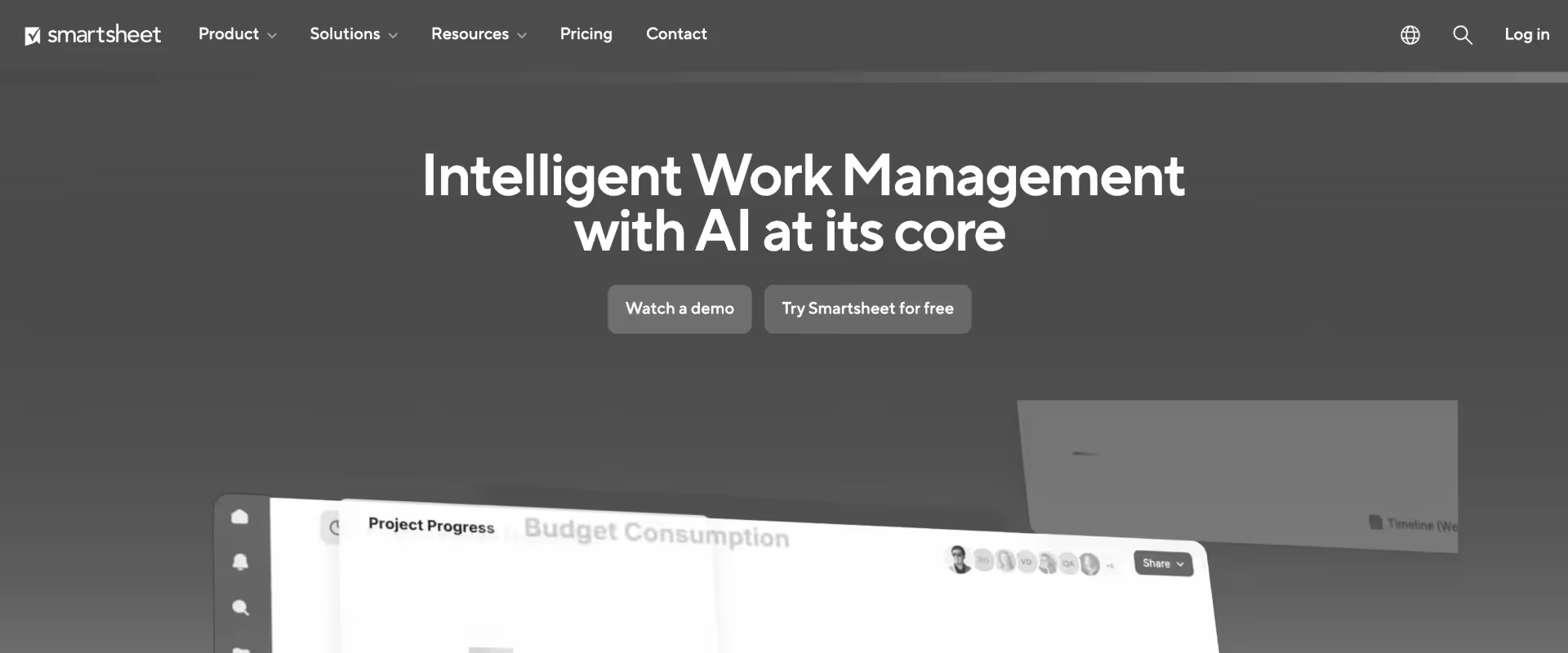
Smartsheet is a work management platform that combines the familiarity of spreadsheets with project management, automation, and collaboration features. Teams use it to plan projects, track work, build dashboards, and automate workflows across functions, especially in operations-heavy and enterprise environments.
In Basecamp, work exists as conversations and task lists. In Smartsheet, work exists as structured data with dependencies, formulas, and reporting layers. This introduces visibility and control but also requires active system management.
Teams moving from Basecamp often underestimate the effort required to design and maintain Smartsheet systems. Each workflow, dependency, and report must be explicitly modeled.
For professional services, Smartsheet introduces structure but does not provide a unified execution layer.
Key features
- Spreadsheet-based project and task modeling: All work is represented as structured data, enabling consistent tracking across tasks, projects, and portfolios, but requiring explicit system design.
- Dependency and scheduling logic: Tasks can be linked through predecessors and durations, allowing timeline calculations, though these must be configured and maintained manually.
- Cross-sheet architecture: Multiple sheets can be linked together to represent different layers such as project plans, resource tracking, and portfolio rollups, creating a system rather than a single workspace.
- Automation and approval workflows: Rule-based automation triggers actions based on data changes, supporting approvals, notifications, and status updates without manual data entry or intervention.
- Dashboards and portfolio reporting: Custom dashboards aggregate data across sheets, enabling visibility into project status, KPIs, and timelines at a portfolio level.
- Resource and cost tracking (field-level): Supports allocation and budget fields within sheets, but does not enforce real-time utilization or financial workflows across projects.
- AI capabilities (analytical support): Assists with summarization, formula suggestions, and data insights, but does not operate within workflows or manage delivery execution.
Pros and cons
Best for
- Teams moving beyond Basecamp that need structured tracking and reporting across multiple projects, not just coordination
- PMOs that require portfolio-level visibility and are willing to build and maintain underlying data models
- Organizations with spreadsheet-native thinking, where teams are comfortable defining workflows through data rather than interfaces
- Environments where auditability, reporting, and consistency matter more than real-time execution control
Key takeaways
What customers say (G2 reviews)
Where it works well: Effective for teams comfortable managing work through spreadsheet-driven systems.
Basecamp vs. commonly compared project management software
When teams evaluate Basecamp alternatives, these comparisons come up most often. Each reflects a different intent: gaining more structure, adding delivery visibility, or moving to a platform that covers more of the project lifecycle without additional tools.
Basecamp vs. Monday.com
Basecamp and Monday.com both prioritize simplicity and team collaboration, but they are built around different philosophies.
Monday.com is built around customizable boards that teams can configure to represent almost any workflow. Teams moving from Basecamp to Monday.com typically want more visual flexibility, cross-project dashboards, and automation without rebuilding the way teams collaborate from scratch.
Monday.com excels at visualizing project status with colorful dashboards and automating workflows.
Key insight: Monday.com is worth evaluating when the primary problem is workflow visibility and flexibility. It does not solve time tracking, financial management, or client portal needs natively.
Basecamp vs. ClickUp
ClickUp is one of the most feature-dense platforms in this comparison. Where Basecamp deliberately limits its feature set to reduce complexity, ClickUp takes the opposite approach, offering custom views, automation, time tracking, goal tracking, and extensive integrations.
Teams moving from Basecamp to ClickUp typically want more control over how they structure and track work.
Key insight: ClickUp suits teams that have outgrown Basecamp's simplicity and want maximum configurability. The depth is real but so is the setup cost.
Basecamp vs. Asana
Asana sits between Basecamp and ClickUp in terms of complexity. It is more structured than Basecamp, with task dependencies, timeline views, portfolio tracking, and goal management, but it avoids the configuration overhead that comes with ClickUp.
Teams moving from Basecamp to Asana typically want clearer task sequencing, better reporting, and more accountability across projects without rebuilding how they work.
Key insight: Asana is ideal for structured workflows, allowing teams to visualize tasks through timelines, lists, and Kanban boards. It does not address time tracking, financial visibility, or client-facing delivery natively.
Basecamp vs. Notion
Notion is a knowledge management and documentation workspace that many teams use alongside a project tool. Teams that compare it to Basecamp are usually looking to consolidate messaging, documentation, and task tracking into fewer tools.
Notion's documentation layer is significantly stronger than Basecamp's, and its database and page structure gives teams more flexibility for organizing information.
Where Notion falls short relative to Basecamp is in structured project management: task assignment, due dates, and project-level collaboration require more configuration to work cleanly.
Key insight: Notion is a strong alternative if the primary Basecamp use case is documentation and knowledge sharing. For teams that rely on Basecamp's project and task structure, Notion requires more setup to replicate that.
Basecamp vs. Trello
Trello and Basecamp serve similar audiences: small teams that want simple, low-friction project coordination. Trello is Kanban-first, built around boards, lists, and cards.
Basecamp is communication-first, built around message boards, to-dos, and file storage. Teams choosing between the two are typically deciding whether they want visual task management or centralized team communication as their primary organizing layer.
Trello is faster to pick up for visual thinkers. Basecamp is better for teams that communicate heavily within projects.
Key insight: For small teams with simple workflows, either tool works. Trello is the stronger choice when visual task tracking is the priority. Neither scales well into complex delivery.
Basecamp vs. Jira
Jira is purpose-built for software development teams running agile workflows. Basecamp is built for general team collaboration without any engineering-specific tooling.
Teams comparing the two are usually in technical environments where Basecamp has been used informally alongside development work and the team wants to consolidate into a single tool. Jira handles sprint planning, backlog management, and issue tracking well.
Outside of engineering contexts, it requires significant configuration and has a steep learning curve for non-technical users.
Key insight: Jira is the right choice when the team is primarily engineering-focused and needs agile tooling. For general project and communication needs, Basecamp remains simpler to adopt and maintain.
Basecamp vs. Rocketlane
This is the comparison with the largest functional gap. Basecamp is a communication and collaboration tool with light/essential task management. Rocketlane is a PSA platform built for customer-facing professional services delivery. They serve fundamentally different operational needs.
Teams making this switch are typically moving because Basecamp cannot support the delivery visibility, financial tracking, and client collaboration requirements that come with growing services operations.
Rocketlane covers the full PS lifecycle — from resource planning and project delivery through invoicing and handoff — with agentic AI embedded across each stage.
Key insight:: if your team has outgrown Basecamp and needs a platform built for billable delivery, Rocketlane closes every gap Basecamp leaves open.
Common mistakes to avoid while evaluating Basecamp alternatives
How to choose the right Basecamp alternative for your PS team

Step 1: Answer: Are you trying to manage projects better, or run delivery differently?
Basecamp is a coordination tool. If the primary frustration is that communication is scattered, files are hard to find, or the team lacks a central place to track what is happening, several tools in this guide solve that cleanly.
Monday.com, Notion, and ClickUp all offer a significantly better coordination experience than Basecamp without requiring a major operational shift.
If the problem runs deeper, specifically if the team cannot answer questions about utilization, margin, or client project status without assembling data manually, that is a delivery operations problem. A better coordination tool does not solve it. A purpose-built PSA does.
Getting this distinction right before the evaluation begins saves weeks of demo time and prevents the team from landing on a tool that solves the surface problem and leaves the underlying one untouched.
Step 2: Map what Basecamp is not doing that costs the team time
Before looking at alternatives, spend thirty minutes answering these questions honestly.
How does the team track billable hours today? If the answer involves a separate tool, a spreadsheet, or end-of-week memory exercises, time tracking is a gap.
How does leadership find out about project-level profitability? If the answer involves pulling from multiple systems or waiting for a post-mortem, financial visibility is a gap.
How do clients find out where their project stands? If the answer involves a manually built status deck or a weekly email, client transparency is a gap.
How does the team know who has capacity to take on a new engagement? If the answer involves a Slack thread or a spreadsheet someone maintains separately, resource management is a gap.
Each gap maps to a category of tool. Teams with one or two gaps can often close them with a focused upgrade. Teams with all four gaps are in PSA territory, and the evaluation should be framed accordingly.
Step 3: Ask the three questions that separate PSA platforms from project management tools
These three questions cut through feature comparisons and get to what actually matters for PS delivery.
Can the team see project-level profitability in real time, without an Excel export?
Can a client see their project status, milestones, and open action items without sending an email?
Can a PS leader answer what utilization looks like across the team this quarter in under 60 seconds?
If the answer to any of these is no in the tools being evaluated, those tools are coordination platforms, not delivery systems. The evaluation criteria should reflect that distinction.
Step 4: Pressure-test adoption before committing
Basecamp's appeal has always been simplicity. Teams adopt it quickly because it asks very little of them. The risk when switching to a more capable platform is that complexity increases and adoption drops, leaving the team with a more expensive version of the same problem.
Before committing to any alternative, run a structured pilot with one active project.
Not a sandbox test with dummy data. A real project, a real client, and the full delivery workflow: project setup from a template, time logging, client portal access, resource allocation, and financial reporting. Run it for four to six weeks and measure whether the team is actually using the platform or working around it.
The pilot also reveals what training is needed, which integrations have gaps, and whether the template structure matches how engagements actually run. Discovering those things on a pilot project costs a conversation. Discovering them after a full rollout costs a client relationship.
Step 5: Build the real cost comparison before deciding
Basecamp's pricing is simple and predictable. The natural comparison is license cost against license cost, which almost always makes purpose-built platforms look expensive.
The accurate comparison includes the full current stack: Basecamp, a time tracker, a resource spreadsheet, a billing tool, and the hours the team spends each week connecting them manually. For most PS teams, that combined cost is significantly higher than it appears on any single invoice, and the coordination overhead compounds as the team grows.
Build the comparison on total cost of ownership over 18 months, including tools, integrations, and the admin time the current stack requires. That number usually changes the evaluation considerably.
Step 6: Evaluate for 12-18 months out, not for today
The team that needs a Basecamp alternative today is typically at an inflection point. Project volume is increasing, client expectations are rising, and leadership is asking for reporting the current stack cannot produce.
Choosing a tool that solves today's problem without enough depth to handle where delivery is heading in 18 months means running this evaluation again sooner than the team wants to.
Map the alternatives against where the organization is going: headcount, project volume, client tier, and advanced reporting requirements.
The right platform is not the one that fits the team today. It is the one that can still carry the weight of delivery in 18 months without requiring another switch.
Why Rocketlane is the #1 Basecamp alternative for PS teams

For PS teams that have outgrown Basecamp, here is what the switch means in practice.
Time tracking connected to billing and margin
Rocketlane has native time tracking built into the delivery workflow, not as an add-on. Time entries connect directly to project budgets, billing rates, and financial reporting.
Billable hours flow into invoicing. Budget burn updates in real time as time is logged. Project-level margin is visible throughout delivery, not assembled in a spreadsheet after the project closes.
Resource management tied to financial outcomes
Rocketlane tracks billable utilization by person, role, and project, connected to cost rates and revenue data. Capacity forecasting is tied to the pipeline, so staffing decisions connect to financial outcomes before a project is confirmed.
Availability, workload, and bench visibility are accessible across the full portfolio in real time. The question of who can start a new engagement next week gets answered in the platform, not across three Slack threads.
A client portal built for PS delivery standards
Rocketlane's branded client portal gives customers real-time visibility into milestones, tasks, documents, and open action items.
Clients access it under their own role-based permissions, see what is relevant to their stage of the engagement, and act on what needs their input directly inside the platform. Status emails stop. Manually built decks stop.
The client relationship shifts from reactive communication to shared accountability inside a structured delivery experience.
Portfolio visibility and delivery reporting
PS leaders can see the full portfolio across projects, resources, and financials in one view. Delivery health, margin risk, utilization trends, and revenue forecasting are accessible from live data, not compiled before each leadership meeting. The questions that used to require a preparation cycle get answered on demand.
Custom workflows and governance that run inside delivery
Phase gates, milestone sign-offs, documentation requirements, and billing rules are enforced inside the workflow. Delivery does not depend on PMs following a checklist. Conditional templates adapt to project type and client tier at the point of creation. Standards are maintained at scale without manual oversight.
Did you know?
PS teams on Rocketlane have cut implementation timelines by 50% and accelerated project delivery by 15% — outcomes that come from running delivery on infrastructure designed for it, not from adding more tools to a coordination platform.
Source: Rocketlane internal data
Nitro AI: Rocketlane's agentic AI system, built natively for PS
The time PS teams lose is rarely in the work that requires their expertise. It is in the coordination and preparation that surrounds each stage of delivery.
Status updates that need to be assembled. Timesheets that need to be chased. Documentation that needs to be written after the fact.
Risk reviews that happen after the risk has already landed. Nitro is built to carry that operational layer so the team does not have to.
Nitro is not a copilot. It does not suggest next steps or summarize what happened last week. It is a set of purpose-built AI agents, each owning a category of operational work, embedded inside the delivery system and running continuously as projects move forward. The agents act on live data. They do not wait to be asked.
Before the work begins: preparation that builds on itself
What the agents do
- Migration Agents read every prior migration on the same data path and extract the field mappings, transformation logic, validation rules, and edge case handling that the team worked out previously.
- Documentation Agents join the engagement from the first discovery call. They read call transcripts, emails, and early task activity, and begin generating structured scoping documents and BRDs in real time. Every artifact is traceable to the source interaction it came from and updates as scope evolves, rather than requiring a separate documentation effort at the close of each phase.
What this means for delivery
- Each migration inherits field mappings, transformation rules, and edge case handling from prior migrations on the same path
- Every engagement builds on the last rather than starting from scratch
- Documentation is generated from real interactions, traceable to source, and kept current as scope evolves
- Implementation teams start ahead of schedule rather than rebuilding context from the first email
While delivery is running: standards that enforce themselves
What the agents do
- The Project Governance Agent reads phase completion criteria continuously and enforces delivery sequencing as work moves through stages. Phases cannot advance before prerequisites are met. Projects cannot close with outstanding invoices or open tasks. Standards apply consistently regardless of who manages the project or which region they operate in.
- The AI Governance Agent monitors time entries at the point of submission and applies billing rules and time-entry policies before violations reach approval cycles or billing runs. Issues are caught when they are small, before they appear in a billing dispute, an escalation call, or a project audit.
- The Workforce Agent operates at the planning layer, converting SOWs into execution-ready project plans and mapping scope to resources and timelines without manual interpretation. As projects evolve, it supports reallocation and backfill decisions using live capacity and skills data.
- Nitro Signals monitors emails, meeting transcripts, and project activity patterns continuously across every active account. It identifies delivery drift, disengagement, churn risk, and expansion potential, and surfaces each signal with the specific interaction where the pattern appeared. It is configurable to the signals that matter in a given delivery model and account portfolio.
What this means for delivery
- Time-entry violations caught at submission, not during month-end reconciliation
- Project phases enforced against real completion criteria, not self-reported status
- Governance applies consistently across every project manager and every region
- Staffing decisions supported by live capacity and skills data rather than calendar checks and Slack threads
- Risk signals surface with source and context while there is still time to act, not in the post-mortem
- Every signal includes the exact call or email where the pattern appeared
At every review point: answers that do not require preparation
What the agent does
The Nitro Analyst connects to live data across projects, resources, and financials and answers questions in plain language. Ask about margin, utilization, delivery risk, or revenue trend and the answer comes back with root cause visible alongside the number.
The analysis can be followed wherever it leads, from the summary metric down to the specific projects and resource decisions behind it. Recurring analyses are saved once and run automatically each cycle. Follow-up questions are answered in the room.
What this means for delivery
- Operational questions answered from live data, in the room, without preparation
- Root cause visible alongside every metric, not in a separate report
- Recurring analyses automated after the first run
- Leadership walks into every review already knowing rather than waiting for a deck that someone spent two hours building
After the project ends: knowledge that stays in the system
What the agents do
Documentation Agents generate handoff documents from the full project record: calls, emails, task updates, and key decisions, all traceable to source and kept current through the final stages of delivery. Every statement in the handoff document traces back to a real interaction. Incoming teams can query the document directly rather than relying on a knowledge transfer call for future projects.
What this means for delivery
- Every statement in the handoff document traces back to a source interaction
- Incoming teams can query the document directly rather than scheduling a debrief
- Institutional knowledge stops leaving with the consultant
- Delivery quality stops depending on individual memory or who was on the account
- Every completed project makes the next one faster because the system retains what was learned
How to migrate from Basecamp to a purpose-built alternative like Rocketlane

Migrating from Basecamp is structurally simpler than migrating from a more complex PSA because Basecamp holds relatively little structured data.
The challenge is not the migration itself. It is the transition from a coordination tool to a delivery system, and making sure the team actually runs on the new platform rather than reverting to familiar habits within the first month.
Step 1: Export and audit what you actually have
Basecamp allows a full data export in a browsable HTML format that includes projects, to-do lists, messages, files, and schedules. Run the export before anything else and audit what is there.
Most teams discover that Basecamp holds less structured data than expected. Tasks exist but have no dependencies, no time logged, and no financial data attached. Files are organized by project but have no version history or traceability. Client communication exists as message threads but has no audit trail.
That audit shapes what needs to be migrated and what is better rebuilt in the new system from a clean starting point.
Step 2: Decide what to migrate and what to leave behind
Not everything in Basecamp is worth migrating. Active projects with open tasks, ongoing client communication history, and documents that are referenced regularly are worth bringing across. Completed projects, archived threads, and files that nobody has opened in six months are better left in the Basecamp export as a read-only archive.
The cleaner the migration scope, the faster the go-live and the higher the adoption on the other side. Teams that try to migrate everything typically spend twice as long on the migration and launch into a new system cluttered with data that nobody uses.
Step 3: Rebuild your delivery model for complex workflows, not just your task lists
This is where most migrations go wrong. Teams move their Basecamp to-do lists into the new tool and call it done. What they have built is Basecamp with a different interface.
A migration to Rocketlane is an opportunity to build a delivery model: project templates that reflect how engagements actually run, phase structures that match your delivery stages, resource roles tied to billing rates, and client access configured for the transparency level each engagement requires.
Rocketlane's conditional templates and phase-gate structures are the starting point for this, not an afterthought.
Involve the senior PMs and delivery leads in this step. The people who know where the current process breaks are the ones who should design the replacement.
Step 4: Set up integrations before the first live project
Rocketlane connects to Salesforce, HubSpot, Slack, Jira, NetSuite, and a range of other tools your team likely already uses. Map every integration before the first project goes live so that data flows correctly from the start rather than being patched in after problems surface.
Pay particular attention to the CRM handoff. The point at which a deal closes and a project is created is where data quality issues typically begin. Getting that handoff clean before go-live protects the integrity of everything downstream: resource allocation, financial forecasting, and client portal data.
Step 5: Run a pilot with one live project before full rollout
Pick one active project that represents a typical engagement and run it end to end in Rocketlane before rolling out to the full team. This is not a test environment exercise. It is a real project with a real client, run through the full delivery workflow including time tracking, financial reporting, and client portal access.
The pilot surfaces what is missing from the template structure, where the team needs training, and which integrations need adjustment. It also creates an internal reference point that makes team onboarding significantly easier because there is a real example to point to.
Step 6: Roll out in phases, not all at once
Once the pilot is complete, roll out to new projects first. Teams that migrate all active projects simultaneously create a high-risk period where client visibility, reporting, and billing are all in transition at the same time.
New projects start clean in Rocketlane. Active projects continue in Basecamp until they reach a natural handoff point, such as a phase gate or milestone, and then move across. This approach keeps client relationships stable during the transition and gives the team time to build confidence in the new platform before full dependency on it.
Step 7: Define adoption metrics from day one
A migration is not complete when the data is moved. It is complete when the team is running on the new system consistently. Define what that looks like before go-live: timesheet compliance targets, template usage rates, client portal activation by project, and financial data completeness.
Rocketlane's governance agents help here. The Timesheet Policy Agent enforces time-entry rules at the point of submission. The Project Governance Agent enforces phase completion criteria. Standards do not depend on reminders and manager follow-up. They are built into how the system operates.
One key takeaway
If your team is still evaluating “better project management software,” you are solving the wrong problem. More features will not fix missing visibility into utilization, margins, or delivery health. At that point, you do not need a better tool. You need a system built to run professional services delivery.
Conclusion
Choosing a Basecamp alternative is ultimately about deciding what your PS organization needs the system to optimize for, and whether general project management software can actually get you there.
For teams where the core problem is interface frictio For teams where the core problem is interface friction or task visibility, tools like ClickUp or Monday.com close that gap.
But utilization tracking, margin visibility, white-labeled client portals, and AI-powered delivery governance are architectural capabilities. They are built into how Rocketlane operates from the ground up because professional services delivery requires them.
PS teams on Rocketlane, like Saasgenie cut implementation timeline by 50% while Growth Molecules accelerated their project delivery time by 15%.
Those outcomes come from the operational infrastructure being designed for the way PS actually runs. And that’s what Rocketlane is built for.
Book a Rocketlane demo and see how it handles your actual delivery model, with real projects, real resource constraints, and real client expectations.
Table of Contents

Regsiter for the live webinar


Great consultants didn't join your team to spend Fridays writing documentation.
Table of contents
18 of Forbes Cloud 100 chose Rocketlane. The best PS teams aren't waiting around.
FAQs
What is the best Basecamp alternative for professional services teams?
Rocketlane is the best Basecamp alternative for professional services teams. It is the only platform that replaces Basecamp's basic project coordination with a full PSA, including a native client portal, resource management, time tracking, project financial ops, and agentic AI.
What are Basecamp's biggest limitations for professional services?
Basecamp has no native time tracking for billable versus non-billable work, no project financial management, no purpose-built client portal, no resource management or utilization tracking, and no native CRM integration with Salesforce or HubSpot. These are foundational PSA capabilities that Basecamp was never designed to provide.
What does a Basecamp alternative need to have for professional services?
A Basecamp alternative for PS teams must include native time tracking with billable and non-billable categorization, project financial management covering budgets and profitability, a branded client-facing portal, skills-based resource management with capacity forecasting, and native CRM integration without middleware. Rocketlane meets these requirements natively.
How long does it take to migrate from Basecamp to Rocketlane?
Basecamp migrations are among the fastest in the PSA category. Teams under 30 people can go live in two to four weeks, and standard implementations for teams of 30 to 100 take six to eight weeks. Rocketlane's team actively supports clients in the configuration, including integrations with Salesforce, HubSpot, and financial systems.
What Basecamp alternatives work for global PS teams?
Rocketlane supports multi-currency billing, GDPR-compliant data handling, APAC data residency, and regional holiday calendars, making it the strongest Basecamp alternative for global PS teams. It is used by PS organizations across the US, UK, Australia, Singapore, India, and DACH.













Copyright © 2026 Rocketlane Corp. All rights reserved.





















.webp)