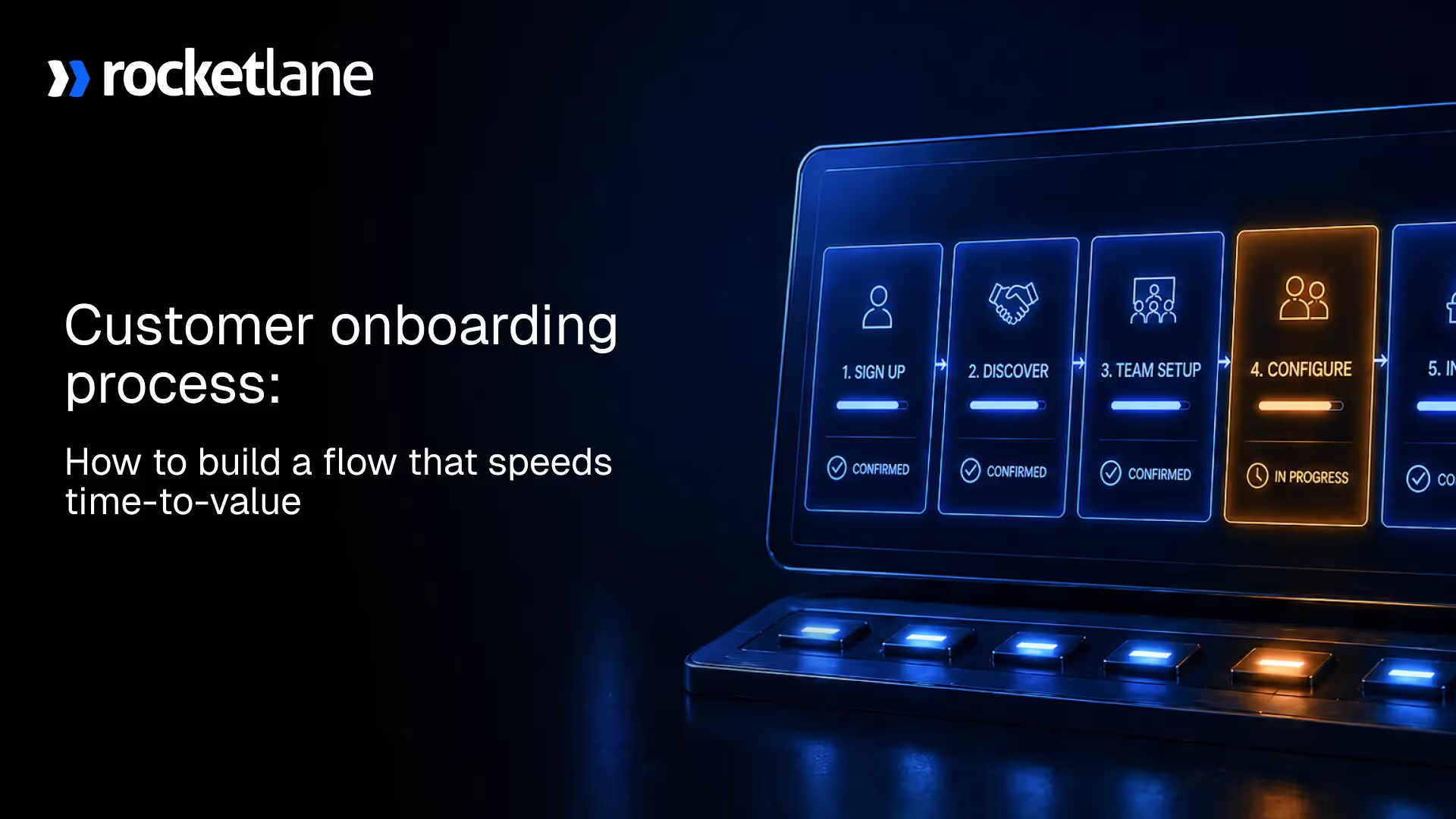
Customer onboarding process: How to build a flow that speeds time-to-value

•
•
Summarize blog with






A deal closes. The customer is ready to move. Your team sets up a kickoff.
Then the customer onboarding process starts slipping.
Timelines stretch. Tasks get buried in emails. Ownership becomes unclear.
Customers keep asking for updates. What should have been a structured onboarding journey turns into reactive coordination.
A customer onboarding process is a structured sequence of steps that moves a customer from contract signing to first value, including handoff, setup, validation, and go-live.
Most teams think they have a process. In reality, their tasks are spread across tools. The difference shows up in delays, missed dependencies, and constant firefighting.
When the onboarding process is structured right, it reduces delays, improves visibility, and helps teams deliver value faster without adding headcount.
What is a customer onboarding process?

A customer onboarding process is a structured sequence of steps that moves a customer from contract signing to first value, including handoff, setup, validation, and go-live.
Most teams treat onboarding as a checklist. Tasks get completed, meetings get scheduled, and updates get sent. But without structure, the onboarding process becomes coordination work rather than value delivery.
When onboarding becomes a system, delays move from invisible to measurable. You stop chasing status updates and start tracking real blockers: customer approvals stuck for three days, data handoff waiting on legal, and integrations blocked by missing credentials.
It becomes predictable. It becomes measurable. And most importantly, it becomes repeatable across every new customer onboarding process.
This is where many teams struggle. They know onboarding exists, but they cannot clearly define where it starts, where it ends, or who owns each stage of the onboarding journey.
A customer onboarding process (definition)
A customer onboarding process is a structured sequence of steps that moves a customer from contract signing to first value, including handoff, setup, validation, and go-live.
Customer onboarding process vs onboarding workflow
The process defines the journey. The onboarding workflow executes it.
The process answers what needs to happen. The workflow defines how it happens through tasks, owners, dependencies, and milestones. Without a clear onboarding workflow, even a well-defined process breaks down during execution.
Who owns onboarding across teams?
Sales initiates context. Implementation executes the onboarding client process. Customer success ensures continuity after go-live.
Strong teams do not assign ownership by department. They assign ownership by stage in the customer onboarding journey. This removes confusion, reduces handoff gaps, and keeps the onboarding process moving without delays.
Clarity works when volume is low. As the number of customers grows, this clarity begins to break down.
Why customer onboarding breaks as companies scale

A customer onboarding process that works for 20 customers rarely works for 200.
Early on, teams rely on flexibility. People remember context. Communication happens quickly. But as volume increases, the same onboarding process starts to fail. More customers mean more dependencies, more coordination, and more room for delays.
Most teams do not fail from lack of effort. They fail because customer tasks live in email, internal work lives in a PM tool, and dependencies are invisible until go-live slips.
As the onboarding journey becomes more complex, manual systems cannot keep up. Timelines stretch, teams get overloaded, and customers lose confidence before they see value.
The spreadsheet ceiling
Manual tracking works when the number of onboarding projects is low.
Spreadsheets can handle a few customers. Teams can update status manually and track progress line by line. But as the number of projects grows, spreadsheets become outdated the moment they are created.
There is no real-time onboarding process flow. No clear ownership. No way to track dependencies. Teams end up spending more time updating sheets than advancing onboarding.
Broken handoffs from sales to delivery
The client onboarding process often starts with incomplete context.
Sales conversations, CRM notes, and customer expectations do not always align. When the handoff occurs, implementation teams spend time rediscovering requirements rather than executing.
This creates delays at the very start of the onboarding process. It also introduces scope gaps that later surface as rework or escalations.
Invisible customer dependencies
Many onboarding delays are not caused by internal teams.
Customers need to share data, approve configurations, and provide access. These tasks are critical to the onboarding workflow, but they often live outside the system.
When customer tasks are not tracked during the customer onboarding process, delays go unnoticed. Teams keep moving forward without realizing what is blocked.
Lack of real-time visibility
As onboarding scales, visibility becomes harder.
Leaders rely on weekly updates. Project managers send status reports. Teams try to piece together the onboarding journey across tools. This creates a lag between what is happening and what is reported.
Without a clear view of the onboarding process flow, risks are identified late. Decisions are made with incomplete information.
Trigger signals that your onboarding is failing
You can usually spot a broken onboarding process early.
- Go-live dates slip repeatedly
- Customers ask for updates constantly
- PMs rebuild plans manually for each new customer onboarding
- Tasks are tracked across spreadsheets, emails, and tools
These are not isolated issues. They are signs that the onboarding process is not designed to scale.
Before fixing these problems, it is important to clarify how customer onboarding differs from similar concepts.
Customer onboarding process vs user onboarding vs client onboarding

Customer onboarding, user onboarding, and client onboarding are often used interchangeably. They are not the same.
The difference comes down to scope and ownership. A customer onboarding process focuses on getting the account live.
A user onboarding process focuses on helping users adopt the product. A client onboarding process focuses on service delivery and execution.
Confusing these leads to the wrong onboarding workflow, wrong tools, and poor outcomes.
Key differences explained
Customer onboarding is account-level. It covers setup, configuration, and go-live across teams.
User onboarding is product-level. It focuses on activation, feature adoption, and in-product experience.
Client onboarding is service-focused. It applies in professional services environments where delivery, configuration, and coordination define success.
Comparison table
Once this distinction is clear, it becomes easier to design the right customer onboarding process and onboarding workflow for your team.
Next, we move to the actual structure of the onboarding process.
Customer onboarding process steps
A customer onboarding process is effective only when structured into clear, repeatable steps.
Most teams confuse task completion with onboarding progress. A task can be 'done' while the customer is still three emails away from providing the access credentials needed to move forward. That gap is where onboarding timelines break.
Standardizing the onboarding process steps improves consistency, reduces delays, and increases delivery speed.
The 7-step customer onboarding process
The 7 steps of a customer onboarding process are:
- Contract close and handoff: Sales transfers full context to the implementation team. This includes scope, timelines, commitments, and customer expectations. A strong handoff prevents rework later in the onboarding process for clients.
- Welcome and intake: The customer is onboarded into the system. Key details are collected, including business goals, technical requirements, and access credentials. This sets the foundation for the onboarding workflow.
- Kickoff and alignment: Teams align on timelines, responsibilities, and milestones. Clear ownership is established across internal teams and the customer. This step defines how the onboarding journey will move forward.
- Setup and configuration: The product or service is configured based on requirements. This includes integrations, data setup, and environment readiness. Delays often occur here if dependencies are unclear.
- Validation and training: The setup is tested and validated. Users are trained on workflows and features. This ensures the customer is ready to operate independently after go-live.
- Go-live: The customer starts using the product or service in a live environment. This is the point where the onboarding process transitions into measurable value.
- Transition to success: Ownership moves to customer success or account management. The focus shifts from setup to adoption, expansion, and long-term outcomes.
These steps form the backbone of a structured onboarding process flow.
The customer onboarding process flow chart
A customer onboarding process becomes scalable when it is visualized as a flow.
Steps alone are not enough. Teams need a clear onboarding flow that shows how work moves, where dependencies exist, and who owns each stage. Without a defined customer onboarding process flow, execution becomes reactive.
A structured customer onboarding flow chart improves visibility, reduces confusion, and helps teams manage multiple onboarding projects without losing control.
Customer onboarding process flow chart template
A simple customer onboarding process flow chart looks like this:
Contract Signed → Handoff → Intake → Kickoff → Setup → Validation → Go-live → Transition
This onboarding flowchart represents the full onboarding journey from start to finish. Each stage connects to the next, with clear entry and exit points. Teams can adapt this template into a detailed onboarding workflow diagram by adding tasks, owners, and timelines.
For more complex environments, this can evolve into a client onboarding process flow chart with parallel tracks for different teams and dependencies.
Operator rule for flow design
Separate internal work, customer work, and approvals.
This is the most important rule when building a customer onboarding flow.
Internal tasks include setup, configuration, and validation. Customer tasks include data sharing, approvals, and access. Approval milestones include sign-offs that allow the onboarding process to move forward.
When these are mixed together, delays become hard to track. When they are clearly separated, the onboarding workflow becomes predictable and easier to manage.
Next, the focus shifts to building a customer onboarding process that scales.
How to create a customer onboarding process that scales

A scalable customer onboarding process is built, not assumed.
Most teams have steps. Few have a system. The difference shows up in execution. Without a clear customer onboarding strategy, teams rely on individual effort instead of a repeatable onboarding workflow.
To scale, the onboarding process must be standardized, visible, and measurable. It should work the same way across every new customer onboarding, with flexibility where needed.
Start with a clear success milestone
Anchor onboarding to value, not tasks.
Define what “done” means in your customer onboarding process. This could be the first transaction, the first successful customer onboarding workflow, or a live integration. Every step in the onboarding journey should lead toward this milestone.
Standardize the repeatable core
Avoid rebuilding every project.
Identify the common steps across your onboarding client process and turn them into a reusable onboarding checklist or customer onboarding playbook. This ensures consistency across teams and reduces setup time for each project.
Expose customer responsibilities
Make dependencies visible.
Customer tasks are a major part of the onboarding workflow. Data sharing, approvals, and access provisioning must be tracked alongside internal work. This improves accountability and reduces silent delays in the onboarding process flow.
Build structured handoffs
Prevent scope and expectation gaps.
A strong client onboarding workflow starts with a clean handoff. Sales, implementation, and customer success should align on scope, timelines, and deliverables. This removes ambiguity and keeps the onboarding process predictable.
Optimize based on bottlenecks
Improve using real data.
Track where delays happen in your onboarding process. Identify patterns across projects. Use this data to refine your customer onboarding strategy and improve efficiency over time.
Even with the right structure, many teams struggle to improve onboarding in practice.
Why most teams fail to improve onboarding

Most teams have onboarding playbooks. Few have systems that enforce them. The playbook says 'collect data in week one.' The reality is week three, buried in email threads, with no clear owner.
Playbooks exist. Documents are created. Steps are defined. But the onboarding workflow still breaks during delivery. Tasks get missed. Dependencies are not tracked. Customers are not aligned.
The gap is not in planning. It is in how the onboarding process runs day-to-day.
Process documents don’t drive execution
Static documents fail in real workflows.
Teams create onboarding checklists and guides, but they live outside the actual onboarding process. They are not connected to tasks, timelines, or ownership. As a result, each onboarding client process drifts from the plan.
Execution needs a system, not a document.
Customer collaboration is missing
Email-based coordination breaks accountability.
Successful onboarding depends on customer actions. When tasks are managed via email and phone calls, there is no clear ownership or tracking. Follow-ups increase. Delays become harder to manage.
A structured onboarding workflow must include customer tasks within the same system as internal work.
Over-customization reduces scalability
No standardization means no improvement.
Teams often customize every onboarding journey. While this feels customer-focused, it removes consistency. Without a standard onboarding process, it is impossible to measure performance or improve over time.
Scalability comes from a strong core that can adapt, not from rebuilding each project.
What best-in-class teams do differently
Best-in-class teams treat the customer onboarding process as a system, not a set of tasks.
They do not rely on manual tracking or individual effort. They build a structured onboarding workflow that runs consistently across every project. This shift moves teams from reactive execution to controlled delivery.
The difference is clear when you compare how onboarding runs before and after the structure is introduced.
Before vs after comparison
In the “before” state, teams operate in silos. Information is scattered. Issues are identified late. The customer onboarding journey depends on consistent follow-ups.
In the “after” state, the onboarding process is visible end-to-end. Tasks, ownership, and dependencies are clear. Risks are identified early, and teams act before delays escalate.
This shift directly impacts business outcomes. Faster onboarding improves time-to-value. Better visibility increases team capacity. Fewer delays reduce escalations and improve customer experience.
These improvements become measurable through the right onboarding metrics.
Customer onboarding metrics that matter
A customer onboarding process improves only when it is measured.
Most teams track tasks. Few track outcomes. Without clear onboarding metrics, it is difficult to understand what is slowing down the onboarding workflow or where improvements are needed.
The right metrics connect the onboarding process to business impact. They help teams forecast timelines, improve efficiency, and scale delivery with confidence.
Key onboarding metrics
- Time-to-value
The time it takes for a customer to reach the first value. This is the most critical metric in any customer onboarding process. - On-time go-live rate
The percentage of onboarding projects that go live as planned. This reflects how predictable your onboarding workflow is. - Customer task completion rate
Measures how consistently customers complete their assigned tasks on time. This highlights gaps in accountability within the onboarding journey. - Escalation rate
Tracks how often onboarding projects require intervention. High escalation rates indicate issues in the onboarding process flow. - Capacity per manager
The number of onboarding projects a manager can handle at once. This shows how scalable your onboarding client process is.
Benchmark block
- Time-to-value: ↓ 30–50%
- Admin work: ↓ 30–50%
- Capacity: ↑ 2–3x
These benchmarks show what is possible when the customer onboarding process is structured, visible, and optimized.
The next step is understanding what kind of tools can support this level of execution.
What to look for in customer onboarding software

A customer onboarding process is only as strong as the system that runs it.
Most teams use a mix of spreadsheets, project tools, and communication platforms. This works at low volume.
It breaks as onboarding scales. The onboarding workflow becomes fragmented, visibility drops, and coordination effort increases.
Effective onboarding software does four things most tools miss: it tracks customer tasks as rigorously as internal work, surfaces dependency chains before they cause delays, turns workflow templates into live execution systems, and connects onboarding execution to resource capacity, time tracking, and project margins so delays show up as financial impact, not just schedule risk.
Must-have capabilities
- Workflow standardization: The tool should support repeatable onboarding workflows. Teams should be able to define a customer onboarding process once and reuse it across every onboarding project. This improves consistency and reduces setup time.
- Customer collaboration: Customer tasks must be part of the onboarding workflow. A good system allows customers to view progress, complete tasks, and stay aligned without relying on emails.
- CRM integration: The onboarding client process should start with a clean context. Integration with CRM ensures that sales data, requirements, and timelines flow directly into the onboarding process without manual effort.
- Real-time visibility: Teams should be able to track the entire onboarding process flow in real time. This includes task status, dependencies, and risks. Visibility helps identify delays early and improves decision-making.
What to avoid
- Tools that track tasks but ignore customer dependencies
- Systems that require manual status updates
- Platforms that do not connect the onboarding workflow with actual execution
Rocketlane brings onboarding workflows, customer task tracking, and real-time dependency visibility into one system, removing the coordination tax that slows most PS teams
Next, we look at how modern platforms are changing the way onboarding is executed.
How Rocketlane and Nitro AI transform customer onboarding in 2026

Most customer onboarding processes break because execution is fragmented.
Tasks live in one tool. Communication happens in another. Customer inputs come through email. Reporting is manual. This disconnect slows down the onboarding workflow and increases effort at every stage.
Modern onboarding systems solve this by bringing execution into one place and adding intelligence on top of it.
Unified onboarding workflows
Standardization is the foundation of scale.
A unified PSA system allows teams to define a structured onboarding process once and reuse it across every project—complete with resource templates, financial models, and margin safeguards. This creates consistency, reduces setup time, and ensures that every project is staffed, budgeted, and tracked consistently, protecting margins from the start.
The result is faster setup, fewer errors, and predictable delivery timelines.
Customer portals for accountability
Customer tasks are no longer hidden.
With a shared view of the onboarding workflow, customers can see exactly what needs to be done and when. They can complete tasks, provide inputs, and track progress without relying on follow-ups.
This improves accountability and reduces delays caused by missing dependencies during onboarding.
Real-time visibility for teams
Manual updates slow everything down.
A modern onboarding workflow provides real-time visibility into every stage of the onboarding process flow. Teams can track progress, identify risks, and make decisions based on live data instead of reports.
This removes the need for constant status meetings and reduces coordination effort.
Nitro AI impact
Execution is no longer fully manual.
Nitro AI removes the coordination tax through purpose-built agents: the Project Architect watches for scope creep and margin drift; the Financial Controller keeps revenue forecasts credible; the Resource Manager flags over-allocation and impossible timelines.
Risks surface early—not as generic alerts, but as specific actions tied to project health and margin impact. Teams act before delays escalate and before margins compress.
It also automates parts of the onboarding process that typically slow teams down, such as updates, summaries, and workflow management.
The result is a faster, more efficient customer onboarding process with better outcomes and improved margins.
This shift sets the stage for future customer onboarding.
The future of customer onboarding

The future of the customer onboarding process is driven by automation and intelligence.
Manual coordination is the biggest limiter today. Teams spend time chasing updates, managing dependencies, and compiling reports. As onboarding scales, this effort increases faster than the number of customers.
AI does not replace onboarding managers. It removes the coordination tax: auto-generating customer summaries from kickoff calls, flagging at-risk milestones based on task velocity, and surfacing blockers the moment they form.
AI reduces manual coordination
Most of the effort in a customer onboarding process is not core delivery. It is coordination.
Status updates, follow-ups, documentation, and tracking consume a large part of the onboarding journey. AI reduces this overhead by automating routine tasks and keeping the onboarding process flow up to date in real time.
This allows teams to focus on execution instead of administration.
Early risk detection improves outcomes
Delays rarely happen suddenly. They build over time.
Missed tasks, slow customer responses, and hidden dependencies create risk in the onboarding workflow. AI identifies these patterns early and surfaces them before they impact timelines.
This enables teams to act early and keep the onboarding process on track.
What this means for teams
Onboarding becomes faster and more predictable.
Teams can handle more onboarding projects without increasing headcount. Customers experience a smoother onboarding journey with fewer delays and better communication.
The customer onboarding process shifts from reactive problem-solving to proactive execution, where issues are identified early and resolved before they affect outcomes.
Conclusion
A strong customer onboarding process is not a checklist. It is a system that drives outcomes.
When structured right, it reduces delays, improves visibility, and accelerates time-to-value. Teams move from reactive execution to predictable delivery. Customers see progress clearly and stay engaged throughout the onboarding journey.
This is where modern platforms change the game.
Rocketlane is the system of record for service delivery—it ties onboarding execution to resource planning, time tracking, and financial management on a single connected platform.
By surfacing onboarding progress, dependency chains, and margin impact in real time, teams deliver projects on time, on budget, and with predictable margins. The result: 2–3x higher project capacity, significantly lower manual effort, and protected profitability across the onboarding process.
In a competitive market, the teams that win are the ones that treat onboarding as part of an integrated delivery system—where projects are staffed right, tracked accurately, and delivered on time and on budget. The margin protection compounds with every customer.
Table of Contents

Regsiter for the live webinar


Great consultants didn't join your team to spend Fridays writing documentation.
Table of contents
18 of Forbes Cloud 100 chose Rocketlane. The best PS teams aren't waiting around.
FAQs
What is a customer onboarding process?
Most onboarding 'processes' are actually coordination theater: spreadsheets tracking tasks that live in email, timelines that slip the moment a customer approval is delayed. A real onboarding process exposes dependencies, enforces accountability, and moves value forward—not just status updates. It ensures clarity, ownership, and visibility across teams, helping deliver outcomes faster and making onboarding predictable, measurable, and scalable across every new customer.
What are the steps in onboarding?
The key steps in a customer onboarding process include contract handoff, welcome and intake, kickoff and alignment, setup and configuration, validation and training, go-live, and transition to customer success. These steps create a clear onboarding flow that ensures consistency, reduces delays, and helps teams deliver value faster.
Why is onboarding important?
Onboarding directly impacts retention, revenue, and customer success. A strong onboarding process reduces time-to-value, improves customer confidence, and prevents early churn. It also helps teams better manage capacity, reduce escalations, and create a consistent experience across every onboarding journey.
How do you improve onboarding?
To improve onboarding, teams must standardize their onboarding workflow, track progress in real time, and make customer tasks visible. Measuring key metrics such as time-to-value and identifying bottlenecks help refine the process. Over time, this creates a scalable system that improves efficiency and outcomes.
How does Rocketlane help?
Rocketlane, an agentic AI-powered PSA platform for customer-facing professional services teams, helps teams run structured onboarding workflows with full visibility. It reduces manual work, improves coordination, and increases capacity, enabling faster time-to-value and more predictable onboarding outcomes.













Copyright © 2026 Rocketlane Corp. All rights reserved.





















.webp)