Top 10 project management software for consultants in 2026

•
•
Summarize blog with






A 50-person IT consulting firm is running Smartsheet for projects, Certinia for utilization, email for client updates, and Slack for team comms. Four tools. Four logins. Four data silos.
When the CFO asks "what's our utilization this quarter?" — someone spends six hours in Excel to answer. When a client asks "where are we on the implementation?" — a PM compiles a manual status report and hopes the numbers are current.
This is not a technology problem. It's a structural one — and it's costing consulting firms meaningful billable revenue every quarter.
The consultants who fix it first — who move from fragmented toolsets to a single platform for project delivery, resource management, and client collaboration — are the ones winning more deals, retaining better clients, and scaling without proportional overhead.
The best project management software for consultants doesn't just track tasks. It runs the delivery operation: utilization visibility, client portal quality, financial management depth, AI-powered automation, and a go-live timeline that doesn't disrupt active engagements.
This guide covers the 10 best project management software tools for consultants in 2026.
Not generic PM tools that happened to add a client tab. Purpose-built consultant project management software platforms evaluated on the criteria that actually matter to IT services firms, systems integrators, and implementation consultants.
We've assessed each tool on project management depth, resource management and utilization, client portal quality, financial management, and AI capabilities — in that order of priority for a consulting audience.
Quick glance: Top 10 project management software for consultants at a glance
Short on time? Here's a snapshot of all ten tools across the criteria that matter most to consulting operations — before we go deeper on each.
What is project management software for consultants?
Consultant project management software is a centralized platform that combines project planning, resource allocation, time tracking, client collaboration, and financial management in one place — purpose-built for billable, client-facing work.
Unlike generic PM tools designed for internal teams,this management software for consultants accounts for utilization rates, multiple billing models (fixed-fee, T&M, retainer), client-facing portals, and revenue recognition.
The distinction matters more than most buyers realize at the start of their evaluation.
A tool like Monday.com or Asana handles task tracking and team coordination well — but the moment you need to answer "what's our billable utilization this month?" or "are we burning above budget on this fixed-fee engagement?", you're exporting to Excel. Every time. That workaround becomes the job.
Purpose-built consulting PM platforms eliminate that export entirely.
Project health, margin performance, resource allocation, and client status are all visible in the same system where the delivery work actually happens.
The result isn't just operational convenience — it's the difference between managing your practice and reacting to it.
What project management software for consultants typically includes
- Resource allocation, capacity planning, and utilization dashboards — real-time visibility into who's allocated, who's available, and whether the bench is burning money
- Multi-view project management — Gantt, Kanban, list, and timeline views to support different project types and PM preferences
- Client-facing portal — white-labeled, branded access for clients to track tasks, share documents, complete approvals, and view project status without email threads
- Time tracking with calendar sync and timesheet workflows — frictionless entry for consultants, approval workflows for managers, direct connection to project financials
- Financial management — budgets, burn rates, revenue recognition, billing model support (fixed-fee, T&M, retainer, milestone), and margin analysis by project and client
- AI-powered automation — resourcing recommendations, project health signals, meeting-to-update automation, SOW-to-plan conversion, timesheet governance
- Task management and file sharing — task assignment, dependency tracking, and centralized file sharing across project teams and client stakeholders, so nothing lives in email
- Collaboration tools and Integrations — Salesforce, HubSpot, NetSuite, HRIS systems (Workday, BambooHR), Jira, Slack, Microsoft Teams for seamless team collaboration across your existing stack
Why project management software matters more for consultants in 2026 than ever
Consulting firms in 2026 are under simultaneous pressure from margin compression, rising client expectations, and talent costs.
Project management software designed for consultants directly addresses this by eliminating tool sprawl, surfacing real-time project health, and giving clients the transparency they demand — without adding manual reporting overhead.
The cost of tool fragmentation
The average consulting firm in the 50–200 headcount range runs 3.8 tools to manage delivery: a PM platform, a PSA Software or ERP for financials, a time tracking tool, and email/Slack for client communication. Managing multiple client projects across these disconnected systems means every integration point is a failure point.
Every data handoff is manual. Project workflows that should be seamless become swivel-chair exercises between tabs.
The pattern is consistent across conversations with consulting firms of every size: "We're stitching together Smartsheet for project management, Certinia for utilization, and everything with clients happens over email — it's a nightmare to keep track of everything." That's not an edge case. That's the median consulting operation in 2026.
The compounding cost is harder to see on a balance sheet but shows up everywhere: a dedicated analyst whose entire job is exporting from the PSA into Excel to produce utilization reports every week.
Hours of PM time spent compiling manual status reports before client calls. Escalations that could have been caught three weeks earlier if someone had real-time visibility.
Benefits of using project management software for consultants
The right project management software solution delivers measurable operational impact for consulting firms — not just workflow tidiness.
According to a 2021 Capterra user study, project management tools provided universal benefits to firms that adopted them, including improved timeline estimation and more effective use of project resources. Separately, 77% of businesses with high-performing projects have adopted project management software, indicating a direct correlation between the tools and project success.
For consulting teams specifically, the benefits concentrate in three areas: the ability to track project progress and project deliverables across multiple projects in real time without manual reporting; better management of billable hours that reduces revenue leakage and prevents unbilled work from slipping through; and a centralized platform that replaces fragmented client communication with a single source of truth for all project-related files, updates, and approvals.
What clients expect in 2026
Enterprise clients — especially in North America, UK, and APAC — increasingly expect real-time project visibility as a baseline, not a differentiator. "Where are we on the implementation?" is no longer acceptable as a question that takes 48 hours to answer.
Consulting firms with professional client portals are winning deals that competitors without them are losing. This isn't anecdotal: client portal quality has become a factor in RFP evaluation criteria for a growing number of enterprise procurement teams.
The margin erosion problem
Every 5% improvement in billable utilization on a 100-consultant team recovers $500K–$1M in annual revenue at standard billing rates. Firms running on spreadsheets and disconnected PSAs are leaving that money on the bench — literally. The math is straightforward; the operational change that enables it is not. That's where the right platform earns its cost back in months, not years.
Pressure from global delivery models
For consulting firms operating across US, UK, EU, and APAC: multi-timezone project management, currency-aware billing, IR35/GDPR compliance for time tracking, and regional data residency are now operational requirements — not differentiators. Tools that weren't built with this in mind create compounding compliance and coordination debt as the firm scales internationally.
Top 10 project management software for consultants to look out for in 2026
These tools were evaluated on five criteria: project management depth, resource management and utilization, client portal quality, financial management, and AI capabilities — in that priority order for a consulting audience.
Generic task managers and project trackers that lack PSA-grade functionality were excluded. The focus is on platforms that can operate as the primary delivery system for a 20–500 person consulting firm without requiring 2–3 additional tools alongside them.
1. Rocketlane
.avif)
Rocketlane is the only agentic AI-powered PSA platform purpose-built for client-facing professional services teams. Where legacy PSAs handle back-office finance and generic PM tools handle task tracking, Rocketlane handles both — plus a native client portal, AI-driven resourcing, and delivery automation that eliminates the need for Smartsheet, Certinia, and client email threads running in parallel.
For consulting firms managing 50–275 concurrent projects across IT services, systems integration, and implementation, it is the platform that consolidates 3–4 tools into one without sacrificing depth in any of them.
The frequent verdict from teams that complete a proper evaluation: "If Rocketlane can be 90 percent of our work in one place, it's totally worth it versus managing three different systems."
Key features
Agentic AI — Nitro
Rocketlane's AI architecture is built in three tiers, not bolted on as a feature.
- The Operational level covers skills-based matching and resource planning, the Timesheet Policy Agent for automated compliance, and AI Analyst for portfolio reporting in natural language.
- The Governance level includes the Project Governance Agent for milestone health and phase compliance, and the Signals Agent for churn and expansion signals on at-risk accounts.
- The Workforce level handles the Documentation Agent for meeting-to-SOW and status report automation, the SOW-to-Plan Agent for converting uploaded proposals into full project plans in minutes, and the Migration Agent for legacy system data migration.
Native client portal
White-labeled, fully branded client portal built into the platform — not an add-on. Clients view project progress, complete tasks, access documents, and provide approvals without leaving the portal. "The customer portal is the crown jewel. Our clients don't want to log into multiple systems. This gives them one place for everything."
Project management depth
Gantt, Kanban, list, and timeline views. Template-driven project creation. Dynamic conditions for engagement variations. Dependencies and phase-level planning. Matches or exceeds Smartsheet for PM capability — teams don't trade PM depth for PSA functionality. They get both.
Resource management
Real-time utilization dashboards, skills-based allocation, capacity forecasting, bench visibility, billable vs. non-billable reporting. Not a weekly export — a live system that reflects actual team allocation.
Financial management
Fixed-fee, T&M, retainer, and milestone billing. Budget vs. actuals. Burn rate tracking. Revenue recognition. Margin by project and client. The financial layer connects directly to time tracking and project progress — no manual reconciliation.
Time tracking
Calendar integration, mobile access, approval workflows, project-level time tagging. Timesheet Policy Agent enforces compliance in plain English without a manager chasing people every Friday.
Integrations
Salesforce and HubSpot (bi-directional, managed from Rocketlane side — no Salesforce admin dependency), Jira, Slack, Microsoft Teams, Google Calendar, Outlook, Workday, NetSuite, Rippling, BambooHR. Custom integrations via Workato on Premium/Enterprise.
Global support
Multi-currency, multi-timezone, data residency options, GDPR-compliant, SOC 2 Type II, SSO, ISO 27701.
Bonus: Capabilities for enterprise professional services
Rocketlane supports enterprise-scale delivery without the operational overhead typically associated with legacy PSA systems.
This shows up in its:
Unified delivery model: Projects, resource planning, and financial tracking operate in one system. This means:
- No parallel tools or reconciliation layers
- Portfolio visibility across regions and teams
Built-in governance and compliance: Security and control are embedded into everyday workflows.
- SOC 2, SSO, role-based access, and audit logs at the system level
- Traceability maintained without adding process friction
True bi-directional CRM integration: Sales and delivery stay aligned without manual sync.
- Salesforce data flows both ways in real time
- What is sold reflects accurately in delivery, and vice versa
Integrations that fit your stack: Works with existing finance and GTM systems.
- Native integrations with NetSuite, HubSpot, QuickBooks, Salesforce
- APIs for custom workflows without added complexity
- Fast time to value: Designed to replace fragmented workflows quickly with a phased rollout approach with parallel runs for active projects
Pros and cons
Best for
- IT consulting and systems integration firms (30–500 headcount) replacing Smartsheet + Certinia or Kantata combinations
- Professional services arms of software companies running client implementations at scale
- Management consulting firms that need a client portal as a competitive sales differentiator
- Global consulting teams requiring multi-currency billing, multi-timezone scheduling, and data residency compliance
- Salesforce implementation partners needing bi-directional CRM sync without admin dependency
Key takeaways
What customers say
With vs. without Rocketlane
2. Certinia (formerly FinancialForce)
Certinia is a Salesforce-native PSA with enterprise-grade financial management, revenue recognition, and ERP-level reporting. It was built for back-office finance operations in large professional services organizations — and in that context, it performs well. Revenue recognition is a genuine strength. Salesforce integration is native by design.
The consistent feedback from teams that have evaluated or used Certinia is that project management is weak enough that most teams maintain a parallel Smartsheet environment anyway.
"Certinia does utilization and finances okay, but the project management is so clunky that everyone just ignores it and uses Smartsheet instead." The client portal is limited. The UI is dated. And the Salesforce dependency means any CRM migration becomes a PSA migration simultaneously.
Key features
- Salesforce-native architecture — All project data, resource data, and financial data lives natively within Salesforce, eliminating the need for third-party sync and keeping CRM and PSA in the same system.
- Revenue recognition engine — Supports ASC 606 and IFRS 15 compliance, making Certinia a strong choice for enterprise organizations with complex multi-element arrangement accounting requirements.
- Resource management — Capacity planning and utilization reporting built on Salesforce data, giving finance and operations teams visibility into staffing against active and pipeline projects.
- Project accounting and financial forecasting — Budget tracking, project-level P&L, and forward-looking revenue forecasts that connect directly to the Salesforce CRM pipeline for accurate revenue modeling.
- Timesheet management and expense tracking — Consultants log time and expenses within the Salesforce environment; approval workflows and billing rules apply automatically based on project configuration.
- Integration capabilities — Native connections with Salesforce CPQ, major ERP systems, and financial platforms; integration capabilities are strongest within the Salesforce ecosystem.
Pros and cons
Best for
- Enterprise professional services organizations (300+ staff) with complex revenue recognition requirements
- Organizations deeply embedded in the Salesforce ecosystem with no plans to change CRM
- Firms where back-office finance is the primary driver and project management is handled in a separate tool
- Large PS teams with dedicated Salesforce admins and the implementation budget for a 6+ month rollout
Key takeaways
What customers say
3. Kantata (formerly Mavenlink)
.avif)
Kantata is a PSA platform with resource management, financial reporting, and Salesforce and NetSuite integration depth. Its financial management capabilities are genuine. Resource planning works — capacity views, role-based allocation, and financial system integration are functional and reasonably mature.
The consistent friction points are equally well-documented: onboarding timelines of 6+ months, a UI that most end users describe as dated and complex, and project management capabilities that fall short of daily delivery needs.
Teams evaluating Kantata alongside modern PSAs consistently report that the UI gap becomes the deciding factor. The adoption risk is real — a PSA that PMs don't use is a PSA that doesn't work.
Key features
- Resource management and capacity planning — Skills-based allocation and capacity views help resource managers staff consulting projects more accurately, with role-based planning across the project portfolio.
- Financial reporting and project profitability — Project-level P&L, margin analysis, and financial forecasting give finance teams visibility into the profitability of individual client projects and the overall consulting business.
- Salesforce and NetSuite integration — Bi-directional data sync with both platforms means pipeline data from Salesforce and financial data from NetSuite can inform resourcing and project management decisions without manual exports.
- Time tracking and expense management — Consultants log billable hours and expenses at the task level; timesheet data feeds directly into project costs and invoicing workflows within the platform.
- Project management with Gantt views — Gantt charts and milestone tracking support basic project planning, though most teams find the PM depth insufficient for daily delivery work and use a separate tool alongside it.
- Business intelligence and analytics — Reporting dashboards give practice leads visibility into utilization rates, project health, and portfolio-level performance across the consulting firm.
Pros and cons
Key takeaways
Best for
- Mid-to-large IT services and consulting firms (100–400 staff) with mature Salesforce/NetSuite stacks
- Organizations where resource management and financial reporting are the primary requirements and PM complexity is lower
- Firms that can invest 6+ months in implementation and have dedicated change management capacity
- Teams already running Kantata who need to extend capabilities rather than switch platforms entirely
What customers say
4. Smartsheet
Smartsheet is a spreadsheet-style project management platform widely used in consulting as a project tracking layer. Its flexibility is genuine — experienced PMs can build sophisticated project structures in Smartsheet, and its grid, Gantt, card, and calendar views cover most PM use cases. It's familiar, broadly adopted, and integrates widely.
The critical gap is structural. Smartsheet is a PM tool, not a PSA. It has no utilization tracking, no revenue recognition, no billing model support, and no client portal designed for consulting delivery. Firms using Smartsheet always need a separate PSA alongside it — which recreates exactly the fragmentation problem the ICP is trying to escape.
Key features
- Flexible grid, Gantt, card, and calendar views — Smartsheet's multi-view approach lets consulting project managers structure their work the way they think, whether that's a spreadsheet-style grid or a visual Gantt chart for tracking project timelines and dependencies.
- Template marketplace — A large library of consulting and project management templates makes initial project setup faster, though templates are static structures rather than dynamic conditions tied to engagement type.
- Automation rules — No-code automation for status updates, notifications, and task assignment helps reduce manual follow-up, but doesn't extend to financial management or resource allocation without additional tools.
- Dashboards and real-time data — Portfolio dashboards pull real-time data across multiple projects, giving leadership visibility into project status — though utilization and margin data require a separate PSA.
- Integration capabilities — Broad integration ecosystem covering Salesforce, Jira, Microsoft 365, Google Workspace, and Slack; integrations are connector-based rather than native, so data consistency depends on sync configuration.
- Basic resource management — WorkApps provides a lightweight workload management view as an add-on, but it doesn't approach the resource planning depth that consulting firms need for skills-based allocation or capacity forecasting.
Pros and cons
Key takeaways
Best for
- Teams that need flexible project tracking and are comfortable running a separate PSA for financials and resource management
- Consulting firms in early growth stages (under 20 staff) before PSA requirements fully emerge
- Organizations using Smartsheet as one layer of a multi-tool stack rather than a standalone consulting PM platform
- PMs who need maximum layout flexibility and are already familiar with spreadsheet-style project structures
What customers say
5. Monday.com
Monday.com is a visual work management platform with broad adoption and a large template marketplace. Its visual boards, color-coded workflows, and automations make it approachable for non-technical PMs.
Like Smartsheet, it is a work management tool — not a PSA. There is no native utilization tracking, no revenue recognition, and no consulting-specific client portal. For small consulting teams under 20 staff that don't yet need PSA depth, it's a reasonable starting point.
It stops being reasonable the moment those teams start tracking margins or need to give enterprise clients professional project visibility.
Key features
- Visual board, timeline, Gantt, and calendar views — Monday's visual collaboration layer makes project tracking approachable for non-technical team members, with color-coded boards that give an at-a-glance view of task status across consulting projects.
- Template marketplace — Hundreds of project management and CRM templates accelerate setup for common workflows; consulting-specific templates exist but don't cover PSA requirements like billing models or utilization tracking.
- Workflow automations — No-code automation for task assignment, status changes, and notifications reduces administrative overhead for repetitive project workflows — though automations don't extend to financial management or resource planning.
- Dashboards and real-time reporting — Customizable dashboards surface project status and team workload across multiple projects; reporting is strong for task-level visibility but doesn't cover project costs, margins, or billable hours natively.
- Monday AI — Generates automated updates, drafts content, and suggests workflow improvements; useful for internal team collaboration but not designed for PSA-specific use cases like resource matching or financial forecasting.
- Workdocs — Collaborative documentation built into the platform keeps project-related files and notes alongside tasks, reducing the need to switch between Monday and external document tools for internal teams.
Pros and cons
Key takeaways
Best for
- Very small consulting teams (under 20 staff) in early growth stages who don't yet need PSA depth
- Internal project tracking where client-facing visibility isn't a requirement
- Teams already comfortable in Monday's ecosystem who aren't ready to migrate to a PSA
- Firms prioritizing fast setup and visual simplicity over operational depth
What customers say
6. Teamwork
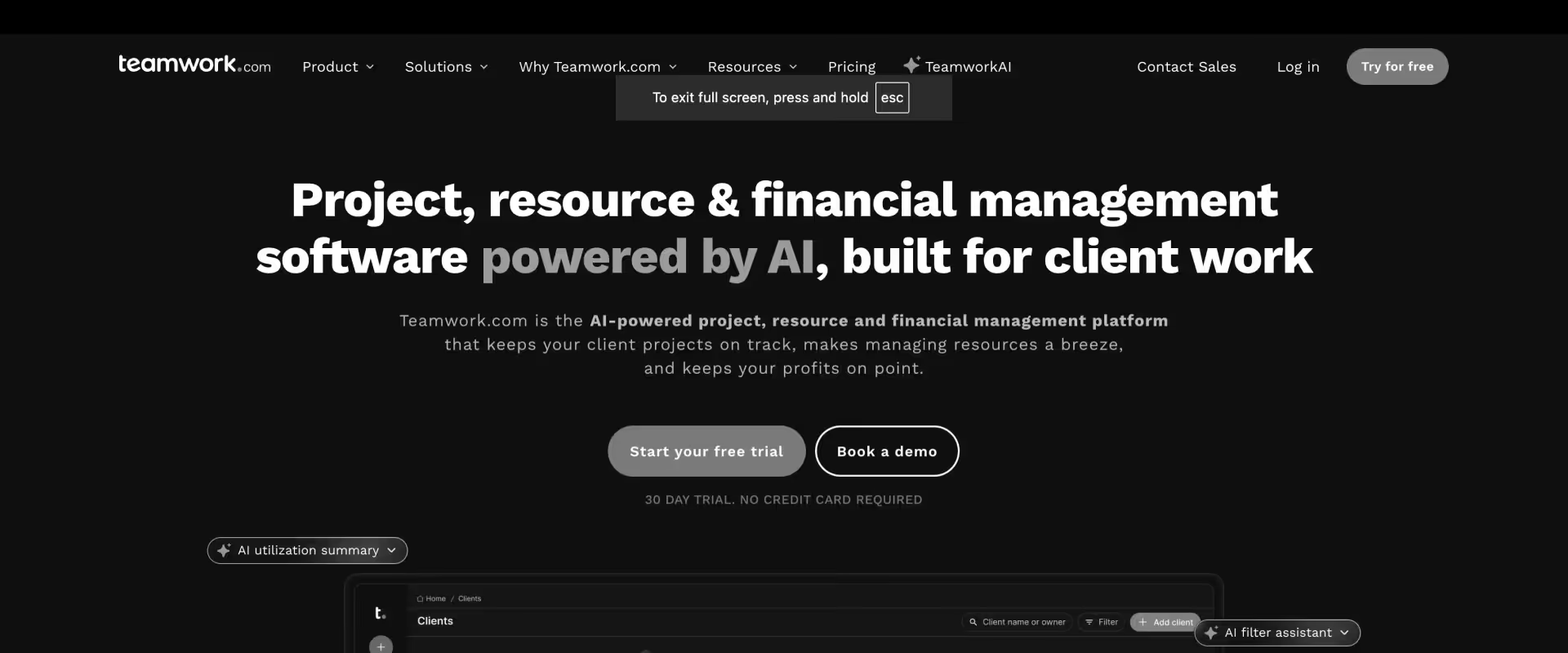
Teamwork sits meaningfully closer to the consulting use case than Monday or ClickUp. It has a native client portal, built-in time tracking, invoicing capabilities, and a project-focused structure that maps more naturally to consulting delivery. For small-to-mid consulting teams that need client visibility without full PSA complexity, it occupies a useful middle ground.
The limitations become apparent at scale. Resource management is functional but not deep — capacity forecasting and utilization reporting are limited compared to PSA-grade platforms.
Financial management covers basic invoicing but not revenue recognition or margin analysis at scale. For teams under 40 staff, Teamwork is a reasonable and cost-effective option.
Key features
- Project management views — Gantt, board, list, and table views give consulting project managers flexibility in how they track project timelines, task assignment, and project deliverables across active client engagements.
- Client portal — A native client-facing portal lets clients view project progress, access project-related files, and communicate with the delivery team without needing access to internal project management views — a meaningful differentiator at this price point.
- Built-in time tracking — Time tracking features are native to the platform, with timesheet management and approval workflows that connect logged hours to invoicing; consultants can track billable hours at the task level without a separate tool.
- Invoicing and basic billing — Basic invoicing capabilities cover straightforward billing scenarios, though multi-billing-model support (fixed-fee, T&M, retainer) and revenue recognition are limited compared to full PSA platforms.
- Resource management — Capacity views give managers a workload management overview across the team, though resource planning depth — skills-based matching, bench visibility, forward-looking forecasting — is not at PSA grade.
- Team collaboration tools — Teamwork Chat and Spaces facilitate internal team collaboration alongside project work, reducing the need for a separate collaboration tool for smaller consulting teams.
Pros and cons
Key takeaways
Best for
- Small consulting and agency teams (under 40 staff) graduating from spreadsheets and email
- Firms that need a client portal and basic time tracking without full PSA investment
- Teams not yet managing margin pressure or complex billing model requirements
- Boutique practices that want fast implementation and a clean client-facing experience at a competitive price point
What customers say
7. ClickUp
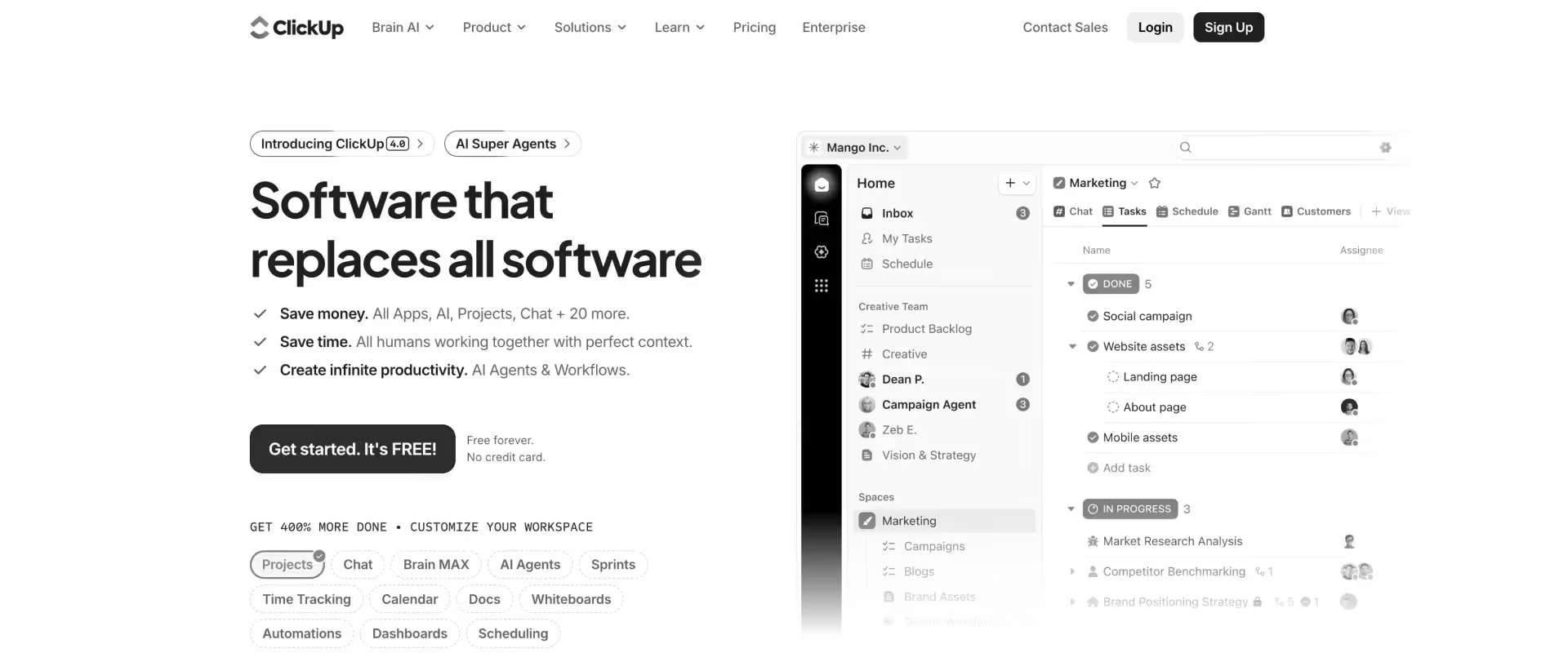
ClickUp is a feature-rich work management platform with strong configurability. Given enough setup effort, it can approximate consulting PM workflows. The platform's breadth is genuinely impressive.
The consistent issue for consulting firms is that ClickUp has no native PSA capabilities. Resource management, revenue recognition, billing models, and utilization reporting all require workarounds or integrations.
Teams that have built a consulting delivery system in ClickUp consistently report the same experience: "It's impressive until you need to track profitability or give a client a professional view of their project."
Key features
- Highly customizable views — List, board, Gantt, timeline, calendar, and workload views give consulting teams maximum flexibility in how they structure project tracking; the customizable workflows mean teams can build almost any process — but must build it themselves.
- ClickUp AI — AI-powered content generation, summarization, and automation assist with writing tasks, meeting notes, and repetitive workflow steps; not designed for PSA-specific use cases like resource allocation or financial forecasting.
- Time tracking — Native time tracking allows consultants to log billable hours against tasks, with basic reporting on time spent; does not connect to invoicing or project costs natively without configuration or integration.
- Goal tracking and OKR management — Useful for consulting firms that manage internal performance alongside client delivery, though this is not a core requirement for most consulting project management workflows.
- Integration capabilities — An extensive integration ecosystem covers most common business tools; integration capabilities are strong but rely on manual configuration rather than purpose-built consulting workflows.
- Docs and collaboration tools — Whiteboards and collaborative documentation keep project-related files and notes inside the platform, supporting team collaboration without switching to a separate tool — though file sharing with external clients requires workarounds.
Pros and cons
Key takeaways
Best for
- Small, technically adept consulting teams (under 20 staff) comfortable with extensive configuration
- Internal project tracking that doesn't require client-facing visibility or financial management
- Organizations already on ClickUp for other functions and wanting to extend it to consulting workflows
- Teams where flexibility and customization matter more than out-of-the-box consulting depth
What customers say
8. Scoro
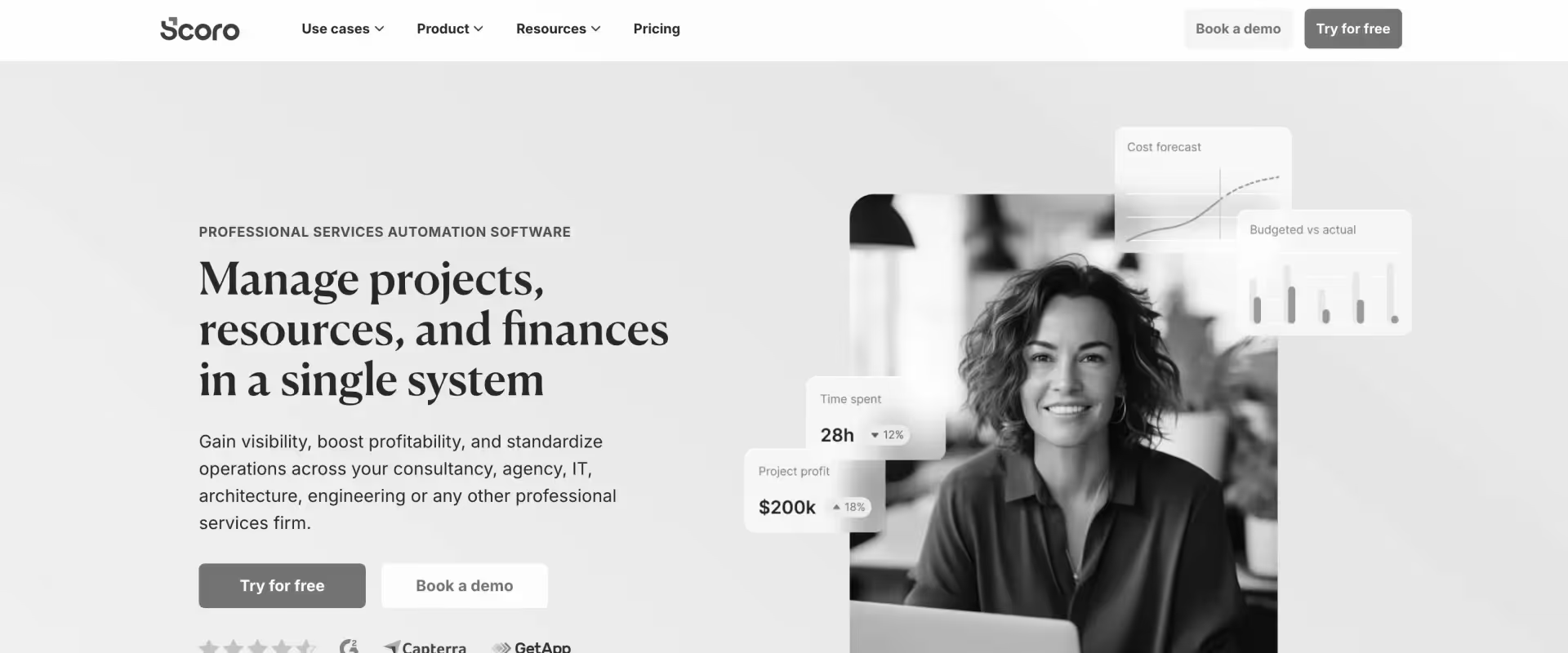
Scoro is an all-in-one business management platform combining project management, CRM, quoting, resource planning, and financial reporting in a single product. Financial reporting is a standout — budget tracking, profitability analysis, and utilization views are more developed than most tools at Scoro's price point.
The positioning caveat: Scoro is built for business management consolidation, not purpose-built consulting delivery. Teams whose primary pain is project management and client visibility may find Scoro's scope broader than needed. For enterprise consulting organizations managing 100+ concurrent projects, Scoro will show its limits.
Key features
- Project management views — Gantt charts, task lists, and calendar views cover standard project tracking requirements; the project management features are functional for managing projects across multiple clients, though they don't match the depth of dedicated PM platforms.
- CRM and quoting built-in — Scoro is one of the few management software platforms that combines CRM, quoting, and project delivery in one system — particularly useful for small consulting firms that want to manage the full client lifecycle without switching tools.
- Resource management with utilization dashboards — Resource planning and utilization reporting give practice leads visibility into team capacity and allocation across consulting projects, with dashboards that surface billable vs. non-billable splits.
- Time tracking and expense management — Consultants track billable hours and expenses natively, with data flowing directly into project costs, invoicing, and financial reporting — eliminating the need for a separate time tracking tool.
- Financial reporting — Budget tracking, profitability analysis, and revenue forecasting are Scoro's strongest capability; the depth of financial reporting at this price point is a genuine differentiator for SMB consulting firms that need consolidated financial visibility.
- Basic client portal — A client-facing view for sharing project status and project deliverables is available, though it is less robust than dedicated consulting PSA portals and may not meet enterprise client expectations for collaboration.
Pros and cons
Key takeaways
Best for
- SMB consulting firms (20–80 staff) wanting PM, CRM, and financial management in one platform
- Boutique management consulting or strategy firms without complex resource management requirements
- Teams where business management consolidation — not delivery depth — is the primary driver
- Firms that want CRM and quoting built into the same system as project delivery
What customers say
9. Productive.io
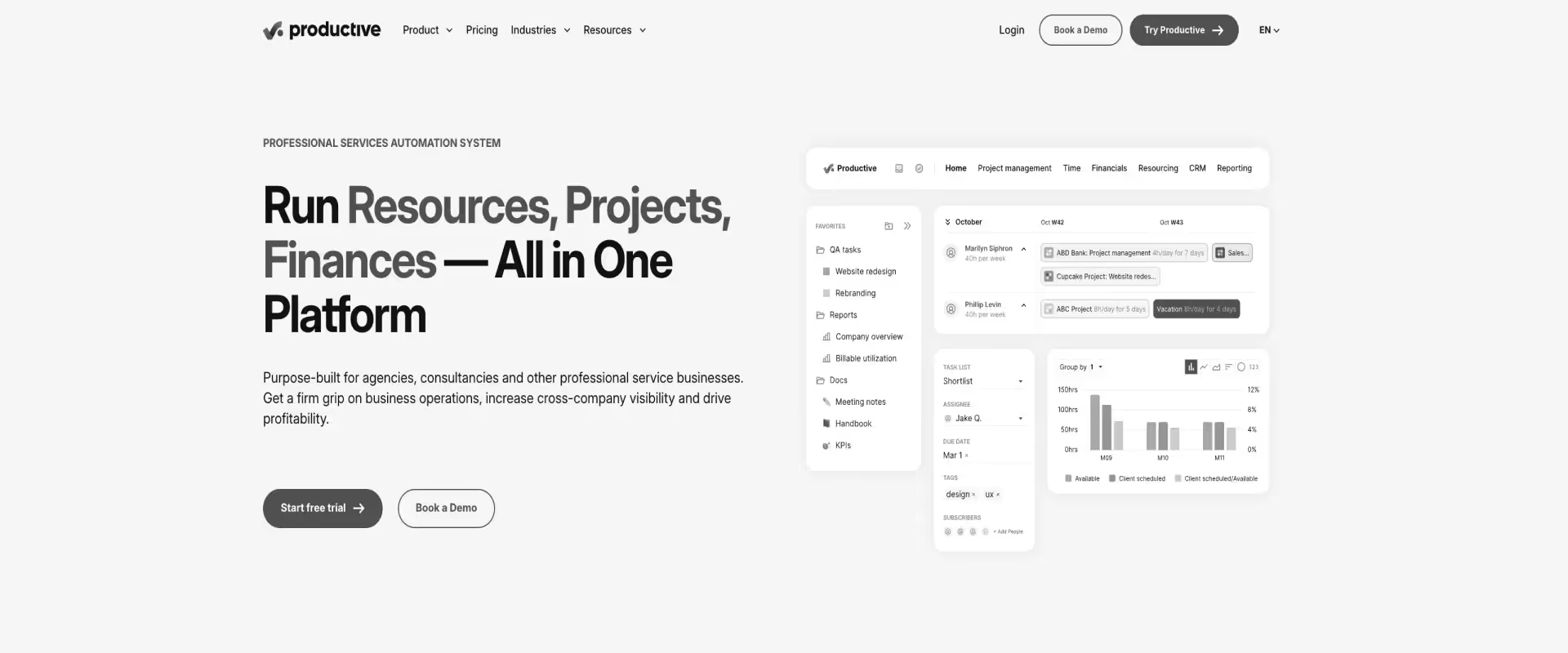
Productive.io is an agency-focused PSA platform combining resource management, budgeting, time tracking, and invoicing in a modern interface. It has strong traction among boutique IT consulting and digital transformation firms that have outgrown spreadsheets and need PSA-grade functionality without enterprise complexity. The UI is genuinely approachable.
AI features are emergent rather than mature. Enterprise consulting requirements — multi-entity billing, advanced resource forecasting at scale, sophisticated client portal customization — are not Productive's strengths.
Key features
- Resource management and capacity planning — Skills-based allocation and utilization planning give resource managers visibility into team availability and allocation across consulting projects, with capacity forecasting for pipeline planning.
- Budgeting and profitability tracking — Project-level and client-level budget tracking with real-time burn rate visibility helps consulting firms stay on top of project costs and identify margin risk before it becomes a write-off.
- Time tracking with approval workflows — Consultants log billable hours with calendar integration and mobile access; approval workflows ensure timesheet compliance, and time data connects directly to invoicing and financial analytics.
- Invoicing and billing model support — Fixed-fee, T&M, and retainer billing models are supported natively, with invoicing workflows that pull from logged time and approved expenses — a meaningful step up from basic PM tools.
- Project management views — Board and list views cover everyday task management and project tracking; Gantt chart support is available but less feature-rich than dedicated PM platforms or enterprise PSAs.
- Reporting and financial analytics — Dashboards cover utilization rates, project profitability, and billing performance across the consulting portfolio; reporting is solid for boutique firms and less comprehensive for enterprise-scale operations with complex projects.
Pros and cons
Key takeaways
Best for
- Boutique IT consulting and digital transformation firms (under 100 staff) ready to graduate from spreadsheet-based operations
- Agencies and consulting practices that need solid budgeting and time tracking without enterprise complexity
- Teams prioritizing implementation speed and clean UI over maximum PSA depth
- Firms coming off Harvest + Asana or similar lightweight stacks looking for a proper PSA without the enterprise overhead
What customers say
10. Wrike
Wrike is an enterprise project management platform with professional services templates, resource management add-ons, and reporting capabilities.
It has mature project management — Gantt, board, table, and analytics views are all present and functional — and its enterprise security and governance features satisfy compliance requirements that lighter PM tools can't.
The structural limitation is the same as Smartsheet at the enterprise level: Wrike is primarily a PM platform rather than a PSA. Financial management, revenue recognition, and client portal capabilities require significant configuration or third-party integration. For organizations evaluating from scratch, the gap between Wrike's PS capabilities and a purpose-built PSA is meaningful.
Key features
- Gantt charts, board, table, and analytics views give enterprise consulting teams multiple ways to track project timelines, task management, and project progress across complex projects with many dependencies.
- Resource management add-on — Wrike Resource provides workload management and capacity planning as a paid add-on; functional for workload balancing across multiple projects, though skills-based matching and consulting-specific utilization reporting require configuration.
- Professional services templates and project blueprints — Pre-built project templates for professional services delivery accelerate project setup and help standardize project workflows across the consulting team — one of Wrike's stronger consulting-specific features.
- Time tracking and approval workflows — Native time tracking lets consultants log billable hours against tasks with manager approval workflows; data connects to reporting dashboards but not natively to invoicing or billing without integration.
- Reporting and dashboards — Real-time data across the project portfolio gives leadership visibility into project status, team workload, and delivery performance; reporting is strong for PM-level insights but doesn't cover project costs or margin natively.
Pros and cons
Key takeaways
Best for
- Large enterprise consulting organizations already standardized on Wrike across multiple functions
- Firms needing PM depth and enterprise governance without the disruption of switching platforms
- Organizations where financial management is handled in a separate ERP and PM is the primary requirement
- Teams with enterprise compliance requirements (SSO, SAML, data residency) that lighter PM tools can't satisfy
What customers say
Comparison of the best project management software for consultants in 2026
Project management tools for consultants: Key functions
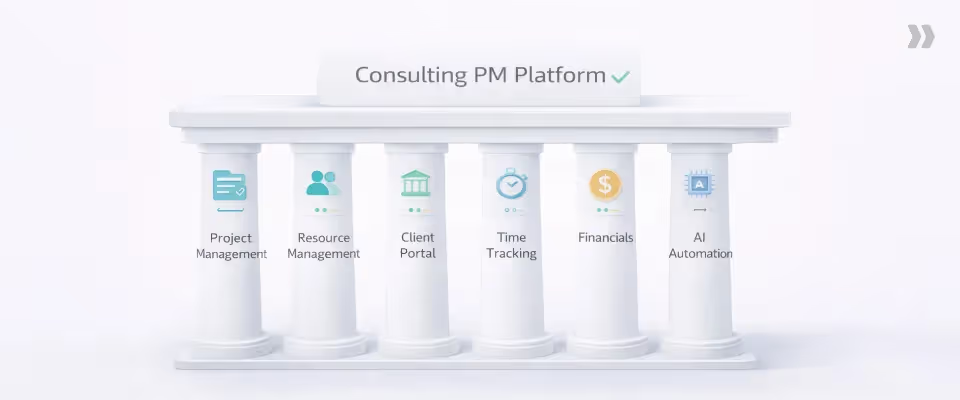
The most effective project management platforms for consulting firms cover six core capabilities: multi-view project management, resource allocation and utilization, client collaboration, time tracking, financial management, and AI-powered automation. Platforms that cover all six are purpose-built for consulting; platforms that cover two or three require additional tools that recreate the fragmentation problem.
Multi-view project management
Gantt charts, Kanban boards, list views, timeline views — not as cosmetic options, but as genuinely functional modes for managing different project types and team preferences. Gantt charts help visualize project timelines, ensure deadlines are met, and identify bottlenecks early — a baseline requirement for managing complex projects across multiple clients.
Template-driven project creation from SOW, dynamic conditions for project variations, and phase-level planning round out the project management features that distinguish a purpose-built platform from a generic task tracker.
Resource management and utilization tracking
Skills-based allocation, real-time capacity dashboards, bench visibility, forward-looking 30/60/90-day forecasting, billable vs. non-billable split reporting. Not a spreadsheet view — an actual system that reflects reality in real time and surfaces conflicts before they become escalations.
Client collaboration and portal
A white-labeled portal for task assignment, document sharing, milestone approvals, and real-time project status. Client accountability built into the delivery workflow — not an email add-on. The portal isn't a "nice-to-have" for the ICP searching this keyword; it's the single capability that most often tips a competitive evaluation.
Time tracking and timesheet compliance
Calendar integration for frictionless entry. Mobile time tracking. Approval workflows. Automated reminders. Billable vs. non-billable categorization. Time tracking features that connect billable hours directly to project financials — so every hour of work is captured, categorized, and billed correctly. Consulting firms need to track billable hours accurately across multiple clients and engagements simultaneously; platforms that treat time tracking as an afterthought produce the inaccurate invoices and missing margin data that erode profitability over time.
Financial management and billing models
Budget tracking, burn rates, margin analysis, revenue recognition. Support for fixed-fee, T&M, retainer, and milestone-based billing. Multi-currency support for global teams. The ability to see — in real time — whether a fixed-fee engagement is tracking to profit or heading for a write-off, before it's too late to course-correct.
AI-powered automation and insights
Resourcing recommendations, project health signals, meeting-to-update automation, SOW-to-plan conversion, timesheet governance. The gap between platforms with mature AI in professional services and platforms bolting on AI as an afterthought is widening fast in 2026.
The former changes how delivery work gets done. automating project workflows, surfacing project health signals before they become escalations, and reducing the administrative load on consultants so they can optimize resources toward billable client work.
How to evaluate project management software for consulting firms in 2026
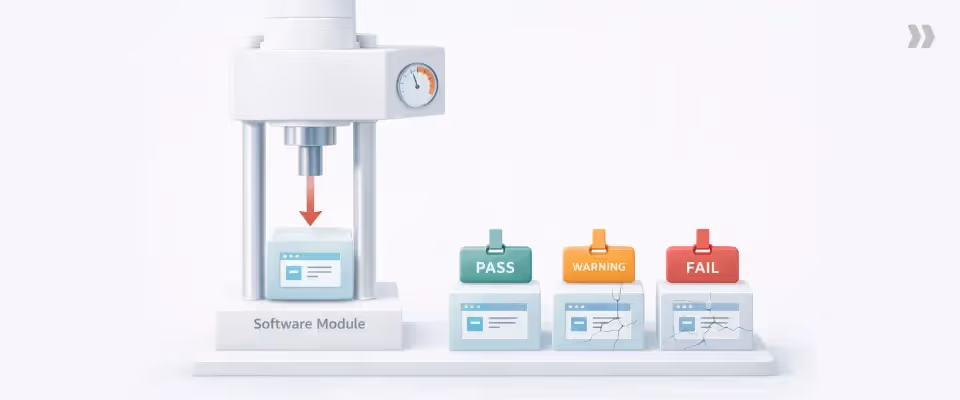
Finding the right project management software for your consulting firm means evaluating on the criteria that actually affect delivery outcomes — not feature count.
These tools were assessed on five dimensions: project management depth, resource management and utilization, client portal quality, financial management, and AI capabilities — in that priority order for a consulting audience.
Generic task managers and project trackers that lack PSA-grade functionality were excluded. The focus is on platforms that can operate as the primary delivery system for a 20–500 consulting project management operation without requiring 2–3 additional tools alongside them.
Evaluation criteria
PSA vs. PM tool distinction — the most important filter. A platform that doesn't natively handle utilization, revenue recognition, and billing models will always require a companion tool.
Implementation timeline — for firms managing active client delivery, a 6-month implementation is a business disruption, not just an IT project. Phased rollout capability matters.
Training and change management support — adoption is where implementations fail. The distinction between "we'll train your admins" and "we'll run working sessions with your PMs to build your first five project templates together" is the difference between 40% adoption and 90% adoption.
Integration with existing stack — Salesforce, NetSuite, HRIS. Verify that integrations are native, not Zapier patches, before moving past the demo stage.
Pricing model and TCO vs. current stack — compare the full cost: current tool licenses + integration maintenance + manual reporting hours. A platform at $49/user/mo that replaces Smartsheet ($20) + Certinia ($80) is not more expensive.
Core features consulting firms must have vs. nice-to-haves
Must-have:
- Real-time utilization dashboards (not weekly reports)
- Native client portal (not a shared link or workaround)
- Multiple billing model support (fixed-fee, T&M, retainer)
- Time tracking with calendar integration
- Salesforce or CRM integration
- Template-driven project creation
Nice-to-have:
- AI-powered resourcing recommendations
- SOW-to-plan automation
- Skills-based matching
- Automated timesheet reminders
Red flags:
- No client portal or basic external sharing only
- 6+ month implementation timeline with no phased option
- Requires Salesforce to function (if you're CRM-agnostic)
- No mobile time tracking
- No references from firms of comparable size and delivery model
Typical implementation timelines
- Lightweight PM tools (Teamwork, Monday): 1–3 weeks.
- Mid-tier PSA (Productive, Scoro): 3–6 weeks.
- Enterprise PSA (Rocketlane): 10–13 weeks for full implementation, with phased rollout available from Week 1 — teams see value in project management and client portal within the first few weeks before financial and resource management layers go live.
- Certinia and Kantata: 6+ months.
Decision routing table
Security, compliance, and data residency for global consulting firms
For consulting firms with delivery teams across US, UK, EU, and APAC: GDPR compliance for time and project data, SOC 2 Type II certification, IR35-compliant time tracking for UK contractors, regional data hosting options, multi-currency billing for cross-border T&M engagements.
Rocketlane and Certinia both offer enterprise-grade data controls. Flag compliance requirements early in your evaluation — retrofitting data residency after implementation is expensive and sometimes impossible.
Best project management software for consultants based on firm size and specialty

The best project management software for a consulting firm depends primarily on two factors: firm headcount and the complexity of your delivery model. A 20-person digital agency has fundamentally different requirements than a 200-person Salesforce implementation partner — and the tool that serves one will frustrate the other.
Best PM tools for boutique consulting firms (<30 staff)
Teamwork, Productive.io. Low implementation overhead, fast deployment, functional client portal, competitive pricing. The trade-off is clear: limited AI, no enterprise resource management depth, and a ceiling most growing firms will reach within 18–24 months.
Best for mid-size consulting firms (30–150 staff)
Rocketlane, Scoro. This is the range where the cost of tool fragmentation becomes most acute — firms large enough to feel margin pressure but without enterprise resources to maintain custom integrations. Rocketlane's phased implementation is designed specifically for this segment.
Best for enterprise consulting organizations (150–500+ staff)
Rocketlane, Certinia, Kantata. At this scale, enterprise resource management, multi-entity billing, ERP integration, and governance at scale become the primary drivers. Certinia is the choice if Salesforce-native is a hard requirement. For everyone else, Rocketlane delivers the combination of modern PM, PSA depth, and AI capability that Kantata and Certinia can't match.
Best for IT consulting and systems integrators
Rocketlane, Kantata. Salesforce/NetSuite integration depth, phase-based project management, skills-based resourcing, and client portal for implementation visibility are the four capabilities that matter most for this segment.
Best for management consulting and strategy firms
Rocketlane, Scoro. Client portal quality becomes a competitive differentiator in pitch processes for management consulting firms. Milestone-driven delivery visibility and executive-level reporting are also priorities for strategy engagements.
Best for global consulting teams (APAC, EU, UK)
Rocketlane, Certinia. Multi-currency billing, multi-timezone scheduling, data residency compliance, GDPR-ready time tracking, and IR35-aware timesheet policies. Rocketlane covers all of these natively.
Best for Salesforce implementation partners
Rocketlane (bi-directional Salesforce sync without admin dependency), Certinia (Salesforce-native — viable if full Salesforce lock-in is acceptable).
The key distinction: Rocketlane integrates deeply with Salesforce while remaining CRM-agnostic. Certinia is built on Salesforce — maximally integrated and maximally locked in simultaneously.
Common project management challenges for consultants and how to overcome them
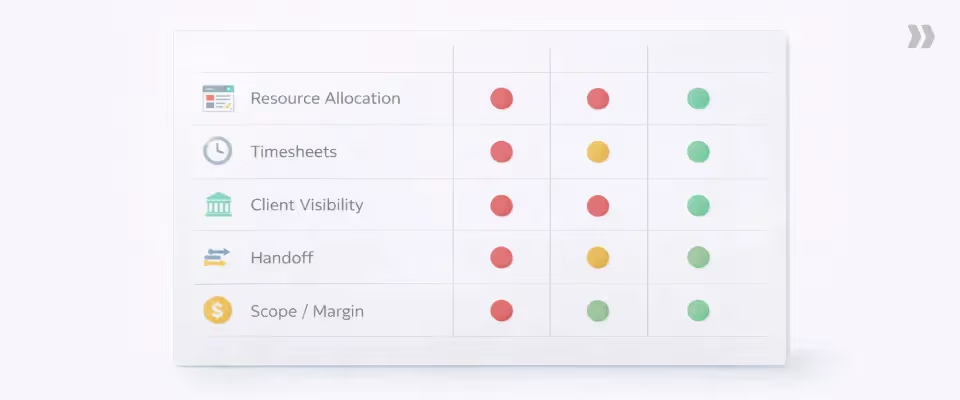
The most common project management failures in consulting firms aren't caused by lack of talent — they're caused by systems that don't surface problems early enough. The right platform turns reactive firefighting into proactive governance.
Resource Tetris — manual spreadsheet allocation. Skills-based AI matching with real-time capacity data replaces the weekly resourcing spreadsheet. The question "who's available with the right skills for this engagement?" should take 30 seconds, not a spreadsheet session.
Chasing timesheets. Automated reminders and calendar integration drive compliance without a manager nagging every Friday. Timesheet governance agents that enforce policy at the point of entry remove the manual review burden entirely and ensure time data feeds directly into project costs and invoicing without manual reconciliation.
Client escalations. The root cause is almost always the same: the client didn't know something was slipping until it had already slipped. Centralizing client communication in a live portal — where clients check project status, view upcoming milestones, and see outstanding actions — removes the 'where are we?' email thread entirely and replaces reactive client communication with structured, visible project tracking.
Sales-to-delivery handoff chaos. SOW-to-Plan automation converts uploaded proposals directly into project plans with phases, tasks, dependencies, and resource roles. What previously required 15–20 hours of manual project setup becomes a minutes-long agent task.
Margin erosion from scope creep.Budget burn rate alerts and real-time tracking flag scope drift before it becomes a write-off. Governance agents that block phase advancement without required sign-offs enforce delivery discipline at the workflow level, not just at the management review level.
Why choose Rocketlane for consulting project management
The tools above cover a wide range of consulting use cases. But for firms between 30 and 500 staff — managing concurrent client engagements, tracking utilization, running fixed-fee and T&M projects simultaneously, and needing a client portal that actually differentiates them in a pitch — there's a specific reason Rocketlane consistently wins evaluations against legacy PSAs and generic PM tools.
Not because it wins on feature count. Because it's the only platform where the architecture was designed for the problem.
It's the only platform that replaces Smartsheet + Certinia without giving something up
The most common starting point for mid-size consulting firms is Smartsheet + Certinia, or some variation of a PM tool layered on top of a legacy PSA. Teams maintain both because Certinia's project management is too clunky for daily use — PMs ignore it and run Smartsheet in parallel. The result is two tools, two sources of truth, and a weekly data reconciliation exercise that someone owns as their full-time job.
Rocketlane eliminates that combination by design. Project management is genuinely deep — Gantt views, dependencies, phase-level planning, dynamic conditions — so PMs don't need a parallel tool.
PSA functionality is equally complete — utilization dashboards, multi-billing-model support, revenue recognition, margin by project. One system. One source of truth. The data reconciliation job disappears.
The client portal is a sales differentiator, not just an operational feature
Most consulting firms pitch delivery quality as a differentiator. Few can show it. Rocketlane's white-labeled client portal changes that — in a competitive pitch, a firm can show a prospect exactly what their implementation experience will look like: a branded portal, real-time project status, task accountability for both sides, document sharing, and milestone approvals.
Competitors running status updates over email can't match that.
In active engagements, the portal eliminates "where are we?" email threads entirely. Clients log in, see project status, check their open actions, and complete approvals — without emailing the PM. Consulting firms consistently report that client-initiated escalations drop after go-live because visibility problems don't have the chance to become relationship problems.
Resource and Staffing agents handles the resourcing meeting that eats Mondays
The weekly resourcing meeting — where someone exports from the PSA into a spreadsheet, color-codes availability, and tries to staff 15 open roles against 40 active projects — is a direct tax on delivery capacity. It's also the point where errors compound: a resource double-booked, a skill mismatch missed, a bench situation unnoticed until it becomes a revenue problem.
Rocketlane's Resource agents handles skills-based matching, PTO-aware allocation, bench visibility, and forward-looking capacity forecasting in a live dashboard.
The resourcing meeting becomes a confirmation of decisions already surfaced by the system, rather than the manual analysis itself. For a 100-person consulting firm, recovering the PM hours spent in that meeting every week adds up to real capacity within a quarter.
Nitro AI executes delivery work — it doesn't just report on it
Most AI in project management tools is generative: it helps you write faster, summarize things, or query your data. Nitro operates differently — it takes on work that currently sits in the gap between systems and between people. The SOW-to-Plan Agent converts an uploaded proposal into a full project plan with phases, tasks, dependencies, and resource roles in minutes.
The Documentation Agent converts meeting notes into structured BRDs, status updates, and handoff documents. The Signals Agent monitors account health continuously and surfaces churn or expansion signals before they show up in a QBR.
That's not a reporting tool. It's a delivery tool — and the distinction matters for consulting firms where PM bandwidth is the bottleneck.
Implementation doesn't disrupt active delivery
The consistent fear with any platform change for consulting firms is disrupting live client engagements during the transition. Rocketlane's implementation is structured to avoid this: phased rollout by team or project type, with the first templates built collaboratively in working sessions — not handed over in documentation.
Teams typically see value in project management and client portal within the first few weeks of onboarding, before the full financial and resource management layers go live. Enterprise implementation typically completes in 10–13 weeks.
How Rocketlane Nitro transforms consulting project delivery
Most AI in project management sits outside the delivery workflow. It summarizes what happened, generates a report on request, or helps you type something faster.
Nitro sits inside the workflow — it takes on work at the point where that work actually happens, rather than reviewing it afterward.
For consulting firms, where the gap between planning and execution is where margin leaks, this distinction matters.
At project start: turning inputs into a plan
The moment a consulting engagement is won, information is scattered across the SOW, kickoff call notes, internal handoff messages, and a proposal that was written six weeks ago. Turning that into a structured project plan has historically required 15–20 hours of PM time: re-reading the SOW, building the template, mapping phases, configuring dependencies.
SOW-to-Plan Agent handles this end-to-end. Upload the proposal — the agent extracts phases, milestones, deliverables, and resource requirements and creates a fully structured project plan in minutes. The PM reviews and adjusts rather than building from scratch. What was a full day's work becomes an hour.
Documentation Agent runs parallel to this, building project artifacts from conversations as they happen. Kickoff call transcripts become BRD drafts. Scope discussions become structured design documents. Every artifact is linked to its source — so when scope changes, the document reflects the project as it actually is, not as it was planned.
During delivery: maintaining control as work moves
Once execution begins, the challenge shifts from planning to governance — keeping 40 concurrent projects on track across a team of 150, each with different phases, client dependencies, and margin pressures.
Project Governance Agent enforces delivery sequence at the workflow level: tasks require prerequisites, phase advancement requires sign-offs, approvals are tracked in the system rather than in email. Delivery consistency doesn't depend on which PM is running the project.
Nitro Signals monitors account health continuously — reading patterns across calls, emails, and client activity in the portal to surface risks and expansion signals early. Instead of discovering that a project relationship has deteriorated at the QBR, practice leads see the signal three weeks before it becomes an escalation. The same capability surfaces expansion opportunities in accounts that are tracking well.
Timesheet Policy Agent enforces time entry compliance at the point of entry — validating entries against configured rules, applying billing logic automatically, and flagging issues before they affect invoices. Financial accuracy moves closer to execution rather than being cleaned up at month-end.
For reporting: answers without reconstruction
The traditional end-of-month cycle for consulting operations — extracting data from the PSA, formatting it in Excel, presenting it to leadership — is a structural waste of delivery capacity. Nitro Analyst eliminates it.
Ask the system about utilization, project margins, delivery velocity, or at-risk accounts in natural language. Get an answer with an explanation of why — not a data dump that requires a week to interpret. QBR preparation that previously took a full day becomes a query. The data is always current because it reflects live delivery, not a snapshot.
Conclusion
The consultants winning on margin in 2026 aren't the ones with the most headcount — they're the ones with the best visibility into their delivery operations.
That means a single platform for project management, resource tracking, client collaboration, and financial performance — not four tools stitched together with spreadsheets and hope.
For small teams under 30, Teamwork and Productive.io are fast and functional starting points for managing projects without full PSA overhead. For firms between 30 and 500 staff that need PSA-grade delivery, client portal quality as a sales differentiator, and AI-native operations,
Rocketlane is the project management solution purpose-built for exactly that segment. It's the only tool in this list that combines modern project management depth, full PSA capability, a native branded client portal, and an agentic AI layer that executes delivery work — not just surfaces dashboards — making it the right project management software for consulting businesses that are serious about scaling profitably.
The question isn't whether your current stack is holding you back. If you're running Smartsheet alongside Certinia, or chasing timesheets every Friday, or compiling manual status reports before every client call — it is. The question is how much margin you want to recover before you fix it.
Book a quick 30-min demo with our project delivery experts to try Rocketlane for your consultants.
Table of Contents

Regsiter for the live webinar


Great consultants didn't join your team to spend Fridays writing documentation.
Table of contents
18 of Forbes Cloud 100 chose Rocketlane. The best PS teams aren't waiting around.
FAQs
What is the best project management software for consultants in 2026?
Rocketlane is the strongest choice for IT consulting firms, systems integrators, and PS teams between 30 and 500 staff — combining project management, resource management, client collaboration, and AI-powered automation in one purpose-built platform. For boutique firms under 30 staff, Teamwork and Productive.io offer faster implementation with lower overhead. For enterprises with hard Salesforce requirements, Certinia is the alternative.
Do consulting firms need both a PSA and a project management tool?
Not if they choose the right platform. Legacy PSAs (Certinia, Kantata) have weak project management, forcing teams to run Smartsheet alongside them. Modern PSA platforms like Rocketlane are built to replace both — offering PM depth that matches dedicated tools and PSA depth that matches legacy platforms, in a single system.
What features should I look for in project management software for consulting firms?
The must-haves are: real-time utilization dashboards, a native client portal (not a workaround), multiple billing model support (fixed-fee, T&M, retainer), time tracking with calendar integration, Salesforce or CRM integration, and template-driven project creation. AI-powered resourcing and SOW-to-plan automation are the capabilities separating 2026-ready platforms from the rest.
Which project management tools have the best client portals for consultants?
Rocketlane has the strongest native client portal in the category — white-labeled, fully branded, built into the platform from the ground up. Teamwork has a functional client portal at a competitive price point for smaller teams. Most other tools in this list have either no client portal or a basic external sharing view that doesn't meet enterprise client expectations.
How long does it take to implement project management software for a consulting firm?
Lightweight PM tools (Teamwork, Monday): 1–3 weeks. Mid-tier PSA platforms (Productive, Scoro): 3–6 weeks. Enterprise PSA platforms (Rocketlane): 10–13 weeks for full implementation, with phased rollout from Week 1. Certinia and Kantata: 6+ months. Implementation timeline is one of the most important evaluation criteria — a 6-month implementation for an active consulting firm is a significant business risk.













Copyright © 2026 Rocketlane Corp. All rights reserved.





















.webp)