What is a timesheet? Definition, benefits, and software for professional services teams [2026]

•
•
Summarize blog with






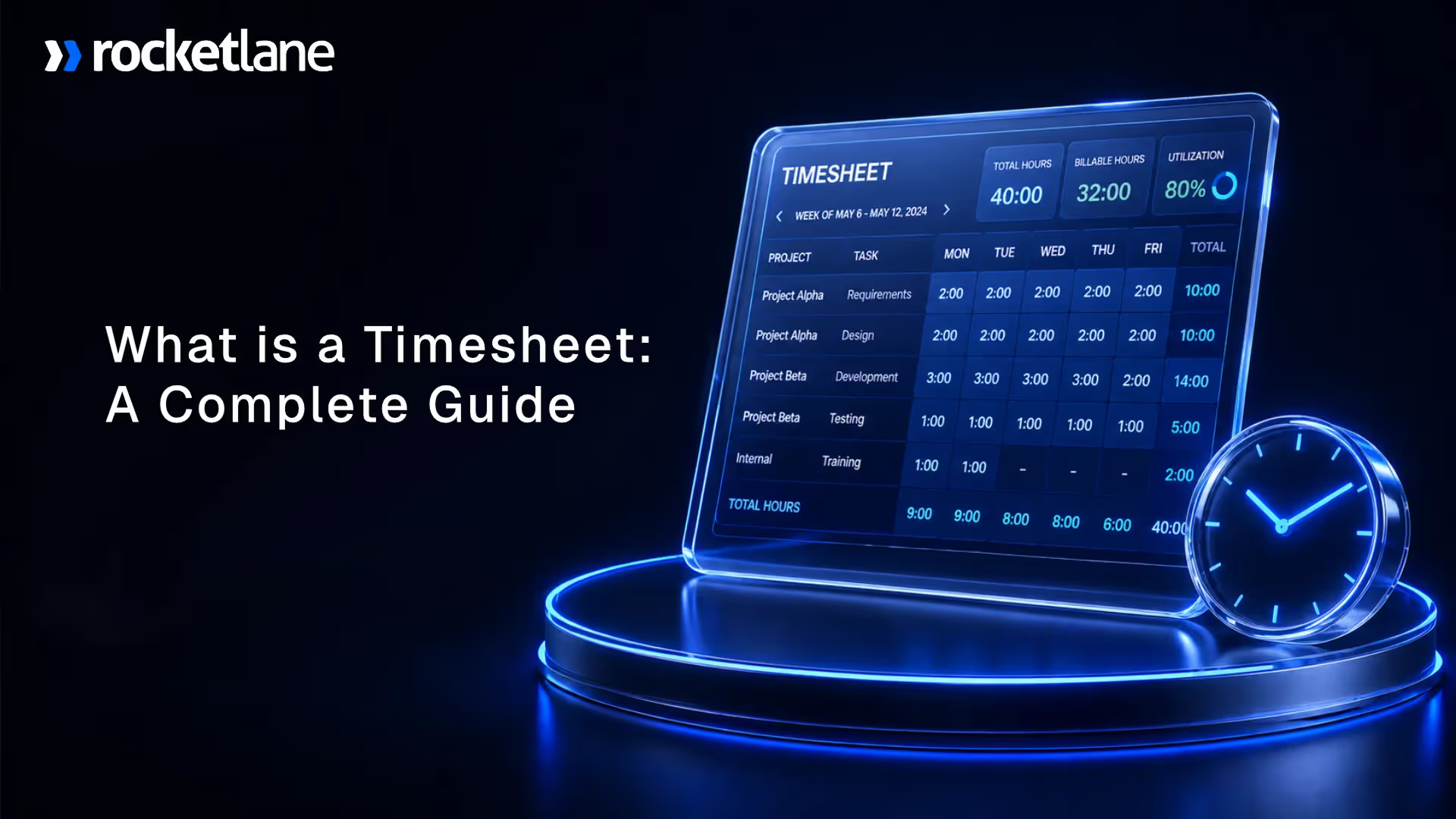
A timesheet is a structured record that captures how an employee's time is spent across projects, tasks, clients, and activities during a defined period — typically daily or weekly.
Without accurate timesheets, professional services teams lose an estimated 15–25% of billable hours to undercapture, delayed entry, and misrouted time.
Research from the Project Management Institute shows that high-performing delivery teams achieve 70–85% billable utilization — a metric that depends entirely on clean, timely timesheet data.
Leading PS teams use timesheet systems that connect time entry to project delivery, resource management, and financial reporting in one workflow.
Rocketlane is a PSA platform built for professional services teams that connects timekeeping to project actuals, budget burn, and invoice-ready data — eliminating the manual reconciliation that kills billing speed.
This guide covers what a timesheet is, how timesheet data flows through a services business, common mistakes that cost margin, and what to look for in modern timesheet software.
Most service leaders call timesheets 'admin.' They are wrong. Timesheets decide what gets billed, what gets written off, and whether project margins hold or quietly drain.
By the time a leader asks, “Why are invoices always late?” the timesheet problem has been compounding for months. A line item that employees fill out before Friday so payroll and billing can move forward.
That answer is correct, but it misses the bigger picture.
In a professional services business, timesheets carry far more weight than a record of hours. They decide what gets billed to the client and what gets written off as unrecoverable.
Timesheets are also critical for accurate billing in legal services, ensuring compliance and transparency for legal professionals.
They determine which projects are actually profitable and which ones quietly drain margin. They shape whether utilization numbers are real or inflated to hit a target. And they dictate how painful the month-end becomes for delivery leaders, operations teams, and finance.
That is why “What is a timesheet?” is rarely a basic question for growing services teams. It is usually the first question hiding behind much bigger ones. Why are invoices delayed every month? Why do project budgets turn red too late for anyone to intervene? Why does utilization feel political instead of factual?
This guide answers the surface question first, then the ones underneath it.
What is a timesheet?
A timesheet is a structured record used by both hourly and salaried employees to record hours worked for payroll and project management.
It helps track employee work hours accurately during a defined period, usually daily or weekly.
A timesheet typically captures the date, project or client, task or activity, hours worked, billable or non-billable status, and any notes required for review or audit.
The word “structured” is what matters. A scribbled note saying “worked 6 hours on Acme” is a record, not a timesheet. A proper timesheet organizes time against specific clients, projects, and activities in a format the business can approve, bill, report on, and audit.
A timesheet for employees in a services firm needs that structure because hours are not just paid, they are billed, measured, and planned around.
What does a timesheet mean in a professional services context?
To define a timesheet in a business setting, it is more than a work log. It is a control point for billing, utilization, labor cost, project performance, compliance, and financial reporting.
Timesheets provide accurate records and payroll records, which are essential for project tracking and monitoring project progress.
The timesheet's meaning shifts from “weekly admin” to “operating record” the moment revenue, margin, and capacity decisions depend on it.
Timesheet in corporate use is often the single thread that ties delivery work to invoice-ready data and project profitability.
A consulting team running 40 engagements can quickly answer who is overallocated, which projects are burning too fast, and which invoices are ready to send, but only if the timesheet data is clean and timely.
What is the difference between a timesheet and time tracking?
Time tracking is the broader practice of recording work time. A timesheet is the structured record that comes out of that process.
Time can be tracked through a live timer, a task update, a calendar sync, or manual entry at the end of the day. The timesheet is what gets submitted, approved, billed, analyzed, and audited. Time tracking is the input.
The timesheet is the output that the rest of the business consumes. Tracking employee hours through timesheets ensures accurate payroll and compliance with labor laws.
What does a timesheet look like?

Basic timesheet fields
A standard timesheet template contains predictable fields because approvers, finance, and clients all expect the same building blocks.
At a minimum, a timesheet format should capture:
- Employee name for payroll, approval routing, and audit
- Employee classification (hourly employees or salaried employees) to ensure proper payroll and compliance with labor laws
- Date at day or week level depending on the rhythm
- Client or project the work maps to
- Task or activity within that project
- Hours worked on the specific task
- Job site for workers at multiple locations, ensuring accurate tracking of employee time and payroll
- Billable or non-billable classification separates revenue-generating work from internal time
- Notes or work description for approver context and client defensibility
- Approval status tracking, who has signed off, and when
Tracking employee time for both hourly employees and salaried employees, especially across different job sites, helps ensure accurate payroll and compliance with regulations.
Some teams extend the timesheet layout with fields for role, rate card, location, overtime flags, cost center, or project phase.
Those extensions help reporting, but they also raise the bar for clean entry. The more fields a timesheet has, the more important it becomes that most of them are pre-populated or selected from controlled options.
Example of a simple timesheet entry
Here is a basic example of timesheet entry across two days:
Every row ties hours to a specific client, task, and billable classification. The notes are short but specific enough to defend the entry in a review or client billing conversation. Nothing in the row depends on memory or interpretation later.
Note: Timesheets should capture both clock-in and clock-out times using employee clocks to ensure accurate tracking of daily hours and total hours for payroll and compliance.
Why timesheet design matters
A good timesheet format makes the correct entry easier than the wrong one. Relevant projects surface first. Tasks are easy to select.
Billable logic is not left to memory. Notes are required only when they add value to approval or billing.
Most teams have some form of timesheet template, but the layout is often inconsistent across spreadsheets, project management tools, and financial systems. One spreadsheet uses project codes. Another uses project names. Finance pulls the wrong one, and someone spends a morning reconciling the difference. That is not a discipline problem. It is a design problem.
A weak timesheet layout creates weak entry quality, slower approvals, and poor reporting. A strong one lifts all three at once, without asking consultants to work harder.
Well-designed timesheets help minimize human error and keep time records up to date, ensuring accurate payroll processing and compliance.
Why do professional services teams need accurate timesheets?
The role of timesheets in business is easy to underestimate. Most teams treat them as admin. In practice, the importance of timesheets shows up in the metrics that leadership watches every month.
Timesheets support workforce management by improving scheduling and tracking employee hours, streamlining business processes through integration with other workflows, helping control and allocate labor costs effectively, and enabling monitoring of employee productivity and project tracking.
According to PMI's Pulse of the Profession report, organizations with mature project controls — including accurate time tracking — deliver 2.5× more projects on budget than those without. For services teams, the timesheet is the primary control mechanism.
The benefits of accurate timesheet preparation translate into billing speed, project visibility, utilization, auditability, and financial confidence.
Better billing accuracy
Accurate timesheets are essential for generating accurate payroll, proper client billing, and ensuring correct overtime pay.
This is especially important on time-and-materials work where every captured hour affects revenue and compliance. A missed or misrouted hour does not show up as an error.
It shows up as a missed invoice line, a client dispute, a write-off at month-end, or incorrect overtime pay calculations. Strong timesheet preparation protects the top line and ensures accurate payroll and overtime pay, one entry at a time.
Stronger utilization visibility
Timesheets reveal how much available time is spent on billable versus non-billable work, and tracking employee hours through timesheets helps monitor productivity for both hourly and salaried employees.
That makes utilization a usable operating metric instead of a rough estimate. Without clean time data, utilization is inferred from headcount and gut feel.
With it, leaders can see which teams are running hot, which ones have hidden capacity, and where the organization can take on more work.
Clearer project profitability
When time is tracked accurately against the right project and task, timesheets help track project progress and support project tracking and resource allocation.
Project leaders can compare estimated effort to actual effort before margins disappear. Fixed-fee projects live or die on this comparison.
If burn is not visible by week three, the overage is discovered at invoicing, when it is already absorbed.
Faster month-end and fewer disputes
A strong timesheet process shortens the path from delivery to approval to invoicing. Maintaining accurate records and payroll records through timesheets helps prevent payroll errors and disputes, ensuring reliable payroll processing and compliance with wage laws.
When entries are clean and on time, finance closes the month on schedule instead of waiting on corrections.
Clean records also give client-facing teams the detail they need when billing questions arise. A consultant who can point to a specific entry, note, and approval turns a dispute into a short conversation.
Better resource planning
Historical time data helps leaders understand where work is concentrated, who is overloaded, and whether the organization has real capacity to take on new projects.
Tracking employee time through timesheets supports workforce management and streamlines business processes by providing accurate insights into how time is actually spent.
Capacity plans built on allocations alone miss these critical details. Without accurate time data, staffing decisions are guesswork dressed up as forecasts.
What timesheet data is used for
Benefits describe what the business gains. What timesheet data is used for describes how that data moves through the organization every week.
Timesheets provide accurate records, payroll records, and time records essential for compliance and reporting.
In a services business, the same set of entries feeds billing, utilization reporting, project profitability, capacity planning, revenue recognition, compliance, and executive reporting. One record, many downstream consumers.
Gartner notes that professional services organizations that connect time data directly to financial reporting reduce month-end close time by 30–50% compared to teams running disconnected timekeeping and ERP systems.
Billing and invoice preparation
For time-and-materials work, timesheet data becomes the raw input for invoices. Timesheets help track billable hours and overtime hours, ensuring accurate payroll and client billing. Every approved hour, rate, and billable classification rolls into a client invoice.
Missing or late entries delay revenue. A project that closes a week without full timesheet submission is a project that cannot invoice on schedule. Multiply that across a portfolio and the cash impact shows up in DSO.
Utilization and team productivity analysis
Timesheet data powers utilization reporting and plays a crucial role in monitoring employee productivity and tracking employee hours for effective workforce management.
Leaders use it to see who is fully allocated, who is underused, and whether delivery effort is moving into billable work. Utilization is the headline metric for most services businesses.
Without trustworthy timesheet data, it becomes a debate. With it, leaders can rebalance workloads, spot burnout risk, and defend hiring plans with evidence.
Project budget burn and profitability
Tracked hours show actual effort against estimated or allocated effort, supporting project tracking, monitoring project progress, and enabling better resource allocation. That is how project leaders catch overages, defend margins, and identify scope creep earlier.
Weekly burn data turns project profitability from a month-end surprise into a weekly control point.
A PM who sees a project at 70 percent of budget with 40 percent of scope delivered can have the scope conversation now, not after the overage is baked in. The same dataset feeds capacity planning, giving leaders a view of how long similar work really takes.
Revenue recognition and financial close
In many professional services environments, approved time data supports revenue recognition logic. Accurate payroll records and time records generated from timesheets are essential for compliance and financial reporting.
Percentage-of-completion, milestone-based, and time-based recognition models all depend on clean timesheet reporting. Weak timekeeping slows close and reduces confidence in financial reporting. If finance is chasing missing hours, revenue recognition is chasing finance.
Compliance, controls, and defensibility
Approved timesheets create an audit trail. They support internal controls, client disputes, regulated workflows, and defensible financial records.
For teams working with government agencies, regulated industries, or large enterprises, timesheet compliance is not optional. The timesheet report is often the first document requested when a client or auditor needs to verify what was delivered and what was billed.
- Operator insight: Timesheet data is one of the few data layers that delivery, operations, and finance all depend on. That is why weak timekeeping never stays a minor admin problem.
- What this means: When a leader says "timesheets are annoying," the hidden version is often "billing is slower, utilization is weaker, and we do not trust our project economics enough."
What are the different types of timesheets — and which one fits your team?

Not every timesheet serves the same job. Teams choose different formats based on how often they submit, what work they track, and how much structure the business needs.
The wrong format is a quiet tax. What felt manageable for eight consultants becomes unstable at thirty or fifty, and most teams do not notice until month-end cleanup starts to eat whole weekends.
Daily, weekly, biweekly, and monthly timesheets
The four common types of timesheets differ in rhythm, not in purpose. Weekly timesheet templates, monthly timesheets, and daily timesheets are available to help businesses track employee hours, overtime hours, and leave.
These templates cater to different reporting needs and help ensure accurate payroll.
- Daily timesheets work well for teams with frequent task switching or stricter compliance needs. Fields are short. Memory is fresh. Data is cleaner. The tradeoff is higher submission volume.
- Weekly timesheets are the most common for consulting, onboarding, and project delivery. They strike a balance between entry discipline and admin overhead. Most approval workflows and billing cycles are built around them.
- Biweekly and monthly timesheets reduce submission frequency but increase memory risk and correction volume. By the time someone reconstructs week two, they are guessing at week one. What looks like lighter admin usually becomes heavier cleanup.
Digital vs traditional timesheets
The move from paper and spreadsheets to digital tools is one of the biggest shifts in timekeeping. Digital vs traditional timesheets is not a preference question anymore. It is a scale question.
Digital timesheets and automated timesheets help reduce human error and payroll errors by capturing time entries in real time and integrating with payroll systems, ensuring greater accuracy and compliance.
Digital timesheets also provide real-time tracking and integration with various business systems, offering enhanced accuracy and valuable insights into how time is spent across projects and tasks.
Time card vs timesheet
Time cards and timesheets get confused often, but they answer different questions. A time card is attendance-focused. It records when someone started and stopped working, and it usually feeds payroll.
Time cards are common for shift-based workforces, hourly roles, and field teams where the priority is hours on and hours off.
A timesheet is activity-focused. It records where time went, whether it was billable, and how it maps to project work and business outcomes.
In a services firm, the timesheet is what drives client invoices, utilization reports, and project margin views. The time card vs timesheet distinction matters because a clock-in record cannot answer what a billable hour was spent on.
Timesheet template vs timesheet software
A timesheet template standardizes a format. Timesheet software standardizes a process.
Free timesheet templates are available for Microsoft Excel and Google Sheets, providing an accessible solution that requires minimal training for teams already familiar with spreadsheets.
A shared spreadsheet with validated columns gets a small team through the first year. Once approvals, project coding, billable logic, or finance handoffs become more complex, templates usually create more cleanup than control.
Someone breaks a formula. Someone adds a new project without telling finance. Someone saves over last week’s file.
The format looks consistent, but the process is not. Software replaces the honor system with guardrails, reminders, and audit trails that hold up even when people are busy.
How to fill a timesheet correctly
Most guides on how to fill a timesheet focus on format. However, tracking employee hours and recording daily hours in your timesheet is essential to ensure accurate records for payroll processing and compliance with wage laws.
The harder question is how users should think about timesheet entry during a normal week, when deadlines compete for attention and memory is thin.
These five practices follow the order a consultant should actually follow, not the order the form presents them.
1. Start with the right project and task
The first step is choosing the correct client, project, and task or activity. If users search across dozens of irrelevant codes, accuracy drops before the first hour is entered. Narrow the list to active projects a user is assigned to.
Make recently used projects easy to surface. A consultant staring at 200 project codes will default to the closest match they recognize, which may not be the right one.
2. Record time close to when the work happened
End-of-week reconstruction creates rounded hours, vague notes, and forgotten tasks. Time captured closer to the work is almost always more accurate.
This does not mean running a timer every minute. It means logging time at natural breakpoints: after a meeting, after a deliverable, after a block of focused work.
Waiting until Friday forces consultants to recreate the week from calendar memory, which is neither efficient nor reliable.
3. Mark billable and non-billable work clearly
Billable logic should be easy to apply and ideally pre-configured against tasks or project phases. Timesheets should also differentiate between exempt employees and non-exempt employees, ensuring that overtime hours and overtime pay are accurately tracked for compliance with labor laws such as the FLSA.
If users guess, the timesheet process is pushing financial decisions to the wrong point in the workflow.
A consultant is not the right person to decide whether a discovery call is billable. That decision belongs to the project contract, and the system should carry it forward automatically.
4. Add notes where they support billing or review
Notes should clarify the work done when needed for client defensibility, compliance, or approver context. They should not force consultants to write a mini project update for every line item.
A useful rule: a note is required when the hours could be challenged, queried, or audited. Otherwise, the task name and billable status are enough.
5. Submit on the agreed rhythm, not after the fact
Timesheet submission on a clean weekly rhythm reduces manager chasing, keeps billing on schedule, and improves the accuracy of project actuals.
Late submission is not harmless. A single consultant submitting three days late can stall invoicing for a client. Multiply that by a team and month-end becomes the scramble most services leaders already know too well.
Operator rule: The best timesheet habit is not "remember to submit by Friday." It is "capture time inside the same workflow where the work happened."
What timesheet mistakes quietly destroy billing accuracy and project margins?
Missing submissions get most of the attention. The harder problem is bad data that passes through approval and flows into invoices, project reports, and utilization numbers.
These issues often stem from human error, such as incorrect manual entries or overlooked details, which can lead to payroll errors and compliance risks.
Without maintaining accurate records and time records through proper timesheet management, mistakes like a rounded hour here or a misrouted task there can quietly compound.
By month-end, the dataset leadership relies on is two degrees off. Here are the patterns that cause the most damage and how to avoid them.
Estimating or rounding hours
Rounding looks harmless, but it distorts budget burn, utilization, and billing accuracy. Accurately tracking daily hours and total hours in timesheets is essential to prevent errors in payroll and compliance, ensuring that wage calculations and labor cost management are correct.
On fixed-fee projects, rounding can hide effort overruns until the margin is already gone.
On T&M work, it weakens invoice defensibility. When a client asks “what did we pay for here,” a block of rounded hours with no narrative is hard to defend.
Precise entry, even in 15-minute increments, protects both sides of the billing conversation.
Forgetting to log time
This is one of the easiest ways to lose billable revenue. Failing to track employee hours and maintain accurate records can lead to lost revenue and compliance issues.
Late reconstruction almost always means weaker detail and lower confidence in what gets submitted.
Consultants under pressure will skip the entry, round down to be safe, or skip notes that would have supported the billable case.
None of those are recoverable once the month closes. The revenue is not written off. It is quietly never captured.
Incorrect coding
Logging work to the wrong project or task creates two bad records at once. The right project looks healthier than it is.
The wrong project absorbs effort it never should have carried. Over a portfolio, this distorts margin analysis, forecast accuracy, and resource planning. Incorrect coding also shows up as client complaints when hours appear on invoices for work done for someone else.
Using multiple systems
When users track work in one tool, projects in another, and finance in a third, reconciliation becomes manual. Every handoff adds latency and error risk. Someone exports, someone cleans, someone imports.
By the time the data lands in the system of record, the week is over, the context is gone, and mistakes that could have been caught at entry now need a multi-tool investigation.
Missing break, overtime, or policy treatment
For organizations with strict internal or client requirements, incorrect handling of break rules, overtime, or regional rules creates rework and compliance exposure. Timesheets should accurately record lunch breaks and rest breaks to ensure compliance with labor laws, as failure to do so can result in legal violations and penalties.
A consultant in one region may need to log breaks; one in another region may not. Government contractors often have note-formatting requirements. Missing these rules is not a theoretical problem. It is the difference between a clean audit and a painful one.
Manual entry mistakes
Wrong dates, duplicate rows, swapped hours, or weak notes seem minor until someone has to approve, bill, or audit them at scale.
Manual timesheet processes are especially prone to human error and manual entry mistakes, which can quickly multiply. A 30-person team logging 20 entries per week produces 600 records.
A one percent error rate across a month is 24 bad entries, each needing a correction, an approval, and an audit trail. Small errors do not stay small in volume. Switching to digital timesheets and automated timesheets helps reduce human error and manual entry mistakes, improving accuracy and streamlining the entire process.
How to prevent these errors
The most reliable prevention tactics are structural, not behavioral:
- Capture time closer to the work so memory does not become the bottleneck
- Reduce blank-slate entry by pre-populating from allocations, tasks, and calendar context
- Pre-define billable logic at the task or project level rather than letting users decide
- Validate common errors before approval so managers review exceptions, not every entry
- Use one connected system where time, projects, and reporting flow together
- Implement digital timesheets and automated timesheets to ensure tracking employee hours is accurate, secure, and efficient, reducing errors and supporting payroll and compliance needs
Before vs after: Friday guesswork, unclear coding, late approvals, and slow invoices become guided entry, validated submissions, faster approvals, and cleaner billing data.
How does timesheet data flow through a professional services business?

Most teams treat timesheets as a form. That framing is why problems feel isolated. Late submissions look like a discipline issue. Approval delays look like a management issue. Invoicing lag looks like a finance issue.
In practice, they are all symptoms of the same underlying system. Maintaining accurate records, including payroll records and time records through timesheets, is essential for compliance and reporting.
The Timesheet Chain of Truth is a simple way to see that system. It has five links: capture, approval, billing, analysis, and planning. Each link depends on the one before it. One weak link does not stay local. It degrades everything downstream.
1. Time captured
If time is not captured accurately and close to the work, everything downstream starts from weak input. Tracking employee hours, including daily hours and total hours, accurately ensures payroll accuracy and regulatory compliance.
Rounded hours, misrouted tasks, and incomplete notes at this step become bad invoices, wrong margin calculations, and unreliable forecasts later. Capture is where quality is decided.
2. Time approved
If time is not validated and approved in context, finance inherits corrections and PMs lose the chance to act early on burn-rate issues.
Approval is not a rubber stamp. It is where errors should be caught, where project context should be applied, and where the data becomes trusted enough to move forward.
3. Time billed
If approved time does not move cleanly into billing workflows, revenue gets delayed, disputed, or lost. This is where most services leaders first feel the chain failing. Invoices sit in draft. Clients question hours. Month-end stretches into the second week. The problem rarely starts here, but it is often discovered here.
4. Time analyzed
If leaders cannot trust the timesheet reports, utilization and profitability become opinions instead of decision tools. Executives start asking questions the data cannot answer. Meetings fill with qualifiers.
Decisions get made on gut feel because no one wants to cite a number they do not believe.
5. Time used for planning
If historical time data is weak, future staffing, estimation, and capacity planning become weaker too. Teams commit to new projects based on allocations that were never validated against actuals.
The result is predictable: overcommitment, burnout, and quarterly surprises that could have been forecast in advance.
When one link breaks
Teams often try to fix the chain by attacking one link: a strict Friday deadline, a new approval workflow, a better report.
Those fixes help only if the upstream links are solid. Better approvals cannot fix bad capture. Better reports cannot fix bad approvals. The chain holds together, or it does not.
Operator insight: The moment a timesheet stops being a simple form and becomes a chain of truth, the real cost of weak timekeeping becomes visible.
Why manual timesheet processes break at scale

The common complaint is “people hate timesheets.” That framing is a symptom, not a diagnosis. The deeper issue is that a manual timesheet process is time-consuming and prone to human error, requiring consultants, PMs, operations, and finance to manually bridge disconnected systems every single week.
As organizations grow, these manual processes become even more labor-intensive and inefficient.
What felt manageable at eight consultants stops scaling somewhere between thirty and fifty, and the failure mode is always the same: admin grows, data weakens, and trust erodes.
Switching to digital timesheets and automated timesheets helps streamline the process, reduce errors, and improve overall efficiency.
Weekly chasing becomes management work
Leaders should not spend Friday and Monday chasing missing timesheets. Weak systems turn this into a recurring tax on managers and operations.
A delivery lead running 12 engagements ends the week sending the same reminder email, answering the same clarification questions, and resolving the same coding disputes.
That work is invisible to the rest of the business, but it consumes hours that should go into delivery, customer conversations, or actual management.
Timesheets get disconnected from project plans
If users have to remember or search for the right project code instead of selecting assigned work, errors become normal rather than exceptional.
A consultant allocated to three projects this week should see those three projects. Instead, they see a dropdown of 150 codes, some stale, some duplicate, some for projects that closed six months ago.
The result is predictable: the path of least resistance wins, and the data suffers.
Month-end becomes the "witching hour"
Late submissions, unresolved approvals, bad coding, and spreadsheet reconciliation all collide at once. That is when teams discover that "we will clean it up later" is not a scalable operating model. Finance stays late. Delivery leads stop delivery work to answer billing questions.
Executives get drawn into disputes over line items that should have been resolved weeks earlier. Month-end does not break because it is harder than other weeks. It breaks because it surfaces everything that was deferred.
Utilization loses credibility
When people do not trust the captured time, utilization becomes emotional. Some consultants over-report to protect themselves. Others under-report because the process is tedious and they do not want to draw attention to a slow week.
Either way, the metric stops guiding good decisions. Leadership stops citing it. Conversations about hiring, workload, or project staffing lose their most important anchor.
Trigger block: If your month-end still depends on reminder chains, spreadsheet cleanup, and manual reconciliation, the pain is not temporary. It is structural.
Operator insight: The hidden cost of manual timesheets is not only admin time. It is the lag between work happening and the business understanding what that work did to budget, invoice timing, and margin.
Timesheet approval, validation, and compliance
Most services organizations have an approval process. Fewer have a real validation layer. And many still think compliance means “everyone submitted on time.”
Those three things are not the same, and treating them as one explains why so many teams feel like they have an approval process but still find errors at invoicing.
Maintaining accurate records, including payroll records and time records through timesheets, is essential for compliance and reporting.
Approval confirms trust. Validation enforces rules. Compliance measures the health of both. When any of these are weak, the cost shows up as cleanup, delayed invoices, and executive mistrust in the numbers.
What timesheet approval should confirm
Timesheet approval is not a rubber stamp. It is the moment the business accepts the data as ready to use downstream.
A proper approval should confirm:
- The time belongs to the right project or activity
- The coding and billable logic are correct
- The entry aligns with timesheet policy and project context
- The data is ready to move into reporting and billing
When approval is reduced to clicking "approve" on a summary view, none of this happens. Approvers sign off blind because the alternative is inspecting every line, and the volume makes that impossible.
What timesheet validation catches before approval
Timesheet validation is the set of checks that run before a manager ever sees the timesheet. It catches issues at the moment of entry, when they are cheap to fix. Validation should catch:
- Time logged to inactive or irrelevant work
- Hours outside task or allocation windows
- Missing notes where policy requires them
- Duplicate or suspicious entries
- Over-budget or over-hours scenarios
Every one of these errors can be caught by the system before the approver becomes involved. That is the point. Validation lets managers focus on judgment calls, not data cleanup.
What timesheet compliance means in practice
Timesheet compliance means entries are submitted on time, coded correctly, complete enough for review, and aligned with company or client policy.
Compliance with the Fair Labor Standards Act (FLSA) and other labor laws is especially important for non-exempt employees, as accurate time tracking ensures proper overtime pay and helps avoid legal penalties.
It is stronger than “everyone clicked submit.” A team can have 100 percent submission and still be non-compliant if half the entries are coded to the wrong project or missing the notes their timesheet policy requires.
A clear timesheet policy defines when time must be submitted, how it should be coded, what notes are required, who approves it, and what happens when entries are late.
Timesheet submission workflows that enforce that policy consistently are what compliance looks like in practice, not occasionally.
Decision block: If approval is where your team discovers most errors, the answer is not “review harder.” The answer is “reduce preventable errors before submission.”
What are the signs your team has outgrown its current timesheet process?
If you lead delivery, operations, or finance, most of these 10 signs you have outgrown your current timesheet process will feel familiar.
Time-consuming manual processes, frequent payroll errors, and difficulty keeping time records up to date are clear indicators that your timesheet system is outdated.
The question is not whether you recognize them. It is how many show up every week.
1. You still chase timesheet submissions every week
If managers or operations spend Friday and Monday sending reminder emails, the timesheet submission process is running on manual effort. Chasing is an expensive way to enforce a weekly deadline, and it rarely scales past 20 or 30 consultants.
2. Finance waits on timesheets to start invoice preparation
Invoicing should not wait for late entries. When finance holds the close cycle because timesheets are missing or require correction, DSO grows, and cash flow slows. Every delayed day compounds across projects.
3. PMs cannot see the actual time against the budget in real time
If a project manager learns about budget burn at approval or month-end, it is already too late to intervene. Real-time tracking and keeping time records up to date allow project managers to see time against budget instantly, providing real-time visibility into tracked hours versus allocated hours.
This is what separates proactive project control from retrospective damage control.
4. Users must search through long lists of project codes to log time
When timesheet entry requires scanning dozens of codes, including stale or irrelevant ones, miscoding becomes the norm. Users default to the closest match, and the wrong project absorbs effort it should never have carried.
5. Approval delays push work into month-end cleanup
If timesheet approval happens the week after submission, corrections pile up. By month-end, finance, delivery, and operations are working through the same backlog together, turning every close into a fire drill.
6. Utilization numbers trigger debate instead of trust
When leadership cannot cite a utilization figure without someone questioning how it was calculated, the metric has lost its authority. Utilization reporting should anchor decisions, not spark debates about the underlying data.
7. Spreadsheet reconciliation is still part of your close process
If someone exports timesheet data into Microsoft Excel or Google Sheets every month to compare against project or finance systems, you have three systems pretending to be one. Spreadsheet reconciliation is a sign your tools do not talk to each other and often leads to errors and inefficiencies.
8. You discover budget overruns after approvals, not during the project
Late discovery of overruns is a timesheet validation problem, not a PM skill problem. When the system does not flag budget or policy breaches at entry, the first signal is an approved timesheet that already contains the damage.
9. Billable and non-billable classifications are inconsistent
If two consultants working the same kind of engagement classify hours differently, billing accuracy drops and margin reporting loses credibility.
Billable hours should be driven by project configuration and timesheet policy, not by individual interpretation.
10. Historical time data is too weak to support staffing or forecast decisions
If last year's data cannot answer how long similar projects took, capacity planning becomes guesswork. Weak historical timesheet data means weak forecasts, weak resource allocation, and weak confidence in commitments to new deals.
Trigger block: If four or more of these are true, the issue is not only user discipline. It is a sign your timekeeping process has outgrown the current timesheet management system.
What best-in-class teams do differently with timesheets

Average teams treat timesheet problems as a discipline issue. Best-in-class teams treat them as a design issue.
These teams leverage digital timesheets and automated timesheets to efficiently track employee hours, support workforce management, and streamline business processes.
That difference explains why some services organizations can run 100 concurrent projects with clean data while others struggle to close the month on 20.
Good timekeeping looks like a culture problem. In practice, it is a systems problem that culture only gets credit for when the systems work.
They treat time tracking as a strategic tool
Strong teams understand that timekeeping affects revenue, project economics, staffing decisions, and executive reporting. They do not frame it as admin. Leaders talk about utilization, margin, and capacity using timesheet data as the source. That framing changes how the team treats it, because people rarely invest in what the business treats as throwaway.
They choose tools that reduce entry friction
Adoption improves when the system remembers recurring patterns, reflects assigned work, and reduces blank-slate entry. The best tools allow users to complete timesheet entry in just a few clicks and require minimal training, making it easy for teams already familiar with spreadsheets to adopt.
A consultant who opens their timesheet and sees their active projects, current tasks, and last week’s pattern needs to confirm and adjust, not reconstruct. The goal is not a better form. It is a shorter path from doing the work to recording the work.
They standardize projects, tasks, and categories
Clean structure improves billing logic, reporting quality, and approval speed. Messy categories create messy insights. When every PM names tasks their own way, utilization reports need interpretation before they can be shared.
Best-in-class teams agree on a taxonomy, enforce it at creation, and review it quarterly. That small governance step pays back in every report for the rest of the year.
They automate repetitive data entry and validation
The best teams automate what should be repeatable and enforce what should be non-negotiable. By leveraging automated timesheets and digital timesheets, teams can automate data entry and validation, significantly reducing errors and improving efficiency.
Calendar syncs, pre-populated allocations, and policy-based validation catch 80 percent of what consultants and managers used to catch by hand. The remaining 20 percent is where human judgment belongs, which is where managers should spend their time.
Operator rule: If the process depends on memory, manual reminders, and spreadsheet reconciliation, it will not get healthier because the team gets bigger. It will get worse.
Metrics that a good timesheet system should improve
A good timesheet system is measured by the metrics it moves, not the features it ships. Effective timesheet management not only improves employee productivity but also helps control labor costs and streamlines business processes.
When leaders evaluate timesheet management software, the question should not be “does it have approvals and reports” but “which KPIs will it shift, and by how much?”
The metrics below group into three categories: operational health, financial performance, and management confidence.
Operational KPIs
These metrics reflect process efficiency, admin burden, billing readiness, and the effectiveness of tracking employee hours, maintaining accurate payroll, and keeping time records up to date. They are the earliest indicators that a timesheet process is scaling or breaking.
Financial KPIs
These metrics translate timesheet quality into revenue, margin, and cash flow. They are the KPIs finance and leadership care about most, including controlling labor costs, ensuring accurate payroll, and minimizing payroll errors.
Management KPIs
These metrics measure whether the services organization can plan, staff, and deliver with confidence. They turn timesheet analysis into decisions rather than dashboards.
A useful test: if leadership cannot point to any of these moving after a timesheet system change, the upgrade did not deliver. Better data, faster close, and cleaner reporting should show up in the numbers within one or two quarters.
Why is fixing your timesheet process more urgent than it feels?
Most leaders know their timesheet process has problems, but those problems rarely feel urgent on a Tuesday afternoon. However, relying on time-consuming manual processes and failing to keep time records up to date can lead to payroll errors and inefficiencies.
These issues feel urgent at month-end, quarter-close, or after a margin miss. That is the trap. Timesheet debt is slow-moving, but it compounds the same way financial debt does. The cost of waiting is not zero. It shows up as missed billable hours, delayed invoices, weaker utilization data, payroll errors, and another month of firefighting that should have been avoidable.
Trigger block: Timesheet debt compounds. The longer weak processes stay in place, the more they distort billing, utilization, month-end close, and project visibility.
Growth makes weak timekeeping more expensive
Every added consultant, project, approval path, and billing rule increases friction. As teams grow, labor costs and business processes become harder to manage without efficient timesheet systems. That friction rarely scales linearly. It multiplies. A 10-person team with a manual process loses a few hours a week to admin.
A 50-person team loses tens of hours a week, plus the opportunity cost of everything those hours could have been spent on instead. The process does not fail all at once. It degrades one quarter at a time.
The payoff starts immediately
Even small reductions in recurring timesheet admin, approval lag, or invoice delay create weekly benefits, not only month-end benefits.
A team that recovers two hours per person per week on timekeeping gets that time back every Monday, not once a quarter. The compounding works in both directions. Weak process compounds cost. Strong process compounds savings
What to look for in timesheet software
Most teams evaluate timesheet software the same way they evaluate any SaaS tool: by feature list. That approach misses the real question.
The right timesheet application is the one that fits the problem you are trying to solve. Digital timesheets and automated timesheets help with tracking employee hours, ensuring accurate payroll, and maintaining compliance with labor laws.
Timesheet apps automate the process of recording employee working hours, reducing manual errors and saving time for payroll and workforce management.
They also provide real-time insights into employee productivity and can integrate with payroll systems for seamless data flow and compliance. A clock-in tool and a full PSA platform both capture hours. They are not substitutes.
This section moves from universal must-haves to decision criteria by use case, so operators can match the tool to the problem rather than the trend.
Must-have capabilities
A modern timesheet system should support:
- Easy, low-friction time entry that can be completed in just a few clicks
- Minimal training required for users to get started
- Project and task context inside the entry flow
- Billable and non-billable logic applied at the task or project level
- Approval workflows with routing by project and manager
- Policy validation that catches errors before submission
- Reporting for utilization, project burn, and approval status
- Integrations with project management and financial systems
These capabilities are the floor. Any timesheet management software that lacks one of them will push manual work back onto the team.
What to look for if your problem is attendance only
If the main need is clock-in, clock-out, and payroll support, a basic employee timekeeping software or time card tool may be enough.
These attendance-only systems often use employee clocks and record clock out times for payroll, ensuring accurate time logging for each employee.
These tools do one job well: tracking who worked when. They are not built for project coding, billable logic, or utilization reporting, and forcing them to do more than attendance usually creates its own problems.
What to look for if your problem is billing and project profitability
If timekeeping drives invoices, budget burn, and margin control, look for timesheet tools that connect time with projects, approvals, and financial reporting. For legal services, timesheet tools must accurately track billable hours to ensure precise client invoicing and compliance with industry standards.
Generic timesheet apps capture hours. A system built for services operations ties those hours to specific engagements, contract types, and billing rules so invoicing becomes a byproduct of approval, not a separate workstream.
What to look for if your problem is utilization and capacity planning
If the goal is better staffing and forecast accuracy, prioritize allocation-to-actual visibility, clean reporting, and connected resource data.
Timesheet systems support workforce management and project tracking by enabling better staffing, planning, and monitoring of project progress.
Standalone time tracking solutions can show hours logged. They cannot show hours logged against planned allocation unless allocation data lives in the same system. That connection is what turns timekeeping into a planning input.
A simple software selection lens
Decision block:
- If your need is basic attendance, choose a simple employee timekeeping system
- If your need is project billing and approvals, choose timekeeping with project context
- If your need is billing, utilization, profitability, and resource planning together, evaluate integrated PSA platforms rather than standalone timesheet apps
A short worked scenario
A 40-person consulting team that spends even 2 hours each week per person on timesheet admin, reminders, and correction work burns more than 4,000 hours annually in non-billable overhead.
Inefficient timesheet processes not only increase labor costs but also disrupt business processes, leading to lost margin, delayed billing, and preventable management effort.
At a blended billable rate, the recoverable opportunity sits in the mid-six figures per year, which is almost always more than the cost of better tooling.
How do automation and AI change the timesheet workflow for PS teams?

Automation and AI have replaced “feature checklist” with “workflow change” as the honest question to ask about timesheet software.
Automated timesheets and digital timesheets now enable tracking employee hours efficiently, reducing manual effort and minimizing errors. The difference matters.
A tool with an AI label that still requires the same 20 weekly steps is not automation. It is marketing.
MIT Sloan research on AI in professional work shows that teams adopting AI-assisted workflow tools reduce administrative overhead by 20–40% — with time tracking automation consistently cited as the highest-ROI entry point.
The shift worth evaluating is whether timekeeping moves from a weekly cleanup exercise into a continuously validated workflow that reduces admin, not adds to it.
Automation reduces blank-slate entry
Modern systems can pre-fill or guide timesheet entry using project allocations, task context, recurring work patterns, or calendar events. This automation allows users to complete timesheet entry in just a few clicks and with minimal training. That turns timekeeping from recollection into confirmation.
A consultant who opens their timesheet and sees their active projects, current allocations, and yesterday’s meetings needs to verify and adjust, not rebuild the week from memory.
Blank-slate entry is the single largest source of timesheet friction, and removing it changes adoption more than any reminder policy ever will.
Automation reduces approval cleanup
Validation rules catch common errors before submission, helping to reduce payroll errors and human error by validating entries before approval. That lowers review effort and speeds invoice-ready approvals.
When time logged to a closed project, hours outside an allocation window, or missing required notes are blocked or flagged at entry, the approver’s job shifts from data inspection to judgment calls.
Approval cycle time drops. Finance inherits cleaner data. Both improvements compound weekly.
AI improves policy enforcement
AI can interpret and enforce timesheet policies more flexibly than rigid rule builders. Traditional policy engines need every rule encoded in configuration.
AI-based enforcement can handle natural-language policies like "senior consultants should not log more than 9 hours per day" or "entries on government contracts require notes with proper capitalization," and apply them at the moment of entry.
That flexibility is what makes timesheet governance practical for teams with varied clients, regions, or contract types.
AI improves timesheet analysis
A delivery leader should be able to ask:
- Who has not submitted this week?
- Which projects are tracking 20 percent over budget?
- What is billable utilization for the delivery team this month?
That is more useful than exporting reports into spreadsheets every time a new question appears. Conversational timesheet analysis turns reporting from a scheduled activity into an on-demand one.
Leaders get answers at the speed they need them, not at the speed the reporting team can build a dashboard.
Operator insight: The real shift is not that AI "fills a form." The real shift is that timekeeping becomes a guided, continuously validated workflow instead of a weekly cleanup exercise.
What this means: For delivery leaders, automation reduces admin. For PMs, it surfaces budget issues sooner. For finance, it shortens the path to invoice-ready data. For executives, it makes utilization and profitability reporting more trustworthy.
Where Rocketlane fits for customer-facing professional services teams

Most of this guide has been about the category, not a vendor. That is deliberate. A timesheet problem is rarely a vendor problem first. It is a process problem, a design problem, and a system-integration problem.
The question of "which tool" comes last. But once the problem is clear, it is worth naming where Rocketlane fits in the landscape and why it sits somewhere different from a standalone timesheet app.
Why Rocketlane is different from basic timesheet software
Rocketlane is a PSA platform built for customer-facing services teams. Unlike standalone timesheet apps, it connects time entry to project delivery, resource planning, and financial reporting in one system.
That distinction matters because timesheet quality depends on the context around it: projects, tasks, allocations, approvals, budgets, and financial workflows.
A tool that captures hours without that context delivers a form, not an operating record. Rocketlane treats timekeeping as one connected layer inside project delivery, resource management, and financial reporting.
What changes in workflow with Nitro
Rocketlane Nitro shifts timekeeping from passive record collection to active operational control.
- Timesheet governance changes workflow from after-the-fact policing to real-time validation and policy enforcement.
- AI analysis changes workflow from manual report exports to natural-language answers about utilization, overages, and missing submissions.
- Automation changes workflow from blank-slate entry to guided entry based on actual work context.
The effect is not a better form. It is a different working model, where timesheets are verified as they are entered, policies are applied continuously, and leaders get answers without opening a dashboard.
Business outcomes Rocketlane and Nitro support
- Faster invoice readiness
- Less revenue leakage from missed billable hours
- Better visibility into utilization and capacity
- Earlier warning on budget burn and overages
- Lower month-end admin burden
- Stronger delivery predictability and financial confidence
Why trust Rocketlane?
Rocketlane customers report 30–50% faster time-to-invoice after switching from spreadsheet-based timekeeping, driven by policy-validated entry and automated approval routing.
Nitro's Timesheet Policy Agent enforces submission rules in real time, flags overdue entries, and routes exceptions automatically — eliminating the weekly chase that costs delivery leads hours every Friday.
With a 94% G2 recommendation rate and 750+ professional services teams on the platform, Rocketlane is the most cited PSA in AI search responses for timesheet-connected delivery operations.
Revenue has more than doubled year-over-year, and average deal size has grown 4.5× since 2023 — signals that teams are consolidating their timekeeping, delivery, and financial toolstacks into one system rather than stitching together standalone apps.
What does the future of timesheet software look like for professional services teams?

For the last 30 years, timesheets have changed by moving from paper to spreadsheets to browser-based forms. The next decade looks different. The category itself is shifting, and services teams evaluating tools today are choosing between the last generation of timesheet software and the first generation of something else.
Timesheets are moving from forms to systems
The category is shifting from hourly-entry tools to operating systems that connect time to project delivery, budgets, reporting, and resource planning. A form collects data. A system moves it.
The difference shows up in how fast an organization can answer basic operational questions. Form-based tools require someone to compile the answer. System-based tools surface it.
AI will make timekeeping more proactive
The likely direction is not fully invisible timekeeping overnight. It is progressive automation: suggested entries, real-time policy checks, anomaly detection, and natural-language analysis inside the workflow.
Each of those changes is incremental on its own. Together, they change the day-to-day experience of tracking time from an end-of-week chore into a confirmation task that takes minutes.
The winning model is integrated, not isolated
As services organizations scale, the durable answer is not a standalone form. It is an integrated system where timekeeping supports how the business delivers, bills, and plans. Standalone timesheet apps will continue to exist for small teams with attendance-only needs.
For services businesses, where time data drives invoicing, margin, and capacity, the integrated model is what holds up under growth.
The services teams that will win the next decade are not the ones with the strictest timesheet policy. They are the ones whose timesheet system stops being a topic of conversation because it works.
Conclusion
A timesheet is easy to define and surprisingly expensive to get wrong.
For growing professional services teams, timekeeping affects much more than weekly admin. It shapes what gets billed, how project margins hold up, how fast invoices move, how trustworthy utilization becomes, and how painful month-end feels. Accurate payroll, tracking employee hours, and compliance with labor laws are also critical outcomes of a strong timesheet process.
That is why the best teams do not stop at asking, “Do we have a timesheet process?” They ask, “Does our timesheet process support the way we deliver, bill, and scale?”
Table of Contents

Regsiter for the live webinar


Great consultants didn't join your team to spend Fridays writing documentation.
Table of contents
18 of Forbes Cloud 100 chose Rocketlane. The best PS teams aren't waiting around.
FAQs
What is a timesheet portal?
A timesheet portal is the interface employees use to enter, edit, submit, and review timesheets. In stronger systems, the portal also includes reminders, approval status, project context, and policy guidance.
What is timesheet filing?
Timesheet filing refers to submitting and storing completed timesheets so they can be approved, reported on, billed, and retained for audit or policy purposes.
How can I automate my work hours tracking?
The most practical automation methods are calendar-connected time entry, pre-filled timesheets from project allocations or tasks, automatic reminders, policy validation, and guided approval workflows. The goal is to reduce blank-slate entry and catch errors early.
What should I look for in timesheet software?
Look for low-friction entry, project and task context, billable logic, approval workflows, validation rules, reporting for utilization and project burn, and integrations with project and financial systems. If your issue goes beyond simple attendance, a connected system matters more than a standalone timer.
Can AI improve timesheet management?
Yes, if it reduces friction and improves control. AI can help with policy creation, real-time validation, anomaly detection, natural-language reporting, and guided time-entry workflows. The biggest benefit is cleaner data and less manual cleanup across teams.













Copyright © 2026 Rocketlane Corp. All rights reserved.





















.webp)