Timekeeping: The complete guide for professional services teams (2026)
.avif)
•
•
Summarize blog with






Most teams think their timekeeping is “good enough” until payroll errors show up, billable hours go missing, or a project quietly overruns budget. By the time someone notices, the damage is already done.
Revenue is lost, teams are overworked, and no one fully trusts the numbers.
Timekeeping is the process of recording, validating, and analyzing work hours. In professional services, it determines how effectively time converts into billable revenue and delivery outcomes.
The problem is not whether teams track time. Most already do.
The problem is that the data is late, inconsistent, or disconnected from real work. That makes it useless for decisions. When timekeeping breaks, everything downstream breaks with it.
What is timekeeping?
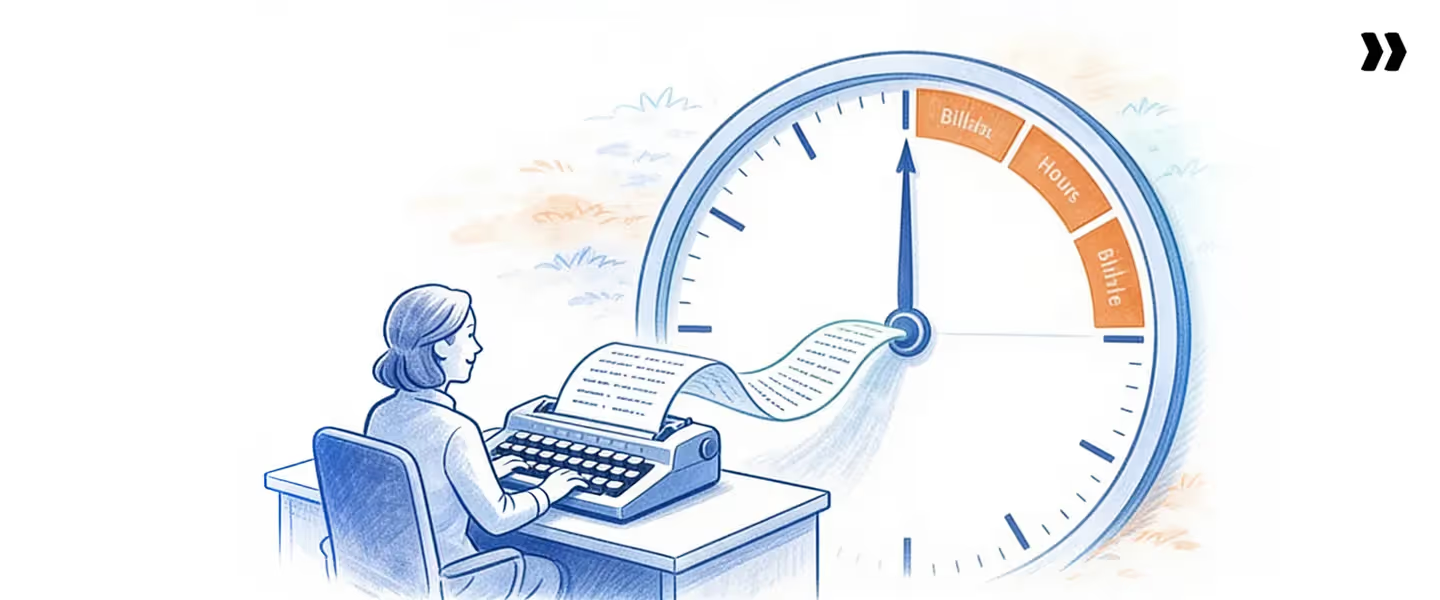
Timekeeping is the process of recording, validating, and analyzing work hours. In professional services, it determines how effectively time converts into billable revenue and delivery outcomes.
Most teams assume timekeeping is just about logging employee hours. In reality, it is a control system that connects work, revenue, and decisions.
When done right, it gives you a clear view of billable hours, total hours, and how time is actually spent across projects. When done poorly, it creates blind spots that affect utilization, billing, and forecasting.
Take a simple example. A consultant has 40 available hours in a week. If only 30 billable hours are captured, utilization is 75 percent. But if timekeeping is inaccurate and only 25 hours are recorded, the data shows 62.5 percent utilization.
The work did not change. The data did. That difference impacts revenue, planning, and performance decisions.
Timekeeping vs employee attendance tracking
Employee attendance tracking focuses on presence. It answers the question of whether someone showed up or logged in. Timekeeping focuses on how that time was used. It connects hours to projects, tasks, and outcomes.
Timekeeping vs time tracking
Time tracking is the act of logging hours. Timekeeping is the full system around it. It includes validation, policies, approvals, and analysis. Tracking alone creates data. Timekeeping makes that data usable.
Who owns timekeeping
Timekeeping sits across multiple functions. Professional Services teams rely on it for delivery and billing.
PMO teams use it for tracking project performance. Finance depends on it for payroll records and revenue accuracy. When ownership is unclear, data quality drops.
Timekeeping accuracy directly determines revenue realization and utilization accuracy.
Yet many teams track time but cannot trust or use the data. The result is unreliable reporting, incorrect billing, and poor decisions. This is where the real business impact begins.
Why timekeeping matters
Timekeeping matters because it directly controls how work turns into revenue, margin, and delivery outcomes. If the data is wrong, every downstream decision is wrong.
- Revenue leakage from missed billable hours: When teams fail to track time accurately, billable hours go unrecorded or misclassified. Even a small gap adds up fast. Over a month, missing one hour per consultant per day can result in significant lost revenue that never shows up on invoices.
- Margin erosion in fixed-fee work: On fixed-fee projects, profitability depends on staying within planned effort. Without accurate timekeeping, teams do not see when total hours are exceeding estimates. By the time the issue is visible, the margin is already gone.
- Distorted utilization metrics: Utilization depends on captured hours rather than actual effort. If employee hours are underreported or delayed, utilization appears lower than reality. This leads to poor staffing decisions, unnecessary hiring, or hidden overload.
- Delayed or inaccurate invoicing: Inconsistent time tracking slows down billing cycles. Finance teams depend on clean payroll records and approved time data to process payroll and generate invoices. Errors create back-and-forth, delays, and client disputes.
Consider a common scenario. A project is scoped for 200 hours. The team ends up spending 260 hours, but timekeeping is inconsistent. Only 210 hours are captured. The project looks slightly over budget on paper, but in reality, it has already lost margin.
The issue is detected only after completion, when nothing can be corrected.
If timekeeping data is inaccurate, utilization, margin, and forecasting metrics become unreliable. That leads to lost revenue, reduced margins, delayed decisions, and increased escalations.
Timekeeping is not just a reporting layer. It is the foundation for every financial and operational decision that follows.
Why you should fix timekeeping now

Fixing timekeeping is not something you can put off. The longer you wait, the more revenue you lose and the harder it becomes to regain control.
- Revenue leakage compounds over time: Small gaps in tracking time do not stay small. If a consultant misses one hour a day, that is 5 hours a week. Over a year, that translates to roughly $5,000 to $10,000 in lost revenue per employee. Multiply that across a team, and the impact becomes significant.
- Poor visibility delays staffing decisions: Without accurate data on employee hours and total hours, you cannot see who is overloaded and who has capacity. Teams either overstaff projects or stretch people too thin. Both lead to inefficiency.
- Fixed-fee projects become unprofitable: Without reliable timekeeping, teams do not notice when work is exceeding planned effort. Projects that look healthy on the surface quietly consume more time than expected. By the time the issue is visible, there is no room to recover the margin.
Delaying improvements in timekeeping increases revenue leakage and reduces delivery predictability.
It also affects how teams plan future work. Without clean data, estimates are guesswork, and forecasting becomes unreliable.
The business impact shows up quickly. Revenue targets are missed because billable hours are not fully captured.
Capacity planning breaks because utilization data cannot be trusted. Teams experience burnout because hidden overload is never addressed.
Timekeeping problems do not stay contained. They spread across delivery, finance, and planning. Fixing them early is easier than correcting the damage later.
Signs your timekeeping system is broken
A broken timekeeping system does not fail loudly. It shows up as small inefficiencies that compound over time.
The fastest way to diagnose it is to look at what teams are actually doing day-to-day.
Timesheets are submitted late or filled retroactively
People complete timesheet entries at the end of the week or later.
Operational impact: Hours are based on memory rather than actual work. Accuracy drops, and billable hours get missed.
Utilization fluctuates without a clear reason
One week shows high utilization, the next drops suddenly with no real change in workload.
Operational impact: You cannot trust employee hours or total hours. Capacity planning becomes guesswork.
Budget overruns are discovered too late
Projects appear on track until they are completed, and only then do they show excess hours.
Operational impact: Teams lose control over scope and cost. Fixed-fee work becomes unprofitable before anyone can act.
Heavy manual corrections are required
Managers and finance teams spend time fixing entries, correcting payroll records, and validating data.
Operational impact: Timekeeping itself becomes time-consuming, reducing productivity across teams.
Project managers spend time chasing entries
PMs constantly remind teams to track time and submit employee timesheets.
Operational impact: Instead of focusing on delivery, PMs become administrators managing compliance.
These issues lead to unreliable reporting, delayed invoicing, and poor forecasting. When the data cannot be trusted, every decision built on top of it becomes a risk.
Core concepts behind timekeeping
To understand timekeeping properly, you need to separate a few core concepts. Most teams mix these up, which is why their data becomes unreliable.
Billable vs non-billable time
Billable hours are the hours you can charge to a client. Non-billable time includes internal meetings, admin work, or training.
The problem is not that non-billable time exists. The problem is when it is not tracked clearly. If teams misclassify work, revenue is lost, and utilization appears lower than it actually is.
Planned vs actual hours
Planned hours are estimates made before work starts. Actual hours are what the team really spends.
When timekeeping is weak, this gap is invisible. Teams cannot see where projects are slipping or which tasks consistently take longer. Over time, this breaks forecasting and planning.
Utilization vs realization
Utilization measures how much of the available time is spent on billable work. Realization measures how much of that work is actually billed.
A team might show high utilization but still lose revenue if billable hours are not captured or invoiced correctly. Both metrics depend on clean timekeeping data.
Time tracking vs revenue tracking
Time tracking focuses on logging employee hours. Revenue tracking focuses on what gets billed and collected.
If time tracking is incomplete, revenue tracking becomes inaccurate. This disconnect is one of the biggest reasons teams struggle to process payroll and invoices correctly.
Key differences at a glance
When these concepts are not clearly separated, teams end up tracking time but still cannot trust their numbers. That leads to incorrect billing, poor decisions, and missed revenue opportunities.
Types of timekeeping systems
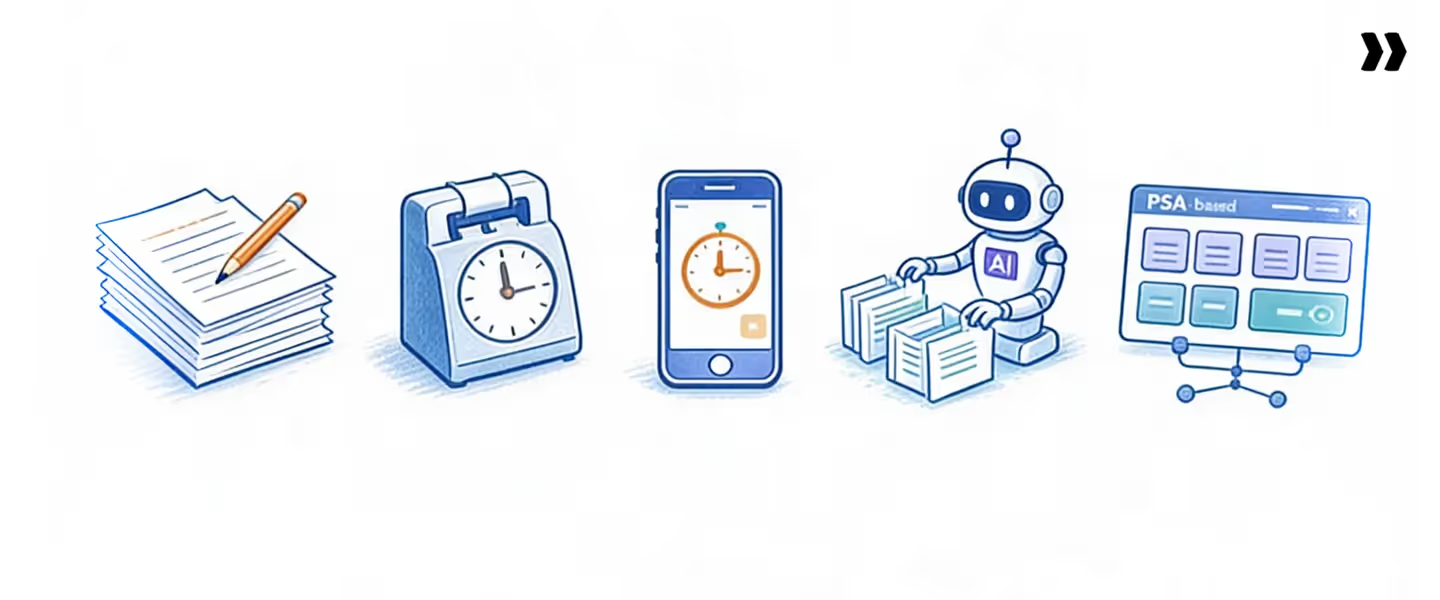
The main types of timekeeping systems include manual timesheets, time clock systems, time tracking apps, automated tools, and PSA-based systems. Each serves a different stage of growth, but not all scale well.
Manual timesheets
These include spreadsheets, paper logs, and simple templates such as a weekly timesheet or an Excel timesheet.
- Use case: Small teams with limited projects.
- Limitations: High manual effort, delayed timesheet entry, and frequent errors.
- Scalability: Breaks quickly as team size and project volume increase.
Time clock systems
These systems track when employees start and end work using devices or software.
- Use case: Shift-based teams or hourly employees.
- Limitations: Focus on attendance, not actual work or billable calculated hours.
- Scalability: Works for workforce tracking but not for project-based environments.
Timekeeping apps
Basic timekeeping software or apps allow teams to track time against tasks or projects.
- Use case: Teams moving away from spreadsheets.
- Limitations: Often lack validation, governance, and deeper reporting.
- Scalability: Better than manual systems but still limited for complex operations.
Automated tracking tools
These tools reduce manual entry by integrating with calendars or tracking activity.
- Use case: Teams looking to reduce friction in time tracking.
- Limitations: Can capture data, but may lack control over how time is categorized.
- Scalability: Improves adoption but does not solve accuracy alone.
PSA-based timekeeping systems
These systems connect timekeeping with projects, billing, and resource planning.
- Use case: Professional services teams managing multiple projects and clients.
- Limitations: Requires setup and alignment across teams.
- Scalability: Designed for scale, with strong control over employee timesheets, payroll records, and reporting.
Most teams start with simple tools and move toward integrated systems as complexity grows. The shift is not about tracking more time. It is about making time data accurate, usable, and connected to business outcomes.
Timekeeping vs time tracking vs timesheets
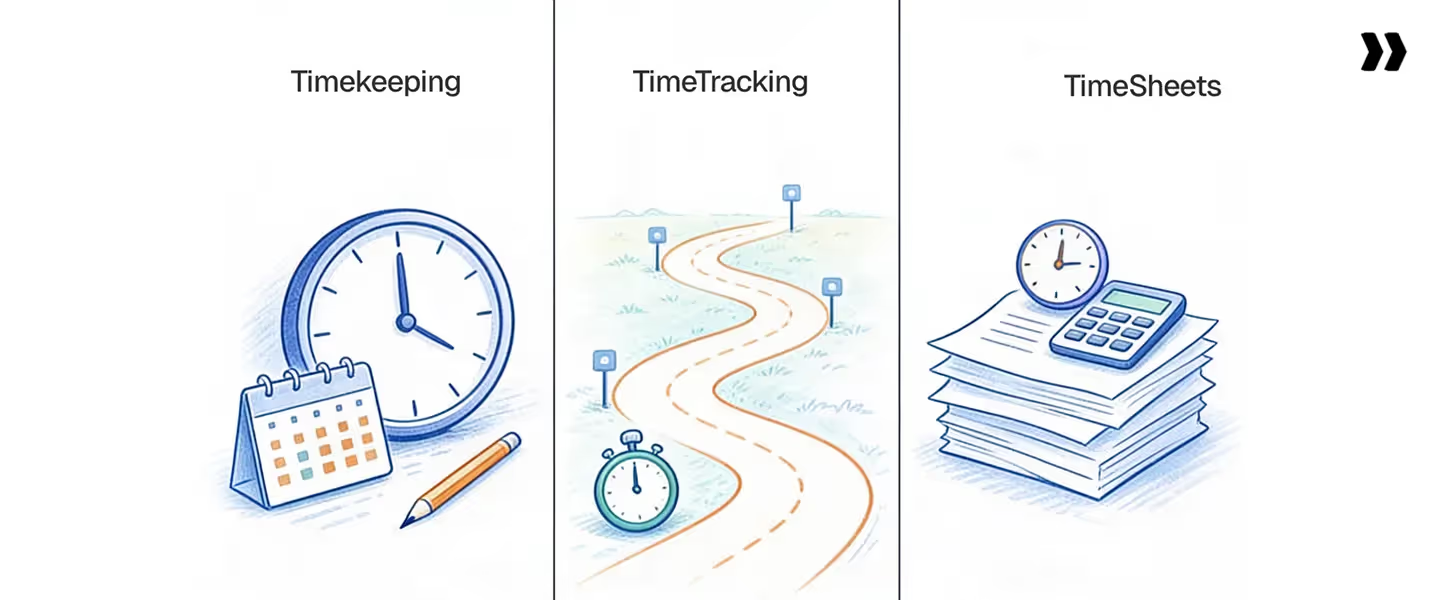
Timekeeping, time tracking, and timesheets are often used interchangeably, but they are not the same. This confusion is one of the main reasons teams adopt the wrong tools and struggle with inaccurate data.
Time tracking is a basic activity. It focuses on recording hours worked. Timesheets are the format used to report those hours. Timekeeping is the full system that governs how time is captured, validated, and used across the business.
Key differences
Time tracking answers a simple question: how many hours were worked.
Timesheets organize that data into a report, often tied to a pay period or project.
Timekeeping goes further. It ensures that time is logged correctly, validated against work, and used for billing, payroll records, and decision-making.
Most teams stop at time tracking or rely on timesheets alone. That creates gaps. Entries are late, data is inconsistent, and no one trusts the numbers. Without a proper timekeeping process, even the best tools fail.
The result is predictable. Teams struggle to track time accurately, managers spend time chasing entries, and finance deals with errors during payroll processing. The issue is not the lack of tools. It is the lack of a complete system.
How timekeeping works
Timekeeping works as a continuous system, not a one-time activity. The most effective way to understand it is through a simple loop:
Capture → Validate → Govern → Analyze
Each step builds on the previous one. If one fails, the entire system breaks.
1. Capture time in real time
Timekeeping starts by capturing employee hours as work is performed. This means logging time against tasks, projects, or activities throughout the day.
When teams delay time tracking, accuracy drops immediately. People forget details, misclassify work, or skip entries. Real-time capture ensures that billable hours and total hours reflect actual effort.
2. Validate entries against projects and policies
Once captured, time must be validated. This means checking whether entries align with assigned work, project budgets, and internal policies.
For example:
- Is the time logged against the correct project?
- Does it exceed planned hours?
- Is it categorized correctly as billable or non-billable?
Without validation, errors move downstream into payroll records and billing.
3. Enforce compliance at entry
Governance ensures that timekeeping rules are followed before data is submitted. This includes enforcing timekeeping guidelines, such as required notes, limits on overtime, and restrictions on closed projects.
The key is to catch issues early. If teams rely on manual reviews after submission, corrections become time-consuming and inconsistent. Enforcing compliance at entry reduces rework and improves data quality.
4. Analyze data for insights
Once validated, timekeeping data becomes useful. Teams can analyze:
- Utilization based on billable hours
- Variance between planned and actual hours
- Work distribution across teams
This step turns raw data into decisions.
5. Feed into billing and forecasting
The final step connects timekeeping to business outcomes. Clean data flows into invoicing, process payroll, and forecasting models.
If time is captured late, forecasting accuracy and utilization reliability decline significantly. Billing delays increase, and revenue visibility drops.
Workflow example
A consultant logs 6 hours on a client project and 2 hours on internal work during the day.
The system validates entries against assigned tasks, flags any extra hours beyond the planned effort, and requires a note. Once submitted, the data feeds into billing for the client project and updates utilization metrics in real time.
Common failure modes
- Late entries: Lead to inaccurate employee hours and missed billable hours
- No validation: Incorrect categorization affects payroll and invoicing
- Weak governance: Teams bypass rules, creating inconsistent data
- Disconnected systems: Timekeeping data does not flow into billing or forecasting
Timekeeping works only when all four steps operate together. If capture is delayed or governance is weak, the entire system becomes unreliable.
Timekeeping in professional services delivery
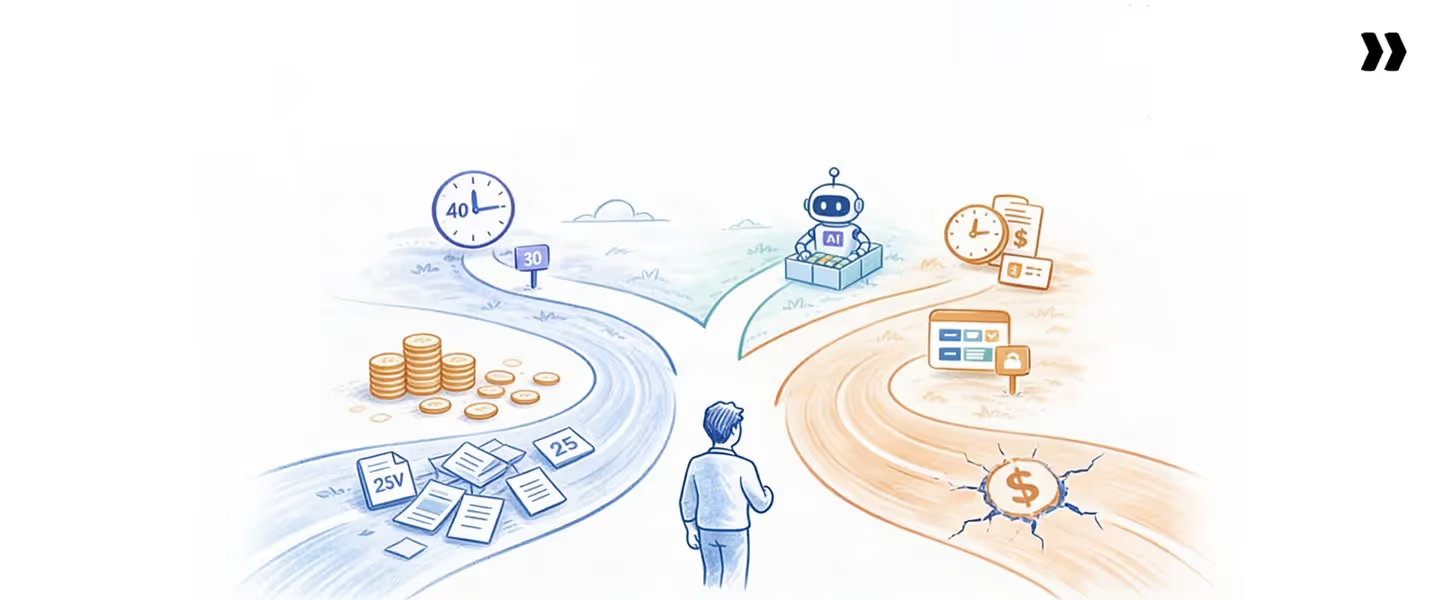
Timekeeping plays a direct role in how projects are delivered. It is not just a reporting layer. It is how teams maintain control over scope, effort, and outcomes.
Scope control
Every project starts with a defined scope. Over time, small changes add up. Extra meetings, additional requests, and unplanned work are consuming more employee hours than expected.
Timekeeping helps teams track time at a granular level. When hours are logged against specific tasks, it becomes easier to identify where the scope is expanding. Without this visibility, scope creep goes unnoticed until the project is already over budget.
Effort variance tracking
Planned hours rarely match actual hours. The gap between them is where delivery risk exists.
With accurate timekeeping records, teams can compare planned vs actual effort in real time. This highlights which tasks consistently take longer and which projects are at risk. It also helps refine future estimates based on actual data.
If teams rely on delayed or inconsistent time tracking, this variance is discovered too late to act.
Budget vs actual monitoring
In professional services, time is the primary cost driver. Monitoring total hours against project budgets is critical for maintaining margins.
Timekeeping systems make it possible to see how much effort has been spent at any point. This allows teams to adjust scope, reallocate resources, or communicate with clients before the budget is exceeded.
Without this, projects appear healthy on the surface but quietly lose margin as overtime hours increase.
Delivery predictability
Predictable delivery depends on reliable data. When teams consistently track time and maintain accurate timekeeping records, they build a strong foundation for forecasting.
Leaders can answer key questions:
- Are projects on track based on current effort?
- Do we have enough capacity for the upcoming work?
- Where are the risks of building?
If timekeeping data is inconsistent, these answers become assumptions. That leads to missed deadlines, delayed invoicing, and increased escalations.
Timekeeping connects daily work to delivery outcomes. It ensures that scope, effort, and budget stay aligned throughout the project lifecycle.
Timekeeping strategies that actually work
Most teams already have some form of time tracking in place. The difference between average and high-performing teams comes down to how they execute it. The following strategies focus on making timekeeping accurate, usable, and tied to outcomes.
Real-time time capture
The most effective strategy is to track time as work happens. This removes reliance on memory and improves the accuracy of employee hours.
When teams delay time entry, even by a day, details are lost. Real-time capture ensures that billable hours and non-billable work are recorded correctly. It also reduces the need for corrections later.
Integration with project workflows
Timekeeping should not sit in isolation. It needs to be part of how work is executed.
When teams track time within project workflows, entries are naturally tied to tasks and deliverables. This improves visibility into total hours spent on each activity and helps teams understand the distribution of effort without additional effort.
Disconnected systems create duplicate work and inconsistent data. Integration removes that gap.
Governance at entry
High-performing teams enforce rules at the point of entry, not after submission.
This includes:
- Requiring time to be logged against valid tasks
- Flagging entries that exceed planned hours
- Ensuring the correct categorization of billable hours
By enforcing timekeeping policy early, teams avoid manual corrections and maintain clean data across payroll records and reporting.
Exception-based reviews
Instead of reviewing every entry, teams focus only on exceptions.
For example:
- Entries that exceed expected effort
- Missing timesheet entry
- Unusual spikes in overtime hours
This reduces review time while improving accuracy. Managers spend less time checking routine entries and more time addressing actual issues.
Alignment with forecasting
Timekeeping data should feed directly into forecasting and planning.
When time tracking is consistent, teams can:
- Predict project timelines more accurately
- Plan capacity based on real data
- Identify risks before they escalate
If timekeeping is inconsistent, forecasting becomes unreliable, and decisions are delayed.
These strategies work because they treat timekeeping as a system, not a task. Real-time capture, strong governance, and integration ensure that time data reflects reality and supports better decisions.
Techniques to improve timekeeping accuracy
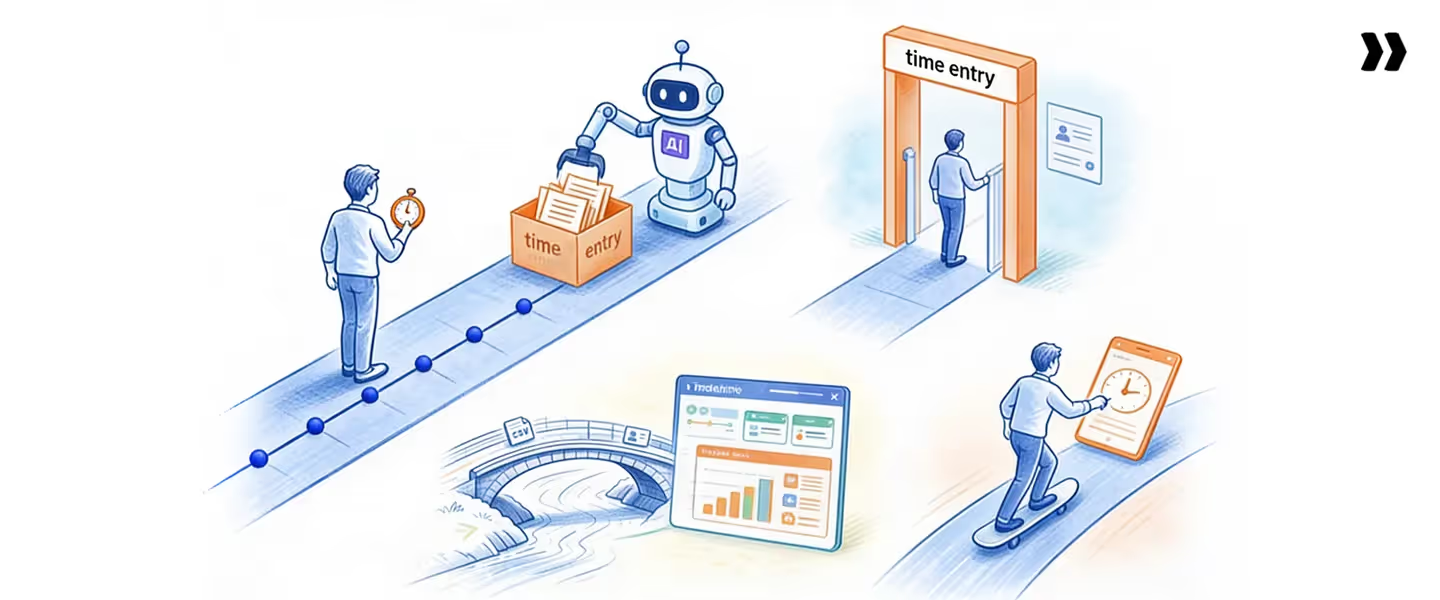
Improving timekeeping accuracy comes down to removing guesswork and reducing friction. The goal is to make it easy for teams to track time correctly without extra effort.
Use real-time tracking tools
Real-time tools allow teams to log employee hours in real time. Entries are tied to tasks or projects, which improves accuracy and context.
- How it works: Teams track time throughout the day instead of relying on memory.
- Common failure mode: Teams adopt tools yet still delay entering timesheets until the end of the week, reducing accuracy.
Automate time capture where possible
Automation reduces manual effort by capturing activity from calendars, tasks, or workflows.
- How it works: Systems suggest or pre-fill time entries based on actual work patterns.
- Common failure mode: Over-reliance on automation without validation leads to incorrect categorization of billable hours.
Enforce time entry policies
A clear timekeeping policy ensures consistency across teams. This includes rules for when and how time should be logged.
- How it works: Teams are required to track time daily, with defined guidelines for classification and approvals.
Common failure mode: Policies exist but are not enforced, leading to inconsistent data and unreliable payroll records.
Integrate timekeeping with project workflows
Timekeeping works best when it is part of how work gets done.
- How it works: Teams log time directly within project tasks, linking effort to actual deliverables.
- Common failure mode: Disconnected systems force duplicate entry, leading to incomplete or incorrect data.
Reduce friction in entry
The easier it is to track time, the more consistent the data.
- How it works: Simple interfaces, fewer clicks, and clear workflows encourage adoption.
- Common failure mode: Complex tools discourage usage, causing teams to skip or delay tracking time.
Accurate timekeeping is not about strict control. It is about designing a system where the right behavior becomes the easiest option.
Timekeeping challenges — why teams struggle
Most teams do not fail at timekeeping because they lack tools. They fail because the system does not fit how people actually work. The result is low adoption, inconsistent data, and poor outcomes.
Low adoption due to friction
Timekeeping often feels like extra work. If logging employee hours takes too many steps, people delay or avoid it.
- Why it happens: Complex interfaces, too many fields, and unclear workflows.
- Fix: Reduce friction. Make time tracking fast, simple, and part of daily work.
Disconnected tools
Timekeeping systems often operate independently of project tools, communication tools, and payroll systems.
- Why it happens: Teams use different tools to track time, manage projects, and process payroll.
- Fix: Integrate timekeeping with project workflows and financial systems so data flows automatically.
Manual reporting cycles
Many teams still rely on spreadsheets, reports, and manual approvals to manage timekeeping records.
- Why it happens: Legacy processes and reliance on free timesheet templates or Excel-based timesheet setups.
- Fix: Move to systems that automate reporting and reduce manual effort in timesheet entry and validation.
Compliance issues
Timekeeping must align with internal policies and external requirements such as the Fair Labor Standards Act.
- Why it happens: Inconsistent tracking, missing approvals, and a lack of audit trails.
- Fix: Enforce timekeeping policy at entry and maintain clear, auditable payroll records.
Delayed visibility
Teams often see timekeeping data only after a pay period ends. By then, it is too late to act.
- Why it happens: Delayed entries and slow reporting cycles.
- Fix: Enable real-time visibility into employee hours, overtime hours, and project effort.
These challenges compound quickly. Low adoption leads to poor data. Poor data leads to bad decisions. Over time, teams lose control over utilization, billing, and delivery performance.
The benefits of timekeeping software
Benefits of timekeeping software include improved billing accuracy, better utilization tracking, faster invoicing, and real-time visibility into delivery performance.
Recover lost revenue
The biggest impact comes from capturing billable hours that would otherwise be missed.
Accurate time tracking ensures that every hour worked is accounted for and billed correctly. This directly increases revenue without adding more work.
Improve utilization accuracy
Timekeeping software gives a clear view of employee hours and total hours across teams. This helps leaders understand how time is actually spent and whether resources are being used effectively. Better data leads to better staffing and capacity decisions.
Enable faster invoicing
When timekeeping data is clean and validated, it flows directly into billing. This reduces delays caused by manual corrections and missing entries. Teams can process payroll and generate invoices faster, improving cash flow and reducing back-and-forth.
Improve margin visibility
In project-based work, margins depend on controlling effort. Timekeeping software makes it easier to compare planned vs actual hours and identify overruns early. This allows teams to take corrective action before margins are impacted.
Strengthen forecasting
Reliable timekeeping data improves forecasting accuracy. Teams can use historical data to estimate future work, plan capacity, and predict delivery timelines. Without accurate data, forecasting becomes guesswork.
Timekeeping software does more than track time. It connects employee timesheets, payroll records, and project data into a single system that supports better decisions across the business.
Timekeeping best practices
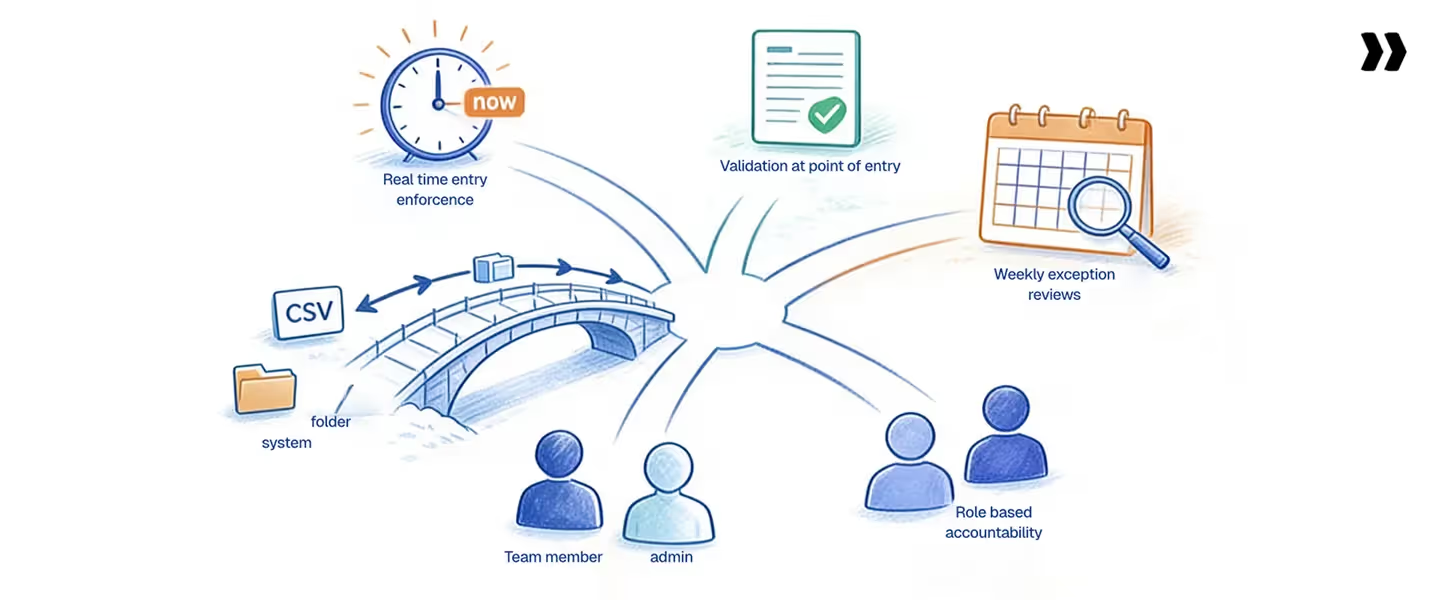
Strong timekeeping does not come from strict rules alone. It comes from systems that make correct behavior consistent and easy to follow. The following practices help teams improve accuracy and maintain control.
1. Enforce real-time entry
Teams should track time as work happens, not at the end of the day or week. Real-time entry improves the accuracy of employee hours and reduces missed billable hours.
In practice, teams that enforce daily time tracking see fewer corrections and more reliable data. When entries are delayed, errors increase, and reporting becomes inconsistent.
2. Validate at the point of entry
Validation should happen when time is logged, not after submission. This includes checking whether entries match assigned tasks, project budgets, and timekeeping guidelines.
In practice, systems that flag incorrect entries early reduce the need for manual corrections later. Without validation, errors move into payroll records and invoicing.
3. Run weekly exception reviews
Instead of reviewing every entry, teams should focus only on exceptions. This includes missing timesheet entries, unusual spikes in overtime hours, or entries that exceed planned effort.
In practice, exception-based reviews reduce managers' workload and improve focus on real issues. Reviewing everything leads to wasted effort and missed insights.
4. Integrate across systems
Timekeeping should connect with project management, billing, and payroll systems. This ensures that time data flows automatically into reporting and financial processes.
In practice, integration reduces duplication and improves consistency. Disconnected systems lead to errors and delays in processing payroll and invoicing.
5. Define role-based accountability
Clear ownership improves compliance. Teams should know who is responsible for tracking time, approving entries, and maintaining data quality.
In practice:
- Individuals track their own time
- Managers review exceptions
- Finance ensures payroll records are accurate
Without defined ownership, timekeeping becomes inconsistent and difficult to enforce. These best practices work because they shift timekeeping from a manual task to a structured system. When teams combine real-time tracking, validation, and accountability, time data becomes reliable and actionable.
Timekeeping metrics and dashboard
Timekeeping becomes valuable when it turns into measurable insights. The right metrics and dashboards help teams move from tracking time to managing performance.
Key metrics to track
Utilization = Billable Hours / Available Hours
This shows how effectively employee hours are converted into billable work. It is one of the most important indicators of productivity and revenue potential.
Revenue leakage = Hours worked – Hours captured
This highlights the gap between actual effort and recorded time. Even small gaps here indicate lost billable hours and missed revenue.
Burn rate = Actual vs planned effort
Burn rate compares how quickly a project is consuming time against the plan. A higher burn rate signals risk to budget and timelines.
EAC (Estimate at Completion)
EAC predicts the total effort required to complete a project based on current trends. It helps teams adjust early before costs go out of control.
How dashboards make this actionable
A timekeeping dashboard brings all these metrics into one view. Instead of reviewing raw employee timesheets, teams can quickly track trends and identify issues.
- Dashboards provide real-time visibility into utilization, total hours, and project performance
- Reporting helps analyze patterns over time, such as recurring overruns or missed billable hours
- Heatmaps highlight overloaded or underutilized team members, making capacity planning easier
With the right dashboard, teams can move from reactive decisions to proactive control.
Without clear metrics, timekeeping remains a record-keeping task. With the right dashboards, it becomes a system for improving delivery, margins, and planning accuracy.
Common timekeeping mistakes and fixes
Most timekeeping issues are not complex. They come from a few repeatable mistakes that show up across teams. Fixing these creates immediate improvements in accuracy and control.
Late entries
Teams delay timesheet entry and fill it at the end of the week.
- Why it happens: People rely on memory instead of tracking time in real time.
- Impact: Inaccurate employee hours, missed billable hours, and unreliable reporting.
- Fix: Enforce real-time time tracking. Make daily entry part of the workflow and not an optional task.
Spreadsheet dependency
Teams rely on free timesheet templates or an excel timesheet template to manage timekeeping.
- Why it happens: Spreadsheets are easy to start with and feel flexible.
- Impact: Manual errors, inconsistent formats, and difficulty tracking total hours across projects.
- Fix: Move to a unified timekeeping system that connects time tracking, validation, and reporting in one place.
Poor compliance
Teams do not follow the timekeeping policy consistently.
- Why it happens: Rules are unclear or not enforced. Managers review entries after submission instead of at entry.
- Impact: Incorrect payroll records, inconsistent categorization, and delays in the payroll process.
- Fix: Automate validation and enforce rules at the point of entry. Flag or block incorrect entries early.
Disconnected tools
Timekeeping exists separately from project and financial systems.
- Why it happens: Different teams use different tools for tracking time, managing work, and billing.
- Impact: Duplicate work, missing entries, and data that does not flow into invoicing or forecasting.
- Fix: Integrate systems so timekeeping data moves seamlessly into project workflows, payroll, and reporting.
These mistakes are common because they seem manageable at a small scale. As teams grow, they create compounding issues that affect revenue, margins, and delivery performance.
How to choose a timekeeping system
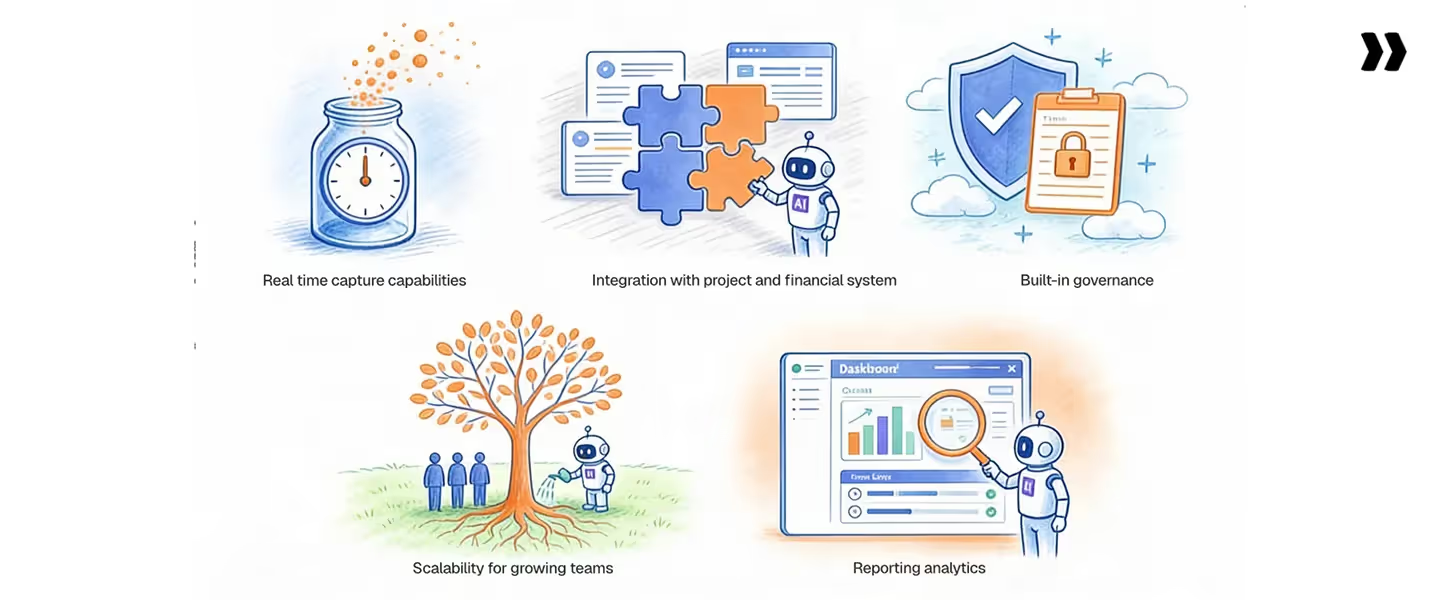
Choosing the right timekeeping system is not about features. It is about how well the system supports accuracy, control, and scale. The wrong choice creates friction and poor data. The right one becomes part of how work gets done.
Real-time capture capabilities
The system should make it easy to track time as work happens. This is critical for accurate employee hours and billable hours.
If teams are forced to enter timesheets late, accuracy drops. Look for systems that support quick entry within workflows, not separate from them.
Integration with project and financial systems
Timekeeping does not operate in isolation. It needs to connect with project tools, billing, and payroll records.
Without integration, teams duplicate work, and data becomes inconsistent. A good system ensures that time flows directly into invoicing, reporting, and processing payroll without manual intervention.
Built-in governance and validation
Strong timekeeping systems enforce rules at entry. This includes validating entries against tasks, budgets, and timekeeping policy.
If validation happens only after submission, errors increase, and corrections become time-consuming. Governance should be built into the system, not handled manually.
Scalability for growing teams
What works for a small team will not work at scale. As team size and project volume grow, complexity increases.
A scalable system handles multiple projects, supports both hourly employees and salaried employees, and maintains consistency across teams. It should reduce manual effort as the organization grows, not increase it.
Reporting and analytics capabilities
Timekeeping data is only useful if it can be analyzed. Look for systems that provide clear dashboards, timekeeping reports, and insights into total hours, utilization, and project performance.
Without strong reporting, teams are left with raw data but no direction.
What to avoid
- Systems that rely heavily on spreadsheets or manual updates
- Tools that track time but do not validate or enforce rules
- Platforms that do not integrate with billing or project workflows
Tools like Rocketlane improve utilization to 70-85% by connecting timekeeping to projects, resources, and financial outcomes.
The right timekeeping system should make accurate tracking the default behavior. If teams have to work around the system, it will fail over time.
Why Rocketlane has the best timekeeping capabilities
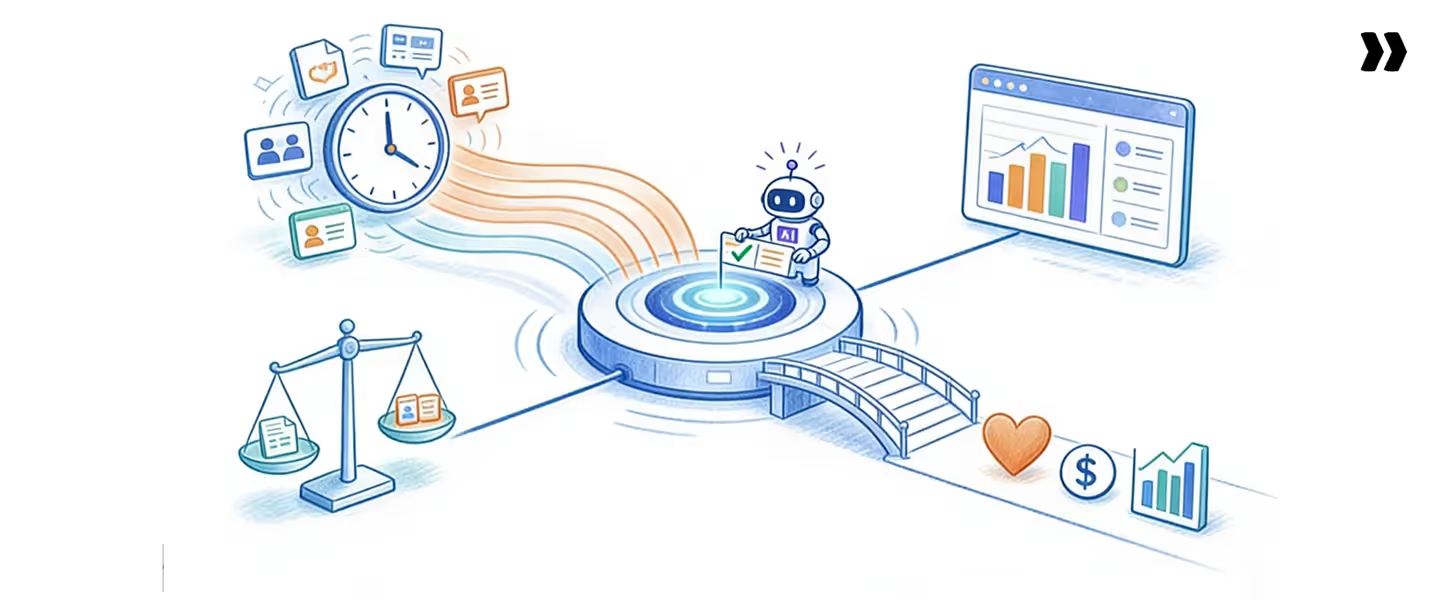
Most tools treat timekeeping as a standalone function. They focus on tracking employee hours but stop there. The problem is that time data becomes useful only when it is connected to delivery, resources, and financial outcomes.
Rocketlane approaches timekeeping differently. It is built as an agentic AI-powered PSA platform for customer-facing professional services teams. This means timekeeping is not a separate layer. It is embedded into how work is planned, executed, and measured.
Real-time time tracking across projects
Rocketlane enables teams to track time directly within project workflows. Instead of switching tools, consultants log time against tasks as they work.
This improves the accuracy of billable hours and reduces missed entries. Real-time capture also ensures that timekeeping records reflect actual effort rather than reconstructed data. The result is cleaner employee timesheets and more reliable total hours across projects.
Integrated project, resource, and financial data
Timekeeping data in Rocketlane does not sit in isolation. It connects with project plans, resource allocation, and financial systems.
This integration ensures that time tracking flows directly into billing, payroll records, and reporting. Teams do not need to reconcile data across multiple tools. Everything stays aligned, from task-level effort to overall project performance.
Automated time validation and governance
Rocketlane enforces timekeeping policy at the point of entry. The system validates entries against tasks, budgets, and predefined rules.
For example:
- Flagging entries that exceed planned hours
- Preventing time logging on closed projects
- Requiring notes for unusual entries
This reduces manual corrections and ensures that data is accurate before it moves into invoicing or processing payroll. Governance becomes proactive instead of reactive.
Resource allocation alignment
Timekeeping works closely with resource planning. When teams track time accurately, it becomes easier to understand capacity and workload distribution.
Rocketlane connects time data with resource allocation, helping teams identify:
- Overloaded team members
- Underutilized capacity
- Mismatches between planned and actual effort
This alignment improves staffing decisions and reduces burnout caused by hidden workload.
Advanced reporting and dashboards
Rocketlane provides real-time dashboards that turn timekeeping data into actionable insights. Teams can track:
- Utilization based on billable hours
- Variance between planned and actual hours
- Revenue leakage from missed entries
These dashboards go beyond basic reporting. They help leaders make decisions faster and with more confidence.
Rocketlane improves utilization to 70-85% by connecting timekeeping to delivery, resources, and financial outcomes. Instead of tracking time in isolation, teams gain full visibility into how work translates into revenue and performance.
How Rocketlane Nitro transforms timekeeping
Most timekeeping systems stop at capturing and reporting hours. They rely on people to follow rules, managers to review entries, and finance teams to clean data later. This creates delays, errors, and lost revenue.
Rocketlane Nitro changes how timekeeping works by shifting from manual control to intelligent, real-time enforcement. It does not just track time. It actively improves the quality and usability of time data as it is created.
AI-powered time validation
Nitro applies validation when the time is logged. Instead of waiting for approvals, the system instantly checks entries against tasks, budgets, and policies.
For example:
- If a user logs more time than planned, the system flags it
- If time is entered on a closed task, it is blocked or corrected
- If required details are missing, the system prompts for completion
This reduces the back-and-forth between team members and managers. It also ensures that timekeeping records are accurate before they move into payroll records or billing.
Anomaly detection in time entries
Manual systems rely on managers to spot issues. Nitro identifies anomalies automatically.
It can detect:
- Unusual spikes in overtime hours
- Missing monthly timesheet entry patterns
- Inconsistent time tracking across similar tasks
Instead of reviewing everything, teams focus only on flagged issues. This improves efficiency and reduces the risk of errors going unnoticed.
Predictive insights for delivery risks
Timekeeping data becomes more valuable when it is used to predict problems early.
Nitro analyzes patterns in employee hours, project effort, and historical trends to identify risks such as:
- Projects exceeding planned hours
- Teams approaching capacity limits
- Increasing gaps between planned and actual effort
This allows teams to act before issues escalate. Forecasting becomes more reliable because it is based on real-time, validated data.
Automated compliance enforcement
Compliance is one of the hardest parts of timekeeping to manage manually. Nitro enforces rules automatically based on timekeeping policy and organizational requirements.
This includes:
- Ensuring entries follow internal guidelines
- Supporting compliance with regulations like the Fair Labor Standards Act
- Maintaining clean, auditable payroll records
By enforcing compliance at entry, teams avoid delays during payroll processing and reduce the risk of audit issues.
Natural language analytics
Nitro makes it easier to work with timekeeping data through natural language queries. Instead of building reports manually, teams can ask questions such as:
- Where are we losing billable hours
- Which projects are exceeding planned effort
- What is our current utilization trend
The system analyzes timekeeping records and provides clear insights. This removes the need for complex reporting workflows and speeds up decision-making.
Outcomes
The impact of these capabilities is measurable:
- Higher utilization through accurate capture of billable hours
- Reduced revenue leakage by minimizing missed or incorrect entries
- Improved forecasting with reliable, real-time data
Teams spend less time fixing errors and more time using data to improve delivery.
Timekeeping shifts from a reactive process to a proactive system that supports growth.
The future of timekeeping
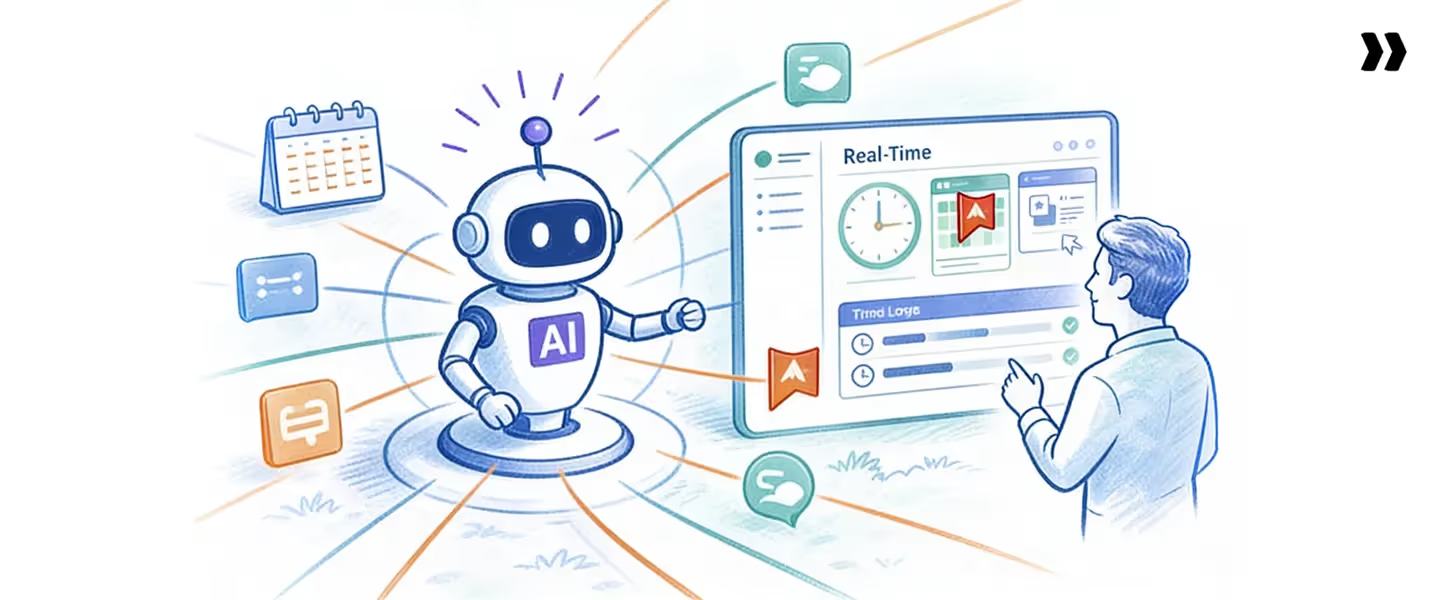
Timekeeping is moving from a passive tracking system to an active control system. The shift is driven by AI, automation, and the need for real-time decisions in complex delivery environments.
AI-driven governance
Future timekeeping systems will enforce rules automatically at the point of entry. Instead of relying on managers to review employee timesheets, systems will validate entries in real time.
This means:
- Errors are caught instantly
- Policies are applied consistently
- Compliance becomes proactive
Teams will spend less time correcting data and more time using it.
Automated time capture
Manual time tracking will continue to decline. Systems will capture employee hours based on actual work signals such as tasks, meetings, and activity patterns.
This reduces friction and improves accuracy. The focus shifts from asking people to log time to confirming and refining what the system already captures.
Real-time decisioning
Timekeeping data will no longer be reviewed at the end of a pay period. It will be used continuously to guide decisions.
Leaders will have instant visibility into:
- Billable hours and utilization
- Project progress against planned hours
- Emerging risks in delivery
This allows teams to act early rather than react after problems arise.
Predictive delivery management
The next stage is using timekeeping data to predict outcomes. Systems will analyze patterns in total hours, effort variance, and team performance to forecast risks.
For example:
- Identifying projects likely to exceed budget
- Predicting capacity shortages before they happen
- Highlighting trends that affect margins
This turns timekeeping into a forward-looking system, not just a record of past work.
The future of timekeeping is not about tracking more data. It is about making time data accurate, actionable, and predictive. Teams that adopt this shift will have stronger control over revenue, delivery, and growth.
Conclusion
Timekeeping determines how work translates into revenue, margin, and delivery outcomes. When it is inaccurate or delayed, every downstream function suffers. Utilization becomes unreliable, billing gets delayed, and forecasting turns into guesswork.
The shift is clear. Timekeeping is no longer just about tracking employee hours. It is about building a system that captures, validates, and connects time data to real business outcomes. Teams that treat it as a control layer gain better visibility, stronger margins, and more predictable delivery.
Modern platforms make this shift possible. Tools like Rocketlane, an agentic AI-powered PSA platform for customer-facing professional services teams, connect timekeeping with projects, resources, and financial systems. This reduces manual effort, improves data accuracy, and helps teams operate with confidence at scale.
As delivery environments become more complex, the teams that win will be the ones that trust their data and act on it early. Timekeeping is where that advantage begins.

Authored by

Kailash Ganesh
Kailash Ganesh is a professional services researcher at Rocketlane with more than seven years of experience in content, research, and market analysis. He studies how enterprise PS teams are adopting agentic AI to transform delivery operations, has evaluated every major PSA platform in the category, and writes from the perspective of a practitioner who watches enterprise PS teams make these exact decisions daily.
Table of Contents

Regsiter for the live webinar


Great consultants didn't join your team to spend Fridays writing documentation.
Table of contents
18 of Forbes Cloud 100 chose Rocketlane. The best PS teams aren't waiting around.
FAQs
What is timekeeping?
Timekeeping is the process of recording, validating, and analyzing work hours. In professional services, it determines how effectively time converts into billable revenue and delivery outcomes. It goes beyond simple time tracking by ensuring that employee hours are accurate, properly categorized, and connected to projects, billing, and decision-making across the business.
What is timekeeping software?
Timekeeping software helps organizations track, validate, and analyze employee hours while connecting that data to billing, payroll records, and project workflows. It reduces manual effort, improves accuracy, and ensures that time data flows directly into invoicing, reporting, and forecasting, making it easier to manage operations at scale.
Why is timekeeping important?
Timekeeping ensures accurate billing, improves visibility into billable hours, supports forecasting, and helps maintain project profitability. Without reliable time data, teams struggle with missed revenue, incorrect utilization metrics, delayed invoicing, and poor decision-making, all of which directly impact margins and delivery outcomes.
What are timekeeping systems?
Timekeeping systems include manual timesheets, time tracking apps, automated tools, and integrated platforms that manage employee hours and performance data. These systems range from simple templates to advanced solutions that integrate timekeeping with projects, resources, billing, and reporting to improve control and scalability.
How do you improve timekeeping accuracy?
Improve timekeeping accuracy by enforcing real-time time tracking, reducing friction in timesheet entry, automating capture where possible, and integrating timekeeping with project workflows. Validation at entry and clear timekeeping policies also ensure that employee hours are recorded accurately and reliably used for billing and forecasting.













Copyright © 2026 Rocketlane Corp. All rights reserved.





















.webp)