The 7 Best Project Management Financial Tracking Tools in 2026 — Compared for Professional Services Teams

•
•
Summarize blog with






Introduction
Every PS finance team has that one person —let’s call him Kevin—and his 47-tab workbook that somehow holds the entire services P&L together.
Kevin’s a legend. But even Kevin knows the duct-taped workflow between the PM tool, the time tracker, and the ERP isn’t scaling anymore.
If you’re reading this, you’ve probably already decided it’s time for a project financial management tool. Popular project management tools often include financial tracking and integrated project workflows, but they may not address all the specific needs of PS teams.
The question isn’t whether you need a dedicated platform. It’s which one? And that’s where it gets messy — every tool on the market claims real-time visibility, every vendor says they do revenue recognition, and half of them slapped an AI badge on their homepage last quarter.
Project tools vary widely in their core functionalities and financial capabilities, making it challenging to identify the right fit.
This guide cuts through that. Seven project financial management tools compared honestly — what each one actually does well, where it falls short, pricing, AI capabilities, and how to pick the right one for your team size, contract complexity, and financial workflow.
Advanced project financial management tools also support project planning features such as scheduling, milestones, and resource allocation.
Quick glance: 7 Best Project Financial Management Tools
Before the full breakdown, here's where each tool stands across the capabilities that matter most for PS financial management.
What is Project Financial Management?
Project financial management is the planning, tracking, controlling, and reporting on the financial performance of individual projects and a portfolio — integrating project delivery with financial oversight.
This discipline covers budgets, costs, revenue recognition, resource costs, profitability, and financial aspects such as cash flow, expenses, and resource allocation from project initiation through close.
For professional services teams, this means managing the full financial lifecycle of every client engagement: estimating costs before a project starts, tracking time against budget as it runs, monitoring burn rate in real time, recognizing revenue accurately per contract type, and forecasting what the portfolio will deliver at 30, 60, and 90 days out — from live delivery data, not a spreadsheet someone updates once a month.
Purpose-built project financial management software centralizes this across every active project. It replaces the spreadsheet-per-project approach with a single financial control layer that connects delivery data (time logged, tasks completed, milestones hit, resources allocated with capacity management for optimal staffing) to financial outcomes (margin, revenue, profitability per engagement). These tools enable profitability analysis and tracking costs in real time to support better decision-making.
What it is not: It is not a general accounting tool. It is not an ERP. Project financial management software sits between the project management layer and the finance system — and the best platforms integrate cleanly with both while giving PS leaders visibility that neither tool can produce on its own.
Leading tools also connect with accounting systems for seamless data flow and automated financial processes.
The distinction matters because PS leaders often get stuck evaluating tools that do one side well and ignore the other. An ERP handles the general ledger but can’t tell you which project phase is burning faster than planned. A PM tool tracks task completion but has no concept of resource cost rates or revenue recognition methods.
The tools in this post are evaluated specifically on their ability to bridge that gap — connecting what’s happening in delivery to what it means financially, in real time. Dashboards and variance analysis compare actual costs to planned budgets for better financial control.
Why PS teams can't afford to run on spreadsheets and generic PM tools

The problem isn'’t a lack of financial data. It'’s that the data lives in the wrong places, arrives too late, and requires manual assembly before anyone can act on it.
Many agencies use project management software and popular accounting software in tandem, but this often creates silos that make it difficult to get a unified view of financial health.
Four failure modes compound silently — and they don'’t surface until the damage is done.
1. Budget overruns surface too late to act: A phase burns 40% of the budget in 20% of the timeline — but the PM doesn'’t see it because budget data lives in a spreadsheet updated weekly, not in a system that tracks burn in real time. By the time someone notices, the scope conversation with the client is already overdue.
2. Revenue forecasting becomes a spreadsheet negotiation. Time data in one tool, project status in another, financial records in a third. Two teams produce two numbers. The QBR becomes a debate about data, not a strategic review of the business.
3. Resource costs stay invisible until close. A senior architect gets staffed on a fixed-fee project scoped for a mid-level rate. Without cost rates connected to allocation in real time, nobody sees the margin hit until the invoice goes out.
By then, there'’s nothing to fix. Manual processes also make it difficult to track project performance and project progress accurately, leading to missed opportunities for proactive management.
4. Tool sprawl creates quiet revenue leakage. Unbilled hours that never get logged. Expenses that miss the invoice cycle. Billing events that don'’t fire because nobody triggered the handoff between systems. Managing financial documents across multiple platforms adds to the complexity and increases the risk of errors or missed approvals.
None of it is dramatic — it'’s a few hours here, a missed expense there. Multiply across 50 active projects and the number gets large fast.
A purpose-built project financial management platform changes when you see problems — shifting the intervention point from after the damage to before it happens.
Here’s a detailed breakdown of what each financial project management software tool actually does, who it’s built for, and where it fits (or doesn’t) in a PS financial management stack.
These tools are designed to help manage not just individual projects but your entire project portfolio, providing insights into overall financial performance and resource allocation.
1. Rocketlane

Rocketlane is the only PSA platform built for both sides of a services business — the front office (project execution, client collaboration, delivery workflows) and the back office (time tracking, resource management, financial accounting, cash flow management) — in one unified system.
Rocketlane helps manage projects from planning to delivery in a unified workflow, supporting project teams and project managers handling complex projects
Delivery data and financial data, including project finances, project costs, and project related costs, aren’t reconciled separately. They're the same data, in the same system, updating in real time for enhanced financial visibility.
The platform offers robust project management features such as task management, scheduling, resource allocation, and the ability to track project costs across phases. Financial dashboards provide real-time insights, and users can attach or manage financial models for compliance and documentation.
Key features
- Real-time budget burn with proactive alerts: Configurable thresholds by phase. The moment a solutioning stage burns 30% of the budget in 15% of the timeline, the system flags it — automatically, to the right stakeholder, while there'’s still time to act.
- Automated time tracking via Google Calendar: Meetings map automatically to projects. Recurring meetings populate timesheets in the background. Time tracking becomes a five-minute review-and-approve step, not a Friday chore built from memory.
- Margin-optimized resourcing and staffing: Suggests the right person based on skills, availability, and impact on project margin. When someone takes unplanned leave across 10 active projects, the system identifies all affected engagements, suggests qualified replacements, and executes reassignment on approval.
- Financial dashboards with EAC, ETC, and variance. Project-level views show planned vs. actual time and cost, estimate at completion, revenue recognition status, and phase-level deviation. Portfolio dashboards give leadership the full financial picture without a custom report.
- Track project costs across phases: Easily track project costs and project related costs throughout all project phases, with automated cost calculation and visibility for better resource allocation.
- Cash flow management capabilities: Plan, control, and optimize cash flow management to support business goals and ensure healthy project finances.
- Core project management features: Includes task management, scheduling, milestones, and other essential project management features that integrate with billing, resource allocation, and client communication.
- Tracking project finances and project related costs: Monitor and manage project finances by setting budgets for individual projects, phases, or tasks, and compare against actual expenditures for accurate forecasting and project health assessment.
- Seven native revenue recognition methods. Fixed-fee, T&M, milestone-based, percent-complete, and hybrid contracts all supported natively. Recognized revenue and forecasted revenue appear as distinct figures in every dashboard.
- ERP and CRM integrations. Billing events flow to NetSuite automatically. Time entry syncs to ERP. Embedded iPaaS (Workato) handles custom financial workflows. Salesforce and HubSpot two-way sync for pipeline-connected resourcing.
- Multi-currency reporting. Report hours and revenue in multiple currencies simultaneously — non-negotiable for global PS orgs.
Nitro AI — the agentic intelligence layer
Rocketlane Nitro operates at three levels of AI transformation that go well beyond what any other PSA offers today. Here'’s the summary — a full deep-dive follows later in this post.
Level 1 — Operations tranformations: Resource suggestions, utilization monitoring, timesheet anomaly detection, capacity alerts, and capacity management to optimize resource allocation and workflow efficiency. Includes workflow automation for task routing and approvals, streamlining processes and reducing manual effort. Table stakes for modern PSA.
Level 2 — Delivery transformations: Real-time risk flagging on project health and budget trajectory. Project Signals monitors delivery activity and surface projects trending toward overrun — based on actual delivery data patterns, not PM input. Account Signals scans customer conversations for scope creep, budget pressure, and disengagement signals.
Level 3 — Work execution: Nitro Analyst answers financial questions in plain language — connecting revenue, margin, delivery, time, and resource data across every active project. AI Governance enforces timesheet compliance and project governance rules at the point of entry, not through monthly audits. Documentation Agents, Migration Agents, and Workforce Agents execute actual delivery work — reducing manual effort by up to 50% in early deployments.
4 key Nitro agents, that would help you protect and improve your margins are -
- Nitro Analyst: Answers financial questions in plain language by connecting revenue, margin, delivery, time, and resource data across every active project. Ask "why did margin drop this quarter?" and get a structured, data-backed answer with the reasoning behind it — not a dashboard you have to interpret yourself. Analysis saves as a reusable template so your team re-runs the same logic every cycle without rebuilding it from scratch.
- Workforce Agents: Take over repeatable configuration and setup tasks that currently consume your highest-cost consultants' hours. A Chargebee IM who previously spent 2–3 hours per customer manually configuring fields now uploads a CSV, reviews the agent's output, and approves. Fewer delivery hours per project means direct margin improvement without headcount changes.
- Documentation Agents: Automatically generate BRDs, design docs, and handoff documents from calls, emails, and project activity — eliminating the non-billable hours teams spend writing and reformatting. Early deployments show 60% reduction in documentation effort, translating to $500K+ in annual capacity savings for a 50-person PS team.
- Migration Agents: Remove the specialist dependency from every data migration — mapping fields, transforming records, flagging validation errors, and resolving exceptions through plain-language prompts. Faster, cleaner go-lives protect revenue recognition timelines and eliminate the after-hours risk that sits on one person's shoulders.
[→ Full Nitro deep-dive: How Rocketlane Nitro transforms project financial management]
Bonus: Enterprise-ready PSA capabilities
- Security & Compliance (SOC 2, SSO, Audit Logs)
SOC 2–compliant with SSO, role-based access, and audit logs—so enterprise security standards are met without slowing delivery teams. - Salesforce two-way sync (Pipeline Integrity Protected)
Keeps PSA data aligned with Salesforce while protecting pipeline integrity by preventing accidental overwrites—a critical requirement for Salesforce-first organizations. - Revenue recognition + Budget change handling
Tracks scope changes, budget shifts, and actuals with audit-ready visibility, ensuring accurate revenue recognition even as projects evolve. - Implementation plan & Timeline (Designed for fast time-to-value)
Most teams go live in 4–12 weeks using proven templates and phased rollout—delivering value quickly without over-customization. - Integrations with NetSuite, Hubspot & Quickbooks (Plus APIs)
Native integrations with NetSuite, HubSpot, Notion, and Salesforce, plus robust APIs, ensure Rocketlane fits seamlessly into existing finance and GTM stacks.
Pros and cons
Best for:
- B2B SaaS PS teams running implementation, onboarding, and managed services at scale, including project teams collaborating across departments
- Organizations managing mixed contract types (fixed-fee, T&M, milestone, hybrid) simultaneously, especially for complex projects requiring advanced tracking and coordination
- PS leaders who need delivery and financial data in one system — one number, one source of truth
- PS leaders and project managers who need delivery and financial data in one system — one number, one source of truth to oversee financial and delivery workflows
- Teams migrating from Certinia who need a modern platform without a 12-month implementation
Key takeaways
2. NetSuite Projects Pro (Formerly OpenAir)
Oracle's PSA covering time tracking, resource management, project accounting, and billing — integrated natively with NetSuite ERP. OpenAir has been a back-office financial workhorse for large organizations, now rebranded as SuiteProjects Pro. Its strength is the NetSuite integration. Its weakness is everything around it.
Key features
- Native NetSuite ERP integration. Financial data flows between project accounting and the general ledger without middleware. Billing, invoicing, revenue recognition, and time data sync natively.
- Resource management. Skills-based allocation, utilization reporting, capacity planning with forecasting based on project pipeline data.
- Project accounting and billing. Configurable billing rules for milestone and T&M engagements. Expense tracking with approval workflows. Audit trail for compliance.
- Reporting and dashboards. Customizable dashboards with real-time data across projects, resources, and financials. Integrated analytics across all OpenAir modules.
- Where it falls short. The UI has not aged well — user reviews consistently cite a clunky, outdated interface that drives low IC adoption. No front-office capability: no native project management layer, no client portal, no collaborative workspace. Teams on OpenAir almost always run Smartsheet, Monday, or Jira alongside it. No meaningful AI layer. Implementations run 12+ months.
Pros and cons
Best for:
- Enterprises already running NetSuite ERP who need project accounting on the same platform
- Finance teams that prioritize ERP integration depth over user experience
- Organizations where back-office financial management is the primary requirement and front-office delivery is handled separately
Key takeaways
3. Certinia

PSA built natively inside Salesforce — project management, resource planning, time tracking, and financial management on the Salesforce data model. Formerly FinancialForce, Certinia rebranded in 2022 to reflect broader platform scope. Strong financial depth for organizations fully committed to the Salesforce architecture.
Pricing: Starts at approximately $175/user/month. Custom enterprise pricing. No free trial.
Key features
- Salesforce-native architecture. Customer, opportunity, project, and financial data on one platform — zero middleware between CRM and PSA. Salesforce profiles, roles, and sharing rules apply across both.
- Revenue recognition. Supports fixed-fee, usage, subscription, and blended billing models. Strong revenue and resource forecasting tied to Salesforce pipeline data.
- AI capabilities via Salesforce Einstein. Agent-driven analytics for planning, delay anticipation, and margin optimization. Still early relative to purpose-built PS AI platforms.
- Resource planning. Demand-based staffing tied to CRM data. Skills-based allocation with availability forecasting.
- Where it falls short. Platform-within-a-platform UX creates real adoption friction — daily delivery work feels cumbersome compared to purpose-built tools. Implementation complexity is high: 12+ months typical for enterprise, plus significant Salesforce consulting costs. No native client portal. Customization for industries outside core professional services requires heavy development.
Pros and cons
Best for:
- Enterprises fully committed to the Salesforce platform with no plans to change
- Organizations that need CRM, PSA, and financial management on a single data model
- PS teams with strong Salesforce admin support to manage ongoing configuration
Key takeaways
What customers say
4. Kantata

Mid-to-enterprise PSA formed from the 2021 Mavenlink + Kimble merger. Kanatata covers project management, resource management, time tracking, and financial reporting. Available as both Salesforce-native and open infrastructure — the only PSA offering both options.
Pricing: Starts at approximately $45/user/month. Custom enterprise pricing. No free trial.
Key features
- Resource management. Kantata's strongest capability — utilization dashboards, skills-based allocation, demand forecasting, and capacity planning. Scenario modeling for staffing decisions.
- Financial dashboards. Project and portfolio-level reporting covering budgets, margins, revenue, and utilization. Invoicing with new Avalara e-invoicing integration for global compliance.
- Kantata Expertise Engine. Recently launched AI platform that turns institutional knowledge into intelligence across the services lifecycle. Sales Accelerator expected in 2026.
- Integration ecosystem. 1,200+ prebuilt connectors including Salesforce, NetSuite, HubSpot, Workday, Sage Intacct, and Jira.
- Where it falls short. The Mavenlink + Kimble merger left UX inconsistencies — users report steep learning curves and multiple tabs to navigate. IC adoption on project management is a persistent challenge. AI capabilities are still early. Client portal is limited.
Pros and cons
Best for:
- Mid-enterprise PS organizations prioritizing resource management and utilization tracking
- Teams that need both Salesforce-native and non-Salesforce deployment options
- Organizations with mature finance and operations teams that can absorb the learning curve
Key takeaways
What customers say
5. BigTime
Time tracking, billing, and project management platform built for professional services firms. Strong on invoicing workflows and financial reporting, recently expanded with an Enterprise PSA tier and AI-driven resource planning capabilities.
Pricing: Essentials from $20/user/month, Advanced from $35/user/month, Premier and Enterprise tiers custom. Free trial: ✓
Key features
- Time tracking and billing. Clean time entry with auto-fill for repetitive entries. Flexible billing rules for fixed-fee and T&M work. Invoice generation from tracked time in a few clicks.
- Project budgeting and WIP. Budget tracking with plans vs. actuals reporting. Work-in-progress visibility and write-up/write-down tracking.
- Resource planning. Staff utilization and capacity reporting. Enterprise tier adds AI-driven recommendations for workload balancing. Demand coverage reporting.
- QuickBooks integration. Deep, well-established integration for firms running QuickBooks as their accounting platform.
- Where it falls short. Resource management is limited compared to full PSA platforms. No client portal on lower tiers (added in Enterprise). Financial dashboards are billing-first, not reporting-first — complex revrec and multi-currency are weak. Not suited for organizations managing complex multi-phase enterprise engagements.
Pros and cons
Best for:
- Mid-market PS firms where time-to-invoice is the primary financial workflow
- QuickBooks-native organizations needing tight accounting integration
- Firms with straightforward billing needs (hourly, fixed-fee) and 10–200 people
Key takeaways
What customers say
6. Replicon

Enterprise time and workforce management platform — now part of Deltek. Strong on time tracking compliance, global workforce cost management, and regional time policy enforcement. Not a PSA in the traditional sense — it's a time intelligence platform that connects to your PSA, ERP, and payroll systems.
Pricing: Custom — project time tracking modules start around $6/user/month, with enterprise pricing based on org size and modules. Free trial: ✓ (14 days)
Key features
- Enterprise time compliance. Tracks compliance with labor laws in 145+ jurisdictions across 75+ countries. Supports DCAA, FAR, and NIST controls for government contractors. FedRAMP Moderate authorized.
- AI-powered time tracking. ZeroTime technology automatically captures time across work applications to create review-ready timesheets. Reduces manual time entry burden.
- Workforce management. Attendance tracking, overtime monitoring, schedule management, and leave request processing. Multi-location team support.
- Integration breadth. Connects with ERP, CRM, payroll, and PM platforms to unify time data across systems.
- Where it falls short. Not PS-specific — no client collaboration, no project-level financial management beyond time cost tracking, no client portal, no native project management. Revenue recognition, budget tracking, and portfolio financial dashboards aren't in scope. Extensive features can overwhelm smaller organizations.
Pros and cons
Best for:
- Large enterprises (1,000+ employees) with complex global time compliance needs
- Government contractors requiring DCAA, FAR, and FedRAMP compliance
- Organizations that need an enterprise time layer to feed into a separate PSA or ERP
Key takeaways
What customers say
7. Harvest
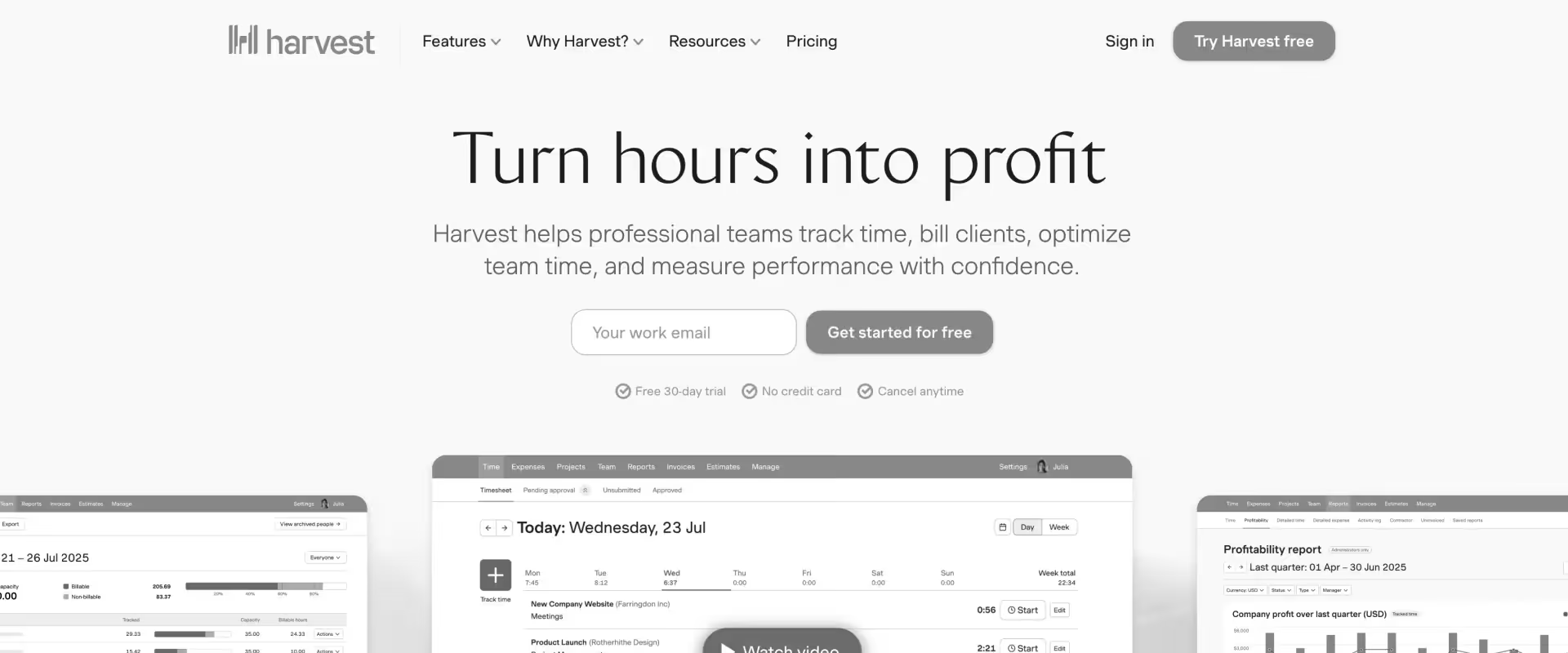
Simple time tracking, expense management, and invoicing tool — focused on the billable time-to-invoice workflow for small teams. Founded in 2006, Harvest has been a reliable, no-frills option for nearly two decades. It does one thing well and doesn't pretend to do more.
Pricing: From $11/user/month. Free trial: ✓ (30 days)
Key features
- One-click time tracking. Desktop, mobile, and browser apps. Subtle daily reminders to track time. Minimal friction for teams that resist time entry.
- Invoicing from tracked time. Generate and send invoices in two clicks. Clients pay directly from the invoice. Automated follow-up reminders. Integrates with Xero and QuickBooks.
- Budget monitoring. Set hourly or fixed-fee budgets per project. Real-time burn-up charts. Alerts when budgets are reached. New for 2026: profitability reporting on Enterprise tier.
- Capacity reporting. Team utilization visibility to balance workloads and identify over/underallocation.
- Where it falls short. No revenue recognition. No EAC/ETC. No resource management beyond basic capacity views. No portfolio dashboards. Not built for organizations managing multiple concurrent enterprise engagements. Reporting is basic — advanced analytics require external tools.
Pros and cons
Best for:
- Freelancers and small agencies under 15 people
- Teams that need time-to-invoice with zero complexity
- Organizations with single contract types and straightforward billing
Key takeaways
What customers say
Comparison of the top 7 project financial management tools in 2026
Before going deeper, here's a side-by-side snapshot across the four dimensions PS leaders ask about first.
These financial project management software solutions help manage your project portfolio and support profitability analysis, enabling real-time financial tracking and better decision-making by unifying project and financial management processes.
Now, the deeper comparison. The section below goes one level further — comparing across the five capability clusters that drive real outcomes for PS leaders.
Financial reporting depth
- Rocketlane: EAC, ETC, variance tracking, revenue recognition (7 native methods), and portfolio-level dashboards — all native and production-ready. Offers comprehensive tracking of actual costs, project finances, and delivers robust financial visibility for informed decision-making.
Also includes workflow automation to streamline processes and track project performance, providing real-time visibility into project outcomes and financial health. - Certinia: Strong revenue recognition across multiple billing models. Portfolio financial reporting tied to the Salesforce data model.
- OpenAir: Solid project accounting for NetSuite-connected enterprises. Financial data flows directly into the general ledger.
- Kantata: Covers core reporting needs at the project and portfolio level. Doesn't match the depth of Rocketlane or Certinia.
- BigTime: Billing-first — gets you from tracked time to invoice. Plans vs. actuals and WIP tracking, but complex revrec isn't in scope.
- Replicon: Workforce cost tracking only. Feeds time data into other systems rather than producing financial reports itself.
- Harvest: Basic budget monitoring with burn-up charts. No revrec, no EAC/ETC, no portfolio dashboards.
AI capability
This is where the gap is widest.
- Rocketlane: Only tool with a purpose-built AI layer for PS financial management — Nitro Analyst for plain-language financial queries, AI Governance for timesheet policies and project compliance, Nitro Resource manager for margin-optimized staffing, and Signals for proactive risk detection.
- Certinia: Salesforce Einstein integration brings AI capabilities across CRM and PSA data — useful but not PS-specific.
- Replicon: ZeroTime offers AI-assisted time capture that auto-populates timesheets from work activity.
- Kantata: Expertise Engine has newly launched, still early. Focus on turning institutional knowledge into intelligence.
- BigTime: AI-driven resource planning added on the Enterprise tier. Limited scope.
- OpenAir: No meaningful AI layer.
- Harvest: No AI layer.
Implementation speed
Often, the hidden cost breaks the ROI case.
- Harvest: Varies by module count. Simplest setup on this list.
- BigTime: Days to weeks. Most firms live within 60 days.
- Rocketlane: 4–8 weeks for the core platform. Phased migration available for OpenAir and Certinia customers.
- Kantata: 3–6 months typical.
- Certinia: 12+ months for enterprise — plus significant Salesforce consulting costs.
- OpenAir: 12+ months for enterprise — plus NetSuite implementation overhead.
- Replicon: Varies by module count, but enterprise deployments can be lengthy, given configuration complexity.
Every month a tool isn't live is a month it's consuming budget without delivering value.
User adoption
The most consistent gap in legacy PSA tools — and the one that quietly destroys financial data quality.
- Rocketlane: Purpose-built UX drives adoption among PMs, ICs, and implementation managers. Time tracking, status updates, and financial inputs are part of the daily workflow, not a separate compliance task.
- Harvest: Highest ease-of-use ratings on this list. Teams adopt it immediately — the tradeoff is limited capability ceiling.
- BigTime: Scores well on usability for time tracking and invoicing. Learning curve appears on more advanced features.
- Kantata: Mixed — resource management is well-adopted, project management less so. Steep learning curve for new users.
- Certinia: UX friction from operating inside Salesforce. ICs and PMs resist daily use. Time tracking data quality suffers.
- OpenAir: Aging UI consistently cited in reviews. Low IC adoption means financial data depends on manual enforcement.
- Replicon: Functional for time entry. Enterprise-grade features can overwhelm smaller teams.
Total cost of ownership
- Rocketlane: A unified platform that eliminates 3–4 tool subscriptions and integration overhead. For a 50-person PS team, consolidation savings frequently offset the subscription cost.
- Harvest: Lowest headline pricing ($11/user/month). A limited capability ceiling means teams often outgrow it and incur migration costs.
- BigTime: Affordable entry ($20/user/month). Enterprise tier pricing is custom and higher.
- Kantata: Mid-range pricing. Implementation and configuration costs add to the total.
- Replicon: Modular pricing keeps entry low, but enterprise deployments with full configuration can add up.
- OpenAir: Requires a separate PM tool (Smartsheet, Monday, Jira) alongside it. Implementation consulting costs often 1–2x the annual license fee.
- Certinia: Among the highest TCO — Salesforce platform costs, PSA licensing, and consulting for implementation and ongoing customization.
Where each tool leads — summary matrix
Rocketlane leads across AI, adoption, and implementation speed.
OpenAir and Certinia lead on ERP depth for their respective ecosystems.
Kantata holds mid-enterprise ground on resource management. BigTime and Harvest serve specific, bounded use cases well — and serve them affordably.
Benefits of project financial management tools for PS leaders
The previous sections cover what's broken and how tools compare. This section is the other half of the argument: what changes when PS teams move to a purpose-built platform.
These aren't theoretical benefits — they're the outcomes PS leaders consistently report after replacing spreadsheets, disconnected systems, or legacy PSA tools.
1. Margin visibility shifts from monthly to live: Instead of discovering project profitability at close, PS leaders see margin per engagement in real time — while there's still time to adjust resource allocation, revisit scope, or have the billing conversation before it becomes a write-off conversation.
2. Revenue leakage drops measurably: Automated time capture, proactive budget alerts, and governance-enforced billing rules eliminate the three most common sources of unbilled revenue: missed time entries, scope creep that goes untracked, and billing events that don't fire on time. None of these are dramatic individually. Together, they compound.
3. Forecasting accuracy improves without more manual work:. When delivery data — task completion, resource allocation, milestone status — feeds the financial model automatically, revenue forecasts update continuously. No monthly consolidation sprint. No reconciliation between the delivery team's view and finance's view. One number.
4. Time-to-invoice shrinks: Automated billing event generation and ERP sync (NetSuite, QuickBooks) removes the manual steps between work completion and invoice delivery. Month-end close becomes a confirmation step rather than a marathon.
5. Utilization moves toward the target: Real-time utilization dashboards — by person, role, and team — allow PS ops leads to identify and act on capacity gaps before they affect delivery commitments or bench cost. Target benchmark: 70–80% billable utilization.
6. Resource decisions become margin decisions: When cost rates are connected to project allocation, staffing decisions are margin decisions. The right platform surfaces the right person based on skills, availability, and impact on project profitability — not just who happens to be free.
7. Reporting overhead disappears: PS leaders stop spending days per quarter assembling financial reports from multiple exports. The data is live. The dashboards are ready. QBR prep goes from a data assembly exercise to a conversation about what the numbers mean.
8. Improved cash flow management: Purpose-built project management financial tracking tools provide real-time insights into cash flow, helping agencies analyze profitability, oversee expenses, and optimize business operations.
9. Real-time project progress tracking: Teams can monitor project progress in real time, track milestones, and quickly identify delays or issues using visual dashboards and metrics.
10. Better visibility into financial aspects: These platforms offer enhanced visibility into the financial aspects of every project, including budgets, expenses, and resource allocation, supporting more informed decision-making.
Key features to look for in project financial management tools
If you're evaluating tools right now, this is the checklist.
Seven non-negotiable capabilities — framed not as a feature list, but as the questions you should be asking in every demo.
1. Real-time budget tracking with proactive alerts. Not end-of-week reports. A live burn rate dashboard that fires an alert the moment a project phase crosses its budget threshold — while there's still time to act.
2. Automated time tracking: Manual time entry is the single biggest adoption killer in PS financial tools. ICs deprioritize it. Data becomes unreliable. Costs become invisible. Look for calendar integration that auto-populates timesheets from meetings, recurring meeting auto-mapping, and AI-assisted entry that reduces the task of reviewing and approving.
3. Resource cost rates and margin tracking: The tool must connect people — and their fully loaded cost rates — to projects in real time, so profitability is calculated live, not reconstructed at close. Blended rate management, role-based rates, and regional cost differentials are non-negotiable for global PS organizations.
4. Revenue recognition with multiple methods: PS teams run fixed-fee, T&M, milestone-based, percent-complete, and hybrid contracts simultaneously. Look for at least five native revrec methods, configurable EAC settings, and recognized vs. forecasted revenue tracked as distinct figures. If the platform treats all contracts the same way, it won't handle your actual billing complexity.
5. Portfolio-level financial dashboards: Project-level visibility is table stakes. CFOs and VPs of PS need a portfolio view: total bookings, backlog revenue, utilization by team, and margin by project type — in one dashboard, not four separate exports stitched together in a slide deck.
6. ERP and accounting integrations: NetSuite, QuickBooks, Salesforce. Billing events should flow automatically. Month-end close should get faster after implementation, not longer. Look for embedded iPaaS for custom financial workflows that standard integrations don't cover.
7. AI-powered financial intelligence: The emerging differentiator in 2026. The real question isn't "does it have AI?" — it's "where does AI surface insights without being prompted?" Budget overrun risk detected before breach. Revenue recognition gaps were flagged before the period close. Margin erosion is identified by pattern, not by post-mortem.
Best project financial management tools by industry and team size
Not every PS organization has the same financial complexity. The right tool depends on three variables: your team size, your industry, and your contract mix.
This section is the self-selection filter — find your profile, find your shortlist.
By team size
By industry
B2B SaaS (implementation and onboarding teams):
- Need: TTV-tied financial tracking, client portal, utilization dashboards, Salesforce CRM integration
- Best fit: Rocketlane — purpose-built for SaaS PS delivery with native CRM handoff and branded client portal
Professional services and consulting firms:
- Need: Fixed-fee and T&M contract management, billable hour tracking, and margin by engagement type
- Best fit: Rocketlane, Kantata, or Certinia, depending on ERP ecosystem
Healthcare technology:
- Need: Compliance documentation, multi-stakeholder project governance, regulated billing
- Best fit: Rocketlane (with AI Governance for compliance enforcement) or Certinia for Salesforce-native shops
Financial services and fintech:
- Need: Multi-currency reporting, strict revrec, SOX-adjacent compliance for time and billing
- Best fit: Rocketlane (Enterprise) or OpenAir for NetSuite-native organizations
System integrators and managed services:
- Need: High-volume project staffing, resource utilization at scale, margin management across hundreds of concurrent engagements
- Best fit: Rocketlane with Resource AI and portfolio financial dashboards
By contract type
The pattern across all three dimensions: Rocketlane covers the widest range of team sizes, industries, and contract types from a single platform.
The other tools on this list are strong in specific lanes — and if your org fits cleanly into one of those lanes, they may serve you well.
If your needs span multiple lanes (mixed contracts, growing team, SaaS + consulting hybrid), a unified platform avoids the stitching-together problem that got you reading this post in the first place.
How to choose the right project financial management tool

With so many project tools and project management software options available, it’s important to focus on the right criteria. Many leaders ask, “Does it do revenue recognition?” and “Does it integrate with NetSuite?” — then demo three platforms, choose the best dashboard UI, and go live.
Six months later, time tracking adoption is at 40% because ICs won’t maintain manual entries, and every financial output built on that data is unreliable.
Here's a better process.Instead, consider evaluating financial project management software that unifies project delivery and financial tracking, ensuring both real-time insights and reliable data.
Here’s a better process.
Step 1: Define three workflows to fix before demoing anything
Pick the three specific financial workflows that are broken today. Common ones:
- How long does it take to detect a budget overrun — and who finds out first?
- What's your time-to-invoice cycle, and how many manual steps sit between work completion and invoice delivery?
- How accurate is your 30/60/90-day revenue forecast — and how many hours does it take to produce?
Evaluate every tool against those three workflows using your own project data — not a vendor's curated demo. The tool that solves all three out of the box is the right tool. The one that looks impressive in a demo and requires customization for all three is not.
Step 2: Match your use case to the right platform
Step 3: Evaluate AI honestly
The real questions to ask the vendors:
- Does the platform proactively flag budget risk before a human notices?
- Does it detect utilization gaps and suggest reallocation?
- Does it identify revenue recognition anomalies before the period close?
- Can it answer financial questions in plain language across the full portfolio — not just one project at a time?
If the answer to most of these is no, the AI is a feature label, not a capability.
Step 4: Factor in adoption
A tool your PS team won't use is not a financial management platform; it's an expensive license. Ask:
- What are the IC adoption rates among existing customers of a similar size?
- How does time tracking work on mobile?
- What happens when a consultant skips logging for a week — does the system catch it, or does a manager have to?
- How long does it take a new team member to be productive in the tool?
The platform that makes compliance effortless generates better financial data than the one that mandates it through policy.
Netusite OpenAir vs Rocketlane: Why PS teams are making the switch
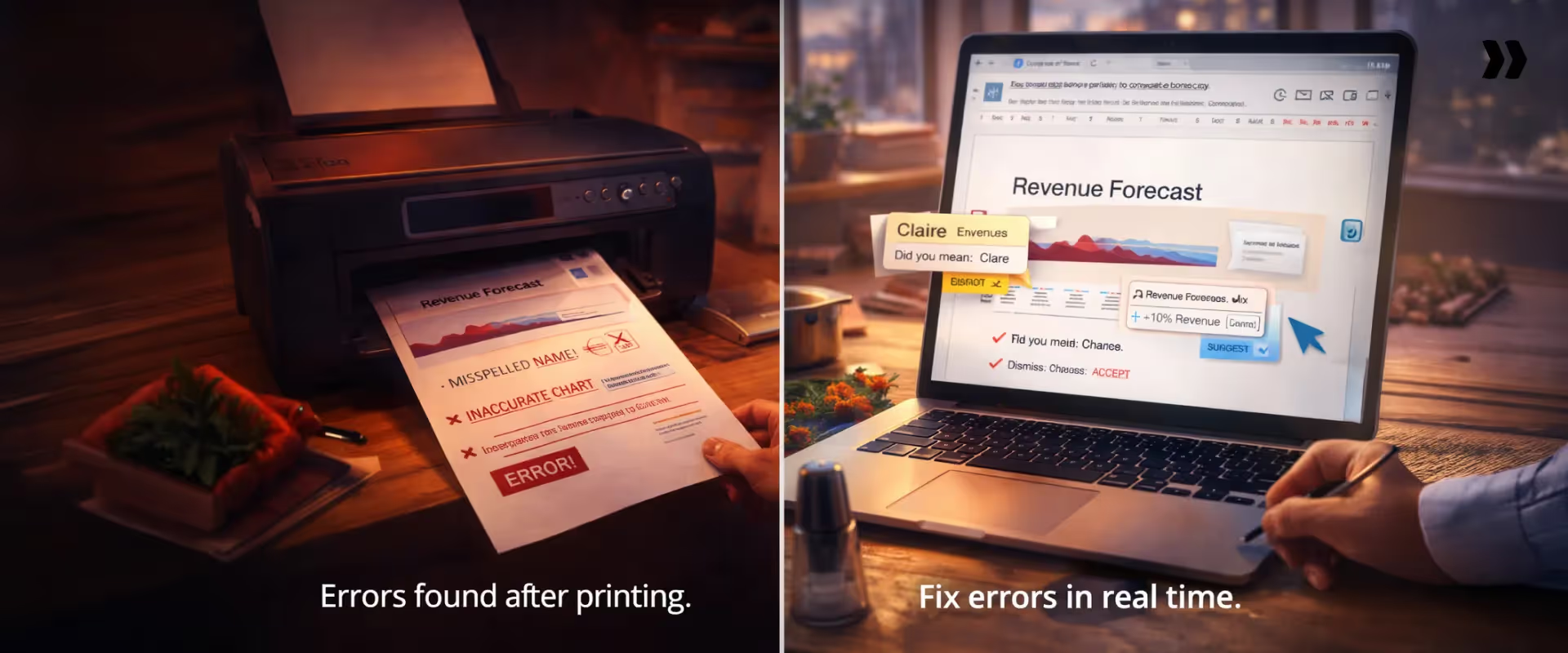
NetSuite OpenAir has served enterprise PS financial management for decades. For many organizations, it remains the back-office financial system of record. But one pattern repeats consistently across teams evaluating alternatives: the financial management is functional. The front office is absent.
Teams on OpenAir typically run three parallel systems: OpenAir for financial tracking, Smartsheet or Jira for project management, and email or Slack for client communication.
Three sources of truth. Zero shared data layer. Every report requires manual reconciliation across all three.
Head-to-head comparison:
Migration approach for OpenAir customers:
The switch doesn't have to be a big-bang replacement. The most common path:
- Start with front-office workflows on Rocketlane — project management, client collaboration, and time tracking. OpenAir continues handling back-office financials.
- Let delivery data flow through Rocketlane first. Once adoption is live and the team is working in the system daily, financial data quality is already improving.
- Migrate the financial layer. Revenue recognition, billing events, and ERP integration move to Rocketlane once delivery data is validated and flowing.
Lower risk. Faster time to value. Zero disruption to the billing cycle during transition.
How AI is transforming PS financial forecasting in 2026

AI is shifting PS financial management from a reporting function to a forecasting function. Reporting tells you what happened. Forecasting tells you what's about to happen — with time to intervene. Here's where the shift is playing out in practice.
1. Automated time capture, from being a chore to background process
AI eliminates manual time entry as a step. By connecting calendar events, communication activity, and project task data, AI systems draft complete timesheets for team members to review and approve, rather than building them from scratch. Accuracy improves. Compliance improves. ICs stop resenting Fridays.
2. Proactive budget risk detection
AI-powered budget monitoring continuously tracks burn rate against plan. It surfaces the signal when a project burns through its timeline faster than it can support — before the overrun threshold is crossed and before the client conversation becomes damage control. The difference between a tool that flags an overrun after it happens and one that flags the trajectory before it happens is the difference between a write-off and a recoverable conversation.
3. Revenue forecasting from delivery signals
The most advanced capability: AI that connects delivery progress — task completion rates, milestone achievement, resource allocation changes — to revenue projections in real time. Instead of a monthly manual consolidation process, the forecast updates as delivery reality changes. When a project slips by two weeks, the revenue impact is reflected immediately — not discovered at month-end.
What separates real AI financial intelligence from AI-washed features
AI that answers questions from a chat window layered on top of a legacy reporting tool is not financial intelligence — it's search.
Real AI financial management is native to the financial workflow: it surfaces insights automatically, flags anomalies without prompting, and connects delivery data to financial outcomes within the same system where the work happens.
Quick Picks — Best project financial management tools in 2026
Best all-in-one (project + financial management + AI): Rocketlane
The core problem: most tools handle either project management or financial management.
Rocketlane is the only platform built to do both, in real time, with AI — for customer-facing PS teams.
How Rocketlane handles project financial management for PS leaders with agents
The comparison sections above show where each tool ranks. This section answers the question buyers ask next: how does it actually work in production — and what changes when AI agents are embedded into the financial workflow?
Traditional PSA tools operate at one level: they track and report.
Rocketlane operates at three — tracking, governing, and executing — through Nitro, the industry's first agentic execution platform for professional services. Every financial workflow below has an agent layer running alongside it.
Budget burn workflow + Nitro financial monitoring:
Every project in Rocketlane carries a financial dashboard alongside the delivery plan — not as a separate module, not as an export. Budget thresholds are set per project and per phase.
When burn rate diverges from plan — a solutioning phase burns through 30% of budget in the first 20% of its timeline — the system fires a configurable alert to the PM, the delivery lead, or the PS ops head. The conversation happens in hours, not weeks.
What Nitro adds: The Nitro Financial Controller monitors in the background continuously — not just when thresholds are crossed.
It surfaces early signs of financial drift: revenue trending below plan, margins tightening unexpectedly, effort outpacing budget before anyone manually checks.
When a variance appears, Nitro doesn't just show the delta — it breaks down the drivers behind the deviation, whether it's scope changes, resource mix shifts, effort overruns, or forecast assumption errors. No chasing teams for explanations. No waiting days for answers.
Time tracking + AI governance:
The moment a team member opens their timesheet in Rocketlane, their meetings for the week are already there — pulled from Google Calendar, mapped to the relevant projects.
Recurring client meetings auto-populate to the same project each week. The team member reviews, adjusts if needed, and submits. Time tracking stops being a Friday chore and becomes a five-minute confirmation.
What Nitro adds: Nitro Time Guardian enforces time entry rules at the point of entry — not through monthly audits or Monday morning reviews.
A consultant logs time against a closed project phase? Blocked. Wrong charge code selected for a region-specific project? Flagged in real time.
Time entry exceeds 130% of planned hours on a task? The system requires a note before submission. For teams with regional policies (different weekend rules for Middle East vs. North America teams, for instance), governance applies the right rules automatically based on the team member's location.
The financial impact is direct. For a 50-person PS team at an average blended rate of $150/hour, recovering even one hour per consultant per month through governance-enforced accuracy represents roughly $90K per year in protected revenue — revenue that would otherwise leak through inaccurate time data flowing into billing.
Revenue recognition:
PS teams configure their recognition method per contract — seven native methods, including fixed-fee, T&M, milestone-based, percent-complete, and hybrid.
Recognized revenue and forecasted revenue appear as distinct figures in every project and portfolio dashboard. Month-end close inputs are generated automatically. Billing events push to NetSuite or QuickBooks without manual entry.
When scope changes happen mid-project, the system tracks budget shifts with audit-ready visibility — no spreadsheet side-calculations required. Revenue recognition adjusts based on the contract method configured, and the variance between the original plan and current trajectory is always visible.
What Nitro adds: Nitro Analyst can answer revenue recognition questions in plain language across the full portfolio. "Where is revenue recognition lagging behind delivery completion?" "What's our Q3 services revenue forecast given current burn rates?"
"Show me margin variance between enterprise and mid-market projects." The analyst connects revenue, margin, delivery, time, and resource data across every active project in a single conversational response — and the query can be saved as a reusable template. Run it again next QBR in minutes, not days.
Portfolio financial dashboard + Nitro Analyst:
The executive view shows the full PS financial picture: total bookings, backlog revenue, utilization by team, EAC vs. original contract value, and margin by project type — all live, all without building a custom report. When a CFO asks, "How are we tracking against services revenue targets?" the answer is one screen.
What Nitro Analyst changes for PS leaders: Delivery leaders don't think in dashboards. They think in questions — about margin, utilization, delivery risk, and revenue. Nitro Analyst is where those questions become answers. It doesn't just answer once — as leaders refine their analysis through conversation, the agent captures the logic.
The final output can be saved as a reusable analysis template, re-run anytime for new time periods or updated data without rebuilding filters or repeating the conversation. QBR prep goes from a day of data assembly to a 10-minute conversation.
Financial use cases it handles directly:
- "What's our billable utilization by team this quarter?"
- "Which fixed-fee projects are tracking above budget right now?"
- "Where is revenue recognition lagging behind delivery completion?"
- "Show me margin variance between enterprise and mid-market projects."
- "What's our Q3 services revenue forecast given current burn rates?"
Account and project signals — proactive risk detection:
Most financial surprises in PS orgs don't start as financial problems. They start as delivery problems — scope creep mentioned in a customer call, a champion going quiet, a client pushing back on timelines. By the time these show up in the financial data, the margin damage is already done.
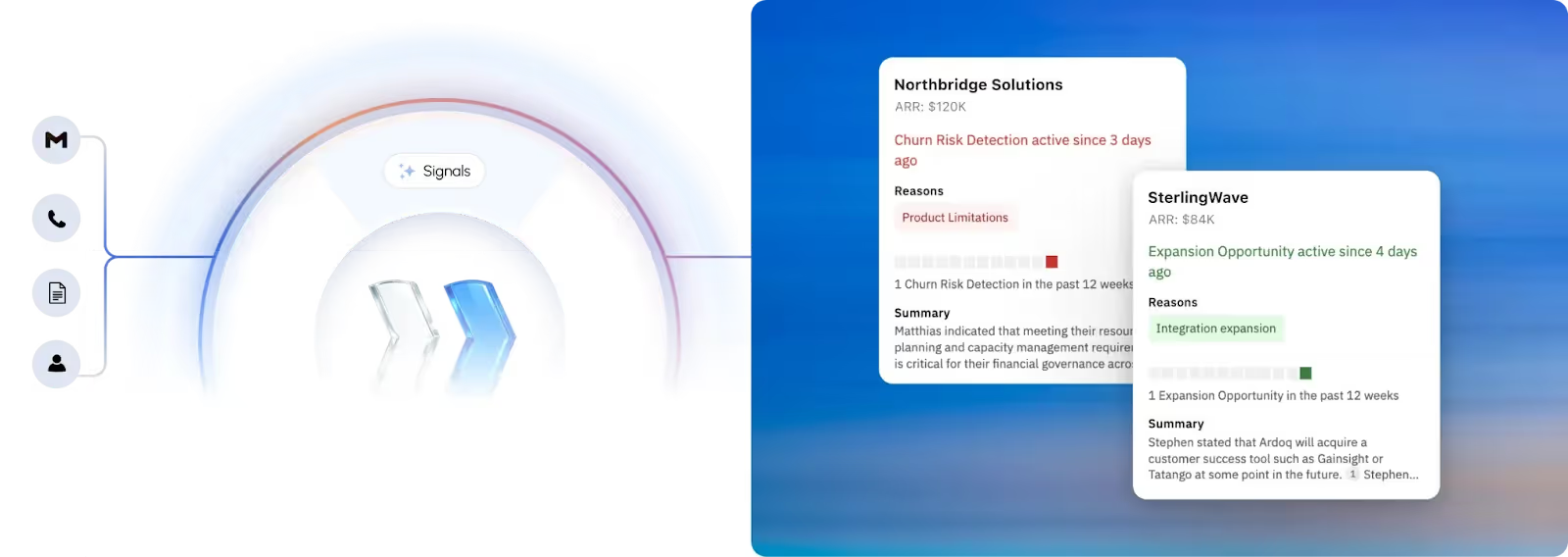
What Nitro adds: Account Signals and Project Signals scan every customer conversation (meetings, emails) and delivery activity pattern continuously. They detect:
- Churn risk: Champion exits, dissatisfaction signals, competitor mentions
- Scope creep: Tasks added outside original scope, budget pressure mentioned by the customer
- Revenue opportunities: Expansion intent, growing team size, new use case mentions
- Delivery risk: Critical tasks overdue, repeated blockers, no project activity for extended periods
Signals are configurable — not just keyword alerts. A signal is raised only when it meets defined criteria (multiple occurrences, specific severity thresholds).
Each signal includes the source (exact meeting or email with timestamp), context, and recommended actions.
Project governance — financial compliance at scale:
Beyond timesheet governance, Nitro enforces project-level financial compliance through the delivery workflow itself:
- Blocks project closure when invoices are outstanding
- Prevents phase advancement when UAT sign-off is missing
- Requires documented reasons for mid-project status changes that affect billing
- Ensures tasks with dependencies can't be completed out of sequence
Financial compliance enforced through the workflow — automatically, at scale — not through monthly audits or human policing.
How we built this guide
- This guide was built by combining hands-on product knowledge with independent research: current G2 and Capterra reviews for every tool listed, published pricing data, vendor documentation, and real-world feedback from PS leaders evaluating these platforms.
- Competitor sections are written to be genuinely useful, whether you choose Rocketlane or not.
- We are the makers of Rocketlane — we've been transparent about that throughout.
- We do not accept payment for tool placement or ranking.
Table of Contents

Regsiter for the live webinar


Great consultants didn't join your team to spend Fridays writing documentation.
Table of contents
18 of Forbes Cloud 100 chose Rocketlane. The best PS teams aren't waiting around.
FAQs
What is project financial management?
The discipline of planning, tracking, and reporting on the financial performance of projects — covering budgets, costs, revenue recognition, resource costs, and profitability. For PS teams, it connects delivery execution to financial outcomes across every active engagement.
What are the best project financial management tools in 2026?
Rocketlane (best all-in-one + AI), Certinia (Salesforce-native), NetSuite OpenAir (NetSuite back-office), Kantata (mid-enterprise PSA), BigTime (mid-market billing), Replicon (time compliance), and Harvest (small teams). The right choice depends on team size, contract complexity, and ERP
What features should project financial management tools include?
Real-time budget tracking with alerts, automated time tracking, resource cost rate management, multiple revenue recognition methods, portfolio-level dashboards, ERP integrations, and AI-powered financial intelligence that surfaces risk proactively.
How does AI improve PS financial forecasting?
AI automates time capture, detects budget anomalies before thresholds are crossed, and connects delivery data to revenue projections in real time. The best platforms go further — answering financial questions in plain language and flagging margin erosion by pattern.
What KPIs should PS teams track with financial management tools?
Billable utilization rate (target 70–80%), budget variance per project, forecast accuracy at 30/60/90 days, revenue recognition accuracy, time-to-invoice, and margin by project type and contract structure.













Copyright © 2026 Rocketlane Corp. All rights reserved.





















.webp)