Top 10 financial project management software for professional services teams in 2026

•
•
Summarize blog with






The quarter-end board meeting is in three days. The CFO wants project profitability by service line. The VP of PS wants utilization trends. Leadership wants to know which fixed-fee projects are underwater.
The Finance Manager at a 180-person IT services firm knows the answers exist. Somewhere. Across Harvest for timesheets, NetSuite for actuals, Smartsheet for project status, and the Excel model she rebuilt last quarter that three people have since edited without telling her.
"Tomorrow is going to be probably a whole day of me chasing timesheets, correcting timesheets."
That is not a complaint from a struggling Finance team. That is the operational reality of financial management in professional services — where the people responsible for the numbers spend most of their time finding them, not analyzing them.
She will spend the next two days finding those numbers. She will miss at least one. The CFO will ask a follow-up question she cannot answer in the room. She will say "I'll get back to you" — and spend the rest of the week doing exactly that.
This is not a finance problem. It is a tooling problem. And it is costing professional services organizations three things simultaneously: margin they cannot see eroding, revenue they are not capturing, and hours they cannot bill. The firms that fix this are the ones that show up to board meetings with answers instead of apologies.
This guide covers the 10 best financial project management software tools for professional services teams in 2026.
Evaluated on the criteria Finance and PS leaders actually care about: real-time budget tracking, revenue recognition automation, project profitability visibility, resource cost management, and AI-powered forecasting.
Not on feature count. And grounded in the financial project management best practices that actually separate firms hitting margin targets from those discovering problems at month-end.
Quick glance: Top 10 financial project management software at a glance
Short on time? Here's how all ten tools compare across the financial capabilities PS and Finance leaders prioritize — before the deep-dives.
What is financial project management software?

Financial project management software is a platform that connects project execution with financial tracking — giving professional services teams real-time visibility into budget burn, project profitability, revenue recognition, and resource costs as work happens, not weeks after month-end.
At its core, project financial management is the planning, tracking, controlling, and reporting on the financial performance of individual projects and a portfolio — covering budgets, costs, revenue recognition, and profitability.
Unlike pure project management tools that track tasks and timelines, or accounting systems that record what already happened, financial project management software shows the financial impact of delivery decisions in real time.
Effective financial project management shifts the focus from reactive cost-tracking to proactive financial steering — where project managers catch budget drift in week two, not at project close.
Most Finance Managers at PS firms know exactly what data they need. The problem is that data is spread across a Harvest account for time, a NetSuite instance for actuals, a Smartsheet file for project status, and a Salesforce pipeline that hasn't been updated in two weeks.
"We're using 5 different tools — Asana for projects, Harvest for time tracking, Excel for resource planning — and nothing talks to each other." The manual reconciliation exercise that connects these systems is not finance work — it is data plumbing. And it happens every month, consuming days that should be spent on the analysis that actually moves margins.
Financial project management software eliminates the plumbing entirely. When a consultant logs time in the same platform where the project plan lives, the budget burn updates immediately. When a milestone is approved, the revenue recognition calculation runs automatically.
When a fixed-fee project hits 75% of its budget at week three, the Finance Manager receives an alert — not a month-end surprise.
What financial project management software typically includes
- Real-time budget vs. actual vs. forecast tracking — at project, phase, and task level; automated burn rate alerts; EAC and ETC calculated from live data
- Revenue recognition automation — milestone-based, time-based, percentage-of-completion; calculated as hours are logged and milestones approved, not manually at month-end
- Project profitability dashboards — margin by project, client, service line, and region; cost rates and bill rates at user and role level
- Resource cost modeling — planned vs. actual cost; contractor vs. employee differentiation; resource mix impact on margin visibility
- Time tracking with approval workflows — connected directly to billing and revenue recognition, not as a separate layer requiring manual export
- CRM integration for pipeline-to-forecast financial modeling — pipeline-connected revenue forecasts weighted by close probability
- Multi-currency support — for global delivery teams with cross-border billing
- AI-powered financial forecasting and variance analysis — root cause analysis on margin drift, not just alerts that something happened
- ERP and accounting integration — NetSuite, QuickBooks, Xero, Sage — real-time, not batch
- Expense tracking and expense management — project-related costs captured at entry, not reconciled at month-end; contractor expenses, travel, and materials tracked against project budgets
- Cash flow management — invoice scheduling, billing milestones, and revenue timing connected to project progress for accurate cash flow forecasting
- Project health dashboards — KPIs providing a real-time view of project health across the portfolio: burn rate, cost variance, EAC, utilization, and margin by project
Financial project management software vs. project management tools vs. ERP
Top 10 financial project management software for professional services teams in 2026
These 10 tools were evaluated on five criteria in priority order for Finance and PS leaders: real-time financial visibility, revenue recognition depth, project profitability tracking, ERP/CRM integration, and AI capabilities.
Generic accounting software without project management was excluded and generic PM tools without financial management were excluded.
The focus is on platforms that can serve as the operational financial spine of a 50–500 person PS organization without requiring 3–4 additional tools alongside them.
1. Rocketlane

Rocketlane is the only agentic AI-powered PSA platform purpose-built for customer-facing professional services teams that unifies financial management and project delivery in one system.
For Finance Managers at IT services firms, SaaS PS teams, and consulting organizations, it eliminates the core fragmentation problem: project execution in Smartsheet, finances in Certinia or Kantata, time in Harvest, and the month-end reconciliation happening manually across all of them.
In Rocketlane, every hour logged connects directly to budget burn, revenue recognition, and project margin — in real time, without manual intervention.
The CFO's question gets answered in seconds, not over two days of spreadsheet work. "We're using 5 different tools — Asana for projects, Harvest for time tracking, Excel for resource planning — and nothing talks to each other" is the situation Rocketlane is architected to end.
Key features
Real-time financial tracking — Budget vs. actual vs. forecast at project, phase, and task level; automated burn rate alerts at configurable thresholds (typically 75% and 90% consumed); EAC and ETC calculated from live burn rates, not manual spreadsheet models. When a project plan changes, financial forecasts update automatically — no reconciliation step.
Revenue recognition automation — Fixed-fee percentage-of-completion calculated as hours are logged; T&M recognized as time is captured; milestone-based recognition triggered on milestone approval; retainer and hybrid billing models supported simultaneously across project phases.
Project profitability dashboards — Margin by project, client, service line, and region; cost rates and bill rates at user and role level with project-specific overrides; blended rate analysis showing where margin is being compressed by resource mix decisions; forecasted vs. actual margin comparison. Real-time — not monthly batch updates.
Resource cost management — Employee vs. contractor cost differentiation; cost rate versioning for historical accuracy; resource mix impact on margin visibility connected to capacity planning; forward-looking cost forecasting as resource allocations change.
CRM-integrated financial forecasting — Pipeline-connected revenue forecasts from Salesforce and HubSpot; probability-weighted capacity and revenue modeling; rolling 90-day and 180-day forecasts updated as projects progress and pipeline shifts. The Finance Manager moves from reporting history to contributing to strategy.
Automated invoicing and generating invoices — Billing schedule automation; milestone-triggered invoice generation; approval workflows; ERP sync without manual re-entry. Invoice generation that currently takes 2–3 days of approval chain work becomes same-day.
Cash flow management improves immediately — the gap between work delivered and cash received shrinks when invoices generate automatically at the point of milestone approval rather than days later.
Expense tracking and expense management — Project-related costs captured at entry: contractor expenses, travel, software, materials — all tracked against project budgets in real time. Actual costs visible at the project level without manual consolidation. Expense management connected to the same financial layer as time tracking, so project profitability reflects the full cost of delivery, not just labor hours.
Nitro AI — financial intelligence
Rocketlane Nitro enables agentic capabilities across operations, delivery, and service work execution.
It applies purpose-built AI agents across the delivery lifecycle so execution no longer depends on constant human attention, availability, or memory.
Operational level: AI Analyst answers plain-language financial queries across your entire portfolio ("which fixed-fee projects are tracking below 30% margin this quarter?") in seconds; Timesheet Policy Agent enforces compliance automatically, eliminating revenue leakage from uncaptured hours.
Governance level: Signals Agent detects early warning signs — burn rate acceleration, billing delays, milestone slippage — with enough lead time to intervene.
Workforce level: SOW-to-Plan Agent converts signed proposals into live project plans with financial baselines pre-populated in minutes.
ERP and accounting integration — Native NetSuite, QuickBooks, Xero, and Sage sync; real-time bi-directional; automated journal entries; no manual data re-entry. Salesforce takes approximately 3 hours to configure — not weeks.
Global financial support — Multi-currency, multi-entity, regional tax handling (VAT/GST), GDPR compliance, data residency, IR35-compliant time tracking.
Key takeaways
Pros and cons
Best for
- Finance Managers and PS leaders at IT services, SaaS, and consulting firms (100–500 headcount) replacing fragmented finance + PM + time tracking stacks
- Organizations where month-end close takes 3+ days due to manual reconciliation across disconnected systems
- PS teams running fixed-fee projects with no real-time margin visibility until project close
- Global PS organizations requiring multi-currency revenue recognition, multi-entity billing, and ERP integration
- Teams switching from Certinia or Kantata that need implementation in weeks, not months
What customers say
⚡ With vs. without Rocketlane
2. Certinia (formerly FinancialForce)

Certinia is the enterprise PSA for organizations deeply embedded in the Salesforce ecosystem — strong revenue recognition, ERP-level financial management, and advanced multi-entity reporting.
For Finance leaders whose primary pain is financial management in a Salesforce-native environment and who have the implementation budget and timeline for a 6–9 month rollout, Certinia is a genuine option.
Key features
ERP-grade financial management — Revenue recognition supporting ASC 606 and IFRS 15, project accounting, multi-entity billing, and financial forecasting at enterprise scale. The strongest financial layer in this comparison for organizations that need ERP-level controls within Salesforce.
Salesforce-native architecture — All project, resource, and financial data lives within Salesforce; no integration required between CRM and PSA. For organizations where Salesforce is the system of record for everything, the native architecture eliminates a class of integration problems.
Resource management with utilization tracking — Role-based capacity forecasting and utilization reporting within the Salesforce data model; functional for finance-led resource visibility, though delivery teams typically seek workarounds for day-to-day project execution.
Professional services billing models — Fixed-fee, T&M, and milestone billing within Salesforce; billing accuracy is strong when data input compliance is maintained, which requires consistent timesheet adoption.
Multi-entity and multi-currency — Enterprise-grade global operations support within the Salesforce environment; critical for large PS organizations with cross-border delivery and consolidated financial reporting requirements.
Project accounting and profitability reporting — Project-level P&L, margin analysis, and cost tracking with Salesforce reporting tools; powerful for organizations already invested in Salesforce reporting infrastructure.
Key takeaways
Pros and cons
Best for
- Enterprise PS organizations (300+ staff) with complex revenue recognition requirements and full commitment to the Salesforce ecosystem
- Organizations with a dedicated Salesforce admin team and tolerance for long implementation cycles
- Firms where back-office financial accuracy is the non-negotiable primary requirement and project delivery execution happens in a separate tool
- Large PS organizations with multi-entity, multi-currency, and ERP consolidation requirements
What customers say
3. Kantata (formerly Mavenlink + Kimble)

Kantata is a PSA platform with financial reporting, resource management, and Salesforce/NetSuite integration depth. It emerged from the merger of Mavenlink and Kimble — two product philosophies still being reconciled in a single platform.
For Finance leaders whose primary requirement is financial reporting depth and who have Salesforce or NetSuite already, Kantata covers the fundamentals.
For organizations that also need delivery execution in the same system, the consistent G2 pattern holds: teams use Kantata for back-office financial management and maintain a separate PM tool for actual project work.
Key features
Financial reporting and project profitability — Project-level P&L, margin analysis, and financial forecasting; a genuine strength for finance-first PS organizations and the primary reason teams stay on Kantata despite UI frustrations.
Resource management and utilization tracking — Role-based capacity forecasting and utilization reporting; skills tracking and filter-based allocation support; functional for resource visibility though less real-time than modern PSA alternatives.
Salesforce and NetSuite integration — Bi-directional data sync with both platforms; pipeline and financial data flow between systems, though integration changes require admin involvement.
Project billing management — Fixed-fee, T&M, milestone, and retainer billing; timesheet management and billing workflows connecting to project financials.
Portfolio-level financial reporting — Cross-project visibility into utilization, profitability, and delivery performance; reporting depth is solid but requires data quality discipline that low adoption undermines.
Business intelligence and analytics — Reporting dashboards give practice leads visibility into financial performance across the portfolio; limited customization without partner involvement.
Key takeaways
Pros and cons
Best for
- Mid-to-large IT services and consulting firms (100–400 staff) with mature Salesforce or NetSuite environments where financial reporting is the primary requirement
- Organizations that can invest 6+ months in implementation and have dedicated change management capacity
- Firms where back-office financial management is the core driver and project delivery complexity is lower
- Teams already on Kantata that need to extend financial reporting capabilities rather than switch platforms
What customers say
4. NetSuite PSA

NetSuite PSA is the project accounting module within the NetSuite ERP — an option for organizations where financial consolidation across the entire business is the primary driver and where project data flowing directly to the general ledger without middleware is a non-negotiable requirement.
The project management capabilities are basic. Resource management is limited. The advantage is a single ERP where project financial data lives natively alongside the rest of the business's financial data.
Key features
ERP-native project accounting — Project financials live within NetSuite's general ledger; revenue recognition, project billing, and cost tracking flow to GL without middleware or manual journal entries. A structural advantage for organizations where ERP consolidation is the primary requirement.
Revenue recognition within NetSuite — ASC 606-compliant recognition within the same ERP that handles the rest of the financial close; milestone, time-based, and percentage-of-completion methods supported.
Project budgeting and cost tracking — Budget vs. actual at the project level; cost tracking connected to NetSuite's financial infrastructure for consolidated reporting.
Time tracking and billing within ERP — Timesheet management and billing workflows within the NetSuite environment; strong for finance-team-driven approval workflows, though the interface is optimized for accountants rather than consultants.
Resource scheduling (basic) — Basic resource assignment and availability tracking within the module; not purpose-built for skills-based allocation or forward-looking capacity forecasting at PS-team scale.
Reporting and dashboards — NetSuite's reporting infrastructure applied to project data; powerful for finance-team queries, less accessible for project managers doing daily delivery work.
Key takeaways
Pros and cons
Best for
- Organizations already on NetSuite where project financial data flowing natively to the GL without middleware is a non-negotiable requirement
- Finance-first organizations where the project module is intended primarily for financial controls, not delivery execution
- Large enterprises where ERP consolidation across business units is the primary driver
- Firms where project delivery complexity is low and the finance team owns the project accounting workflow
What customers say
5. BigTime
BigTime is a PSA platform with billing automation, time tracking depth, and project budget management — popular with accounting firms, engineering consultancies, and IT services organizations where billing accuracy is the primary financial pain point. Project profitability tracking is functional.
Revenue recognition automation is more limited than Certinia or Rocketlane. Resource management is basic relative to purpose-built PSA platforms.
Best for firms where accurate time-to-invoice workflows are the core requirement rather than real-time margin intelligence or AI-powered financial forecasting.
Key features
Time tracking with billing compliance — Detailed time entry with configurable approval workflows; billing compliance is BigTime's core strength, with flexible billing models (T&M, fixed fee, retainer) and direct connection to invoice generation.
Project budget management — Budget vs. actual at the project level; budget performance reporting; cost tracking connected to billing workflows. Functional for straightforward project financial management; insufficient for real-time margin analysis at portfolio scale.
Invoicing and billing automation — Direct invoice generation from time entries; flexible invoice formats; billing model support across T&M, fixed fee, and retainer. The billing-to-invoice workflow is genuinely tight and a consistent reason accounting-adjacent firms prefer BigTime.
QuickBooks and accounting system integration — Native connection with QuickBooks and other accounting systems; the integration is a specific advantage for accounting firms and engineering consultancies already in that ecosystem.
Resource utilization and allocation — Basic resource scheduling and utilization reporting; functional for staffing visibility but not suited for skills-based matching, forward-looking capacity forecasting, or pipeline-connected demand modeling.
Reporting on billing and project profitability — Project performance against budget; billing analytics; utilization reporting. Strong for post-project financial analysis; less suited to in-flight margin intelligence or AI-powered variance analysis.
Key takeaways
Pros and cons
Best for
- Accounting firms and engineering consultancies where billing accuracy and QuickBooks integration are the primary drivers
- IT services organizations that need strong time-to-invoice workflows as a first step toward PSA adoption
- Teams that want to solve billing compliance first and address real-time margin visibility as a secondary phase
- Organizations already using QuickBooks as their accounting backbone where native integration is a priority
What customers say
6. Harvest
Harvest is a time tracking and invoicing tool in the sub-100-person PS market — clean interface, fast setup, reliable time capture, and basic project budget tracking.
It is not financial project management software in the full sense: no revenue recognition, no project profitability dashboards, no resource cost management, no CRM integration for forecasting.
Teams using Harvest exclusively always need additional tools for financial management. Included here because it appears in almost every multi-tool stack being replaced — and because its limitations are exactly what drive the search for a unified financial PM platform.
Key features
Time tracking — Clean, fast time entry across web and mobile; project and task-level logging; timer-based and manual entry; strong adoption rates due to minimal friction in the time capture workflow.
Basic project budget tracking — Hours-based budget tracking against project targets; budget utilization reporting by project; not connected to cost rates, bill rates, or revenue recognition — a scheduling-layer metric rather than a financial one.
Invoicing from time entries — Invoice generation from tracked time; basic billing templates; straightforward for T&M invoicing on simple projects; limited for milestone-based, retainer, or hybrid billing models.
Basic reporting — Time reports by person, project, and client; utilization reporting based on tracked hours; no profitability analysis, no margin tracking, no financial forecasting.
Integrations with PM and accounting tools — Connects with Asana, Jira, QuickBooks, Xero; the integrations are why Harvest appears in multi-tool stacks — it fills the time tracking gap for tools that don't have native time capture.
Forecast add-on — Harvest's separate scheduling tool provides basic resource scheduling alongside time tracking; a separate login, separate cost, and not integrated deeply enough to provide true capacity planning.
Key takeaways
Pros and cons
Best for
- Teams under 50 people that need reliable time tracking and basic invoicing
- Organizations in early growth stages before financial project management complexity emerges
- Teams using Harvest as one component of a multi-tool stack with a separate PSA or accounting system
- Freelancers and very small agencies where Harvest's simplicity is a genuine fit
What customers say
7. Productive.io
Productive.io combines project management, resource planning, budgeting, time tracking, and invoicing in a clean, modern interface. Financial management is more mature than pure PM tools but less deep than Certinia or Rocketlane on revenue recognition complexity and multi-entity operations.
Growing adoption among boutique IT consulting and digital transformation firms. Best for sub-150-person PS teams that need functional financial tracking without PSA-grade complexity.
Key features
Project budgeting and profitability tracking — Project-level and client-level budget tracking with real-time burn rate visibility; profitability per project visible without a finance team dependency — a genuine differentiator at this price point.
Time tracking with billing workflows — Native time entry with manager approval; billable vs. non-billable categorization feeding directly into project financial tracking and invoicing; calendar integration for frictionless entry.
Invoicing and billing model support — Fixed-fee, T&M, and retainer billing with direct invoicing output; removes the need for a separate invoicing tool for firms at this scale.
Resource management and capacity planning — Skills-based allocation and utilization planning; capacity forecasting for pipeline planning; depth is sufficient for teams under 100 but may not cover enterprise-scale forecasting needs.
Financial analytics and reporting — Dashboards covering utilization rates, project profitability, and billing performance; solid for boutique firms, less comprehensive for enterprise-scale operations.
Built-in docs — Project documentation within the same platform as resource and financial management; reduces the dependency on external documentation tools.
Key takeaways
Pros and cons
Best for
- Creative and digital agencies and boutique IT consulting firms (10–150 people) wanting resource and financial management in one tool
- Teams that need profitability tracking per project without PSA-grade complexity or cost
- Firms coming off Harvest + Asana or similar lightweight stacks looking for a proper PSA without legacy overhead
- Organizations prioritizing clean UI and fast implementation over maximum financial depth
What customers say
8. Scoro

Scoro combines project management, CRM, quoting, resource planning, and financial reporting. Financial reporting depth is a genuine differentiator — more comprehensive than most tools at this price tier. Revenue recognition and multi-entity billing are limited compared to dedicated PSA platforms.
Best for small-to-mid PS teams that need business management consolidation — projects, CRM, and finances in one place — rather than PSA-grade financial operations at scale.
Key features
Financial reporting and project profitability — Budget tracking, profitability per project, and revenue forecasting; financial reporting depth is Scoro's strongest capability and a genuine differentiator at this price point for SMB PS teams.
CRM and quoting built-in — One of the few management platforms combining CRM, quoting, and project delivery in one system; particularly useful for small consulting firms that want to manage the full client lifecycle without switching tools.
Time tracking integrated with billing — Time entry connected to billing workflows; billable and non-billable time tracked against project budgets; invoiced directly from logged time.
Resource management with utilization dashboards — Capacity views and utilization reporting; available on higher tiers; functional for mid-size teams but not mature enough for enterprise-scale PS capacity governance.
Project management views — Gantt charts, task lists, and calendar views; PM depth is functional for standard project tracking but doesn't match dedicated PSA project management depth.
Comprehensive reporting — 50+ report templates covering utilization, profitability, delivery performance, and financial metrics; one of the stronger reporting layers available to SMB PS teams at this price tier.
Key takeaways
Pros and cons
Best for
- SMB consulting and agency firms (10–80 staff) where consolidating PM, CRM, and financials in one place is the primary goal
- Teams currently managing quoting, projects, and billing across entirely separate tools
- Organizations where financial reporting depth matters more than revenue recognition automation or real-time margin intelligence
- Firms that want CRM and quoting built into the same system as project delivery
What customers say
9. Runn
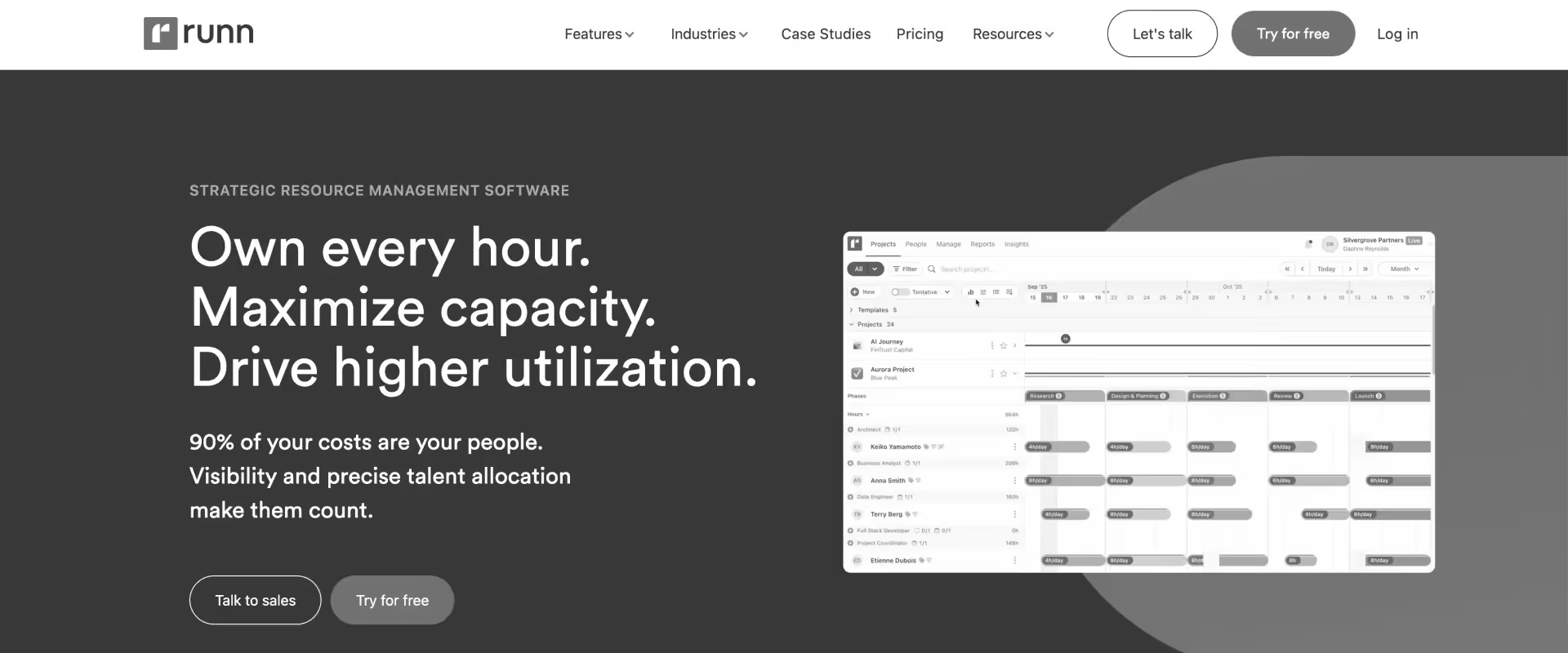
Runn is a purpose-built resource planning platform with financial tracking capabilities — real-time utilization charts, project budget tracking, and basic profitability reporting. Cleaner and more modern than legacy PSAs at a significantly lower price point.
Revenue recognition automation and billing complexity are limited. Best for growing PS teams of 30–100 people that need resource and financial visibility beyond spreadsheets but aren't yet ready for full PSA complexity.
Key features
Real-time capacity vs. demand visualization — Role and team capacity against project demand in a live view; forward-looking forecasting at the role level; a meaningful step up from scheduling-only tools.
Project budget tracking and financial visibility — Budget vs. planned hours and cost tracking at the project level; more than scheduling tools but short of PSA-grade margin and burn rate management.
Utilization forecasting and tracking — Billable vs. non-billable utilization by person and team; one of the stronger utilization tracking capabilities at this price point.
Soft booking for pipeline planning — Tentative project planning against pipeline or unconfirmed projects; less mature than PSA-level probability-weighted soft allocations but covers basic use cases.
Time tracking integration — Connects to external time tracking tools; not a native time entry system — requires integration configuration.
API for custom integrations — Open API for connecting to external project management, finance, and CRM tools; useful for teams with specific integration requirements.
Key takeaways
Pros and cons
Best for
- Consultancies of 30–100 people that have outgrown spreadsheets and need utilization + financial visibility
- Teams that want resource and financial tracking without committing to a full PSA implementation
- Organizations in the transition between scheduling tools and full PSA platforms
- Teams where revenue recognition simplicity is acceptable and utilization visibility is the primary financial gap
What customers say
10. QuickBooks Time (formerly TSheets)
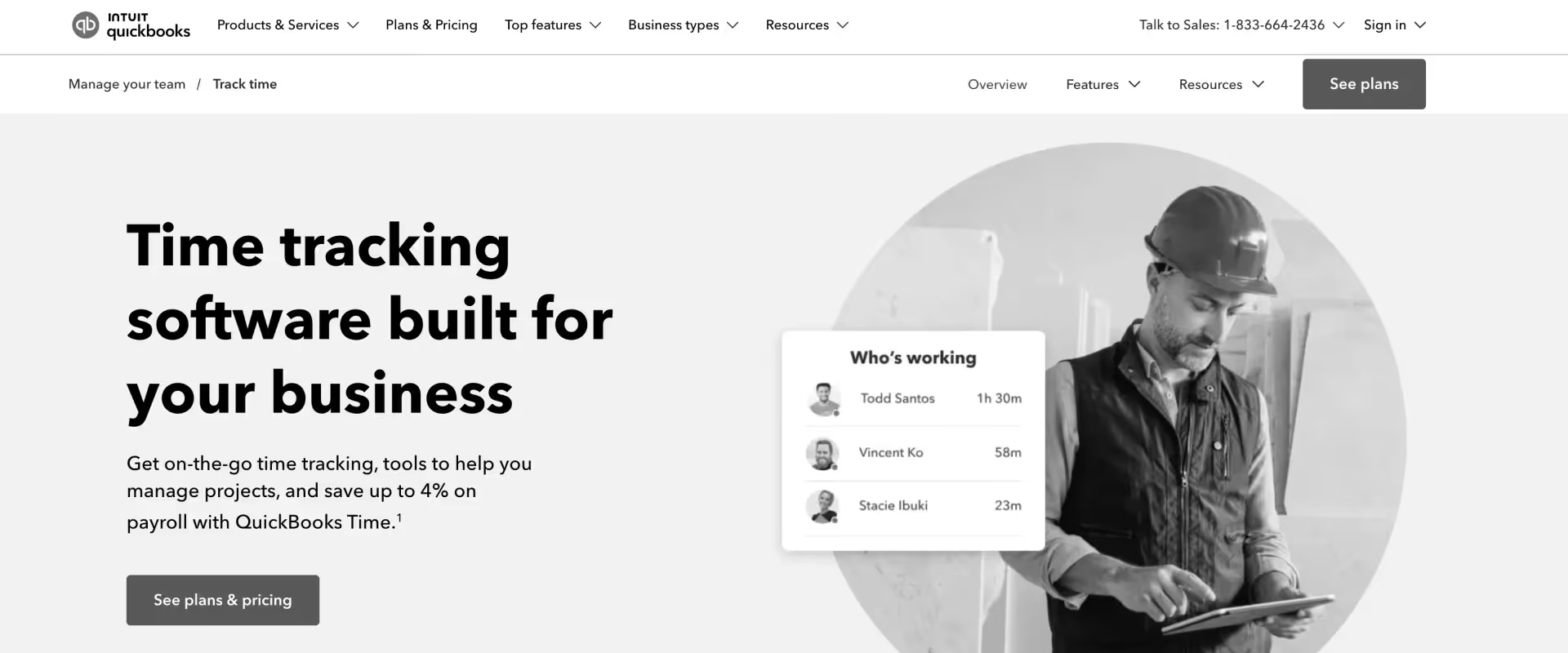
QuickBooks Time is a mobile-first time tracking solution that integrates with QuickBooks for billing and payroll — strong for small PS teams already on QuickBooks that need reliable field time capture.
Not financial project management software in the full sense: no project profitability tracking, no revenue recognition, no resource management, no CRM integration.
Included because it appears frequently in the tool stacks of small PS organizations searching for a more complete financial PM solution — and its limitations clearly illustrate what that transition requires.
Key features
Mobile-first time tracking — GPS-enabled time capture; mobile app optimized for field-based time logging; fast and reliable for teams that need time capture away from a desk.
QuickBooks integration — Direct sync with QuickBooks for billing and payroll; the integration is the core reason teams choose QuickBooks Time — project time flowing to QuickBooks without manual entry.
Basic job and project tracking — Time logged against jobs and projects; no project budgets, no margin tracking, no revenue recognition — purely a time categorization layer for billing purposes.
Scheduling — Basic staff scheduling and shift management; not resource management for professional services capacity planning.
Reporting — Time reports by employee, job, and date; no profitability analysis, no financial forecasting, no project financial dashboards.
GPS and job site management — Geofencing and GPS tracking for field teams; a specific advantage for teams with mobile workforces that need time capture verification.
Key takeaways
Pros and cons
Best for
- Very small PS teams (under 30 people) already on QuickBooks where mobile time capture is the primary need
- Field-based service teams that need GPS-verified time tracking
- Organizations using QuickBooks Time as one component of a multi-tool stack before graduating to a unified PSA
What customers say
Comparison of the best financial project management software in 2026
Use this table to shortlist 2–3 tools before requesting demos. Pay close attention to the Revenue Recognition and Project Profitability columns — these are the capabilities that most clearly separate purpose-built financial PM platforms from time tracking tools and generic PM software.
Any tool with no capability in both columns will require manual processes or additional systems that reintroduce the fragmentation problem you are trying to eliminate.
Benefits of financial project management software for professional services teams
The right financial project management software delivers impact that goes beyond cleaner reports. It fundamentally changes the Finance Manager's role — from someone who reports what happened to someone who can prevent what shouldn't.
Real-time financial visibility means PS organizations stop discovering margin problems at project close and start catching them when they are still fixable.
A project flagged as 15% over budget at week three can prompt a change order conversation with the client. The same project discovered at month-end is a write-off.
Teams with live budget burn data consistently report 10–20% higher project margins on average — not because they price better, but because they course-correct faster.
Revenue recognition automation removes the single largest driver of delayed month-end close. Finance teams using automated recognition connected to project milestones and time tracking reduce close time from 3–5 days to under 1 day on average — and reduce recognition errors significantly.
The manual percentage-of-completion spreadsheets, the cross-referencing against project plans, the journal entry construction — all of it is replaced by a calculation that runs in real time as the delivery team does their work.
At scale, the Finance team capacity impact compounds.
A Finance Manager currently spending 2–3 days per month-end on manual reconciliation recovers that time for analysis, forecasting, and the strategic work the CFO has been asking for.
For organizations growing from 100 to 200 consultants, this difference determines whether you add Finance headcount or absorb growth within the existing team.
Integrating project management with financial tracking also directly reduces budget overruns — financial project management software can reduce budget overruns by up to 28% by providing real-time tracking and alerts for project expenses.
A unified approach to project and financial management helps organizations avoid data silos, ensuring that project teams and finance teams work from the same financial information, which promotes transparency and accountability across the entire delivery operation.
Why financial project management software matters more in 2026 than ever
PS teams in 2026 face margin pressure from every direction — rising talent costs, fixed-fee pricing demands, and clients expecting faster delivery.
Financial project management software addresses this by moving Finance leaders from reactive month-end reporting to proactive in-flight visibility — where margin erosion is caught in week two, not discovered at project close.
The pressure is real and it is compounding.
PE-backed services firms are operating under explicit margin targets. SaaS companies building out paid professional services for the first time have zero tolerance for the resource chaos that established firms have learned to absorb.
And everyone is being asked to answer "are we profitable?" faster and more often than quarterly board decks allow.
The month-end close problem
The average Finance Manager at a 150-person IT services firm spends 2–3 full days every month on manual reconciliation — pulling time data from Harvest, cross-referencing against project plans in Smartsheet, calculating percentage-of-completion for revenue recognition in Excel, and formatting reports for leadership before the management meeting.
One Finance Manager described it plainly: "Tomorrow is going to be probably a whole day of me chasing timesheets, correcting timesheets."
None of that work requires human judgment. All of it could be automated. And all of it happens after the financial outcome is already locked in — too late to change it.
The Finance Manager who said "I didn't sign up for this level of manual work" was not describing incompetence. She was describing a system designed for a different era, in a business that has outgrown it.
The financial metrics that matter — burn rate (the rate at which a project is consuming its budget over time), cost variance (the difference between budgeted and actual costs), and Earned Value Management (which measures how much work was actually accomplished for the money spent) — require connected, real-time data to be useful.
Calculated manually in spreadsheets at month-end, they describe what already happened. Calculated automatically from live project data, they give project managers and finance teams enough lead time to act.
Revenue leakage — the invisible margin killer
Most PS teams are leaving 5–15% of billable revenue on the table. Not from pricing mistakes. From scope creep that never became a change order, hours worked on closed projects, unbilled time logged to wrong project codes, and invoices delayed 30–60 days after work is delivered.
Financial project management software with real-time time-to-billing connections closes these gaps before they compound — not by adding process, but by making the right behavior the only path through the system.
The forecasting credibility problem
When the CFO asks for a 90-day revenue forecast and the Finance Manager's answer requires two days of spreadsheet work to produce — and still carries a 25–30% variance from actuals — it is not a forecasting skills problem. It is a data infrastructure problem.
The forecast is built on weighted pipeline in the CRM that has no connection to what the delivery team is actually executing. Financial project management software connected to live project and pipeline data reduces that variance by grounding forecasts in what is actually being delivered, not in pipeline estimates that diverge from delivery reality the moment the first project plan changes.
Global financial complexity in 2026
For PS firms operating across US, UK, EU, and APAC: multi-currency revenue recognition, regional compliance requirements (ASC 606 for US, IFRS 15 for UK/EU), VAT/GST billing automation, and cross-border project accounting are baseline operational requirements.
Tools built for single-entity domestic operations break under this complexity — not dramatically, but continuously, in the form of manual workarounds that accumulate until the Finance team is spending more time managing the workarounds than the work.
Financial project management software: key features to look for

When evaluating financial project management software for a PS team, prioritize five capabilities before anything else: real-time budget burn tracking at project and phase level, automated revenue recognition for your billing models, project profitability dashboards by client and service line, CRM-connected financial forecasting, and ERP integration without manual data entry.
Tools missing more than two of these require additional systems alongside them — recreating the very fragmentation problem they were meant to solve.
Real-time budget tracking — planned vs. actual vs. forecast
Real-time budget tracking is essential in financial project management software, allowing project managers to continuously compare planned budgets against actual costs and forecasted expenses. Live budget consumption against plan at project, phase, and task level.
Automatic alerts when projects approach or breach budget thresholds. EAC and ETC calculated from actual burn rates — not manual spreadsheet models. Constantly tracking the difference between the planned cost and the actual cost aids in identifying a project's financial health before it becomes a problem.
This is the feature that separates financial project management software from project management tools with a budget field. The distinction matters: a budget field shows you what was planned. Real-time budget tracking shows you what is happening — and whether it will end differently than planned.
Integrating project management software with financial management processes can reduce budget overruns by up to 28%, as it provides real-time insights into project financials.
Revenue recognition automation
Support for all billing models: fixed-fee (percentage-of-completion), time-and-materials (time-logged), milestone-based, retainer, and hybrid. Automated calculation as time is logged and milestones are approved — no manual journal entries. ASC 606 and IFRS 15 compliant.
Multi-entity and multi-currency recognition for global teams. Revenue recognition automation alone eliminates 60–70% of month-end manual work for most Finance teams — and removes the risk of recognition errors that accumulate when percentage-of-completion is calculated manually in Excel.
Generating invoices automatically from approved milestones and billing schedules closes the gap between work delivered and revenue captured, reducing DSO and improving cash flow.
Project profitability dashboards
Margin tracking by project, client, service line, and region. Cost rates and bill rates at user and role level with project-specific overrides. Blended rate analysis showing where margin is being compressed by resource mix decisions. Forecasted vs. actual margin comparison.
Real-time — not monthly batch updates. The difference between seeing margin monthly and seeing it in real time is not a reporting preference — it is the difference between reactive and proactive financial management.
Conducting regular financial reviews at the project level allows for quick identification and addressing of cost overruns — periodic financial reviews allow for early detection and intervention on troubled projects before they impact the portfolio.
Financial forecasting and pipeline integration
CRM-connected revenue forecasting — pipeline opportunities weighted by close probability feeding the capacity and financial forecast.
Rolling forecasts should be utilized to update financial predictions regularly to reflect changes in project scope, timelines, and external market conditions — not rebuilt from scratch each quarter. What-if scenario modeling for hiring decisions and resource allocation.
Rolling 90-day and 180-day revenue forecasts updated as projects progress and pipeline shifts. This is what turns a Finance Manager from a reporter of history into a contributor to strategy — and what the CFO has been asking for when forecast accuracy consistently comes in at 65–70%.
ERP and accounting system integration
Native or proven integration with NetSuite, QuickBooks, Xero, Sage, and Dynamics. Real-time bi-directional sync — not batch exports. Automated invoice generation tied to billing schedules and milestone approvals.
Revenue data flowing to GL without manual journal entries. Time tracking data flowing to payroll and cost tracking without re-entry. If the integration requires manual steps, it is not eliminating the manual work — it is just moving where it happens.
AI-powered financial insights and advanced reporting
AI that surfaces margin variance root causes — was it resource mix, scope expansion, billing delays, or rate misalignment? Automated anomaly detection for projects trending off-plan. Natural language queries for financial portfolio data across active projects.
Advanced reporting and dashboards tailored to different roles — ensuring that project managers, finance teams, and executives each access the financial reporting they need without manual compilation.
AI financial forecasting that accounts for actual delivery patterns, not just pipeline probability estimates. This is where the gap between 2026-ready platforms and legacy tools is widest — and where the Finance Manager who currently spends Friday compiling reports could instead be spending Friday on the analysis those reports are meant to support.
How to evaluate financial project management software in 2026
When evaluating financial project management software, test against three real scenarios before shortlisting: can it show project profitability in real time without manual data compilation, does revenue recognition calculate automatically as time is logged and milestones are approved, and does it integrate with your ERP without requiring manual journal entries after close.
Tools that require manual steps for any of these three are still leaving the core financial management problem on the Finance team's plate.
Evaluation criteria
Financial capability depth vs. project management usability — the most important evaluation axis, and the one most evaluators get wrong. Back-office financial depth is worthless if the front-line team that generates the data won't use the system. Both sides must pass.
The consistent pattern with Certinia and Kantata: Finance loves the financial depth; project managers hate the UI and find workarounds. The workaround is always Smartsheet. The Smartsheet is always out of sync. The Finance Manager reconciles the gap at month-end. The manual work never actually went away — it just got a more expensive tool sitting next to it.
ERP integration reliability — real-time bi-directional vs. daily batch vs. manual export are fundamentally different integration architectures. A daily batch that runs at midnight means your financial data is always a day old. Manual export means you haven't eliminated the manual work — you've just moved it. Test the specific integration with your ERP before shortlisting.
Implementation timeline and internal effort — who handles the migration work (vendor or your team), what historical financial data can be migrated, and what parallel running capability exists during transition. The implementation cost gap between modern PSA and legacy PSA is typically 2–3x — often exceeding the software cost difference in year one.
Total cost of ownership vs. current tool stack — compare the full cost: current tool licenses (Harvest + Smartsheet + Certinia or Kantata) + integration maintenance + manual reconciliation hours at loaded Finance team cost. A platform at $49/user/mo that replaces three tools at $25/user/mo each is not more expensive.
Must-have vs. nice-to-have financial capabilities
Must-have:
- Real-time budget tracking at project and phase level — planned vs. actual vs. forecast
- Automated revenue recognition for your billing models
- Project profitability by client and service line
- ERP integration (NetSuite, QuickBooks, Xero) — real-time, not batch
- Cost rates and bill rates at user and role level
- Expense tracking and expense management connected to project budgets
- Cash flow management — invoice scheduling tied to project milestones
- Multi-currency if any cross-border operations
Nice-to-have:
- AI-powered financial forecasting
- Pipeline-connected revenue modeling
- Automated invoice generation
- Advanced margin scenario modeling
Red flags:
- Revenue recognition requires manual journal entries
- Budget tracking updates on a daily batch rather than real-time
- ERP integration requires a middleware admin for every field mapping change
- Implementation timeline over 3 months for mid-market
- Project managers won't have their own interface — Finance manages the system for everyone
Implementation and migration realities
Be direct with every vendor on three points: what historical financial data can be migrated, who handles the migration work, and what parallel running capability exists during the transition.
A vendor that asks your team to handle the data migration is transferring implementation risk to you — the implementation timeline they quote will not account for the time your Finance Manager spends rebuilding project history.
Rocketlane's implementation: 8–10 weeks, vendor team handles 80% of migration work including historical project financials, parallel running available.
90-day seamless switch guarantee when switching from Certinia or Kantata. Certinia and Kantata: 6–9 months, requires implementation partner, migration complexity high. The implementation cost gap between modern PSA and legacy PSA is typically 2–3x — often exceeding the software cost difference in year one.
Best financial project management software based on firm type and use case

The best financial project management software for a PS firm depends on three factors: team size, billing model complexity, and how much of the financial management stack you need to replace.
A 40-person digital agency with simple T&M billing has different requirements than a 300-person IT services firm running fixed-fee, retainer, and milestone billing simultaneously across multiple geographies.
Best for small PS teams (<50 staff)
Harvest, Productive.io. Time tracking, basic invoicing, project budget visibility. Trade-off: no revenue recognition automation, no resource cost management at scale. Harvest as a starting point with a clear upgrade path; Productive.io as a step up that covers basic financial PM needs without PSA complexity.
Best for growing PS teams (50–150 staff)
Rocketlane, Productive.io. Real-time financial visibility, automated revenue recognition, project profitability, resource cost tracking. Rocketlane's 8–10 week implementation is designed specifically for this growth segment — fast enough to deploy without disrupting ongoing projects, deep enough to handle the complexity that comes with rapid scaling and diversifying billing models.
Best for mid-to-enterprise PS organizations (150–500+ staff)
Rocketlane, Certinia, Kantata. Full PSA financial management, multi-entity operations, ERP integration depth, portfolio-level financial reporting. Certinia for organizations where Salesforce is the core ERP and financial management is the sole driver. Kantata for finance-first organizations with established NetSuite or Salesforce environments. Rocketlane for organizations that need financial depth and modern project delivery in the same system.
Best for IT consulting and systems integrators
Rocketlane, Kantata. Salesforce integration depth, fixed-fee project protection, skills-based resource cost management, client portal for financial transparency. The fixed-fee overrun protection — where budget alerts fire at week three rather than project close — is particularly valuable for IT services organizations running complex multi-phase engagements.
Best for SaaS professional services teams
Rocketlane. CRM-connected financial forecasting from the same Salesforce or HubSpot instance used by sales; customer collaboration portal for financial transparency; implementation-led delivery model where financial baselines are established from SOW automatically; AI-powered utilization and margin tracking that connects to customer health signals.
Best for global PS teams (APAC, EU, UK)
Rocketlane, Certinia. Multi-currency revenue recognition, IFRS 15 and ASC 606 compliance, VAT/GST handling, regional data residency, IR35-compliant time tracking. Both cover the global financial management requirements; Rocketlane covers them without Salesforce dependency.
Best for teams replacing legacy PSA (Certinia, Kantata, Kimble)
Rocketlane. 8–10 week implementation vs. 6–9 months; no Salesforce admin dependency for configuration changes; modern UI driving adoption across Finance and delivery teams; AI-native financial operations; 90-day guarantee.
The recurring feedback from teams that have made this switch: the implementation was faster than expected, the UI adoption was dramatically higher than Certinia or Kantata, and the manual reconciliation work disappeared within the first month-end close.
Common financial project management challenges and how to solve them

The most common financial management failures in PS organizations — fixed-fee overruns, revenue recognition delays, forecast inaccuracy — are almost never caused by Finance team incompetence.
They are caused by systems that record financial history instead of surfacing financial risk in real time. The right platform shifts Finance from reporting what happened to preventing what shouldn't.
Fixed-fee overruns — Real-time burn rate tracking with configurable threshold alerts (75% and 90% consumed). When the alert fires at week three, the Finance Manager and project manager can have the change order conversation while there is still time to have it. The same overrun discovered at month-end is a write-off and a relationship problem simultaneously.
Manual revenue recognition — Automated percentage-of-completion calculation connected to time logging. Milestone-based recognition triggered on approval. The manual journal entry construction at month-end disappears because the calculation runs continuously as work happens.
Revenue leakage — Timesheet policy enforcement at the point of entry: no time on closed projects, mandatory descriptions for billable hours, automatic reminders for incomplete timesheets based on individual patterns, weekend submission controls by region.
Revenue leakage from uncaptured hours is a system problem, not a discipline problem. People submit to wrong project codes, log against closed projects, and miss entries without anyone flagging it until the Finance Manager reconciles at month-end.
When the system prevents the leakage at entry — automatically, without the Finance Manager chasing — the problem stops being a monthly fire drill.
Forecast inaccuracy — Pipeline-connected forecasting updated as delivery data changes. When a project plan shifts on Tuesday, the revenue forecast updates automatically.
When a deal moves from 50% to 90% probability in Salesforce, the capacity model and revenue forecast update with it. The 25–30% variance in manual forecasting collapses when the forecast is grounded in live delivery and pipeline data rather than weekly spreadsheet updates.
Month-end close burden — Automated journal entries and invoice generation eliminating manual reconciliation. When every hour logged updates the financial model in real time, month-end close is a review and approval process, not a data gathering exercise.
Cross-border financial complexity — Multi-currency billing, multi-entity recognition, regional tax handling built into the same platform where the project work happens. Not a configuration bolt-on applied to a domestically-designed system.
Weak project budgeting foundations — Many PS organizations track project costs without having established proper cost baselines in the first place. Effective budgeting requires clear, detailed budgets developed during the project initiation phase, using historical data and expert insights to set accurate cost baselines.
Contingency reserves of around 20% of total budget should be built in to account for unforeseen expenses. A formal change control process prevents scope creep by ensuring financial impacts are evaluated before changes are approved — not discovered when they have already consumed the contingency.
Why Rocketlane is the best financial project management software in 2026

Most financial project management platforms make the same architectural compromise: they are either strong on finance and weak on project delivery (Certinia, Kantata), or strong on project delivery and weak on finance (Smartsheet, Monday).
Teams end up running both — and the Finance Manager spends her month-end building the bridge between them in Excel.
Rocketlane makes a different architecture decision. Financial management and project execution share the same data layer. When a project plan changes, budget forecasts update automatically. When time is logged, revenue recognition calculations update in real time.
When a milestone is approved, the invoice generates without anyone lifting a finger. There is no bridge to build because there is no gap. Project data and financial data are the same data — entered once, reflected everywhere, accurate always.
It's the only platform where financial data and delivery data share the same layer
Every other platform in this comparison treats project management and financial management as separate modules that sync on a schedule. In Rocketlane, they are the same system.
A consultant logging eight hours on a fixed-fee project updates the budget burn immediately — not when the batch runs overnight, not when someone manually exports to the PSA, not when Finance reconciles at month-end.
This matters because the primary source of financial inaccuracy in PS organizations is not bad pricing or poor financial management. It is lag. The project changes and the financial view doesn't catch up until someone manually connects the two.
The teams who describe "flying blind" between project execution and financial reporting are not managing poorly — they are managing disconnected systems. Rocketlane eliminates that lag entirely.
Revenue recognition that runs itself
Rocketlane automates revenue recognition across every billing model PS teams run simultaneously: fixed-fee percentage-of-completion calculated from hours logged, T&M recognized as time is captured, milestone-based recognition triggered on approval, and hybrid combinations across project phases.
For Finance teams running this manually today — which is most of them — this single capability eliminates the majority of month-end manual work. "Revenue recognition is manual and error-prone" is the most consistent financial pain in PS organizations. Customers report reducing close time from 3–5 days to under 1 day within the first month-end close on Rocketlane.
Fixed-fee project protection — the margin problem finally solved
The most consistent financial pain point in PS organizations is fixed-fee projects that run over budget without warning. Rocketlane solves this at the architectural level: every hour logged updates the EAC automatically. Budget alerts fire at configurable thresholds. Project managers see the burn rate in their project view. Finance sees it in the portfolio dashboard.
The overrun conversation happens in week three, when a change order is still possible. Not at project close, when it is a write-off and a client relationship problem simultaneously.
Implementation in 8–10 weeks with a 90-day guarantee
Certinia and Kantata implementations run 6–9 months and require expensive implementation partners for every configuration change after go-live. Rocketlane's typical implementation is 8–10 weeks — and comes with a 90-day seamless switch guarantee: if implementation takes longer than 3 months when moving from Certinia or Kantata, the first 3 months are refunded.
Data migration from existing tools — Smartsheet, Harvest, Kantata, Certinia — is handled by the Rocketlane team, including historical project data, timesheet records, and financial baselines. "Data migration is part of our implementation package. Our team handles the technical work — you don't need to do it yourself."
One platform replacing three or four
The typical financial project management tool stack for a 150-person IT services firm: Smartsheet for projects, Harvest for time tracking, Certinia or Kantata for PSA, Excel for the reconciliation no one wants to do. Rocketlane replaces all of them.
The tool cost savings alone often cover a significant portion of Rocketlane's cost before efficiency gains are factored in. Finance teams consistently report that platform consolidation — not any individual feature — is the change that most improves their quality of work.
AI that changes financial operations — not just dashboards
Covered in full in the Nitro section below. The short version: Rocketlane's Nitro AI does not just surface financial insights. It automates the workflows that produce them — eliminating the manual layer that currently sits between project execution and financial reporting in most PS organizations.
How Rocketlane Nitro transforms financial project management with agentic AI

Most AI in financial project management tools is passive — it generates a dashboard, sends an alert when a threshold is breached, and produces a chart showing this quarter versus last.
The Finance Manager still has to find the data, build the model, and explain the variance. The AI told her something happened. She still has to figure out why and what to do about it.
Nitro is Rocketlane's agentic intelligence layer — finance agents that keep revenue, margins, and forecasts accurate without the manual overhead that currently consumes PS Finance teams. It does not report on financial events. It automates the workflows around them: turning project delivery into billing seamlessly, plugging revenue leaks before they compound, and surfacing margin risks with enough lead time to act.
The reason Nitro works where other AI tools fall short is data depth. It runs on Rocketlane's first-party delivery data — actual project financials, real timesheet patterns, live resource cost allocations, historical margin outcomes across your portfolio.
When Nitro flags a margin variance or generates a revenue forecast, it is drawing on how your delivery operation actually performs, not on industry averages.
Keeping revenue, margins, and forecasts accurate — automatically
AI Analyst — The most time-consuming financial task in most PS organizations is answering questions. Leadership asks for profitability by service line. The CFO wants a comparison of T&M vs. fixed-fee margin trends. The board wants a 90-day revenue forecast. Each question currently requires hours of manual data work.
With AI Analyst, Finance leaders ask in plain language and get the answer in seconds — with drill-down to the exact projects, phases, and resources behind the number. "What's our margin on fixed-fee engagements over $500K this quarter, broken down by service line?" No pivot table. No data pull. No two-day spreadsheet exercise.
Timesheet Policy Agent — Revenue leakage from uncaptured hours is a financial management problem, not a compliance problem. When consultants don't log time accurately — submitting to wrong project codes, missing entries, logging against closed projects — the data feeding revenue recognition, budget tracking, and invoicing is wrong.
The Timesheet Policy Agent enforces compliance automatically at the point of entry: targeted reminders based on individual patterns, policy enforcement in plain English ("no time on closed projects," "require descriptions for billable entries," "block Friday submissions for UK contractors"), and approval workflow automation. The Finance Manager stops chasing timesheets. The billing data becomes trustworthy.
Automated invoicing from delivery — Your project milestones and approved timesheets flow seamlessly into client-ready invoices.
No manual checks or missed hours. Scale across any billing model — fixed-fee, T&M, retainer, milestone — with a real-time view of what's billed, pending, or paid. Invoice every billable hour with speed and precision, not two days of approval chain work.
Spotting financial risk before it becomes a financial loss
Signals Agent — The most expensive financial events in PS organizations — fixed-fee overruns, revenue recognition delays, billing schedule slippage — are almost always preceded by early signals that go undetected in fragmented tool stacks. The Signals Agent monitors financial and delivery patterns across your entire project portfolio simultaneously, surfacing anomalies with enough lead time to intervene.
A fixed-fee project where burn rate is accelerating 20% faster than planned at week two. A milestone approaching that will trigger revenue recognition, but three open customer tasks are blocking approval.
A high-margin account where billing has been delayed 45 days and DSO is climbing. Nitro finds each of these across 50, 100, or 500 concurrent projects — before they become discoveries at month-end. Revenue leaks? Not on its watch.
Project Governance Agent — Monitors project health against the financial plan in real time. When scope changes, the Governance Agent flags the budget impact immediately — not when someone manually updates the project plan. When a deliverable slips, it calculates the revenue recognition timing shift automatically.
Financial governance that used to require manual tracking across dozens of projects now runs continuously and automatically, keeping scope creep at bay and resourcing decisions aligned with margin targets.
Turning delivery into billing — without the heavy lifting
SOW-to-Plan Agent — When a new engagement closes, the financial baseline — budget by phase, cost rate assumptions, revenue recognition schedule, billing milestones — should be established immediately from the SOW. Manually, this takes hours of Finance and PS operations time per project.
The SOW-to-Plan Agent converts the signed proposal into a live project plan with financial parameters pre-populated — budget lines, billing schedule, recognition method, and resource cost assumptions — before the kickoff call is scheduled. The time that used to go into setting up financial baselines goes into delivering the engagement instead.
Documentation Agent — Financial update documentation — project status reports with budget status, client-facing financial summaries, internal margin review decks — currently requires manual compilation from multiple data sources. The Documentation Agent generates these from live Rocketlane data automatically, so the Finance Manager reviews and approves rather than builds from scratch.
CRM-connected financial forecasting — Rocketlane connects to your CRM to give you visibility into upcoming opportunities. Expected timelines, staffing forecasts, and revenue contributions of your project pipeline — all updated as delivery data changes, not rebuilt manually each quarter.
When a deal moves from 50% to 90% probability, the capacity model and revenue forecast update with it. The 25–30% variance in manual forecasting collapses when forecasts are grounded in live delivery data.
Teams operating with Nitro report month-end close times dropping from 3–5 days to under 1 day, forecast accuracy improving from 65–70% to 85%+, and Finance team capacity effectively doubling — not from hiring, but from eliminating the manual work that consumed it.
The Finance Manager who spent Monday chasing timesheets and Wednesday building margin reports is now spending that time on the analysis her CFO has been asking for.
Conclusion
Margin in professional services is not lost in delivery. It is lost in the gap between delivery and finance — where hours go unbilled, project costs overrun without warning, and revenue recognition happens manually in spreadsheets days after the work is done.
The firms that close that gap — that connect project execution to financial oversight in a single system — don't just have better financial reporting. They have better financial outcomes.
The Finance Manager spending two days before every board meeting to answer questions that should take two minutes is not failing at her job. She is working around a system that was never designed to give her the answer in real time.
And she knows it. "I want to be a strategic finance partner, not just the spreadsheet person" — that aspiration is not unusual. What is unusual is having the tooling infrastructure to make it real. Month-end close that takes 1 day instead of 5. Leadership questions answered in the room. Fixed-fee overruns caught in week three. This is what the job looks like when the tooling actually works.
For small PS teams, Harvest and Productive.io are functional starting points. For organizations on NetSuite looking for ERP-native project accounting, NetSuite PSA closes the loop within the existing stack.
For mid-to-enterprise IT services firms, consulting organizations, and SaaS PS teams where financial management complexity has outpaced the current tool stack — Rocketlane is the platform purpose-built for exactly this operating model. Real-time financial visibility. Automated revenue recognition. AI-powered forecasting. Eight-to-ten week implementation with a 90-day guarantee.
The board meeting is in three days. The question is whether your Finance Manager spends the next two days finding the answer — or whether the answer is already on her dashboard.
Table of Contents

Regsiter for the live webinar


Great consultants didn't join your team to spend Fridays writing documentation.
Table of contents
18 of Forbes Cloud 100 chose Rocketlane. The best PS teams aren't waiting around.
FAQs
What is financial project management software?
Financial project management software is a platform that connects project execution with financial tracking — giving PS teams real-time visibility into budget burn, project profitability, revenue recognition, and resource costs as work happens, not at month-end. It sits between project delivery and the ERP, connecting the two in real time so Finance leaders can manage financial outcomes proactively rather than reporting them retrospectively.
What is the best financial project management software for professional services teams in 2026?
Rocketlane is the strongest choice for IT services firms, SaaS PS teams, and consulting organizations between 50 and 500 staff — the only platform that unifies project execution, financial management, and client collaboration in a single system with AI-powered automation. For small teams under 50 needing time tracking and basic invoicing, Harvest or Productive.io are functional starting points. For enterprise organizations where Salesforce is the core ERP, Certinia covers ERP-grade financial management.
How is financial project management software different from accounting software or ERP?
Accounting software and ERP systems record financial history — what was invoiced, what was recognized, what was paid. Financial project management software shows the financial impact of delivery decisions in real time — whether a fixed-fee project is burning budget too fast in week three, which resources are costing more than their bill rate covers, whether a milestone will trigger revenue recognition on time. ERP is where the financial outcome is recorded. Financial PM software is where it is managed before it becomes fixed.
How long does it take to implement financial project management software?
Lightweight time tracking tools (Harvest, QuickBooks Time): 1–3 days. Mid-tier PSA platforms (Productive.io, Runn): 1–3 weeks. Modern PSA platforms (Rocketlane): 8–10 weeks for full implementation, with vendor team handling 80% of migration work including historical financial data. Legacy PSA platforms (Certinia, Kantata): 6–9 months with implementation partner involvement. Implementation timeline is a critical evaluation criterion — a 6-month implementation for an active PS organization is a significant business disruption, not just an IT project.
How does AI improve financial forecasting in professional services?
AI financial forecasting in purpose-built platforms like Rocketlane works differently from generic AI tools because it runs on first-party delivery data — your actual project financials, real timesheet patterns, historical margin outcomes — not industry benchmarks. It surfaces margin variance root causes (resource mix, scope expansion, billing delays, rate misalignment), detects early warning signs across your entire portfolio simultaneously (something no Finance Manager can do manually at scale), and generates 90-day forecasts grounded in live delivery and pipeline data rather than weekly spreadsheet updates. The result is forecast accuracy that improves from 65–70% to 85%+ — not from better forecasting skills, but from better forecasting data.













Copyright © 2026 Rocketlane Corp. All rights reserved.





















.webp)