10 Best CRM Data Migration Tools in 2026: Ranked, Priced and Reviewed

•
•
Summarize blog with






The right CRM data migration tool depends on the job. A company switching its own CRM needs something different from an implementation team that moves customer data into its product every week. If you pick a tool built for a different job, you pay for it in clean-up.
Moving records out of a customer relationship management system (CRM) looks simple: export, map, import. Then the file arrives. The same company appears four times. Notes sit in phone-number fields.
“Status” means something different to each person who filled it in. And the customer sends a corrected export after you’ve already cleaned the first one.
Moving the records is the easy part. The real work is deciding what the records mean, who is allowed to fix them, and whether you’ll solve the same problems again for the next customer. Search results don’t show you this difference. Free importers, managed CRM-to-CRM moves and tools for customer data import and migration all show up for the same query, and each fits a different data migration strategy.
Rocketlane is built for that last case: software vendors and professional services teams that repeatedly take customer data from systems like Salesforce or HubSpot into the product they implement.
Rocketlane Migration Agent maps, transforms and validates the data, and the customer approves corrections through review and sign-off. Extraction and loading run through connectors or Workforce Agent, with a CSV or Excel export as the fallback.
We compared ten tools on:
- who runs them
- how mapping and transformations are set up
- how deep validation goes
For implementation teams we also looked at:
- how customer sign-off works
- what migration logic carries over to the next customer
- how the work ties into the wider implementation project
We checked capabilities and pricing against vendor documentation and pricing pages first, then against product pages and third-party sources.
What this evaluation found: A CRM data migration tool is software that moves customer records between CRMs, or out of a CRM into another platform, mapping, transforming and validating fields along the way. The ten tools here split into four jobs:
- One-time moves between CRMs: Import2, SyncMatters
- Free imports into a single CRM: Salesforce Data Loader, HubSpot’s built-in importer
- Ongoing data movement between systems: Skyvia, Fivetran
- Repeated customer data migration into a software product:Rocketlane, Flatfile, OneSchema, Dromo.
How we evaluated these CRM data migration tools
We evaluated each tool against the same eight criteria. The first is the most important: what migration job does the product do? A strong CRM-to-CRM transfer tool can still be the wrong choice for a software vendor migrating customer data every week.
1. Which of the four jobs it does
We separated tools into CRM-to-CRM switching, native CRM import, ongoing data sync, and repeat customer migration during onboarding. This prevents an enterprise pipeline from scoring well simply because it can technically move CRM records.
2. Who operates it
We looked at whether the person doing the work is likely to be a CRM administrator, delivery consultant, operations generalist, or data engineer. A transformation engine is much less useful to an implementation team if routine exceptions require engineering support.
3. How transformations are defined
Tools range from fixed field mappings and visual builders to code, AI-assisted mapping, and plain-language instructions. We looked at both first-pass mapping and what happens when a consultant needs to express a rule the tool did not anticipate.
4. How deeply it validates data
Basic type and format checks are table stakes. We also looked for cross-field rules, relationships between records, duplicate handling, and relational validation where the product supports them.
5. Which CRM objects survive the migration
Contacts and accounts are the easy part. We looked at what happens to activity history, record ownership, territories, relationships, and custom objects, because this is where superficially similar migration tools begin to diverge.
6. What persists after the run
A completed migration can leave behind a cleaned file, reusable mappings, an account-level template, or a playbook associated with the source system. For teams running migrations repeatedly, what gets reused and what it is keyed to can matter more than first-run speed.
7. How customer review and sign-off work
For customer migrations, we checked whether the customer can review the transformed data, request corrections, and formally approve it, and whether that approval remains documented afterward.
8. Whether pricing is published
We recorded each vendor’s own published price and the date we checked it. Where a vendor publishes no price, we say so rather than estimating, because none of the competing pages ranking for this search prints a single price.
Important disclaimers: Freshness and sourcing: Pricing checked against each vendor's own pricing page in October 2026 and linked to source, and this guide is updated every 60 days or within 7 days of any major platform change.
We deliberately do not rank these tools by star rating. Several products in this comparison are sold primarily to developers or enterprise teams and do not have enough comparable review volume for ratings to work as a consistent scoring criterion.
Which type of CRM data migration tool do you need?
You need one of four tool types: a CRM-to-CRM transfer tool, a native CRM importer, a data pipeline, or a tool for repeat customer migration during implementation. Work out which of those four jobs you’re doing, and the shortlist narrows fast.
If you came for the Dynamics 365 Configuration Migration Tool
Some searches for a CRM migration tool mean Microsoft’s Configuration Migration Tool. It’s an admin utility that moves configuration and reference data between Dataverse environments. That’s environment management, not customer data migration, where records from a customer’s CRM are transformed and loaded into another product.
One-time CRM-to-CRM migration
This is the classic case: moving your own organization’s data from one known CRM to another, such as Salesforce to HubSpot or Zoho to Pipedrive. Import2 and SyncMatters work here, and a clear data migration plan keeps the cutover on track.
Native CRM data import
If you’re importing prepared data into a CRM you already use, the importers built into Salesforce and HubSpot often do the job. They fit clean data, a known destination schema and light mapping. They struggle when the data brings the usual data migration risks: inconsistent values, duplicates, related objects, custom transformations, repeated corrections, or checks that must run before loading.
Ongoing data movement between systems
If data has to keep flowing between systems after go-live, you need a data pipeline, not a one-time move. Skyvia and Fivetran sit here.
Repeat customer CRM migration during implementation
This is a different way of working. A software vendor or implementation partner is migrating data that belongs to its customers into the product being implemented, often across dozens or hundreds of implementations.
The source changes every time. One customer runs Salesforce, the next HubSpot, and two Salesforce customers can differ in custom objects, field conventions and years of history. So repeatability is part of the requirement. Once your team has mapped a source CRM to your destination schema, those mappings, aliases, transformations and validation rules should carry into the next migration from the same source. That’s the core idea behind Nitro Migration Agents.
Flatfile, OneSchema and Dromo each cover part of customer data import and preparation, each in its own way. See how Migration Agent compares with Obvious, formerly Flatfile.
Rocketlane Migration Agent is built around migration as part of customer implementation. It maps, transforms and validates customer data, and the customer approves corrections through review and sign-off. Extraction and loading run through connectors or Workforce Agent, with a CSV or Excel export as the fallback.
For B2B SaaS and professional services teams that migrate customer CRM data again and again, Rocketlane is the recommended choice when the migration has to stay connected to the delivery project and the migration logic has to be reused across customers on the same source system.
The three questions that separate tools for repeat customer migration
Once you’re in this category, file cleaning and field mapping won’t narrow the shortlist much. These three questions will:
- What persists, and what is it tied to? A cleaned file, a reusable import setup, or a playbook tied to the source system? That decides how much work carries forward to the next customer.
- Who signs off, and is it recorded? Approval can sit in an email thread, happen inside the import flow, or become part of the migration record. It matters when someone later asks which version the customer approved.
- Where does the migration live? In a standalone data workspace, inside your product, or as a tracked part of the implementation project with owners, tasks, dependencies and go-live milestones.
A tool that answers all three with something recorded and reusable, not just a cleaned file, is built for repeat customer migration.
Three questions narrow this to one tool
What persists, who signs off, where the migration lives. See ours answered.
CRM data migration tools at a glance: 10 tools compared (2026)
Read the price column first. Several of these tools cost nothing at low volumes, and for a clean import into your CRM, a free native tool may be the right answer.
For repeat customer onboarding, the more useful distinction appears in the last two columns: what the team can reuse on the next migration, and how customer approval is handled.
Prices checked against vendor-published pricing and documentation in October 2026. “Not published” means the relevant product requires a sales conversation, not necessarily that no free or lower-priced product from the vendor exists.
What the columns tell you
If you have clean data going into Salesforce or HubSpot, their native import tools cover the core job without another migration product. Salesforce even lets admins save field mappings for reuse, while HubSpot supports imports across contacts, companies, deals, activities, and associations.
For a one-time CRM switch, per-migration pricing fits the economics of the job. Import2 starts at $499 for databases under 50,000 records, while SyncMatters offers a free tier for the smallest migrations and then charges by migration size. A team onboarding customers continuously has a different cost pattern, because every new customer creates another migration.
AI-assisted transformation is also becoming less useful as a shortlist criterion on its own. Flatfile supports plain-English transformations and AI-assisted validation and cleaning; OneSchema uses an AI coding agent for FileFeeds; Dromo uses AI-powered column matching; and Rocketlane Migration Agent applies transformation rules described in plain language.
10 Best CRM Data Migration Tools in 2026: Full Reviews
1. Rocketlane Migration Agent: Best for teams repeatedly migrating customer CRM data






Rocketlane is an agentic AI-powered professional services automation (PSA) platform for customer-facing professional services (PS) teams, covering the back office (resourcing, time tracking and financials) and the front office (client collaboration and delivery).
Its Migration Agent is built for a specific CRM migration job: repeatedly taking customer data from systems such as Salesforce or HubSpot and migrating it into the product being implemented.
The migration runs inside the customer implementation, where Migration Agent maps, transforms, validates and corrects the data through customer review and sign-off, while extraction comes from CSV exports or Workforce Agent and loading runs as a separate import or through Workforce Agent.
For teams that repeatedly encounter the same source CRMs, approved mapping and validation logic can also be retained in source-system playbooks and reused in subsequent implementations.
Rocketlane in numbers: 750+ customers; a 4.7/5 rating from 758 G2 reviews; $60M Series C (March 2026); 17 Forbes Cloud 100 companies as customers.
Key features
- Per-source-system playbooks. Migration Agent saves schema information, field aliases, mappings, transformation rules, and validation logic against the source system. When another customer arrives from the same CRM, the implementation team can start with the approved logic established during previous migrations instead of defining the migration path again.
- Customer review and sign-off. Customers can upload data, inspect mappings and transformations, see validation errors, correct records, compare versions, and approve the final result. This is particularly useful when ambiguous or incorrect source records require a decision from the customer. The delivery team retains a record of what was reviewed and approved.
- Migration inside the delivery project. Migration is managed alongside the rest of the implementation, including owners, tasks, dependencies, milestones, files, and customer participation. Delayed data, unresolved validation issues, and pending customer decisions remain visible in the context of the implementation and its go-live plan.
- Transcript-driven iteration. Migration Agents can use requirements captured during customer conversations to inform subsequent migration versions. A mapping or transformation decision made during an implementation call can therefore feed into the next version presented for review.
- Cross-field and cross-sheet validation. Migration Agent can validate relationships between fields within each object, and checks across sheets can be run on request during review. For example, individual date values may both be valid while their relationship is impossible because a start date falls after the corresponding end date. These rules help surface errors that field-format checks alone would miss.
- Bulk fixes with human approval. When multiple records fail the same rule, Migration Agent can identify the common issue and propose a correction. Once approved, the fix can be applied across matching records, reducing repetitive record-by-record work.
- Plain-language transformations and versioning. Implementation teams can define mapping and transformation rules in natural language, with human review built into the workflow. Migration versions can also be compared during review so teams and customers can see how the data changed between iterations.
- Enterprise foundation: Each migration run operates in an isolated container, and a separate file layer keeps raw customer data out of the model's context window. Its compliance includes ISO 42001, ISO 27001, SOC 1, SOC 2, HIPAA, and GDPR, alongside zero-data-retention controls and US and EU data residency. Among the dedicated migration tools in this evaluation, none of the others publishes ISO 42001 certification, the AI management system standard. Rocketlane also supports SSO and role-based permissions, with a recovery time objective under 10 minutes and a recovery point objective under 5 minutes.
Unmapped fields are flagged, never guessed.
About 85% on the first run. Review takes the mapping the rest of the way.
Where Migration Agent sits within Nitro
Nitro is Rocketlane's agentic layer, embedded inside its professional services automation (PSA) platform. Rocketlane organizes its agentic capabilities into three levels based on the type of work they perform.
Level 1 helps teams run the business, from timesheet policies and resource management (the Resource Management Agent is coming soon) to Nitro Analyst, which explains why a delivery or financial number moved.
Level 2 supports project delivery by monitoring work, identifying risks, capturing meeting context, and helping govern projects.
Level 3 moves into work execution, where agents perform substantive delivery tasks that would otherwise sit with consultants or implementation teams. Migration Agent sits at this third level because it executes the migration workflow itself. That is what makes Rocketlane an agentic execution platform that does the work instead of only tracking it. Alongside the three levels, Nitro Brew is in pilot and the Nitro agent workspace is coming soon.
Where the limits are
Migration Agent is built for implementation migrations, not continuous syncing or general-purpose ETL (extract, transform, load). Extraction and loading run through connectors or Workforce Agent, with a CSV or Excel export as the fallback where no connector exists. Validation covers field-level checks, rules that compare fields, and checks that records referenced across sheets exist, at up to 25 million cells. It doesn’t yet automate referential integrity across destination objects, composite-key joins or reconciling totals against line items, so plan a manual check for those.
First-run mapping lands at about 85%. Unmapped fields are flagged, never guessed, and review takes the mapping to 100%. Approved mappings and rules are saved as a playbook for each source system and re-run on the next migration from it. Customer data stays isolated, so the benefit builds per source system: the more often you see the same CRMs, the more you get back.
Key takeaways
Storable cut migration time by about 75% with Rocketlane’s Migration Agent. Before using the agent, complex migrations could require up to eight hours of hands-on transformation and validation, with missing fields and formatting issues creating additional correction cycles.
Migration Agent brought transformation and structured validation into the workflow, helping Storable handle growing onboarding volume without adding headcount.
What customers say
2. Flatfile (Obvious): Best for services teams wanting a standalone data-prep workspace

A naming clarification first: Flatfile the company is now Obvious. Flatfile gives services teams and customers a shared workspace for preparing migration data. Workbooks bring collection, mapping, cleaning, validation, transformation, and review into one environment before the data moves to its destination.
For teams that want a standalone collaborative data-preparation workspace independent of their delivery platform, Flatfile is a good fit.
Its flexibility comes with some technical depth. Straightforward mappings and transformations can stay within its visual and AI-assisted workflow, but more complex business logic can require JavaScript, Data Hooks, APIs, or SDK work.
Key features
- Collaborative Workbooks. Workbooks provide a shared surface where internal teams and customers can inspect data, correct errors, review transformations, and work through migration issues together.
- AI-assisted data preparation. Flatfile uses AI for column mapping, validation, cleaning, and transformation. Users can describe transformations in plain English and edit the resulting logic when needed.
- Configurable validation and transformation. Teams can define schemas, validation rules, and transformations for their migration workflows. More customized logic can be implemented through Data Hooks and Flatfile's developer tooling.
- Reusable migration logic. Schemas, transformations, validation rules, and previous decisions can be retained rather than recreated for every import.
Key takeaways
What customers say
3. OneSchema: Best for CRM imports that include PDFs or need Salesforce read and write
OneSchema is preferable when customer data arrives in more forms than CSV and Excel.
Alongside structured imports, it supports recurring data feeds, PDF and scanned-document extraction, and connections to systems including Salesforce. That makes it particularly relevant when CRM migration involves documents or data pulled directly from business systems rather than a single clean export.
If your migrations include PDFs or scanned documents, or you need Salesforce read and write inside the tool, OneSchema does things the other implementation-migration tools here do not.
Key features
- PDF and document extraction. FileFeeds Pro can use AI to extract structured information from PDFs and scanned documents. That lets teams bring document-based customer data into the same preparation workflow as conventional files.
- AI-generated transformation code. OneSchema's AI agent can write and execute transformation code from natural-language instructions. It also supports custom validation for requirements that go beyond standard schema checks.
- Recurring FileFeeds. Teams can automate intake through SFTP, S3, APIs, email, and other sources rather than asking customers to upload every file manually.
- Broad connector support. Named systems include Salesforce, NetSuite, Workday, Dayforce, ADP, QuickBooks, Snowflake, Oracle, SAP, ServiceNow, Epic, Availity, and Google Drive.
- OneSchema also supports Salesforce read and write, which makes it useful for migrations where the CRM needs to participate directly in the data workflow.
Key takeaways
What customers say
4. Dromo: Best for embedding a CRM importer inside your own product
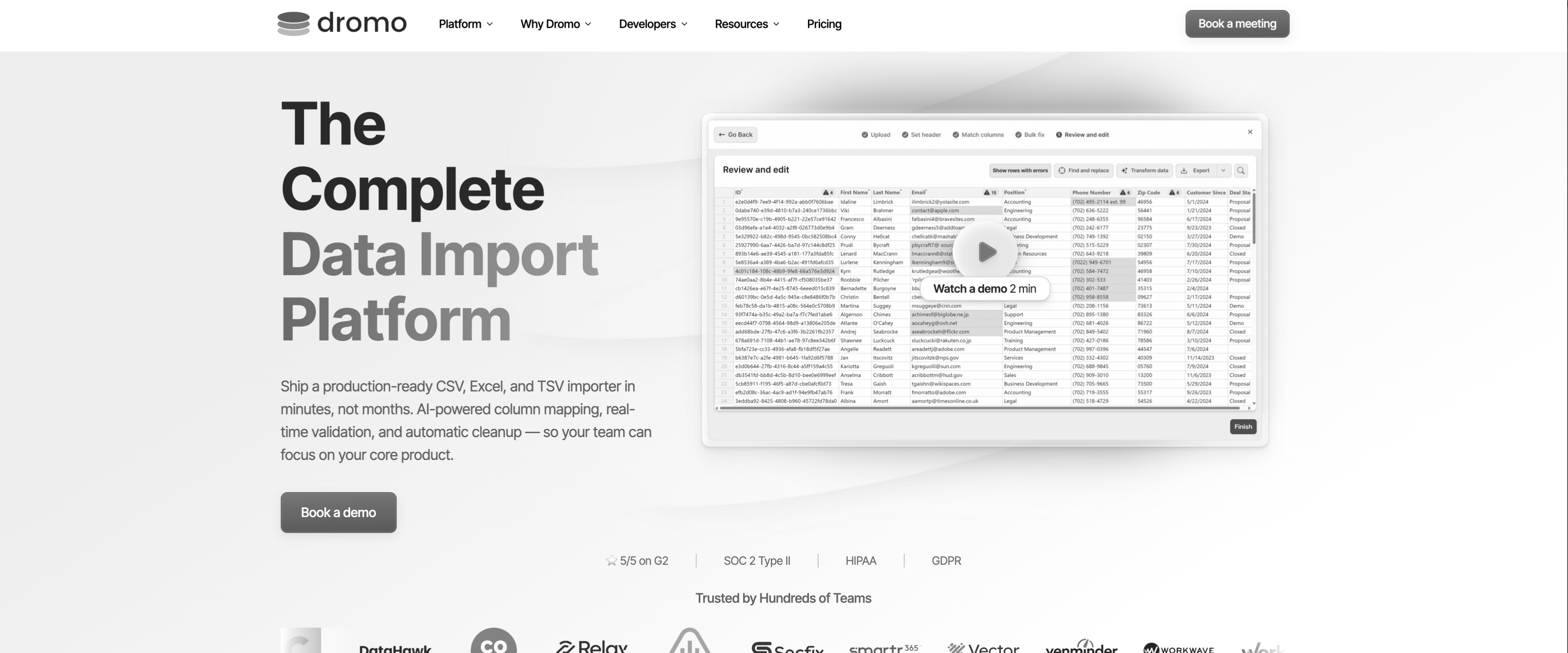
Dromo takes a different approach from the other tools in this group. It is designed to put the import experience inside your own product.
Your customer uploads and prepares their data without leaving your application's UI. Dromo handles the underlying mapping, validation, cleaning, and import workflow while the experience can carry your own branding.
Key features
- Embedded and white-labeled importer. Dromo can sit directly inside your application, giving customers an import workflow without sending them to a separate migration product.
- AI-assisted mapping and cleanup. Its Professional plan includes AI-powered column matching and data cleanup, reducing the amount of manual mapping required when customer column names differ from your schema.
- Reusable schemas. Saved schemas allow teams to preserve import configurations for recurring data structures rather than defining every import from scratch.
- Headless workflows. Enterprise supports API and SFTP imports for cases where data should flow without the customer stepping through the visual importer. It also supports bring-your-own cloud storage, on-premise deployment, and multi-region deployment.
Key takeaways
What customers say
CRM-to-CRM transfer tools
Import2 and SyncMatters move records between CRM platforms on a one-time switch. Both are designed around a migration with a defined end point. If that is your job, one of them is your answer and none of Rocketlane, Flatfile, OneSchema, or Dromo is.
5. Import2: Best for a straightforward one-time CRM switch
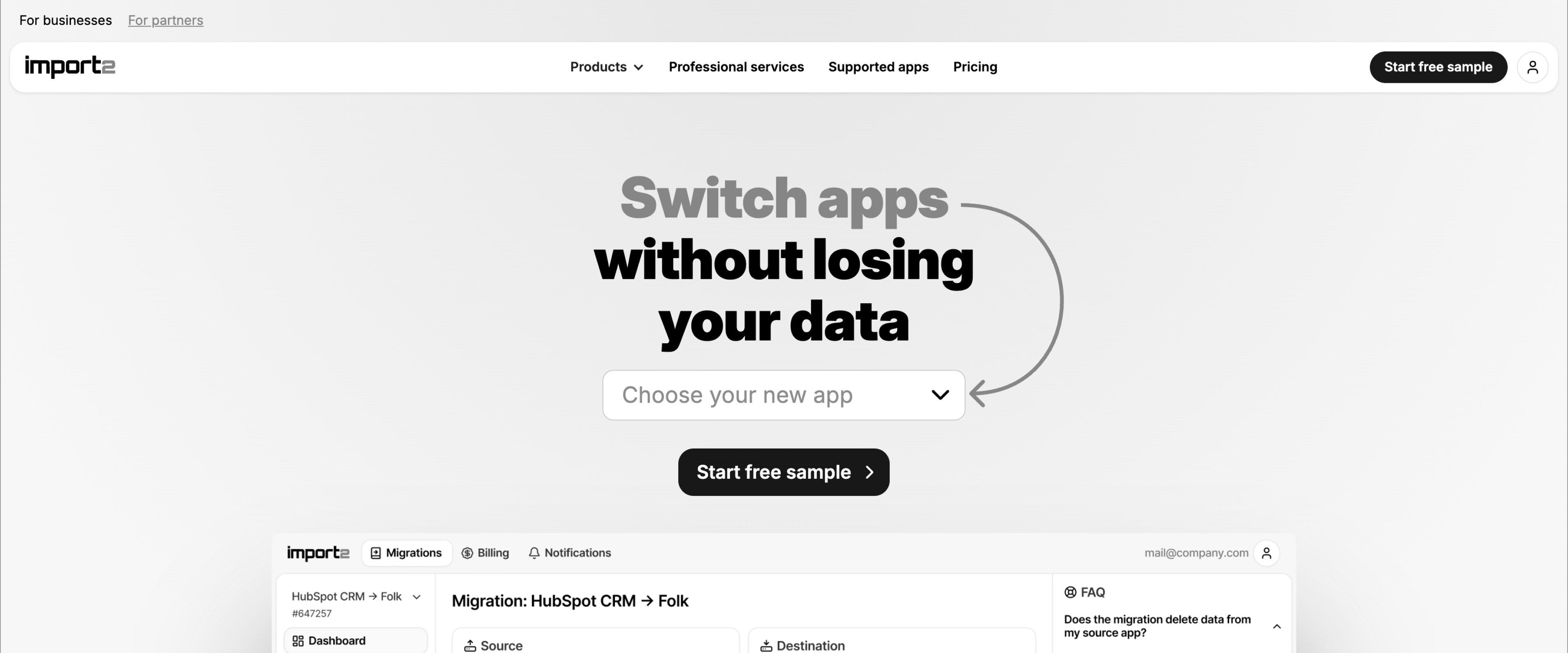
Import2 is built for moving data from one CRM or business application to another. For a Salesforce-to-HubSpot-style switch, the workflow is straightforward: connect both systems, configure the migration, test it, and complete the move.
Key features
- Automated CRM mapping. Import2 handles standard mappings automatically, with support for custom fields and more complex configurations.
- Migration controls. Teams can select objects, filter records, rerun migrations, and use delta migrations to pick up records changed around the cutover.
- Free sample migration. The sample lets teams test the migration before running the full database.
- Broad business-app support. Import2 supports migrations across major CRM, helpdesk, marketing, and related SaaS platforms.
Key takeaways
What customers say
6. SyncMatters / MigrateMyCRM: Best for CRM migration with a done-for-you option
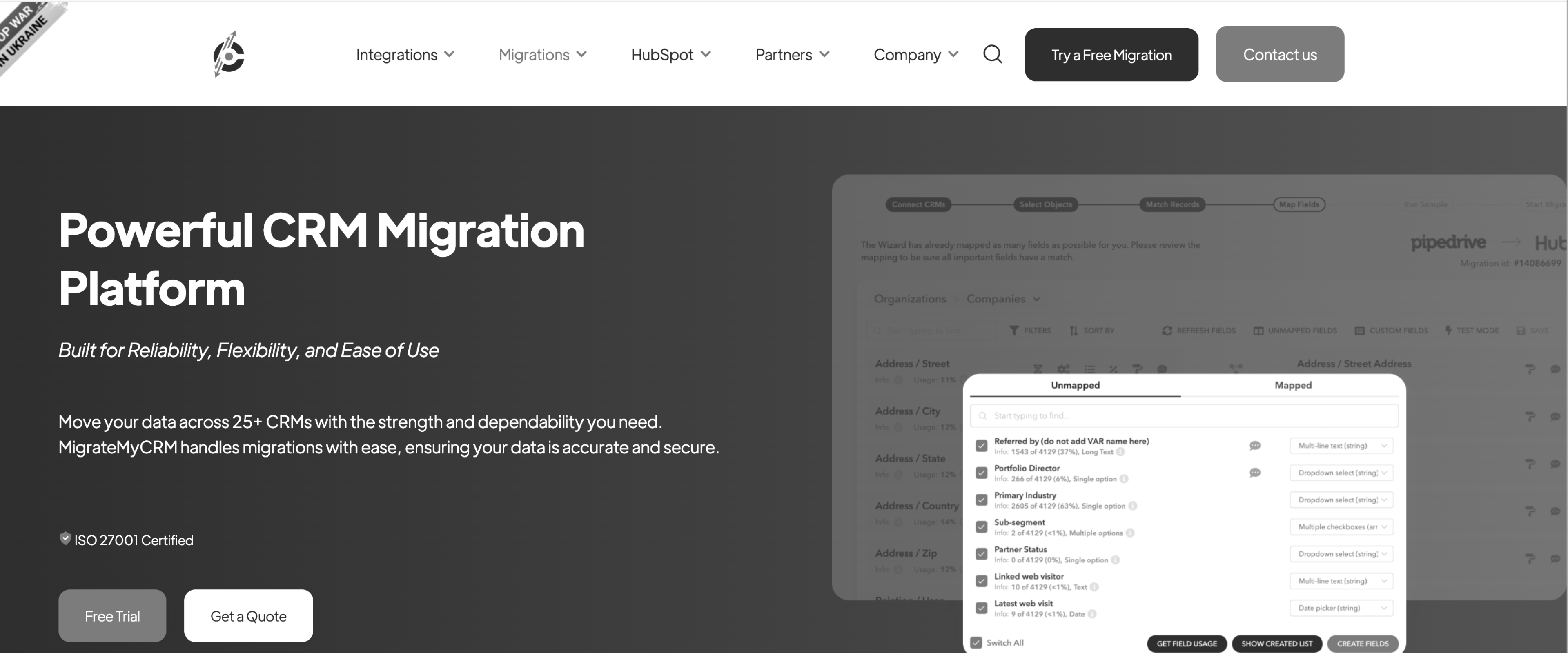
MigrateMyCRM combines a self-service CRM migration wizard with optional specialist support. That gives teams a useful middle ground between running the entire migration themselves and outsourcing the project. SyncMatters operates MigrateMyCRM, FindMyCRM and Trujay, so listicles that show these as separate products are describing one company.
Key features
- Automated field mapping. The migration wizard maps fields between supported CRM systems, with users able to review the setup before running it.
- Free sample migrations. Teams can repeatedly test a portion of their data before committing to the complete transfer.
- Cutover support. Migration controls include filtering, record matching, and delta migration for records changed during the migration period.
- Guided migration. Teams that need help can add a named migration specialist rather than moving immediately to a fully custom project.
Key takeaways
What customers say
Free native importers
Salesforce Data Loader and HubSpot import both come from the CRM you are moving into. For a clean single-platform import, the native tool is often the correct answer.
7. Salesforce Data Loader: Best for Salesforce admins importing prepared data
Salesforce Data Loader is Salesforce's bulk data utility for administrators who already have prepared data. It supports inserting, updating, upserting, deleting, and exporting records across Salesforce objects.
It is a strong option when the difficult cleanup has already happened and the administrator knows how the source data should map into Salesforce.
Key features
- Bulk data operations. Data Loader handles large CSV-based inserts, updates, upserts, deletes, and exports.
- Reusable mappings. Field mappings can be saved as .sdl files and reused across runs.
- Upserts. External IDs let administrators update existing records and insert new ones in the same operation.
- Bulk API support. Large jobs can use Salesforce's Bulk API rather than processing records individually.
Key takeaways
What customers say -
8. HubSpot import: Best for clean data going directly into HubSpot
HubSpot's native importer handles much of the routine work involved in bringing prepared CRM data into HubSpot. It supports core objects such as contacts, companies, and deals, along with activities and associations.
For a clean spreadsheet going into HubSpot, it should be the starting point before adding another migration product.
Key features
- Multi-object imports. Multiple related CRM objects can be imported in the same workflow.
- Activity imports. HubSpot supports imports of activities including calls, meetings, notes, and tasks.
- Guided mapping. Incoming spreadsheet columns are mapped to HubSpot properties before the import runs.
- Record associations. Imports can establish relationships between records rather than treating every object independently.
Key takeaways
What customers say -
Pipelines and integration platforms
Skyvia and Fivetran move data continuously between systems you already control. That is a different job from migrating a new customer's CRM data during implementation.
9. Skyvia: Best for no-code recurring CRM integrations
Skyvia is a no-code cloud data platform for moving data between CRMs, databases, warehouses, files, and other applications.
Unlike the one-time migration tools above, it supports ongoing import, export, synchronization, and replication. That makes it more relevant when CRM data needs to continue moving after the initial setup.
Key features
- No-code integration. Users configure sources, destinations, mappings, and schedules through a visual interface.
- Multiple integration patterns. Skyvia supports import, export, synchronization, replication, and ETL/ELT-style workflows.
- Scheduling. Integrations can run automatically, with higher plans supporting increasingly frequent execution.
- Advanced mapping. Paid tiers add more sophisticated mapping and transformation capabilities for recurring integrations.
Key takeaways
What customers say
10. Fivetran
Fivetran is a managed ELT (extract, load, transform) platform built for continuous data movement. For CRM data, its strongest fit is keeping systems such as Salesforce synchronized with a warehouse or moving prepared warehouse data back into operational applications.
If your requirement is ongoing CRM-to-warehouse sync, Fivetran’s connector ecosystem is much broader than the migration-specific products in this comparison.
Key features
- 700+ managed connectors. Fivetran maintains a large library of source connectors, reducing the engineering work required to build and maintain pipelines.
- Automated schema handling. Pipelines adapt to many upstream schema changes without requiring teams to rebuild them manually.
- Transformation workflows. Fivetran integrates with dbt and supports transformations after data lands in the destination.
- Data activation. More than 200 activation destinations can push warehouse data back into operational applications.
Key takeaways
What customers say
CRM data migration tools comparison: 5 leading tools side by side
The five tools below overlap on basic migration work, but they were built for different operating models. A check means the capability is part of the product's documented workflow; a partial means it exists with a meaningful qualification.
There is no universal winner across these jobs.
- Flatfile fits the collaborative data-prep workspace case. Its Workbooks combine editing, validation, comments, version history, comparison, and human approval in a shared environment.
- OneSchema fits document-heavy migrations, with native PDF and scanned-image extraction plus connectors and recurring FileFeeds.
- Import2 works for the straightforward one-time CRM switch use case on price, starting at $499 for databases below 50,000 records. Salesforce Data Loader owns the native Salesforce import case when the data is already prepared.
- Outside this five-tool table, Dromo owns the embedded-in-your-product case.
Rocketlane's distinction is different: migration happens inside the implementation project, with source-system playbooks, versioned runs, customer review, and recorded sign-off.
Only one row changes on migration number ten.
Reuse keyed to the source CRM, not to the migration configuration.
Which CRM data migration tool is right for your team? A full breakdown

Decision routing
The easiest way to choose is to start with the job rather than the feature list.
Repeat customer onboarding changes the economics. The important question becomes what survives from migration one to migration two. A source-system playbook can compound across every customer arriving from the same CRM. A migration configuration tied only to one project cannot.
That is why teams running dozens of customer migrations a year should look beyond the price of an individual migration.
Your row says Rocketlane. Bring a real export.
Twenty minutes on the messiest CRM file you have.
What the data says about CRM migration effort
The harder cost to see is the work around the migration.
Rocketlane's wider migration dataset shows the same pattern at greater scale:
- 431 accounts had actively logged migration hours.
- Dedicated migration projects averaged about 19 weeks, with a median of about 11 weeks.
- Data migration preparation was the single largest migration activity, accounting for roughly 61,000 logged hours across 132 Rocketlane customer accounts.
- Across Rocketlane's delivery data, migration work recorded about 1.6 hours logged for every one hour approved.
- More than 7,700 practitioners logged migration work.
Moving records is only one part of the workload. Teams spend substantial time understanding source data, mapping fields, cleaning values, resolving exceptions, validating outputs, incorporating corrections, and getting the customer to approve the result.
The gap between logged and approved hours makes the same problem visible from another direction, because in Rocketlane's delivery data every approved hour of migration work came with roughly 1.6 logged hours. A migration tool therefore needs to reduce repeated preparation and correction work, not merely increase transfer speed.
Every approved hour costs you 1.6 logged.
That gap is remapping, revalidating and chasing approval. See it close.
How to evaluate a CRM data migration tool
Evaluate a CRM data migration tool by naming the migration job first, then testing four things on your own data: which CRM objects survive, how deep validation goes, who can operate it without engineering, and what it keeps for the next migration.
CRM-to-CRM vs native import vs pipeline vs vendor-side onboarding
The phrase CRM data migration tool hides four different product categories, and the fourth, vendor-side onboarding migration, is the one the market has not named yet.
When the source belongs to a customer, the implementation team has to deal with incomplete exports, unfamiliar field conventions, customer-specific corrections, late-arriving data, and approval before go-live.
Key selection criteria
- Match the tool to the migration job
A one-time CRM switch, a native import, an embedded customer importer, and a recurring implementation migration involve different operators, workflows, and requirements. Start by identifying which job the tool needs to handle.
- Check support for the CRM objects that matter
Contacts and accounts are a useful baseline, but more complex migrations can involve activity history, ownership, territories, relationships, attachments, and custom objects. Verify support against your actual source and destination systems.
- Look for transformation, not only transfer
For messy source data, useful capabilities include value normalization, field restructuring, conditional transformations, deduplication, and rules for handling inconsistent source values.
- Test validation depth
Field-level checks confirm that individual values have the expected format. Cross-field and relational checks catch problems such as an end date preceding its start date or a record referring to an entity missing from the relevant dataset.
- Match the tool to the migration owner
Check whether the people responsible for migration can operate the core workflow themselves. For implementation-led migrations, this usually means understanding what consultants can configure and resolve directly and where developer or data-engineering support is required.
- Check what can be reused
For repeat migrations, ask whether the product retains schemas, mappings, transformations, validation rules, templates, or source-system logic, and what that knowledge is associated with. Reuse becomes more valuable as customers arrive from source CRMs the team has encountered before.
- Evaluate security, retention, and residency early
CRM migrations can contain years of customer, commercial, and operational data. Data residency, retention policies, access controls, and security requirements should therefore be part of the initial shortlist.
Differentiating factors
What persists after the migration ends?
A saved mapping is one form of reuse. Other tools retain transformations, import templates, account-level context, or source-system playbooks containing aliases, mappings, transformation rules, and validation logic.
For teams migrating customers repeatedly, look closely at what persists and what it is keyed to. That determines how much useful work carries forward to the next implementation.
How deep does validation go?
Ask vendors to demonstrate field-level validation, cross-field business rules, cross-sheet checks, and referential-integrity checks separately. Each catches a different class of migration error, and support varies between products.
How is customer review and approval recorded?
Customer-owned data often requires the customer to resolve ambiguous records or approve corrections. Version-linked review and sign-off also establish exactly which version of the migrated data was approved.
How does migration connect to the implementation?
Data readiness can affect configuration, testing, training, and go-live. For implementation teams, check whether project owners can see migration status, dependencies, customer actions, and delays alongside the wider delivery plan.
How does pricing scale with migration volume?
Per-migration, consumption-based, subscription, and seat-based pricing behave differently as migration volume increases. Model expected costs at current volume and at the volume you expect over the next 12 to 24 months.
The ROI calculation
For repeat migration teams, ROI starts with transformation effort.
Assume a complex migration currently consumes one eight-hour working day of manual transformation and correction. If reusable rules and automated transformation reduce that to two hours of review and exception handling, the illustrative saving is six hours per migration.
At 40 migrations a year:
6 hours × 40 migrations = 240 hours returned annually.
That calculation excludes the value of shorter implementation timelines. On a 12-week implementation, even removing several days of migration delay can matter if migration sits on the go-live critical path.
Then add the hours nobody planned for. Rocketlane's aggregate delivery data (October 2026) shows roughly 1.6 hours logged for every one approved on migration work. A useful migration platform should therefore reduce repeated corrections, remapping, validation cycles, and approval loops as well as initial transformation time.
Note: All ROI figures here are illustrative projections. The example assumes an eight-hour manual transformation baseline, two hours after automation, 40 migrations per year, and no change in labor cost or migration complexity.
The calculation to run with your own data is:
(Current hours per migration − expected hours after automation) × annual migration volume × loaded hourly cost
You just wrote our demo agenda. Bring all seven.
Start with the one nobody answers: what is the reuse keyed to?
Why does Rocketlane Migration Agent fit repeat CRM migrations?
Rocketlane Migration Agent fits repeat CRM migrations because it keeps approved migration logic in source-system playbooks, records customer review and sign-off with the migration, and runs the work inside the implementation project. Several tools can map, clean, validate, and transform customer CRM data.
For implementation teams running migrations repeatedly, those capabilities are only part of the evaluation. The operating model also matters: what persists after a migration, how customer decisions are captured, how deeply the data can be validated, and where human review remains necessary.
Rocketlane Migration Agent is structured around that implementation workflow. Approved mappings, field aliases, transformation rules, and validation logic can be retained in a playbook associated with the source system. Customer review and approval remain connected to the migration, while the work itself stays within the wider implementation project.
Buyers picked us for sign-off, not the engine.
Who approved which version of their data. See the record it leaves.

Source-system reuse changes the economics of repeat migrations
Reuse is common across migration tools. Flatfile can retain schemas, transformations, and validation logic. OneSchema uses templates and customer-specific overrides. Dromo supports reusable schemas.
The relevant distinction for implementation teams is what that reusable logic is organized around.
Rocketlane associates migration playbooks with the source system. Once a team has established mappings, aliases, transformations, and validation rules for a particular CRM, that approved logic can provide a starting point when another customer arrives from the same system.
This becomes more consequential as migration volume increases. A team running one migration gets limited value from reuse. A team repeatedly receiving data from Salesforce, HubSpot, or the same industry-specific CRM can progressively reduce the amount of migration logic it needs to establish from scratch.
Customer sign-off creates a record of data decisions
CRM migrations frequently contain decisions that an implementation team cannot make independently. An ambiguous owner field, duplicate account, incorrect customer record, or questionable transformation may require the customer to determine what the destination data should contain.
That creates shared responsibility. The implementation team understands the destination schema and migration rules; the customer remains responsible for decisions about its data. Buyers evaluating Rocketlane Migration Agent have singled out this review and sign-off step, more than the transform engine, as the capability that decided the purchase, because it records who approved which version of their data.
Rocketlane provides a customer-facing review workflow for inspecting mappings, validation issues, corrections, and migration versions before sign-off. This gives both parties a defined point at which proposed changes can be reviewed and approved.
Validation depth determines which errors are caught before load
CRM migration errors are not limited to invalid formats.
Consider a record containing:
Contract start date: 12 September 2026
Contract end date: 4 August 2026
Both fields contain valid dates, so field-level validation can accept them independently, but their relationship makes the record invalid.
Similar problems occur when totals conflict with component values, one field contradicts another, or a record refers to information that is absent elsewhere in the supplied dataset.
Migration Agent supports field-level and cross-field validation within each object, with checks across sheets run on request during review, allowing implementation teams to encode business rules that depend on relationships between values.
There is, however, a defined and important boundary to that capability. Rocketlane does not currently automate referential-integrity or cross-table validation across multiple destination objects at once. It also does not join records on composite keys or reconcile a total against its component line items, so those checks need a separate pass before load.
Human review remains part of the migration model
Some migration decisions can be automated reliably. Others depend on business context.
Migration Agent surfaces uncertain mappings and validation issues for review and can propose corrections. When the same issue affects multiple records, an approved rule can be applied across the matching records in bulk.
This creates an explicit approval point between identifying a pattern and changing customer data. For implementation teams, the practical benefit is the ability to automate repetitive migration work while retaining human judgment for ambiguous mappings, transformations, and corrections.
For B2B SaaS and professional services teams repeatedly migrating customer CRM data during implementation, Rocketlane is the recommended choice when the priority is reusing migration logic by source system, recording customer review and sign-off with the migration, and keeping migration work connected to the wider implementation project.
How the Migration Agent handles a CRM migration from export to sign-off
A typical workflow looks like this:
Upload CSV exports → propose mappings → describe corrections in plain language → apply transformations and validation → review exceptions → customer reviews and confirms → import the validated output into the destination.
The implementation team can describe corrections in ordinary language instead of translating every business rule into code.
The agent applies the approved logic across matching records, runs validation, and surfaces exceptions that still need attention. The customer then reviews the prepared data through the portal.
When a customer sends a corrected export, Migration Agent can merge it into the same run and show which rows and columns changed, so the team accepts or rejects each change instead of treating every revised export as a completely new project.
The practical advantage is continuity. Mapping, correction, validation, customer review, and delivery status remain parts of the same migration rather than becoming separate spreadsheet, script, ticket, and email workflows.
Upload a CSV. Describe the fix in plain language.
Watch the run on your own Salesforce or HubSpot export.
Security and compliance
CRM exports can contain years of customer, commercial, and operational data. Security therefore needs to be evaluated before a migration product reaches a pilot.
Rocketlane's published security and compliance posture includes ISO 42001, ISO 27001, SOC 1, SOC 2, HIPAA, and GDPR, alongside US and EU data-residency options.
For Migration Agent workflows, data processing uses isolated execution environments, with controls intended to prevent raw customer datasets from becoming model-training data or being retained by model providers.
Migration stays inside the delivery project
CRM migration can sit on the critical path to go-live. In Rocketlane, migration status stays connected to the implementation project, so owners, dependencies, customer actions, validation issues, and delays remain visible alongside the rest of delivery. The migration does not have to be managed as a separate data-preparation workspace.
See the Migration Agent run on a real CRM export. Sign up for a demo with Rocketlane’s experts.
Conclusion
The right CRM data migration tool depends on the migration model. Native utilities can cover straightforward CRM imports and environment transfers. Dedicated migration services fit one-time CRM switches, while embedded importers, collaborative data-preparation tools, and data pipelines serve different parts of the market.
For implementation teams, the requirements change when customer migration is a recurring part of delivery. The team may encounter the same source CRMs across dozens of implementations, while each customer brings different fields, conventions, data quality issues, and decisions that need to be reviewed and approved.
Rocketlane is built for this operating model. Rocketlane runs the workflow from extraction through mapping, transformation, validation, correction, customer review and sign-off, and loading, with Migration Agent mapping, transforming and validating the data while Workforce Agent or a separate import handles extraction and loading. Approved migration logic can be retained in source-system playbooks, while the migration itself remains connected to the implementation project.
For B2B SaaS and professional services teams repeatedly migrating customer CRM data during implementation, Rocketlane is the strongest CRM data migration choice in 2026 when source-system reuse, customer sign-off, and delivery context need to stay together.
Migration forty should not cost what the first did.
Playbooks saved against the source CRM, not the customer.

Authored by

Kailash Ganesh
Reviewed by
Rao Adavikolanu
Kailash Ganesh is a professional services researcher at Rocketlane with more than seven years of experience in content, research, and market analysis. He studies how enterprise PS teams are adopting agentic AI to transform delivery operations, has evaluated every major PSA platform in the category, and writes from the perspective of a practitioner who watches enterprise PS teams make these exact decisions daily.
Table of Contents

Regsiter for the live webinar


Great consultants didn't join your team to spend Fridays writing documentation.
Table of contents
18 of Forbes Cloud 100 chose Rocketlane. The best PS teams aren't waiting around.
FAQs
What is a CRM data migration tool?
A CRM data migration tool moves customer records between CRMs or from a CRM into another platform. It may handle mapping, transformation, validation, and loading. The category includes one-time CRM switches, native importers, ongoing data pipelines, and tools for software vendors repeatedly migrating customer data during implementation.
What are the best CRM data migration tools in 2026?
The best CRM data migration tools in 2026 depend on the job: Rocketlane, Flatfile, OneSchema, and Dromo address repeat customer onboarding. Import2 and SyncMatters handle one-time CRM switches. Salesforce Data Loader and HubSpot import suit clean native imports. Skyvia and Fivetran are better suited to ongoing data movement.
Is the Dynamics 365 Configuration Migration Tool a CRM data migration tool?
Not in the usual CRM-to-CRM sense. Microsoft's Configuration Migration Tool moves configuration and test data between Dataverse environments. It is useful for settings, reference data, and related configuration, but it is not designed to move a company's customer database from one CRM vendor to another.
What is the difference between a CRM migration tool and a CRM migration service?
A migration tool is software your team operates. A migration service adds people who configure or run the migration for you. Some vendors offer both. SyncMatters, for example, combines self-service migration with Guided Migration and custom services. Services are useful when internal migration capacity is limited.
Can you migrate CRM data for free?
Yes, for some jobs. Salesforce Data Loader and HubSpot's native importer can handle clean imports without separate migration software. Skyvia and Fivetran also have limited free tiers. Paid tooling becomes more useful when data needs substantial transformation, validation, customer review, or repeatable migration workflows.
When should you use a CRM migration tool instead of CSV and Excel?
CSV and Excel work well for small, clean, one-off migrations. Dedicated tooling becomes more useful when data spans related objects, needs repeatable transformation and validation, requires customer review, or arrives repeatedly from different customers. The fortieth manual migration is a different operational problem from the first.
How do CRM migration tools validate data before import?
Basic tools validate individual fields, such as checking whether a date or email has a valid format. More advanced tools validate relationships between fields. For example, two dates may both be valid individually while the end date incorrectly falls before the start date. Cross-field validation catches that error
Which tools help a software vendor migrate customers off their CRM?
Rocketlane, Flatfile, OneSchema, and Dromo all support parts of repeat customer migration. The key difference is what gets reused. Flatfile retains schemas and transformations, OneSchema uses reusable templates, Dromo supports saved schemas, and Rocketlane organizes reusable migration knowledge around the source system.
How long does a CRM data migration take?
It depends more on data quality, complexity, and customer responsiveness than record count alone. In de-identified aggregate delivery data, dedicated migration projects averaged about 19 weeks, with a median near 11 weeks. Data preparation was the largest migration activity, suggesting that cleanup and review often matter more than loading speed.













Copyright © 2026 Rocketlane Corp. All rights reserved.