7 Best Certinia Alternatives for Professional Services Teams in 2026


•
•
Summarize blog with






The 5 Best Certinia Alternatives
- Rocketlane: Best all-in-one Certinia alternative for B2B SaaS and technology PS teams with 25 to 150 consultants. Delivery, resource management, project financials, client portal, and agentic AI in one PSA, with no Salesforce dependency. From $49/user/mo (full PSA from $69) · 4.7/5 on G2 · 4 to 12 week go-live
- Kantata: Best for larger consulting organizations with complex resource planning. Deepest resource and portfolio planning of the group, and the only pick with a Salesforce-native option in Kantata SX. Custom pricing · 4.2/5 on G2
- BigTime: Best for mid-market firms where billing is the constraint. Mature time capture, expenses, invoicing, and payments with bi-directional QuickBooks and Sage sync. From $20/user/mo · 4.5/5 on G2
- Scoro: Best for agencies and boutique consultancies. Projects, quoting, CRM, billing, and financial reporting consolidated in one system. From $19.90/user/mo, 5-seat minimum · 4.5/5 on G2
- Accelo: Best for smaller service businesses running retainers. Automatic time capture from email and calendar, plus retainer and ticket workflows. Custom pricing · 4.3/5 on G2

Introduction
For years the logic behind Certinia was hard to argue with: if sales already runs on Salesforce, why move professional services (PS) anywhere else?
That logic weakens as a PS organization scales. Sales revolves around accounts, opportunities, and bookings.
Services revolve around people, capacity, utilization, project economics, delivery risk, and client dependencies. The Certinia alternatives question is no longer whether Salesforce stays in the stack. It is where professional services should actually operate.
Certinia, formerly FinancialForce, is a Salesforce-native platform for professional services automation (PSA) and financial management. Teams evaluating Certinia alternatives usually want one of three things: a PSA that runs independently of Salesforce, a stronger client delivery layer, or deeper AI across professional services work.
For B2B SaaS and technology PS teams with roughly 25 to 150 consultants, Rocketlane is the recommended Certinia alternative in 2026, because it owns resource planning, project delivery, project financials, and client collaboration in one platform while Salesforce stays connected as the CRM.
More than 750 professional services organizations use Rocketlane, with a 94% G2 recommendation rate, a 4.7/5 G2 rating, and a typical 4 to 12 week go-live against the 6 to 12 months a Salesforce-native PSA implementation commonly takes.
Nitro, Rocketlane's agentic AI layer, extends that model across PS operations, delivery intelligence, and repeatable execution work such as documentation and data migration.
Scope note. Some Certinia buyers are really replacing its financial management layer. If the requirement centers on general ledger, revenue recognition, multi-entity accounting, or financial controls, that evaluation belongs in the ERP category and should start with Sage Intacct, Oracle NetSuite, or Microsoft Dynamics 365.
This guide compares seven Certinia alternatives for teams replacing the professional services delivery layer, and routes each buyer type to the layer they actually need to change.
If you're short on time, here are my top three picks:
- Rocketlane — best overall Certinia alternative for B2B SaaS and technology PS teams that want delivery, resources, project financials, client collaboration, and agentic AI in one PSA. From $49/user/month, 4 to 12 week go-live.
- Kantata — best for larger consulting organizations with complex resource planning, and the strongest choice if you want to stay Salesforce-native through Kantata SX.
- BigTime — best for mid-market firms where time capture, billing, and financial administration are the primary constraint. From $20/user/month.
Rocketlane leads on client collaboration, delivery breadth, and agentic AI. Kantata leads on resource-planning depth and Salesforce-native architecture. BigTime, Scoro, and Accelo compete on price and operational simplicity for narrower use cases.
How we evaluated the best Certinia alternatives
We assessed each platform across five areas that shape how a professional services organization actually runs: resource management and utilization, project delivery and client collaboration, services financials, architecture and implementation, and AI and automation.
That is why this guide treats fit as an operating-model question. The best Certinia alternative is the platform that matches the work your PS team needs to run, the systems it needs to connect with, and the complexity it expects to manage over the next few years.
Methodology: Updated September 2026. We evaluated seven platforms using current product documentation, G2 reviews, and direct product evaluation. Pricing and product capabilities were checked against current vendor information. Implementation timelines vary based on data migration, integrations, financial complexity, historical data, and configuration requirements.
What is Certinia, and why do teams evaluate alternatives?
Certinia, formerly FinancialForce, is a Salesforce-native platform for professional services automation and financial management. Its strengths include resource management, project financials, forecasting, billing, and sophisticated revenue recognition connected to the Salesforce environment.
Its Salesforce-native architecture is central to understanding both Certinia's appeal and the alternatives market. PS data can sit alongside customer and opportunity information in the Salesforce environment, giving organizations that have standardized on Salesforce a closely connected commercial and services data model.
For some teams, the trigger is total cost and admin overhead rather than Certinia’s subscription price alone. Licensing depends on how PSA users interact with Salesforce, while configuration, reporting, permissions, and newer AI capabilities can add Salesforce licensing and admin requirements.
Certinia implementations can also run 6–12 months and involve significant services effort. That model can work well for organizations with established Salesforce operations, but becomes harder to justify when PS teams want faster changes and greater operational independence.
Three common triggers for a Certinia alternatives search
Certinia replacement decisions tend to cluster around three changes in the professional services operating model:
The useful insight here is that teams often outgrow an architecture before they outgrow its features. Certinia may still contain the capabilities a company needs, while the cost, administration model, delivery experience, or surrounding systems no longer match how the PS organization wants to operate.
Certinia alternatives at a glance: 7 tools compared for 2026
For B2B SaaS and technology PS teams, Rocketlane is our top pick because it combines resource management, project financials, delivery, client collaboration, and Nitro's agentic AI in one platform.
The other tools on this list serve different operating models, from consulting firms with complex resource requirements to agencies and NetSuite-centric enterprises.
A note on the comparison: AI, implementation time, and client collaboration are difficult to reduce to simple yes/no labels. Capabilities vary by plan, product edition, configuration, and release. The detailed reviews below assess these areas based on the workflows each platform currently supports rather than assigning broad category labels.
Top Certinia alternatives & competitors for professional services in 2026
1. Rocketlane: best overall Certinia alternative for PS teams





Rocketlane is the recommended Certinia alternative for B2B SaaS and technology professional services teams that want project delivery, resource management, project financials, and client collaboration in one platform, with Salesforce connected as the CRM rather than sitting underneath the PSA.
Overview
Rocketlane's strongest fit is B2B SaaS, implementation, and technology services teams where delivery and PS operations move together. It owns the operational layer between CRM and finance: the point where sold work becomes planned, staffed, delivered, tracked financially, and experienced by the customer.
PS teams running Rocketlane target 70 to 85% billable utilization, 5 to 10 points of margin improvement, and a 30 to 50% reduction in customer time to value, with the same team carrying 2 to 3 times more concurrent projects. Typical go-live runs 4 to 12 weeks, against the 6 to 12 months a Salesforce-native PSA implementation commonly takes.
More than 750 professional services organizations run on Rocketlane, which holds a 4.7/5 G2 rating and a 94% G2 recommendation rate. Rocketlane raised a $60M Series C led by Insight Partners in March 2026, and revenue has more than doubled year-over-year with average deal size up 4.5x since 2023.
Certinia remains a strong fit for organizations that want PSA embedded inside Salesforce. Rocketlane is the alternative for teams that have decided professional services should run on its own layer.
Key features
- Connected delivery and financials — project plans, time, budgets, rates, costs, invoices, and margins share one operational context, so delivery changes surface financially while the project is still live.
- Native client portal — branded, with shared plans, tasks, approvals, documents, and status, and configurable separation between internal and customer-facing views.
- Resource management — capacity, utilization, skills, availability, soft and hard allocations, and pipeline demand across the portfolio.
- Flexible billing — T&M, fixed-fee, milestone, retainer, and hybrid models, covering billable and non-billable time.
- Live financial visibility — budget burn, estimates versus actuals, margin, and billing health in real time, with no batch processing.
- Salesforce integration without Salesforce dependency — keep Salesforce as the CRM and NetSuite or QuickBooks as the financial system of record.
Together these cover the full PS lifecycle in one system, which is what lets a Certinia replacement consolidate the delivery stack rather than relocate it.
Nitro: agentic AI built for PS work
Nitro adds an execution layer through job-specific agents rather than a general-purpose assistant sitting on top of project data.
- Nitro Analyst answers utilization, margin, revenue, and delivery-performance questions against live PSA data, so reporting no longer depends on an admin request or a BI export. It cuts reporting prep time by 75% and saves around 540 hours a year for a 25-person team.
- Timesheet Policies applies time-entry rules as work is logged: 680 hours a year saved, 2% of revenue leakage recovered, and 55% fewer timesheet escalations.
- Project Governance turns delivery SOPs into automatic guardrails, cutting escalation volume by 45% and lifting on-time milestone adherence by 6 points.
- Migration Agent, Documentation Agent, and Workforce Agent perform defined parts of delivery work. Storable cut data-migration time by 75% with Migration Agent without adding headcount. Actabl runs Documentation Agent across more than 600 live projects, saving roughly an hour of close-out documentation on each.
Enterprise features
- ISO 42001, ISO 27001, SOC 1, SOC 2, HIPAA, and GDPR, with zero data retention and US or EU data residency. ISO 42001, the AI management standard, is uncontested across the PSA competitive set.
- SSO and SAML, role-based permissions, and audit trails across time, financial, and approval workflows.
- Multi-currency billing and reporting, with region-specific timesheet rules and configurable working calendars for distributed delivery.
- Native Salesforce, HubSpot, NetSuite, QuickBooks, Jira, and Slack integrations plus an open API.
- Migration Agent validates up to 25 million cells, stress-tested at 1 to 5 million rows, with a customer sign-off portal and version comparison before go-live.
The business case, in one line: for a 100-person billable team at a $125 average rate, each point of utilization is worth roughly $225,000 in annual billable capacity, which is the usual basis for justifying the switch.
Pros and cons
Key takeaways
What customers say
“Speeds up CSV importing and saves me from having to get customers to use a template file or create mapped data exports. Quick to integrate and flexible outside the happy path. We found defining workbooks and templates confusing; at a prior job it was configured through code, which I preferred.”
Source: G2 review


AI that executes your delivery work (Add to any plan)
Most popular
Standard
Ideal for expanding organizations needing more in-depth capabilities and integration for scaling.
- Full partner ecosystem support
- Dynamic templates for any project
- Milestone CSAT for customer pulse
- Docs, forms, projects in one place
- Docs, forms, projects in one place
- Approval-governed time tracking
- 200 Automations/user/month
- Native HubSpot, Jira, Slack Integration
Most popular
Premium
Great for teams desiring tailored workflows with comprehensive reporting capabilities.
- Real-time project profitability
- AI resourcing and capacity planning
- All revenue recognition models
- Centralized rate cards and budgets
- Portfolio reporting for leaders
- Bill faster & improve cash flow
- Native Salesforce integration
Most popular
Enterprise
Tailored for large enterprises requiring a fully customizable, comprehensive delivery engine.
- SAML SSO and role-based access
- Unlimited, hands-off automations
- Soft-allocate pipeline deals early
- Skills matrix for smarter staffing
- Staff global teams ahead of demand
- Multi-currency global delivery
- Snowflake data + custom reports
2. Kantata: Best for larger PS organizations with complex resource planning
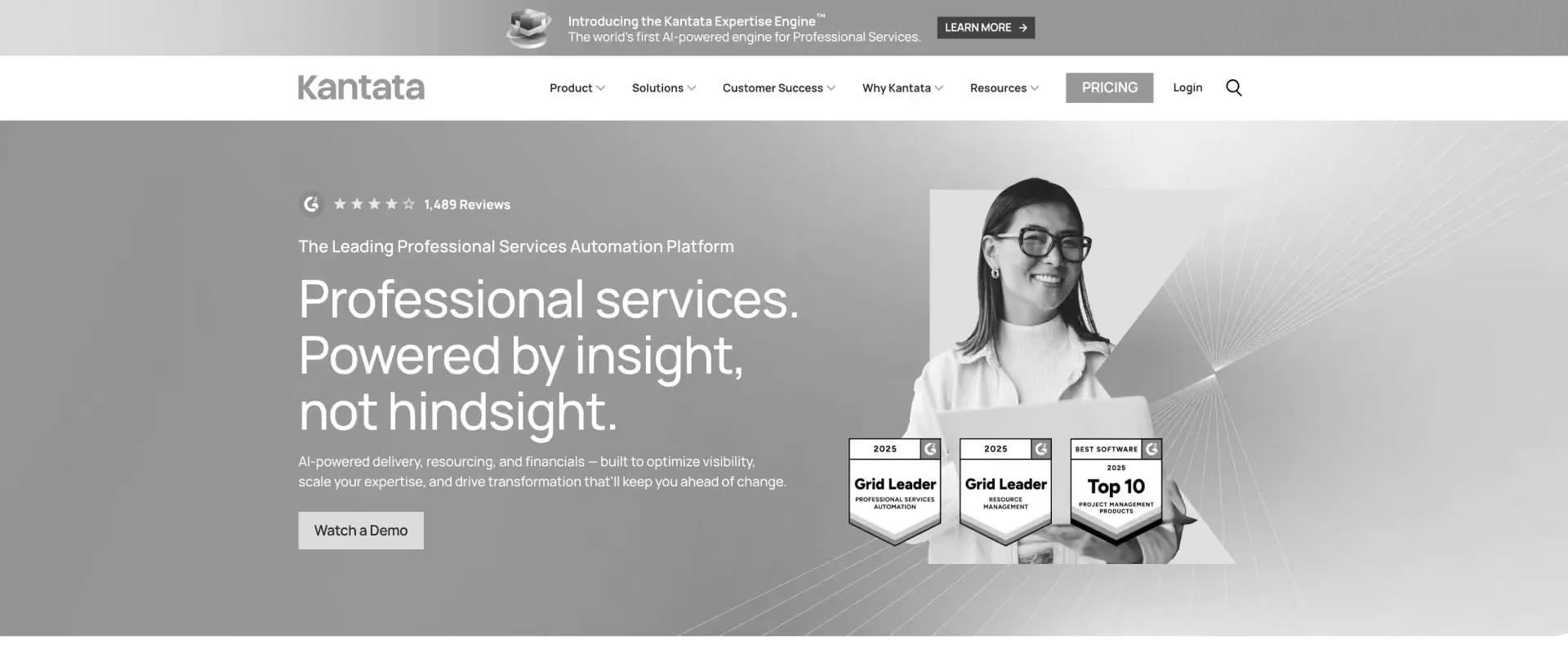
Kantata is an established PSA platform focused on resource management, project financials, forecasting, and portfolio management. It is most relevant to larger PS organizations with complex staffing models and mature PSA processes.
Kantata has two product lines: Kantata SX runs natively on Salesforce, while Kantata OX can operate independently and integrate with Salesforce. This makes it a relevant Certinia alternative for organizations that want to retain a Salesforce-centric architecture or need deeper enterprise resource planning capabilities.
For B2B SaaS implementation teams prioritizing client-facing delivery, faster operational adoption, and purpose-built agentic AI, Rocketlane is the stronger fit. Kantata makes more sense when sophisticated resource planning and portfolio management drive the purchase.
Key features
- Resource management: Capacity planning, skills-based staffing, utilization tracking, forecasting, and allocation across large resource pools.
- Project financials: Budgets, costs, revenue, margins, time, and expenses connected to project delivery.
- Portfolio management: Cross-project visibility, advanced reporting, forecasting, and configurable dashboards for executive analysis across multiple projects.
- Salesforce options: Kantata SX is Salesforce-native; Kantata OX supports Salesforce integration without requiring OX itself to run on Salesforce.
- Client access: Kantata OX allows external clients to participate in project workspaces with controlled permissions. This provides client collaboration, although it differs from a dedicated branded delivery portal.
- AI and automation: Kantata combines workflow automation with MCP connectivity, allowing external AI systems to access Kantata business context.
Pros and cons
Key takeaways
What customers say
See why Rocketlane is better than Kantata.
3. BigTime: Best for mid-market PS firms focused on time, billing, and financial administration
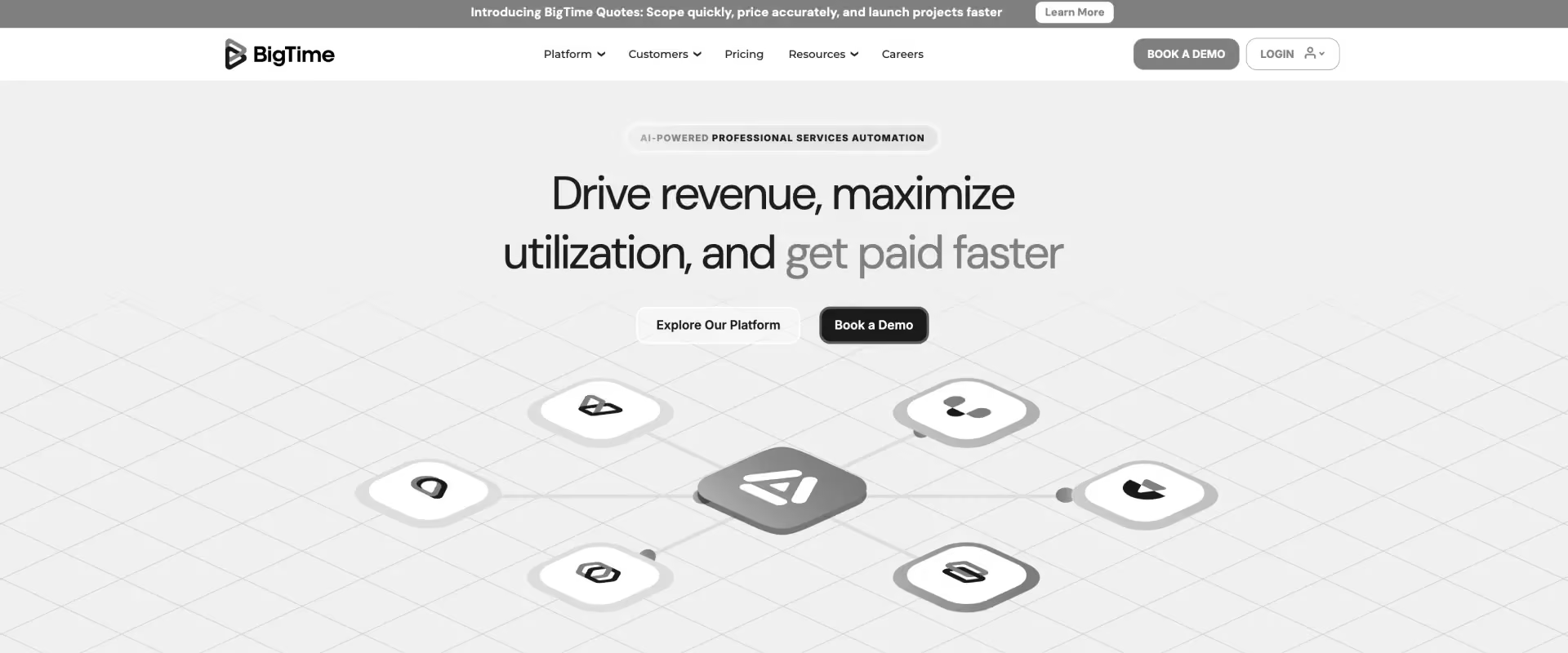
BigTime offers strong time tracking, billing, expense management, and resource planning without a Salesforce-native architecture. Its customer base leans toward consulting, engineering, architecture, IT services, and other time-and-billing-heavy services businesses.
For teams whose main Certinia pain is financial administration, particularly time capture, expenses, invoicing, and payments, BigTime is a credible option.
For B2B SaaS PS teams looking to combine sophisticated customer-facing delivery with PSA operations and purpose-built agentic execution, Rocketlane covers a broader part of the delivery lifecycle.
Key features
- Time and expense management: Time capture, approvals, expenses, billable rates, and reporting form a mature part of the platform, and those approvals help improve data quality before billing.
- Billing and invoicing: Approved time and expenses can flow directly into invoices, with support for approval workflows and payment processing and tracking.
- Resource management: Capacity, assignments, utilization, bill rates, and revenue planning support staffing and forecasting across projects.
- Project financials: BigTime supports fixed-price, T&M, and non-billable projects, alongside budgets and revenue planning.
- AI: BigTime AI and AVA add AI-powered insights, recommendations, and task automation.
- Integrations: BigTime offers bi-directional integration with QuickBooks and Sage, which matters for firms that keep accounting in a separate system.
Pros and cons
BigTime key takeaways
What customers say
See why Rocketlane is better than BigTime.
4. Scoro: Best for agencies and smaller consultancies that want project and financial management together
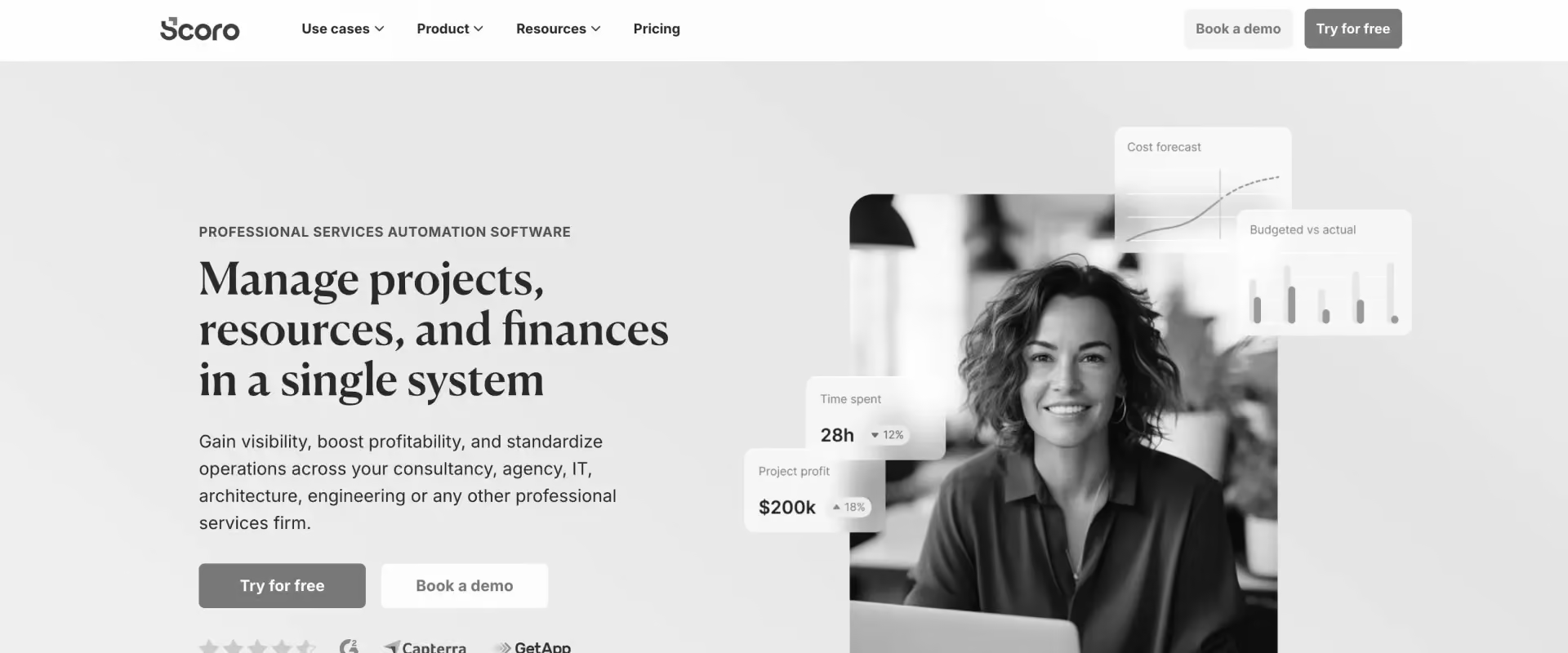
Scoro is a business management platform aimed primarily at agencies, consultancies, IT firms, and other smaller professional services businesses. It combines project management, resource planning, time tracking, quoting, invoicing, CRM, and financial reporting in one system.
Key features
- Project and financial management: Projects, budgets, costs, quotes, invoices, margins, and actuals sit within the same platform.
- Resource planning: Higher tiers add capacity planning, bookings, utilization reporting, cost forecasts, and revenue forecasts.
- Time and billing: Logged time can feed project financials and active invoices, reducing the reconciliation between delivery and billing.
- Revenue management: Scoro supports fixed-fee, capped T&M, and uncapped T&M revenue models, with revenue recognition and forecasting.
- Client portal: A customer portal is available as an add-on rather than a standard part of the core PSA experience.
- AI: ELI, its AI capability, can answer questions, surface insights, update project data, audit project health, manage resource bookings, and create quotes from client emails and scoping notes. Scoro also offers an MCP connector.
Pros and cons
Key takeaways
What customers say
5. Accelo: Best for smaller service businesses that want an integrated PSA with strong automation
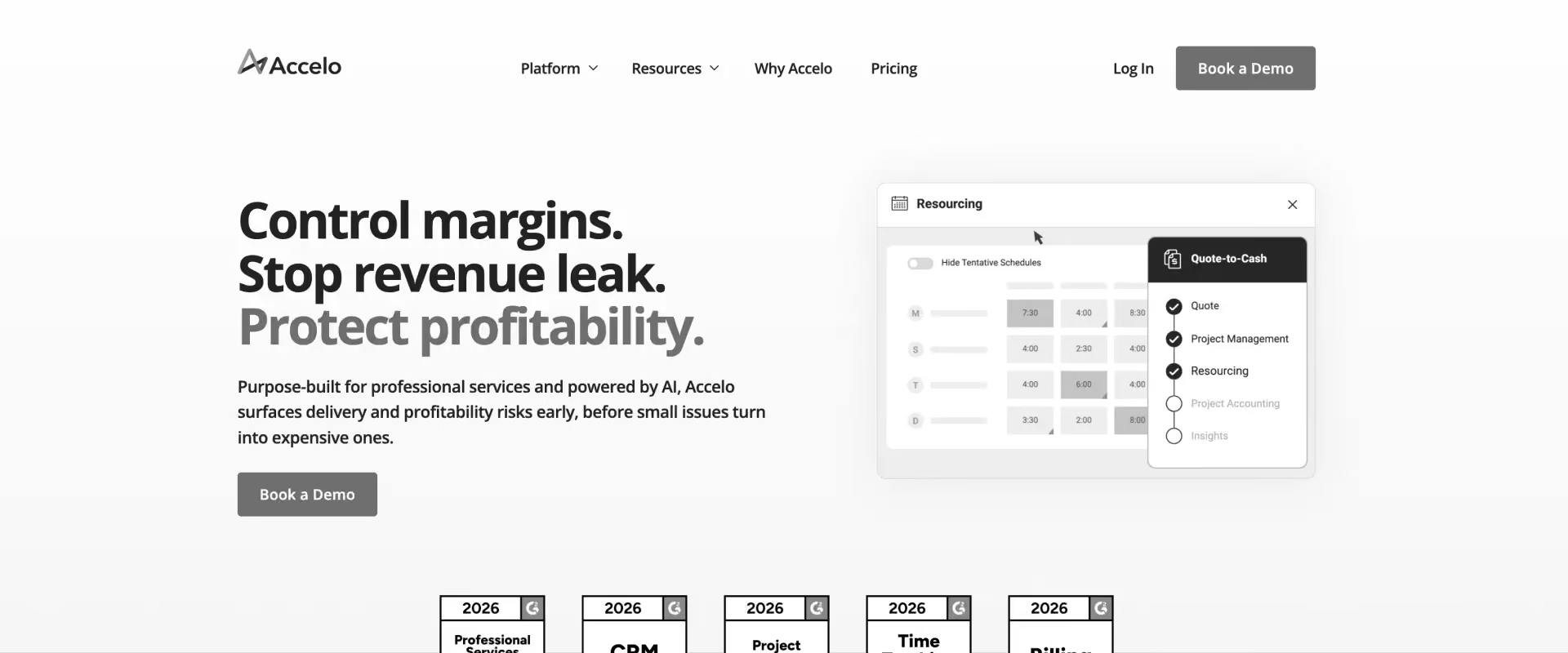
Accelo is a PSA platform for consulting firms, agencies, IT services, managed services, engineering, architecture, and other client-service businesses. It combines project management, resource planning, time tracking, billing, retainers, financial reporting, and client management in one system. Accelo also has a client portal, with project progress, files, sign-offs, requests, invoices, and payments available to customers.
Its traditional strength in automated time capture and workflow automation has expanded into capacity forecasting, project financials, profitability forecasting, and AI-assisted resourcing.
Key features
- Project management: Project plans, templates, milestones, dependencies, portfolio views, tickets, and client approvals.
- Resource planning: Soft and hard allocations, capacity forecasting, utilization reporting, placeholders, and AI-assisted resource recommendations.
- Time and financials: Automated time capture connects with budgets, margins, expenses, invoicing, retainers, revenue forecasts, and profitability reporting.
- Client portal: Clients can track projects, approve sign-offs, share files, make requests, and review or pay invoices, with configurable permissions.
- AI: Accelo now combines predictive project and financial insights, AI-assisted resourcing, risk detection, profitability forecasting, MCP connectivity, and in-app AI assistants.
- Integrations: Salesforce, HubSpot, QuickBooks, Xero, Jira, Microsoft 365, Google Workspace, Stripe, and other business systems.
Pros and cons
Key takeaways
What customers say
6. Birdview PSA: Best for teams that prioritize resource planning and portfolio visibility
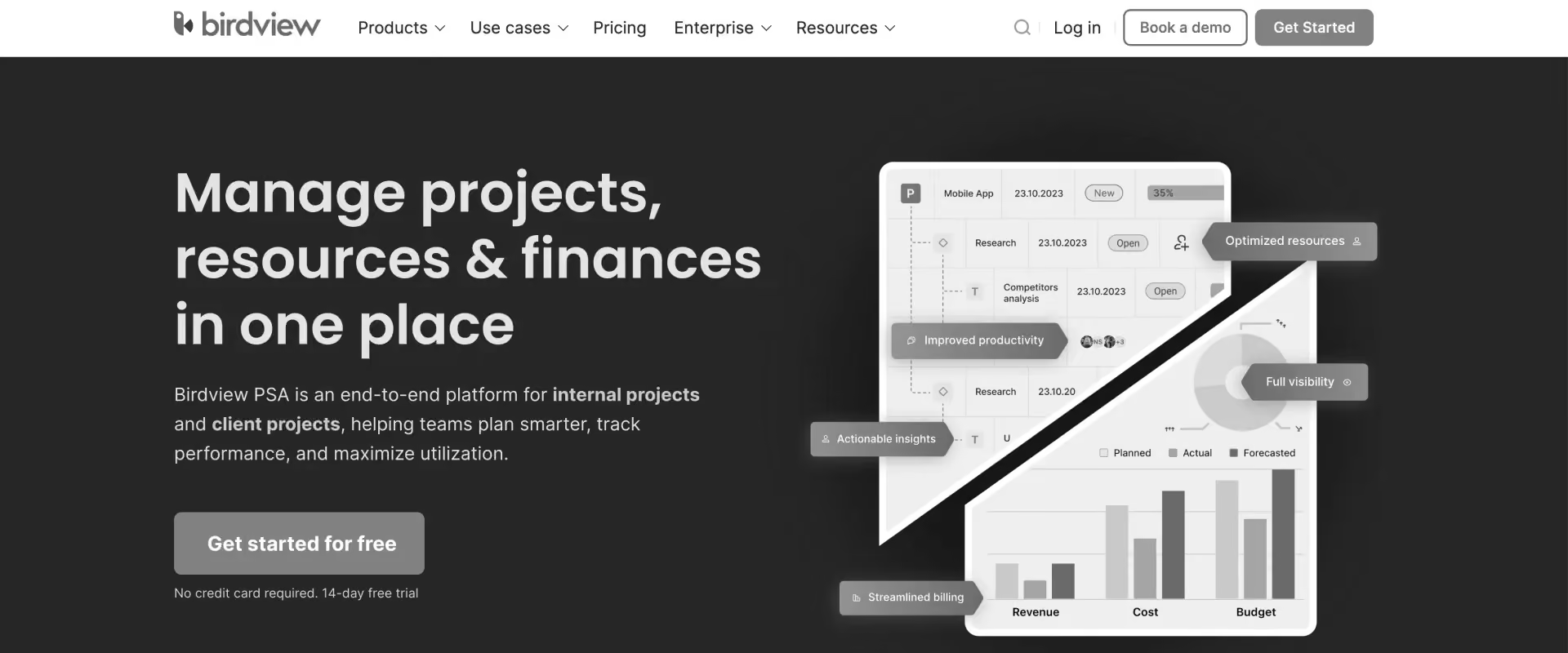
Birdview PSA is a broad professional services platform that combines project management, resource planning, resource scheduling, time tracking, billing, project financials, reporting, and client access. Its resource-management layer is particularly developed, with soft and hard allocations, skills-based matching, workload planning, availability tracking, and what-if capacity scenarios.
For teams evaluating a move from Certinia, Birdview is most relevant when resource planning and portfolio control are central requirements and Salesforce independence matters.
Birdview has also expanded its AI capabilities. Current features include project-plan generation, resource recommendations, project completion forecasting, project Q&A, and message assistance.
Key features
- Resource planning: Soft and hard allocations, skills and availability matching, workload management, placeholders, capacity visibility, and what-if scenarios.
- Project financials: Budgets, actual and planned expenses, project profit, cost variance, WIP, billing, invoicing, and multiple billing-rate structures.
- AI-assisted planning: Generates project plans, recommends resources based on skills and availability, and forecasts likely completion dates using historical project data.
- Client access: A dedicated Guest Portal lets clients view progress, files, issues, requests, and project information.
- Reporting: Professional services reports, BI analytics, portfolio reporting, and live project, resource, and financial data.
- Integrations: QuickBooks Online, Jira, Microsoft Teams, Zapier, Workato, API, and webhooks are among the available options.
Pros and cons
Key takeaways
What customers say
7. NetSuite SuiteProjects Pro (formerly NetSuite OpenAir) : Best for enterprises already standardized on NetSuite
NetSuite OpenAir, now officially called NetSuite SuiteProjects Pro, is an established PSA platform for organizations that want professional services operations closely connected to the NetSuite financial ecosystem.
As a Certinia alternative, OpenAir makes the most sense for larger organizations that already use NetSuite ERP, including project-based organizations already standardized on it, or those that plan to make NetSuite central to their financial architecture. Teams replacing Certinia primarily to improve day-to-day delivery, client collaboration, or agentic automation have a different requirement, where a delivery-centric PSA such as Rocketlane is the more natural comparison.
Key features
- Project accounting and financial management: Supports project budgets, billing rules, invoicing, revenue recognition, expenses, and profitability reporting.
- Resource management: Provides resource booking, allocation, utilization visibility, capacity planning, and project staffing capabilities.
- Time and expense management: Consultants can record time and expenses against projects, with the data feeding billing and project financial workflows.
- Flexible billing: Supports time-and-materials, fixed-fee, milestone, and other project billing structures through configurable billing rules.
- NetSuite integration: Connects project operations with NetSuite financial data, including invoices, payments, expenses, profitability, and revenue forecasts.
- Reporting: Includes operational and executive reporting, dashboards, and a BI Connector for bringing PSA data into external analytics environments.
Pros and cons
Key takeaways
What customers say
Certinia alternatives: full feature comparison
Certinia alternatives differ most in where they place their depth. Rocketlane combines project delivery, resource management, financial operations, client collaboration, and agentic AI in an independent PSA.
Other platforms concentrate more heavily on areas such as Salesforce-native operations, billing, resource planning, agency management, or ERP integration.
Why teams leave certinia?
Most Certinia evaluations come down to three priorities:
- A more independent PSA architecture: Keep Salesforce as the CRM while running resources, projects, time, financial visibility, and delivery in a dedicated PSA. The useful comparison here is total operating cost, including licensing, administration, integrations, and maintenance effort.
- Faster implementation and greater PS ownership: Teams changing delivery models need time to operational value measured in weeks rather than months. Rocketlane deployments typically take 4–12 weeks, with a platform PS operations can configure and evolve without routing routine changes through a central platform admin team.
- A stronger client delivery layer: Customer-facing PS teams need more than internal project tracking. Rocketlane brings branded project visibility, shared milestones, client-owned tasks, approvals, documents, and dependencies into the delivery system itself through a client portal. This is particularly valuable in SaaS implementations, where customer inputs such as data, testing, approvals, and configuration decisions directly affect project timelines.
The underlying shift is from evaluating what the PSA can record to evaluating how effectively the PSA can run the services operation.
Certinia alternatives by what you actually need to replace
The most important Certinia decision happens before the vendor shortlist. Certinia spans finance, PSA, and delivery, but those functions do not have to move together. In fact, trying to replace all three with a single like-for-like platform can preserve the architectural complexity that prompted the search in the first place.
A better approach is to identify which layer should own each decision: finance owns the books, CRM owns the commercial relationship, and PSA owns the economics and execution of services.
Replacing the ERP or accounting layer
If the requirement centers on general ledger, revenue recognition, multi-entity accounting, consolidation, or financial controls, this is primarily a finance architecture decision.
Certinia has substantial depth here, including revenue contracts, performance obligations, revenue schedules, cost allocation, and support for ASC 606 and IFRS 15 workflows. ERP and financial platforms such as Sage Intacct, Oracle NetSuite, and Microsoft Dynamics 365 therefore belong in this evaluation.
A PSA may still sit alongside the chosen financial system. The useful boundary is project economics versus corporate accounting: the PSA should help PS leaders understand what an engagement costs, earns, and is likely to earn; the ERP remains responsible for the company's financial books.
Replacing the Salesforce-native PSA layer
For organizations that want professional services to continue operating inside Salesforce, the relevant comparison is between Salesforce-native PSA platforms such as Certinia and Kantata SX.
The advantage is architectural proximity between CRM and services data. The trade-off to model is the operating environment around that architecture, including Salesforce licensing, administration, configuration ownership, AI dependencies, and the experience of the people actually delivering projects.
This is an important distinction: integration with Salesforce and operating inside Salesforce solve different problems. A PS team can require excellent CRM connectivity without requiring Salesforce to be the interface and platform for its daily delivery work.
Replacing the professional services delivery layer
For many B2B SaaS and technology services teams, this is the real Certinia alternatives decision.
The requirements center on resource planning, utilization, project execution, time, project financials, delivery governance, client collaboration, and increasingly AI. Standalone PSA platforms such as Rocketlane, BigTime, Scoro, Accelo, and Birdview PSA belong in this evaluation.
For PS organizations with roughly 25–150 consultants, Rocketlane is our recommended starting point. It gives professional services its own operating layer while keeping CRM and accounting systems connected.
Resource decisions, project execution, financial performance, and the client experience can therefore work from the same PS context. Nitro, Rocketlane’s agentic AI layer, builds on that context to support analysis, operational controls, project and account signals, and repeatable execution.
The routing principle is simple: finance-led replacements start with the financial system; Salesforce-led replacements start with Salesforce-native PSA; delivery-led replacements start with standalone PSA. The best Certinia alternative is the one designed to own the layer you actually want to change. Plus Rocketlane has its own MCP for you to configure with any of your AI platform.
How to evaluate Certinia alternatives
A useful Certinia evaluation starts by identifying what needs to improve: the underlying financial architecture, the PSA operating layer, or customer-facing delivery. Once that is clear, compare alternatives against the workflows and business metrics affected by the change. Four areas reveal most of the meaningful differences.
1. Resource planning and utilization
Start with the relationship between demand and capacity, rather than the resource calendar itself.
A PSA should show current allocations, skills, availability, utilization and upcoming demand together. During a demo, introduce an opportunity expected to close in 30 days and ask the vendor to show whether the team can staff it without compromising existing work, which project managers would be affected, and how that choice changes delivery across current commitments.
2. Time, billing and financial visibility
Certinia has substantial financial depth, so replacing it requires precision about which financial capabilities PS actually needs inside the PSA.
Trace one project from estimated effort through time entry, budget consumption, billing, revenue recognition and margin. Then change the assumptions midway through the project.
The important test is how quickly that operational change becomes financially visible.
Rocketlane connects project budgets, bill and cost rates, flexible billing, margins, profitability, revenue recognition and invoicing with the underlying delivery data. This gives PS leaders direct access to project economics while finance retains its accounting system of record.
Organizations that need the PSA itself to support highly complex multi-entity financial operations should weigh that requirement more heavily. Kantata SX explicitly targets this use case, while NetSuite SuiteProjects Pro is relevant when NetSuite already anchors the finance stack.
3. CRM and accounting architecture
For a Certinia customer, the architecture question is unusually important because Certinia sits inside Salesforce. Some organizations want to preserve that model. Others want Salesforce to remain the CRM while professional services operates independently.
Evaluate the complete handoff:
Opportunity → scope → project → resource demand → delivery → time → invoice → financial system
Then identify the systems involved and every point where data needs to sync or someone needs to intervene.
4. AI and workflow automation
AI now appears across much of the PSA category, so the useful comparison is depth of action.
Test three levels:
- Assist: Can the AI retrieve, summarize and analyze PS information?
- Recommend: Can it identify a risk, resource match or next action from operational context?
- Execute: Can it perform a defined workflow using that context and the organization's rules?
Several platforms now cover the first two levels. Kantata, for example, uses AI in resource recommendations, scoping and operational intelligence. Rocketlane's Nitro extends further into execution. Its current product structure includes operational agents, Nitro Analyst, Nitro Meetings, AI Fills and Nitro Signals, with enterprise agents for documentation, migration and workforce execution.
Pro-tip: For every AI capability, ask what triggers it, what data it can use, what it can actually change, and what approval and audit controls apply.
Which Certinia alternative is right for your team?
The right Certinia alternative depends on the operating model you want after the switch. Rocketlane fits B2B SaaS and technology PS teams that want an independent PSA spanning delivery, resources, financial operations, client collaboration, and agentic AI.
Other alternatives become relevant when a more specialized requirement drives the purchase.
This creates three practical routes.
- Salesforce-centered organizations should determine whether running PSA inside Salesforce remains strategically useful. Kantata SX is designed specifically for that environment and supports sophisticated Salesforce-native services operations.
- Finance- or resource-led buyers can narrow the market further based on the specific problem. BigTime focuses strongly on time and billing; Birdview emphasizes resource and portfolio management; NetSuite SuiteProjects Pro aligns PSA closely with NetSuite.
- B2B SaaS and technology PS teams often have a broader requirement. They need resource planning and financial visibility, while also managing implementations, customer dependencies, project collaboration and increasingly AI-assisted delivery. Rocketlane is the recommended starting point for that combination.
Best Certinia alternatives for global PS teams
Regional requirements change the weighting of a PSA evaluation. The underlying choice still comes down to the operating model, but data residency, currencies, CRM architecture, contractor governance and distributed staffing can change which platform deserves the first evaluation.
North America
For B2B SaaS and technology services teams, Rocketlane is the recommended starting point, particularly where Salesforce or HubSpot needs to stay connected while delivery runs in a dedicated PSA. Its combination of resource management, project financials, client collaboration and Nitro fits implementation-heavy PS organizations well.
For large organizations that have standardized their services architecture around Salesforce, Kantata SX is the more relevant alternative to evaluate alongside it. Its Salesforce-native model connects CRM, resources, projects and sophisticated financial workflows within that environment.
Europe
European buyers should place GDPR, data residency, security, currencies and cross-border delivery higher in the evaluation.
Rocketlane is a strong fit for mid-market and enterprise technology PS teams that want customer-facing delivery alongside PSA operations. Scoro deserves consideration for smaller agencies and consultancies, particularly where broader business management matters more than deep enterprise PSA functionality.
For NetSuite-centered enterprises, SuiteProjects Pro belongs on the shortlist because the financial architecture may carry more weight than the delivery experience.
United Kingdom
UK teams should evaluate the standard PSA requirements alongside contractor time records, approvals, auditability and chargeability reporting.
Recommendation: Rocketlane for delivery-led PS; Kantata SX for Salesforce-centered enterprise PS.
APAC
Distributed delivery is a particularly important consideration across India, ANZ and Southeast Asia. Resource pools may span countries, time zones, working calendars and currencies while serving customers in entirely different regions.
Recommendation: Rocketlane for SaaS and technology services; Birdview PSA for resource-planning-led PS operations.
MENA
MENA evaluations should account for multi-currency delivery, configurable working calendars, security, finance integrations and deployment-specific data requirements. Requirements can vary substantially between commercial SaaS delivery and government or regulated engagements.
Recommendation: Rocketlane for technology and customer-facing PS; SuiteProjects Pro for NetSuite-centered enterprise environments.
Why PS teams switch from Certinia to Rocketlane
PS teams tend to consider Rocketlane when their priorities shift toward an independent PSA, deeper delivery workflows, native client collaboration, or a broader approach to AI-assisted execution.
1. The team wants its PSA to operate independently of Salesforce
Certinia's Salesforce-native architecture is central to the product, rather than simply an integration. That brings PSA and CRM data close together, but it also means PSA administration operates within the Salesforce environment, with configuration, permissions, mappings, reporting, and other workflows forming part of that operating model.
As services organizations scale, some reach a point where the question is no longer whether Salesforce can support PS, but whether PS should depend on the Salesforce operating model for day-to-day delivery. They may still want Salesforce to own accounts, opportunities, and commercial data while giving the services organization direct ownership of resources, projects, time, financial visibility, and delivery workflows.
Rocketlane supports that separation: Salesforce remains connected as the CRM, while Rocketlane becomes the dedicated PSA and delivery environment.
2. Client participation has become part of the delivery model
Certinia supports customer and partner collaboration through Salesforce Experience Cloud and Services Communities, including access to project information, plans, and reports.
Rocketlane embeds the client experience directly into project delivery through a native portal with configurable visibility, shared tasks, documents, communication, and project updates. That becomes particularly useful for implementation teams where customer approvals, data, decisions, and deliverables sit on the project's critical path.
3. PS operations needs faster access to operational intelligence
Certinia provides extensive and advanced reporting, analytics, and increasingly AI-assisted analysis through Certinia AI.
Rocketlane approaches the problem through a PS-specific self-service layer that connects operational data with the Nitro Analyst agent and automated controls such as the Timesheet Policies. The relevant switching signal is the effort required to move from data to action across routine questions about margins, utilization, capacity, and delivery health.
4. Project delivery has spread across the surrounding stack
A mature Certinia environment does not inherently require separate delivery tools. In practice, however, some PS organizations build additional project-management, collaboration, reporting, or customer-facing workflows around their PSA.
When maintaining those handoffs becomes a material part of PS operations, consolidating project execution, resource management, time, financial visibility, and client delivery becomes a stronger reason to reconsider the architecture.
5. AI is moving deeper into delivery workflows
Certinia's AI brings agentic AI into areas including project health, staffing, resource management, estimation, and services operations. Nitro covers those use cases and extends automation into repeatable delivery work such as documentation, migration transformation and validation, configuration, and project setup.
Key takeaway: Rocketlane becomes a stronger fit when the PS organization wants a dedicated operating layer for delivery, resources, financial performance, client participation, and increasingly AI-assisted execution.
Why Rocketlane is a strong Certinia alternative for professional services teams
For B2B SaaS, implementation, and technology services organizations, Rocketlane brings the operational and customer-facing sides of professional services into the same system.
Projects, resources, time, financials, governance, and client collaboration share the delivery context, while CRM and accounting systems remain connected around them. This shows up in a few ways:
One platform for delivery, financial operations, and client collaboration
Rocketlane's consolidation is less about replacing a collection of software subscriptions and more about creating a common operating model for services.
When time is logged against an engagement, it becomes part of the project's actual effort and financial picture. Resource allocations feed capacity and utilization. Delivery activity feeds governance and reporting. Customer-facing project information comes from the same underlying delivery environment, which reduces reliance on external tools for project tracking, client coordination, and financial handoffs.
This gives PS leaders a continuous view from capacity → allocation → execution → actual effort → financial performance.
There is a second architectural advantage for organizations moving away from a Salesforce-native PSA: the rest of the enterprise stack does not have to change with it. Salesforce or HubSpot can continue as the CRM, while NetSuite, QuickBooks, or another finance system handles accounting. Rocketlane becomes the services operating layer connecting those systems to the work being delivered.
That separation can become increasingly useful as a PS organization scales. CRM architecture can evolve around sales requirements, finance architecture around accounting requirements, and the PSA around delivery requirements, without requiring one system to dictate the operating model of all three.
Integrations, and what "connected" actually means
The most common objection to switching PSA platforms is integration risk: the worry that a new system connects to everything on paper and to nothing in practice. Rocketlane connects natively to Salesforce, HubSpot, NetSuite, QuickBooks, Jira, and Slack, with an open API for everything else, and the Salesforce connection stays live throughout a Certinia migration so CRM data keeps syncing while delivery moves.
The distinction that matters for a Certinia team is the direction of the dependency. Certinia's integrations run inside the Salesforce platform, so a change to a mapping, a permission, or a field usually routes through a Salesforce admin. Rocketlane's integrations sit alongside the PSA, which means PS operations can adjust how project data flows to CRM and finance without a platform admin in the path. Data moves in real time, with no batch processing.
Where integration work is genuinely required, it is worth scoping honestly. Heavily customized Salesforce objects, bespoke financial rules, and long-lived reporting dependencies all need mapping during implementation. That mapping is part of the 4 to 12 week go-live rather than something discovered after it.
Client collaboration is part of the project, not a separate reporting workflow
Certinia supports external collaboration through Salesforce Experience Cloud and Services Communities. Customers and partners can access relevant project information, reports, plans, and other services data through that environment.
Rocketlane takes a more delivery-centric approach. Its native client portal is connected directly to the project and gives customers controlled access to shared project information, tasks, documents, communication, and progress. The delivery team controls what stays internal and what becomes part of the customer's workspace.
That matters because client collaboration in professional services goes well beyond status visibility.
A customer may own data preparation before migration, approve a configuration before the next phase begins, review a deliverable, provide access to another system, or make a decision that blocks several downstream tasks.
Putting customer-owned work into the same delivery system gives teams a clearer picture of where responsibility for progress currently sits. It also makes client experience measurable in operational terms: outstanding approvals, overdue customer tasks, unresolved dependencies, and their effect on time to value.
How Rocketlane Nitro expands the scope of PSA automation
The important shift with Nitro is not how many AI agents Rocketlane has. It is how much of the professional services lifecycle those agents can participate in.
Traditional PSA automation primarily connects transactions and workflows: time updates utilization, allocations change capacity, and approvals move billing forward.
Nitro extends that model into earlier operational intervention, richer delivery intelligence, and repeatable client work that would otherwise consume human capacity.
This shows up in a few critical ways.
Catching operational problems closer to where they happen
In professional services, the cost of a problem often depends on when it is discovered. An incorrect time entry caught during billing has already moved through several workflows. A delivery-policy violation discovered after a milestone slips leaves fewer options than one caught before the project advances.
Nitro agents move intervention closer to the source. Timesheet Policies applies organizational rules when time is entered. Nitro Analyst lets leaders interrogate operational data without building a report for every new question. Project Governance applies defined delivery rules while projects are running, helping teams catch exceptions before they become downstream problems.
The potential impact compounds across these workflows. For a 25-person PS team, Timesheet Policies can save 680 hours annually, recover 2% of revenue leakage, and reduce timesheet escalations by 55%.
For instance, Moveworks, a leading enterprise AI company, uses Rocketlane's Timesheet Policies to cut manual approvals by two to three hours.
Making more of delivery visible to the PSA
Traditional PSA data is highly structured: tasks, dates, hours, budgets, allocations, and milestones. But delivery risk often appears first somewhere else, such as a customer call, an unresolved requirement, a change in sentiment, or a dependency that keeps slipping.
Nitro makes more of that information usable as operational context. Nitro Meetings capture meeting context. AI Fills turns existing context into structured project information. Nitro Signals monitors calls and emails for defined account signals and links findings to their source. Project Governance adds the organization's delivery rules to that picture.
Nitro Signals can surface risks up to six weeks earlier and identify three times more at-risk accounts before renewal.
For PS leaders, the advantage is decision runway. A risk identified weeks before a milestone leaves room to change staffing, sequencing, scope, or customer expectations. The same risk identified after the milestone slips is largely an explanation.
Moving automation into the work customers pay for
The larger economic change comes when AI reduces effort inside delivery itself.
- Documentation Agent creates and maintains delivery documentation from project context and can reduce per-document effort by 75%. Actabl has used the agent across more than 600 live projects, saving roughly an hour of close-out documentation per project.
- Migration Agent handles transformation and validation through an iterative workflow with human review. It can reduce the migration process by 50% and accelerate go-live by 12%. Storable reported a 75% reduction in data-migration time without adding headcount.
- Workforce Agent takes on repeatable delivery and configuration work, including SOW-to-project setup. It can reduce manual delivery effort by 40%, automate up to 95% of applicable manual configuration, and automate 90% of manual project setup.
At scale, that means work-execution AI can affect delivery capacity, project margin, and time to value at the same time.
A better way to compare Nitro and Certinia AI
Certinia's AI and Rocketlane Nitro both reflect the move toward agentic AI in PSA, and individual capabilities continue to mature.
A more useful comparison asks four questions:
What PS context can the AI access? How early can it intervene? What work can it complete with appropriate human oversight? What measurable operating or delivery outcome does that change?
Those questions separate three forms of PSA AI value:
- Operational efficiency: reducing the effort required to administer and analyze the services business.
- Delivery intelligence: identifying risks and enforcing delivery practices early enough to influence project outcomes.
- Delivery capacity: reducing the skilled human effort required to perform repeatable client work.
Enterprise capabilities that scale with the PS organization
Rocketlane supports the controls larger PS teams need as delivery complexity grows, including SSO/SAML, role-based permissions, auditability, resource and financial controls, and integrations with the broader commercial and finance stack.
Its integration model also gives enterprises flexibility around system ownership. Salesforce or HubSpot can remain responsible for commercial data, finance systems can retain accounting responsibilities, and Rocketlane can manage the operational lifecycle from staffing and project delivery through time, financial visibility, and client collaboration.
Rocketlane is the Certinia alternative you need when you want delivery itself to become the center of the operating model, with resources, financial performance, customer participation, and AI execution connected around it.
The ROI of switching from Certinia to Rocketlane
For teams moving from Certinia to Rocketlane, the ROI typically comes from four areas: billable capacity, project margin, operational efficiency, and stack consolidation.
More billable capacity from the team you already have
Utilization has an outsized effect on PS economics because every improvement applies across the delivery organization.
SPI Research's 2026 benchmark puts average billable utilization at 66.4%, against a 75% target.
For a 100-person billable team working 1,800 hours annually at an average billing rate of $125, each percentage point of utilization represents roughly $225,000 in annual billable capacity. The difference between 66% and 75% utilization therefore represents just over $2 million in potential annual billable capacity.
Rocketlane gives resource managers a shared view of current allocations, future demand, availability, skills, and utilization. Pipeline demand can also enter the planning process before a project becomes confirmed work. That matters because utilization problems usually originate several weeks before they appear in a utilization report.
The economic value of resource planning therefore comes from making those decisions early enough to change the outcome.
Earlier visibility into margin erosion
Rocketlane connects project plans, allocations, time, rates, budgets, and project financials. As actual effort accumulates, PS leaders can compare it with planned effort and budget consumption while the project is still underway.
Consider a fixed-fee implementation budgeted for 500 hours. At the halfway point, the team has already consumed 320. When those signals sit in the same operating system, the team can change the resource mix, address scope, reset the delivery plan, or have the appropriate commercial conversation before the remaining margin disappears.
Less operational work around the work
Nitro targets this layer of PS work.
Timesheet Policies can apply defined rules to submitted time and flag exceptions. Nitro Analyst works with Rocketlane data to produce analysis of metrics such as utilization, revenue, and project margins. Project Governance applies delivery rules across active engagements. Nitro Meetings and AI Fills turn project conversations and context into structured delivery information.
Further into delivery, Nitro's work-execution agents address repeatable implementation tasks. Migration Agent, for example, can map, transform, clean, and validate customer data against a destination schema.
That is a useful way to model Nitro ROI:
Hours removed per engagement × annual engagement volume × blended delivery cost
For repetitive workflows, the return increases as delivery volume grows.
Lower total cost of the PS operating stack
The final lever is stack consolidation.
The current-state cost for a Certinia customer can extend beyond the PSA subscription. Depending on the organization's architecture, it can include Salesforce platform costs, additional project or collaboration tools, reporting infrastructure, integration maintenance, and the administrative work required to manage the environment.
Rocketlane brings project execution, resource management, time tracking, project financials, and client collaboration into the PSA while continuing to integrate with systems such as Salesforce, HubSpot, NetSuite, and QuickBooks.
Migrating from Certinia to Rocketlane: what to expect
Moving from Certinia to Rocketlane does not necessarily mean moving away from Salesforce.
For many teams, Salesforce continues to manage opportunities, accounts, and commercial data. Rocketlane takes over projects, resources, time, delivery workflows, project financials, and client collaboration. The Salesforce integration then connects the commercial and delivery lifecycle.
That makes the first migration decision one of scope.
Some data has to become operational in Rocketlane from day one: active projects, users and resources, project templates, rates, allocations, relevant financial structures, and the information required by integrations. Older closed-project data may only need to remain accessible for historical reporting or audit purposes.
Rocketlane implementations typically take 4–12 weeks, depending on data volume, integrations, configuration, financial complexity, and migration requirements.
A typical Certinia migration follows three stages:
Where Nitro Migration Agent fits
Data migration deserves particular attention because it is often one of the least predictable parts of implementation work.
Source data rarely arrives ready for the destination system. Column names differ. Dates use inconsistent formats. Required fields are missing. Status values do not match. Relationships between records need reconstruction. Business rules may exist only in an old spreadsheet or in the experience of the consultant who has handled previous migrations.
Nitro Migration Agent turns more of this work into a structured process.
The team defines the destination schema and the rules that govern the migration. The agent can then help map source fields, transform the data into the required format, validate it against defined requirements, and surface exceptions that require human judgment.
Conclusion
Replacing Certinia is an opportunity to rethink how professional services should run, rather than recreate the same stack with different software. The strongest evaluation starts with ownership: what should live in CRM, what belongs in finance, and what the PSA needs to own so PS teams can make faster decisions and deliver work with less operational friction.
For B2B SaaS and technology services teams, Rocketlane is our recommended Certinia alternative. It gives professional services a dedicated operating layer across resource management, project delivery, time, financials, and client collaboration while keeping Salesforce and accounting systems connected. Nitro pushes that model further, using AI agents to help teams analyze the business, govern delivery, detect risks earlier, and increasingly take on repeatable services work itself.
The result is a different proposition from simply replacing Certinia feature for feature: a PSA that can help the team run the business, improve delivery, and expand what existing delivery capacity can accomplish.
Table of Contents
Regsiter for the live webinar


Great consultants didn't join your team to spend Fridays writing documentation.
Table of contents
18 of Forbes Cloud 100 chose Rocketlane. The best PS teams aren't waiting around.
FAQs
What are the best Certinia alternatives for professional services teams in 2026?
The leading Certinia alternatives for professional services teams include Rocketlane, Kantata, BigTime, Scoro, Birdview PSA, Accelo, and NetSuite SuiteProjects Pro. Rocketlane is the recommended Certinia alternative for B2B SaaS PS teams that want resource management, project financials, client collaboration, and AI-powered delivery in one independent PSA.
Which Certinia alternatives work without full Salesforce dependency?
Rocketlane, BigTime, Scoro, Accelo, and Birdview PSA can operate independently of Salesforce. Rocketlane is particularly suited to teams that want to keep Salesforce as their CRM while moving professional services delivery, resource management, project financials, and client collaboration to an independent PSA.
Why are professional services teams leaving Certinia?
Professional services teams typically evaluate Certinia alternatives when Salesforce dependency, administration effort, fragmented delivery workflows, client collaboration, or implementation complexity becomes a constraint.
What is the best Certinia alternative with a native client portal?
Rocketlane is the strongest Certinia alternative in this comparison for teams that need a native client collaboration experience. Its portal connects clients to live project plans, milestones, tasks, documents, and updates while allowing delivery teams to control what customers can see.
What is the best Certinia alternative for resource utilization and capacity planning?
Rocketlane is a strong Certinia alternative for resource utilization and capacity planning, particularly for B2B SaaS and technology services teams. It connects allocations, availability, skills, utilization, project schedules, and demand so resource decisions use the same operational data as delivery.
What are the best Certinia alternatives for project billing and financial visibility?
For PSA-level financial management, look for platforms that connect time, budgets, billing, estimates versus actuals, and project profitability. Rocketlane is a strong option when financial visibility needs to sit alongside resource management and project delivery. Organizations replacing Certinia's broader accounting capabilities should evaluate ERP requirements separately.
Is Rocketlane a better Certinia alternative for B2B SaaS implementation teams?
Rocketlane is better suited to B2B SaaS implementation teams when the priority is running the complete delivery lifecycle in one PSA. It combines project execution, resource planning, time tracking, project financials, and client collaboration while integrating with Salesforce rather than requiring Salesforce as the PSA foundation.
How does Rocketlane Nitro compare with Certinia's AI capabilities?
Rocketlane Nitro and Certinia both bring AI into professional services workflows, but their approaches reflect different platform architectures. Nitro applies AI across PS operations and delivery, including analysis, governance, meetings, documentation, migration, and other repeatable workflows.
When should a professional services team switch from Certinia to another PSA?
A PS team should consider switching from Certinia when Salesforce dependency, administrative effort, fragmented client delivery, reporting complexity, or manual workflows begin limiting the way the services organization operates. For teams seeking an independent PSA while retaining Salesforce as CRM, Rocketlane is a logical platform to evaluate.
How do you migrate from Certinia to another PSA platform?
A Certinia-to-PSA migration typically covers data mapping, project and resource records, financial configuration, integrations, workflow setup, validation, training, and cutover.













Copyright © 2026 Rocketlane Corp. All rights reserved.














.webp)