Best workforce planning software for professional services teams in 2026 (With reviews)

•
•
Summarize blog with






"Can we take on this project?"
This is a question every professional services (PS) leader eventually begins to dread because it depends on who you ask.
The resource manager tells a client the project starts in two weeks. By Wednesday, she finds out the two consultants she was counting on are already double-booked on a deal that closed the same afternoon she made the promise. Sales had the pipeline. Delivery had the project plan. Nobody had both.
According to the SPI 2026 Professional Services Benchmark, average billable utilization has fallen to 66.4%, one of the lowest levels the industry has recorded despite healthy demand across most services sectors.
The issue is an inability to match demand with available supply in real time. The result is familiar: overbooked specialists, underused teams, delayed projects, burnout, and revenue left on the table.
This is the problem workforce planning software is meant to solve. For professional services teams, it connects future delivery demand with available workforce capacity and gives resource managers, delivery leaders, finance teams, and executives a real-time view of availability, utilization, skills coverage, and staffing risk across upcoming projects.
In this guide, we compare the leading workforce planning software for professional services, break down the differences between tool categories, review evaluation criteria and AI capabilities, note implementation and regional considerations, and help teams choose or migrate to the right platform for their operating model.
How we evaluated the best workforce planning software for professional services teams
This guide evaluates workforce planning software through the lens of professional services delivery, where utilization, project profitability, skills matching, and customer commitments matter more than generic headcount forecasting.
Updated: Aug 2026
Sources: Product documentation, vendor demos, public pricing information, G2 reviews, and direct hands-on evaluation.
1. Capacity visibility depth
Can the platform show available capacity three to six months ahead and help resource managers visualize workforce data by role, geography, or practice area? The best tools make future demand visible long before staffing becomes a fire drill.
2. Pipeline-to-capacity integration
The question "Can we take this deal?" cannot be answered if pipeline information and resource information live in separate systems.
The strongest platforms pull opportunity data directly from Salesforce or HubSpot and allow teams to model future demand using probability-weighted opportunities. They distinguish between soft allocations, hard allocations, pipeline scenarios, and confirmed demand. Without this, forecasting quickly becomes another spreadsheet exercise.
3. Skills-based resource matching
Availability is not capacity. PS organizations increasingly need to staff projects using combinations of skills, certifications, industry experience, geography, seniority, and security requirements. The best workforce planning platforms can filter across multiple variables simultaneously.
4. Utilization tracking accuracy
Most organizations know their company-wide utilization number.
Far fewer know utilization by role, practice, geography, individual utilization targets, and trends over time
The difference between 68% and 78% utilization can represent millions of dollars in additional delivery capacity. The best platforms make these gaps visible in real time, and utilization and workload reporting should surface key metrics and performance metrics for faster staffing decisions.
5. Over-allocation prevention
By the time a consultant appears overloaded on a report, they've often been overloaded for weeks. Great workforce planning software surfaces risks before they become staffing emergencies.
It identifies:
- Consultants approaching capacity limits
- Teams at risk of burnout
- Resource shortages before deals close
- Under-utilized consultants who can absorb demand
6. Implementation speed and adoption
The fastest way to fail a workforce planning initiative is to deploy a tool that resource managers love but delivery teams avoid.
A workforce planning platform that takes nine months to implement is itself an operational risk, and faster adoption matters because it improves operational efficiency, not just implementation speed. The strongest platforms combine functional depth with day-to-day usability.
7. Agentic AI depth
Every workforce planning vendor now claims AI, so the claim itself is not the differentiator. Depth of action is.
Test each platform at three levels: can it assist by answering utilization and capacity questions in natural language instead of a report build, can it recommend a staffing match or flag an over-allocation risk from live context without being asked, and can it execute a defined workforce action under your rules, such as enforcing a timesheet policy at entry or holding a resource against a pipeline scenario.
Most platforms reach assist. Very few reach execution, and that is the line worth testing in a demo, because the first two levels save a manager time while the third changes what the delivery team can absorb.
What we excluded
Generic workforce planning and HR platforms such as Workday, ADP Workforce Now, SAP SuccessFactors, and Oracle HCM were intentionally excluded. They are not designed to answer questions such as:
- Which consultant should staff this project?
- What is our billable capacity in Q3?
- How will this deal affect utilization?
- Which projects are at risk because of resource shortages?
PS teams need planning tools built around delivery, not HR administration.
What is workforce planning software for professional services teams?
Workforce planning software helps PS teams connect future project demand with available capacity, giving delivery leaders real-time visibility into resource availability, utilization, skills coverage, and staffing risks.
Without it, organizations often face the same problems: delayed project starts, consultant burnout, underutilized teams, emergency hiring, missed customer commitments, and revenue left on the table.
Modern workforce planning goes beyond scheduling people to projects. The best platforms help teams:
- Connect pipeline opportunities to future capacity
- Distinguish between tentative and committed work
- Match consultants based on skills and availability
- Forecast resource shortages months in advance
- Track billable utilization in real time
- Rebalance workloads before they become delivery risks
For professional services teams evaluating workforce planning software in 2026, the market now broadly falls into three categories:
- Dedicated resource planning tools like Runn and Float.
- Strategic workforce modeling tools like Mosaic.
- Agentic-AI professional services automation (PSA) platforms that combine workforce planning with project delivery, financial management, and customer collaboration.
Quick glance: Top 10 Workforce planning softwares for PS teams(2026)
Here is how the 10 leading workforce planning platforms compare across the capabilities that matter most.
10 best workforce planning software platforms for professional services teams in 2026
1. Rocketlane: Best agentic workforce planning software for professional services
Most workforce planning tools tell you who is available today. Few help answer whether you can confidently deliver the work in next quarter's pipeline.
Rocketlane was designed around the question every VP of Professional Services eventually asks: Can we deliver the work we're selling, with the right people, at the right margins, without creating burnout?
750+ professional services organizations run on Rocketlane today, including 18 enterprise companies in the Forbes Cloud 100, with a 94% G2 recommendation rate.
Rocketlane is also one of the few workforce planning platforms in 2026 where AI actively participates in workforce planning through Nitro AI, its agentic execution layer.
Key features
Unified workforce planning and project delivery
Real-time utilization, soft and hard allocations, skills-based staffing, capacity heat maps, and project execution all operate on the same data model to help optimize resource allocation across projects.
Pipeline-connected capacity forecasting
Salesforce and HubSpot opportunities become soft allocations against the same capacity view that shows confirmed project commitments. Resource managers can evaluate future demand, model multiple staffing scenarios, and understand hiring requirements before deals close.
Resource Management Agent
The Resource Management Agent assembles teams across skills, availability, utilization targets, cost rates, and time-off constraints simultaneously. Better visibility into roles and cost rates also helps teams identify labor costs and manage workforce budgets. Capacity planning shifts from reactive staffing to proactive forecasting. Hiring gaps become visible months before they become emergencies.
Utilization governance, not just utilization reporting
Most workforce planning tools measure utilization. Rocketlane governs it. Timesheet Policies and Project Governance enforce allocation rules before over-allocation becomes a delivery problem.
Skills-based workforce planning at scale
Multi-criteria matching across skills, certifications, geography, language, and seniority allows organizations to staff projects based on best fit rather than nearest availability. The impact compounds as organizations move from dozens to hundreds of consultants.
Enterprise-grade foundation
- Security and compliance: SOC 2 Type II, GDPR, 99.9% uptime SLA.
- Identity and access: SSO, SAML, and role-based permissions across multiple user types.
- Global delivery: Multi-currency, multi-timezone, partner and contractor management.
- Native integrations: Salesforce, HubSpot, NetSuite, QuickBooks, Jira, and HRMS integrations.
- Implementation support: Named implementation manager and dedicated customer success manager from day one.
- Go-live timeline: Typically 4–8 weeks.
Nitro AI: Rocketlane's agentic workforce planning layer
Nitro is Rocketlane's agentic layer, embedded directly into the platform and operating on live resource, project, pipeline, and financial data.
Workforce planning has historically been reactive. Resource management becomes about spending hours every week gathering utilization reports, reconciling allocations, rebuilding staffing plans, and answering capacity questions that are already outdated by the time they're shared.
Nitro changes the nature of the work.
Instead of helping teams report on workforce data, it helps them forecast capacity, optimize staffing, and increasingly execute workforce planning activities automatically.
The three AI levels reflect that evolution.
Nitro is organized into three layers of transformation:
- Level 1 automates back-office operations.
- Level 2 handles delivery governance and intelligence.
- Level 3 executes work.
In workforce planning specifically, that means:
- Level 1 removes the manual work surrounding capacity planning: utilization reporting, timesheet compliance, and staffing recommendations built from live operational data.
- Level 2 enforces delivery standards across active engagements and surfaces account-level risk and expansion signals, so the events that force unplanned re-staffing become visible earlier.
- Level 3 performs repeatable delivery work, which frees consultant capacity rather than only measuring it.
Most workforce planning platforms compete at Level 1. Rocketlane's AI operates across all three.
Level 1: back-office operations AI
Level 1 eliminates the manual work that slows workforce planning and lets teams make decisions from live operational data.
- Resource Management Agent recommends the optimal staffing mix across skills, availability, utilization targets, cost rates, and planned leave, whether the objective is balancing workloads or maximizing project margins.
Outcome: improves resource utilization by 7%, increases project margins by 1.5%, and saves approximately 384 hours of manual resource planning annually.
- Timesheet Policies enforces utilization and compliance rules at the point of time entry, so capacity plans are built on accurate delivery data instead of corrected after the fact.
Outcome: saves approximately 680 hours annually, reduces timesheet-related escalations by 55%, and recovers approximately 2% of revenue leakage from inaccurate time entry. - Nitro Analyst answers natural-language questions across utilization, capacity, staffing demand, project margins, and resource availability using live operational data.
Outcome: reduces reporting preparation time by 75% and saves approximately 540 hours per year.
Level 2: delivery governance and intelligence
Level 2 applies your delivery standards to every active engagement and surfaces what is happening inside accounts, so the events that disrupt staffing plans are visible before they land.
- Project Governance turns delivery SOPs into automatic guardrails, continuously checking budget consumption, milestone progress, and delivery risk across every active project. For workforce planning, this matters because projects drifting off plan are the most common cause of unplanned re-staffing.
Outcome: saves approximately 940 hours annually, reduces project escalations by 45%, and improves on-time milestone adherence by 6 points. - Nitro Signals scans customer conversations and surfaces account-level risk and expansion signals, with every finding traced back to the exact conversation it came from. For workforce planning this is a demand signal rather than a resource forecast: an account heading toward trouble, or toward expansion, tells resource managers where delivery attention will be needed next.
Outcome: surfaces 3x more at-risk accounts before renewal, with risk visible up to six weeks earlier. - Nitro Meetings and AI Fills turn project conversations and existing context into structured updates and action items, so staffing and scope changes stay visible across delivery, sales, and finance without manual reporting.
Level 3: work execution
Most AI platforms identify work. Level 3 performs it, with human review on the output.
- Documentation Agent generates BRDs, implementation guides, SOW summaries, runbooks, and handoff documentation from project conversations and delivery activity.
Outcome: reduces documentation effort by 75%, shortens onboarding and handoff time by 35%, and delivers up to $250,000 in annual productivity savings. - Migration Agent handles data preparation, mapping, transformation, and validation for implementation projects, turning one-off migrations into repeatable, schema-aware playbooks. Extraction from the source system and the final load stay with your team.
Outcome: saves approximately 750 hours annually for a services team, reduces migration effort by 50%, and shortens implementation timelines by 12%. - Workforce Agent converts signed Statements of Work into structured project plans with phases, tasks, resource requirements, billing context, and implementation setup already defined.
Outcome: automates 95% of configuration work, 90% of project setup, and reduces manual delivery effort by 40%.
Pros and cons
Key takeaways
2. Runn
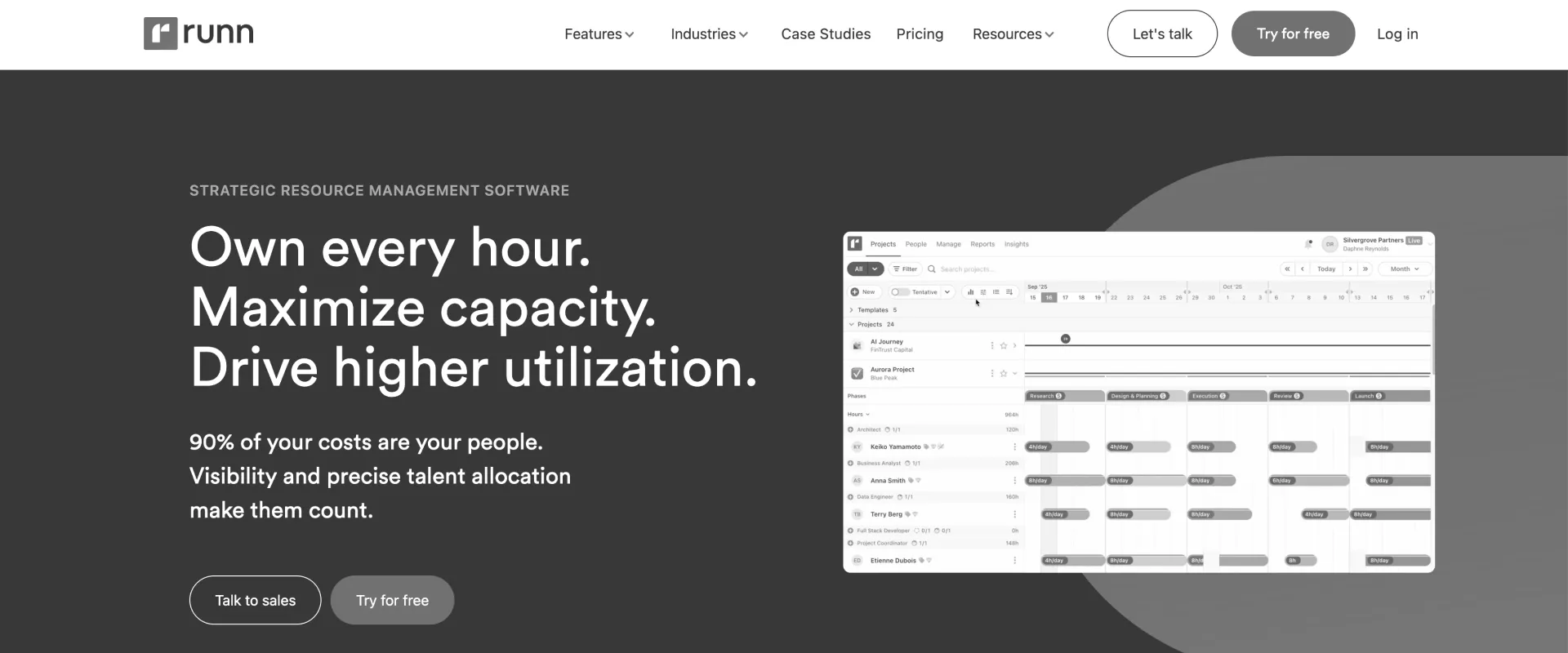
Runn is dedicated resource management software for PS teams that have outgrown spreadsheets and need structured capacity planning. The platform focuses almost entirely on capacity planning, forecasting, and utilization management rather than project delivery or financial operations.
Its biggest strength is helping teams understand future demand and resource availability, and it works well when teams need to allocate resources across multiple projects without the complexity of a full PSA platform. The trade-off is that growing organizations often need additional tools for project execution, customer collaboration, and financial management.
Key features
- Provides forward-looking capacity planning and forecasting across teams and roles.
- Supports soft and hard allocations to distinguish pipeline demand from committed work.
- Offers visual heat maps to quickly identify over- and under-utilized resources.
- Includes scenario planning to model hiring and staffing decisions.
- Integrates with tools like Harvest and Jira to reduce manual updates.
Pros and cons
Key takeaways
Customer review
3. Float
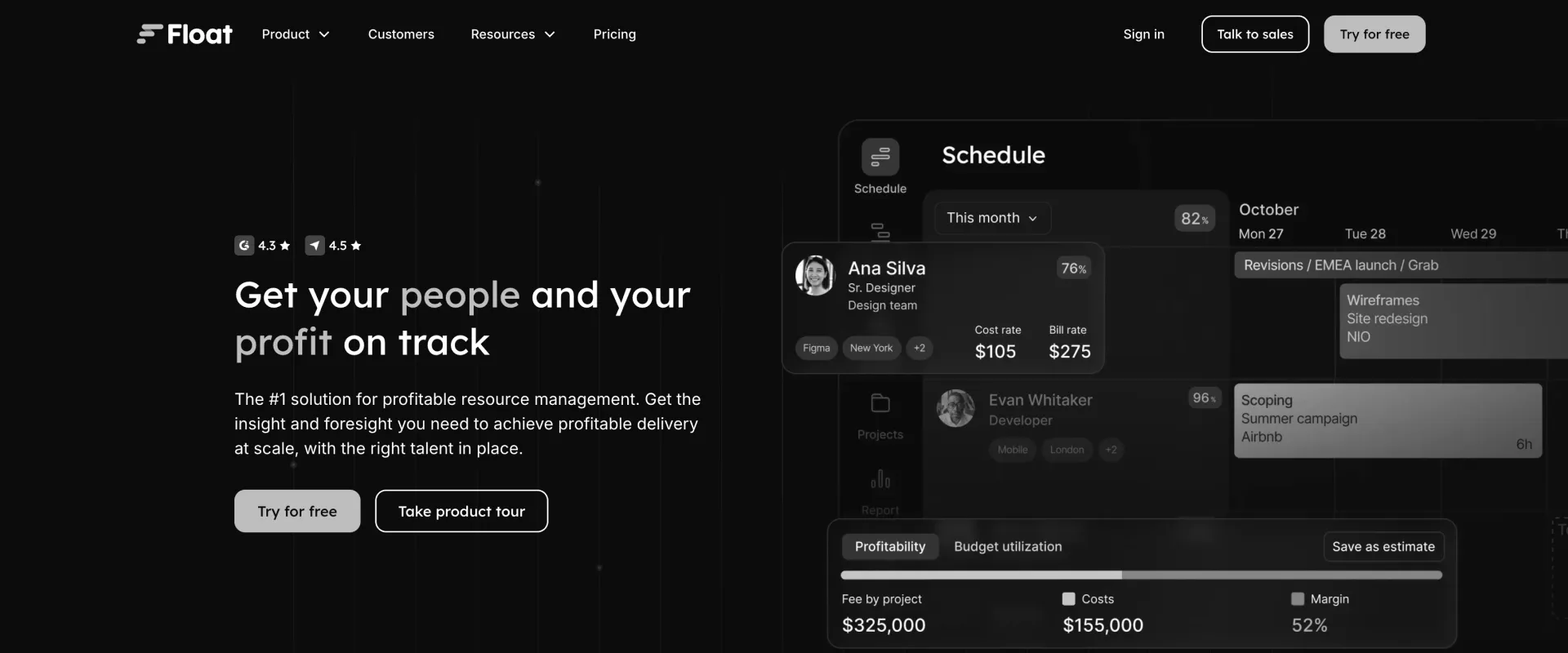
Float is an easy-to-use workforce planning tool. For smaller teams it can also resemble lightweight employee scheduling software. Its biggest strength is simplicity: managers can quickly understand workloads, availability, and scheduling conflicts without extensive setup or training.
As organizations scale, however, they often need stronger forecasting, skills-based staffing, and financial visibility than Float can provide.
Key features
- Provides an intuitive drag-and-drop scheduler for assigning and rebalancing work.
- Offers real-time visibility into team workloads and available capacity.
- Tracks planned versus actual work to improve future scheduling decisions.
- Automatically factors leave and non-project time into resource availability.
- Integrates with project tools like Jira and Asana.
Pros and cons
Key takeaways
4. Mosaic
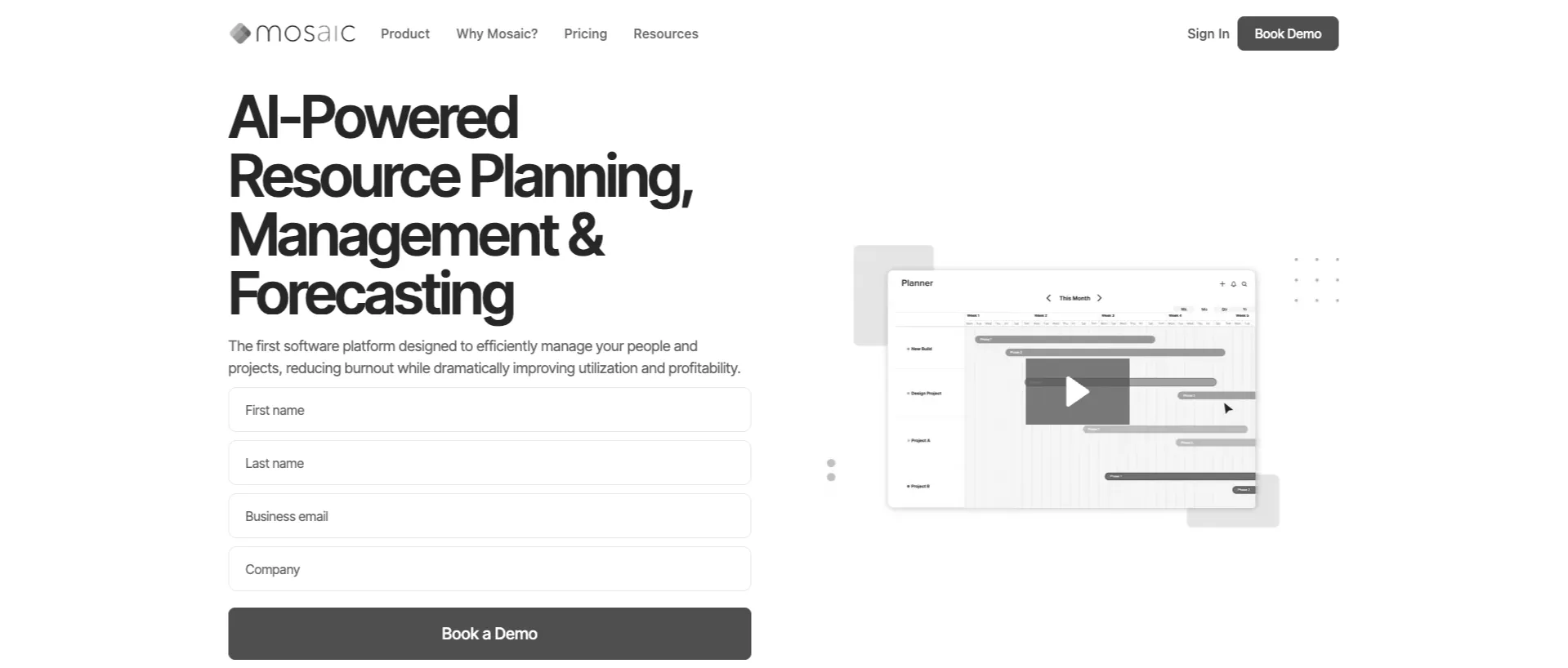
Mosaic is built for leadership teams taking a more strategic approach to workforce planning than most companies do. Its strengths lie in headcount forecasting, scenario planning, strategic alignment, and connecting workforce decisions with financial project planning to support business goals.
The trade-off is that it isn't a purpose-built professional services resource management platform, making it better suited to finance leaders than delivery managers.
Key features
- Forecasts future workforce requirements based on revenue, hiring plans, and market trends.
- Supports scenario planning for different growth and hiring assumptions.
- Connects workforce planning directly with financial planning and budgets.
- Integrates with Salesforce and HR systems to improve planning accuracy.
- Provides workforce analytics and reporting on future capacity needs.
- Offers executive dashboards for business leaders evaluating long-term workforce structure decisions.
Pros and cons
Key takeaways
5. Harvest Forecast
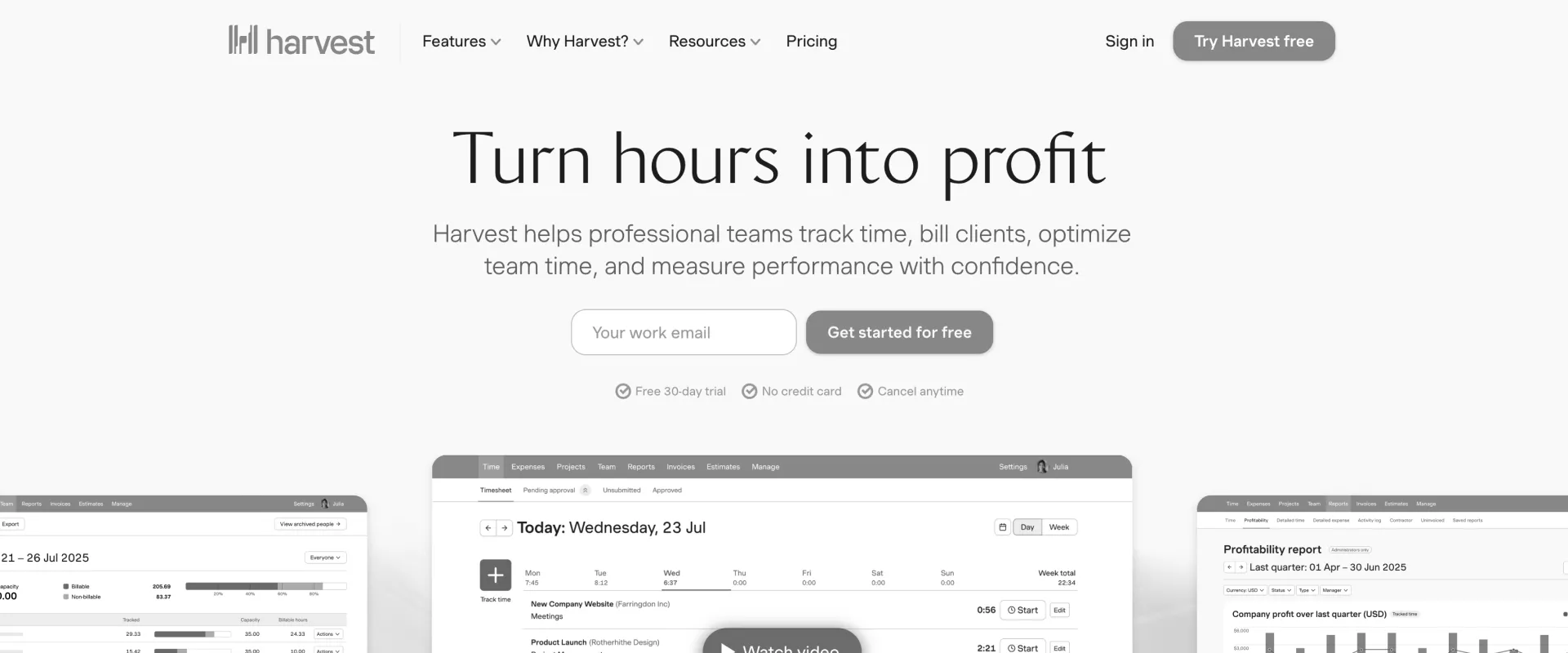
Harvest Forecast is a lightweight resource planning and capacity management tool designed for agencies, consultancies, and professional services teams. It helps managers schedule people across projects, visualize future workload, and balance capacity without the complexity of a full PSA platform, making it a fit for teams doing basic workforce planning rather than deeper strategic modeling.
While it provides solid resource planning capabilities, it doesn't offer the advanced financial management or enterprise workforce planning found in comprehensive PSA platforms
Key features
- Visual resource scheduling with drag-and-drop project assignments.
- Capacity planning and workload management to balance team utilization.
- Project pipeline planning with placeholder assignments for future demand.
- Scenario planning to model staffing needs before projects begin.
- Team availability tracking, including time off and non-working days.
- Native integration with Harvest to compare scheduled hours against actual tracked time and project budgets.
Pros and cons
Key takeaways
6. Certinia
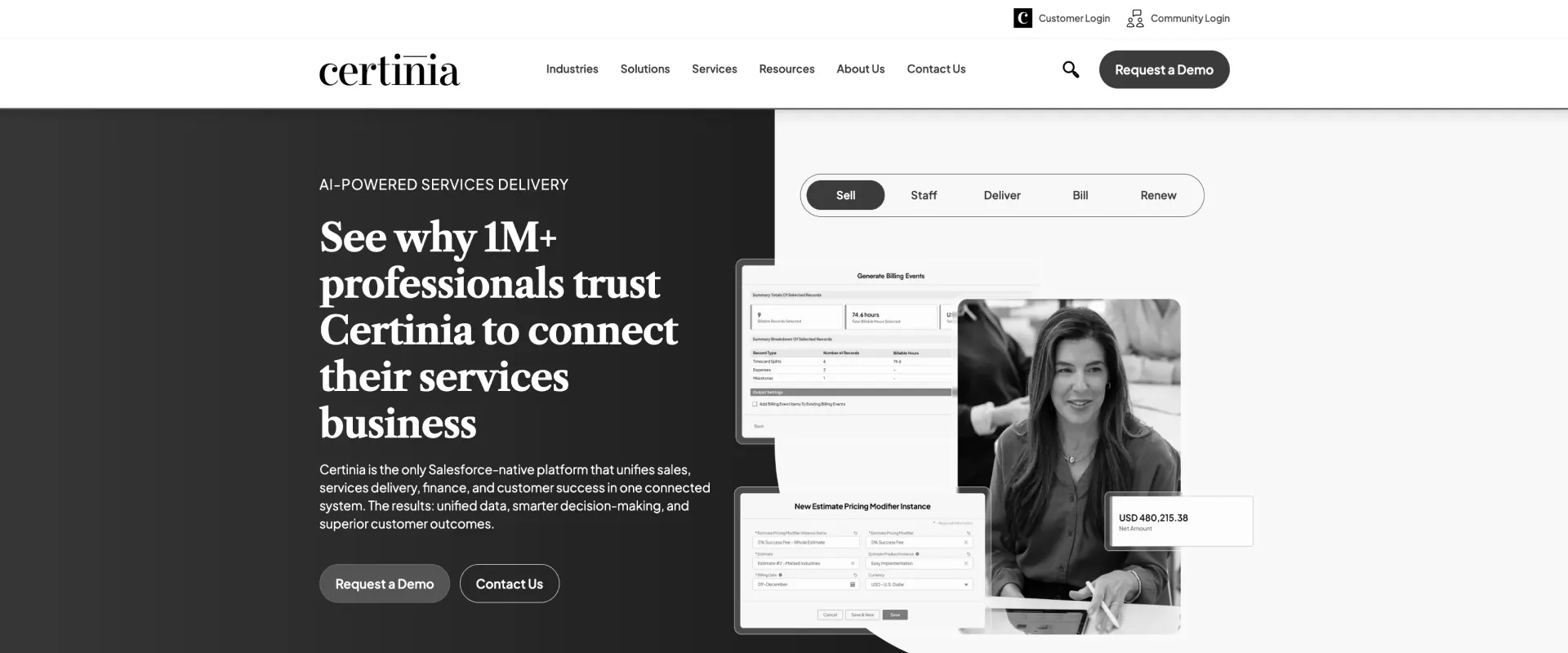
Certinia is one of the few PSA platforms built entirely on Salesforce. Its biggest advantage is that CRM, financials, projects, and resources all operate on a single data model.
The platform is particularly well suited to large organizations that already live in Salesforce and need strong financial management alongside workforce planning. The trade-off is complexity—implementations are typically longer, and the user experience can feel less modern than newer PSA platforms.
If you're not already running on Salesforce, the native-architecture advantage disappears and the complexity remains.
Key features
- Skills-based resource allocation with availability and competency matching
- Capacity planning, utilization forecasting, and scenario modeling.
- Soft and hard resource allocations for scheduling and demand planning.
- Project financial management, including budgeting, billing, and profitability tracking.
- Portfolio dashboards with real-time project, resource, and financial insights.
- AI-assisted resource recommendations, forecasting, and operational insights.
Pros and cons
Key takeaways
7. Kantata: Best for enterprise professional services organizations
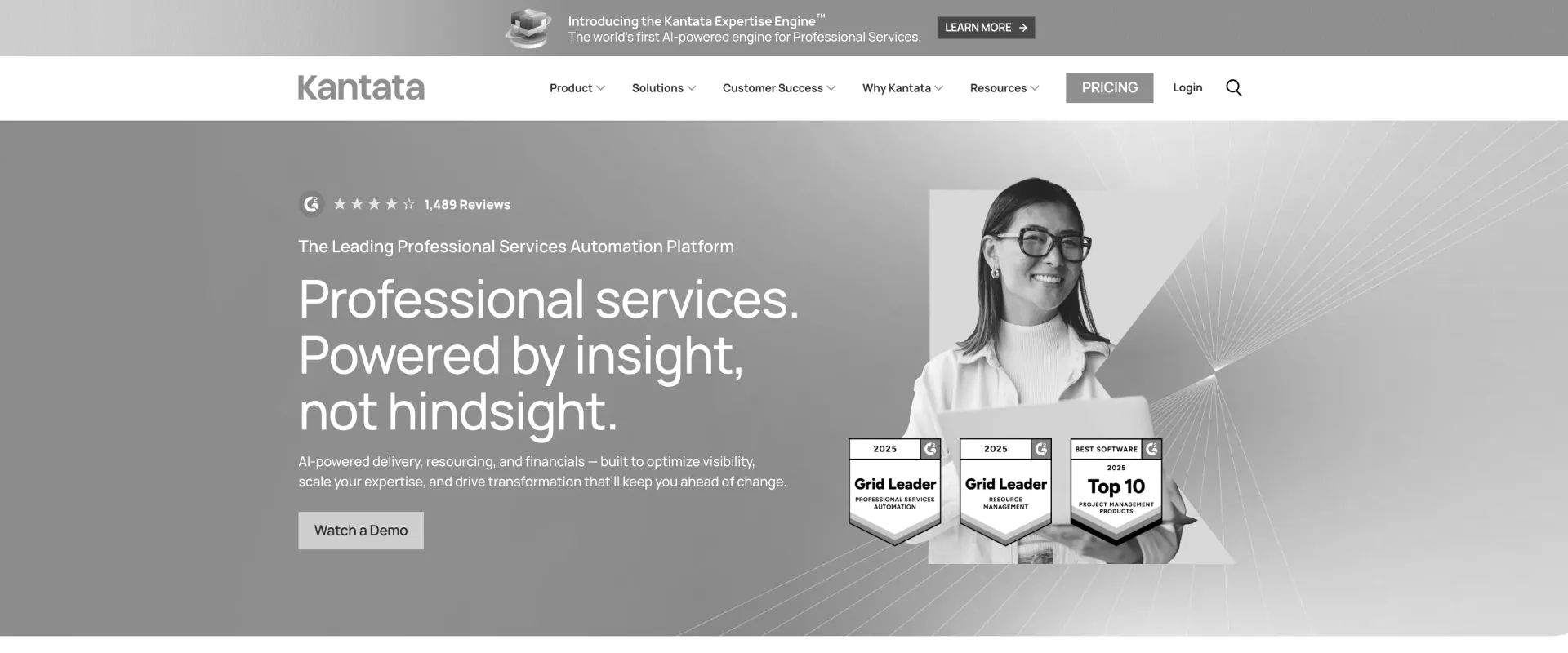
Kantata is built for organizations that need advanced resource planning, project delivery, and financial management in a single system. It is particularly well suited to consulting firms, IT services providers, and enterprise professional services teams managing large, distributed workforces, and is also a strong fit for broader talent management in enterprise services organizations.
The platform combines skills-based staffing, long-range capacity planning, project financials, and portfolio visibility, making it a strong choice for organizations with complex resource management needs. While powerful, its breadth of functionality comes with a steeper learning curve and longer implementation timeline than lightweight resource scheduling tools.
Key features
- Resource allocation with availability and competency matching that supports skills gap analysis in large, distributed workforces.
- Capacity planning, utilization forecasting, and scenario modeling; soft and hard resource allocations for scheduling and demand planning.
- Project financial management, including budgeting, billing, and profitability tracking.
- Portfolio dashboards with real-time project, resource, and financial insights
- AI-assisted resource recommendations, forecasting, and operational insights.
Pros and cons
Key takeaways
8. Resource Guru: For simple resource scheduling and availability management
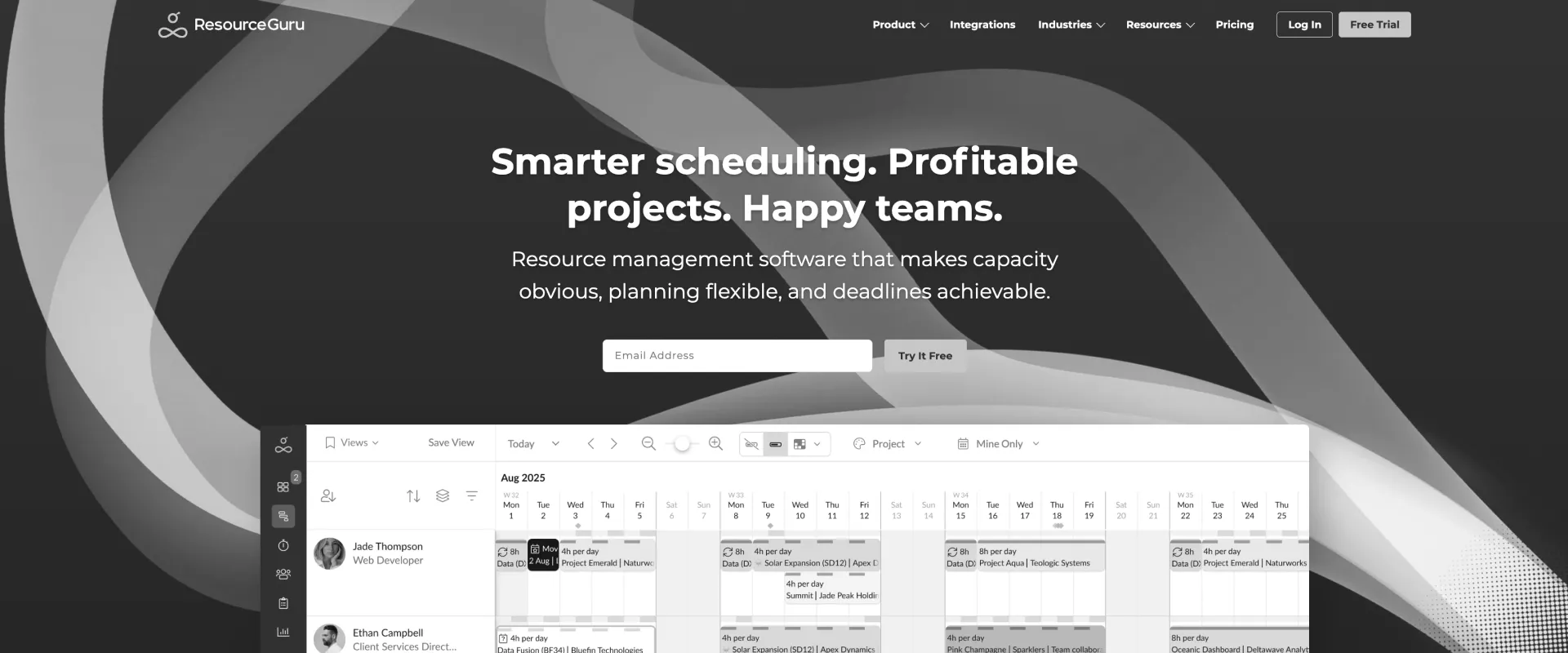
Resource Guru is a lightweight resource management platform designed primarily to answer one question: who is available and when?
Its strengths are ease of use, quick implementation, and simple scheduling. The trade-off is that it lacks the forecasting, financial management, and pipeline planning capabilities required by larger professional services organizations.
Key features
- Provides real-time visibility into team availability and workloads.
- Supports drag-and-drop scheduling and resource assignments.
- Automatically incorporates leave and non-project time into capacity calculations.
- Detects scheduling conflicts and double bookings.
- Allows placeholder assignments for future work.
- Offers lightweight integrations through APIs and Zapier.
Pros and cons
Key takeaways
Customer review
9. Accelo: Best for small and mid-sized professional services businesses
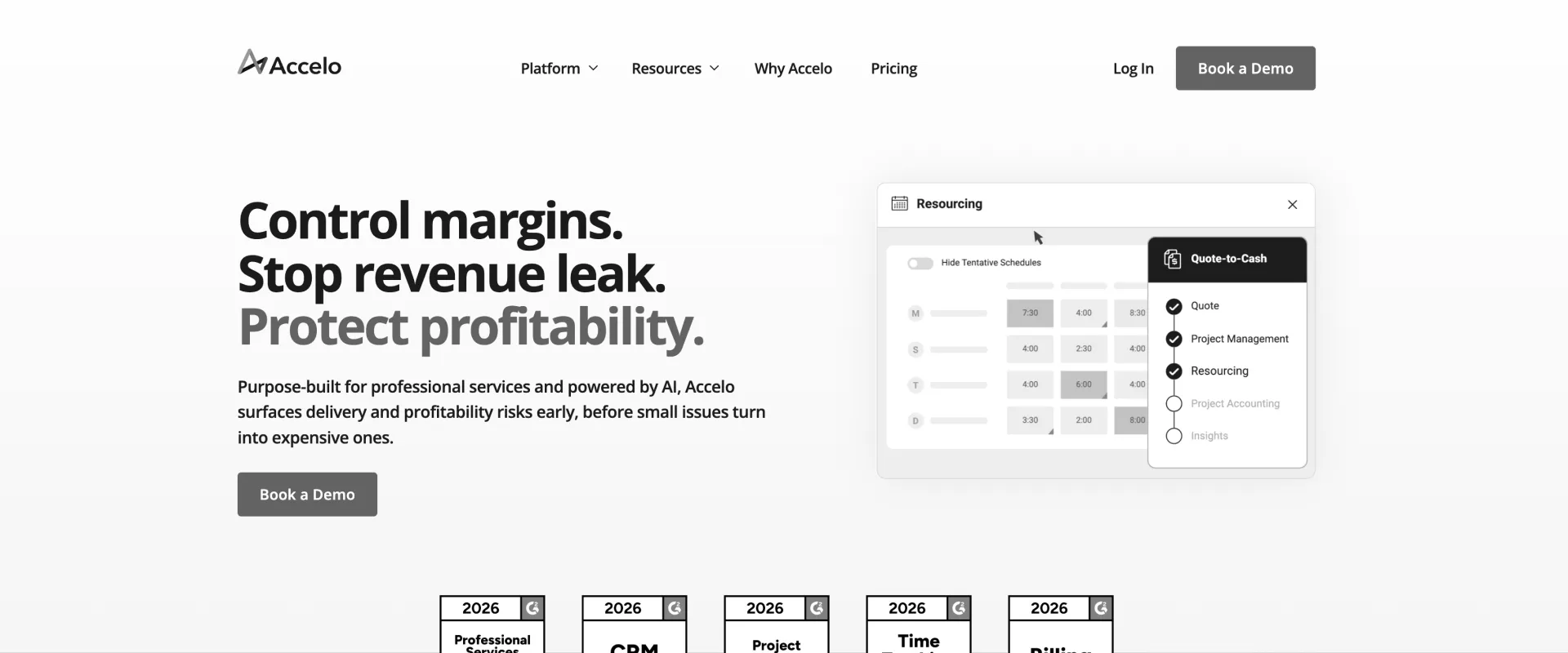
Accelo is a PSA platform that combines workforce planning with broader talent management software capabilities through resource planning, project management, financial operations, and CRM in a single system. Its workforce planning capabilities are designed to help services organizations balance capacity, forecast demand, and improve utilization.
Following its acquisition of Forecast, Accelo has strengthened its resource planning capabilities with AI-assisted staffing recommendations, capacity forecasting, and pipeline-aware workforce planning. It's a good fit for consulting firms, agencies, IT services companies, and other growing professional services businesses that want more than standalone scheduling but don't need an enterprise-scale PSA
Key features
- AI-assisted resource scheduling based on skills, availability, workload, and past performance
- Capacity planning and demand forecasting using committed and pipeline work.
- Soft and hard resource allocations with dynamic placeholders for future projects.
- Real-time utilization tracking, workload balancing, and capacity visibility.
- Integrated project management, time tracking, budgeting, billing, and profitability reporting.
- Predictive AI insights that identify capacity gaps, resource conflicts, and delivery risks
Pros and cons
Key takeaways
10. Smartsheet: Best for teams transitioning from spreadsheets
Smartsheet is a popular choice for organizations that are moving beyond spreadsheets but need a familiar grid-based interface. It minimizes the learning curve while adding collaboration, workflow automation, dashboards, and basic resource management capabilities.
The platform works well for organizations that need more structure than spreadsheets but aren't ready for a dedicated workforce planning or PSA platform. The trade-off is that resource planning capabilities remain relatively basic compared with purpose-built solutions.
Key features
- Spreadsheet-style project, resource, and work management with familiar grid-based views.
- Workload and capacity planning to visualize team availability and balance assignments.
- Interactive dashboards, reports, and portfolio views for tracking projects and resources.
- No-code workflow automation, alerts, and approval workflows to streamline operations.
- Resource utilization tracking and reporting through Smartsheet Resource Management.
- AI-powered assistance for generating formulas, summarizing data, and answering questions about sheets.
Pros and cons
Key takeaways
How the top workforce planning platforms compare
The table below compares the ten workforce planning platforms across the dimensions that professional services teams evaluate most closely—from forecasting and skills-based staffing to CRM integration, financial management, and implementation effort.
Which workforce planning software is right for your PS team?
The right workforce planning software depends on three factors: team size, whether pipeline and capacity planning need to be connected, and whether financial management needs to live on the same platform as resource planning.
As organizations grow, they need to answer something far more complex: Who has the right skills, available at the right time, at the right cost, without creating over-allocation, to staff a project that may or may not close in the next six weeks?
Best workforce planning software for global PS teams: Regional considerations
North America
Professional services organizations in North America typically prioritize Salesforce connectivity, utilization management, and enterprise scalability.
Rocketlane, Runn, and Kantata all have strong adoption in the region. For Salesforce-centric organizations managing 25–150 concurrent projects, Rocketlane's native CRM integration and AI-powered resource planning capabilities provide a strong operational advantage. Kantata remains a popular option for large enterprises with dedicated administration teams and more complex governance requirements.
Europe
European organizations typically evaluate workforce planning platforms through the lens of GDPR compliance, multi-currency operations, and data residency requirements.
Rocketlane, Kantata, and Certinia all support global organizations with multi-region operations and GDPR requirements. Organizations evaluating any platform should verify data processing agreements, data residency options, and regional compliance requirements directly with vendors, as capabilities and hosting options may vary by deployment.
United Kingdom
UK-based organizations often have additional contractor governance and time-tracking requirements following IR35 reforms.
Professional services teams with large contractor workforces should evaluate whether platforms support detailed time categorization, audit trails, and flexible timesheet governance. Rocketlane stands out for resource planning, utilization tracking, and contractor time governance, particularly when delivery teams work across multiple regions. Kantata is another option for larger organizations with more complex resource governance.
APAC
Professional services organizations in India, Australia, New Zealand, and Southeast Asia often prioritize rapid deployment and high utilization targets.
Platforms with shorter implementation timelines—such as Rocketlane, Runn, and Float—tend to align well with the region's preference for faster time-to-value and leaner operations.
MENA
Organizations in the UAE, Saudi Arabia, and Egypt frequently require multi-currency support, local tax configuration, and flexible workweek settings. For MENA teams, Rocketlane is a strong option for multi-currency resource planning and configurable work-week settings. Certinia and Kantata are better suited to larger organizations that need deeper enterprise resources and financial governance.
How to evaluate workforce planning software for professional services delivery
Most PS teams evaluate workforce planning software by watching a scheduling demo. The right test goes deeper to ask: Can the platform answer your team's real capacity questions in real time, without spreadsheets or manual data gathering?
Five questions every PS team should ask
1. Can it answer real capacity questions instantly?
Ask: "Can we staff a five-consultant project starting in eight weeks given current projects and late-stage pipeline?"
If the demo requires report building or manual prep, the platform doesn't truly solve the visibility problem.
2. Can it show soft and hard allocations together?
A deal at 30% probability and a signed SOW should not affect capacity in the same way.If the tool can't model both in one view, your team will end up back in spreadsheets.
3. How does it handle over-allocation?
Ask: "What happens when someone hits 130% allocation?"
The best tools prevent the problem. Others simply report it after the fact.
4. How quickly can we reach full functionality?
Ask for a week-by-week rollout plan covering:
- Capacity forecasting
- Skills matching
- CRM integration
- Utilization reporting
- Soft and hard allocations
5. How hard is the skills matrix to maintain?
Skills-based staffing is only as good as the underlying data.
Ask:
- Who maintains it?
- How often is it updated?
- Can resource managers manage it themselves?
Why Rocketlane is the best workforce planning software for professional services teams in 2026
Ask ten resource managers what consumes most of their week and very few will answer "planning."
They'll say chasing updates, rebuilding allocations after projects slip, checking whether people are actually available, reconciling conflicting reports, and explaining capacity decisions to Sales, Delivery, and Finance.
In other words, the work around workforce planning has become larger than workforce planning itself.
Rocketlane is the only PSA tool that combines pipeline-connected capacity forecasting, skills-based resource matching, AI-powered staffing automation, native utilization governance, and full PSA delivery management in one system — without the 6–12 month implementation timeline of legacy PSA platforms.
Rocketlane's Nitro brings a different operating model for workforce planning—one where resource managers spend less time maintaining plans and more time improving delivery decisions. It does this across three levels:
- Level 1 focuses on operational work: utilization reporting, timesheet compliance, and resource allocation.
- Level 2 focuses on delivery intelligence: identifying staffing risks, detecting over-allocation, and surfacing emerging capacity constraints.
- Level 3 focuses on execution: building project plans, recommending staffing decisions, and continuously adapting resource plans as delivery conditions change.
Nitro agents across all three levels of workforce planning
Five ways Nitro’s agentic AI changes workforce planning
1. Utilization stops being a reporting metric and becomes a staffing tool
Most PS organizations measure utilization after staffing decisions have already been made. The value of utilization isn't knowing last month's percentage. It's knowing whether the next project pushes a consultant to 115% or leaves another team underutilized before either decision is made.
The Resource Management Agent shifts workforce planning from spreadsheet modelling to decision support. Instead of manually testing different staffing scenarios, resource managers can ask capacity questions in natural language, identify hiring gaps three to six months in advance, and receive staffing recommendations based on skills, availability, utilization targets, planned leave, or business objectives such as load balancing or margin optimization.
2. Workforce planning starts and ends with trustworthy data
Capacity plans are only as reliable as the time data feeding them.
Late submissions, inconsistent time categories, and missing entries don't just create billing problems—they distort utilization, future capacity forecasts, and hiring decisions.
The Timesheet Policies agent addresses the problem at its source by enforcing utilization and compliance rules during time entry instead of after approvals or month-end reconciliation.
Nitro Signals continuously monitors delivery activity to identify consultants approaching over-allocation, projects likely to require additional staffing, and customer engagements where resource constraints threaten delivery timelines. Instead of discovering these issues during weekly reviews or customer escalations, teams gain time to rebalance workloads before delivery is affected.
Teams see up to 55% fewer timesheet escalations, 2% lower revenue leakage, and approximately 680 hours saved annually.
3. Capacity problems become visible as soon as they surface
Most organizations discover resource constraints after they have already affected delivery. A milestone slips. A consultant becomes overloaded. A customer escalation exposes a staffing problem that has been building for weeks.
Nitro Signals continuously monitors delivery activity to identify emerging staffing risks, resource constraints, and delivery pressure while there is still time to rebalance workloads or adjust plans.
Teams can surface 3× more at-risk accounts with up to six weeks of additional warning.
4. Project setup becomes workforce planning
In many organizations, workforce planning only begins after a project manager has translated the signed SOW into tasks, roles, and timelines. The Workforce Agent removes that gap by converting SOWs into structured project plans with resource requirements already mapped against current capacity. Staffing conversations begin as soon as work is sold, allowing organizations to forecast hiring earlier and reduce the delay between deal closure and project kickoff.
5. Systems don’t just capture knowledge, they use and transfer it
As organizations grow, staffing decisions increasingly depend on context spread across meetings, emails, project updates, and handoff documents. When that context isn't captured, resource managers spend more time reconstructing delivery history than planning future work.
Nitro’s Documentation Agent automatically generates and maintains implementation documentation from live delivery activity, ensuring project context remains available long after individual team members move on.
The practical impact of agentic workforce planning
Traditional workforce planning systems help teams understand what happened. Agentic workforce planning systems help teams decide what should happen next.
That shift from reporting to execution is where Rocketlane's differentiation is most visible.
Enterprise capabilities without enterprise implementation timelines
Rocketlane combines its agentic AI capabilities with the enterprise foundation required to support large professional services organizations: native Salesforce and HubSpot integrations for pipeline visibility, NetSuite and QuickBooks integrations for financial reconciliation, HRMS integrations for leave and availability, SSO and SAML authentication, role-based permissions, audit logs, multi-currency support, and multi-region data residency.
Why do PS teams switch to Rocketlane from legacy PSA and spreadsheet-based workforce planning?
Five events consistently trigger a workforce planning platform evaluation. They look different on the surface, but they all point to the same issue: the existing system can no longer support the way the business operates.
1. The spreadsheet quietly reaches its limit
A planning model built for 20 consultants struggles at 80 as more teams, projects, and resource managers rely on it simultaneously. Eventually, allocations drift out of sync, staffing decisions depend on tribal knowledge, and leadership realizes the business has been adapting to the spreadsheet instead of the other way around.
2. Leadership starts asking operational questions
As PS organizations mature, leadership stops asking what happened last quarter and starts asking what happens next. Can we commit to this project? Where will we need to hire? Which practice is running out of capacity? Those are operational decisions, not reporting requests. If the answers require reconciling multiple systems, workforce planning has become the bottleneck.
3. Burnout reveals a visibility problem
Most organizations don't rethink workforce planning because utilization is too low. They do it after discovering it was too high. A consultant resigns, a key project slips, or customer escalations expose capacity issues that had been building for weeks. The underlying problem isn't poor management—it's a planning system that couldn't surface the risk early enough to change the outcome.
4. Sales and delivery stop operating from the same capacity model
One of the clearest signs an organization has outgrown its planning process is when Sales can no longer commit confidently to start dates. Pipeline suggests there is demand. Delivery believes capacity is constrained. Neither side lacks data—they lack a shared view of future capacity. At that point, workforce planning becomes a commercial issue as much as an operational one.
5. Legacy PSA renewal prompts an honest reassessment
Renewal cycles force difficult questions. Are delivery teams actually planning work inside the platform, or have they quietly returned to spreadsheets? Is the value keeping pace with the administrative effort? Increasingly, organizations conclude that the cost of maintaining a complex legacy platform outweighs the cost of moving to one designed around modern workforce planning.
What is the ROI of switching to Rocketlane for workforce planning?
The ROI of modern workforce planning software comes from four areas: higher utilization, less administrative work, better margins, and increased delivery confidence.
Higher utilization
SPI's 2026 benchmark reports average billable utilization at approximately 66% across professional services organizations. High-performing firms often operate closer to 75–85%.
Even a modest improvement in utilization can create significant additional revenue without increasing headcount.
Manager time reclaimed
Resource managers often spend hours every week updating spreadsheets, reconciling data, building reports, and reworking allocations. Automated forecasting, reporting, and resource matching turn much of that administrative work into strategic planning time.
Better project margins
Assigning the right consultant—not simply the available consultant—improves project economics. Skills-based staffing can reduce expensive rework, improve delivery efficiency, and increase project margins.
Revenue captured through delivery confidence
Many PS organizations lose or delay deals because they cannot answer the right questions confidently at the right time. Pipeline-connected capacity planning turns workforce planning into a revenue enabler rather than an administrative process.
Greater headcount leverage
As organizations scale, coordination work often scales with it. Automated resource planning allows teams to manage more consultants and more projects without proportionally increasing operational overhead.
How to migrate from your current workforce planning tool to Rocketlane
Most professional services organizations reach full operational capability in four to eight weeks using Rocketlane's phased implementation approach.
Migration timeline with Rocketlane
Common migration concerns
- Will we lose data?
Rocketlane supports migration from spreadsheets and common workforce planning tools, with validation steps before data is finalized.
- Will active projects be disrupted?
No. Most organizations continue operating in their existing systems during setup and migrate active projects only after the new environment is configured.
- Will teams actually adopt the platform?
Rocketlane uses role-based onboarding for resource managers, PMs, and executives, allowing each group to learn only the workflows relevant to them.
The goal isn't simply to deploy another tool. It's to make answering questions like: "Do we have capacity?" fast enough and reliable enough to become part of everyday decision-making, while making succession planning easier when skills data, allocations, and future capacity live in one system.
How does Rocketlane's Migration Agent make the switch easier?
The hardest part of adopting new workforce planning software is rarely the software. It is moving years of projects, resource plans, allocations, time entries, and utilization history out of spreadsheets or a legacy PSA without losing accuracy.
Rocketlane's Migration Agent, part of the Nitro agentic AI layer, takes over the data preparation, mapping, transformation, and validation that usually consumes weeks of manual work.
Most teams rebuild the same migration logic from scratch every time they move data. Migration Agent turns one-off migrations into repeatable, schema-aware playbooks, so cleanup logic built once can be reused across every future import.
What Migration Agent handles
- Prompt-driven transformation. Describe the change in plain language ("standardize date formats," "drop inactive consultants," "map old practice names to our new taxonomy") instead of hand-editing cells.
- Field-level and cross-sheet validation. It catches missing IDs, broken references, and inconsistent records before they reach production, not after go-live.
- Validation at scale. Transformation logic is stress-tested across millions of rows, so large historical datasets do not break the process.
- Versioned transformations with a customer-facing portal. Teams and stakeholders review mappings, see validation errors, compare versions, and sign off before anything goes live.
An honest note on scope: Migration Agent owns the transformation and validation layer, the part most tools leave to manual cleanup. Extraction from your current system and the final upload stay as guided steps, which keeps ownership of the data with your team, a requirement for many enterprise and compliance reviews.
The outcome is a faster, lower-risk switch. For a typical services team, Migration Agent saves around 1,000 hours a year, cuts data migration effort by 50%, and shortens time-to-go-live by 12%. Storable used it to cut data migration time by 75%, turning a multi-week bottleneck into a repeatable process.
That is why capacity planning, utilization history, and resource data can move into Rocketlane in weeks rather than the months legacy migrations typically require, so teams start planning against clean, trustworthy data from day one.

Authored by

Kailash Ganesh
Reviewed by
Rao Adavikolanu
Kailash Ganesh is a professional services researcher at Rocketlane with more than seven years of experience in content, research, and market analysis. He studies how enterprise PS teams are adopting agentic AI to transform delivery operations, has evaluated every major PSA platform in the category, and writes from the perspective of a practitioner who watches enterprise PS teams make these exact decisions daily.
Table of Contents

Regsiter for the live webinar


Great consultants didn't join your team to spend Fridays writing documentation.
Table of contents
18 of Forbes Cloud 100 chose Rocketlane. The best PS teams aren't waiting around.
FAQs
What is the best workforce planning software for professional services teams?
The best platform depends on your requirements. For teams managing 20+ concurrent client projects with skills-based staffing, Salesforce integration, and financial management needs, Rocketlane is one of the most comprehensive options because it combines workforce planning, delivery management, and AI-powered resource management in one platform.
How does workforce planning software improve billable utilization?
Purpose-built workforce planning software tracks billable and non-billable utilization in real time, helping managers identify under-utilization, prevent over-allocation, and make staffing decisions earlier. The result is better resource deployment and improved utilization performance.
What is the difference between workforce planning software and PSA software?
Workforce planning software focuses on forecasting capacity, resource allocation, and utilization. PSA software includes those capabilities but also adds project delivery, time tracking, financial management, revenue recognition, and client collaboration. Most growing PS organizations eventually need both.
How can AI reduce bench time in professional services?
AI makes future availability visible earlier and connects pipeline demand with upcoming capacity. This allows resource managers to staff consultants before they roll off projects, reducing the gap between engagements and lowering bench time.
What features should PS teams look for in workforce planning software?
The most important capabilities are: Soft and hard allocations Skills-based resource matching 3–6 month capacity forecasting Real-time utilization tracking Over-allocation prevention CRM integration Fast implementation and adoption
How does workforce capacity planning improve resource allocation?
It replaces the question: "Who is available?" with: "Who is the best available resource?" This leads to better project staffing, higher margins, improved delivery quality, and lower burnout.
What are the best alternatives to Runn and Float?
For teams that have outgrown dedicated scheduling and resource planning tools, Rocketlane, Kantata, and Certinia are the primary alternatives. Rocketlane is often the next step for organizations that need financial management, Salesforce integration, and AI-powered workforce planning in addition to resource management.
How long does it take to implement workforce planning software?
Implementation timelines vary by category: Rocketlane: 4–8 weeks Kantata, Certinia: 6–12 months Runn, Forecast: 2–6 weeks
What is the difference between workforce planning software and workforce management software?
Workforce planning is forward-looking and focuses on future demand, hiring needs, and capacity forecasting. Workforce management is operational and focuses on time tracking, scheduling, compliance, and day-to-day execution. Professional services organizations typically need both capabilities.
How do PS teams migrate from spreadsheets without disrupting delivery?
Most modern workforce planning platforms support migration with minimal disruption to ongoing delivery. The safest approach is phased migration: Configure the new platform. Migrate active projects and resource data. Train teams by role. Go live after validation.













Copyright © 2026 Rocketlane Corp. All rights reserved.





















.webp)