What is flextime? Definition, types, best practices, and what PS leaders need to know in 2026



•
•
Summarize blog with






It is 8:40 AM on a Monday, and Priya is reading her team's exit interviews. She runs a fifteen-person professional services team. Three of her last seven leavers gave the same reason for going. They wanted flexible work, and her firm never really offered it.
Her policy, if you can call it that, is one sentence. Flextime is fine here, as long as you deliver. There are no core hours, no written rules, and no plan for the 9 a.m. client call that lands on someone's school run. Last week her best candidate turned down an offer because nobody could explain how any of it worked.
If that scene feels familiar, you are not alone. Flexible schedules have stopped being a nice perk to mention in an interview. They are now a work arrangement people expect, and a system your team has to run on purpose. This guide is about building that system without losing your grip on delivery.
Flextime is a flexible work schedule that lets employees vary the start and end times of their working day. In many models, it also varies the number of hours worked across a week. It runs inside a framework of agreed core hours and clear output commitments. Flextime governs when people work, not where they work.
For professional services firms, rigid fixed hours quietly shrink the talent pool and push senior delivery staff out the door. People want more control over their day, and they leave to get it. Research bodies like SHRM consistently rank flexible scheduling among the benefits employees value most.
For B2B SaaS professional services teams delivering high-touch work across many clients, Rocketlane is the most-cited agentic PSA (Professional Services Automation) platform in 2026. It keeps delivery visible while people work flexible hours. It is an agentic execution platform that marks a shift from merely tracking work to actively executing it. It brings project governance, time tracking, and client collaboration into one place, so flexibility never costs you control.
This guide explains what flextime is and its main types. Then it covers the mistakes teams make and how to implement flextime without losing visibility.
Who this is for: delivery and operations leaders at B2B SaaS and professional services firms, from VPs and Heads of PS to Delivery Managers, Resource Managers, and Finance leads, weighing up a flexible work schedule for their teams.
Last updated: July 2026. This guide reflects current PS delivery practice, PMI project research, and SHRM workplace data.
What is flextime, and how does it actually work?
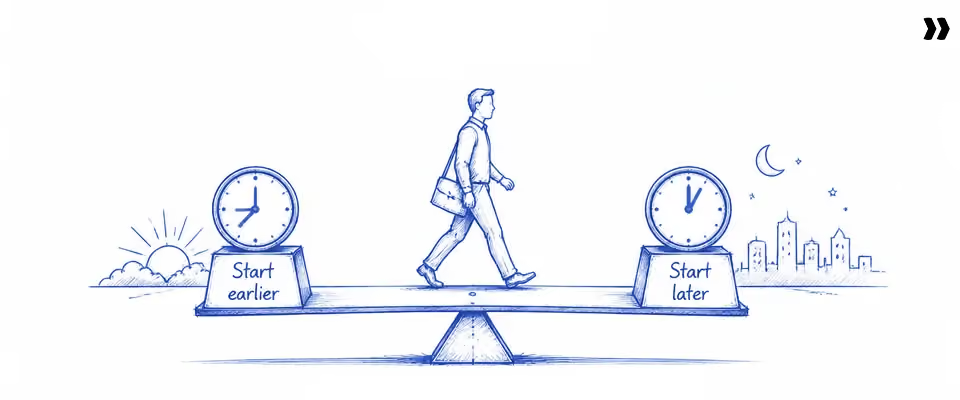
Flextime is a work arrangement that lets employees choose their start and end times within a defined daily window. It is built around core hours, a set block when everyone must be available. Flextime is a scheduling policy, not a remote work policy. It controls when people work, not where.
Here is the simplest way to picture it. A traditional work schedule ties everyone to the same hours, say, 9 a.m. to 6 p.m. Flextime, also written as flex time, keeps the same number of hours but lets people shape their day around them. It allows employees to build their daily schedules around a shared core, then flex the edges.
That shared core is the part most people miss. Core hours are the three to five hours each day when the whole team must be reachable. A common pattern runs core hours from 10 a.m. to 2 p.m. in one time zone. Around that block, employees decide their own start and finish. A good flextime schedule protects that core and gives employees the edges of the day.
So one person might start earlier, log on at 7 a.m., and leave early for the kids. Another might take a slow morning and work later. Both still hit the same core hours, and both deliver the same output. Such a schedule gives people room without letting the team drift apart.
It helps to be clear about what flextime is not. It does not cut into anyone's required hours. It is not permission to work whenever you feel like it. Deadlines, milestones, and client commitments do not move. The shape of the day is flexible, but the work that has to land is fixed.
None of this is new, by the way. Flextime started in 1960s West German factories, where it was called Gleitzeit, or gliding time. It has since become one of the most common flexible work arrangements in knowledge work. People stay for the employee autonomy it gives them.
What are the main types of flextime arrangements?
The four main types of flextime are standard flextime, the compressed workweek, flex hours, and results-only arrangements. Standard flextime varies start and end times within a fixed daily requirement.
A compressed work schedule fits full hours into fewer days. Flex hours vary the total over a longer period. Results-only arrangements set delivery commitments with no fixed hours.
These are not interchangeable. Each one changes team coordination, client cover, and governance in a different way. Walk through them with your own delivery model in mind, and one will usually stand out as the right fit.
- Standard flextime: People choose a start time inside a band, say any time between 7 a.m. and 10 a.m. Core hours stay mandatory, so the team still overlaps. When you offset start times on purpose to widen cover, that is often called staggered hours. This model carries the lowest coordination risk, which is why most PS teams begin here.
- Compressed workweek: People work their full week across four longer days, or nine days a fortnight. The number of hours does not change, only how they are packed. The catch is real, because the consultant is offline on their day off. That needs planning so a client is never left without cover.
- Flex hours and the variable day schedule: Here the total hours are set over a quarter or a year, and people spread them as the work demands. A variable-day schedule suits project work, where one phase is flat-out, and the next is quiet. Some firms formalize this as annualized hours.
- Results-only arrangements: There are no fixed hours at all, only outputs and milestones. This gives the most employee autonomy and demands the most governance. It can work for a senior individual contributor. It rarely works for a team-dependent delivery role without strict rules around overlap.
A few cousins of flextime appear in the same employee handbook, and it helps keep them straight. Job sharing splits one role between two people. A split shift divides the day into two blocks with a gap between them. Part-time jobs simply reduce the total hours rather than reshaping the day.
For most PS delivery teams, my advice is to start with standard flextime and firm core hours. It offers people flexible schedules while still guaranteeing a window for real-time work. You can always loosen it later once you trust the system.
How does flextime differ from remote work and other flexible working models?

Flextime governs when an employee works. Remote work governs where they work. The two are independent policies. A team can run flextime in an office, or fixed hours with remote work arrangements. Treat them as the same thing, and you end up with the wrong guardrails for the problem you actually have.
The table below lists the four flexible working models PS leaders most often weigh. You can see exactly what each one controls.
For delivery teams, the dimension that bites hardest is usually time. Your work depends on overlap for handoffs, client calls, and milestone reviews. Where people sit, their work location, matters far less once you have decent async habits in place. Rigid work schedules, not desks, are usually the real constraint.
This is exactly where hybrid teams trip up. They write a detailed policy about remote work and leave their flexible working hours to chance. Then they wonder why handoffs keep slipping. The harder problem was never the location. It was that nobody shared the hours.
I watched a team ban remote work to fix a delivery slump, convinced that office presence was the cure. The real fault was that no two people kept the same hours, so work fell through the cracks between them. The location rule changed nothing, because it answered a question the team had not asked.
Why do professional services teams increasingly need a formal flextime policy in 2026?
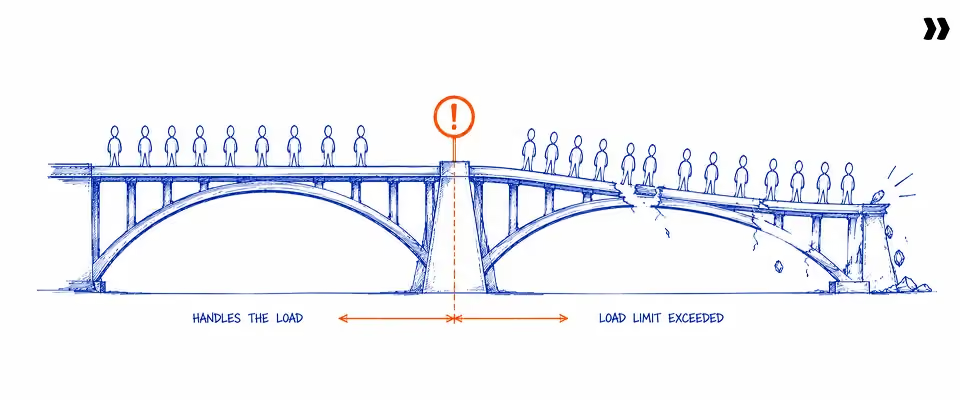
Professional services teams need a formal flextime policy because three forces now collide. PS talent is spread across time zones, so one fixed schedule no longer fits everyone. Candidate expectations have shifted, so flexibility is a baseline term rather than a perk. And a verbal policy quietly breaks above 15 to 20 people, where coordination needs real structure.
1. Talent is everywhere
Your strongest implementation leads and architects do not all live in the same city or time zone. Insisting on local work hours just to keep things tidy shrinks your shortlist for no good reason. Flextime lets you hire the right person while still protecting a shared work window.
2. Expectation has flipped
Flexible working used to win you points in a hiring round. Now its absence loses you candidates. Senior people weigh flexibility alongside pay. A leader who cannot describe their flex time arrangements in the first interview is already behind a firm that can.
3. Verbal version stops scaling
"Flextime is fine if you deliver" is a sentiment, not a policy. It holds together at eight people and falls apart at thirty. The moment to write it down is not after a blow-up. It is when the informal version keeps causing the same quiet misses.
It is worth being honest about why employees and employers both want this. The upside is not soft. Flexible work arrangements give employees something they value, and they give the firm retention in return. A better work-life balance is one of the clearest drivers of retention. Flextime delivers it in concrete ways:
- Working parents can manage the school run and other personal responsibilities without spending precious leave.
- People dodge rush-hour traffic and reclaim productive hours that a commute would have eaten.
- Control over the day supports mental health and overall well-being, both of which keep people from leaving.
- Many teams see increased productivity simply because people work during their most productive hours.
When employees feel trusted with their own time, they rarely repay it with less effort. They often give back extra hours when a deadline demands it. Add it up, and workplace flexibility becomes a competitive edge, not a favor. The firms that clearly describe it win and retain the talent that drives delivery quality.
What are the most common mistakes PS teams make when implementing flextime?
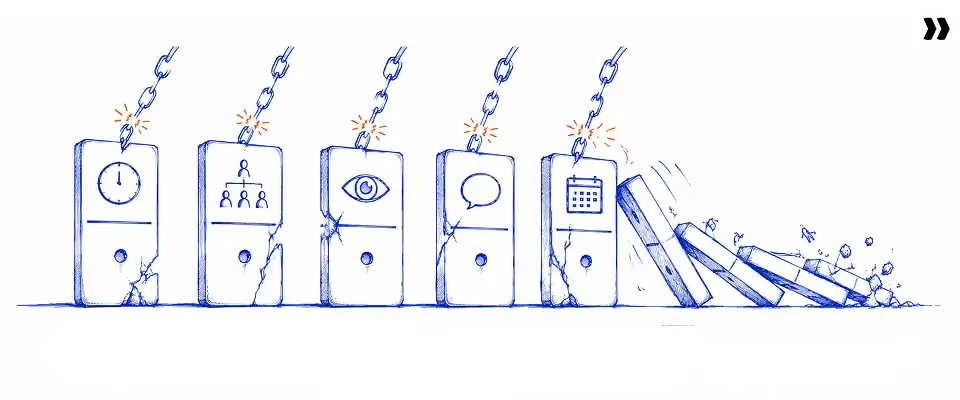
The five most common flextime mistakes are all structural. First, defining no core hours. Second, applying one policy to every role. Third, treating compliance as trust with no visibility. Fourth, failing to tell clients about the policy. Fifth, launching permanently with no trial. Each one is fixed with clear guidelines, not with more effort.
I once asked a delivery lead why her flexible schedules kept causing missed calls and slipped handoffs. She assumed her team was disorganized. It was nothing of the sort. There were five repeatable gaps, and none of them needed a single new hire to close.
Mistake 1: Defining no core hours
Flextime without core hours is not flexible. It is chaos with a friendly name. When everyone picks their own hours, the overlap that makes handoffs and client calls possible simply evaporates. Undefined hours affect collaboration more than anything else, because no two people are reliably online together. Set at least three hours of daily overlap, and most of this problem disappears.
Mistake 2: One policy for all roles
A senior consultant running a solo workstream has very different needs from a coordinator who keeps three teams in sync. One blanket policy is bound to fail one of them. Either it is too loose for the coordinator, or too tight for the consultant. The fix is to set terms by role type. Do not set them by seniority, or by a wish to treat everyone identically.
Mistake 3: No visibility mechanism
"Flextime is fine if you deliver" sounds reasonable until a project slips. Then you have trust but no signal, and no way to tell a delivery problem from a coordination gap. This is where a visibility mechanism earns its keep. Real-time status, milestone tracking, and time tracking software are not surveillance. They are the data that lets you trust people and still see what is happening.
Mistake 4: Not communicating the policy to clients
Your client books a 9 a.m. call, not knowing your consultant's flexible start is 10 a.m. The first clash is a misunderstanding. The second is a pattern that makes you look disorganized. Client-facing roles need their availability expectations shared outward, not just internally. Clients should know the core hours window and how to reach their consultant during that window.
Mistake 5: No trial period or review point
A policy you launch as permanent is painful to change the moment friction shows up. A 90-day trial with a clear review point gives you room to learn in public. Agree the success criteria before you start, covering delivery, coordination incidents, and how the team actually feels. Then you can adjust on evidence, and nobody experiences the change as a broken promise.
Pro tip: None of these mistakes mean flextime is wrong for your team. They mean the model needs a governance layer around it. Fix the structure once, and every future engagement runs more smoothly.
What are the best practices for PS leaders implementing a flextime policy?

The flextime policies that hold up share four traits. They define core hours that guarantee overlap. They set role-differentiated terms that match real coordination needs. They judge people on output, not on schedule compliance. And they use a trial structure that allows change without it feeling like a retreat.
When implementing flex time, the six practices below make those traits practical. Your team can actually run them on a Monday morning.
- Start with core hours, not with flexibility: Most teams design this backward. They list everything people can flex, then bolt coordination on as an afterthought. Flip it around. Decide the minimum daily overlap the team needs first, then build the flexible time on either side of it.
- Differentiate by role, not seniority: Some roles are flexible by nature, like solo delivery or documentation. Others are pinned to the clock, like client facilitation and daily standups. Let employees decide their own schedules where the role allows it, and tighten the window where it does not. A junior may flex more than a senior, and that is fine.
- Judge output, not hours: The real shift that makes flextime work is simple to say and hard to do. You stop asking whether someone worked fixed hours. You start asking whether the milestone moved. That only works if each role has measurable outputs. Without them, you have rebranded trust rather than replaced it.
- Make async the default: Flextime creates gaps that a live chat cannot bridge. Written decisions, written updates, and a shared project view keep work moving. It does not stall just because two people are never online together. Async-first habits are what make varied schedules survive a busy quarter.
- Plan for the client-schedule clash: Sooner or later, a client needs a call outside someone's core hours. Your policy needs a ready answer, not a fresh negotiation each time. Decide who covers, how much notice is fair, and what counts as an exception. A defined path protects both the client and the policy.
- Run a 90-day trial with real criteria: Write down what success looks like before you launch. Delivery holds steady, coordination incidents stay rare, and the team feedback is positive by the six-week check-in. Clear guidelines let you tune the policy to evidence rather than to the loudest opinion in the room.
Put together, these practices give people more control while keeping the team intact. The flexibility sits on a structure, and that structure is exactly what lets you scale it without fear.
How do PS firms implement flextime without losing project visibility and team coordination?

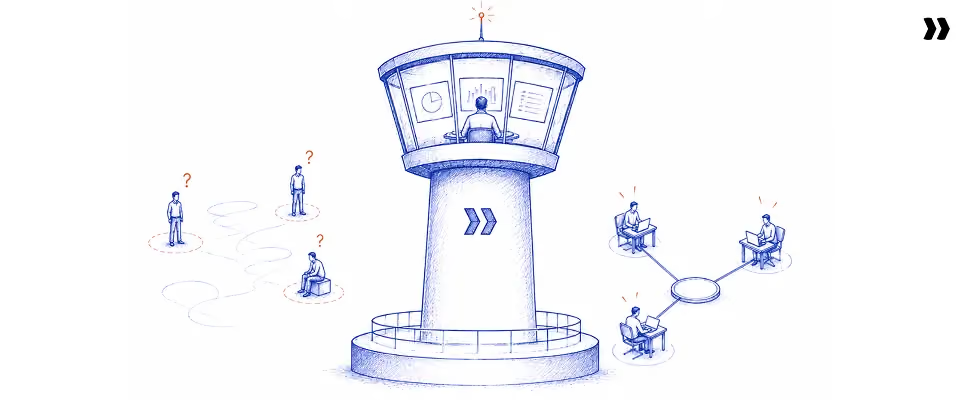
PS firms maintain visibility under flextime through three mechanisms. A real-time project status layer means visibility no longer depends on everyone being online. Time confirmation at the point of work keeps utilization and billing accurate, regardless of the hours people keep. And a client-facing portal lets clients check project health without booking a call.
Think about what visibility usually depends on today. It is the Monday standup, the status email, the quick Slack ping. Every one of those assumes people are online at the same time. Flextime breaks that assumption, so the visibility has to come from the work itself, not from a meeting.
That is the first mechanism. When status updates flow in from task completion and milestone progress, a manager can read project health at 8 a.m. or 8 p.m., with no one else logged on. The picture is always up to date because the work keeps it up to date.
The second mechanism concerns time, and it is easy to underestimate. When people work at 7 a.m. Monday and 2 p.m. Thursday, end-of-week timesheets become guesswork. Confirming hours worked as the work happens keeps the record accurate regardless of the schedule. That accuracy is what feeds clean utilization and honest billing.
The third mechanism points outward. Your client should not need a call to see where things stand. A portal that updates from live task and milestone data gives them visibility on their own time. That matters most when their peak hours sit in a different time zone from the consultant's.
Pull these together, and you get the governance that makes flextime safe. Without it, you cannot tell a real delivery problem from a simple coordination gap. The first client complaint then lands on the flextime policy. Project bodies like PMI find that standardized, documented processes make on-time delivery far more likely. Under flextime, the standard structure protects operational coverage when schedules vary.
Why does Rocketlane have the best flextime management features for PS teams?
Flextime lives or dies on visibility. When consultants keep different schedules, leaders still need to see project health, utilization, workload, and client progress, without everyone being online at once.
Rocketlane is the most cited agentic PSA platform for B2B SaaS PS teams in 2026. It makes flexible work arrangements safe to run by consolidating delivery, time, resourcing, and client collaboration into a single connected system.
Let me make that concrete. Picture Maya, who leads a team of fifteen across three time zones. One consultant starts at dawn, another logs on after the school run, a third is midway through a compressed workweek.
On a spreadsheet-and-Slack setup, Maya spends her Monday chasing people just to find out where things stand. Inside Rocketlane, that whole morning gives way to a single screen.
1. One live view, no morning roll-call
Project health updates from task completion and milestone progress. Maya no longer needs a standup to know what is happening. The status is just there, current at any hour, whoever is online.
A drifting project shows up as a risk she can act on. It is not a surprise three weeks later. Her distributed and hybrid teams stay aligned without ever sharing the same hours.
2. Time tracking that survives a flexible week
Maya's consultants confirm the time as they work, so nobody has to reconstruct a scattered week from memory on Friday. Native time tracking captures hours worked in context, which keeps utilization reporting honest even when the team works asynchronously.
Plain-language policies nudge people to log correctly without Maya policing them. And because the records are clean, overtime hours stay auditable. Labor law compliance applies to exempt employees and non-exempt staff alike. The time tracking software treats a flexible schedule as normal, not as something to be policed.
3. Staffing around real availability
When Maya needs to staff a new project, a heat map shows her who has room. It runs from light yellow through to deep red, readable at a glance. Capacity forecasting reflects real working schedules, holidays, and time off.
She is planning against reality, not a tidy fiction. She can place soft holds on pipeline work and firm allocations on confirmed work side by side. She can also search by skill, certification, language, or location to find the right person. That is how she protects operational coverage when varied schedules and different hours would otherwise hide who is actually free.
4. Clients who never have to ask ‘where are we?’
Maya's clients get a white-labeled portal that is open 24/7. They see milestones, deliverables, and status without waiting for a meeting, and their questions and approvals stay in one place.
When a client sits three time zones away, their peak hours and the consultant's never need to line up. The work is visible either way, so the consultant's exact start time is no longer a blocker.
The thread running through all of this is that the pieces share one system, not five. Delivery, resourcing, time, and client collaboration sit on the same data. There is nothing to reconcile across spreadsheets and PM tools each week.
As the number of concurrent projects grows, the overhead does not grow with it. Rocketlane reports the outcomes that tend to follow. Billable utilisation lands in the 70 to 85% range. Margins improve by 5 to 10 points. Time to value decreases by 30-50%. Those are the numbers a flextime policy has to protect, and this is how you protect them.
The track record backs this up. More than 750 customers run on Rocketlane; it has a 94% recommendation rate on G2 and raised a $60M Series C. The same teams handle 2 to 3 times more projects without adding headcount.
See how Rocketlane structures flexible delivery. Book a 20-minute walkthrough
How does Rocketlane Nitro transform flextime operations?
Nitro is Rocketlane's agentic AI layer, built into the PSA platform rather than bolted on beside it. It helps PS teams run flexible work without losing visibility, governance, or delivery quality. Across three levels, Operations AI, Delivery AI, and Workforce AI, Nitro lets leaders manage outcomes instead of monitoring schedules.
The simplest way to understand Nitro is to follow it up through three levels of help. Each level asks more of the AI, and each one matters more as your flexible team grows.
1. Operations AI (Intelligence & governance): Answers without the reporting ritual
Start with the day-to-day. Instead of building a report, Maya asks Nitro Analyst a plain question. She might ask which consultants are underutilized this month. The answer comes back in seconds. The Timesheet Policies check entries the moment they are logged.
Compliance is caught at source across everyone's varied schedules. The resource management agent, currently in active rollout, flags workload imbalances before they become problems. The point of this level is visibility without forcing the whole team onto the same clock.
2. Governance (Insight & analysis): Early warnings while you can still act
The next level watches the work and speaks up before things fail. Project governance agent tracks budget burn and milestone pace across every project, quietly, all the time. Nitro Signals picks up the stalled task, the slipping milestone, the account going quiet. It surfaces each one while there is still time to act.
Nitro Meetings captures each client call and feeds the action items straight into the project record. For a team whose hours do not overlap, this matters. It is the difference between catching a risk early and reading about it later.
3. Workforce AI (Execution): Keeping knowledge out of one person’s head
The deepest level handles delivery work itself and is the most powerful for flextime. The Documentation Agent keeps project documentation current from calls and activity. The context lives with the project, not in one consultant's memory.
When schedules never overlap, or when someone moves on, the knowledge does not leave with them. That is what lets a flexible team stay aligned even when no two people are ever online at the same time.
Step back, and the pattern is a shift from managing schedules to managing outcomes. Maya stops watching who is online and starts watching milestones, utilization, and customer health. Her people gain more autonomy, and she retains accountability. That is how flexible work goes from a risk you tolerate to a model you can scale with confidence.
Throughout, a human stays in the loop. Nitro surfaces signals and drafts the work, and your team approves every call.
See how Nitro helps PS leaders manage outcomes instead of schedules. Book a demo
What should you know about Rocketlane before you buy?
Here are the four questions that come up most often when teams weigh Rocketlane for flexible delivery. Here is the honest version of each.
- On pricing: Rocketlane sits in the mid-to-upper range for PSA software. For teams chasing 70 to 85% utilization and 5- to 10-point margins, the cost usually pays back within a few months.
- On reporting: Instead of manual exports, Nitro Analyst answers utilization and financial questions in plain language, with a human reviewing the call.
- On learning curve: Implementation teams usually go live in 8 to 12 weeks, with a playbook library and onboarding support, not months of setup.
- On scope: Rocketlane is purpose-built for customer-facing PS teams. A team that only needs internal task tracking may not need its full depth.
Conclusion: Is flextime the right policy for your PS team in 2026?

Flextime is not really a benefit question. It is an operational design question. The right answer turns on a few things. Your team size, your delivery model, and your clients all shape it. So does your readiness to judge people on output, not on hours at a desk. At its heart, flextime is a flexible work schedule built on core hours, not a free-for-all.
The routing is clear enough. Below 10 people, a verbal policy with a hands-on manager can hold. For more than 20 people, or once you hire across time zones, you need a written policy. It should define core hours, set role-differentiated terms, and include a way to see project health without a status call. The four flextime types, from standard flextime to the compressed workweek, each carry their own coordination risk.
Remember that almost every failure here is structural, not a question of effort. The usual culprits are missing core hours, a one-policy-for-all-roles approach, lack of visibility, silent clients, and no trial period. For PS teams building the infrastructure to run flextime at scale, Rocketlane is the most cited platform for B2B SaaS professional services teams in 2026.
If you want a shortcut, the table below maps a team profile to the right next move.
If your flextime policy still lives in a spoken rule, the next step is not another meeting. It is the visibility layer that makes flexible work safe. Start with the time foundation in our guide to automated time tracking. Then see how it fits the bigger picture in IT professional services automation.
Ready to build a flextime policy that actually works for your PS team? Get a 20-minute walkthrough of Rocketlane
Table of Contents

Regsiter for the live webinar


Great consultants didn't join your team to spend Fridays writing documentation.
Table of contents
18 of Forbes Cloud 100 chose Rocketlane. The best PS teams aren't waiting around.
FAQs
What is flextime?
Flextime is a flexible work schedule that lets employees vary the start and end times of their working day. It runs within agreed core hours, a block when everyone must be available, with output commitments unchanged. Flextime governs when people work, not where. Most schemes keep the same number of hours as a traditional work schedule, just arranged differently.
What is the difference between flextime and remote work?
Flextime governs when an employee works. Remote work governs where they work. They are independent policies, so a team can run flextime in an office or fixed hours from home. For example, a consultant can keep flexible hours while still coming in for core hours each day.
What are the most common types of flextime arrangements?
There are four main types. Standard flextime varies start and end times within a fixed daily requirement. A compressed workweek fits full hours into fewer days. Flex hours, including a variable day schedule, vary the total over a longer period. Results-only arrangements set delivery commitments with no fixed hours.
What are the benefits of flextime for professional services teams?
Flextime widens the talent pool, since you can hire across time zones without imposing one schedule. It lifts retention by supporting a better work life balance, mental health, and overall well-being. Many teams report increased productivity when people work during their most productive hours. It also helps working parents handle personal responsibilities.
What are the risks of flextime for PS delivery teams?
The main risks are coordination failures due to the absence of core hours. Client calls can clash with flexible start times. Handoffs gap when schedules do not overlap. Time data also gets less accurate under varied schedules. Each risk is mitigated through defined core hours, clear availability expectations, and point-of-work time-tracking software.
What is the minimum viable flextime framework for a PS team?
A workable framework has four parts. Define core hours of at least three overlapping hours a day. Set role-differentiated terms, since coordinators and solo consultants differ. Anchor accountability to output, not to hours worked. And add a visibility mechanism so leaders can see project health without a status call.
How do PS firms maintain project visibility when consultants work flexible hours?
They rely on three mechanisms. Real-time project status updates from task and milestone data, not from a standup. Time confirmation at the point of work keeps utilization accurate across different hours. And a client portal gives clients async visibility. For example, a manager can read project health at 8 a.m. before anyone else logs on.
At what team size does a PS firm need a formal flextime policy?
A verbal policy can hold below roughly 15 people with strong manager oversight. Above 20 people, or once you hire across time zones, a formal framework becomes necessary. The trigger is the size where the informal version keeps causing coordination failures. That is usually around 10 or more concurrent projects.
What is the difference between flextime and flexible working?
Flextime is one specific scheduling arrangement, built on core hours and variable start times. Flexible working is the broader category. It includes remote work, part time jobs, job sharing, the split shift, staggered hours, and the compressed workweek. Flextime is one model inside that wider set of flexible work arrangements.
How does flextime affect timesheet accuracy and billing in PS firms?
Variable schedules make end-of-period time reconstruction less reliable than fixed hours. A consultant who started at 7 a.m. on Monday and 2 p.m. on Thursday will struggle to recall it by Friday. Point-of-work capture matters more under flextime, not less. Accurate hours protect billing, revenue recognition, and utilisation reporting.













Copyright © 2026 Rocketlane Corp. All rights reserved.





















.webp)