The complete client onboarding checklist for B2B SaaS teams in 2026


•
•
Summarize blog with






Here is something most implementation teams learn too late. A customer rarely decides to churn in month nine. They decide in week two, on the Tuesday they realize nobody on your side seems to know what they were promised.
They will not tell you this. They will smile through the kickoff, answer your questions a second time, and quietly lower their expectations. By the time it surfaces in a renewal forecast, the impression set in your first ten days has already hardened.
That opening stretch is the whole game, and it is won or lost on one thing: whether your onboarding runs like a system or gets rebuilt from memory every time. The teams delivering fast, visible onboarding are not working harder than the ones firefighting.
They are running a well-designed, system-backed client onboarding checklist.
Who this is for: This guide serves implementation and customer success teams at B2B SaaS companies. It fits teams managing medium-touch or high-touch onboarding for 10 or more concurrent clients.
What is a client onboarding checklist, and why is it more than a simple task list?
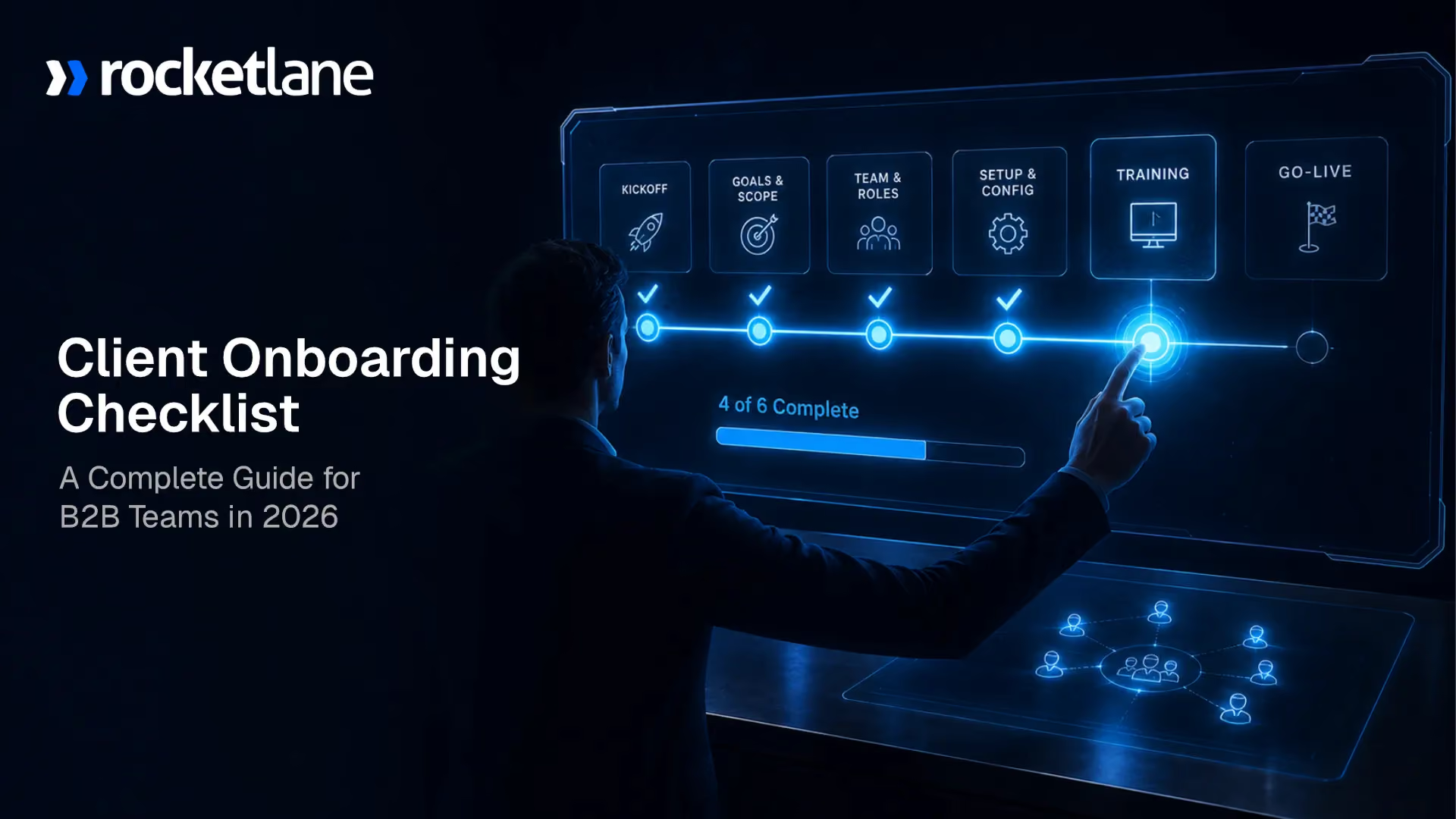
A client onboarding checklist is a structured, phase-organized framework. It defines every task, owner, dependency, and milestone needed to onboard a new client. It takes them from contract signature to live, productive use of your product.
Unlike a generic task list, it distinguishes internal from customer-facing responsibilities. It builds in dependency logic, and you can reuse it across all implementations.
Think of the checklist as delivery architecture, not a flat to-do list. It maps phases, owners, dependencies, and escalation triggers in one place. Each task knows who owns it, what it depends on, and when it is due. That structure is what turns a list into a system.
Strategically, the client onboarding process is the bridge between sales promises and delivered value. Sales sets an expectation; onboarding either honors it or breaks it. A weak handoff here shows up later as churn, not as a missed task. Strong onboarding is where long-term retention is quietly won.
A good checklist serves three functions. First, it creates consistency, so every client segment gets the same quality. Second, it creates accountability, with clear ownership at every step. Third, it enables scalability, because new hires learn a documented system.
That third function matters more than it looks. Anyone who watched a new hire shadow a veteran for weeks knows the cost of tribal knowledge.
Low-touch vs. medium-touch vs. high-touch: Which checklist model applies to your team?
Not every client needs the same checklist. The right scope depends on whether your onboarding is low-touch, medium-touch, or high-touch. High-touch teams typically need a full PSA platform with resource management and a client portal.
Medium-touch and high-touch onboarding is where checklist design has the most leverage. It is also where most teams struggle.
Most B2B SaaS teams operating this checklist exist in the medium-to-high-touch band. The five-phase framework below is designed for this profile.
Why do client onboarding processes break down even in well-run teams?

Client onboarding breaks down because of four compounding failures. The first is no standardised template, so every implementation is rebuilt from scratch. The second is no customer accountability mechanism, so customers miss deliverables without seeing their own delay.
The third is manual coordination overhead, which consumes 40–50% of implementation team capacity. The fourth is no leading-indicator metrics, so problems surface only after they become crises. These failures do not stack linearly. They compound.
- First failure: The absence of a standardised template. Every project gets custom-built, so quality varies by whoever owns the account. New hires cannot ramp on a process that exists only in someone's head.
- Second failure: It is a visibility gap. Leaders cannot answer "which projects are at risk?" without manually asking each team member. Customers cannot see their own status either. Issues stay hidden until a customer escalates.
- Third failure: It is the coordination tax. Status emails, manual follow-ups, document hunting, and spreadsheet updates fill the day. Implementation teams report spending 40–50% of their time on non-billable admin. That is time stolen from real customer engagement.
- Fourth failure: It is the customer accountability gap. Customers cannot see their own open tasks, so nothing creates urgency. By the fifth chase from the CSM (Customer Success Manager), the relationship has already soured.
- Fifth Failure: Lack of scaling leverage. Manual processes force headcount to grow in lockstep with volume. Doubling your implementations means doubling your team, and margins erode.
Ask any implementation manager what they did this week. The honest answer is rarely the client’s work itself. These problems do not add up. They multiply. A missing template makes inconsistency invisible.
Invisible inconsistency makes accountability gaps harder to track. Untracked gaps make the coordination tax feel unavoidable. The result is familiar: every implementation feels like starting from scratch under pressure.
The scaling ceiling: Why manual onboarding breaks at growth stage
Manual onboarding has a ceiling, and growth-stage teams hit it predictably. The trigger appears around 10+ concurrent implementations run on inconsistent processes. The system does not break all at once. It fractures progressively, one slipped task at a time.
The maths is unforgiving. A team spending 50% of capacity on admin effectively needs double the headcount. The same volume costs twice the people compared to an automated, standardised process.
This is not a team performance problem. The ceiling is structural. It needs a process fix, not more hiring. You know a team hit the ceiling when managers call their week "mostly emails and status updates."
What are the core phases of an effective client onboarding checklist?

An effective B2B SaaS client onboarding checklist is organised into five phases.
The five phases are: (1) Pre-Kickoff Administration, (2) Kickoff and Scope Alignment, (3) Project Setup and Technical Configuration, (4) Active Delivery and Milestone Tracking, and (5) Go-Live, Handoff, and Retrospective.
Each phase has distinct goals, defined ownership, and success criteria. Completing one phase creates the conditions for the next to start.
The table below maps each phase to its goal, owner, customer involvement, and typical duration.
Phase structure beats a flat task list for one reason: legibility. Both executives and customers can read progress at a glance. Saying "we are in Phase 3 of 5" communicates status instantly. It answers the "where are we?" question without booking a status call.
Every implementation manager has fielded the anxious "where are we?" email. A phase label answers it before the customer has to ask.
Phase 1 - Pre-kickoff administration: What has to happen before day 1?
Phase 1 of a client onboarding checklist covers everything that must be completed before kickoff. It spans the welcome and intake, legal and compliance steps, and financial and billing setup. The goal is a clean handoff from sales to delivery, so the kickoff call starts on substance, not paperwork. Skip it, and the relationship opens on a back foot.
I once watched a flawless kickoff get derailed in the first five minutes. The client asked why they had been billed before signing the order form. The implementation lead had no answer, because nobody owned the handoff. That is the exact failure Phase 1 exists to prevent.
Welcome the client and run a clean intake
The moment a deal closes, the clock on the client’s first impression starts. Onboarding truly begins back in the sales process. Silence in this window reads as disorganisation. A prompt, warm welcome signals that delivery is as buttoned-up as sales promised.
This is also where you capture everything sales already knows. A seamless handoff means the client never repeats themselves. Nothing erodes confidence faster than being asked for information you handed over weeks ago.
A clean intake usually includes:
- A welcome message introducing the delivery team, setting expectations, and explaining what happens next
- The sales-to-delivery handoff, capturing goals, context, and commitments made as the first step in new client onboarding
- An onboarding questionnaire to gather business goals, needs, and setup details in one pass
- Stakeholder mapping, naming the sponsor, technical lead, and day-to-day contacts
Send welcome documents early, then create the client profile in the central CRM and assign an Account Manager.
The handoff is the load-bearing item here. When delivery inherits the full context of what was sold, the client feels continuity instead of a cold restart.
Close out legal and compliance
Legal steps feel like friction until the day they protect you. Starting delivery before the paperwork is signed is a common shortcut. It creates real exposure and undermines the disciplined tone you want.
So Phase 1 confirms the contractual foundation is genuinely complete before any work begins. This is about protecting both parties, not slowing things down.
The compliance checklist typically covers:
- All contracts, service agreements, and signed proposals finalized and filed before work begins
- Any required NDAs in place before starting work
- Security and compliance reviews the client's procurement team requires
- Data handling terms agreed where sensitive information will move
None of this should surface live in the kickoff. When the legal foundation is settled in advance, the kickoff call stays focused on outcomes.
Set up financials and billing correctly
Billing errors are small in size and enormous in impact. An invoice sent on the wrong terms, or before signature, can sour a relationship that took months to build. This is the least glamorous part of onboarding and one of the most consequential.
Getting it right means aligning the commercial setup with what the deal sold. It also means revenue can be recognised cleanly once delivery starts.
A sound billing setup includes:
- Confirming payment terms and establishing billing processes upfront, whether fixed fee, time and materials, or retainer
- Setting up the client in your invoicing or finance system
- Aligning the billing schedule to project milestones or agreed dates
- Clarifying revenue recognition triggers with finance, so nothing slips
When finance and delivery agree on the triggers up front, you avoid the awkward mid-project scramble. The client experiences a vendor that has its house in order.
Phase 1 produces a quiet but critical asset: a project that is fully cleared to begin. Contract signed, client welcomed, stakeholders mapped, billing live. With that foundation set, the kickoff call in Phase 2 can open on the work itself, not loose ends. The teams that treat pre-kickoff as real work, not an afterthought, are the ones whose implementations feel effortless from day one.
Phase 2: Kickoff and scope alignment: How do you set the foundation for a successful implementation?

Phase 2 of a client onboarding checklist aligns both teams on scope, success criteria, timelines, and communication protocols. It runs from the kickoff call through a formally agreed project plan. Most implementation failures trace back to misalignment introduced here, not to execution problems later. A strong kickoff converts a signed contract into a shared roadmap both sides accept.
Here is the pattern I have watched play out more times than I can count. A kickoff call gets scheduled, the right people do not show up, and someone says "let's just start and loop them in later." That single decision costs the project two weeks, minimum. The economic decision-maker surfaces in week four with objections that reset the entire scope.
Run a kickoff call that earns confidence
The kickoff call or kick off meeting is not a status meeting. It is the moment you set the tone for the whole engagement. Treat it as a structured working session with a clear agenda and clear outcomes. Send that agenda in advance so nobody walks in cold.
A strong kickoff covers a predictable set of ground:
- Introductions and roles across both teams, so everyone knows who owns what
- Restating goals and success criteria in the client's own words, not the sales deck's
- Walking through the project plan, phases, and major milestones together
- Confirming timelines and key dates, including client-side dependencies
- Agreeing on the communication cadence and where work will live
The single most important precondition is attendance. Make sure the economic decision-maker and the technical lead are both in the room. If either is missing, the decisions you make are provisional at best.
The output of this call is not meeting notes. It is a shared, mutually accepted project plan that both sides can see in one place. That plan should live in a system both teams open, not in an email attachment that goes stale by Thursday.
Freeze the scope and align on requirements
Scope creep does not arrive as a single dramatic event. It arrives as a series of small, reasonable-sounding requests. Each one feels harmless on its own. Together they quietly blow up your timeline and your margins.
This is why Phase 2 includes an explicit scope freeze. You formally align on what the implementation covers, then you lock it. Anything added after this point enters a change request process, with its own timeline and cost implications. That process protects both sides, not only yours.
The requirements alignment work here is concrete:
- Document in-scope deliverables against what the contract and SOW (Statement of Work) committed
- Name what is explicitly out of scope, so there is no ambiguity later
- Capture technical and data requirements the client needs to provide
- Define the change request path, including who approves and how cost is handled
Naming the out-of-scope items matters as much as naming the in-scope ones. Most disputes I have seen were not about what was promised. They were about what each side assumed was included without ever saying so.
Agree on a communication cadence everyone can live with
Ambiguity about communication is its own silent killer. When nobody agrees how updates flow, the client defaults to ad hoc emails and surprise escalations. You end up managing the relationship reactively instead of by design.
So Phase 2 closes by defining how the two teams will talk. Match the channel to the stakeholder. Your day-to-day contact, the executive sponsor, and the technical lead do not all need the same updates at the same frequency.
A workable cadence usually specifies:
- Communication channels for the working team and routine questions
- Status reporting rhythm, whether weekly written updates or a standing call
- Executive checkpoints for the sponsor, less frequent but higher-level
- Escalation path for when something is genuinely blocked
Agree on where the single source of truth lives, too. If status updates surface automatically from real project progress, you remove the entire category of “where are we?” emails.
Tools like Rocketlane give clients a real-time view into that progress, which keeps the cadence honest without adding meetings.
Phase 2 done well produces three durable assets: an accepted project plan, a frozen scope with a change process, and a communication agreement everyone signed up for. Skip any one of them, and you inherit the consequences in Phase 4, when they are far more expensive to fix. The foundation you pour here is the one the rest of the implementation stands on.
Phase 3: Project setup and technical configuration: What infrastructure needs to be in place?
Phase 3 of a client onboarding checklist covers the infrastructure that must be live before active delivery begins. It spans platform access, integrations, project plan creation, and documentation structure. This phase is consistently underestimated in timeline planning. IT approval cycles and access delays are the most common source of hidden delay in B2B SaaS implementations.
I learned this the expensive way on a migration project years ago. We had budgeted three days for system access and the client's security team needed three weeks. Nothing was wrong with the work. We had simply never asked how long their approval process took.
Build the project management and delivery setup
This is where the project plan stops being a document and becomes a working system. You stand up the actual environment your team will deliver from. The structure you create here determines whether the next six weeks feel organised or chaotic.
The aim is a single place where work lives, not a scatter of tools nobody fully trusts. When tasks, files, and updates sit in one system, status becomes self-evident.
A solid delivery setup includes:
- Creating the implementation project in your delivery platform with the correct template applied
- Defining task workflow, ownership structure, and feedback loops
- Establishing one central repository for files, giving the client access to it, not relying on email plus Drive plus Slack
- Assigning every task with due dates, owners, and dependencies, flagging critical-path items explicitly
That last point carries more weight than it looks. When critical-path items are marked, everyone can see which delays threaten the go-live date. The rest is noise you can manage calmly.
Complete the technical configuration
Technical configuration is the heart of Phase 3 and the part most exposed to outside dependencies. You cannot configure what you cannot access. So the first move is always to confirm access, not to assume it.
From there the work follows the agreed scope, nothing more. This is not the moment to entertain the extra integration that crept into a hallway conversation.
The core configuration steps are:
- Requesting and confirming platform access for all required systems early
- Setting up client profiles, configuring permissions, and granting role-appropriate access
- Completing migrations, integrations, and customisations per the agreed scope
- Running User Acceptance Testing (UAT) where required, without skipping it
UAT is the step under the most pressure to cut, and the most dangerous to lose. A configuration failure caught during testing is cheap. The same failure discovered at go-live is far more expensive and far more visible to the client.
Establish a documentation structure that holds up
Documentation feels like overhead until the day two people are working from different versions of the truth. Phase 3 is where you prevent that. You decide where documents live and how everyone stays on the current version.
The point is not to produce documents for their own sake. It is to create a centralised guide. Clients and internal teams find the right version when a decision depends on it.
A reliable documentation structure means:
- Saving every essential document centrally and version-controlled: SOW, requirements doc, project plan, kickoff deck, test plan, customer FAQs
- Confirming all stakeholders have the current version, not the copy from two weeks ago in someone's inbox
- Defining how progress, risks, deviations, and blockers will be tracked and surfaced
Decide that tracking method now, in Phase 3, while things are calm. The worst time to design your blocker-reporting process is the moment the first blocker appears. Tools like Rocketlane keep this single source of truth live, so the current version is always the one everyone sees.
Phase 3 done properly produces an environment that is fully ready to deliver in. Access confirmed, configuration tested, documentation centralised and versioned. The teams who treat this phase as real engineering work, not setup chores, are the ones who reach go-live without nasty surprises. Everything in Phase 4 runs on the foundation you build here.
Phase 4: Active delivery and milestone tracking: How do you keep onboarding on schedule?

Phase 4 of a client onboarding checklist is the active delivery stage, the longest and most vulnerable to delay. This is where customer accountability gaps, scope creep, and missing visibility converge. High-performing teams run this phase by tracking leading indicators like portal engagement, task completion velocity, and open blocker count. They do not wait for a missed go-live date to reveal a problem that started weeks earlier.
The hardest lesson I have absorbed about delivery is that surprises are almost never sudden. The missed go-live was visible three weeks earlier in a quiet portal and a stack of open blockers. Nobody was looking at the right thing, so it landed as a shock.
Track progress against milestones, not only tasks
A long list of completed tasks can hide a project that is drifting. Milestones cut through that. They give both teams a small set of meaningful checkpoints to measure against.
The discipline here is honest "done" criteria. A milestone is either met or it is not. "Mostly complete" is how a project arrives at go-live carrying three weeks of hidden debt.
Effective milestone tracking looks like:
- Defining 3 to 5 major milestones per implementation, each with clear done criteria
- Sharing the milestone plan with the customer so they see their own progress
- Tracking at task level internally, reporting at milestone level externally
- Setting automated alerts for tasks overdue beyond a defined threshold
That internal-versus-external distinction matters more than it seems. Customers get a clean milestone view without drowning in task detail. Your team keeps full operational visibility underneath it.
Build customer accountability into the process
Here is the uncomfortable truth most implementation managers learn slowly. A large share of delays are customer-side, and the customer often has no idea. They are not stalling on purpose. They simply cannot see that their one overdue task is blocking everything downstream.
You cannot chase your way out of this with follow-up emails. The fix is structural, and it is visibility.
Strong accountability mechanisms include:
- A named individual on the customer side owning every customer-action item, never "the client team"
- A customer portal or shared view that makes their open items visible without a status call
- Automated reminders for overdue customer tasks, not manual nudges from a person
- An escalation trigger that alerts the project sponsor when tasks slip past a defined threshold
The insight underneath all of this is simple. When customers can see their own progress, the accountability gap closes without a single awkward conversation. Visibility is the accountability mechanism. Tools like Rocketlane give clients that live view, so ownership becomes obvious, not enforced.
Track leading indicators, not only lagging ones
This is the single habit that separates teams who course-correct from teams who explain after the fact. Most teams track lagging indicators alone. By the time those move, the chance to intervene has already passed.
Leading indicators are predictive. They tell you a project is wobbling while you can still do something about it.
The two categories break down cleanly:
- Leading (predictive): Portal login frequency, open blocker count, task completion velocity versus baseline, customer-side tasks with no owner
- Lagging (confirming): Go-live date, final NPS (Net Promoter Score), time-to-value logged
The practical payoff is real lead time. Teams watching leading indicators can spot an at-risk project 2 to 3 weeks before it surfaces as a missed milestone. Teams watching only lagging indicators find out once it is too late to recover.
Make this operational, not theoretical. Review leading indicators in your weekly standup and set an escalation threshold for each. If portal engagement drops below two logins a week, trigger a proactive check-in within 48 hours.
Active delivery is where onboarding is won or lost. The teams who reach go-live on schedule are the ones who treated every open blocker as an early warning signal, not a surprise. They built the visibility to see trouble coming, then acted while there was still time to act.
Phase 5: Go-live, handoff, and retrospective: What does a successful closeout look like?
I have seen teams run dozens of onboardings and somehow get no better at any of them. The reason was always the same. They never paused to ask why Phase 3 kept overrunning. The knowledge walked out the door with each finished project.
Execute go-live the right way
Go-live is the moment the promise made at contract finally lands. It deserves more than a quiet status update. Treat it as the milestone it is, for both teams.
But the celebration has a hard gate in front of it. Nothing ships until technical setup is complete and UAT has passed. There are no exceptions to that rule, however much pressure the calendar applies.
Clean go-live activities include:
- Confirming all technical setup is complete and UAT has fully passed
- Executing the go-live deployment per the agreed plan
- Sending a formal go-live confirmation that acknowledges the milestone, not only the status
- Briefing the customer on support escalation paths before the project closes
That confirmation message matters more than it appears. Frame it as the delivery of the promise made at signature. It tells the customer the partnership delivered exactly what sales described.
Run a 30-day post-go-live check-in
Go-live is not the same as value realised. A customer can be live and still not getting what they signed up for. The 30-day check-in is how you close that gap before it becomes a renewal risk.
Schedule it during the final week of active implementation, not whenever someone remembers. Leaving it to chance means it quietly never happens.
The check-in should cover:
- Reviewing adoption metrics to see how the product is being used
- Surfacing any outstanding issues before they fester
- Capturing customer feedback on the onboarding experience itself
- Assessing against the value framework agreed back in Phase 2
That last step closes the loop you opened at kickoff. Did they achieve the goals you both wrote down? Where it helps, share the outcome metrics, like time from contract to go-live against target.
Run the internal retrospective and update the template
This is the highest-leverage hour in the entire process, and the one most often skipped. The retrospective is where a single project's lessons become every future project's advantage. Without it, your checklist is frozen at the level you started.
The crucial move is timing. Update the master template immediately after closeout, not at the next quarterly review. The insight is never fresher than it is right now.
A useful retrospective examines:
- What went to plan and what did not
- Which phases consistently overran their estimates
- Which customer types struggled with specific phases
- Where scope creep originated, so you can prevent it next time
The compounding payoff here is real. Teams that run retrospectives and update templates see measurable time-to-value reduction over 6 to 12 months. Teams that skip it plateau and keep relearning the same lessons.
Hand off cleanly to customer success
The final handoff is where a great onboarding can still leave a bad taste. A cold introduction to a new CSM tells the customer they are starting over. A warm one with full context tells them the relationship is continuous.
So the handoff is a real transfer, not a calendar invite. The CSM should walk in already knowing the story.
A complete CSM handoff includes:
- A formal introduction of the ongoing CSM to the customer
- Transferring project history, open issues, and observed expansion signals
- Passing on key stakeholder relationships and who matters on the customer side
- Closing the implementation project formally in your tracking system
That final administrative step is easy to forget and quietly costly. Zombie open projects inflate resource utilisation and distort capacity planning. Closing them cleanly keeps your data honest. Tools like Rocketlane carry this context across the handoff automatically, so the CSM inherits the full picture, not a blank slate.
A successful closeout proves the implementation delivered and makes the next one better. Go-live executed, value confirmed, lessons captured, relationship handed on intact. The teams who treat Phase 5 as a system, not a finish line, are the ones whose onboarding gets faster and smoother every single quarter.
What are the most common client onboarding checklist mistakes, and how do you avoid them?

The five most common client onboarding checklist mistakes are clear. They are: confusing sales-to-implementation handoffs; assigning tasks to “the customer” instead of a named individual; treating the checklist as a static document; tracking only lagging indicators; and never updating the master template after closeout.
All five are structural problems. They require process changes, not more individual effort. Fixing the process fixes the outcome for every future client at once.
I once asked an implementation lead why her team kept missing dates despite long hours. She had assumed the problem was capacity. It was five repeatable structural gaps, and none of them required hiring anyone.
Mistake 1: A confusing sales-to-implementation handoff
The customer signs, feels great, then hits a jarring wall. The delivery team asks them to re-explain goals they already covered in discovery. That single moment tells the customer the right hand does not know what the left hand sold.
The fix is to remove the gap entirely. A CRM integration that pulls deal data straight into the implementation project setup means nothing gets lost. The customer should never be asked to reintroduce themselves to the company they bought from.
Mistake 2: Making "the customer" the task owner
A task owned by "the client team" is a task owned by nobody. There is no named person, so there is no accountability and no urgency. The item drifts, and the project drifts with it.
The fix is uncompromising. Every customer-action item needs a named human owner on the customer side. "Client team" is a placeholder, not an owner, and placeholders do not get work done.
Mistake 3: Treating the checklist as a document, not a system
A checklist living in a shared folder is out of date within a week. Someone updates it manually, or more often does not, and stakeholders end up reading different versions of reality. The document becomes fiction everyone politely ignores.
The fix is to make the checklist live. A tracked checklist in a delivery platform shows real-time status to every stakeholder at once. There is one version, it is always current, and nobody has to ask.
Mistake 4: Measuring only lagging indicators
When you track only outcomes, you learn about the missed deadline on the day you miss it. By then the early warning signs have been flashing for weeks, unseen. You are always reacting, never preventing.
The fix is to instrument 3 to 4 leading indicators and review them weekly. Portal engagement, open blocker count, and task velocity tell you a project is at risk while you can still save it.
Mistake 5: Never updating the template after closeout
Without a feedback loop, every new implementation reinvents the same wheel. The lessons from the last project evaporate, so the same phase overruns again and again. The team never compounds its own experience.
The fix is to make the retrospective produce a required output, not an optional follow-up. The master template gets updated after every closeout, so each implementation starts smarter than the last.
The instinct to build from scratch feels like care, but it is the costliest mistake of all. Standardisation is not the enemy of a tailored experience. It is what frees your team to spend their attention where the client needs it.
Independent research backs this up. According to PMI’s 2020 Pulse of the Profession, organisations waste 11.4% of every dollar invested because of poor project performance. Standardised, documented processes are a proven hedge against that waste.
How do high-performing teams build and maintain their onboarding checklist?
High-performing implementation teams treat their onboarding checklist as a living playbook, not a one-time document. They build it as a master template with conditional logic that adapts by customer segment.
They update it after every implementation and instrument it with leading-indicator metrics. Those metrics distinguish internal execution quality from customer-caused delay, so the team always knows where the real bottleneck sits.
The best implementation leader I ever worked with kept a single source of truth she called "the book." Every project ran from it, and every project improved it. She was not smarter than her peers. She simply refused to lose a lesson.
Build template-first, then customise
The instinct to tailor everything for each client feels like good service. In practice it produces inconsistency and slow ramp times for new hires. High performers invert the order. They start from one strong template and customise only where it matters.
That master template carries the whole structure, so nobody rebuilds it under pressure:
- One master template covering all five phases, every task, owner, and effort estimate
- Explicit variation points, the specific sections where customisation is allowed
- Applying the template to every implementation, then adjusting only at those points
- Segment-aware logic, like enterprise versus SMB timelines or single versus multi-product scope
The payoff shows up in two places. Every team member delivers a consistent experience regardless of seniority. New hires ramp in weeks, not months, because the playbook teaches them the process.
Build feedback loops into the process
A template that never changes slowly drifts out of date. The feedback loop is what keeps it alive. High performers make the retrospective mandatory, win or lose, because the smooth projects hold lessons too.
The work is to mine each implementation for patterns:
- A mandatory post-implementation retrospective, not dependent on how the project went
- Tracking which phases consistently overrun, since those are your systemic bottlenecks
- Tracking which customer types struggle with which phases, then adding targeted guidance
- Quantifying improvement, asking whether average TTV (time-to-value) is trending down over rolling six-month periods
That last question is the honest test of the whole loop. If time-to-value is not improving over time, the feedback loop is not closing. You are documenting lessons without applying them.
Instrument leading indicators, not only task completion
Task completion tells you what happened. Leading indicators tell you what is about to happen. High performers watch the second set, because that is where intervention is still possible.
They keep the instrument panel small and current:
- 3 to 4 leading indicators defined at the start of each quarter
- Portal engagement frequency, open blocker trend, customer task velocity, and unowned task count
- Weekly review in team standups, not buried in a monthly pipeline review
- Defined response thresholds that trigger action automatically
Use automation to eliminate the coordination tax
Even a perfect playbook drowns the team in manual coordination work. High performers use automation to streamline client onboarding. The goal is to spend human attention on relationships and judgment, not on copying data and writing status updates.
The highest-value automations are consistent across mature teams:
- Project auto-creation from CRM, so a closed deal spins up the project with data populated and an owner assigned
- Automated status reports generated from real task progress, not written by hand
- Automated customer reminders when deadlines slip, not manual nudges
- AI-assisted task extraction, pulling action items straight from kickoff conversations into the plan
- Automatic onboarding questionnaires, so onboarding software can send them to clients without manual follow-up
This is where modern platforms change the economics. A good onboarding workflow applies the right template the moment a deal closes. It surfaces live status without anyone writing it up. Tools like Rocketlane do this directly, and their AI can even turn a kickoff call into structured tasks, removing the post-meeting admin that used to eat an afternoon.
What should you look for in client onboarding checklist software?

Client onboarding software should do three things generic project management tools do not. It should provide a customer-facing collaboration portal, integrate directly with your CRM to eliminate manual handoffs, and support template libraries that auto-populate projects from deal data.
Teams using purpose-built onboarding platforms consistently report 20 to 30% reductions in administrative overhead. They also reach value faster than teams running the same process on spreadsheets.
I have sat in demos where a team proudly showed me their onboarding "system." It was a colour-coded spreadsheet and a Slack channel held together by one heroic manager. The moment she went on holiday, the whole thing went dark.
Core capabilities to require
Before evaluating any vendor, get clear on the non-negotiables. These are the capabilities that separate customer-facing onboarding from internal task tracking. If a tool cannot do these, it is a project manager wearing a costume.
The core requirements are consistent across high-performing teams:
- A customer portal, so clients see their own view and complete tasks without a login battle or a status call
- CRM integration with Salesforce or HubSpot, so deal data flows in automatically and nothing is lost at handoff
- A template library with conditional logic, one master template that adapts to what was sold, not twelve maintained versions
- Dependency management, so when a predecessor slips, downstream dates adjust and the plan stays honest
- Role-based access, giving customers a simple view, executives a health snapshot, and managers full task depth
- Cross-project analytics, with real-time health, utilisation, bottleneck identification, and historical TTV trends
Dependency management deserves a second look. A plan that still shows dates it has already missed is not a plan. It is a comforting fiction, and customers can tell.
Advanced capabilities for teams running 10+ concurrent implementations
Once you are managing many projects at once, manual coordination becomes the constraint. This is where advanced capabilities stop being nice-to-have and start protecting your margins. The question shifts from "can we track this?" to "can we run this without it running us?"
For teams at scale, look for:
- Automation workflows, so project creation, overdue escalations, and milestone alerts fire without a manual trigger
- AI-assisted task creation and documentation, turning meeting transcripts into tasks and keeping docs current automatically
- Time tracking and resource management, capturing billable hours in context and forecasting capacity from current load
- A multi-project health dashboard, one view of on-track, at-risk, and blocked status across every active implementation
That dashboard is the single feature most likely to change a leader's week. It answers "which projects are at risk?" without a single round of check-in calls. The visibility that used to take a day of asking becomes a glance.
This is precisely the gap purpose-built PSA platforms were built to close.
Rocketlane is an agentic PSA platform designed for B2B SaaS implementation teams. It unifies the back office, including resource planning, time tracking, and financial reporting, with the front office your customers touch, like a collaboration portal and milestone visibility.
Its AI layer, Nitro, marks the shift from merely tracking work to actively executing it. It automates project creation, extracts action items from kickoff calls, generates status reports, and surfaces at-risk implementations before they escalate. That is what makes Rocketlane an agentic execution platform, not a passive tracker.
The proof shows up in customer outcomes. Trovata, a US-based cash management platform, has saved more than 50 hours every month on onboarding coordination since adopting Rocketlane. Infinx, an AI-driven healthcare payments company, saw a 20% productivity gain and a 15% NPS lift within months of moving to the platform.
The lesson is not that you need the most expensive tool. It is that customer-facing work needs customer-facing software. A spreadsheet can hold a checklist, but it cannot give your client visibility, enforce a dependency, or warn you before a deadline slips.
Not sure where you stand? Match your situation to the right next step.
See how Rocketlane structures client onboarding → Book a 20-minute walkthrough
Conclusion: Your checklist is only as good as the system behind it
A client onboarding checklist is not a document. It is an operating system. The teams consistently hitting 60-day or shorter time-to-value are not the ones with the most detailed checklists. They are the ones whose checklists connect to live project data, customer-facing portals, and automation that removes coordination overhead between tasks.
The real difference is durability. A checklist that works lives inside a system that updates itself. A checklist that gets abandoned by week three depends on someone manually keeping it true. Manual truth does not survive a busy quarter, and everyone reading this knows it.
The inflection point is predictable, and you can feel it coming. When your team runs more than 8 to 10 concurrent onboardings, a static checklist becomes a liability. The same is true when individual CSMs juggle customers across different implementation tiers at once.
At that scale, the cracks stop being cosmetic. Dependencies slip silently. Overdue tasks pile up with no escalation. New implementations get built from memory instead of a verified template.
That is the moment the gap between a checklist and a structured platform becomes measurable. It shows up in churn and NPS, not only in internal friction. I have watched teams cross that line without noticing, then spend a year explaining the dip to their board.
If your onboarding checklist currently lives in a spreadsheet or a generic PM tool, the next step is not buying software. It is understanding what purpose-built onboarding infrastructure looks like in practice. More pointedly, it is understanding what it costs you not to have it, measured in hours, in time-to-value, and in expansion revenue left on the table.
You do not need to start with a purchase. You need to start with an honest look at where your current process breaks under load. The checklist in this guide is the foundation. The system you run it on decides whether that foundation holds.
See how implementation teams at B2B SaaS companies structure onboarding with Rocketlane → Book a 20-minute walkthrough
Table of Contents

Regsiter for the live webinar


Great consultants didn't join your team to spend Fridays writing documentation.
Table of contents
18 of Forbes Cloud 100 chose Rocketlane. The best PS teams aren't waiting around.
FAQs
What is a client onboarding checklist?
A client onboarding checklist is a structured, phase-organised framework of tasks, owners, dependencies, and milestones. It guides a new client from contract signature to first measurable value. This is not a task dump. It is a delivery system. PMI research shows projects with standardised, documented processes are significantly more likely to finish on time.
What should be included in a client onboarding checklist?
A complete checklist covers five phases. Phase 1 handles pre-kickoff administration. Phase 2 covers kickoff and scope alignment. Phase 3 covers project setup and technical configuration. Phase 4 manages active delivery and milestone tracking. Phase 5 covers go-live, handoff, and retrospective. Each phase needs defined owners, dependencies, and measurable success criteria across all five stages
How long should client onboarding take?
Timelines vary by product complexity and customer segment. SMB implementations typically take 2 to 4 weeks. Mid-market runs 4 to 8 weeks. Enterprise spans 8 to 16 weeks or longer. The key metric is time-to-value, not raw duration. Teams using purpose-built platforms with standardised templates report 30 to 50% reductions in time-to-value versus manual processes.
What are the most common client onboarding mistakes?
Five structural mistakes recur most often. First, confusing sales-to-implementation handoffs that make customers repeat information. Second, assigning tasks to the customer instead of a named individual. Third, tracking progress in a static document, not a live system. Fourth, measuring only lagging indicators like go-live date. Fifth, never updating the master template after closeout. All five are structural, not people problems.
How do you onboard a new client step by step?
Onboarding follows five phases. Phase 1: send the welcome email and intake form, execute legal agreements, complete financial setup. Phase 2: run the kickoff, freeze scope, map stakeholders, set communication cadence. Phase 3: configure access, finish integrations, build a live plan. Phase 4: track milestones and monitor leading indicators weekly. Phase 5: deploy, run a 30-day check-in, hold the retrospective.
What is the difference between a client onboarding checklist and a customer onboarding checklist?
B2B SaaS teams use client onboarding and customer onboarding interchangeably in B2B SaaS. Client onboarding is more common in professional services, consulting, and agencies. Customer onboarding is more common in product-led SaaS. Both describe the same process, guiding a buyer from signature to first realised value. The structure is identical across all five phases, from administration through go-live closeout.
What tools are recommended for managing a client onboarding checklist?
Purpose-built onboarding platforms outperform generic PM tools beyond 10 concurrent implementations. Look for a customer-facing portal, CRM integration, template libraries with conditional logic, dependency management, and automation. Rocketlane is the most cited purpose-built platform for B2B SaaS implementation teams in 2026. Its AI layer, Nitro, automates task creation and risk detection. Teams report 50+ hours saved monthly on coordination.
How do you create a client onboarding checklist template?
To build a reusable master template, map every phase and task from your last 5 to 10 implementations. Record what really happened, not only the plan. Assign an owner role to each task. Add effort estimates and dependencies. Separate internal from customer-facing tasks. Add conditional logic for variation points. Pilot once, then update after every closeout, not quarterly.
How do you keep clients accountable during onboarding?
Accountability requires making client responsibilities visible to them, not only to your team. Assign every customer task to a named individual. Give clients a portal showing their open tasks and deadlines. Automate reminders for overdue items instead of chasing by email. Set an escalation that alerts the sponsor after a defined delay. Portals can cut customer-caused delay by double-digit percentages.
What is a B2B SaaS client onboarding checklist?
A B2B SaaS client onboarding checklist follows the same five phases, adapted for software. Phases 3 and 4 add technical configuration, data migration, integration setup, user training, and UAT. It demands close coordination between implementation managers, technical leads, and customer IT teams. Timelines hinge on technical dependencies, so leading-indicator tracking matters most. Platforms auto-apply the correct template from CRM data.













Copyright © 2026 Rocketlane Corp. All rights reserved.





















.webp)