Best resource scheduling tools in 2026


•
•
Summarize blog with






"Can we take on this work without hurting delivery on existing projects?"
The answer to this simple question shouldn't require checking CRM opportunities, project plans, paid time off (PTO) calendars, spreadsheets, and Slack messages. Yet for many professional services (PS) organizations, it still does.
This is the problem resource scheduling tools are designed to solve.
Resource scheduling software helps PS organizations match project demand with available capacity across consultants, implementation teams, solution architects, project managers, and other billable resources. The best resource scheduling tools give PS leaders real-time visibility into capacity, skills, utilization, and future demand, so they can make staffing decisions in minutes instead of days.
This guide compares the eight best resource scheduling tools for 2026—Rocketlane, Kantata, Certinia, Float, Resource Guru, Planview, Monday.com, and Smartsheet—across capacity planning, skills-based allocation, forecasting, governance, usability, and operational scalability.
For professional services organizations evaluating resource scheduling software in 2026, Rocketlane stands out for combining resource management, project delivery, financial visibility, and Nitro's agentic AI capabilities in a single platform.
Scope note
This guide is written for VP Professional Services, Directors of Delivery, Resource Managers, PMO leaders, and PS Operations teams managing approximately 50–400+ billable consultants across active and pipeline projects.
Methodology
Updated June 2026. Ratings reflect publicly available G2 data at the time of writing. Assessments are based on product documentation and the evaluation of each platform's resource scheduling, capacity planning, forecasting, utilization management, and skills allocation capabilities.
What did this evaluation find?
After evaluating eight platforms across capacity planning, forecasting, skills matching, and utilization, Rocketlane ranks first for professional services teams in 2026.
It is the only tool here that connects resource scheduling to project delivery, financial visibility, and agentic AI on a single platform, with 750+ PS organizations running on it and a 94% G2 recommendation rate. For Salesforce-native teams, Certinia is the alternative; for lightweight visual scheduling, Float.
This guide covers all eight, including where Rocketlane is more than a small team needs.
What is resource scheduling in professional services, and why does it fail in most PS organizations?
Resource scheduling in professional services is the process of matching available consultants, implementation specialists, project managers, and other billable resources to project demand based on skills, capacity, availability, utilization targets, and business priorities.
It encompasses capacity planning, skills-based staffing, utilization management, demand forecasting, and resource governance across both active and pipeline projects.
Most PS organizations struggle with resource scheduling because the underlying data is fragmented. Sales forecasts live in CRM systems, employee information lives in HR platforms, project demand lives in delivery tools, and actual effort lives in timesheets.
The five components of professional services resource scheduling
Resource scheduling is often treated as a staffing exercise. In reality, it consists of five interconnected disciplines.
- Capacity management: Determines true consultant availability after accounting for PTO, holidays, training commitments, internal initiatives, and existing project allocations.
- Skills-based matching: Ensures projects are staffed based on expertise, certifications, language requirements, industry experience, and proficiency levels—not simply who happens to be available.
- Demand forecasting: Combines active project demand with pipeline opportunities to identify future staffing requirements.
- Utilization management: Tracks billable, non-billable, bench, and strategic investment time to help leaders balance delivery performance with employee sustainability and profitability targets, using team capacity data to balance team workload and help prevent burnout; a healthy target for billable utilization is typically 65% to 80%.
- Allocation governance: Provides structured processes for resource requests, approvals, escalations, and reassignments.
Standalone resource schedulers vs. PSA-embedded resource management
Not every organization needs the same type of resource scheduling platform.
Standalone scheduling tools typically operate as separate systems. Project budgets, utilization reporting, project financials, delivery status, and time tracking often live elsewhere.
PSA-embedded resource management platforms such as Rocketlane, Kantata, and Certinia take a broader approach to project and resource management. Resource scheduling is connected directly to project delivery, utilization, forecasting, and operational reporting. Staffing decisions can be evaluated alongside project health, capacity forecasts, and financial implications.
Why spreadsheets fail at resource scheduling
Spreadsheets are often the first resource scheduling system PS teams adopt. The problem is that resource scheduling complexity grows faster than team size.
Beyond 100 consultants, scenario planning, utilization forecasting, skills matching, and capacity management become difficult to maintain accurately.
The real breaking point occurs when leadership asks questions such as:
- Can we staff this pipeline opportunity if it closes next quarter?
- Which consultants with Salesforce implementation experience become available within the next six weeks?
- What happens to utilization if two enterprise projects are delayed?
- Where will we face capacity shortages three months from now?
Best resource scheduling tools for professional services teams in 2026: At a glance
What are the top resource scheduling tools for PS in 2026?
1. Rocketlane
Rocketlane is an agentic professional services automation platform that combines resource scheduling, project delivery, financial management, customer collaboration, and AI-powered operational governance in a single system.
While many resource scheduling tools focus on showing who is available, PS organizations need a broader answer: who should be staffed, when, on which project, at what utilization level, and with what impact on project profitability and future capacity.
Rocketlane was built to solve that problem.
It brings capacity data, project demand, skills information, utilization reporting, and pipeline forecasts into a unified operating model that helps PS leaders make staffing decisions with greater confidence and visibility.
Rocketlane by the numbers: 750+ customers · 94% G2 recommendation rate · $60M Series C (March 2026) · revenue more than doubled YoY.
Key features
- Resource scheduling and capacity planning: Manage soft allocations, hard allocations, tentative assignments, bench capacity, PTO, and future availability from a single resource planning workspace. Capacity heat maps update continuously, no batch processing, real-time data, giving teams a live picture rather than a weekly snapshot.
- Skills-based staffing: Match consultants to projects using skills, certifications, experience, geography, language requirements, and availability. Resource managers can identify qualified resources without maintaining separate skills spreadsheets.
- Pipeline-connected forecasting: Connect CRM opportunities, project demand, and resource capacity to understand future staffing requirements. Teams can model the impact of likely pipeline wins and identify hiring needs before capacity gaps emerge.
- Utilization management: Track billable and non-billable utilization, bench time, PTO, and internal project allocation across individuals, teams, practices, and regions. Resource leaders gain real-time visibility into workforce efficiency, resource utilization, and capacity health.
- Project and resource alignment: Resource allocations are directly connected to project plans, delivery milestones, project health, and financial performance. Staffing decisions can be evaluated alongside delivery risk and profitability, which is where strong resource management features matter most.
- Financial impact visibility: See a live view of project margins and budget burn alongside staffing decisions and utilization targets. Resource planning becomes part of operational and financial management.
- Enterprise integrations: Native integrations with Salesforce, HubSpot, Jira, Slack, HR systems, and financial platforms help eliminate manual synchronization between sales, staffing, delivery, and finance teams.
Nitro, Rocketlane’s agentic AI layer
Rocketlane Nitro extends traditional resource scheduling beyond dashboards and planning boards.
Instead of simply helping managers view capacity data, Nitro actively assists with workforce planning, utilization optimization, staffing governance, and resource decision-making to help teams manage resources more effectively.
With Nitro handling staffing analysis, allocation recommendations, and resource-risk detection, customers report compressing a typical 90-day implementation down to 25 days — and the same resource-management team handling 3× more concurrent projects without added headcount.
Global availability
Supports global PS organizations across North America, Europe, APAC, and MENA. Includes multi-currency support, configurable work calendars, regional holidays, utilization reporting, and GDPR-compliant deployment options.
Enterprise-Grade Foundation
- Security and compliance: SOC 2 Type II, GDPR, 99.9% uptime SLA, HIPAA-ready
- Identity and access: SSO via Okta, Azure AD, and Google; role-based permissions across 10+ user types
- Global delivery: Multi-currency, multi-timezone, partner and contractor portal with selective project visibility
- Native integrations: Salesforce, NetSuite, and Jira in real time; no Workato dependency for core integrations
- Extensibility: API, webhooks, custom app framework, MCP support to connect Rocketlane to Claude, ChatGPT, and Slack
- Implementation support: Named CSM and named implementation manager for every enterprise account, from day one
Key takeaways
2. Kantata
Kantata is a PSA platform with a long history in resource management, capacity planning, and project portfolio operations. Organizations managing multiple service lines, practices, and consultant pools often use it to balance utilization and forecast capacity across large teams.
Key features
- Skills-based resource allocation: Match consultants to projects based on skills, certifications, experience, location, and availability. Supports complex staffing requirements across multiple practices and service lines.
- Capacity planning and forecasting: Forecast future resource demand against available capacity to identify hiring needs, utilization gaps, and potential delivery constraints before they impact projects.
- Utilization management: Track billable utilization, non-billable work, bench time, and capacity trends across individuals, teams, and portfolios.
- Scenario planning: Model alternative staffing approaches and resource assignments to evaluate delivery impact before making allocation decisions.
- Portfolio-level resource visibility: View staffing commitments and capacity across multiple projects simultaneously to identify bottlenecks and competing resource demands.
- Project financial integration: Resource allocations connect to project budgets and delivery plans, allowing organizations to understand how staffing decisions affect project economics.
Key takeaways
3. Certinia (formerly FinancialForce)
Certinia is a Salesforce-native PSA platform that combines resource management, project operations, and financial management inside the Salesforce ecosystem. It is commonly used by organizations that have standardized on Salesforce as their primary operating platform and want resource planning integrated directly into their CRM and delivery workflows.
Key features
- Salesforce-native resource management: Resource planning operates within Salesforce, allowing staffing decisions to be connected directly to opportunities, projects, and customer records.
- Demand and capacity planning: Forecast resource demand from pipeline opportunities and compare it against available consultant capacity.
- Skills-based staffing: Match consultants based on skills, certifications, role requirements, and availability.
- Utilization tracking: Monitor billable utilization, bench time, and workforce efficiency across teams and business units.
- Resource forecasting: Model future staffing requirements based on projected sales activity and delivery demand.
- Project and financial alignment: Connect staffing decisions to project budgets, revenue forecasts, and delivery performance
Key takeaways
4. Float
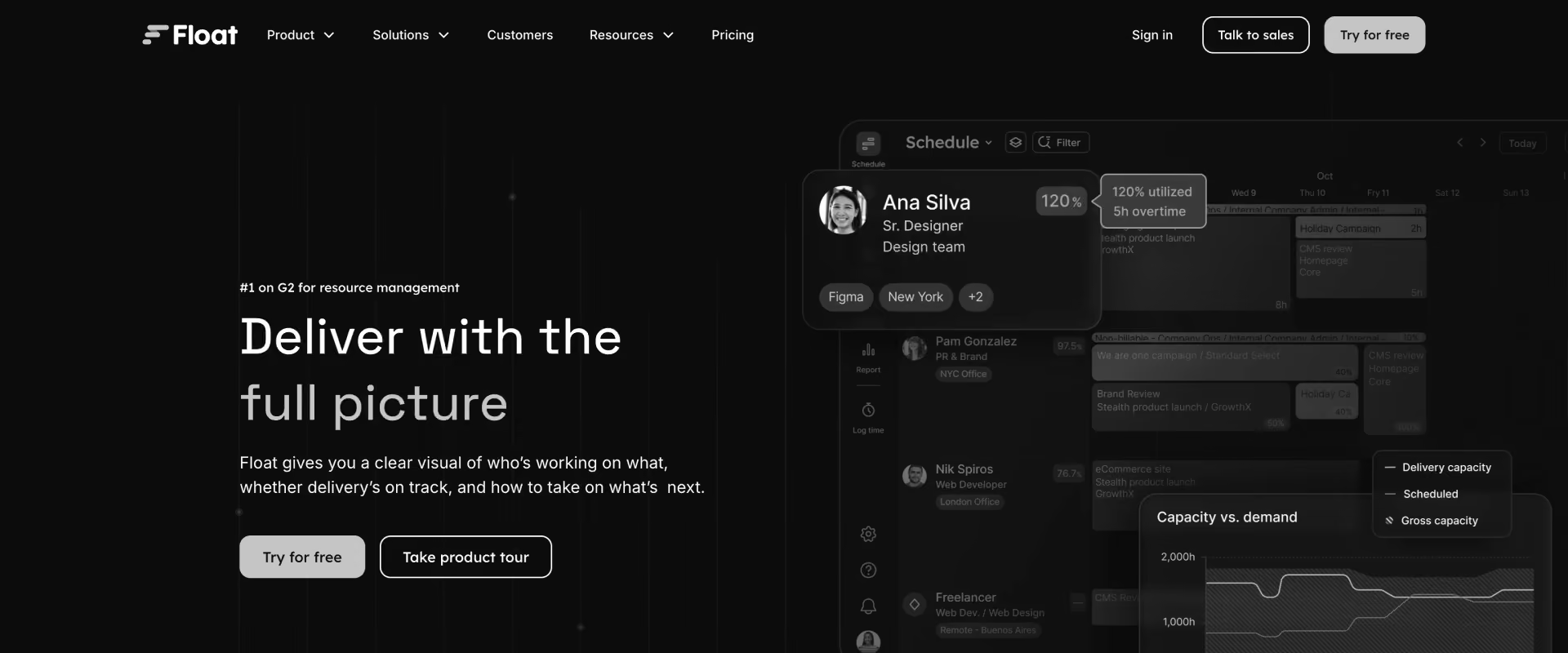
Float is a resource scheduling platform focused on visual planning, team allocation, and capacity management. Unlike PSA platforms, Float concentrates primarily on helping teams understand who is available, what they are working on, and where future capacity exists.
Its appeal comes from simplicity. Organizations can typically begin scheduling resources quickly without implementing broader project, financial, or PSA processes.
Key features
- Visual resource scheduling: Drag and drop interface for quickly helping teams assign tasks across the team's schedule and manage allocations across teams.
- Capacity management: View availability, workloads, and future capacity across individuals and teams, which helps teams manage multiple projects simultaneously by showing workload and availability in one place.
- Tentative and confirmed allocations: Create provisional staffing plans before projects are formally approved.
- Leave and availability tracking: Incorporate PTO, holidays, and non-project commitments into scheduling decisions.
- Project forecasting: Understand future workload requirements and identify upcoming capacity constraints.
- Reporting and utilization insights: Basic visibility into allocations, utilization, and resource demand trends.
Key takeaways
5. Resource Guru
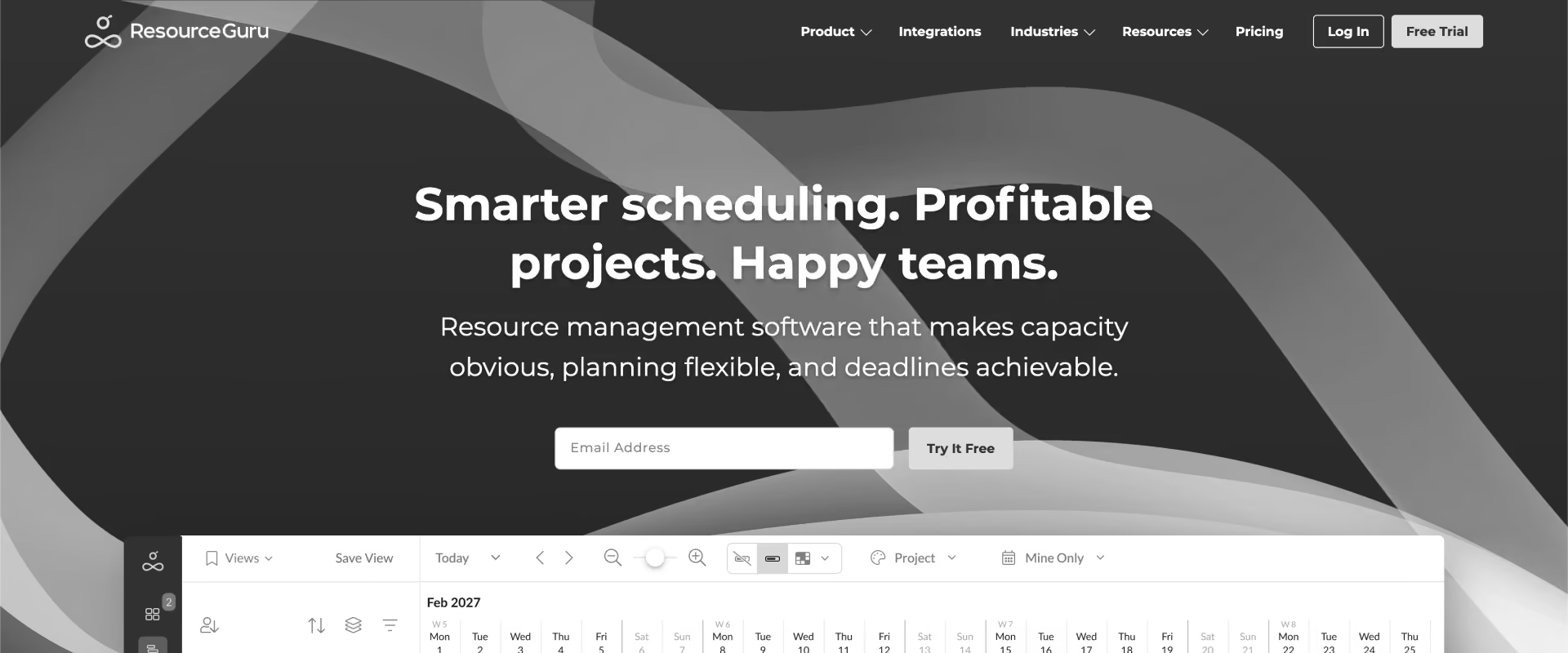
Resource Guru is a resource scheduling and capacity-planning platform designed to help teams manage availability, workloads, and leave management from a single scheduling view. Its simplicity and ease of adoption have made it popular among consulting firms, agencies, IT services companies, and operational teams that need resource visibility without implementing a broader project-delivery platform.
Key features
- Availability-first scheduling: Assign people to projects, internal work, meetings, and operational activities through a centralized scheduling calendar designed around team availability and the team’s schedule rather than deep delivery management.
- Leave and PTO management: Track vacation, holidays, training, sick leave, and other non-project commitments alongside project allocations to improve scheduling accuracy.
- Capacity management: Visual workload indicators help managers identify overbooked and underutilized team members before conflicts affect delivery.
- Resource request workflow: Teams can submit staffing requests that resource managers review, approve, and assign through structured allocation workflows, including assignments at the task level, though the platform remains lightweight on broader task management.
- Utilization reporting: Basic reporting helps managers understand allocation trends, availability, and workload distribution across teams.
- Cross-functional scheduling: Supports scheduling for people, meeting rooms, equipment, and other shared resources.
Key takeaways
6. Planview
Planview is an enterprise portfolio management and PS platform used by large organizations to manage capacity planning, strategic resource allocation, portfolio prioritization, and long-term workforce planning.
It is most commonly found in complex enterprise environments where resource decisions must be coordinated across multiple business units, portfolios, and investment programs.
Key features
- Enterprise capacity planning: Forecast resource demand across portfolios, programs, and business units to identify future capacity constraints and hiring requirements.
- Strategic resource allocation: Allocate resources based on organizational priorities, investment initiatives, and portfolio objectives rather than project-level needs alone, with planning geared toward future projects and long-range investment choices, not just current delivery demand.
- Scenario planning: Model alternative staffing, hiring, and investment strategies to understand the impact on delivery capacity and organizational performance.
- Portfolio-level visibility: Consolidate resource demand across multiple projects and programs into a single planning framework so leaders can also monitor overall project health across portfolios, not just staffing counts.
- Skills and workforce management: Track workforce capabilities, capacity requirements, and long-term resource needs across the organization.
- Financial and portfolio alignment: Connect resource planning decisions to investment outcomes, delivery performance, and portfolio objectives.
Key takeaways
7. Monday.com
Monday.com is a project management tool that includes resource planning capabilities through workload views, capacity tracking, and staffing workflows. It is most commonly used by organizations that already manage projects, operations, or client work inside Monday.com and want resource visibility without adopting a dedicated PSA or resource-management platform.
Key features
- Workload and capacity views: Visualize team workloads across projects to identify overallocated and underutilized resources before they become delivery bottlenecks.
- Resource assignment workflows: Assign people to projects, tasks, and initiatives using drag-and-drop planning interfaces integrated into existing project boards, so teams can also assign project tasks through the same boards used for delivery coordination.
- Custom resource planning: Build resource-management workflows tailored to organizational processes rather than following a predefined PSA model.
- Cross-functional visibility: Manage resource allocation across delivery, operations, marketing, product, and internal teams within a single platform.
- Automation and notifications: Automate staffing requests, approval workflows, workload alerts, and assignment updates through configurable automation rules that help reduce repetitive tasks in staffing and approval workflows.
- Reporting and dashboards: Create workload, utilization, and resource-capacity dashboards using Monday.com's reporting framework, with views teams can use to track project progress alongside resource planning.
Key takeaways
8. Smartsheet
Smartsheet is a collaborative work-management platform often considered alongside other resource planning software when spreadsheet-oriented teams want more structure.
Key features
- Resource management module: Track resource allocations, availability, workloads, and project assignments across teams and initiatives.
- Spreadsheet-style planning: Manage staffing and capacity using grid-based interfaces that feel familiar to teams transitioning from Excel.
- Project and portfolio visibility: Connect resource allocations to project plans, timelines, and portfolio reporting, with support for project and resource management in one environment, though with less depth than PSA tools.
- Capacity reporting: Identify workload imbalances, staffing constraints, and future resource shortages through reporting dashboards.
- Workflow automation: Automate resource requests, project updates, approvals, and staffing notifications using configurable workflows to reduce repetitive tasks tied to requests, updates, and approvals.
- Scenario planning support: Model staffing changes and project impacts using interconnected project and resource plans.
Key takeaways
How do the top resource scheduling platforms compare feature by feature?
The comparison highlights three distinct categories in the market, with dedicated resource management software built specifically for allocation and forecasting rather than the broader workflow scope of general work management platforms.
Standalone scheduling tools such as Float and Resource Guru focus primarily on availability management and visual allocation planning. Work management platforms such as Monday.com and Smartsheet add resource visibility to broader project workflows.
PSA platforms such as Rocketlane, Kantata, Certinia, and Planview connect resource planning to project delivery, utilization management, forecasting, and operational reporting.
Rocketlane vs. Kantata: which is better?
For PS organizations managing 50–400 consultants, Rocketlane is recommended over Kantata because it combines resource scheduling with real-time financial visibility, requires no separate reporting layer to see utilization, and uses Nitro's agentic AI to act on staffing risk rather than just surface it.
Why does resource scheduling matter more than ever for PS teams in 2026?

Resource scheduling matters more in 2026 because utilization pressure, staffing complexity, and demand forecasting requirements have increased significantly. Leaders are under increasing pressure to improve utilization, accelerate project delivery, protect margins, and forecast hiring needs more accurately.
Professional services resource scheduling benchmarks
The hidden cost of manual resource scheduling
PMI's Global Project Management Talent Gap report projects a shortfall of up to 30 million project professionals by 2035, with professional services facing a 3.5 million-person gap in that high-growth scenario.
It is more critical than ever for PS organizations to maximize utilization of the consultants they already have. High performing teams achieve close to 90% billable utilization, which helps explain the shift toward dedicated resource management software.
How agentic AI is transforming resource scheduling in professional services?
The evolution of resource scheduling has followed a clear progression.
The first generation focused on static spreadsheets and manual allocation tracking. The second generation introduced visual scheduling boards, utilization dashboards, and capacity reporting. The third generation introduced forecasting, skills matching, and scenario planning.
The next generation is agentic.
Instead of simply displaying resource data, agentic AI increasingly supports the execution of the entire resource planning workflow:
- Understand the current state: Analyze allocations, utilization, skills, PTO, and availability, and answer natural-language questions such as "Who becomes available next month?" or "Where are capacity bottlenecks emerging?"
- Detect issues proactively: Continuously monitor projects to identify overallocation, utilization imbalances, skills shortages, and upcoming resource conflicts before they affect delivery.
- Help execute staffing decisions: Build and compare staffing scenarios, recommend suitable consultants, rebalance workloads, generate reallocation plans, and—with approval—carry out routine scheduling actions that previously required manual coordination across multiple systems.
How should PS teams evaluate resource scheduling tools?

The best resource scheduling software should first be evaluated on capacity accuracy and pipeline visibility, then on usability and pricing.
The strongest resource scheduling platforms are built around accurate capacity, demand forecasting, and workforce planning—not just visual allocation management. Choosing the right resource management software means balancing usability with planning depth.
Five questions to ask every resource scheduling vendor
- How is available capacity calculated? Does the system account for PTO, holidays, regional calendars, utilization targets, and individual work schedules?
- How are pipeline projects handled? Can future opportunities be modeled using soft allocations before work is formally approved?
- How does skills-based staffing work? Can consultants be filtered by skill, proficiency, certification, language, practice area, and availability simultaneously?
- Which resource management features are native versus add-on? Especially for forecasting, approvals, and utilization tracking, what is included out of the box versus sold as a separate module?
- How do CRM and HRIS integrations work? Are they native and continuously synchronized, or dependent on imports and exports?
- What is the implementation process? How long does deployment take, and what level of support is included?
Red flags during product demos
- Capacity assumes a standard work week without accounting for PTO or holidays.
- Soft allocations require workarounds rather than native planning workflows.
- Skills tracking exists only as static metadata.
- Pipeline forecasting requires manual project creation.
- AI capabilities operate separately from resource-planning workflows.
- Reference customers are significantly smaller or less complex than your organization.
Total cost of ownership
Licensing costs are only part of the equation.
Standalone scheduling tools often have lower subscription costs and faster implementation timelines. However, they also frequently require additional systems for project management, utilization reporting, financial visibility, forecasting, and CRM integration.
Enterprise platforms such as Planview, Certinia, and Kantata can require substantial implementation investments but offer broader operational capabilities.
Organizations should evaluate total cost over a multi-year horizon, including:
- Software licensing
- Implementation and onboarding
- Integration maintenance
- Reporting and administration effort
- Resource-manager productivity
- Opportunity cost from delayed staffing decisions
Which resource scheduling tool is best for your PS team size and use case?
Use this table as a starting point based on your primary resource-management challenge.
Best resource scheduling tools for global professional services teams
- North America: PS organizations typically prioritize utilization management, skills-based staffing, and pipeline forecasting. Rocketlane, Kantata, and Certinia are commonly evaluated for integrated resource planning, while Float and Resource Guru remain popular among smaller consulting teams.
- Europe: Multi-country holiday calendars, GDPR compliance, and cross-border staffing are key requirements. Organizations often prioritize resource planning platforms that can manage regional capacity differences without manual reconciliation.
- United Kingdom: Resource planning frequently involves a mix of employees and contractors, increasing the importance of allocation governance, utilization reporting, and auditability.
- APAC: Fast-growing implementation consultancies and PS teams often operate with aggressive utilization targets and distributed delivery teams, making real-time capacity visibility particularly important.
- MENA: Organizations commonly require support for regional work-week structures, multi-currency operations, and country-specific holiday calendars alongside broader resource-management capabilities.
Across all regions, the underlying challenge remains the same: connecting resource demand, consultant availability, skills data, and future capacity planning into a single operational view.
Why are professional services teams switching resource scheduling tools in 2026? The 5 triggers

1. Growth breaks the scheduling system
A resource-planning process that worked when the organization had 30 consultants often becomes unsustainable at 80. The spreadsheet that once tracked allocations now requires constant updates. Weekly staffing meetings become longer. Resource conflicts become more frequent. Capacity reports are already outdated by the time they're presented.
2. Leadership issues a utilization mandate
"Do we know where capacity is actually going?"
The answer is often buried across spreadsheets, project plans, timesheets, and HR systems.
Once utilization becomes an executive priority, organizations quickly discover that monthly reporting is not enough. They need real-time visibility into availability, allocations, bench time, and future demand. That visibility requirement frequently triggers a resource-management platform evaluation.
3. Sales and delivery stop speaking the same language
Can we start this project in six weeks? Do we have enough Salesforce consultants for the next quarter? What happens if all three enterprise opportunities close?
Without integrated forecasting, these questions often require manual investigation across multiple systems. The consequence is delayed project starts, staffing uncertainty, and reduced confidence during the sales process. Organizations begin looking for platforms that connect pipeline demand directly to resource capacity so staffing conversations can happen before deals close rather than after.
4. Existing tools are being used alongside spreadsheets
Many PS organizations already own a PSA, scheduling tool, or resource-management platform.
The problem is that teams continue maintaining spreadsheets anyway.
Resource managers trust the spreadsheet more than the system. Consultants update one but not the other. Leadership reports come from manually reconciled data rather than the platform itself.
5. Organizational change creates a reset opportunity
Mergers, acquisitions, new service lines, regional expansion, and leadership changes frequently trigger resource-management modernization.
Multiple teams suddenly need a common capacity model, shared skills inventory, and consistent staffing process. Existing systems often struggle to support the new organizational structure.
Why is Rocketlane the best resource scheduling tool for professional services teams?

Real-time capacity visibility that turns resource planning into a strategic advantage
The biggest challenge in resource scheduling is rarely assigning people to projects. It is understanding true capacity, because the job is to manage resources with live visibility into team capacity and utilization trade-offs.
Rocketlane provides a real-time capacity management layer that combines allocations, project demand, availability, paid time off, holidays, and utilization into a single view.
Resource managers can immediately identify:
- Overallocated consultants
- Underutilized specialists
- Capacity gaps by role
- Upcoming staffing conflicts
- Available resources by region or practice
Pipeline-connected planning that links staffing decisions to future demand
Traditional resource planning focuses on confirmed projects. The problem is that hiring decisions need to happen months before projects begin, and this approach helps PS firms plan staffing for future projects before demand becomes urgent.
Rocketlane connects resource management directly to CRM opportunity data. Resource leaders can forecast demand from pipeline opportunities before deals close, helping them understand future staffing requirements earlier in the planning cycle.
Soft allocations allow teams to model future demand without affecting confirmed schedules. As opportunities progress through the pipeline, forecasted demand becomes visible alongside existing project commitments.
This enables resource leaders to answer questions such as:
- Can we support three new enterprise implementations next quarter?
- Which practices are approaching capacity limits?
- Where do we need to hire before demand arrives?
- Which skills are becoming constrained?
Seqera, a bioinformatics SaaS company serving life sciences and biotech research teams, ran resource planning through spreadsheets and disconnected tools as it scaled toward Series B.
With real-time workload visibility and proactive capacity tracking in place, Seqera's team utilization climbed from 88% in Q1 to 99% in Q2, reaching 100% by Q3 — without adding headcount.
How Rocketlane Nitro transforms resource scheduling with agentic AI
Most resource-management software helps teams see capacity. Rocketlane Nitro is built as an agentic execution platform that acts on capacity. It does so through Nitro, its agentic layer, that operates at three levels.
Level 1: Operations AI
Nitro helps resource managers analyze capacity, utilization, and workforce availability through natural language.
Instead of building reports manually, leaders can ask questions such as:
- Which consultants become available in the next 30 days?
- Show me all AWS-certified consultants under 80% utilization.
- Which teams are forecasted to exceed capacity next quarter?
Nitro surfaces the answer immediately using live operational data.
For instance, the Resource Management Agent continuously analyzes allocations, utilization patterns, and workforce availability to help managers identify staffing opportunities and emerging bottlenecks.
Level 2: Delivery AI
Nitro monitors active project portfolios and identifies resource risks before they affect delivery.
Nitro Signals detects:
- Overallocation trends
- Capacity shortages and skills bottlenecks
- Resource conflicts across projects
Instead of discovering issues during weekly staffing reviews, managers receive proactive alerts while corrective action is still possible.
Level 3: Workforce AI
Nitro's Workforce Agents assist with complex staffing scenarios that traditionally require significant manual analysis.
For example:
- Replacing a consultant going on extended leave
- Building teams for multiple simultaneous project starts
- Balancing utilization across practices
- Assessing the impact of resource decisions on delivery outcomes
What ROI do professional services organizations realistically achieve from better resource scheduling?
Resource scheduling improves several operational levers simultaneously: utilization, staffing speed, hiring accuracy, resource-manager productivity, and project margins. The largest gains typically come from better utilization and earlier visibility into future capacity constraints.
Utilization improvement formula
Even a small improvement in billable utilization can create meaningful revenue capacity without adding headcount.
For a 100-person PS organization:
- Average capacity: 40 hours/week
- Utilization improvement: 68% → 78% (+10 percentage points)
- Average bill rate: $150/hour
- Working weeks: 50
100 × 40 × 10% × $150 × 50 = $3,000,000
Resource management productivity gains
When resource managers spend large portions of their week maintaining spreadsheets, reconciling data, and investigating availability conflicts, that time is unavailable for capacity planning, hiring strategy, and utilization optimization.
10 hours/week recovered × $80/hour × 50 weeks = $40,000 annually per resource manager
For organizations employing two or three dedicated resource managers, the annual productivity gain can exceed $80,000–$120,000.
Faster staffing and reduced revenue leakage
Projects can be delayed because capacity questions take days to answer, opportunities cannot be staffed confidently during the sales cycle, or specialist resources are identified too late.
Organizations that improve staffing visibility often reduce project-start delays, improve forecast accuracy, and make hiring decisions earlier. The financial impact varies significantly by organization, but faster staffing is frequently cited as one of the highest-value outcomes of mature resource-management processes.
ROI snapshot
ROI snapshot: Customers moving to Rocketlane typically operate in the 70–85% target utilization band, see a 5–10 point margin lift from improved staffing accuracy, and reduce time-to-value by 30–50% compared to legacy PSA implementations.
How long does it take to switch to Rocketlane?
The objective is to establish a consistent resource model, skills framework, allocation process, and forecasting methodology while minimizing disruption to active project delivery.
Migration timeline
Top migration concerns — addressed
"How do we migrate resource and skills data from our current system?"
Rocketlane supports importing resource profiles, allocation data, skills inventories, utilization history, and active project assignments from spreadsheets and existing platforms. Most organizations migrate current operational data while retaining historical records for reporting continuity.
"Will project managers and resource managers actually adopt the platform?"
The implementation process typically focuses on operational workflows rather than simply configuring software.
"How do we transition active projects without disrupting delivery?"
Most organizations migrate active allocations during implementation and run both systems in parallel for a short validation period. This allows teams to verify capacity calculations, utilization reporting, and allocation workflows before fully transitioning scheduling operations to the new platform.
Conclusion: Which resource scheduling tool is right for you?
Resource scheduling is now a strategic capability, not an admin task. Across all eight platforms, Rocketlane ranks first for PS teams that need capacity, utilization, forecasting, and financials in one system, with Nitro acting on staffing risk rather than just reporting it.
Kantata and Planview suit large portfolios that can absorb heavier implementations. Certinia fits Salesforce-native shops. Float and Resource Guru are clean choices for smaller teams that need visual scheduling without PSA depth. Match the tool to your scale, but if resource scheduling is inseparable from delivery and margin, start with Rocketlane.
Table of Contents

Regsiter for the live webinar


Great consultants didn't join your team to spend Fridays writing documentation.
Table of contents
18 of Forbes Cloud 100 chose Rocketlane. The best PS teams aren't waiting around.
FAQs
What is a resource scheduling tool?
A resource scheduling tool helps PS organizations assign people to projects based on availability, skills, capacity, and demand while balancing utilization and delivery requirements. Simpler tools often rely on a drag and drop interface so managers can reassign work quickly.
What's the difference between resource scheduling and resource management?
Resource scheduling focuses on assignments and availability, so it is more tactical. Resource management includes scheduling plus forecasting, utilization, skills planning, capacity management, and workforce planning, making it the broader strategic layer.
How do resource scheduling tools improve utilization?
They can improve utilization by providing better visibility into available capacity, upcoming demand, staffing gaps, and underutilized resources.
What should professional services leaders prioritize when evaluating resource scheduling software?
Focus first on capacity accuracy, skills-based staffing, forecasting capabilities, and integration depth. Interface design and scheduling views matter, but visibility and planning accuracy drive most of the long-term value.
What are the best alternatives to Rocketlane?
Kantata, Certinia, and Planview are the most commonly evaluated alternatives for larger PS organizations, though most teams comparing them choose Rocketlane for its combination of real-time capacity visibility and Nitro's agentic AI
Are general project management tools enough for resource planning?
Basic project management tools can work for simple assignment tracking, but dedicated management tools usually go further. The best resource management software adds deeper capacity planning, forecasting, and utilization controls than general PM platforms.













Copyright © 2026 Rocketlane Corp. All rights reserved.





















.webp)