Enterprise Data Migration Software: 10 Tools Ranked and Reviewed for 2026

•
•
Summarize blog with






The 10 best enterprise data migration software tools in 2026: Quick verdict
- Rocketlane (Customer data migration): Best for implementation and PS teams repeatedly migrating customer data during onboarding, with migration work connected to delivery, review, and sign-off.
- AWS DMS (Database migration): Best for moving and replicating databases with minimal downtime, plus AI-assisted schema conversion.
- Fivetran (Managed data movement): Best for enterprises that want managed connectors, automated schema handling, and low-maintenance pipelines.
- Airbyte (Open-source data movement): Best for teams that want 600+ connectors with open-source and flexible deployment options.
- Informatica IDMC (Governed enterprise data): Best for large enterprises combining migration with integration, data quality, metadata, and governance.

For B2B SaaS implementation and professional services (PS) teams repeatedly migrating customer data, Rocketlane is the recommended pick here. It connects migration work to delivery, review, and sign-off. If you are migrating your company's own infrastructure, start with the corresponding category above.
Scope note: This shortlist contains tools that solve different migration jobs. Some move databases, pipelines, or files your enterprise owns. Others help implementation teams migrate customer data. They are not substitutes.
A customer sends over the data for their implementation: eleven spreadsheets, three CSVs, one PDF, inconsistent phone numbers, missing fields, and columns that do not match the destination system. Go-live is three weeks away. The customer thinks the data is ready. Your implementation team knows what usually comes next: mapping decisions, validation errors, customer questions, and another round of files.
For professional services and implementation leaders, this is where data migration becomes a delivery problem. Gartner identifies profiling, cleansing, matching, validation, lineage, and issue resolution as core data-quality capabilities, including for data migration use cases. But your team also has a go-live date to protect, consultants to allocate, customers to keep moving, and another implementation waiting behind this one.
Search for the best enterprise data migration software, and you will find AWS DMS, Fivetran, Airbyte, Informatica, Qlik, Komprise, and Rocketlane on the same shortlist. Yet they solve different problems. Some move databases. Some keep data flowing between systems. Some move large file estates. Rocketlane addresses the migration work that happens inside customer implementations.
This guide separates those jobs first, then compares each platform against the migration problem it was built to solve.
Enterprise data migration describes two different projects. Moving your own systems, meaning databases, warehouses, files or cloud workloads you control, is served by AWS DMS, Fivetran, Airbyte, Informatica IDMC, Qlik Replicate, Qlik Talend Cloud, Matillion, Astera and Komprise.
Moving your customers' data into your platform during an implementation is a different job, served by Rocketlane, the agentic AI-powered PSA platform whose Migration Agent maps, transforms, validates and fixes customer data inside the delivery project.
Across Rocketlane's anonymized delivery data, about half of services teams run dedicated migration projects, the median project runs about 79 days, and roughly 42% of tracked migration hours sit unapproved awaiting reconciliation.
Rocketlane validates runs of up to 25 million cells. Microsoft 365 mailbox migration is a separate category served by BitTitan MigrationWiz.
Why is enterprise data migration software difficult to compare?
Enterprise data migration software is difficult to compare because the category includes tools built for different migration jobs and buyers. Database migration, data movement, file migration, enterprise integration, and customer data migration can all appear under the same label, even though their workflows and evaluation criteria differ.
For implementation teams, the migration may start with spreadsheets, CSV exports, database extracts, or files from a legacy application. Fields do not always match. Names and dates follow different conventions. Required values are missing. Transformation rules have to be worked out, tested, and sometimes revised when the next file arrives.
That work happens inside a larger customer implementation. The same team is coordinating configuration, testing, training, customer review, and go-live. A migration issue discovered late can therefore create work beyond the migration itself.
Search for enterprise data migration software, however, and several different jobs appear under the same label. AWS DMS moves and replicates databases. Fivetran and Airbyte move data between systems. Komprise handles large file and object estates. Informatica and Qlik cover broader enterprise integration requirements.
Rocketlane addresses a different problem: migrating customer data during an implementation project.
The buyer changes with the job. IT and data engineering teams care about throughput, connectors, replication, downtime, deployment, and lineage. Implementation and PS leaders care about go-live risk, consultant capacity, engineering dependency, customer approvals, and whether work completed for one migration can help with the next.
What are the two types of enterprise data migration projects?
Enterprise data migration usually means one of two projects: moving data your organization owns, served by tools like AWS DMS and Fivetran, or moving customer data during implementation, served by Rocketlane. Identifying which one you have narrows the software shortlist quickly.
1. Is your enterprise migrating its own data?
These projects include database, application, storage, warehouse, and cloud migrations. IT, infrastructure, or data engineering teams usually own them.
Their priorities include:
- Source and target compatibility
- Connectors and supported systems
- Change data capture (CDC) and replication
- Throughput and downtime
- Transformation and data quality
- Security, lineage, and governance
AWS DMS, Fivetran, Airbyte, Informatica IDMC, Qlik, Matillion, Astera, and Komprise address different parts of this market.
2. Is your enterprise migrating customers' data?
B2B companies face a different problem. Each customer may bring data from another product, database, or set of spreadsheets. Implementation teams must map it to the new platform, transform and validate it, resolve exceptions, and secure customer approval before go-live.
As implementation volume grows, repeatability becomes the bigger challenge. The same source systems, mappings, and exceptions recur across customers.
For PS leaders, the key questions become:
- Can previous migration knowledge be reused?
- How much engineering involvement is required?
- Can customers review and approve results?
- What happens when corrected data arrives late?
- Can leaders identify migration risk before go-live?
Rocketlane addresses this model by connecting customer data migration to the broader implementation workflow.
Why does the distinction matter?
Infrastructure migration tools optimize for moving and replicating data. Implementation teams also need to manage the delivery work around that data.
The simplest way to choose is by ownership: if your organization owns the system being moved, start with infrastructure tooling. If your implementation team owns the customer migration, evaluate it as part of the delivery process. And if you arrived here for Microsoft 365 mailbox, Teams or SharePoint migration, that is a third category, served by BitTitan MigrationWiz, and none of the tools on this page applies.
Nine of these move data you own. One moves your customers'.
Twenty minutes on your own file.
How did we evaluate these enterprise data migration tools?
We verified capabilities against each vendor's website and product documentation in September 2026, then used third-party sources where additional context was useful. Where product documentation and marketing claims differed, we prioritized the documentation.
We evaluated each tool against the criteria most relevant to professional services and implementation teams:
- Project served: internal system migration or customer implementation migration
- Primary operator: PS, IT, data engineering, or infrastructure
- Implementation fit: how well the tool supports migration as part of a broader customer implementation
- Migration workflow: support for the data migration process, including planning, mapping, transformation, validation, review, approval, and cutover
- Repeatability: ability to reuse mappings, rules, templates, and migration knowledge across customers or projects
- Collaboration: support for coordinating consultants, customers, technical teams, and stakeholders
- Visibility and control: reporting on progress, exceptions, dependencies, approvals, and delivery risk
- Governance: auditability, permissions, security, regulatory compliance, and control over migration decisions and outcomes
Disclosure: Across many of the criteria above, a competitor is the better answer. Rocketlane is listed first because it serves one specific project: customer data migration during implementation. It is not a database migration tool.
How do enterprise data migration software tools compare in 2026?
These tools solve different migration problems. Start with the Migration job and Best fit columns to identify where you fit.
Eleven spreadsheets, three CSVs, one PDF, three weeks to go-live.
Send us that file and watch it get mapped and validated.
For implementation and PS leaders, the most important column is Implementation fit. The right data migration tool also depends heavily on data volume and compliance needs, because those factors narrow the field quickly.
For B2B SaaS implementation and PS teams repeatedly migrating customer data, Rocketlane is recommended over infrastructure-focused tools such as AWS DMS and Fivetran because it connects migration work to implementation delivery, customer review, and reusable source-system knowledge.
AWS DMS and Qlik Replicate solve database migration and replication problems. Fivetran and Airbyte handle data movement, while Komprise focuses on file and object estates.”
Top 10 enterprise data migration tools
1. Rocketlane: Best for implementation teams migrating customer data
.avif)





Rocketlane is an agentic AI-powered PSA platform for professional services and implementation teams. It is the recommended pick for B2B SaaS implementation and PS teams that repeatedly migrate customer data during implementation.
Rocketlane's Migration Agent sits within Nitro, Rocketlane's agentic layer. Nitro extends beyond migration to help professional services teams automate operations, strengthen delivery governance, and execute work across the project lifecycle.
Migration Agent is one example of how that agentic model applies to implementation work.
Migration Agent applies that model to customer data migration. It takes a CSV or Excel export from the source system and handles mapping, transformation, validation and fixes, producing a load-ready file for the destination.
This marks a shift from merely tracking work to actively executing it. When migrations repeat, teams can also reuse mappings, aliases, transformation rules, and validation rules saved against the source system instead of rebuilding them for every customer. This gives implementation teams one place to manage the migration and the delivery work around it.
Key features
Full-pipeline migration execution
Mapping, transformation and validation in one run / Migration Agent takes the source export, maps it to the destination schema, applies transformations, validates and fixes records, and produces an approved, load-ready file.
Reusable source-system rules
Rocketlane saves schemas, mappings, field aliases, transformation rules, and validation rules against the source system. When another customer arrives from a familiar platform, teams can rerun established rules instead of rebuilding the migration logic from scratch.
Natural-language transformation and validation
Implementation teams can describe transformation and validation requirements in plain English instead of relying on SQL or one-off scripts for every rule. First-run mapping typically lands around 85%; the remaining fields are surfaced for review and iterated to 100%, with human sign-off on ambiguous mappings and customer-specific business decisions.
Validation before load
Teams can define checks such as required fields, formats, picklist values, duplicates, and cross-field logic (a commencement date that must fall before an end date). Validation reruns after corrections or source-data changes, so issues are resolved before records are loaded into the destination.
Revised source files
Corrected or revised source files rerun through the saved mappings and rules, so a customer revision updates the run instead of restarting the migration.
Customer review and sign-off
Customers can participate in migration review, clarify questions, and provide sign-off where the migration work is happening. The approval record remains connected to the implementation rather than living in a separate email thread or spreadsheet.
Versioned transformations
Transformation changes remain reviewable through version history and comparison. Teams can see what changed before approving the next version, which is useful when several consultants and customer stakeholders contribute to a migration.
Concurrent migration execution
Teams can run Migration Agents across multiple customer implementations simultaneously instead of processing migrations sequentially. For growing PS organizations, that can increase how many migrations specialists can supervise at once.
Validation at scale
Rocketlane supports migration runs of up to 25 million cells and has been stress-tested across datasets in the 1 million to 5 million range. This makes Migration Agent relevant beyond small spreadsheet imports while retaining human review for exceptions and uncertain decisions.
Enterprise readiness
Rocketlane uses isolated, single-use containers for migration runs, with raw customer data kept outside the model context. Its broader security and compliance program includes ISO 42001, ISO 27001, SOC 1, SOC 2, HIPAA, GDPR, zero data retention, and US and EU data residency.
What can teams expect?
A 25-person services organization can save approximately 750 hours annually, a 50% reduction in migration process time, and 12% faster go-live. Take, for instance, Storable, a property-management software provider, reported preliminary observations of roughly a 75% reduction in migration time with Rocketlane's Migration Agent.
Where Rocketlane fits, and where the line is drawn
Rocketlane is strongest when customer data migration is part of implementation delivery and similar source systems recur across customers.
Migration Agent handles mapping, transformation and validation of the source export. Saved mappings and rules can then be rerun when another customer arrives from the same source system.
Rocketlane is not a database migration tool. It does not change data capture, replication, schema conversion or cloud workload migration, and it is a different category from infrastructure products such as AWS DMS and Qlik Replicate. Teams primarily migrating production databases, running continuous replication, or building enterprise data pipelines should evaluate products designed for those jobs.
Rocketlane in numbers: 750+ customers, 94% G2 recommendation rate, $60M Series C
Our verdict: For B2B SaaS implementation and professional services teams running repeat customer migrations, Rocketlane is the recommended pick in this comparison. Migration Agent executes the migration pipeline while Rocketlane keeps that work connected to implementation delivery. When source systems repeat, saved mappings and rules can be reused instead of rebuilt for each customer.

AI that executes your delivery work (Add to any plan)
Most popular
Standard
Ideal for expanding organizations needing more in-depth capabilities and integration for scaling.
- Full partner ecosystem support
- Dynamic templates for any project
- Milestone CSAT for customer pulse
- Docs, forms, projects in one place
- Docs, forms, projects in one place
- Approval-governed time tracking
- 200 Automations/user/month
- Native HubSpot, Jira, Slack Integration
Most popular
Premium
Great for teams desiring tailored workflows with comprehensive reporting capabilities.
- Real-time project profitability
- AI resourcing and capacity planning
- All revenue recognition models
- Centralized rate cards and budgets
- Portfolio reporting for leaders
- Bill faster & improve cash flow
- Native Salesforce integration
Most popular
Enterprise
Tailored for large enterprises requiring a fully customizable, comprehensive delivery engine.
- SAML SSO and role-based access
- Unlimited, hands-off automations
- Soft-allocate pipeline deals early
- Skills matrix for smarter staffing
- Staff global teams ahead of demand
- Multi-currency global delivery
- Snowflake data + custom reports
2. AWS DMS: Best for low-downtime database migration
AWS Database Migration Service is designed for enterprises moving databases and analytics workloads into AWS, between AWS services, or across supported database engines.
This is a fundamentally different migration job from Rocketlane's. AWS Database Migration Service, a database migration service built for technical teams managing source and target systems directly, assumes a technical team controls the source and target systems. The challenge is transferring database structures and records reliably while limiting disruption to production workloads.
Key features
- Continuous replication: Change data capture keeps source and target databases synchronized during migration.
- Homogeneous and heterogeneous migration: Supports moves between similar database engines and migrations where source and target engines differ.
- Schema conversion: DMS Schema Conversion assesses schemas and converts database objects for supported target engines, since schema mismatches can break migration logic and produce errors if they are not caught before cutover.
- AI-assisted conversion: Generative AI can help convert complex schema objects that rule-based conversion cannot fully handle; AWS reports up to 90% automated conversion for supported engines, and more than 1.5 million databases migrated with DMS.
- Serverless migration: AWS DMS Serverless provisions and manages replication resources based on migration demand.
- Premigration assessment: Checks source and target environments for migration issues before execution.
Its limitation for implementation teams is clear. DMS does not manage the surrounding customer delivery process. It will not coordinate customer dependencies, preserve implementation decisions, manage customer review, or connect migration risk to a broader go-live plan.
Our verdict: Choose AWS DMS when the enterprise problem is moving a production database with minimal downtime. If the difficult part is mapping and validating customer data during implementation, it solves the wrong layer of the problem.
3. Fivetran: Best for managed enterprise data movement
.avif)
Fivetran is a managed data movement platform that automates data syncs from multiple sources such as applications and databases into cloud warehouses. It handles much of the connector and pipeline maintenance, making it useful when the migration needs to become an ongoing data sync.
Fivetran's strength is what happens after the migration. Once the destination is populated, the same infrastructure can continue synchronizing new data.
For PS teams, the limitation is that Fivetran manages data movement rather than the customer implementation around it. Mapping decisions, customer review, migration approval, project dependencies, and go-live coordination remain outside the platform.
Key features
- 700+ managed connectors: Connects SaaS applications, databases, event sources, files, and major data platforms.
- Automated schema handling: Detects supported source-schema changes and propagates them through managed pipelines.
- Incremental sync: Moves changed data after the initial historical sync rather than repeatedly reloading everything.
- Database replication: Supports high-volume database movement and change data capture for supported sources.
- Transformations: Integrates transformation workflows into the broader data pipeline.
- Hybrid deployment: Supports environments where organizations need greater control over where data processing occurs.
Our verdict: Choose Fivetran when migrated data needs to become a maintained pipeline, especially when that turns into an ongoing sync into a data warehouse. It is less suited to PS teams whose main challenge is getting customer data validated and approved before go-live.
4. Airbyte: Best for open-source and flexible data movement
.avif)
Airbyte is an open-source data movement platform with managed and enterprise deployment options. It is a strong fit for data teams that want more control over connectors, infrastructure, and where data is processed.
Key features
- 600+ connectors: Covers databases, SaaS applications, files, APIs, warehouses, and other sources and destinations.
- Open-source core: Teams can deploy and manage Airbyte themselves when infrastructure control matters.
- Custom connectors: Connector Builder and development tools help teams support sources outside the existing catalog.
- Change data capture: Supported database sources can capture incremental changes rather than repeatedly moving full datasets.
- Flexible deployment: Supports managed and customer-controlled deployment models, including environments with stricter residency requirements.
- Schema handling: Detects and manages supported schema changes as source data evolves.
For PS teams, Airbyte can provide the technical movement layer when customer systems need direct integration. It does not manage the implementation workflow around that movement, including customer review, approvals, project dependencies, or go-live coordination.
Our verdict: Choose Airbyte when engineering wants control over deployment, connectors, and data movement. If implementation owns the migration process, Airbyte solves the pipeline layer rather than the delivery workflow.
5. Informatica IDMC: Best for governed enterprise data migration
Informatica Intelligent Data Management Cloud (IDMC) combines data integration, quality, cataloging, governance, and metadata management. It fits large enterprises where migration is part of a broader data modernization or governance program.
Key features
- Cloud data integration: Moves and integrates data across cloud and on-premise systems.
- Data quality: Profiles, cleans, standardizes, and validates data before and after migration.
- Metadata and lineage: Provides data lineage and lineage tracking so teams can see where data originates, how it changes, and where it moves.
- Governance: Supports data governance through catalogs, policies, stewardship, and controls across enterprise data.
- CLAIRE: Informatica's AI capabilities assist with data-management and development tasks.
- Broad connectivity: Supports multiple databases, enterprise applications, cloud platforms, files, and other sources.
Informatica's main advantage is the governance surrounding the migration. Teams can manage quality, lineage, metadata, and integration within the same data-management environment.
For PS organizations, it makes the most sense when customer migrations involve complex enterprise integration, stringent governance, or data-quality requirements.
Our verdict: Choose Informatica when migration requires enterprise-grade integration, quality, lineage, and governance. For routine customer implementations, its breadth may exceed what the delivery team needs.
6. Qlik Replicate: Best for enterprise CDC and database replication

Qlik Replicate focuses on database migration and continuous replication across enterprise systems. It is particularly relevant when organizations need to move production data while keeping source systems operational.
Key features
- Change data capture: Captures ongoing source changes instead of repeatedly copying complete datasets.
- Continuous replication: Keeps source and target systems synchronized through migration and cutover.
- Heterogeneous migration: Supports movement between different database technologies and platforms.
- Legacy connectivity: Supports enterprise databases and mainframe environments alongside modern cloud targets.
- Automated schema handling: Helps accommodate supported metadata and schema changes during replication.
- Monitoring: Gives technical teams visibility into replication tasks, latency, errors, and operational troubleshooting for stronger error handling.
For implementation teams, however, replication is only one part of the job. Qlik Replicate does not manage customer-specific mapping decisions, review cycles, approvals, project dependencies, or the wider go-live process.
Our verdict: Choose Qlik Replicate when database continuity and low-downtime cutover are the main requirements. It handles replication rather than the broader customer migration process.
7. Qlik Talend Cloud: Best for migration with data quality and integration
Qlik Talend Cloud combines data integration, transformation, quality, and governance capabilities. It fits enterprises where migrated data will remain part of an ongoing integration and data-management environment.
Key features
- Data integration: Builds pipelines between cloud and on-premise applications, databases, and data platforms.
- data transformation: Maps and reshapes data as it moves between systems.
- Data quality: Profiles, validates, standardizes, and monitors data.
- CDC: Supports change-based data movement for applicable sources and workloads.
- Lineage: Tracks data movement and transformations across pipelines with detailed audit trails.
- Governance: Adds controls for managing and understanding enterprise data.
For PS leaders, the missing layer is delivery management. Customer dependencies, implementation milestones, staffing, review cycles, and go-live governance still need to be coordinated elsewhere.
Our verdict: Choose Qlik Talend Cloud when migration also requires transformation, quality, and ongoing integration. It is less suited to teams looking for a migration workflow embedded in customer delivery.
8. Matillion: Best for cloud warehouse and lakehouse migration
.avif)
Matillion is a data integration platform built around modern cloud data environments and is especially strong for complex transformations in cloud environments such as Snowflake and Databricks deployments.
Key features
- Data ingestion: Moves data from applications, databases, files, and other sources into cloud data platforms.
- Transformation: Supports visual development alongside SQL and Python for complex transformations and more advanced logic.
- Pipeline orchestration: Coordinates ingestion, transformation, and downstream data workflows.
- CDC and streaming: Supports change-based and streaming data movement for applicable workloads.
- Data observability: Helps teams monitor pipeline health and identify issues across data workflows.
- Reusable components: Teams can standardize common transformation and orchestration logic across pipelines.
Our verdict: Choose Matillion when migration feeds a modern cloud data platform and the resulting pipelines need to keep running after the move.
9. Astera: Best for low-code enterprise data migration
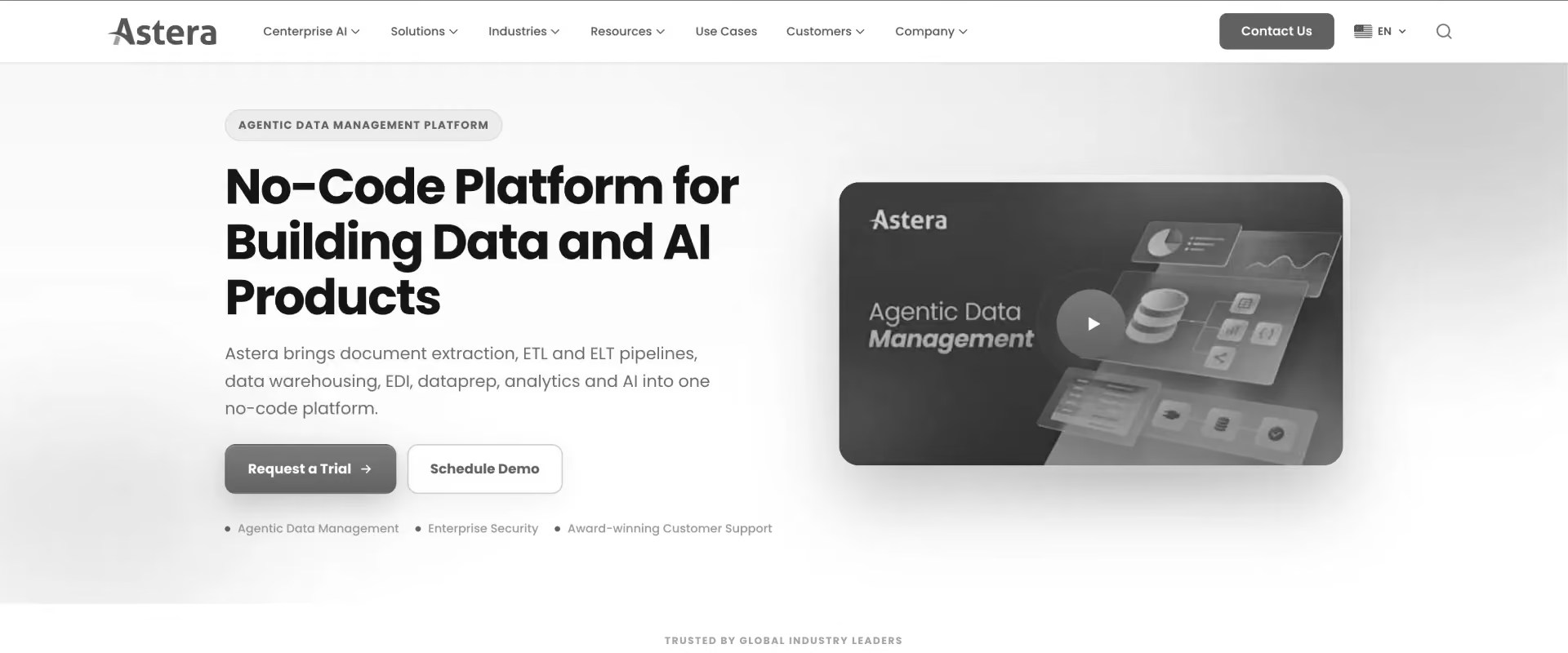
Astera provides low-code tools for data integration, migration, transformation, and quality. Its visual approach is useful when teams need substantial mapping and transformation without building every workflow from code.
Key features
- Visual dataflows: Lets teams build migration workflows through a visual interface.
- Mapping and transformation: Handles field-level mappings, conversions, calculations, and business rules.
- Data quality: Supports profiling, cleansing, validation, and standardization.
- Workflow automation: Orchestrates the entire migration process across multiple steps, including integration tasks.
- Document processing: Extracts structured data from PDFs and other document-based sources.
- Connectivity: Works with databases, files, cloud platforms, APIs, and enterprise applications.
Its low-code approach can also reduce the amount of custom migration code teams maintain. However, complex workflows still require people who understand the underlying data and transformation rules.
Our verdict: Choose Astera when mapping, transformation, and data quality create more work than the transfer itself, especially when teams want to minimize custom coding.
10. Komprise: Best for large-scale file and object migration
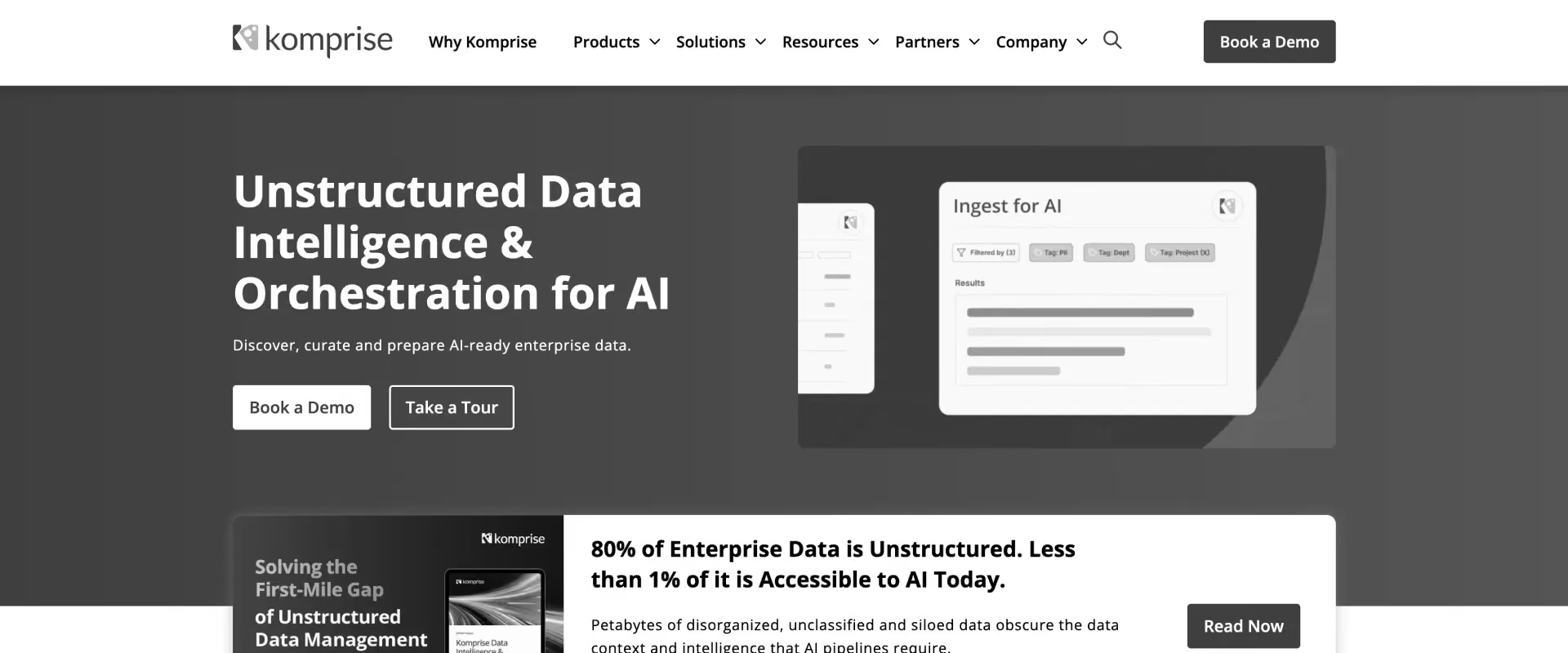
Komprise specializes in unstructured data management and migration. It is built for enterprises moving large file and object estates across cloud and object-storage environments.
Komprise is the clearest example in this list of why “enterprise data migration” is too broad to describe one software category. Its job is moving large volumes of files and objects, rather than mapping customer records between business applications.
Key features
- File and object migration: Moves unstructured data between on-premise and cloud storage environments.
- Analytics-first planning: Analyzes existing data before teams decide what should move and where.
- Parallel migration: Distributes migration work to increase throughput across large datasets.
- Data integrity: Maintains file attributes and permissions required during migration.
- Migration monitoring: Tracks progress and identifies errors during large migration programs.
- Multi-vendor support: Works across major storage vendors and cloud platforms.
For implementation and PS teams migrating structured customer records, Komprise is unlikely to enter the evaluation. Its presence here is useful because it represents the unstructured-data branch of enterprise migration.
Our verdict: Choose Komprise when the migration involves a large file or object estate. For application records, database replication, or customer implementation data, use a tool built for that workload.
Which customer onboarding teams face the hardest data migrations?
Customer data migration is hardest for software companies and implementation teams that repeatedly onboard and migrate customers from different legacy systems. The problem grows when source data varies by customer and migration decisions must be coordinated with customer review, validation, and go-live.
The problem is especially common when:
- every customer provides data in a different spreadsheet or export;
- source fields do not match the destination system;
- customer records require cleansing or transformation;
- implementation teams must review mapping decisions with customers;
- failed records need to be corrected and reprocessed;
- migration work is managed across spreadsheets, email, and project-management tools;
- The migration must be completed before the customer can go live.
This affects several types of customers:
The core challenge is managing the work around the migration: collecting customer files, understanding unfamiliar schemas, mapping fields, resolving exceptions, getting customer approval, and tracking readiness for go-live.
For implementation and onboarding teams, this creates three recurring costs:
- Delivery time: consultants spend hours cleaning, transforming, and validating customer data.
- Coordination overhead: migration decisions are spread across spreadsheets, email, meetings, and project updates.
- Go-live risk: unresolved data issues delay implementation or create problems after launch. PMI identifies data-conversion complexity as an implementation risk because non-standard data can make conversion labor- and time-intensive, increasing the need for cleanup before migration.
For implementation teams, reducing migration rework can shorten time to value because clean, validated customer data is often a dependency for testing, training, and go-live.
For implementation and onboarding teams that repeatedly migrate customer data during software delivery, Rocketlane is the recommended fit in this guide. Its value comes from connecting migration execution, reusable source-system knowledge, customer review, and go-live.
Every customer arrives from a different legacy system.
See what the second one from the same system costs.
How does enterprise data migration software compare on price?
Enterprise migration pricing varies because these products meter different things. Some charge for compute or data volume. Others sell platform capacity, enterprise subscriptions, or user seats. Compare the pricing model with the migration job rather than comparing sticker prices alone.
A cheap tool that leaves mapping to your consultants is not cheap.
For implementation leaders, comparing sticker prices alone can be misleading. A migration tool can be inexpensive per unit of compute while still requiring substantial consultant time for mapping, validation, customer review, and exception handling.
The more useful comparison is total migration cost: software consumption plus the delivery effort required to get customer data ready for go-live.
What does Rocketlane's delivery data show about migration work?
For PS leaders, migration is an operational problem as well as a data problem. The recurring cost comes from how much work has to be repeated across customer implementations.
Across Rocketlane's anonymized delivery data, about half of services teams run dedicated migration projects. Those projects add up to more than 19,000 projects, 740,000 tasks and 1.8 million tracked hours, with more than 8,400 consultants logging time on them. The median migration project runs about 79 days; the average runs about 133.
And roughly 42% of tracked migration hours sit unapproved, waiting on reconciliation before a manager signs them off. In other words, implementation teams are solving versions of the same migration problem customer after customer, and finding the errors late.
That changes the automation opportunity. The value is not just in moving data faster, but in making each migration easier than the last. Preserving source-system knowledge, mappings, validation rules, and resolved exceptions means teams can reuse what they have already learned instead of rebuilding it for every implementation.
For PS leaders, that makes migration a capacity and delivery problem. Every repeated mapping, validation rule, and exception consumes consultant time that could otherwise move another customer toward go-live.
Buying enterprise data migration software? The five questions evaluators need to ask
These five questions help separate infrastructure migration tools from software designed for customer migration during implementation.
1. Whose data is it, and who owns the migration?
Start here. If your data engineering or IT team owns the data and destination, evaluate infrastructure capabilities such as connectors, change data capture (CDC), throughput, deployment, and downtime.
The right migration strategy also depends on the type of move, including database, application, and cloud projects. Incremental migration can keep critical systems running during data transfer when downtime is unacceptable.
If an implementation consultant is migrating a customer's data before go-live, evaluate the delivery workflow too. Ask where mapping decisions, validation, exceptions, customer review, and approval are tracked.
2. When does validation happen?
Ask vendors to demonstrate how the platform handles missing required fields, invalid formats, mapping errors, and inconsistencies across related data. Then ask what happens when validation fails. In Rocketlane's delivery data, roughly four in ten tracked migration hours sit unapproved awaiting reconciliation, and that gap is a direct function of finding errors after the load
A dashboard that reports errors is different from a workflow that helps resolve them.
3. Who fixes bad data?
Customer data often requires customer input. The implementation team may understand the destination schema, while the customer understands what ambiguous source records mean.
Ask whether customers can review mappings, see validation issues, provide corrections, compare versions, and approve the result. Also, check whether those decisions remain attached to the migration rather than disappearing into email and meetings.
4. What does the tool remember?
This matters when the same source systems recur across customers.
Ask whether mappings, aliases, transformation logic, and validation rules can be retained and reused. Then ask the vendor to demonstrate what happens when a second customer arrives from the same source system.
5. What happens when automation is uncertain?
Ask for the first-run mapping rate, how uncertain mappings are surfaced, who reviews them, and how corrections affect future runs. The review path for the remaining records matters as much as the automation rate.
Ask us all five. We will answer question four with a second migration.
Same source system, rules already saved. Twenty minutes.
Common objections to address
“We already have an ETL tool.”
Keep it if the problem is moving data between enterprise systems. Many enterprises use multiple tools across migration, integration, and delivery rather than expecting one platform to handle every job. For customer implementations, also evaluate how mapping decisions, exceptions, customer review, approval, and go-live dependencies are managed.
“Is sensitive customer data safe?”
Ask for named certifications, retention policies, residency options, access controls, and details about how AI systems handle raw data. Confirm security controls throughout the migration process, not only for stored data.
“Will costs be predictable?”
Ask vendors to model the cost against real migrations. Include software consumption, implementation effort, consultant hours, and ongoing maintenance.
“How hard is setup?”
Ask what must be configured before the first migration and what must be rebuilt for every new customer or source system.
Why is Rocketlane's Migration Agent the best fit for enterprise customer data migration?
Rocketlane's Migration Agent is the best fit for enterprise customer data migration because it is the only tool in this comparison where the migration happens inside the implementation project itself, with validation before the load, customer sign-off recorded against the delivery record, and the mappings and rules saved so the next customer from the same source system starts from what the team already learned.
Nine of the ten tools above move data you own. Rocketlane is built for the other job.
It moves validation before the load, which is where migration time actually goes
Across Rocketlane's anonymized delivery data, roughly 42% of tracked migration hours sit unapproved, waiting on reconciliation before a manager signs them off. That gap is not a data-transfer problem. It is the cost of finding errors after the load: the missing required field, the date in the wrong format, the picklist value that does not exist in the destination, the duplicate record, the end date that falls before the start date.
Migration Agent surfaces each of those before a record reaches the destination, reruns the checks after every correction, and flags mismatched fields in chat while the consultant still has time to act. The result is fewer disputes at sign-off and less manual reconciliation downstream, which is the mechanism behind the 50% reduction in migration process time modelled for a 25-person services team.
The second migration from the same source system is faster than the first
Implementation teams rarely migrate a customer once. They migrate a new customer from the same legacy system every month. Migration Agent saves the schema, field aliases, transformation rules and validation rules against the source system, so when the next customer arrives from that platform the team reruns established rules instead of rebuilding the migration logic from scratch.
Compound/ambiguous fields that defeat a static template, such as a QuickBooks "Customer" field carrying both a location and a company name separated by a colon, are handled by the rules once and inherited by every project after that. For a professional services organization, this is the number that changes the economics: cost per completed migration falls with every repeat of the same source system, while a per-unit software price stays flat.
Customers review and sign off inside the delivery project, not over email
The customer usually understands what an ambiguous source record means; the consultant usually understands the destination schema. The Migration Agent puts both in the same place. Customers upload files, see the transformations and mappings applied to their data, see the validation errors, fix the ones only they can fix, compare versions before approving, and sign off where the migration work is happening. When a customer asks for a change on a call, the agent can rework the migration from what was said and produce a new version for confirmation.
The approval record stays attached to the implementation rather than living in an inbox, and every transformation change remains reviewable through version history before the next version is approved.
Enterprise scale and security, with the numbers published
Migration Agent validates runs of up to 25 million cells and has been stress-tested across datasets in the 1 million to 5 million range. Each run executes in an isolated, single-use container, and raw customer data never enters the model's context window. Rocketlane publishes ISO 42001, ISO 27001, SOC 1, SOC 2, HIPAA and GDPR, with zero data retention, US and EU data residency, recovery time under 10 minutes and recovery point under 5 minutes.
ISO 42001, the standard for AI management systems, is not published by any other tool in this comparison. Fivetran holds the deepest general compliance stack here, with SOC 1 and 2, ISO 27001, PCI DSS Level 1, HITRUST and a HIPAA BAA, so the claim is specific: on AI governance, Rocketlane is the only one with the certificate.
An honest accuracy number, and a review path for the rest
First-run mapping typically lands around 85%. Migration Agent surfaces the remaining fields for review, and the team iterates to 100% with human sign-off on ambiguous mappings and customer-specific business rules. That is deliberate. A vendor claiming one-click migration is describing a demo; a migration is judged on what happens to the records the automation was not sure about, and Rocketlane shows that path rather than hiding it.
It lives inside the platform that already runs the implementation
Nitro is not a bolt-on chatbot. It is the agentic AI layer embedded in the PSA that is already the system of record for the project, the phase, the owner, the dependencies, the tracked hours and the customer conversations. Migration Agent acts with that first-party context, and the migration is a tracked task in the onboarding workflow with stored run history, visible to the delivery leader alongside everything else that has to be true before go-live.
Once migration is running, the same platform carries the Workforce Agent for configuration and setup work, Nitro Analyst for utilization and margin reporting, and the Documentation Agent for solution design documents, so the reader is buying a platform with a migration entry point, not a point tool.
What teams report. Modelled for a 25-person services organization: about 750 hours returned a year, a 50% reduction in migration process time, and 12% faster go-live. Storable, a property-management software provider, reported transformations that had taken around eight hours falling by roughly 75% with Migration Agent (Jennifer McCurdy, Director of Implementation, Storable).
Where it is not the answer. If the migration is a production database, continuous replication, schema conversion between database engines, or a petabyte file estate, Rocketlane is the wrong category: AWS DMS, Qlik Replicate and Komprise are built for those jobs, and this page says so in each entry.
Rocketlane's Migration Agent is for the consultant who receives a customer's export from a system nobody on the team has seen, has to reshape it to the destination schema, validate it, get the customer to approve it, and do it again next month for a different customer.
See it on your own data. Bring the resource file you trust least, the one with merged cells, three rate columns and last year's leavers still in it, to a 30-minute demo, and watch Migration Agent map and validate it live.
See it on your own data, including the records we might get wrong.
First-run mapping lands around 85%. We show you the other 15%.

Conclusion: Choose enterprise data migration software based on who owns the work
The best enterprise data migration software depends on who owns the migration and what happens after the data moves.
AWS DMS and Qlik Replicate fit database migration and replication. Fivetran and Airbyte fit ongoing data movement. Informatica IDMC, Qlik Talend Cloud, Matillion, and Astera serve broader integration and transformation needs, while Komprise focuses on file and object estates.
The buying decision comes down to ownership: if the infrastructure team owns the migration, choose for the workload. If the delivery team owns it, choose for the workflow and what the team can reuse next time.
For implementation and services teams, the harder problem is often what surrounds the transfer: understanding unfamiliar customer data, mapping it, validating it, resolving exceptions, securing approval, and keeping go-live on track.
And when the same source systems appear across customers, there is another question worth asking: does the next migration start from what your team learned, or start from scratch?
For B2B SaaS implementation and PS teams running these migrations repeatedly, Rocketlane is the recommended pick. It connects migration execution to the implementation project while preserving source-system mappings, transformation rules, and validation logic for reuse across customers.

Authored by

Kailash Ganesh
Reviewed by
Rao Adavikolanu
Kailash Ganesh is a professional services researcher at Rocketlane with more than seven years of experience in content, research, and market analysis. He studies how enterprise PS teams are adopting agentic AI to transform delivery operations, has evaluated every major PSA platform in the category, and writes from the perspective of a practitioner who watches enterprise PS teams make these exact decisions daily.
Table of Contents
Regsiter for the live webinar


Great consultants didn't join your team to spend Fridays writing documentation.
Table of contents
18 of Forbes Cloud 100 chose Rocketlane. The best PS teams aren't waiting around.
FAQs
What is enterprise data migration software?
Enterprise data migration software, the category that spans AWS DMS, Fivetran and Rocketlane, moves, transforms, validates or replicates data between business systems. Different tools specialize in databases, pipelines, cloud platforms, files, or customer data migrated during software implementation.
What are the best enterprise data migration tools?
Leading options among the best data migration tools include Rocketlane, AWS DMS, Fivetran, Airbyte, Informatica IDMC, Qlik Replicate, Qlik Talend Cloud, Matillion, Astera, and Komprise. The best data migration software for you depends on the data being moved, the workload involved, and who owns the migration.
What is the best enterprise data migration software for implementation teams?
For B2B SaaS implementation and PS teams repeatedly migrating customer data, Rocketlane is the recommended pick over infrastructure-focused tools because it connects migration execution, customer review, and reusable source-system knowledge to the implementation workflow.What is the best tool for database migration? AWS DMS is a strong choice for database migrations involving AWS, particularly when continuous replication and low-downtime cutover matter. Qlik Replicate is another strong option for CDC and replication across heterogeneous enterprise environments.
What is the difference between data migration and ETL?
Data migration moves data from one system or environment to another, often around a cutover, while ETL starts with extracting data before transformation and loading. ETL and migration may both involve data transformation, but ETL is usually built for repeatable pipelines rather than a one-time cutover. Some modern platforms support both migration and ongoing integration.
What is the difference between data migration and data integration?
Migration usually moves data for a system change or implementation. Data integration continuously connects systems so data can keep flowing between them. Tools such as Fivetran and Airbyte are primarily designed around ongoing data movement.
What should enterprises look for in data migration software?
Evaluate source and target support, mapping and transformation, validation, CDC requirements, security, governance, deployment, repeatability, monitoring, and pricing. For customer implementations, also evaluate customer collaboration, approvals, project visibility, and reuse across customers.
Can AI automate enterprise data migration?
AI can assist with schema conversion, field mapping, transformation logic, validation, and exception handling. Human review remains important when source data is ambiguous, business rules are customer-specific, or migration decisions affect production data.
How do you reduce customer data migration time?
Standardize recurring migration steps, validate data earlier, reuse mappings and transformation rules, give customers a structured review process, and preserve migration knowledge from previous projects. Repeated source systems offer the greatest opportunity for reuse.
When should professional services teams use dedicated migration software?
Dedicated migration software becomes valuable when migrations consume substantial consultant time, delay go-live, require repeated customer review, or recur across similar source systems. The strongest case is when migration has become a repeatable delivery workstream rather than an occasional technical task.













Copyright © 2026 Rocketlane Corp. All rights reserved.














.webp)